
DOM样式操作
- CSS 到 DOM的抽象
- 通过操作 CSS 对应的 DOM对象来更新CSS样式
- 换肤操作
- 如何获取实际的样式(不仅有行内,更有页面和外联样式表中定义的样式)
样式表分为三类: 外联,页面,行内
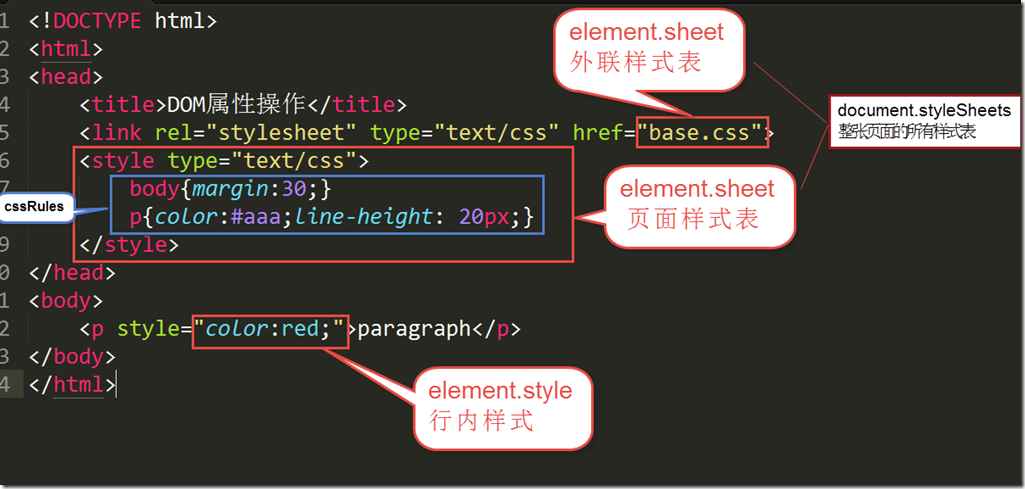
内部样式表
<style type="text/css">

   body{margin:30;}

   p{color:#aaa;line-height: 20px;}

</style>
element.sheet.cssRules
element.sheet.cssRules[1] <---> p{color:#aaa;line-height: 20px;} //cssRules中的『第二条rule』
.style <---> color:#aaa;line-height: 20px; //rule的『css声明(属性名和属性值的键值对)』
.lineHeight //通过『属性名』获得『属性值』
.selectorText <---> p //这条rule的选择器
我们可以通过这种方式查询,修改,删除css样式。
style,是CSSStyleDeclaration类的一个对象,CSSStyleDeclaration是一个键值对列表
样式属性--行内样式
<p style="color:red;">paragraph</p>
element.style <---> color:red
element.style.color <--->red
更新样式
element.style
<!DOCTYPE html>

<html>

<head>

    <meta charset="utf-8">

    <title>css行内样式操作</title>

</head>

<body>

    <input type="text" name="phone" id="phone">

</body>

<script type="text/javascript">

    var input=document.getElementsByTagName('input');

    //DOM写法

    input[0].style.borderColor='red';

    input[0].style.color='red';

    //css写法

    input[0].style.cssText = 'border-color:red;color:red;';

</script>

</html>
上面DOM写法 和 CSS写法 效果是相同的。
缺点: 样式混在js的逻辑当中。为了解决这个维护成本,改为了下面的 『更新class』
更新class
<!DOCTYPE html>

<html>

<head>

    <meta charset="utf-8">

    <title>css行内样式操作</title>

    <style type="text/css">

    .invalid{

            border-color:red;

            color: red;

    }

    </style>

</head>

<body>

    <input  type="text" name="phone" id="phone">

</body>

<script type="text/javascript">

    var input=document.getElementsByTagName('input');

    input[0].className+='invalid';  //将元素的className替换成 css样式 invalid

</script>

</html>
通过 javascript操作 元素的className DOM属性,增加了invalid样式。
缺点: 遇到『换肤』这种需要替换大量样式替换操作的时候,更新class方式也显得太繁琐。 所以应该考虑【一次性更新很多元素的样式--更新样式表】
一次性更新很多元素的样式--更新样式表
换肤.html
<!DOCTYPE html>

<html>

<head>

    <title>DOM属性操作</title>

    <link rel="stylesheet" type="text/css" href="base.css">

    <link id="skin" rel="stylesheet" type="text/css" href="skin.spring.css">

    <style type="text/css">

        body{margin:30;}

        p{color:#aaa;line-height: 20px;}

    </style>

</head>

<body>

    <p>paragraph</p>

    <input type="button" name="" value="换肤" id="changeSkin">

</body>

<script type="text/javascript">

var changeSkin_btn=document.getElementById('changeSkin');

changeSkin_btn.onclick=function (){

    var skinStyle=document.getElementById('skin');

        skinStyle.href='skin.summer.css';

}

</script>

</html>
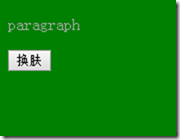
skin.spring.css
body{

    background: green;

}

p{

    color:yellow;

}
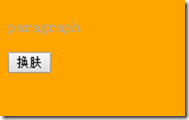
skin.summer.css
body{

    background: orange;

}

p{

    color:blue;

}
获取样式
element.style---只能获得行内样式,而外联、页面样式表中的样式通过element.style是无法获取的。
<!DOCTYPE html>

<html>

<head>

    <meta charset="utf-8">

    <title>获取样式</title>

</head>

<body>

<input type="text" >

</body>

<script type="text/javascript">

    var input = document.getElementsByTagName('input')[0];

    var color=input.style.color;  //element.style 针对的是内嵌(行内)的样式表

    console.log(color); // “”

</script>

</html>
<!DOCTYPE html>

<html>

<head>

    <meta charset="utf-8">

    <title>获取样式</title>

</head>

<body>

<input type="text" style="color: red;">

</body>

<script type="text/javascript">

    var input = document.getElementsByTagName('input')[0];

    var color=input.style.color;  //element.style 针对的是内嵌(行内)的样式表,所以获取到的为 ""

    console.log(color); //red

    //所以说element.style获取到的不一定是实际样式(实际样式可能来自外联样式、页面样式),而外联样式表、页面样式表中的样式无法通过element.style获取, element.style只能获得行内样式

</script>

</html>
缺点:无法获取实际的样式(无法获取外联、页面样式表中的样式)。 为了获得实际样式,需要使用『window.getComputedStyle()』
var style=window.getComputedStyle(element[,pseudoElt]);----获取实际样式
<input type="text" >
var input = document.getElementsByTagName('input')[0];

color=window.getComputedStyle(input).color

console.log(color);//rgb(0, 0, 0)  获得实际样式

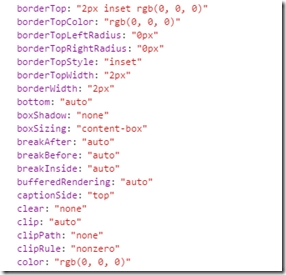
console.log(input); //打印出input.style对象(element.style是CSSStyleDeclaration类的一个对象)
CSSStyleDeclaration
注意:IE9—使用element.currentStyle
在文章最末尾补充一张 CSS 在DOM中的类结构图
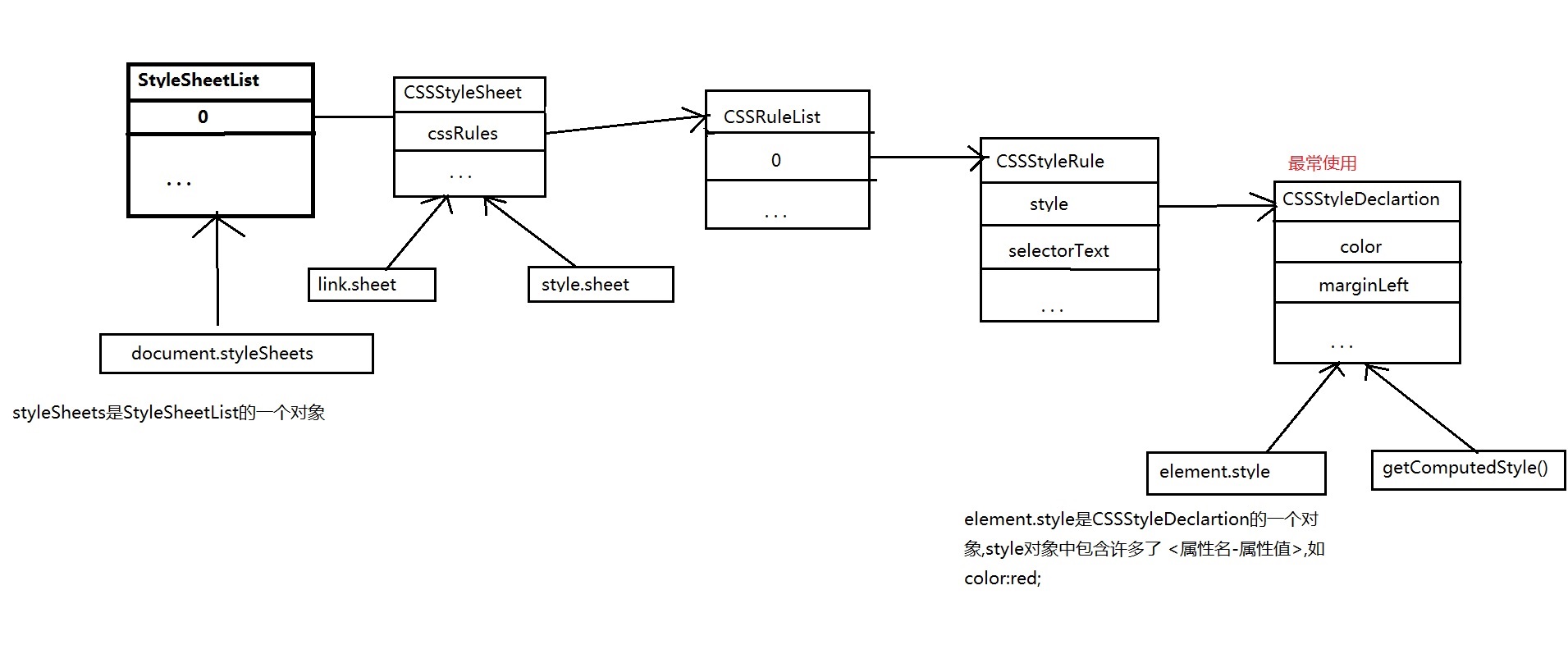
学习资料:网易前端微专业课程
DOM样式操作的更多相关文章
- jQuery使用(二):DOM样式操作和属性操作
DOM取值与赋值 .html() .text() .size() 1.html()方法类似原生DOM的属性innerHTML,不传入参数的时候默认为取指定元素内的HTML内容,包含前后空白文本结构,以 ...
- Dom样式操作-属性操作
1. 对样式进行操作: 1) 以样式(C1,C2等)为最小单位进行修改. className, classList, (以列表形式获得) classList.add("C2"), ...
- DOM 样式操作
通过js动态的修改样式 更新样式的方法:一.使用.style方法修改样式,缺点是使样式混杂在js中,再次修改不易.二.更新class属性,更改样式.三.一次性更改很多元素样式(如换肤操作),更改样式表 ...
- JQuery DOM操作 、属性和CSS样式操作、其他函数
DOM操作 1.在div1内部最后追加一个节点 $("#div1").append("<img src='../01-HTML基本标签/img/Male.gif'/ ...
- DOM操作之属性和样式操作
在DOM操作,除了前面的节点操作以外,常常被用到的操作还有属性操作和节点操作,下面,主要来总结一下jQuery中的属性操作方法和样式操作方法. 在开始操作前,我们需要先在html中添加如下代码,后面所 ...
- javascript总结40:DOM中操作样式的两种方式
1 DOM中操作样式的两种方式 1 通过元素的style属性 注意: 通过style属性设置样式时,css中要写单位的属性,在js代码中也要加单位 //html <div id="bo ...
- Dom的样式操作和属性操作
如果说web的研究对象是html和css,那么整个dom结构,包含html树和dom树的dom结构才是研究对象,而在整个页面呈现上面,js起到的作用则是异步的用户行为. 按照上面整个思路,获取dom元 ...
- dom操作 属性操作 样式操作
jQuery DOM操作 1 插入子元素 append('<img>') 插后面 被插入元素调用 appendTo('<img scr="...">') 新 ...
- JQuery DOM操作(属性操作/样式操作/文档过滤)
jQuery——入门(三)JQuery DOM操作(属性操作/样式操作/文档过滤) 一.DOM属性操作 1.属性 (1).attr() 方法 语法:$(selector).attr(name|prop ...
随机推荐
- C语言学习020:可变参数函数
顾名思义,可变参数函数就是参数数量可变的函数,即函数的参数数量是不确定的,比如方法getnumbertotal()我们即可以传递一个参数,也可以传递5个.6个参数 #include <stdio ...
- No Javascript on this page
在调试SignalR程序时,不知怎样的情况,出现异常: HTTP Error 404.0 - Not Found The resource you are looking for has been r ...
- The Web server is configured to not list the contents of this directory.
部署一个ASP.NET MVC网站至一个全新的服务器Windows Server 2008 R2, 数据为MS SQL Server 2014 64bit Expression版本. 运行时,它第一次 ...
- ASP.NET中Request.RawUrl、Request.Url的区别
如果访问的地址是: http://hovertree.com/guestbook/addmessage.aspx?key=hovertree%3C&n=myslider#zonemenu 那么 ...
- dev中控件属性设置
private void Form1_Load(object sender, EventArgs e) { ///构建数据源 DataTable table = new DataTable(); // ...
- C#实现二叉树的各种遍历
1. 引言 在实际的项目中,树还是用的比较多的一种,尤其是对于具有层次结构的数据.相信很多人都学过树的遍历,比如先序遍历,后序遍历等,利用递归还是很容易理解的. 今天给大家介绍下二叉树的几种遍历算法, ...
- MySQL: @variable vs. variable. Whats the difference?
MySQL: @variable vs. variable. Whats the difference? up vote351down votefavorite 121 In another qu ...
- python 局部变量和全局变量 global
当你在函数定义内声明变量的时候,它们与函数外具有相同名称的其他变量没有任何关系,即变量名称对于函数来说是 局部 的.这称为变量的 作用域 .所有变量的作用域是它们被定义的块,从它们的名称被定义的那点开 ...
- 修复 XE8 Win 平台 Firemonkey Memo 卷动后会重叠的问题
问题:XE8 Firemonkey 在 Windows 平台 Memo 卷动时,在第 1 , 2 行会产生重叠现象. 更新:XE8 update 1 已经修复这个问题,无需再使用下面方法. 修改前: ...
- 由一条Linux的grep命令说起
今天在开发的时候,看到同事使用了这样的一条linux命令 grep 'class YourClass' -rwi * |grep -v svn 想到了 grep命令的,几个参数. -r 明确要求搜索子 ...