
android 5.0新特性学习总结之下拉刷新(一)
android 5.0 后google最终在 support v4 包下 添加了下拉刷新的控件
项目地址: https://github.com/stormzhang/SwipeRefreshLayoutDemo
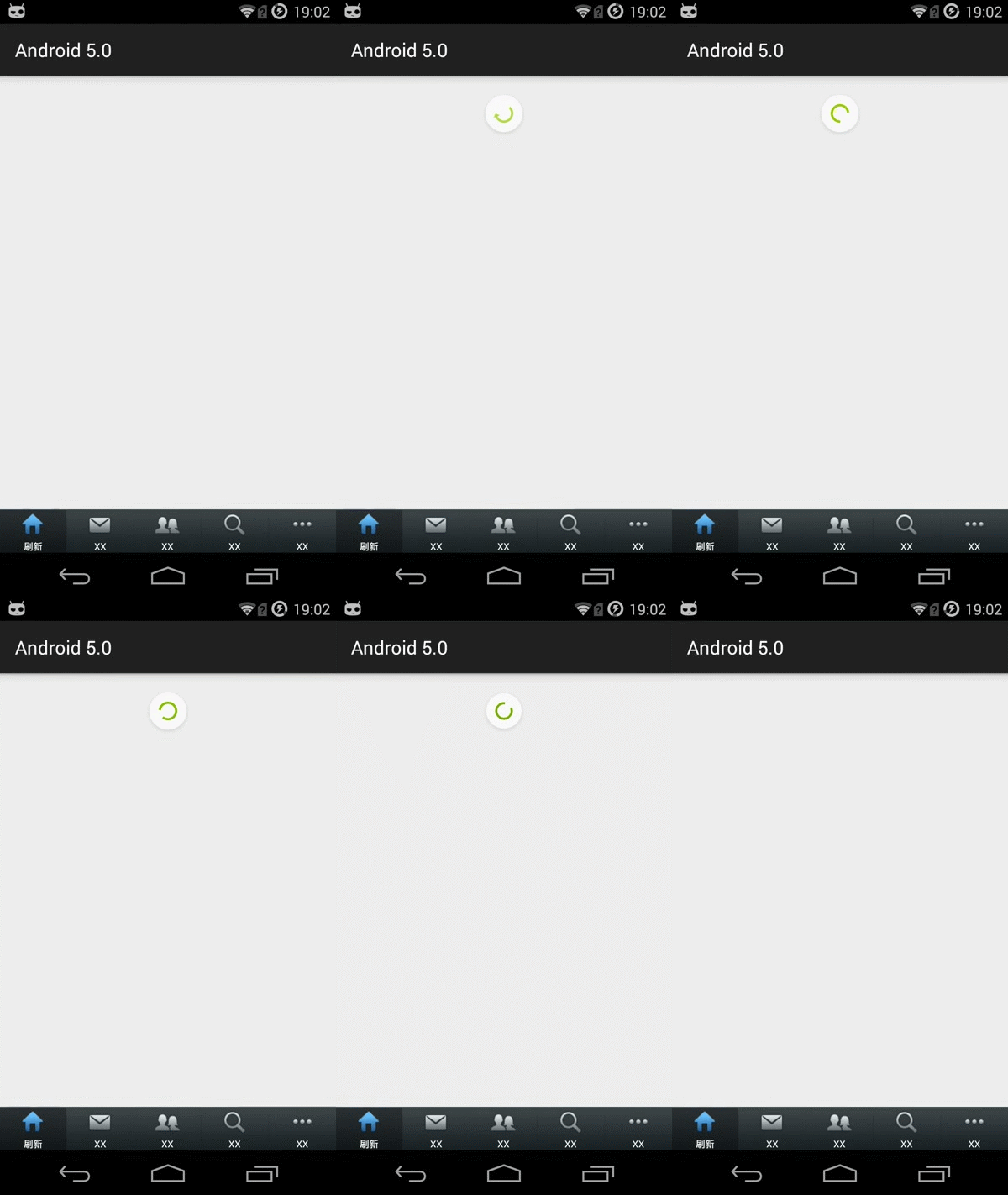
xml:
<android.support.v4.widget.SwipeRefreshLayout xmlns:android="http://schemas.android.com/apk/res/android"
android:id="@+id/swipe_container"
android:layout_width="match_parent"
android:layout_height="match_parent" >
<ListView
android:id="@+id/listview"
android:layout_width="match_parent"
android:layout_height="wrap_content"
android:padding="16dp" />
</android.support.v4.widget.SwipeRefreshLayout>
java:
实现监听:
implements SwipeRefreshLayout.OnRefreshListener


/*

     * 监听器SwipeRefreshLayout.OnRefreshListener中的方法,当下拉刷新后触发

     */

    public void onRefresh() {

        new Handler().postDelayed(new Runnable() {

            @Override

            public void run() {

                // 停止刷新

                mSwipeLayout.setRefreshing(false);

            }

        }, 5000); // 5秒后发送消息,停止刷新

    }

初始化下拉刷新控件
mSwipeLayout = (SwipeRefreshLayout) findViewById(R.id.swipe_container);

mSwipeLayout.setOnRefreshListener(this);

// 设置下拉圆圈上的颜色,蓝色、绿色、橙色、红色

mSwipeLayout.setColorSchemeResources(android.R.color.holo_blue_bright, android.R.color.holo_green_light,

android.R.color.holo_orange_light, android.R.color.holo_red_light);

mSwipeLayout.setDistanceToTriggerSync(400);// 设置手指在屏幕下拉多少距离会触发下拉刷新

mSwipeLayout.setProgressBackgroundColor(R.color.red); // 设定下拉圆圈的背景

mSwipeLayout.setSize(SwipeRefreshLayout.LARGE); // 设置圆圈的大小
/*
* 监听器SwipeRefreshLayout.OnRefreshListener中的方法,当下拉刷新后触发
*/
public void onRefresh() {
new Handler().postDelayed(new Runnable() {
@Override
public void run() {
// 停止刷新
mSwipeLayout.setRefreshing(false);
}
}, 5000); // 5秒后发送消息,停止刷新
}
初始化下拉刷新控件
mSwipeLayout = (SwipeRefreshLayout) findViewById(R.id.swipe_container);
mSwipeLayout.setOnRefreshListener(this);
// 设置下拉圆圈上的颜色,蓝色、绿色、橙色、红色
mSwipeLayout.setColorSchemeResources(android.R.color.holo_blue_bright, android.R.color.holo_green_light,
android.R.color.holo_orange_light, android.R.color.holo_red_light);
mSwipeLayout.setDistanceToTriggerSync(400);// 设置手指在屏幕下拉多少距离会触发下拉刷新
mSwipeLayout.setProgressBackgroundColor(R.color.red); // 设定下拉圆圈的背景
mSwipeLayout.setSize(SwipeRefreshLayout.LARGE); // 设置圆圈的大小
android 5.0新特性学习总结之下拉刷新(一)的更多相关文章
- android 5.0新特性学习--视图阴影
android 5.0的视图阴影主要是体验出层次性,就是在一个物体上面叠加上一层的设计,而这种设计就是除了传统的,x,y的纸面层,还有就是透过纸面的z轴的层次设计. elevation: 高度,静态属 ...
- android 5.0新特性学习--RecyclerView
在过去很多年,我们的PC或者手机设备都是采用拟物化的设计风格,IOS采用扁平化的特性,android在2014年IO大会上说采用Material Design的设计风格,显示效果不能过于生硬的转换,而 ...
- android 5.0新特性学习--Drawable Tinting(为图片资源着色)
使用android:tint属性去调整色调.android:tintMode 着色模式 screen multiply and src_atop/src_in/src_oversetTint(int ...
- android 5.0新特性学习--视图轮廓
ViewOutlineProvider -- 视图轮廓setOutlineProvider--可以使用View.setClipToOutline方法去剪切一个视图的outline区域.只有rectan ...
- android 5.0新特性学习--CardView
CardView继承自FrameLayout类,可以在一个卡片布局中一致性的显示内容,卡片可以包含圆角和阴影.CardView是一个Layout,可以布局其他View. 官网地址:https://de ...
- Android 6.0 新特性 整理 资料来自网络
Android 6.0新特性 Runtime Permissions Doze and App Standby Apache HTTP Client Removal BoringSSL Access ...
- Android 8.0 新特性
Android 8.0 (Android Oreo(奥利奥))新特性介绍 通知渠道 - Notification Channels 通知渠道是由应用自行定义的通知内容类别,借助渠道,开发者可以让用户对 ...
- android 7.0 新特性 和对开发者的影响
android 7.0新特性 - jiabailong的专栏 - 博客频道 - CSDN.NEThttp://blog.csdn.net/jiabailong/article/details/5241 ...
- 腾讯云安全:开发者必看|Android 8.0 新特性及开发指南
欢迎大家关注腾讯云技术社区-博客园官方主页,我们将持续在博客园为大家推荐技术精品文章哦~ 背景介绍 谷歌2017 I/O开发者大会今年将于5月17-19日在美国加州举办.大会将跟往年一样发布最新的 A ...
随机推荐
- [转]Linux定时任务Crontab详解
转自:http://blog.chinaunix.net/uid-7552018-id-182133.html 今天做了个数据库的备份脚本,顺便系统得学习一下Linux下定时执行脚本的设置.Linux ...
- 新认知之WinForm窗体程序
Windows应用程序和控制台应用程序有很大的区别 >Form1.cs :窗体文件,程序员对窗体编写的代码一般都存放在这个文件中. >Form1.Designer.cs :窗体设计文件, ...
- 如何让win32 c++窗口不出现在任务栏
把窗口作为某一个窗口的子窗口,然后设置WS_POPUP就可以了.使用CreateWindow时的第三个参数设置为WS_CHILD|WS_POPUP.
- JS——鼠标跟随
注意事项: 1.pageX.pageY的兼容问题 2.使目标移动鼠标中间位置还必须减去盒子宽度的一半 <!DOCTYPE html> <html lang="en" ...
- Opencv学习之路——自己编写的HOG算法
#include<opencv2\core\core.hpp> #include<opencv2\highgui\highgui.hpp> #include<opencv ...
- 【数值计算方法】二分法求根的C++简单实现
给定精确度ξ,用二分法求函数f(x)零点近似值的步骤如下: 1 确定区间[a,b],验证f(a)·f(b)<0,给定精确度ξ. 2 求区间(a,b)的中点c. 3 计算f(c). (1) 若f( ...
- 四、Spider用法
本文转载自以下链接: https://scrapy-chs.readthedocs.io/zh_CN/latest/topics/spiders.html https://doc.scrapy.org ...
- 弹层蒙版(mask),ios滚动穿透,我们项目的解决方案
问题描述 项目开发遇到一个ios独有的问题,在wkwebview中稳定复现 问题: 弹出一个蒙版,当在蒙版上面滑动的时候蒙版后面的内容滚动了 这当然是ios的bug,但是经过我们测试iphone7也会 ...
- BZOJ 1634 洛谷2878 USACO 2007.Jan Protecting the flowers护花
[题意] 约翰留下他的N只奶牛上山采木.他离开的时候,她们像往常一样悠闲地在草场里吃草.可是,当他回来的时候,他看到了一幕惨剧:牛们正躲在他的花园里,啃食着他心爱的美丽花朵!为了使接下来花朵的损失最小 ...
- [LeetCode] 887. Super Egg Drop 超级鸡蛋掉落
You are given K eggs, and you have access to a building with N floors from 1 to N. Each egg is iden ...