
Spring Security 4 Method security using @PreAuthorize,@PostAuthorize, @Secured, EL--转
原文地址:http://websystique.com/spring-security/spring-security-4-method-security-using-preauthorize-postauthorize-secured-el/
In order to enable Spring Method level Security, we need to annotate a @Configuration class with @EnableGlobalMethodSecurity, as shown below:
package com.websystique.springsecurity.configuration;import org.springframework.beans.factory.annotation.Autowired;import org.springframework.context.annotation.Configuration;import org.springframework.security.config.annotation.authentication.builders.AuthenticationManagerBuilder;import org.springframework.security.config.annotation.method.configuration.EnableGlobalMethodSecurity;import org.springframework.security.config.annotation.web.builders.HttpSecurity;import org.springframework.security.config.annotation.web.configuration.EnableWebSecurity;import org.springframework.security.config.annotation.web.configuration.WebSecurityConfigurerAdapter;@Configuration@EnableWebSecurity@EnableGlobalMethodSecurity(prePostEnabled = true)public class SecurityConfiguration extends WebSecurityConfigurerAdapter { @Autowired public void configureGlobalSecurity(AuthenticationManagerBuilder auth) throws Exception { auth.inMemoryAuthentication().withUser("bill").password("abc123").roles("USER"); auth.inMemoryAuthentication().withUser("admin").password("root123").roles("ADMIN"); auth.inMemoryAuthentication().withUser("dba").password("root123").roles("ADMIN","DBA"); } @Override protected void configure(HttpSecurity http) throws Exception { http.authorizeRequests() .antMatchers("/", "/home").access("hasRole('USER') or hasRole('ADMIN') or hasRole('DBA')") .and().formLogin().loginPage("/login") .usernameParameter("ssoId").passwordParameter("password") .and().exceptionHandling().accessDeniedPage("/Access_Denied"); }} |
@EnableGlobalMethodSecurity enables Spring Security global method security similar to the in XML configurations like shown below:
xsi:schemaLocation="http://www.springframework.org/schema/beans http://www.springframework.org/schema/beans/spring-beans-4.1.xsd http://www.springframework.org/schema/security http://www.springframework.org/schema/security/spring-security-4.0.xsd"> <http auto-config="true" > <intercept-url pattern="/" access="hasRole('USER') or hasRole('ADMIN') and hasRole('DBA')" /> <intercept-url pattern="/home" access="hasRole('USER') or hasRole('ADMIN') and hasRole('DBA')" /> <form-login login-page="/login" username-parameter="ssoId" password-parameter="password" authentication-failure-url="/Access_Denied" /> </http> <global-method-security pre-post-annotations="enabled"/> <authentication-manager > <authentication-provider> <user-service> <user name="bill" password="abc123" authorities="ROLE_USER" /> <user name="admin" password="root123" authorities="ROLE_ADMIN" /> <user name="dba" password="root123" authorities="ROLE_ADMIN,ROLE_DBA" /> </user-service> </authentication-provider> </authentication-manager> </beans:beans> |
Note that @EnableGlobalMethodSecurity can take several arguments, some are shown below:
- prePostEnabled :Determines if Spring Security’s pre post annotations [@PreAuthorize,@PostAuthorize,..] should be enabled.
- secureEnabled : Determines if Spring Security’s secured annotation [@Secured] should be enabled.
- jsr250Enabled : Determines if JSR-250 annotations [@RolesAllowed..] should be enabled.
You can enable more than one type of annotation in the same application, but only one type should be used for any interface or class as the behavior will not be well-defined otherwise. If two annotations are found which apply to a particular method, then only one of them will be applied.
We will explore first two of above mentioned in detail.
@Secured
@Secured annotation is used to define a list of security configuration attributes for business methods. You can specify the security requirements[roles/permission etc] on a method using @Secured, and than only the user with those roles/permissions can invoke that method. If anyone tries to invoke a method and does not possess the required roles/permissions, an AccessDenied exception will be thrown.
@Secured is coming from previous versions of Spring. It has a limitation that it does not support Spring EL expressions. Consider following example:
package com.websystique.springsecurity.service;import org.springframework.security.access.annotation.Secured;public interface UserService { List<User> findAllUsers(); @Secured("ROLE_ADMIN") void updateUser(User user); @Secured({ "ROLE_DBA", "ROLE_ADMIN" }) void deleteUser(); } |
In above example, updateUser method can be invoked by someone with ADMIN role while deleteUser can be invoked by anyone with DBA OR ADMIN role. If anyone tries to invoke a method and does not possess the required role, an AccessDenied exception will be thrown.
What if you want to specify an ‘AND’ condition. I mean , you want deleteUser method to be invoked by a user who have both ADMIN & DBA role. This is not possible straight-away with @Secured annotation.
This can however be done using Spring’s new @PreAuthorize/@PostAuthorize annotations which supports Spring EL, that means possibilities are unlimited.
@PreAuthorize / @PostAuthorize
Spring’s @PreAuthorize/@PostAuthorize annotations are preferred way for applying method-level security, and supports Spring Expression Language out of the box, and provide expression-based access control.
@PreAuthorize is suitable for verifying authorization before entering into method. @PreAuthorize can take into account, the roles/permissions of logged-in User, argument passed to the method etc.
@PostAuthorize , not often used though, checks for authorization after method have been executed, so it is suitable for verifying authorization on returned values. Spring EL provides returnObject object that can be accessed in expression language and reflects the actual object returned from method.
Please refer to Common Built-In Expressions to get the complete list of supported expressions.
Let’s get back to our example, this time using @PreAuthorize / @PostAuthorize.
package com.websystique.springsecurity.service;import org.springframework.security.access.prepost.PostAuthorize;import org.springframework.security.access.prepost.PreAuthorize;import com.websystique.springsecurity.model.User;public interface UserService { List<User> findAllUsers(); @PostAuthorize ("returnObject.type == authentication.name") User findById(int id); @PreAuthorize("hasRole('ADMIN')") void updateUser(User user); @PreAuthorize("hasRole('ADMIN') AND hasRole('DBA')") void deleteUser(int id);} |
Since @PreAuthorize can use Spring Expression Language, any condition can easily be expressed using EL. Method deleteUser is now configured to be invoked by a user who have both ADMIN & DBA roles.
Additionally, we have added a method findById() with @PostAuthorize annotation. With @PostAuthorize, the returned value from the method(User object) will be accessible with returnObject in Spring Expression Language, and individual properties of return user object can be used to apply some security rules. In this example we are making sure that a logged-in user can only get it’s own User type object.
That’s all about basic usage of @Secured, @PreAuthorize, @PostAuthorize and EL.
Below mentioned is service implementation, User model class & Controller, used in this example.
package com.websystique.springsecurity.service;import java.util.ArrayList;import java.util.List;import org.springframework.stereotype.Service;import org.springframework.transaction.annotation.Transactional;import com.websystique.springsecurity.model.User;@Service("userService")@Transactionalpublic class UserServiceImpl implements UserService{ static List<User> users = new ArrayList<User>(); static{ users = populateUser(); } public List<User> findAllUsers(){ return users; } public User findById(int id){ for(User u : users){ if(u.getId()==id){ return u; } } return null; } public void updateUser(User user) { System.out.println("Only an Admin can Update a User"); User u = findById(user.getId()); users.remove(u); u.setFirstName(user.getFirstName()); u.setLastName(user.getLastName()); u.setType(user.getType()); users.add(u); } public void deleteUser(int id){ User u = findById(id); users.remove(u); } private static List<User> populateUser(){ List<User> users = new ArrayList<User>(); users.add(new User(1,"Sam","Disilva","admin")); users.add(new User(2,"Kevin","Brayn","admin")); users.add(new User(3,"Nina","Conor","dba")); users.add(new User(4,"Tito","Menz","dba")); return users; }} |
public class User { private int id; private String firstName; private String lastName; private String type;//getters/setters} |
package com.websystique.springsecurity.controller;import java.util.List;import javax.servlet.http.HttpServletRequest;import javax.servlet.http.HttpServletResponse;import org.springframework.beans.factory.annotation.Autowired;import org.springframework.security.core.Authentication;import org.springframework.security.core.context.SecurityContextHolder;import org.springframework.security.core.userdetails.UserDetails;import org.springframework.security.web.authentication.logout.SecurityContextLogoutHandler;import org.springframework.stereotype.Controller;import org.springframework.ui.ModelMap;import org.springframework.web.bind.annotation.PathVariable;import org.springframework.web.bind.annotation.RequestMapping;import org.springframework.web.bind.annotation.RequestMethod;import com.websystique.springsecurity.model.User;import com.websystique.springsecurity.service.UserService;@Controllerpublic class HelloWorldController { @Autowired UserService service; @RequestMapping(value = { "/", "/list" }, method = RequestMethod.GET) public String listAllUsers(ModelMap model) { List<User> users = service.findAllUsers(); model.addAttribute("users", users); return "allusers"; } @RequestMapping(value = { "/edit-user-{id}" }, method = RequestMethod.GET) public String editUser(@PathVariable int id, ModelMap model) { User user = service.findById(id); model.addAttribute("user", user); model.addAttribute("edit", true); return "registration"; } @RequestMapping(value = { "/edit-user-{id}" }, method = RequestMethod.POST) public String updateUser(User user, ModelMap model, @PathVariable int id) { service.updateUser(user); model.addAttribute("success", "User " + user.getFirstName() + " updated successfully"); return "success"; } @RequestMapping(value = { "/delete-user-{id}" }, method = RequestMethod.GET) public String deleteUser(@PathVariable int id) { service.deleteUser(id); return "redirect:/list"; } @RequestMapping(value = "/Access_Denied", method = RequestMethod.GET) public String accessDeniedPage(ModelMap model) { model.addAttribute("user", getPrincipal()); return "accessDenied"; } @RequestMapping(value = "/login", method = RequestMethod.GET) public String loginPage() { return "login"; } @RequestMapping(value="/logout", method = RequestMethod.GET) public String logoutPage (HttpServletRequest request, HttpServletResponse response) { Authentication auth = SecurityContextHolder.getContext().getAuthentication(); if (auth != null){ new SecurityContextLogoutHandler().logout(request, response, auth); } return "redirect:/login?logout"; } private String getPrincipal(){ String userName = null; Object principal = SecurityContextHolder.getContext().getAuthentication().getPrincipal(); if (principal instanceof UserDetails) { userName = ((UserDetails)principal).getUsername(); } else { userName = principal.toString(); } return userName; }} |
Complete code for this example is attached at the end of this post.
Deploy & Run
Download complete code example attached at the end of post. Deploy it on Servlet 3.0 container(Tomcat 8.0.21 e.g.).
Open browser and goto http://localhost:8080/SpringSecurityMethodLevelSecurityAnnotationExample/, you will be prompted for login. Fill in USER role credentials.
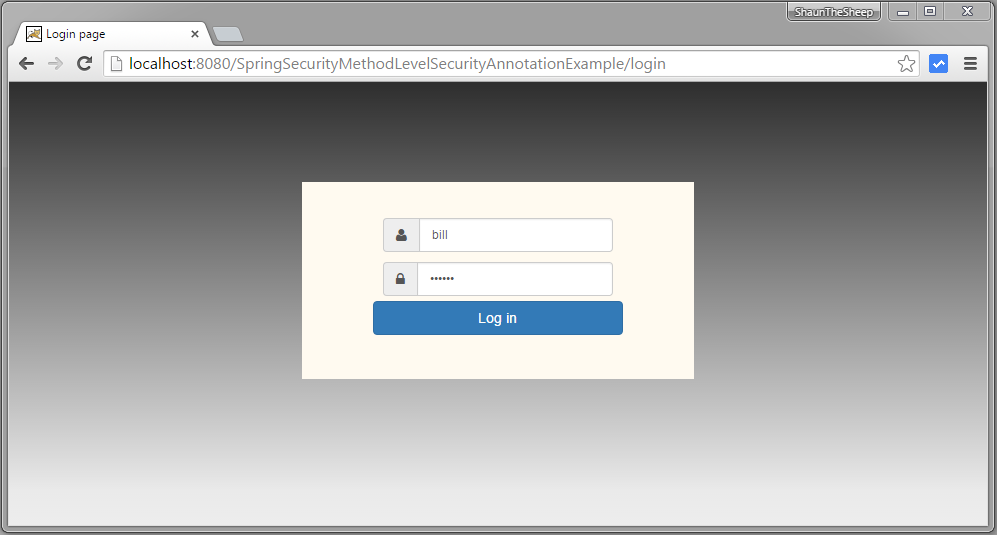
Submit, you will see list of users.
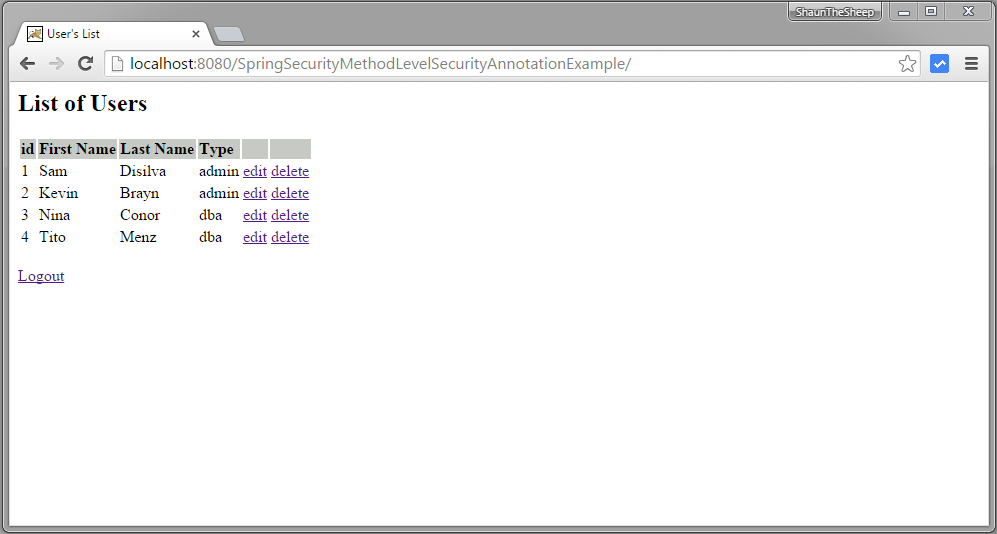
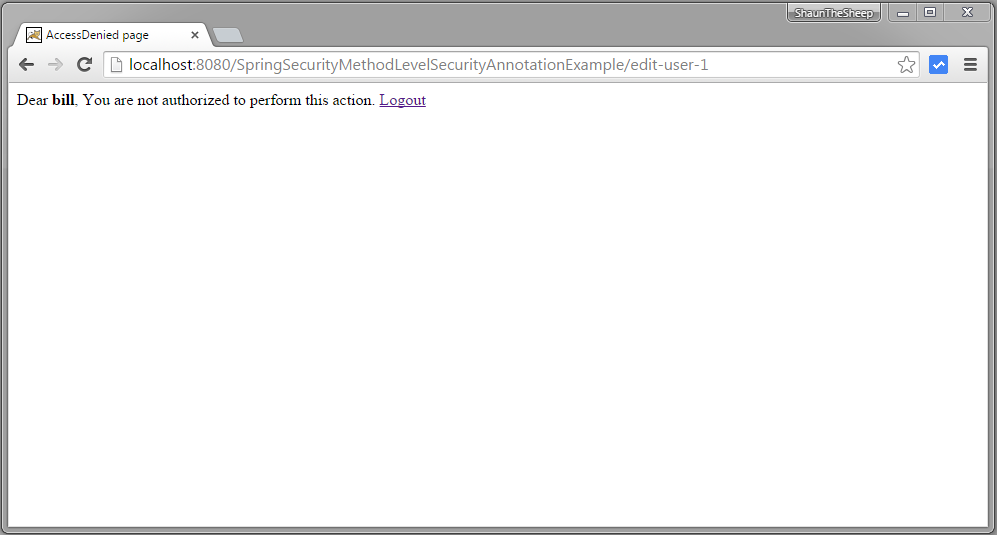
Now try to edit or delete a users, you should see accessDenied page, because USER role does not have access to these functions.
Logout. Login with ADMIN role credentials.
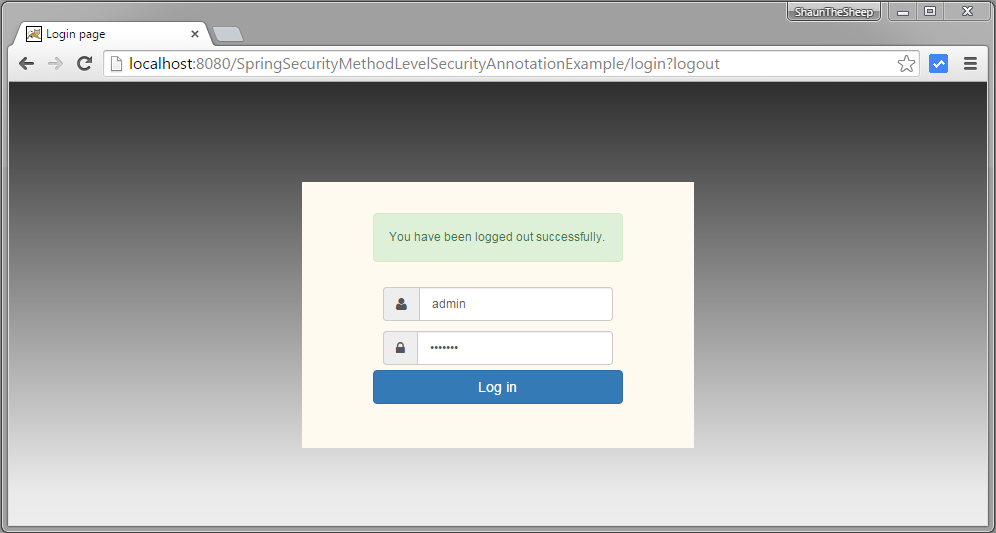
Submit, you will see list of users.
Now click on edit for first row [with type='admin']. Edit page should be presented.
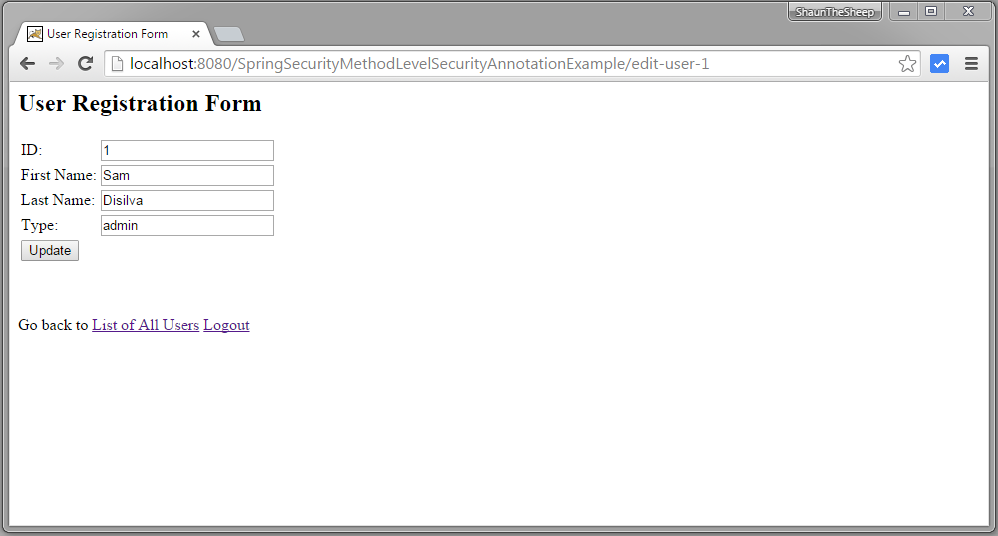
Now go back to list of item and click on third row [with type = 'dba']
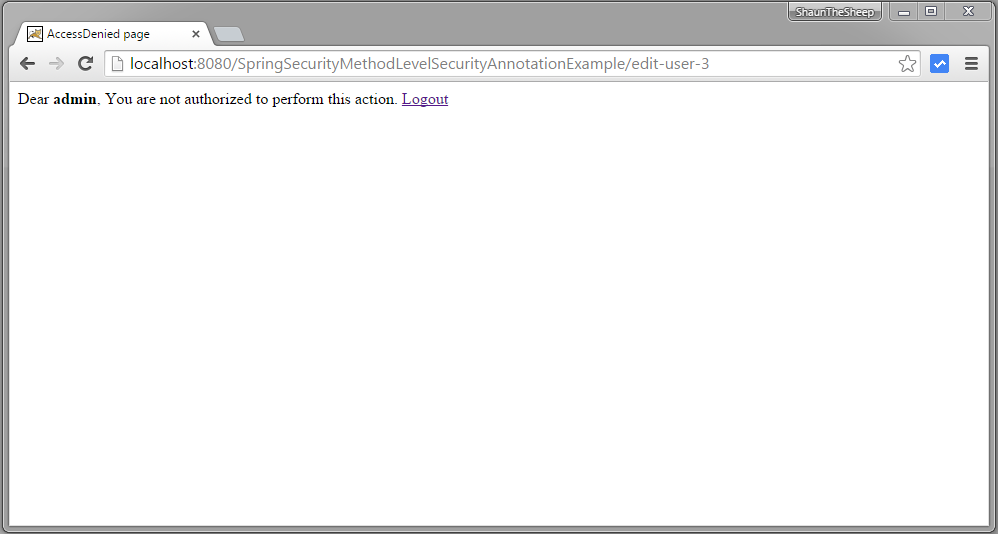
You got accessDenied because during edit, function findById gets called which is annotated with @PostAuthorize annotation with EL restricting the returned object to be only with type['dba'] same as logged-in user name.
Now click on any delete row, accessDenied should be shown as deleteUser is only allowed for role ‘DBA’.
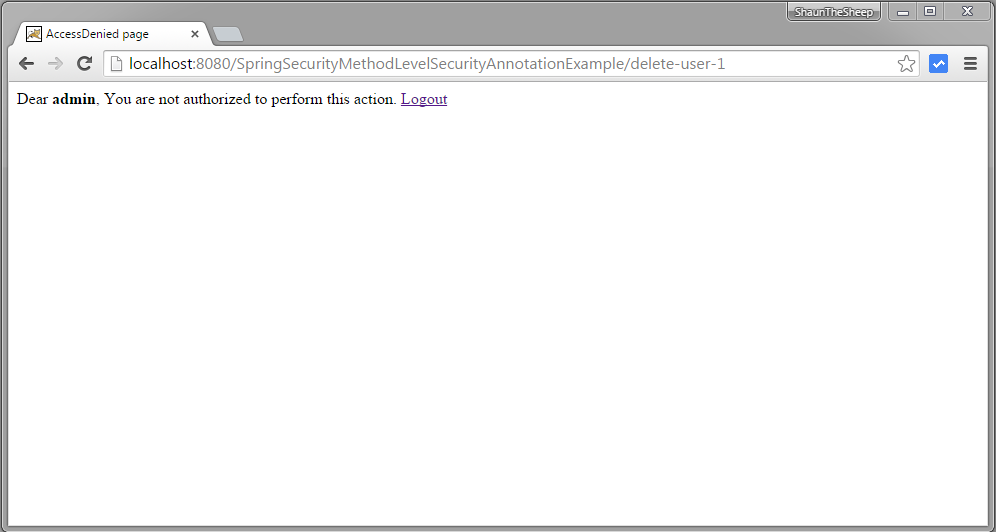
Now logout, login with DBA role [dba,root123], and click on delete link of first row. Row should be deleted successfully.
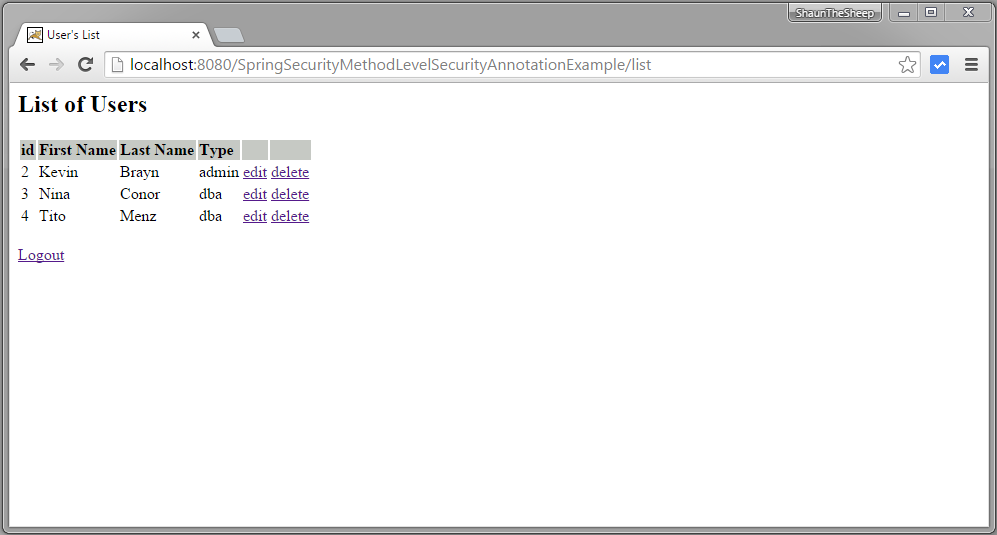
That’s it.
Spring Security 4 Method security using @PreAuthorize,@PostAuthorize, @Secured, EL--转的更多相关文章
- Spring Security 4 使用@PreAuthorize,@PostAuthorize, @Secured, EL实现方法安全
[相关已翻译的本系列其他文章,点击分类里面的spring security 4] 上一篇:Spring Security 4 整合Hibernate 实现持久化登录验证(带源码) 原文地址:http: ...
- Security注解:@PreAuthorize,@PostAuthorize, @Secured, EL实现方法安全
说明 (1)JDK版本:1.8(2)Spring Boot 2.0.6(3)Spring Security 5.0.9(4)Spring Data JPA 2.0.11.RELEASE(5)hibe ...
- spring security method security
参考 Spring Security 官方文档 http://www.concretepage.com/spring/spring-security/preauthorize-postauthoriz ...
- Java Spring Boot VS .NetCore (九) Spring Security vs .NetCore Security
Java Spring Boot VS .NetCore (一)来一个简单的 Hello World Java Spring Boot VS .NetCore (二)实现一个过滤器Filter Jav ...
- java.security.ProviderException: java.security.KeyException
本机部署没问题,部署到linux服务器报错: javax.net.ssl.SSLException: java.security.ProviderException: java.security.Ke ...
- 记CM+kerberos环境停电后无法启动报错An error: (java.security.PrivilegedActionException: javax.security.sasl.SaslException: GSS initiate failed [Caused by GSSException: No valid credentials provided (Mechanism leve
公司突然停电,然后cm环境无法重启,报错 An error: (java.security.PrivilegedActionException: javax.security.sasl.SaslExc ...
- Spring Security(二十二):6.4 Method Security
From version 2.0 onwards Spring Security has improved support substantially for adding security to y ...
- Spring Security(十七):5.8 Method Security
From version 2.0 onwards Spring Security has improved support substantially for adding security to y ...
- 41.4 Method Security方法安全性
41.4.1 <global-method-security> 这个元素是为Spring Security beans上的安全方法添加支持的主要手段.可以通过使用注释(在接口或类级别定义) ...
随机推荐
- mysql日期加减运算
MySQL 日期类型MySQL 日期类型:日期格式.所占存储空间.日期范围 比较. 日期类型 存储空间 日期格式 日期范围 --------- ...
- ZOJ 2702 Unrhymable Rhymes
Unrhymable Rhymes Time Limit:10000MS Memory Limit:32768KB 64bit IO Format:%lld & %llu De ...
- FS,FT,DFT,DFS和DTFT的关系
对于初学数字信号(Digital Signal Processing,DSP)的人来说,这几种变换是最为头疼的,它们是数字信号处理的理论基础,贯穿整个信号的处理. FS:时域上任意连续的周期信号可以分 ...
- mayan 游戏 search
纯搜索,,,模拟,,还不算太难,,就是细节略繁琐 首先因为题目要求保证字典序,所以显然把右边的块换到左边不如把左边的块换到右边优, 所以可以进行不小规模的剪枝,之后显然交换两块相同的色块没有意义,至此 ...
- lenovo G系列重装系统
lenovo G41 的笔记本默认安装的是win8 中文版 的操作系统,使用非常不方便,用U盘重装成WIN7的系统. 1.用启动工具软件制作U盘启动盘. 详细能够參照 http://www.uqi ...
- PHPStorm打开文件所在目录
很实用~
- zzulioj--1778-- 和尚特烦恼4——有多少战斗力(gcd)
1778: 和尚特烦恼4--有多少战斗力 Time Limit: 1 Sec Memory Limit: 128 MB Submit: 259 Solved: 123 SubmitStatusWe ...
- spring boot 的常用注解使用 总结
附:Spring Boot 官方文档学习(一)入门及使用见https://www.cnblogs.com/larryzeal/p/5799195.html @RestController和@Reque ...
- 显示gif动画(帧动画的播放)
在android上显示gif不太方便,虽然有控件可以实现,但是效果不是很好,保险点儿的作法还是使用帧动画来处理.①在XML中定义animation-list:<?xml version=&quo ...
- python 字符串匹配问题
想匹配html = <div class="back fl"><a href="javascript:void(0);" onclick=&q ...