
Day16-异常
异常机制
一.Error和Exception
1.什么是异常
2.异常体系结构
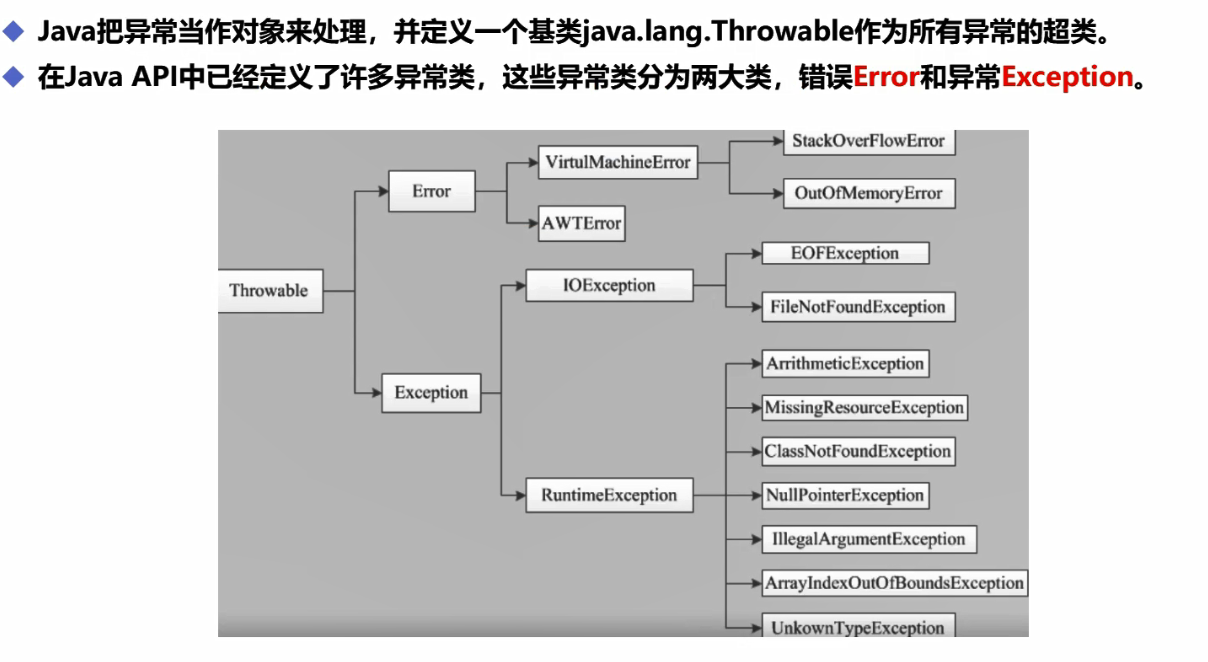
3.Error和Exception
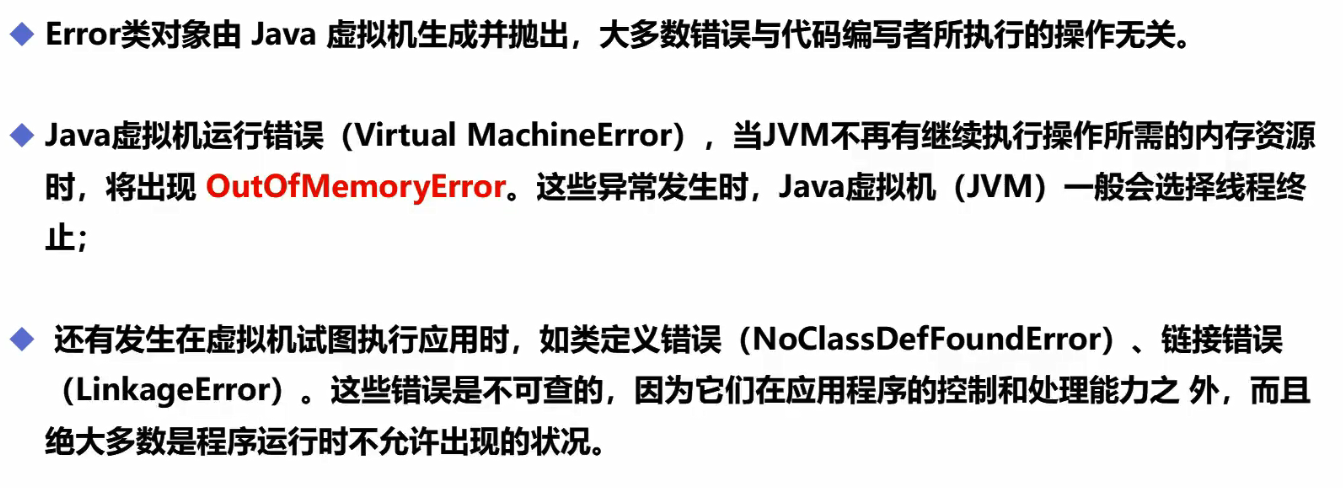
Error
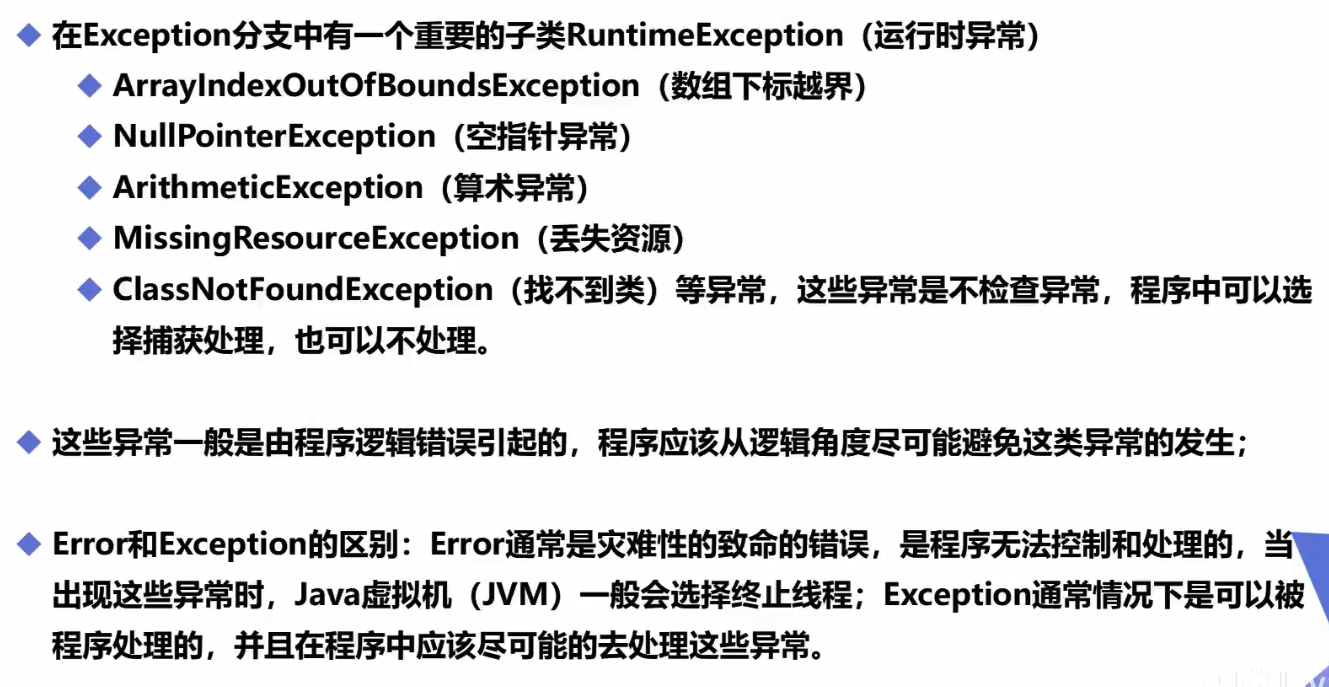
Exception
二.捕获和抛出异常
1.异常处理机制
抛出异常
捕获异常
异常处理五个关键字:
try,catch.finally,throw,throws
例1:捕获Exception
package exception;

public class Test {

    public static void main(String[] args) {

        int a=1;

        int b=0;

        try {//try监控区域

            System.out.println(a/b);

        }catch (ArithmeticException e){//catch捕获异常

            System.out.println("程序出现异常,变量b不能为0");

        }finally {//处理善后工作

            System.out.println("finally");

        }

        //finally   可以不要finally。假设IO,资源,关闭

    }

}
例2:捕获Error
package exception;

public class Test {

    public static void main(String[] args) {

        int a=1;

        int b=0;

        try {//try监控区域

            new Test().a();

        }catch (Error e){//这里用Throwable也可以//catch(想要捕获的异常类型)捕获异常

            System.out.println("成功捕获Error");

        }finally {//处理善后工作

            System.out.println("finally");

        }

        //finally   可以不要finally。假设IO,资源,关闭

    }

    public void a(){

        b();

    }

    public void b(){

        a();

    }

}
例3:假设捕获多个异常
package exception;

public class Test {

    public static void main(String[] args) {

        int a=1;

        int b=0;

        //假设捕获多个异常,从小到大

        try {//try监控区域

            System.out.println(a/b);

        }catch (Error e){//这里用Throwable也可以//catch(想要捕获的异常类型)捕获异常

            System.out.println("成功捕获Error");

        }catch (Exception e){

            System.out.println("成功捕获Exception");

        }catch (Throwable e){

            System.out.println("成功捕获Throwable");

        } finally {//处理善后工作

            System.out.println("finally");

        }

        //finally   可以不要finally。假设IO,资源,关闭

    }

    public void a(){

        b();

    }

    public void b(){

        a();

    }

}
例4:主动抛出异常
package exception;

public class test2 {

    public static void main(String[] args) {

        try {

            new test2().test(1,0);

        } catch (ArithmeticException e) {

            e.printStackTrace();

        }

    }

    //假设这方法中,吃力不了这个异常,方法上抛出异常

    public void test(int a,int b)throws ArithmeticException{

        if (b == 0) {//  throw   throws

            throw new ArithmeticException();//主动抛出异常,一般在方法中使用

        }

    }

}
三.自定义异常
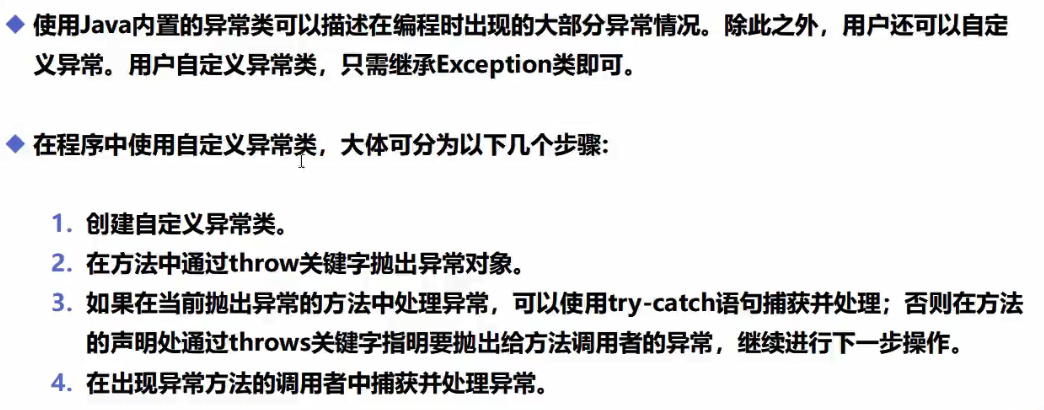
1.自定义异常类
package MyException;

//自定义的异常类

public class myexception extends Exception{

    //传递数字>10

    private int detail;

    public myexception(int a) {

        this.detail = a;

    }

    //to string:异常的打印信息

    @Override

    public String toString() {

        return "myexception{" + "detail=" + detail + '}';

    }

}
2.测试类
package MyException;

public class test {

    //可能会存在异常的方法

    static void test(int a) throws myexception {

        System.out.println("传递的参数为:"+a);

        if (a>10){

            throw new myexception(a);//抛出

        }

        System.out.println("OK");

    }

    public static void main(String[] args) {

        try {

            test(11);

        } catch (MyException.myexception e) {

            System.out.println("my exception-->"+e);

        }

    }

}

//运行结果

//传递的参数为:11

//my exception-->myexception{detail=11}
实际应用中的经验总结

Day16-异常的更多相关文章
- Day16异常1
package com.exception.demo01;public class demo01 { public static void main(String[] args) { try{new ...
- 基本数据类型 异常 数组排序 JVM区域划分
Day01 1.基本数据类型各占几个字节 Byte 1 short2 int4 long8 float4 double6 char2 boolean1 Byte b1=3,b2= ...
- SSM-SpringMVC-24:SpringMVC异常高级之自定义异常
------------吾亦无他,唯手熟尔,谦卑若愚,好学若饥------------- 自定义异常,大家都会,对吧,无非就是继承异常类等操作,很简单,我就不多扯皮了,但是在xml配置文件中有个不同的 ...
- python学习-Day16
目录 今日内容详细 内置函数补充 常见内置函数 help() id() int() isinstance() pow() round() sum() 求和 迭代器 可迭代对象 什么是可迭代对象? 哪些 ...
- day16 异常处理生成器
day16 异常处理生成器 今日内容概要 异常处理 异常处理实战应用 生成器对象 生成器对象实现range方法 生成器表达式 今日内容详细 一.异常处理 1.异常常见类型 SyntaxError语法错 ...
- alias导致virtualenv异常的分析和解法
title: alias导致virtualenv异常的分析和解法 toc: true comments: true date: 2016-06-27 23:40:56 tags: [OS X, ZSH ...
- ASP.NET Core应用的错误处理[2]:DeveloperExceptionPageMiddleware中间件如何呈现“开发者异常页面”
在<ASP.NET Core应用的错误处理[1]:三种呈现错误页面的方式>中,我们通过几个简单的实例演示了如何呈现一个错误页面,这些错误页面的呈现分别由三个对应的中间件来完成,接下来我们将 ...
- 记一次tomcat线程创建异常调优:unable to create new native thread
测试在进行一次性能测试的时候发现并发300个请求时出现了下面的异常: HTTP Status 500 - Handler processing failed; nested exception is ...
- 使用JSONObject.fromObject的时候出现“There is a cycle in the hierarchy”异常 的解决办法
在使用JSONObject.fromObject的时候,出现“There is a cycle in the hierarchy”异常. 意思是出现了死循环,也就是Model之间有循环包含关系: ...
- SignalR代理对象异常:Uncaught TypeError: Cannot read property 'client' of undefined 推出的结论
异常汇总:http://www.cnblogs.com/dunitian/p/4523006.html#signalR 后台创建了一个DntHub的集线器 前台在调用的时候出现了问题(经检查是代理对象 ...
随机推荐
- js match方法
1.用法 match()方法可以字符串中检索指定的值,或者是匹配一个或多个正则表达式 2.返回值 该方法类似于indexOf()/lastIndexOf(),区别就是返回值不一样 indexOf()/ ...
- core文件段错误---对应内核处理
do_page_fault __bad_area __bad_area_nosemaphore force_sig_info_fault
- 批量修改excel中超链接
打开需要处理的excel文件 alt + F11打开VB编辑器 双击打开对应的sheet 编辑如下代码 Dim oldfile As String Dim Newfile As String Sub ...
- python exec_command 命令无效的原因
当使用Python Paramiko exec_command执行时,某些Unix命令失败并显示"未找到"_互联网集市 (qyyshop.com) 链接里的解释解决了问题 本来直接 ...
- DELL服务器升级BIOS,做RAID磁盘阵列
dell服务器BIOS升级.LSI集成整列卡驱动安装 1.下载启动盘rufus,安装linux系统到U盘 1.准备两个U盘,插入启动U盘进入系统,进入centos7选择页面,插入另一个U盘用于安装li ...
- 常用IBatis属性
<?xml version="1.0" encoding="utf-8" ?> <sqlMap namespace="GoodDet ...
- 初次安装虚拟机和Linux
--初学Linux记录点滴 使用软件 VMware-Workstation-15.0.4 CentOS-7-x86_64-Minimal-2003.iso 1.首先使用 VMware-Workstat ...
- 微信小程序循环数组展示数据点击当前改变当前按钮状态
Html: <view class="container" wx:for="{{arr}}" wx:key="*"> //这里循 ...
- java 基本知识点
多线程 加载器 数据结构 内存模型 gc算法
- 玩玩 Visual Studio Code 和 MSYS2
注意:为了便于理解本文内容,您可能需要一些前置知识,例如命令行操作,编译器操作,路径操作,环境变量操作,vscode操作-- 众所周知 Visual Studio Code 是一个优秀的编辑器. 众所 ...