
Silverlight读取Zip文件中的图片与视频
首先看看Demo的截图:
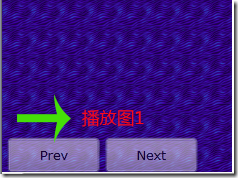


下面我将一步步展示实现这个Demo的过程,这个需求就是读出Zip文件中的图片与视频。
Demo整体架构:

首先我们准备几张图片和视频,然后将其压缩至resource.zip文件中,做完之后,我们建立一个resource.xml文件记录压缩包内的资源
<?xml version="1.0" encoding="utf-8" ?>
<files>
<file type="video" name="a.wmv"/>
<file type="image" name="1.jpg"/>
<file type="image" name="2.jpg"/>
<file type="image" name="3.jpg"/>
<file type="image" name="4.jpg"/>
</files>
这个xml文件就记录了文件的类型和名称,完成之后我们将其压缩至resource.zip中(请注意:这一步对后面读取流会有影响)
现在我们将UI设计好
<Image x:Name="Image" />
<MediaElement x:Name="Video" />
<StackPanel HorizontalAlignment="Left" VerticalAlignment="Bottom" Opacity="0.5" Orientation="Horizontal" Margin="5,0,0,0" Name="stack">
<Button Content="Prev" x:Name="PrevButton" Height="30" Margin="0,0,5,0" Width="80" Opacity="1" Cursor="Hand" IsEnabled="False" />
<Button x:Name="NextButton" Height="30" Margin="0,0,5,0" Width="80" Opacity="1" Content="Next" Cursor="Hand" IsEnabled="False" />
</StackPanel>
在UI上放置了一个Image和MediaElement控件来显示读取的资源
下面我们开始建立ResourceInfo.cs文件
public enum ResourceType
{
Video,
Image
}
public class ResourceInfo
{
public ResourceType Type
{
get; set;
}
public string Name
{
get; set;
}
}
文件的类型以枚举的形式表示,现在我们就在MainPage.xaml.cs中以WebClient完成数据的读取工作
先声明3个类成员变量:
private StreamResourceInfo zip;
private List<ResourceInfo> resourceInfo;
private int index = 0;
现在我们就先获取流,其完整代码:
public void Load(object sender,RoutedEventArgs e)
{
Uri uri = new Uri(HtmlPage.Document.DocumentUri, "resource.zip");
WebClient webClient = new WebClient();
webClient.OpenReadCompleted += (obj, args) =>
{
if (args.Error != null)
{
return;
}
// 这几步将读出的流信息封装到reader中,这样便于后面使用Linq To Xml操作
zip = new StreamResourceInfo(args.Result, null);
StreamResourceInfo maininfo = Application.GetResourceStream(zip, new Uri("resource.xml", UriKind.Relative));
StreamReader reader = new StreamReader(maininfo.Stream);
XDocument doc = XDocument.Load(reader);
var file = from c in doc.Descendants("file")
select new ResourceInfo
{
Type = (ResourceType)Enum.Parse(typeof(ResourceType), c.Attribute("type").Value, true),
Name = c.Attribute("name").Value
};
resourceInfo = new List<ResourceInfo>();
resourceInfo.AddRange(file);
this.PrevButton.IsEnabled = true;
this.NextButton.IsEnabled = true;
Display(resourceInfo[0]);
};
webClient.OpenReadAsync(uri);
}
public void Display(ResourceInfo resource)
{
//获取相应的流数据
StreamResourceInfo media = Application.GetResourceStream(zip,new Uri(resource.Name,UriKind.Relative));
switch (resource.Type)
{
case ResourceType.Image:
Image.Visibility = Visibility.Visible;
Video.Visibility = Visibility.Collapsed;
BitmapImage image = new BitmapImage();
image.SetSource(media.Stream);
Image.Source = image;
break;
case ResourceType.Video:
Image.Visibility = Visibility.Collapsed;
Video.Visibility = Visibility.Visible;
Video.SetSource(media.Stream);
Video.Play();
break;
}
}
事实上加载这段代码后,我们已经可以将xml文件中标注的第一个资源a.wmv在页面进行成功的播放了
我们继续界面上的Button实现的循环显示上一条,下一条资源功能
private void StopVideo()
{
if (resourceInfo[index].Type == ResourceType.Video)
{
Video.Stop();
}
}
private void PrevButton_Click(object sender, RoutedEventArgs e)
{
StopVideo();
if (--index < 0)
{
index = resourceInfo.Count - 1;
}
Display(resourceInfo[index]);
}
private void NextButton_Click(object sender, RoutedEventArgs e)
{
StopVideo();
if (++index >=resourceInfo.Count)
{
index = 0;
}
Display(resourceInfo[index]);
}
如此我们就完成了这个Demo
Silverlight读取Zip文件中的图片与视频的更多相关文章
- java 读取Zip文件进行写入
直接读取ZIp文件读取写入到别的文件中. package jp.co.misumi.mdm.batch; import java.io.BufferedReader; import java.io.F ...
- SpringMVC 实现POI读取Excle文件中数据导入数据库(上传)、导出数据库中数据到Excle文件中(下载)
读取Excale表返回一个集合: package com.shiliu.game.utils; import java.io.File; import java.io.FileInputStream; ...
- 读取Excel文件中的单元格的内容和颜色
怎样读取Excel文件中的单元格的内容和颜色 先创建一个Excel文件,在A1和A2中随意输入内容,设置A1的字体颜色为红色,A2的背景为黄色.需要 using Excel = Microsoft.O ...
- java 中读取本地文件中字符
java读取txt文件内容.可以作如下理解: 首先获得一个文件句柄.File file = new File(); file即为文件句柄.两人之间连通电话网络了.接下来可以开始打电话了. 通过这条线路 ...
- Java中读取txt文件中中文字符时,出现乱码的解决办法
这是我写的一个Java课程作业时,遇到的问题. 问题描述: 我要实现的就是将txt文件中的内容按一定格式读取出来后,存放在相应的数组. 我刚开始运行时发现,英文可以实现,但是中文字符就是各种乱码. 最 ...
- Flex读取txt文件中的内容(三)
Flex读取txt文件中的内容 1.设计源码 LoadTxt.mxml: <?xml version="1.0" encoding="utf-8"?> ...
- Flex读取txt文件中的内容(二)
Flex读取txt文件中的内容 自动生成的文件 LoadTxt-app.xml: <?xml version="1.0" encoding="utf-8" ...
- Flex读取txt文件中的内容(一)
Flex读取txt文件中的内容 phone.txt: 13000003847 13000003848 13000003849 13000003850 13000003851 13000003852 1 ...
- Flex读取txt文件中的内容报错
Flex读取txt文件中的内容 1.具体错误如下 2.错误原因 读取文件不存在 var file:File = new File(File.applicationDirectory.nativePat ...
随机推荐
- Plan9 与 Plan9port
Plan9 Plan9 是一个操作系统.由贝尔实验室开发的,其主要的负责人是Rob Pike(现在在google工作,负责Go语言的开发). 参考:http://www.cnblogs.com/yjf ...
- Python 描述符(descriptor) 杂记
转自:https://blog.tonyseek.com/post/notes-about-python-descriptor/ Python 引入的“描述符”(descriptor)语法特性真的很黄 ...
- types.MethodType
http://stackoverflow.com/questions/972/adding-a-method-to-an-existing-object-instance 532down voteac ...
- LeetCode Lowest Common Ancestor of a Binary Serach Tree
Given a binary search tree (BST), find the lowest common ancestor (LCA) of two given nodes in the BS ...
- PinYinCls
using System;using System.Data;using System.Configuration;using System.Linq;using System.Web;using S ...
- Oracle 10046 event详解-转载
0046事件概述Oracle的10046事件,可以跟踪应用程序所执行的SQL语句,并且得到其解析次数.执行次数,CPU使用时间等信息.这对我们分析.定位数据库性能问题是非常有用的. 10046 eve ...
- Spark History Server配置使用
Spark history Server产生背景 以standalone运行模式为例,在运行Spark Application的时候,Spark会提供一个WEBUI列出应用程序的运行时信息:但该WEB ...
- VS2010 MSDN配置
安装VS2010之后总是要装MSDN的,不然写起程序来还真不方便.前段时间换了电脑后,折腾了好久才把VS和MSDN装好,所以为了方便自己和别人特地把配置MSDN的详细步骤写出来: 1. ...
- CInternetSession CHttpFile Post提交数据
//给指定url发请求, 返回请求后的结果 string CAutoPatchDlg::SendURLPost(string strServerName, string strFormActionUr ...
- 三种硬件平台运行Laxcus大数据系统的表现
从2.0版本开始,Laxcus大数据管理系统开始支持POWERPC.X86.ARM三种平台.其中X86和ARM又分为32位和64位两种,POWERPC是纯64位,所以实际上共有五种平台,操作系统统一使 ...