
Camel多智能体框架初探
Camel介绍
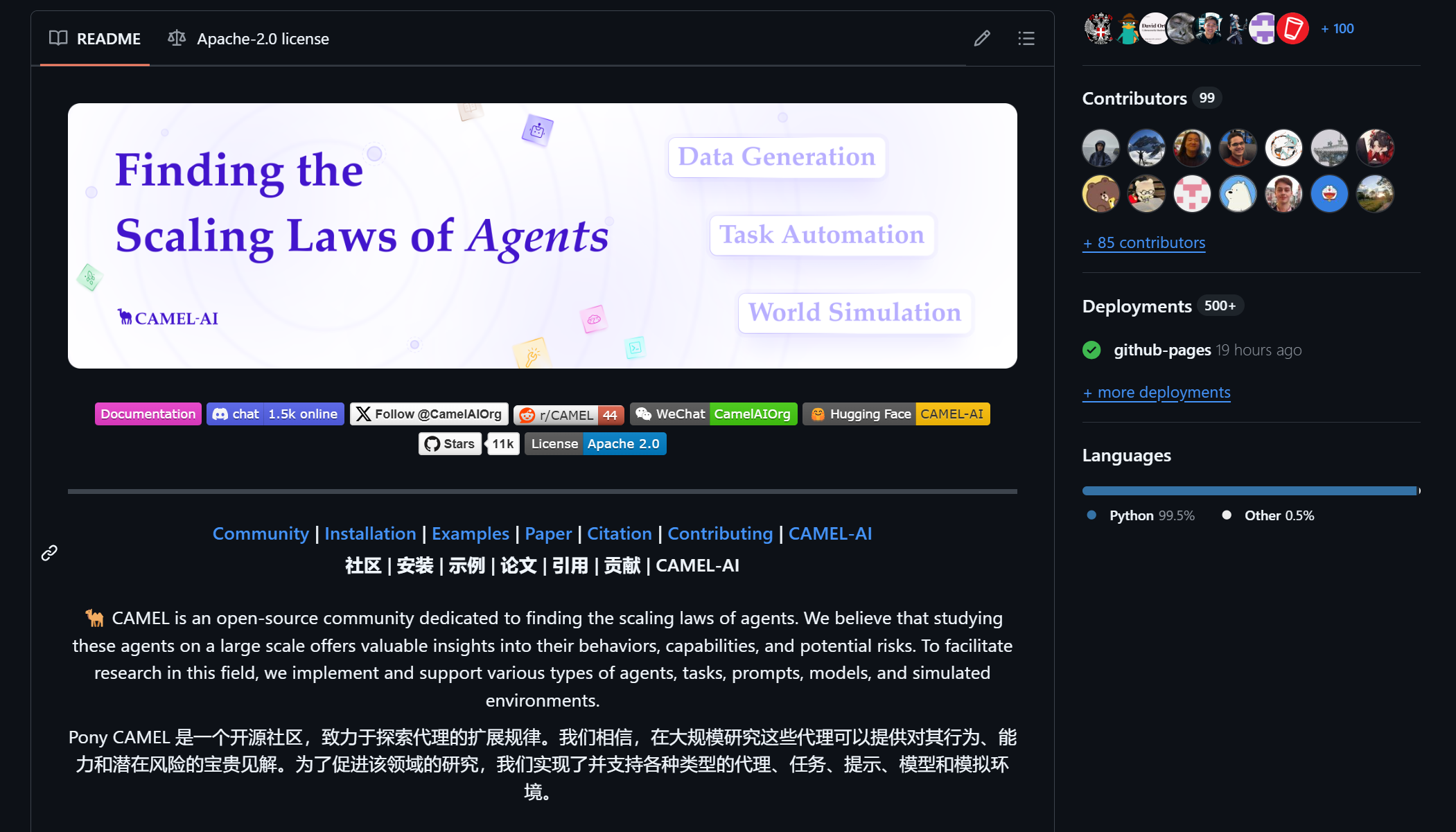
CAMEL 是一个开源社区,致力于探索代理的扩展规律。我们相信,在大规模研究这些代理可以提供对其行为、能力和潜在风险的宝贵见解。为了促进该领域的研究,我们实现了并支持各种类型的代理、任务、提示、模型和模拟环境。
CAMEL :找到智能体的扩展规律。第一个也是最好的多智能体框架。
CAMEL 框架设计原则
可演化性
该框架通过生成数据并与环境交互,使多智能体系统能够持续进化。这种进化可以由可验证奖励驱动的强化学习或监督学习驱动。
规模性
该框架旨在支持百万级代理的系统,确保在大规模情况下实现高效的协调、通信和资源管理。
有状态性
代理保持状态记忆,使它们能够进行多步与环境的交互,并高效地应对复杂的任务。
代码即提示
每一行代码和注释都作为代理的提示。代码应编写得清晰易读,确保人类和代理都能有效解读。
GitHub地址:https://github.com/camel-ai/camel。
Camel初探
我使用从源代码中使用 uv 这种方式进行安装。
git clone https://github.com/camel-ai/camel.git
cd camel
如果没安装uv需要安装。
pip install uv
创建一个虚拟环境。
uv venv .venv --python=3.10
激活虚拟环境。
.venv\Scripts\activate
安装CAMEL及其依赖。
uv pip install -e ".[all, dev, docs]"
开发者可以安装pre-commit hooks 与 mypy。
uv pip install pre-commit mypy
pre-commit install
现在先随便跑个例子看看。
我想要使用硅基流动的模型,就可以在.env文件中这样写:
Silicon_Model_ID="Qwen/Qwen2.5-72B-Instruct"

SiliconCloud_API_KEY="你的api_key"

SiliconCloud_Base_URL="https://api.siliconflow.cn/v1"
我跑的例子是这个:camel\examples\ai_society\role_playing_multi_lingual.py
将代码修改为如下的形式即可:
# ========= Copyright 2023-2024 @ CAMEL-AI.org. All Rights Reserved. =========

# Licensed under the Apache License, Version 2.0 (the "License");

# you may not use this file except in compliance with the License.

# You may obtain a copy of the License at

#

#     http://www.apache.org/licenses/LICENSE-2.0

#

# Unless required by applicable law or agreed to in writing, software

# distributed under the License is distributed on an "AS IS" BASIS,

# WITHOUT WARRANTIES OR CONDITIONS OF ANY KIND, either express or implied.

# See the License for the specific language governing permissions and

# limitations under the License.

# ========= Copyright 2023-2024 @ CAMEL-AI.org. All Rights Reserved. =========

from colorama import Fore

from camel.societies import RolePlaying

from camel.utils import print_text_animated

def main(model=None) -> None:

    task_prompt = "Develop a trading bot for the stock market"

    role_play_session = RolePlaying(

        assistant_role_name="Python Programmer",

        assistant_agent_kwargs=dict(model=model),

        user_role_name="Stock Trader",

        user_agent_kwargs=dict(model=model),

        task_prompt=task_prompt,

        with_task_specify=True,

        task_specify_agent_kwargs=dict(model=model),

        output_language="Chinese",  # Arabic, French, Spanish, ...

    )

    print(

        Fore.GREEN

        + f"AI Assistant sys message:\n{role_play_session.assistant_sys_msg}\n"

    )

    print(

        Fore.BLUE + f"AI User sys message:\n{role_play_session.user_sys_msg}\n"

    )

    print(Fore.YELLOW + f"Original task prompt:\n{task_prompt}\n")

    print(

        Fore.CYAN

        + "Specified task prompt:"

        + f"\n{role_play_session.specified_task_prompt}\n"

    )

    print(Fore.RED + f"Final task prompt:\n{role_play_session.task_prompt}\n")

    chat_turn_limit, n = 50, 0

    input_msg = role_play_session.init_chat()

    while n < chat_turn_limit:

        n += 1

        assistant_response, user_response = role_play_session.step(input_msg)

        if assistant_response.terminated:

            print(

                Fore.GREEN

                + (

                    "AI Assistant terminated. Reason: "

                    f"{assistant_response.info['termination_reasons']}."

                )

            )

            break

        if user_response.terminated:

            print(

                Fore.GREEN

                + (

                    "AI User terminated. "

                    f"Reason: {user_response.info['termination_reasons']}."

                )

            )

            break

        print_text_animated(

            Fore.BLUE + f"AI User:\n\n{user_response.msg.content}\n"

        )

        print_text_animated(

            Fore.GREEN + "AI Assistant:\n\n"

            f"{assistant_response.msg.content}\n"

        )

        if "CAMEL_TASK_DONE" in user_response.msg.content:

            break

        input_msg = assistant_response.msg

if __name__ == "__main__":

    from camel.models import ModelFactory

    from camel.types import ModelPlatformType, ModelType

    import pathlib

    import os

    from dotenv import load_dotenv

    base_dir = pathlib.Path(__file__).parent.parent.parent

    env_path = base_dir / ".env"

    load_dotenv(dotenv_path=str(env_path))

    modeltype = os.getenv("Silicon_Model_ID")

    api_key = os.getenv("SiliconCloud_API_KEY")

    base_url = os.getenv("SiliconCloud_Base_URL")

    siliconcloud_model = ModelFactory.create(

        model_platform=ModelPlatformType.OPENAI_COMPATIBLE_MODEL,

                model_type=modeltype,

                api_key=api_key,

                url=base_url,

                model_config_dict={"temperature": 0.4, "max_tokens": 4096},

    )

    main(siliconcloud_model)
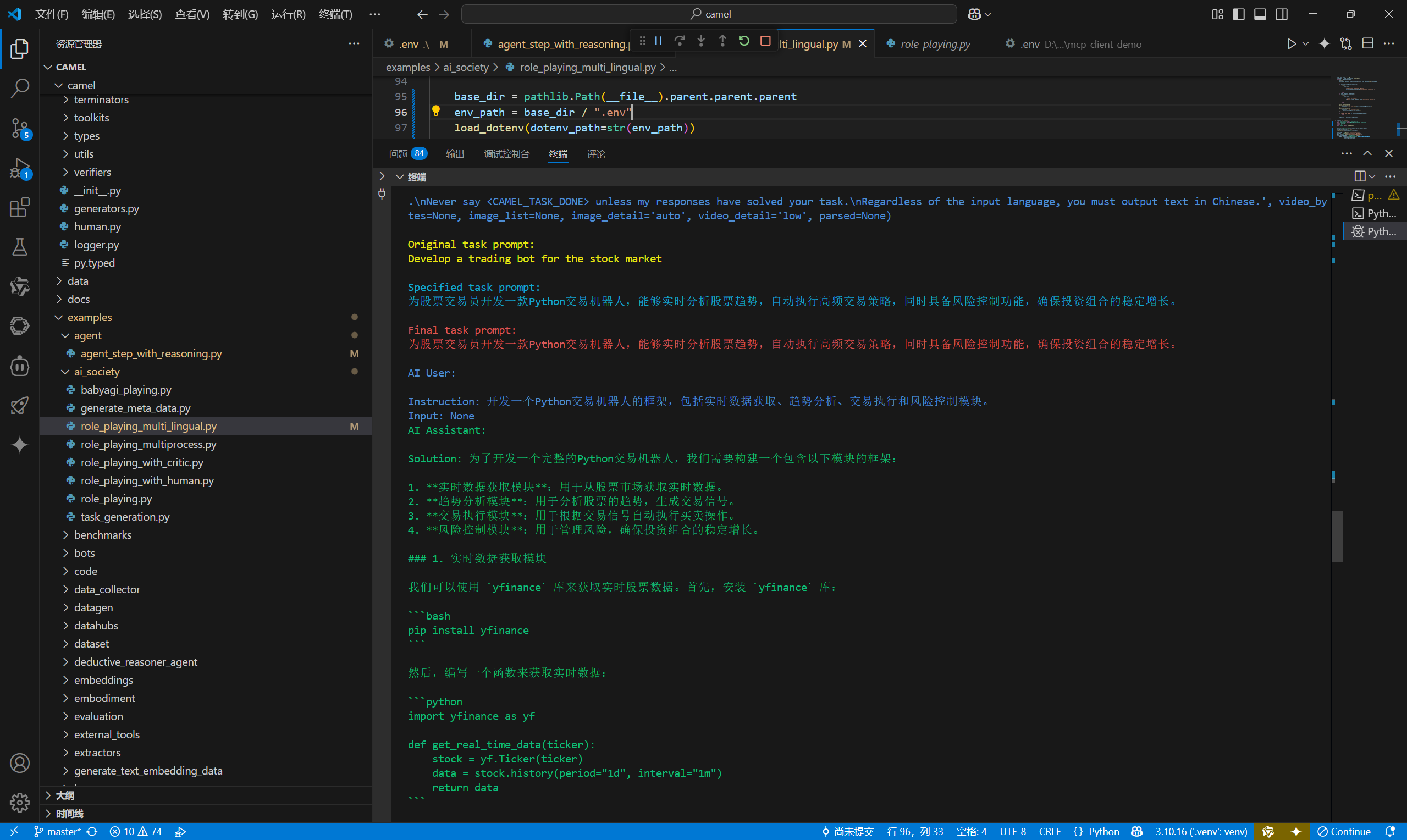
运行效果:
算是把环境搭建好了。
现在就可以开始学习Camel这个多智能体框架了。
Camel多智能体框架初探的更多相关文章
- TensorFlow利用A3C算法训练智能体玩CartPole游戏
本教程讲解如何使用深度强化学习训练一个可以在 CartPole 游戏中获胜的模型.研究人员使用 tf.keras.OpenAI 训练了一个使用「异步优势动作评价」(Asynchronous Advan ...
- 伯克利推出「看视频学动作」的AI智能体
伯克利曾经提出 DeepMimic框架,让智能体模仿参考动作片段来学习高难度技能.但这些参考片段都是经过动作捕捉合成的高度结构化数据,数据本身的获取需要很高的成本.而近日,他们又更进一步,提出了可以直 ...
- DRL 教程 | 如何保持运动小车上的旗杆屹立不倒?TensorFlow利用A3C算法训练智能体玩CartPole游戏
本教程讲解如何使用深度强化学习训练一个可以在 CartPole 游戏中获胜的模型.研究人员使用 tf.keras.OpenAI 训练了一个使用「异步优势动作评价」(Asynchronous Advan ...
- 多智能体系统(MAS)简介
1.背景 自然界中大量个体聚集时往往能够形成协调.有序,甚至令人感到震撼的运动场景,比如天空中集体翱翔的庞大的鸟群.海洋中成群游动的鱼群,陆地上合作捕猎的狼群.这些群体现象所表现出的分布.协调.自 ...
- 【SerpentAI:Python开源游戏智能体开发框架——相比OpenAI Universe可导入自己的游戏、可脱离Docker/VNC运行】
https://weibo.com/fly51fly?from=myfollow_all&is_all=1#1514439335614 [SerpentAI:Python开源游戏智能体开发框架 ...
- STM32W108无线传感器网络节点自组织与移动智能体导航技术
使用STM32W108无线开发板及节点完毕大规模网络的自组建,网络模型选择树型,网络组建完毕之后,使用基于接收信号强度指示RSSI(ReceivedSignal Strength Indication ...
- 开发指南专题二:JEECG微云高速开发平台JEECG框架初探
开发指南专题二:JEECG微云高速开发平台JEECG框架初探 2.JEECG框架初探 2.1演示系统 打开浏览器输入JEECG演示环境界址:http://demo.jeecg.org:8090/能够看 ...
- django框架初探
django框架初探 1.web框架介绍 web框架本质是一个socket服务端.每一个端口只能被一个程序监听. web程序分为两个部分: 服务器程序:对socket服务器封装,解析http请求,发送 ...
- RNN及其变体框架
RNN及其变体框架 含RNN推导 LSTM理解 理解LSTM网络 算法细节理解及参考文献
- 基于ROBO-MAS多智能体自主协同 高频投影定位系统
随机推荐
- Qt开源作品9-扁平化样式flatui
一.前言 对于现在做前端开发人员来说,FlatUI肯定不陌生,最近几年扁平化的设计越来越流行,大概由于现在PC端和移动端的设备的分辨率越来越高,扁平化反而看起来更让人愉悦,而通过渐变色产生的质感色彩反 ...
- Kubernetes系列(一) - kubernetes入门基本概念
目录 1. 基本概念 1.1 什么是 Kubernetes 集群 1.2 Kubernetes集群资源组成: 1.3 无状态和有状态的区别 1.3.1 无状态服务 1.3.2 有状态服务 2. Kub ...
- nginx升级与版本回退
ginx官网下载安装包http://nginx.org/en/download.html 查看nginx文件或目录find / -name nginx 2>/dev/null 查看已安装的 Ng ...
- java多线程---总结(2)
ThreadPoolExecutor 官方API解释线程池的好处: (1)通过重用线程池中的线程,来减少每个线程创建和销毁的性能开销. (2)对线程进行一些维护和管理,比如定时开始,周期执行,并发数控 ...
- webrtc-streamer实时播放监控
公司要做web端监控实时播放,经过调研,webrtc-streamer的方式对前后端项目侵入最少,且没有延迟卡钝的现象. 一.准备工作 一个摄像头,摄像头对应的rtsp流链接,一台电脑,一个vue项目 ...
- C语言中的窗口滑动技术
学习文章:C语言中的窗口滑动技术 滑动窗口法 C语言中的窗口滑动技术 循环几乎是每个复杂问题的一部分.太多的循环/嵌套循环会增加所需的时间,从而增加程序的时间复杂性.窗口滑动技术是一种计算技术,用于减 ...
- Java线程的创建和常见方法
1.线程,进程和管程 1.1线程(Thread) 定义:线程是操作系统中能够独立运行的最小单位,是进程的一个执行分支.一个进程可以包含多个线程,它们共享同一进程的资源(如内存和文件句柄). 特点: 线 ...
- Phi小模型开发教程:用C#开发本地部署AI聊天工具,只需CPU,不需要GPU,3G内存就可以运行,不输GPT-3.5
大家好,我是编程乐趣. 行业诸多大佬一直在说:"2025年将是AI应用元年",虽然说大佬的说法不一定对,但AI趋势肯定没错的. 对于我们程序员来说,储备AI应用开发技能,不管对 ...
- 【T+重要提示】日期不在业务期间范围内
2021年就来了,今天是新年的第二个工作日.相信很多会计朋友们在打开T+软件的时候,会看到这么个提示框: 用友T+2020年没有做完账务,提前建立2021年度帐的步骤 (1)用账套主管选择2020年1 ...
- uni-app中picker-view(常见的坑)出现选择值与输出的值不一致
今天遇见一个问题,在使用picker-view的时候: 出现我选择的值和输出的值不一致: 经过与官方的demo做对比发现: 官方是实时的将值从组件中向上抛出去: 值是从change事件传递出去的 而我 ...