
ChartCtrl源码剖析之——CChartScrollBar类
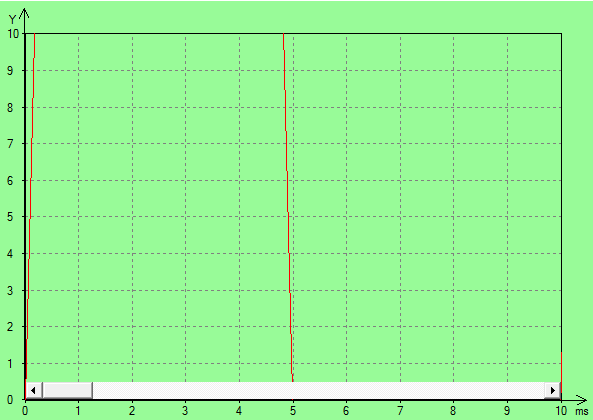
CChartScrollBar类用来针对每个轴的数据进行滚动,将那些不在当前区域内的数据通过滚动展示出来。
CChartScrollBar类的头文件。
#pragma once

class CChartAxis;

class CChartScrollBar : public CScrollBar

{

public:

    CChartScrollBar(CChartAxis* pParentAxis);

    ~CChartScrollBar();

    void CreateScrollBar(const CRect& PlottingRect);

    void OnHScroll(UINT nSBCode, UINT nPos);

    void OnVScroll(UINT nSBCode, UINT nPos);

    void Refresh();

    void SetEnabled(bool bEnabled)  { m_bEnabled = bEnabled; }

    bool GetEnabled() const            { return m_bEnabled; }

    void SetAutoHide(bool bAutoHide)  { m_bAutoHide = bAutoHide; }

    bool GetAutoHide() const          { return m_bAutoHide; }

    void OnMouseEnter();

    void OnMouseLeave();

private:

    bool IsScrollInverted() const;

    void MoveAxisToPos(int PreviousPos, int CurPos);

    CChartAxis* m_pParentAxis;

    bool m_bEnabled;

    bool m_bAutoHide;

};
CChartScrollBar类的源文件。
#include "stdafx.h"

#include "ChartScrollBar.h"

#include "ChartAxis.h"

#include "ChartCtrl.h"

#include "math.h"

CChartScrollBar::CChartScrollBar(CChartAxis* pParentAxis)

: CScrollBar(), m_pParentAxis(pParentAxis), m_bEnabled(false),

   m_bAutoHide(true)

{

}

CChartScrollBar::~CChartScrollBar()

{

}

void CChartScrollBar::CreateScrollBar(const CRect& PlottingRect)

{

    CRect Temp = PlottingRect;

    Temp.top++; Temp.left++;

    DWORD dwStyle = SBS_HORZ | WS_CHILD;

    if (m_pParentAxis->IsHorizontal())

    {

        if (m_pParentAxis->m_bIsSecondary)

            dwStyle |= SBS_TOPALIGN;

        else

            dwStyle += SBS_BOTTOMALIGN;

    }

    else

    {

        if (m_pParentAxis->m_bIsSecondary)

            dwStyle |= SBS_VERT | SBS_RIGHTALIGN;

        else

            dwStyle += SBS_VERT | SBS_LEFTALIGN;

    }

    CScrollBar::Create(dwStyle, Temp, m_pParentAxis->m_pParent,);

    SCROLLINFO info;

    info.cbSize = sizeof(SCROLLINFO);

    info.fMask = SIF_ALL;

    info.nMin = ;

    info.nMax = ;

    info.nPage = ;

    info.nPos = ;

    CScrollBar::SetScrollInfo(&info);

}

bool CChartScrollBar::IsScrollInverted() const

{

    bool bInverted = false;

    if (m_pParentAxis->IsInverted() && m_pParentAxis->m_bIsHorizontal)

        bInverted = true;

    if (!m_pParentAxis->IsInverted() && !m_pParentAxis->m_bIsHorizontal)

        bInverted = true;

    return bInverted;

}

void CChartScrollBar::Refresh()

{

    double AxisMin=, AxisMax=;

    double SeriesMin=, SeriesMax=;

    m_pParentAxis->GetMinMax(AxisMin,AxisMax);

    m_pParentAxis->GetSeriesMinMax(SeriesMin,SeriesMax);

    double dStep = ;

    int iTotalSteps = ;

    int iCurrentStep = ;

    if (m_pParentAxis->IsLogarithmic())

    {

        // TODO: do something if the series has 0 in it

        dStep = pow(AxisMax/AxisMin,0.1);

        iTotalSteps = (int)ceil(log(SeriesMax/SeriesMin)/log(dStep));

        iCurrentStep = (int)(log(AxisMin/SeriesMin)/log(dStep));

    }

    else

    {

        dStep = (AxisMax - AxisMin) / 10.0;

        iTotalSteps = (int)ceil((SeriesMax - SeriesMin)/dStep);

        iCurrentStep = (int)(iTotalSteps * ((AxisMin - SeriesMin)/(SeriesMax-SeriesMin)));

    }

    SCROLLINFO info;

    info.cbSize = sizeof(SCROLLINFO);

    info.fMask = SIF_ALL;

    if ( (AxisMax-AxisMin) ==  || (SeriesMax-SeriesMin)== )

    {

        info.nMin = ;

        info.nMax = ;

        info.nPage = ;

        info.nPos = ;

    }

    else

    {

        info.nMin = ;

        info.nMax = iTotalSteps;

        info.nPage = ;

        info.nPos = iCurrentStep;

        if (IsScrollInverted())

            info.nPos = iTotalSteps -  - iCurrentStep;

        else

            info.nPos = iCurrentStep;

    }

    CScrollBar::SetScrollInfo(&info);

}

void CChartScrollBar::OnHScroll(UINT nSBCode, UINT nPos)

{

    int MinPos;

    int MaxPos;

    int PreviousPos = CScrollBar::GetScrollPos();

    CScrollBar::GetScrollRange(&MinPos, &MaxPos);

    int CurPos = PreviousPos;

    bool bUpdate = true;

    switch (nSBCode)

    {

    case SB_LEFT:

        CurPos = ;

        break;

    case SB_RIGHT:

        CurPos = MaxPos;

        break;

    case SB_ENDSCROLL:

        bUpdate = false;

        break;

    case SB_LINELEFT:

        if (CurPos > MinPos)

            CurPos--;

        break;

    case SB_LINERIGHT:

        if (CurPos < MaxPos-)

            CurPos++;

        break;

    case SB_PAGELEFT:

        if (CurPos > MinPos)

            CurPos = max(MinPos, CurPos - );

        break;

    case SB_PAGERIGHT:

        if (CurPos < MaxPos-)

            CurPos = min(MaxPos, CurPos + );

        break;

    case SB_THUMBPOSITION:

            CurPos = nPos;

        break;

    case SB_THUMBTRACK:

            CurPos = nPos;

        break;

    }

    if (bUpdate)

    {

        // Set the new position of the thumb (scroll box).

        CScrollBar::SetScrollPos(CurPos);

        MoveAxisToPos(PreviousPos,CurPos);

    }

}

void CChartScrollBar::OnVScroll(UINT nSBCode, UINT nPos)

{

    int MinPos;

    int MaxPos;

    int PreviousPos = CScrollBar::GetScrollPos();

    CScrollBar::GetScrollRange(&MinPos, &MaxPos);

    int CurPos = PreviousPos;

    bool bUpdate = true;

    switch (nSBCode)

    {

    case SB_BOTTOM:

        CurPos = MaxPos;

        break;

    case SB_TOP:

        CurPos = ;

        break;

    case SB_ENDSCROLL:

        bUpdate = false;

        break;

    case SB_LINEDOWN:

        if (CurPos < MaxPos-)

            CurPos++;

        break;

    case SB_LINEUP:

        if (CurPos > MinPos)

            CurPos--;

        break;

    case SB_PAGEUP:

        if (CurPos > MinPos)

            CurPos = max(MinPos, CurPos - );

        break;

    case SB_PAGEDOWN:

        if (CurPos < MaxPos-)

            CurPos = min(MaxPos, CurPos + );

        break;

    case SB_THUMBPOSITION:

        CurPos = nPos;

        break;

    case SB_THUMBTRACK:

        CurPos = nPos;

        break;

    }

    if (bUpdate)

    {

        // Set the new position of the thumb (scroll box).

        CScrollBar::SetScrollPos(CurPos);

        MoveAxisToPos(PreviousPos,CurPos);

    }

}

void CChartScrollBar::MoveAxisToPos(int PreviousPos, int CurPos)

{

    double AxisMin=, AxisMax=;

    double SeriesMin=, SeriesMax=;

    m_pParentAxis->GetMinMax(AxisMin,AxisMax);

    m_pParentAxis->GetSeriesMinMax(SeriesMin,SeriesMax);

    if (m_pParentAxis->IsLogarithmic())

    {

        double dStep = pow(AxisMax/AxisMin,0.1);

        double dFactor = pow(dStep,(CurPos - PreviousPos));

        if (IsScrollInverted())

            m_pParentAxis->SetZoomMinMax(AxisMin/dFactor,AxisMax/dFactor);

        else

            m_pParentAxis->SetZoomMinMax(AxisMin*dFactor,AxisMax*dFactor);

    }

    else

    {

        double dStep = (AxisMax - AxisMin) / 10.0;

        double dOffset = (CurPos - PreviousPos) * dStep;

        if (IsScrollInverted())

            m_pParentAxis->SetZoomMinMax(AxisMin-dOffset,AxisMax-dOffset);

        else

            m_pParentAxis->SetZoomMinMax(AxisMin+dOffset,AxisMax+dOffset);

    }

}

void CChartScrollBar::OnMouseEnter()

{

    if (m_bEnabled && m_bAutoHide)

        ShowWindow(SW_SHOW);

}

void CChartScrollBar::OnMouseLeave()

{

    if (m_bEnabled && m_bAutoHide)

        ShowWindow(SW_HIDE);

}
ChartCtrl源码剖析之——CChartScrollBar类的更多相关文章
- ChartCtrl源码剖析之——CChartObject类
首先,做一些简单的铺垫,目前针对ChartCtrl源码的剖析只针对V.15版本.名义上说是剖析,倒不如说是记录下自己针对该控件的理解,非常感谢Cedric Moonen大神,一切的功劳与掌声都该赠予给 ...
- ChartCtrl源码剖析之——CChartAxis类
CChartAxis类用来绘制波形控件的坐标轴,这个源码相对较复杂,当初阅读的时候耗费了不少精力来理解源码中的一些实现细节. CChartAxis类的头文件. #if !defined(AFX_CHA ...
- ChartCtrl源码剖析之——CChartTitle类
CChartTitle类顾名思义,该类用来绘制波形控件的标题,它处于该控件的区域,如下图所示: CChartTitle类的头文件. #if !defined(AFX_CHARTTITLE_H__499 ...
- ChartCtrl源码剖析之——CChartAxisLabel类
CChartAxisLabel类用来绘制轴标签,上.下.左.右都可以根据实际需要设置对应的轴标签.它处于该控件的区域,如下图所示: CChartAxisLabel类的头文件. #if !defined ...
- ChartCtrl源码剖析之——CChartLegend类
CChartLegend类用来绘制每一个波形的描述信息,它处于该控件的区域,如下图所示: CChartLegend类的头文件. #if !defined(AFX_CHARTLEGEND_H__CD72 ...
- ChartCtrl源码剖析之——CChartGrid类
CChartGrid类用来绘制波形区域中的表格,当绘制波形时波形就显示在这些表格上面.它处于该控件的区域,如下图所示: CChartGrid类的头文件. #if !defined(AFX_CHARTG ...
- PART(Persistent Adaptive Radix Tree)的Java实现源码剖析
论文地址 Adaptive Radix Tree: https://db.in.tum.de/~leis/papers/ART.pdf Persistent Adaptive Radix Tree: ...
- 老李推荐:第6章3节《MonkeyRunner源码剖析》Monkey原理分析-事件源-事件源概览-命令翻译类
老李推荐:第6章3节<MonkeyRunner源码剖析>Monkey原理分析-事件源-事件源概览-命令翻译类 每个来自网络的字串命令都需要进行解析执行,只是有些是在解析的过程中直接执行 ...
- WorldWind源码剖析系列:影像存储类ImageStore、Nlt影像存储类NltImageStore和WMS影像存储类WmsImageStore
影像存储类ImageStore 影像存储类ImageStore提供了计算本地影像路径和远程影像影像URL访问的各种接口,是WmsImageStore类和NltImageStore类的基类.当划分完层次 ...
随机推荐
- Uva10294 Arif in Dhaka (置换问题)
扯回正题,此题需要知道的是置换群的概念,这点在刘汝佳的书中写的比较详细,此处不多做赘述.此处多说一句的是第二种手镯的情况.在下图中“左图顺时针转1个位置”和“右图顺时针旋转5个位置”是相同的,所以在最 ...
- 多边形之战(bzoj 2927)
Description 多边形之战是一个双人游戏.游戏在一个有n个顶点的凸多边形上进行,这个凸多边形的n-3条对角线将多边形分成n-2个三角形,这n-3条对角线在多边形的顶点相交.三角形中的一个被染成 ...
- 关于如何使用Spring里@AliasFor注解进行注解的封装
不知道大家每次使用Spring boot的时候有没有看过它启动类里 @SpringBootApplication这个注解呢?众所周知,这个注解是一个复合注解,但是注解是不能继承元注解的属性的,也就是说 ...
- 【BZOJ4475】子集选取(计数)
题意: 思路: #include<cstdio> #include<cstdlib> #include<iostream> #include<algorith ...
- ES6__数据结构 Map
/* 数据结构 Map */ /* * 字典:是用来存储不重复的key的hash结构.不同于集合(Set)的是,字典使用的是[键,值]的形式来储存数据的. *javaScript 的对象(Object ...
- 基于gulp编写的一个简单实用的前端开发环境
自从Node.js出现以来,基于其的前端开发的工具框架也越来越多了,从Grunt到Gulp再到现在很火的WebPack,所有的这些新的东西的出现都极大的解放了我们在前端领域的开发,作为一个在前端领域里 ...
- 学习swift从青铜到王者之swift属性09
1.结构体常量和类常量的存储属性 let p1 = Person1() //p1.age = 88 不允许修改 //p11.name = "yhx1" 不允许修改 var p11 ...
- MAC上反编译android apk---apktool, dex2jar, jd-jui安装使用(含手动签名)
前文 介绍了在Windows平台利用强大的APK-Multi-Tool进行反编译apk,修改smali源码后再回编译成apk的流程,最近受人之托,破解个apk,所幸的是所用到的这三个软件都是跨平台的, ...
- 安装软件:/lib/ld-linux.so.2: bad ELF interpreter解决
http://linux.chinaitlab.com/set/928509.html 我们在CentOS系统中安装软件:/lib/ld-linux.so.2: bad ELF interpreter ...
- iOS中MRC和ARC混编
1. 在targets的build phases选项下Compile Sources下选择,不使用arc编译的文件.双击它.输入 -fno-objc-arc 就可以(这个类就能够使用MRC模式) 2. ...