
[Linux]CentOS与终端破墙
来源:https://www.zybuluo.com/ncepuwanghui/note/954160
参考:https://blog.huihut.com/2017/08/25/LinuxInstallConfigShadowsocksClient/
亲测在CentOS-7-x86_64-DVD-1804.iso(KDE)上安装成功
一、安装shadowsocks
安装epel扩展源
采用Python包管理工pip安装
sudo yum -y install epel-release

sudo yum -y install python-pip
由于安装shadowsocks时提示需要jiaja2和pyudev,dnspython的版本要求,所以安装和更新
ipaclient 4.5.4 requires jinja2, which is not installed.

rtslib-fb 2.1.63 has requirement pyudev>=0.16.1, but you'll have pyudev 0.15 which is incompatible.

ipapython 4.5.4 has requirement dnspython>=1.15, but you'll have dnspython 1.12.0 which is incompatible.
安装jiaja2
sudo yum -y install python-jinja2
更新pyudev
git clone https://github.com/lunaryorn/pyudev.git

cd pyudev

sudo python setup.py install
wget http://www.dnspython.org/kits/1.15.0/dnspython-1.15.0.tar.gz

tar -zxvf dnspython-1.15.0.tar.gz

cd dnspython-1.15.0

sudo python setup.py install
安装shadowsocks
sudo pip install shadowsocks
如果出现此提示,则按提示更新pip
You are using pip version 8.1.2, however version 10.0.1 is available.

You should consider upgrading via the 'pip install --upgrade pip' command.
更新
sudo pip install --upgrade pip
二、配置Shadowsocks
新建设置文件
sudo vi /etc/shadowsocks.json
{

    "local_address": "127.0.0.1",

    "local_port":1080,

    "server":"服务器IP",

    "server_port":服务器端口,

    "password":"服务器密码",

    "timeout":300,

    "method":"aes-256-cfb",

    "fast_open": false,

    "workers": 1

}
2.新建自启动脚本,设置后开机可以自启动(注意路径)
sudo vi /etc/systemd/system/shadowsocks.service
[Unit]

Description=Shadowsocks

[Service]

TimeoutStartSec=0

ExecStart=/usr/bin/sslocal -c /etc/shadowsocks.json

[Install]

WantedBy=multi-user.target
3.启动
systemctl enable shadowsocks.service

systemctl start shadowsocks.service

systemctl status shadowsocks.service
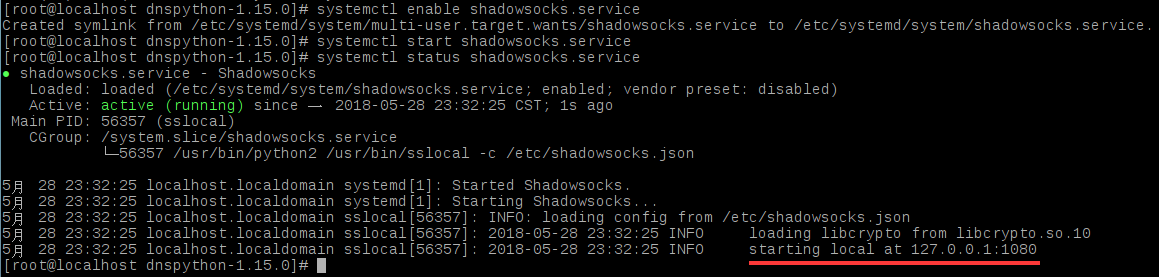
4.测试,成功时返回shadowsocks的设置IP
curl --socks5 127.0.0.1:1080 http://httpbin.org/ip
三、配置火狐
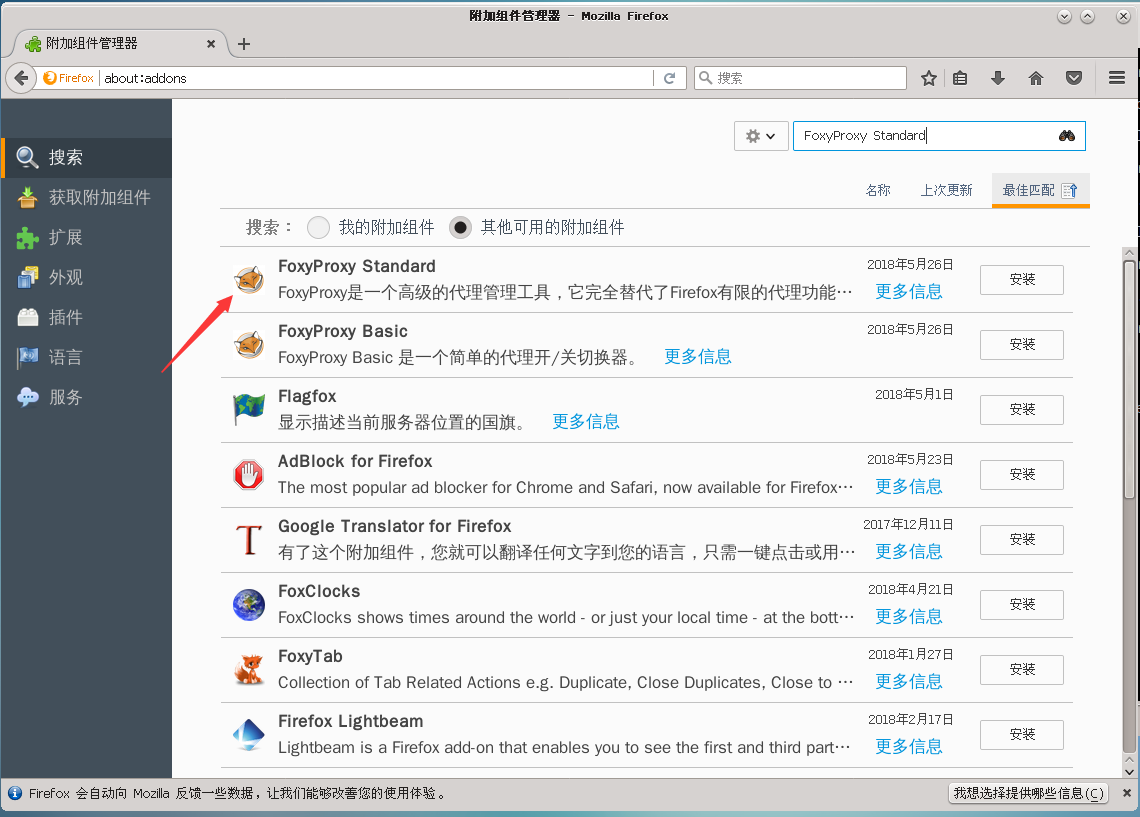
下载安装FoxyProxy Standard
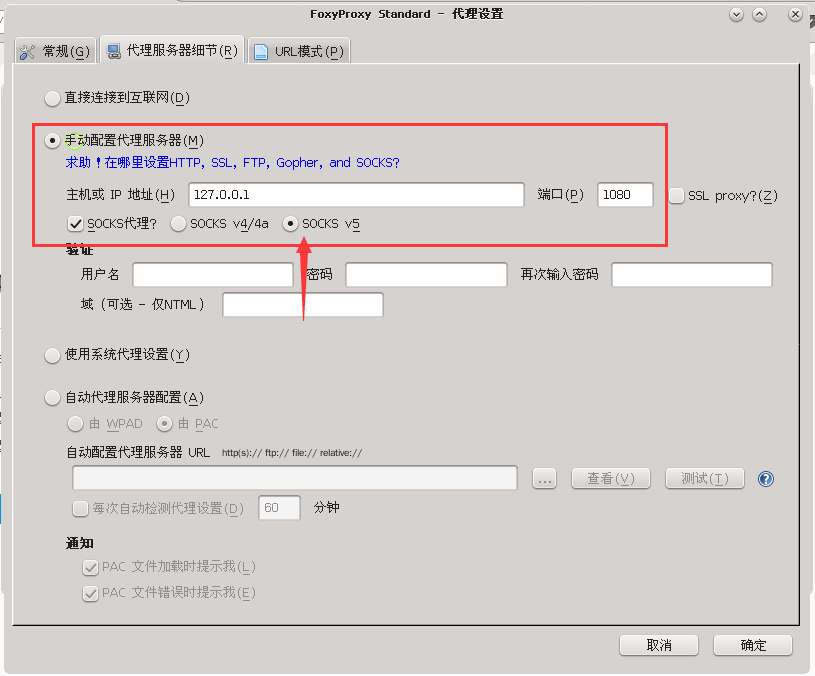
配置FoxyProxy,填写IP和端口,选择socks5,保存
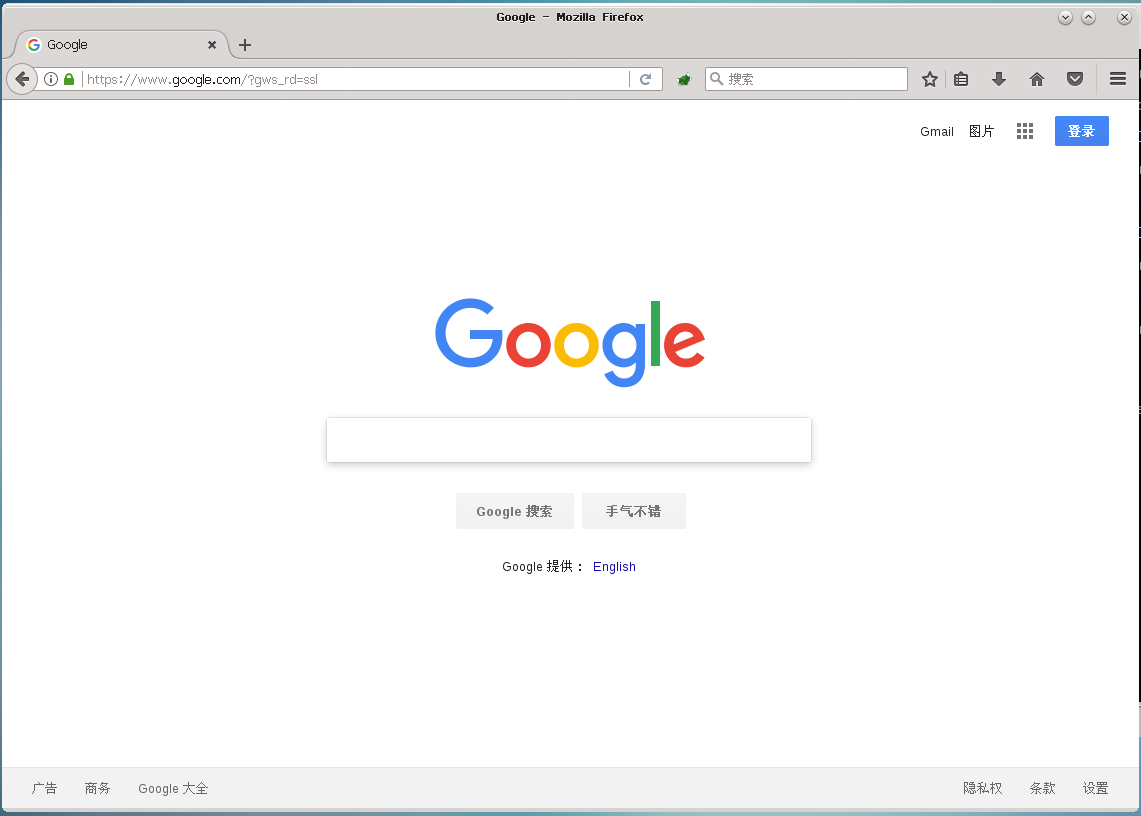
启用代理

测试
四、安装配置Privoxy
sudo yum -y install privoxy
启动Privoxy
systemctl enable privoxy

systemctl start privoxy

systemctl status privoxy
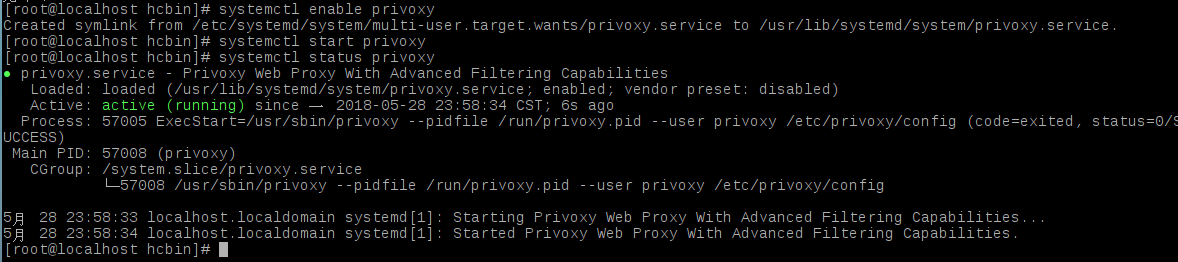
配置Privoxy(文本较长,建议其他文本编辑器查找)
sudo vi /etc/privoxy/config
确保如下内容没有被注释掉
listen-address 127.0.0.1:8118    #8118是默认端口,不用改

forward-socks5t / 127.0.0.1:1080 .    #转发到本地端口
添加代理
sudo vi /etc/profile
export http_proxy=http://127.0.0.1:8118

export https_proxy=http://127.0.0.1:8118
source /etc/profile
测试
curl www.google.com
[Linux]CentOS与终端破墙的更多相关文章
- [Linux]Ubuntu与终端破墙
参考:https://www.jianshu.com/p/941bf811f9c2 亲测在ubuntu-14.04.4-desktop-amd64.iso上安装成功 福利:https://github ...
- Linux(centos)系统各个目录的作用详解
Linux(centos)系统各个目录的作用详解 文件系统的类型 LINUX有四种基本文件系统类型:普通文件.目录文件.连接文件和特殊文件,可用file命令来识别. 普通文件:如文本文件.C语言元代码 ...
- Linux Centos 6.6搭建SFTP服务器
Linux Centos 6.6搭建SFTP服务器 在Centos 6.6环境使用系统自带的internal-sftp搭建SFTP服务器. 打开命令终端窗口,按以下步骤操作. 0.查看openssh的 ...
- VM的Linux CentOS系统的VMTools的手动安装
VM的Linux CentOS系统的VMTools的手动安装 一是没时间安装,另外是一直用的是VM的绿色版,里面没有Linux.iso 文件 今天晚上安装上了 linux 的vmtools ,再也不用 ...
- NO.4day LINUX centos 文件基本操作
LINUX centos 文件基本操作 1 LINUX简介 Linux的定义:Linux是一套免费使用和自由传播的类Unix操作系统,是一个基于POSIX和UNIX的多用户.多任务.支持多线程和多CP ...
- Linux CentOS 7 安装confluence 5.8.10
一..需要下载的安装包如下 1.atlassian-confluence-5.8.10-x64.bin #confluence安装包 2.confluence5.x-crack.zip #conflu ...
- Linux(centos 6.5) 调用java脚本以及定时运行的脚本实例及配置文件具体解释
Linux(centos 6.5) 调用java脚本以及定时运行的脚本实例 一.调用java程序脚本(默认已经搭建好了Java环境) 1.jdk 安装路径 /usr/jdk/jdk1.7/-- 2.j ...
- linux centos安装zabbix 4.0服务端
1.服务器安装docker sudo yum install -y yum-utils device-mapper-persistent-data lvm2 sudo yum-config-manag ...
- .Net Core 项目发布到Linux - CentOS 7(一)
由于项目的需求,需要发布到Linux服务器上,在这里记录一下我发布的过程. 安装Linux 安装liunx系统很简单,网上也有很多教程,我是直接使用阿里云的CentOS 7.7 64位 部署环境 Li ...
随机推荐
- vue---- v-bind指令
v-bind指令用于给html标签设置属性. 基本用法 <div id="app"> <div v-bind:id="id1">文字&l ...
- NPOI设置单元格背景色
NPOI设置单元格背景色在网上有好多例子都是设置为NPOI内置的颜色值 但是想用rgb值来设置背景色,即:通过HSSFPalette类获取颜色值时会抛出异常:Could not Find free c ...
- c++中嵌入python
c++ 中嵌入python : https://blog.csdn.net/yiyouxian/article/category/6324494 Python C 和线程 :http://www. ...
- Unity 3D入门简介
最近在刚开始学习Unity 3D,在这里记录一下学习心得和学习笔记,边学边写,可能会比较零散.好了,废话不多说,今天从Unity 3D入门写起,主要简要介绍一下Unity 3D的和一些学习资料.以下如 ...
- centos 后台挂起运行python
用Xshell连接服务器运行python文件,当关闭终端或连接断开后相应的python文件也就不会继续运行了,要达到后台挂起运行就要使用 nohup 命令了. 用法如下: # -u 表示禁止缓存,将结 ...
- windows 命令相关
脚本执行后的返回值:echo %errorlevel%
- 双网卡单IP实现网卡冗余与负载均衡
WINDOWS下: 所谓双网卡,就是通过软件将双网卡绑定为一个IP地址,这个技术对于许多朋友来说并不陌生,许多高档服务器网卡(例如intel8255x系列.3COM服务器网卡等)都具有多网卡绑定功能, ...
- 报错:Sqoop2 Exception: java.lang.NoSuchMethodError Message: org.apache.hadoop.security.authentication.client.Authenticator
报错过程: 进入sqoop2之后, 输入命令:show connector,报错 报错现象: Exception has occurred during processing command Exce ...
- dubbo 在不同协议下携带上下文区别
如果走原生的dubbo协议,RpcContext.getContext()里的attarchments和values 是能够在节点间传递的 但如果hessian协议,attarchments和valu ...
- vim的基础操作