
UITextField的简易封装
UITextField的简易封装
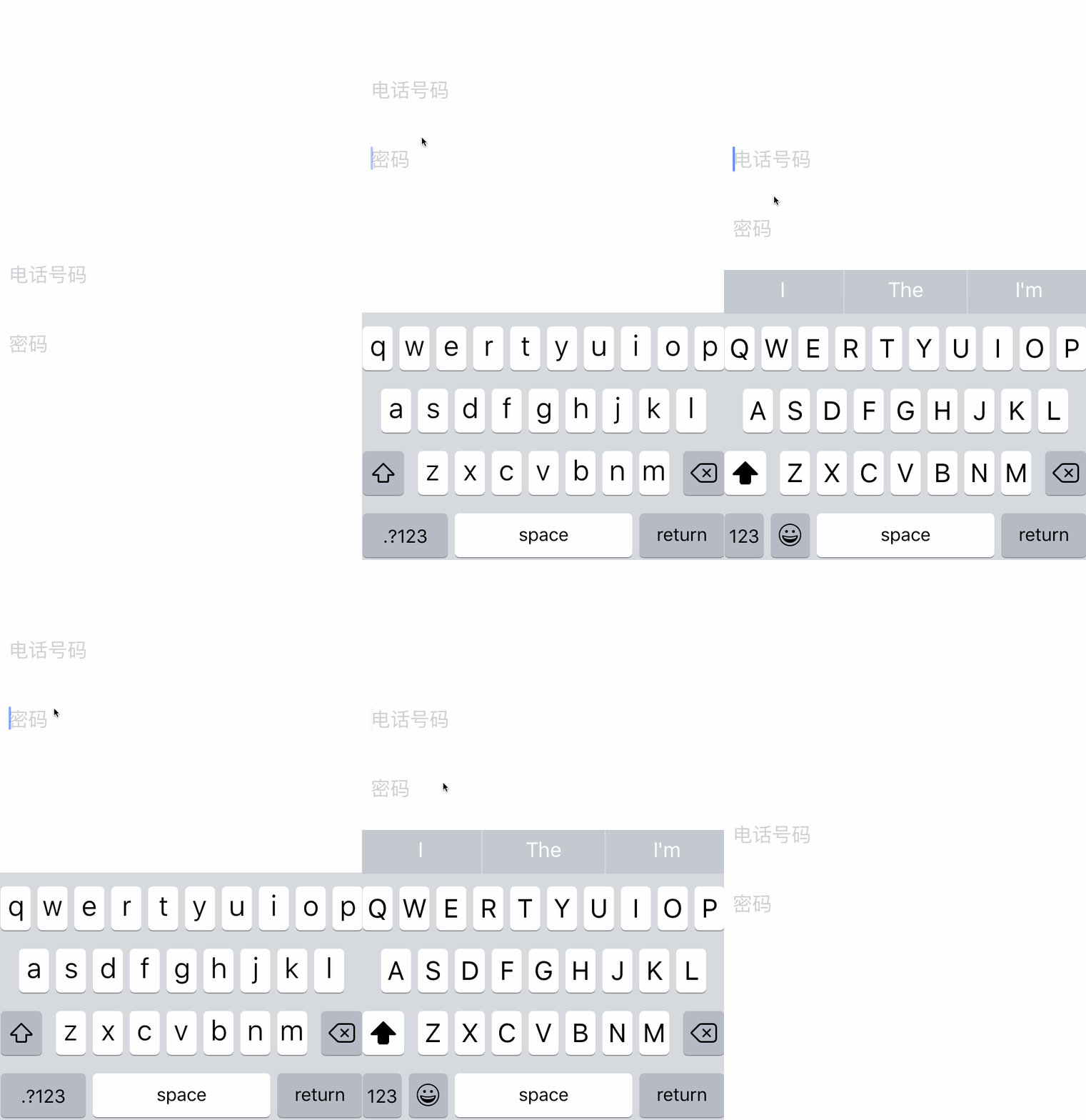
效果
源码
https://github.com/YouXianMing/UI-Component-Collection 中的 UITextFieldView
//

//  UITextFieldView.h

//  UITextField

//

//  Created by YouXianMing on 16/7/22.

//  Copyright © 2016年 YouXianMing. All rights reserved.

//

#import <UIKit/UIKit.h>

#import "AbsTextFieldViewValidator.h"

@class UITextFieldView;

@protocol UITextFieldViewDelegate <NSObject>

@optional

/**

 *  When change characters in range, you can get the current string.

 *

 *  @param textFieldView UITextFieldView's object.

 *  @param currentString The current string.

 */

- (void)textFieldView:(UITextFieldView *)textFieldView currentString:(NSString *)currentString;

@end

/**

 *  Asks the delegate if editing should begin in the specified text field.

 *

 *  @param textFieldView UITextFieldView object.

 *

 *  @return YES if editing should begin or NO if it should not.

 */

typedef BOOL (^textFieldShouldBeginEditing_t)(UITextFieldView *textFieldView);

/**

 *  Tells the delegate that editing began in the specified text field.

 *

 *  @param textFieldView UITextFieldView object.

 */

typedef void (^textFieldDidBeginEditing_t)(UITextFieldView *textFieldView);

/**

 *  Asks the delegate if editing should stop in the specified text field.

 *

 *  @param textFieldView UITextFieldView object.

 *

 *  @return YES if editing should stop or NO if it should continue.

 */

typedef BOOL (^textFieldShouldEndEditing_t)(UITextFieldView *textFieldView);

/**

 *  Tells the delegate that editing stopped for the specified text field.

 *

 *  @param textFieldView UITextFieldView object.

 */

typedef void (^textFieldDidEndEditing_t)(UITextFieldView *textFieldView);

/**

 *  Asks the delegate if the specified text should be changed.

 *

 *  @param textFieldView     UITextFieldView object.

 *  @param range             The range of characters to be replaced.

 *  @param replacementString The replacement string for the specified range. During typing, this parameter normally contains only the single new character that was typed, but it may contain more characters if the user is pasting text. When the user deletes one or more characters, the replacement string is empty.

 *  @param currentText       The current string.

 *

 *  @return YES if the specified text range should be replaced; otherwise, NO to keep the old text.

 */

typedef BOOL (^textFieldshouldChangeCharactersInRange_t)(UITextFieldView *textFieldView, NSRange range, NSString *replacementString, NSString *currentText);

/**

 *  Asks the delegate if the text field’s current contents should be removed.

 *

 *  @param textFieldView UITextFieldView object.

 *

 *  @return YES if the text field’s contents should be cleared; otherwise, NO.

 */

typedef BOOL (^textFieldShouldClear_t)(UITextFieldView *textFieldView);

/**

 *  Asks the delegate if the text field should process the pressing of the return button.

 *

 *  @param textFieldView YES if the text field should implement its default behavior for the return button; otherwise, NO.

 *

 *  @return UITextFieldView object.

 */

typedef BOOL (^textFieldShouldReturn_t)(UITextFieldView *textFieldView);

#pragma mark - UITextFieldView

@interface UITextFieldView : UIView

/**

 *  UITextFieldView's delegate.

 */

@property (nonatomic, weak) id <UITextFieldViewDelegate> delegate;

/**

 *  To set the textField's text & currentText's text.

 *

 *  @param text The text you set.

 */

- (void)setCurrentTextFieldText:(NSString *)text;

/**

 *  The textField, you can use it to set many properties.

 */

@property (nonatomic, strong, readonly) UITextField *textField;

/**

 *  The current string.

 */

@property (nonatomic, strong, readonly) NSString *currentText;

#pragma mark - TextField validator.

/**

 *  TextField validator.

 */

@property (nonatomic, strong) AbsTextFieldViewValidator *textFieldViewValidator;

/**

 *  Checking the textField's string.

 *

 *  @return TextField validator message.

 */

- (TextFieldValidatorMessage *)checkingTheTextFieldViewString;

#pragma mark - TextField delegate's block.

/**

 *  Should begin editing block.

 */

@property (nonatomic, copy) textFieldShouldBeginEditing_t shouldBeginEditingBlock;

/**

 *  Did begin editing block.

 */

@property (nonatomic, copy) textFieldDidBeginEditing_t didBeginEditingBlock;

/**

 *  should end editing block.

 */

@property (nonatomic, copy) textFieldShouldEndEditing_t shouldEndEditingBlock;

/**

 *  Did end editing block.

 */

@property (nonatomic, copy) textFieldDidEndEditing_t didEndEditingBlock;

/**

 *  Should change characters in range block.

 */

@property (nonatomic, copy) textFieldshouldChangeCharactersInRange_t shouldChangeCharactersInRangeBlock;

/**

 *  Should clear block.

 */

@property (nonatomic, copy) textFieldShouldClear_t shouldClearBlock;

/**

 *  Should return block.

 */

@property (nonatomic, copy) textFieldShouldReturn_t shouldReturnBlock;

/**

 *  Convenient method to set blocks.

 *

 *  @param changeCharactersInRange Should change characters in range block.

 *  @param didBeginEditingBlock    Did begin editing block.

 *  @param didEndEditingBlock      Did end editing block.

 *  @param shouldReturnBlock       Did end editing block.

 */

- (void)registerShouldChangeCharactersInRange:(textFieldshouldChangeCharactersInRange_t)changeCharactersInRange

                              didBeginEditing:(textFieldDidBeginEditing_t)didBeginEditingBlock

                                didEndEditing:(textFieldDidEndEditing_t)didEndEditingBlock

                                 shouldReturn:(textFieldShouldReturn_t)shouldReturnBlock;

#pragma mark - Become & resign first responder.

/**

 *  Notifies the receiver that it is about to become first responder in its window.

 */

- (void)becomeFirstResponder;

/**

 *  Notifies the receiver that it has been asked to relinquish its status as first responder in its window.

 */

- (void)resignFirstResponder;

#pragma mark - InputAccessoryView.

- (void)createInputAccessoryViewWithViewHeight:(CGFloat)height block:(void (^)(UIView *inputAccessoryView, UITextFieldView *textFieldView))block;

#pragma mark - Transform position.

/**

 *  Rect from the view.

 *

 *  @param view The view you specified.

 *

 *  @return The rect.

 */

- (CGRect)rectFromView:(UIView *)view;

#pragma mark - Constructor method.

//- (instancetype)

@end
//

//  UITextFieldView.m

//  UITextField

//

//  Created by YouXianMing on 16/7/22.

//  Copyright © 2016年 YouXianMing. All rights reserved.

//

#import "UITextFieldView.h"

@interface UITextFieldView () <UITextFieldDelegate>

@property (nonatomic, strong) NSString    *currentText;

@property (nonatomic, strong) UITextField *textField;

@property (nonatomic)         BOOL         secureTextEntryBecomeActive;

@end

@implementation UITextFieldView

- (instancetype)initWithFrame:(CGRect)frame {

    if (self = [super initWithFrame:frame]) {

        self.textField          = [[UITextField alloc] initWithFrame:self.bounds];

        self.textField.delegate = self;

        [self addSubview:self.textField];

    }

    return self;

}

- (void)becomeFirstResponder {

    [self.textField becomeFirstResponder];

}

- (void)resignFirstResponder {

    [self.textField resignFirstResponder];

}

- (void)registerShouldChangeCharactersInRange:(textFieldshouldChangeCharactersInRange_t)block

                              didBeginEditing:(textFieldDidBeginEditing_t)didBeginEditingBlock

                                didEndEditing:(textFieldDidEndEditing_t)didEndEditingBlock

                                 shouldReturn:(textFieldShouldReturn_t)shouldReturnBlock {

    self.shouldChangeCharactersInRangeBlock = block;

    self.shouldReturnBlock                  = shouldReturnBlock;

    self.didBeginEditingBlock               = didBeginEditingBlock;

    self.didEndEditingBlock                 = didEndEditingBlock;

}

- (void)setCurrentTextFieldText:(NSString *)text {

    _currentText    = text;

    _textField.text = text;

}

- (void)createInputAccessoryViewWithViewHeight:(CGFloat)height block:(void (^)(UIView *inputAccessoryView, UITextFieldView *textFieldView))block {

    CGRect rect                       = CGRectMake(, , [UIScreen mainScreen].bounds.size.width, height);

    self.textField.inputAccessoryView = [[UIView alloc] initWithFrame:rect];

    block ? block(self.textField.inputAccessoryView, self) : ;

}

- (TextFieldValidatorMessage *)checkingTheTextFieldViewString {

    return [self.textFieldViewValidator validatorWithInputSting:self.currentText];

}

- (CGRect)rectFromView:(UIView *)view {

    return [self convertRect:self.bounds toView:view];

}

#pragma mark - UITextFieldDelegate

- (BOOL)textFieldShouldBeginEditing:(UITextField *)textField {

    if (self.shouldBeginEditingBlock) {

        return self.shouldBeginEditingBlock(self);

    } else {

        return YES;

    }

}

- (void)textFieldDidBeginEditing:(UITextField *)textField {

    if (self.didBeginEditingBlock) {

        self.didBeginEditingBlock(self);

    }

    if (self.textField.secureTextEntry == YES) {

        _secureTextEntryBecomeActive = YES;

    }

}

- (BOOL)textFieldShouldEndEditing:(UITextField *)textField {

    if (self.shouldEndEditingBlock) {

        return self.shouldEndEditingBlock(self);

    } else {

        return YES;

    }

}

- (void)textFieldDidEndEditing:(UITextField *)textField {

    if (self.didEndEditingBlock) {

        self.didEndEditingBlock(self);

    }

}

- (BOOL)textField:(UITextField *)textField shouldChangeCharactersInRange:(NSRange)range replacementString:(NSString *)string {

    if (self.textField.secureTextEntry == YES && _secureTextEntryBecomeActive == YES) {

        // 密码键盘特殊处理

        self.currentText                 = [NSMutableString stringWithString:string.length <=  ? @"" : string];

        self.secureTextEntryBecomeActive = NO;

    } else {

        // 普通键盘

        NSString *currentText = [textField.text stringByReplacingCharactersInRange:range withString:string];

        self.currentText      = currentText;

    }

    if (self.delegate && [self.delegate respondsToSelector:@selector(textFieldView:currentString:)]) {

        [self.delegate textFieldView:self currentString:self.currentText];

    }

    if (self.shouldChangeCharactersInRangeBlock) {

        return self.shouldChangeCharactersInRangeBlock(self, range, string, self.currentText);

    } else {

        return YES;

    }

}

- (BOOL)textFieldShouldClear:(UITextField *)textField {

    if (self.shouldClearBlock) {

        return self.shouldClearBlock(self);

    } else {

        return YES;

    }

}

- (BOOL)textFieldShouldReturn:(UITextField *)textField {

    if (self.shouldReturnBlock) {

        return self.shouldReturnBlock(self);

    } else {

        return YES;

    }

}

@end
//

//  TextFieldValidatorMessage.h

//  ZiPeiYi

//

//  Created by YouXianMing on 16/1/8.

//  Copyright © 2016年 YouXianMing. All rights reserved.

//

#import <Foundation/Foundation.h>

@interface TextFieldValidatorMessage : NSObject

/**

 *  Is valid string or not.

 */

@property (nonatomic) BOOL isValidString;

/**

 *  Error message.

 */

@property (nonatomic, strong) NSString *errorMessage;

/**

 *  Convenient method.

 *

 *  @param errorMessage  Error message string.

 *  @param isValidString Is valid string or not.

 *

 *  @return TextFieldValidatorMessage.

 */

+ (TextFieldValidatorMessage *)textFieldValidatorMessageWithErrorMessage:(NSString *)errorMessage

                                                           isValidString:(BOOL)isValidString;

@end

/**

 *  Convenient method.

 *

 *  @param isValidString Is valid string or not.

 *  @param errorMessage  Error message string.

 *

 *  @return TextFieldValidatorMessage.

 */

NS_INLINE TextFieldValidatorMessage * textFieldValidatorMessageIsValid(BOOL isValidString, NSString *errorMessage) {

    return [TextFieldValidatorMessage textFieldValidatorMessageWithErrorMessage:errorMessage

                                                                  isValidString:isValidString];

}
//

//  TextFieldValidatorMessage.m

//  ZiPeiYi

//

//  Created by YouXianMing on 16/1/8.

//  Copyright © 2016年 YouXianMing. All rights reserved.

//

#import "TextFieldValidatorMessage.h"

@implementation TextFieldValidatorMessage

+ (TextFieldValidatorMessage *)textFieldValidatorMessageWithErrorMessage:(NSString *)errorMessage isValidString:(BOOL)isValidString {

    TextFieldValidatorMessage *message = [[self class] new];

    message.errorMessage               = errorMessage;

    message.isValidString              = isValidString;

    return message;

}

@end
//

//  AbsTextFieldViewValidator.h

//  UITextField

//

//  Created by YouXianMing on 16/7/23.

//  Copyright © 2016年 YouXianMing. All rights reserved.

//

#import <Foundation/Foundation.h>

#import "TextFieldValidatorMessage.h"

@interface AbsTextFieldViewValidator : NSObject

- (TextFieldValidatorMessage *)validatorWithInputSting:(NSString *)inputString;

@end
//

//  AbsTextFieldViewValidator.m

//  UITextField

//

//  Created by YouXianMing on 16/7/23.

//  Copyright © 2016年 YouXianMing. All rights reserved.

//

#import "AbsTextFieldViewValidator.h"

@implementation AbsTextFieldViewValidator

- (TextFieldValidatorMessage *)validatorWithInputSting:(NSString *)inputString {

   return textFieldValidatorMessageIsValid(YES, nil);

}

@end
UITextField的简易封装的更多相关文章
- 面localStorage用作数据缓存的简易封装
面localStorage用作数据缓存的简易封装 最近做了一些前端控件的封装,需要用到数据本地存储,开始采用cookie,发现很容易就超过了cookie的容量限制,于是改用localStorage,但 ...
- AVAudioPlayer简易封装
AVAudioPlayer简易封装 [说明] AVAudioPlayer简易封装,仅仅支持播放,暂停,停止,暂停时候带有渐隐效果,自己用,没有参考价值. [源码] https://github.com ...
- 简易封装一个带有占位文字的TextView
在实际iOS应用开发中我们经常会用到类似于下图所示的界面,即带有占位文字的文本框:
- 对xlslib库与libxls库的简易封装
一.简介 xlslib库是用来创建excel文件.libxls是用来读取excel文件的,在使用C++或者QT语言来设计对excel文件的读取.都需要事先下载这两个库编译成功后再进行程序设计的.之所以 ...
- node.js + mssql 简易封装操作
时间吧,总是这么凑巧,在我学习[node.js]还没几天,我的 Microsoft SQL Server Management Studio 18 就歇菜了,至于怎么歇菜的吧....它可能的意思就是想 ...
- 基于Vue简易封装的快速构建Echarts组件 -- fx67llQuickEcharts
fx67llQuickEcharts A tool to help you use Echarts quickly! npm 组件说明 这本来是一个测试如何发布Vue组件至npm库的测试项目 做完之后 ...
- jQuery版AJAX简易封装
开发过程中,AJAX的应用应该说非常频繁,当然,jQuery的AJAX函数已经非常好用,但是小编还是稍微整理下,方便不同需求下,可以简化输入参数,下面是实例代码: $(function(){ /** ...
- 页面localStorage用作数据缓存的简易封装
最近做了一些前端控件的封装,需要用到数据本地存储,开始采用cookie,发现很容易就超过了cookie的容量限制,于是改用localStorage,但localStorage过于简单,没有任何管理和限 ...
- Nhibernate基础使用教程以及简易封装
1.Nhibernate简介 NHibernate是一个面向.NET环境的对象/关系数据库映射工具.对象/关系数据库映射(object/relational mapping,ORM)这个术语表示一种技 ...
随机推荐
- C++资源之不完全导引
1,前言 无数次听到“我要开始学习C++!”的呐喊,无数次听到“C++太复杂了,我真的学不会”的无奈.Stan Lippman先生曾在<C++ Primer>一书中指出“C++是最为难学的 ...
- Windows 10安装pip方法
pip是一款非常方便的python包管理工具,本文主要介绍在windows 10下安装pip方法. 1. 下载pip 地址:https://pypi.python.org/pypi/pip#downl ...
- jQuery事件绑定—on()、bind()与delegate()
啃了一段日子的js相关了,学的过程中发现在jQuery中绑定事件时,有人用bind(),有人用on(),有人用delegate(),还有人用live(),看代码的时候觉得都实现功能了也就掀过去了,只是 ...
- 为什么要做A.prototype.constructor=A这样的修正?
问题 虽然看过这篇博文JavaScript prototype之后对原型理解不再那么模糊了,但是依然还有很多理解不甚透彻的地方.比如,今天看到一个原型式继承的例子,又有些困惑,于是找了些帖子看看,有了 ...
- ubantu18.04下Hadoop安装与伪分布式配置
1 下载 下载地址:http://mirror.bit.edu.cn/apache/hadoop/common/stable2/ 2 解压 将文件解压到 /usr/local/hadoop cd ~ ...
- rabbitmq学习(四) —— 发布订阅
为了说明这种模式,我们将建立一个简单的日志系统.这个系统将由两个程序组成,第一个将发出日志消息,第二个将接收并处理日志消息.在我们的日志系统中,每一个运行的接收程序的副本都会收到日志消息. 交换器(E ...
- span 居中
韩梦飞沙 韩亚飞 313134555@qq.com yue31313 han_meng_fei_sha ====== 把span 升级为块级元素,div 的宽度.然后使用定位,添加 text- ...
- luogu P1502 窗口的星星
题目链接 P1502 窗口的星星 题解 扫描线+线段树 线段树的每一个节点处理的是左边框放在当前x-1位置时的框内星星的亮度大小 按照x坐标进行离散化,得到离散化后每一个坐标x的可影响的范围 维护扫描 ...
- Codeforces Round #397 by Kaspersky Lab and Barcelona Bootcamp (Div. 1 + Div. 2 combined) F. Souvenirs 线段树套set
F. Souvenirs 题目连接: http://codeforces.com/contest/765/problem/F Description Artsem is on vacation and ...
- spring boot 集成 shiro
写在前面 1.Shiro是Apache下的一个开源项目,我们称之为Apache Shiro.它是一个很易用与Java项目的的安全框架,提供了认证.授权.加密.会话管理,与spring Security ...