
nginx unit的初探
安装介绍:
https://www.oschina.net/p/nginx-unit
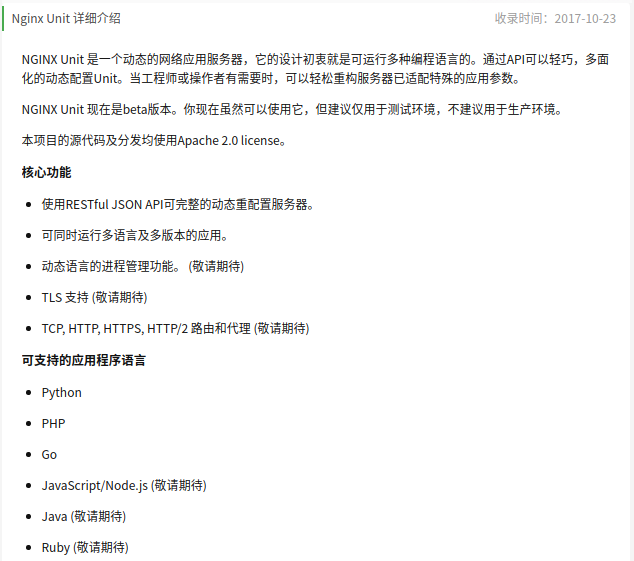
可以看到,unit还是很强大的,居然特么都支持go 还有python
在/etc/yum.repos.d/unit.repo加入如下语句:
# cat /etc/yum.repos.d/unit.repo
[unit]
name=unit repo
baseurl=https://packages.nginx.org/unit/centos/$releasever/$basearch/
gpgcheck=
enabled=
#
makecache yum源
# yum makecache
执行安装 由于要测试unit-php,故安装unit-php ,如果要测试python,可以安装unit-python,如果要测试go,则安装unit-go
# yum install unit unit-php
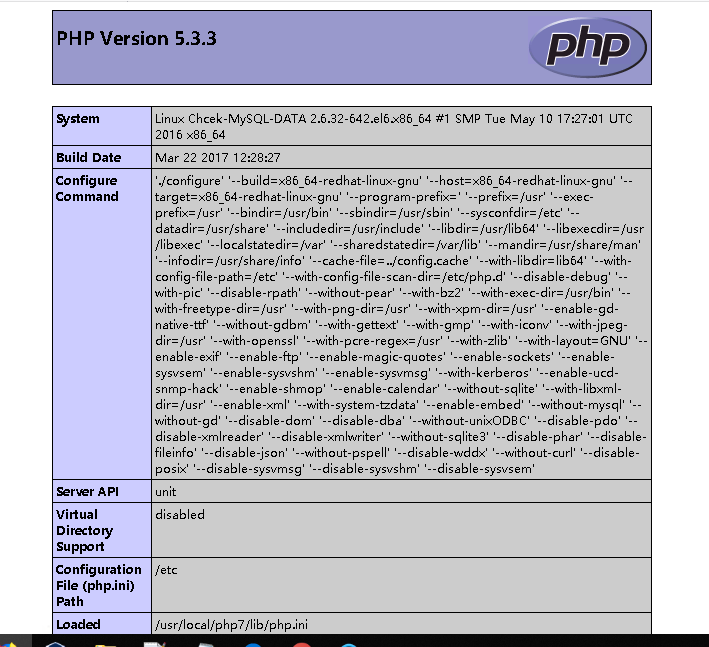
这里有坑,安装unit-php的时候,默认就安装了5.3的

所以,如果你自己安装了php7的,调用phpinfo的时候,会显示php 5.3 ,原因在此,这个得需要源码安装,有点坑,过几天再去踩踩
编辑配置文件
编辑配置文件,内容如下:
# cat /etc/unit/start.json
{
    "listeners": {
        "*:8300": {
            "application": "blogs"
        }
    },

    "applications": {
        "blogs": {
            "type": "php",
            ,
            "root": "/usr/local/nginx/php",
            "index": "index.php"
        }
    }
}
#
启动unit并且加载json文件
# /etc/init.d/unit start

# /usr/local/bin/curl -X PUT -d @/etc/unit/start.json --unix-socket /var/run/control.unit.sock http://localhost
{
"success": "Reconfiguration done."
}

当出现success": "Reconfiguration done.则怎么加载成功,可以用netstat查看端口是否已经开起来
注意,这里有坑,如果要用curl的unix-socket参数,若curl包低于7.4需要进行升级
例如,如下安装方法:
# wget https://curl.haxx.se/download/curl-7.55.0.tar.gz
...解压,进入目录...
# ./configure
# make
# make install
# /usr/local/bin/curl --version
curl  (x86_64-pc-linux-gnu) libcurl/ OpenSSL/
Release-Date: --
Protocols: dict file ftp ftps gopher http https imap imaps pop3 pop3s rtsp smb smbs smtp smtps telnet tftp
Features: IPv6 Largefile NTLM NTLM_WB SSL libz UnixSockets HTTPS-proxy
#
查看加载的配置
# /usr/local/bin/curl --unix-socket /var/run/control.unit.sock http://localhost
{
    "listeners": {
        "*:8300": {
            "application": "blogs"
        }
    },

    "applications": {
        "blogs": {
            "type": "php",
            ,
            "root": "/usr/local/nginx/php",
            "index": "index.php"
        }
    }
}
#
这时候,通过netstat可以看到8300端口已经打开了,
# cat /usr/local/nginx/php/index.php
<?php
    phpinfo();
?>
#
通过8300访问,就可以看看到phpinfo的界面了,但是前提是,root下,必须有index.php哟
重新加载配置文件
重新编写配置文件
# cat /etc/unit/start.json
{
    "listeners": {
        "*:8300": {
            "application": "blogs"
        }
    },

    "applications": {
        "blogs": {
            "type": "php",
            ,
            "root": "/usr/local/nginx/php",
            "index": "index.php",

        "user": "php",
        "group": "php",

        "options": {
            "file": "/usr/local/php7/lib/php.ini"
        }
        }
    }
}
#
重新加载配置文件
# /usr/local/bin/curl -X PUT -d @/etc/unit/start.json --unix-socket /var/run/control.unit.sock http://localhost
{
"success": "Reconfiguration done."
}
再次查看配置文件
# /usr/local/bin/curl --unix-socket /var/run/control.unit.sock http://localhost
{
    "listeners": {
        "*:8300": {
            "application": "blogs"
        }
    },

    "applications": {
        "blogs": {
            "type": "php",
            ,
            "root": "/usr/local/nginx/php",
            "index": "index.php",
            "user": "php",
            "group": "php",
            "options": {
                "file": "/usr/local/php7/lib/php.ini"
            }
        }
    }
}
#
这时候,可以通过页面,访问如下信息:
Nginx proxy_pass设置
只需要在location中添加如下几项即可
proxy_pass http://127.0.0.1:8300;
proxy_set_header Host $host;
proxy_set_header X-Forwarded-For $proxy_add_x_forwarded_for;
检查语法,重启nginx
# /usr/local/nginx/sbin/nginx -t
nginx: the configuration file /usr/local/nginx/conf/nginx.conf syntax is ok
nginx: configuration file /usr/local/nginx/conf/nginx.conf test is successful
# /usr/local/nginx/sbin/nginx -s reload
#
通过Nginx访问界面如下:
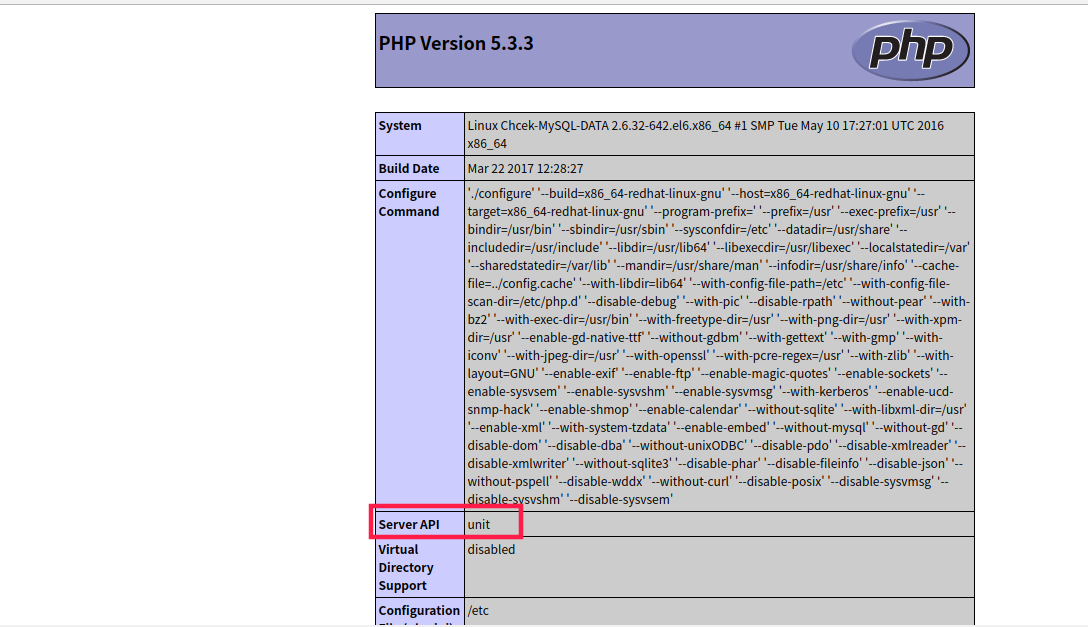
可以看到,Server API 是unit
总结:
0.参考网址:http://unit.nginx.org/
1.unit 目前用的还很少,主流依然是php-fpm
2.如果能够采用源码编译unit的话,当然是最好的
3.curl版本问题
4.编写的json文件格式一定要正确,可以用在线工具检测json是否正确(http://www.bejson.com/)
兴趣才是最好的老师,加油吧。。。这玩意快搞了我加起来两天时间了,
nginx unit的初探的更多相关文章
- svn + nginx unit + python3自动化发布web服务方法
本周将python web服务管理更换成nginx unit以后发现接口性能有了明显的提升,访问速度快了不少.不过有个很大的问题就是使用svn自动化发布以后,服务并没有刷新使用新的代码运行,而又不懂得 ...
- 关于nginx unit服务非正常关闭后,无法重新启动问题的处理
昨天在前领导技术大牛吕哥的帮忙下,python服务管理从nginx+supervisor+uwsgi+python3改为了轻便结构nginx + unit + python3,部署和配置起来顿时轻松起 ...
- nginx unit PHP
2018-12-26 14:20:33 星期三 综述: nginx unit php 的关系: nginx -> 转发请求到 8300端口 -> unit 转发 8300 收到的请求 -& ...
- Nginx unit 源码安装初体验
Nginx unit 源码安装初体验 上次介绍了从yum的安装方法(https://www.cnblogs.com/wang-li/p/9684040.html),这次将介绍源码安装,目前最新版为1. ...
- nginx unit nodejs 模块试用(续)
最新(应该是18 年了)nginx unit 发布了新的版本,对于nodejs 的支持有很大的改进,上次测试过,问题还是 比较多,这次使用新版本在测试下对于nodejs 的支持,以及以前block ...
- nginx unit nodejs 模块试用
unit 对于nodejs 的支持是在10.25 发布的,基本能用,但是依然有好多问题,当前在测试的时候就发现,请求之后会block , 相关的issue 已经有人反馈了,最好使用源码编译,方便测 ...
- nginx Unit 服务器
转自: https://github.com/nginx/unit/pull/18/ 感谢: https://www.v2ex.com/t/389528 English 简体中文 繁體中文 NGINX ...
- nginx unit java 试用
unit 当前已经支持java了,当时支持基于servlet 的开发模式,以下是一个简单的学习 基于官方的demo 环境准备 docker-compose文件 version: "3&q ...
- nginx unit 的使用
参考文档:http://unit.nginx.org/configuration/# 安装 可以参考这两篇博客: https://www.cnblogs.com/wang-li/p/9694391.h ...
随机推荐
- kubernetes学习笔记之七: Ingress-nginx 部署使用
一.Ingress 简介 在Kubernetes中,服务和Pod的IP地址仅可以在集群网络内部使用,对于集群外的应用是不可见的.为了使外部的应用能够访问集群内的服务,在Kubernetes 目前 提供 ...
- FragmentTabHost切换Fragment时保存状态,避免切换Fragment走onCreateView和onDestroyView方法;
FragmentTabHost这个控件每次切换Fragment,都会走Fragment的onCreateView和onDestroyView方法,多以每次切换都会创建和销毁Fragment实例,先来看 ...
- Zookeeper的一致性协议:Zab
Zookeeper使用了一种称为Zab(Zookeeper Atomic Broadcast)的协议作为其一致性复制的核心,据其作者说这是一种新发算法,其特点是充分考虑了Yahoo的具体情况: ...
- 堆排序(Heapsort)
class Program { static void Main(string[] args) { , , , , , ,}; int size = arr.Length; Heapsort(arr, ...
- Django和SQLAlchemy,哪个Python ORM更好?
ORM是什么? 在介绍Python下的两个ORM框架(Django和SQLAlchemy)的区别之前,我们首先要充分了解ORM框架的用途. ORM代表对象关系映射.ORM中的每个单词解释了他们在实际项 ...
- 反序列化失败Failed to deserialize --- local class incompatible: stream classdesc serialVersionUID
反序列化失败: java.lang.IllegalStateException: Failed to execute CommandLineRunner at org.springframework. ...
- python中的__str__()函数
__str__()函数的作用: 不知道大家再写程序是,打印一个实例化对象时,打印的其实时一个对象的地址.而通过__str__()函数就可以帮助我们打印对象中具体的属性值,或者你想得到的东西. 因为再p ...
- 深度学习原理与框架-递归神经网络-RNN网络基本框架(代码?) 1.rnn.LSTMCell(生成单层LSTM) 2.rnn.DropoutWrapper(对rnn进行dropout操作) 3.tf.contrib.rnn.MultiRNNCell(堆叠多层LSTM) 4.mlstm_cell.zero_state(state初始化) 5.mlstm_cell(进行LSTM求解)
问题:LSTM的输出值output和state是否是一样的 1. rnn.LSTMCell(num_hidden, reuse=tf.get_variable_scope().reuse) # 构建 ...
- 设置 VS 工程目录不保存 sdf / VC.db 文件和 Ipch 文件夹
使用 Visual Studio 建立 C++ 解决方案时,会生成 SolutionName.sdf(Visual Studio 2015 Update 2 后改为 project_name.VC.d ...
- DML DDL DCL
转自:https://blog.csdn.net/level_level/article/details/4248685