
7 Django分页器文章分页
1.复习

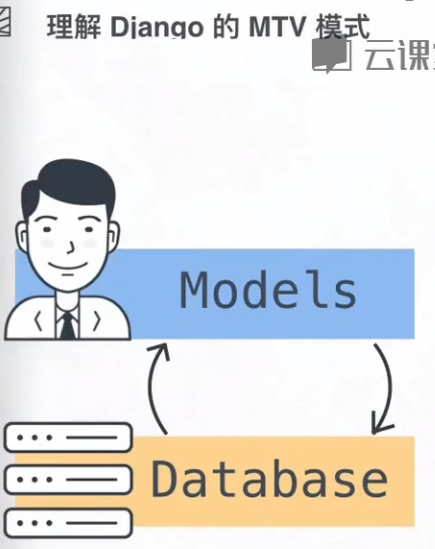

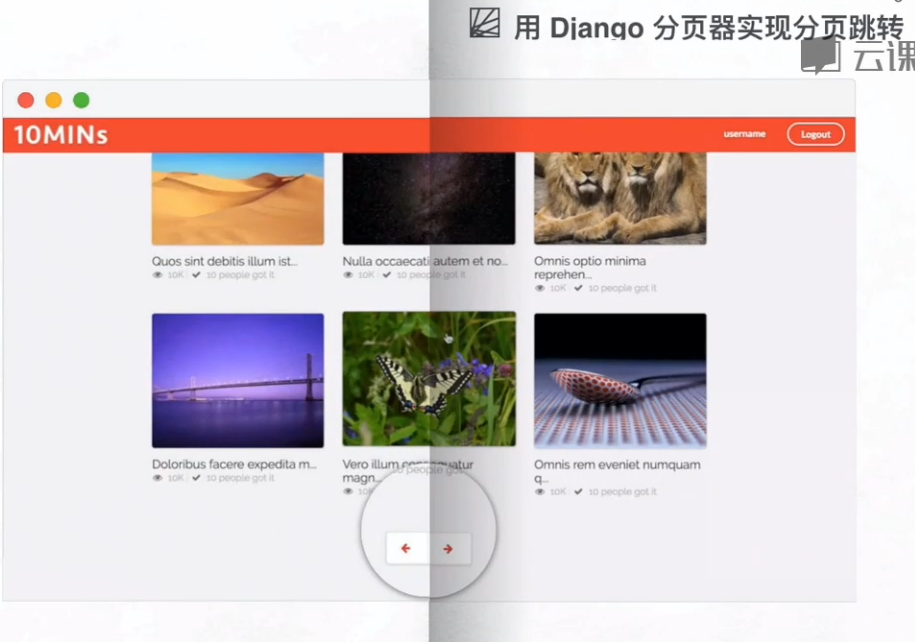
2。这节课要解决的问题?


3。分页的原理




4.准备工作

(1)创建Django项目
C:\Users\Administrator\Desktop\root3>django-admin startproject tenmins
(2)修改python3
#!/usr/bin/env python3
(3).创建app
C:\Users\Administrator\Desktop\root3\tenmins>python manage.py startapp website
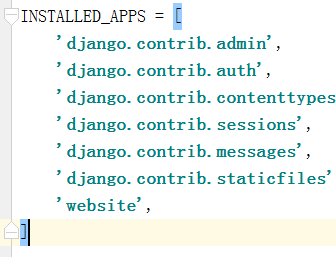
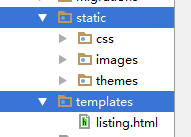
(4)添加静态文件,
C:\Users\Administrator\Desktop\root3\tenmins\website>mkdir templates

C:\Users\Administrator\Desktop\root3\tenmins\website>mkdir static
'DIRS': [os.path.join(BASE_DIR, 'templates').replace('\\','/')],
Model层:
(1)Video表字段
from django.db import models

class Video(models.Model):

    """Video表字段"""

    title = models.CharField(null=True, blank=True, max_length=300)  # 文章标题

    content = models.TextField(null=True)  # 视频解说内容

    url_image = models.URLField(null=True, blank=True)  # 封面 网上的图片

    editors_choice = models.BooleanField(default=False)  # 文章分类用的

    def __str__(self):

        return self.title
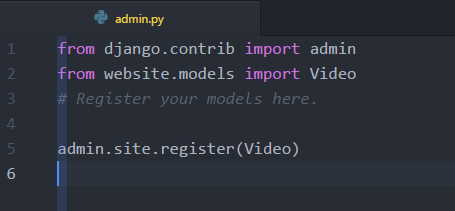
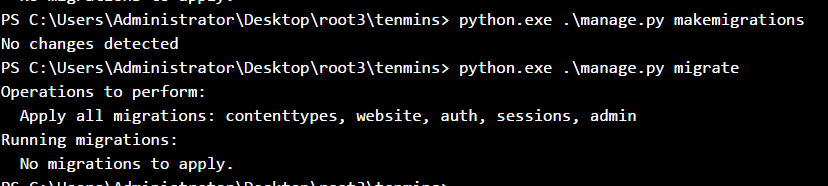
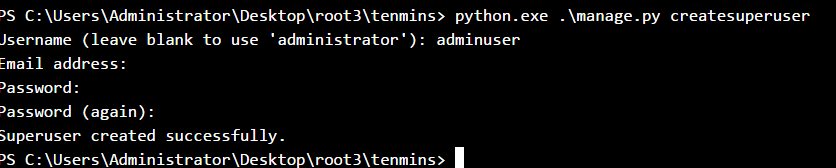
(2)向后台注册,更新数据库,创建admin
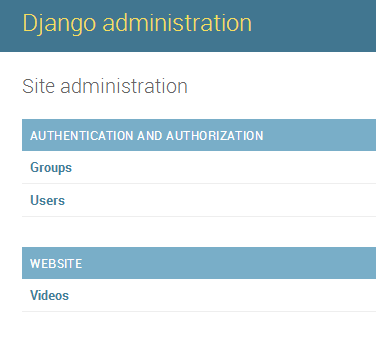
View层
(1)view视图
from django.shortcuts import render

from  website.models import  Video

# Create your views here.

def listing(request):

    context = {}

    video_list = Video.objects.all()

    context['video_list'] = video_list

    listing_page = render(request, 'listing.html', context)

    return listing_page
(2) url地址
from django.conf.urls import url

from django.contrib import admin

from website.views import listing

urlpatterns = [

    url(r'^admin/', admin.site.urls),

    url(r'^list/$', listing, name='list'),

]
Template层:
(3)模板语言替换video.title
<!DOCTYPE html>

{% load staticfiles %}

<html>

<head>

    <meta http-equiv="content-type" content="text/html; charset=UTF-8">

    <meta charset="utf-8">

    <title></title>

    <link rel="stylesheet" href="../static/css/semantic.css" media="screen" title="no title" charset="utf-8">

    <link rel="stylesheet" href="../static/css/list_custom.css" media="screen" title="no title" charset="utf-8">

    <link href="https://fonts.googleapis.com/css?family=Oswald|Raleway" rel="stylesheet">

</head>

<body>

    <div class="ui inverted top fixed menu borderless red menu">

        <div class="header item">

            <div class="ui image">

                <img src="../static/images/tenlogo.png" alt="">

            </div>

        </div>

        <div class="right menu">

            <div class="item">

                <h5 class="ui inverted header">

                        <div class="ui mini circular image">

                            <img src="../static/images/hou30.jpg" alt="">

                        </div>

                        <span>admin</span>

                    </h5>

            </div>

            <div class="item">

                <a href="#logout/" class="ui inverted circular button">Logout</a>

            </div>

        </div>

    </div>

    <div class="ui inverted segment container nav">

        <div class="ui  three borderless  item  menu">

            <a class="item">

                        All

                    </a>

            <a class="item">

                        New

                    </a>

            <a class="active item" href="#list/editors">

                        Editor's

                    </a>

        </div>

    </div>

    <div class="ui basic segment container content">

        <div class="ui three column grid">

            {% for  video in  video_list %}

                <div class="column">

                    <a class="ui fluid card" href="#detail/215">

                        <div class="image">

                            <img src="../static/images/img1.jpg" alt="" style="height:200px;object-fit: cover;">

                        </div>

                    </a>

                    <div class="title header" href="/detail/215">{{ video.title }}</div>

                    <i class="icon grey unhide"></i>

                    <span style="color:#bbbbbb">10K</span>

                    <span class="" style="color:rgb(226, 226, 226)">|</span>

                    <i class="icon grey checkmark"></i>

                    <span style="color:#bbbbbb"> 10 people got it</span>

                </div>

            {% endfor %}

        </div>

    </div>

    <div class="ui center aligned very padded vertical segment container">

        <div class="ui pagination menu">

            <a href="#" class="item">

                <i class="icon red left arrow"></i>

            </a>

            <a href="#" class="item">

                <i class="icon red right arrow"></i>

            </a>

        </div>

    </div>

</body>

</html>
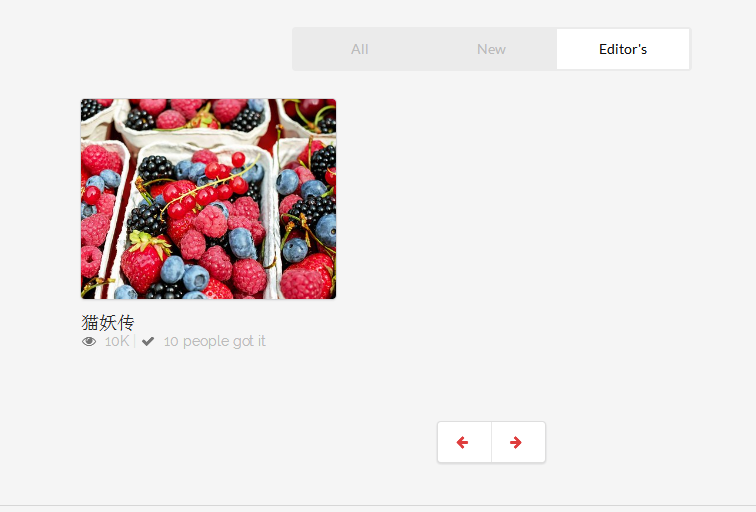
5.faker库的使用
参考博客
http://hao.jobbole.com/python-faker/
http://blog.csdn.net/xiaodongxiexie/article/details/77067492
https://github.com/joke2k/faker
(1)安装faker库
> pip install faker
(2)导入faker库
#第一种

from faker import Faker

#Faker.py 文件

from faker.generator import Generator

from faker.factory import Factory

Faker = Factory.create

#第二种

from faker import Factory
(3)生成虚假数据
>>> faker_1 = faker.Faker()

>>> faker_1.name()

'Thomas Lynn'

>>> faker_1.text()

'Boy civil better tax policy realize. And least dinner seem both rate. Never simply case test opportunity.'

>>> faker_1.text()

'Environmental offer size west.\nReality billion necessary all candidate third. Across go different human.\nPiece production section table painting magazine

 drop. Friend explain wife couple.'

>>>

>>> faker_1.pybool()

False

>>> faker_1.pybool()

False
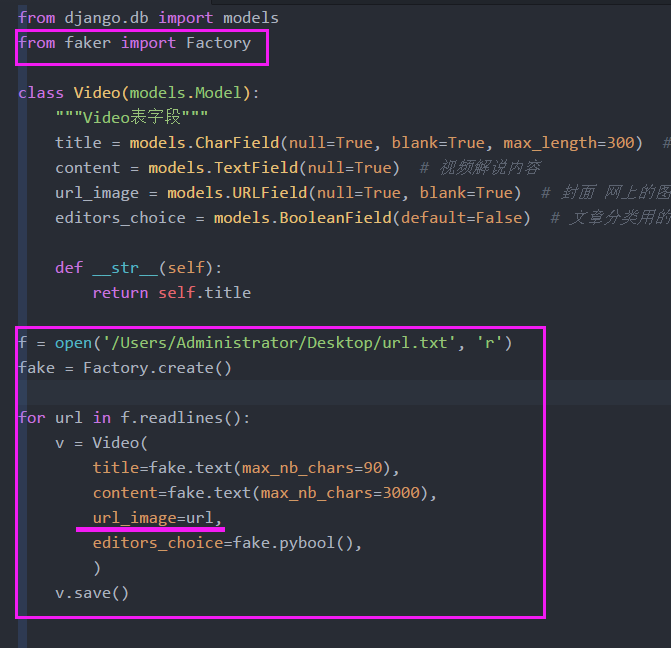
图片文件url.txt
https://pixabay.com/static/uploads/photo/2016/08/25/19/10/mill-1620440__340.jpg

https://pixabay.com/static/uploads/photo/2016/09/10/17/47/eggplant-1659784__340.jpg

https://pixabay.com/static/uploads/photo/2016/08/16/17/20/elevator-1598431__340.jpg

https://pixabay.com/static/uploads/photo/2016/09/08/13/58/algodones-dunes-1654439__340.jpg

https://pixabay.com/static/uploads/photo/2016/09/08/20/52/milky-way-1655504__340.jpg

https://pixabay.com/static/uploads/photo/2016/09/10/19/56/lions-1660044__340.jpg

https://pixabay.com/static/uploads/photo/2016/09/10/23/48/bridge-1660417__340.jpg

https://pixabay.com/static/uploads/photo/2016/09/08/18/38/dovetail-1655098__340.jpg

https://pixabay.com/static/uploads/photo/2016/08/17/18/15/tabletop-photography-1601184__340.jpg

https://pixabay.com/static/uploads/photo/2016/09/04/20/14/sunset-1645103__340.jpg

https://pixabay.com/static/uploads/photo/2016/08/19/18/50/fruit-1605921__340.jpg

https://pixabay.com/static/uploads/photo/2016/08/15/20/29/olive-oil-1596417__340.jpg

https://pixabay.com/static/uploads/photo/2016/09/01/13/35/doll-1636128__340.jpg

https://pixabay.com/static/uploads/photo/2016/09/08/12/00/starry-sky-1654074__340.jpg

https://pixabay.com/static/uploads/photo/2016/09/01/19/43/sunrise-1637376__340.jpg

https://pixabay.com/static/uploads/photo/2016/09/01/19/53/pocket-watch-1637396__340.jpg

https://pixabay.com/static/uploads/photo/2016/08/25/11/01/landscape-1619283__340.jpg

https://pixabay.com/static/uploads/photo/2016/08/29/21/29/lotus-flower-1629225__340.jpg

https://pixabay.com/static/uploads/photo/2016/09/07/16/19/bremen-town-musicians-1651945__340.jpg

https://pixabay.com/static/uploads/photo/2016/08/25/19/10/mill-1620440__340.jpg

https://pixabay.com/static/uploads/photo/2016/08/27/22/55/sunset-1625073__340.jpg

https://pixabay.com/static/uploads/photo/2016/08/30/11/59/cobweb-1630493__340.jpg

https://pixabay.com/static/uploads/photo/2016/09/01/18/24/rk5161-1636868__340.jpg

https://pixabay.com/static/uploads/photo/2016/07/27/20/03/berries-1546125__340.jpg

https://pixabay.com/static/uploads/photo/2016/08/26/20/44/elan-1623088__340.jpg

https://pixabay.com/static/uploads/photo/2016/08/09/21/54/yellowstone-national-park-1581879__340.jpg

https://pixabay.com/static/uploads/photo/2016/07/15/15/55/dachshund-1519374__340.jpg

https://pixabay.com/static/uploads/photo/2016/05/28/07/04/women-1421096__340.jpg

https://pixabay.com/static/uploads/photo/2016/08/28/17/54/sunset-1626515__340.jpg

https://pixabay.com/static/uploads/photo/2016/08/13/15/28/lake-tahoe-1590923__340.jpg

https://pixabay.com/static/uploads/photo/2016/08/11/09/40/water-lily-1585178__340.jpg

https://pixabay.com/static/uploads/photo/2016/07/31/19/26/fischer-1559753__340.jpg

https://pixabay.com/static/uploads/photo/2016/08/11/22/35/tomatoes-1587130__340.jpg

https://pixabay.com/static/uploads/photo/2016/04/22/16/42/mt-fuji-1346096__340.jpg

https://pixabay.com/static/uploads/photo/2016/08/12/23/47/yosemite-1590013__340.jpg

https://pixabay.com/static/uploads/photo/2016/08/01/20/13/girl-1561989__340.jpg

https://pixabay.com/static/uploads/photo/2016/08/26/17/14/geese-1622692__340.jpg

https://pixabay.com/static/uploads/photo/2016/03/09/03/49/tarantula-nebula-1245253__340.jpg

https://pixabay.com/static/uploads/photo/2016/08/11/23/55/redwood-national-park-1587301__340.jpg

https://pixabay.com/static/uploads/photo/2016/08/26/17/33/landscape-1622739__340.jpg

https://pixabay.com/static/uploads/photo/2016/09/03/21/40/eurasian-eagle-owl-1642795__340.jpg

https://pixabay.com/static/uploads/photo/2016/08/28/22/59/dahlia-1627138__340.jpg

https://pixabay.com/static/uploads/photo/2016/09/03/14/19/motion-1641793__340.jpg

https://pixabay.com/static/uploads/photo/2016/09/04/08/46/butterfly-1643510__340.jpg

https://pixabay.com/static/uploads/photo/2015/12/17/02/22/milky-way-1096815__340.jpg

https://pixabay.com/static/uploads/photo/2016/09/04/12/05/sun-flower-1643794__340.jpg

https://pixabay.com/static/uploads/photo/2015/08/20/02/46/arch-896900__340.jpg

https://pixabay.com/static/uploads/photo/2016/09/03/23/17/flowers-1642964__340.jpg

https://pixabay.com/static/uploads/photo/2016/09/03/18/44/dahlia-1642464__340.jpg

https://pixabay.com/static/uploads/photo/2016/09/03/14/15/motion-1641781__340.jpg

https://pixabay.com/static/uploads/photo/2016/09/01/14/15/doll-1636212__340.jpg

https://pixabay.com/static/uploads/photo/2016/09/03/15/13/motion-1641979__340.jpg

https://pixabay.com/static/uploads/photo/2016/09/03/19/35/griffith-observatory-1642514__340.jpg

https://pixabay.com/static/uploads/photo/2016/08/12/23/58/fig-1590016__340.jpg

https://pixabay.com/static/uploads/photo/2016/08/09/21/54/patagonia-1581878__340.jpg

https://pixabay.com/static/uploads/photo/2016/08/31/11/30/san-francisco-1633202__340.jpg

https://pixabay.com/static/uploads/photo/2016/09/03/18/40/dahlia-1642455__340.jpg

https://pixabay.com/static/uploads/photo/2016/09/03/18/35/mackinac-bridge-1642445__340.jpg

https://pixabay.com/static/uploads/photo/2016/09/03/20/44/sunrise-1642695__340.jpg

https://pixabay.com/static/uploads/photo/2016/09/03/14/15/sunrise-1641780__340.jpg

https://pixabay.com/static/uploads/photo/2016/08/27/17/34/camel-1624643__340.jpg

https://pixabay.com/static/uploads/photo/2016/08/28/23/18/sun-flower-1627179__340.jpg

https://pixabay.com/static/uploads/photo/2016/02/13/16/15/sunset-1198134__340.jpg

https://pixabay.com/static/uploads/photo/2016/08/28/18/48/jefferson-memorial-1626580__340.jpg

https://pixabay.com/static/uploads/photo/2016/08/27/23/07/salt-lake-1625125__340.jpg

https://pixabay.com/static/uploads/photo/2016/06/05/21/46/goat-1438254__340.jpg

https://pixabay.com/static/uploads/photo/2016/07/16/13/50/sun-flower-1521852__340.jpg

https://pixabay.com/static/uploads/photo/2016/08/26/17/30/mountains-1622731__340.jpg

https://pixabay.com/static/uploads/photo/2016/08/25/14/25/rose-1619566__340.jpg

https://pixabay.com/static/uploads/photo/2016/08/15/08/22/greece-1594689__340.jpg

https://pixabay.com/static/uploads/photo/2016/08/31/13/31/chile-house-1633433__340.jpg

https://pixabay.com/static/uploads/photo/2016/08/31/14/35/italy-1633682__340.jpg

https://pixabay.com/static/uploads/photo/2016/08/31/14/23/father-1633655__340.jpg

https://pixabay.com/static/uploads/photo/2016/08/31/11/29/detail-1633198__340.jpg

https://pixabay.com/static/uploads/photo/2016/08/26/20/44/elan-1623087__340.jpg

https://pixabay.com/static/uploads/photo/2016/08/12/20/14/yellowstone-1589614__340.jpg

https://pixabay.com/static/uploads/photo/2016/08/26/20/27/amber-1623059__340.jpg

https://pixabay.com/static/uploads/photo/2016/07/26/21/02/arielle-1543832__340.jpg

https://pixabay.com/static/uploads/photo/2016/08/11/23/48/pismo-beach-1587289__340.jpg

https://pixabay.com/static/uploads/photo/2016/08/12/14/12/catalina-island-1588654__340.jpg

https://pixabay.com/static/uploads/photo/2016/09/10/17/47/eggplant-1659784__340.jpg

https://pixabay.com/static/uploads/photo/2016/08/16/17/20/elevator-1598431__340.jpg

https://pixabay.com/static/uploads/photo/2016/09/08/13/58/algodones-dunes-1654439__340.jpg

https://pixabay.com/static/uploads/photo/2016/09/08/20/52/milky-way-1655504__340.jpg

https://pixabay.com/static/uploads/photo/2016/09/10/19/56/lions-1660044__340.jpg

https://pixabay.com/static/uploads/photo/2016/09/10/23/48/bridge-1660417__340.jpg

https://pixabay.com/static/uploads/photo/2016/09/08/18/38/dovetail-1655098__340.jpg

https://pixabay.com/static/uploads/photo/2016/08/17/18/15/tabletop-photography-1601184__340.jpg

https://pixabay.com/static/uploads/photo/2016/09/04/20/14/sunset-1645103__340.jpg

https://pixabay.com/static/uploads/photo/2016/08/19/18/50/fruit-1605921__340.jpg

https://pixabay.com/static/uploads/photo/2016/08/15/20/29/olive-oil-1596417__340.jpg

https://pixabay.com/static/uploads/photo/2016/09/01/13/35/doll-1636128__340.jpg

https://pixabay.com/static/uploads/photo/2016/09/08/12/00/starry-sky-1654074__340.jpg

https://pixabay.com/static/uploads/photo/2016/09/01/19/43/sunrise-1637376__340.jpg

https://pixabay.com/static/uploads/photo/2016/09/01/19/53/pocket-watch-1637396__340.jpg

https://pixabay.com/static/uploads/photo/2016/08/25/11/01/landscape-1619283__340.jpg

https://pixabay.com/static/uploads/photo/2016/08/29/21/29/lotus-flower-1629225__340.jpg

https://pixabay.com/static/uploads/photo/2016/09/07/16/19/bremen-town-musicians-1651945__340.jpg

https://pixabay.com/static/uploads/photo/2016/08/25/19/10/mill-1620440__340.jpg

https://pixabay.com/static/uploads/photo/2016/08/27/22/55/sunset-1625073__340.jpg

https://pixabay.com/static/uploads/photo/2016/08/30/11/59/cobweb-1630493__340.jpg

https://pixabay.com/static/uploads/photo/2016/09/01/18/24/rk5161-1636868__340.jpg

https://pixabay.com/static/uploads/photo/2016/07/27/20/03/berries-1546125__340.jpg

https://pixabay.com/static/uploads/photo/2016/08/26/20/44/elan-1623088__340.jpg

https://pixabay.com/static/uploads/photo/2016/08/09/21/54/yellowstone-national-park-1581879__340.jpg

https://pixabay.com/static/uploads/photo/2016/07/15/15/55/dachshund-1519374__340.jpg

https://pixabay.com/static/uploads/photo/2016/05/28/07/04/women-1421096__340.jpg

https://pixabay.com/static/uploads/photo/2016/08/28/17/54/sunset-1626515__340.jpg

https://pixabay.com/static/uploads/photo/2016/08/13/15/28/lake-tahoe-1590923__340.jpg

https://pixabay.com/static/uploads/photo/2016/08/11/09/40/water-lily-1585178__340.jpg

https://pixabay.com/static/uploads/photo/2016/07/31/19/26/fischer-1559753__340.jpg

https://pixabay.com/static/uploads/photo/2016/08/11/22/35/tomatoes-1587130__340.jpg

https://pixabay.com/static/uploads/photo/2016/04/22/16/42/mt-fuji-1346096__340.jpg

https://pixabay.com/static/uploads/photo/2016/08/12/23/47/yosemite-1590013__340.jpg

https://pixabay.com/static/uploads/photo/2016/08/01/20/13/girl-1561989__340.jpg

https://pixabay.com/static/uploads/photo/2016/08/26/17/14/geese-1622692__340.jpg

https://pixabay.com/static/uploads/photo/2016/03/09/03/49/tarantula-nebula-1245253__340.jpg

https://pixabay.com/static/uploads/photo/2016/08/11/23/55/redwood-national-park-1587301__340.jpg

https://pixabay.com/static/uploads/photo/2016/08/26/17/33/landscape-1622739__340.jpg

https://pixabay.com/static/uploads/photo/2016/09/03/21/40/eurasian-eagle-owl-1642795__340.jpg

https://pixabay.com/static/uploads/photo/2016/08/28/22/59/dahlia-1627138__340.jpg

https://pixabay.com/static/uploads/photo/2016/09/03/14/19/motion-1641793__340.jpg

https://pixabay.com/static/uploads/photo/2016/09/04/08/46/butterfly-1643510__340.jpg

https://pixabay.com/static/uploads/photo/2015/12/17/02/22/milky-way-1096815__340.jpg

https://pixabay.com/static/uploads/photo/2016/09/04/12/05/sun-flower-1643794__340.jpg

https://pixabay.com/static/uploads/photo/2015/08/20/02/46/arch-896900__340.jpg

https://pixabay.com/static/uploads/photo/2016/09/03/23/17/flowers-1642964__340.jpg

https://pixabay.com/static/uploads/photo/2016/09/03/18/44/dahlia-1642464__340.jpg

https://pixabay.com/static/uploads/photo/2016/09/03/14/15/motion-1641781__340.jpg

https://pixabay.com/static/uploads/photo/2016/09/01/14/15/doll-1636212__340.jpg

https://pixabay.com/static/uploads/photo/2016/09/03/15/13/motion-1641979__340.jpg

https://pixabay.com/static/uploads/photo/2016/09/03/19/35/griffith-observatory-1642514__340.jpg

https://pixabay.com/static/uploads/photo/2016/08/12/23/58/fig-1590016__340.jpg

https://pixabay.com/static/uploads/photo/2016/08/09/21/54/patagonia-1581878__340.jpg

https://pixabay.com/static/uploads/photo/2016/08/31/11/30/san-francisco-1633202__340.jpg

https://pixabay.com/static/uploads/photo/2016/09/03/18/40/dahlia-1642455__340.jpg

https://pixabay.com/static/uploads/photo/2016/09/03/18/35/mackinac-bridge-1642445__340.jpg

https://pixabay.com/static/uploads/photo/2016/09/03/20/44/sunrise-1642695__340.jpg

https://pixabay.com/static/uploads/photo/2016/09/03/14/15/sunrise-1641780__340.jpg

https://pixabay.com/static/uploads/photo/2016/02/13/16/15/sunset-1198134__340.jpg

https://pixabay.com/static/uploads/photo/2016/08/28/18/48/jefferson-memorial-1626580__340.jpg

https://pixabay.com/static/uploads/photo/2016/08/26/17/30/mountains-1622731__340.jpg

https://pixabay.com/static/uploads/photo/2016/08/25/14/25/rose-1619566__340.jpg

https://pixabay.com/static/uploads/photo/2016/08/31/13/31/chile-house-1633433__340.jpg

https://cdn.pixabay.com/photo/2016/11/21/12/26/concrete-1845046_1280.jpg
(4)生成数据库表字段,然后注释掉

(5)model.py文件
from django.db import models

from faker import Factory

class Video(models.Model):

    """Video表字段"""

    title = models.CharField(null=True, blank=True, max_length=300)  # 文章标题

    content = models.TextField(null=True)  # 视频解说内容

    url_image = models.URLField(null=True, blank=True)  # 封面 网上的图片

    editors_choice = models.BooleanField(default=False)  # 文章分类用的

    def __str__(self):

        return self.title

# f = open('/Users/Administrator/Desktop/111.txt', 'r')

# fake = Factory.create()

#

# for url in f.readlines():

#     v = Video(

#         title=fake.text(max_nb_chars=90),

#         content=fake.text(max_nb_chars=3000),

#         url_image=url,

#         editors_choice=fake.pybool(),

#         )

#     v.save()
(6) 修改Tempate模板的图片
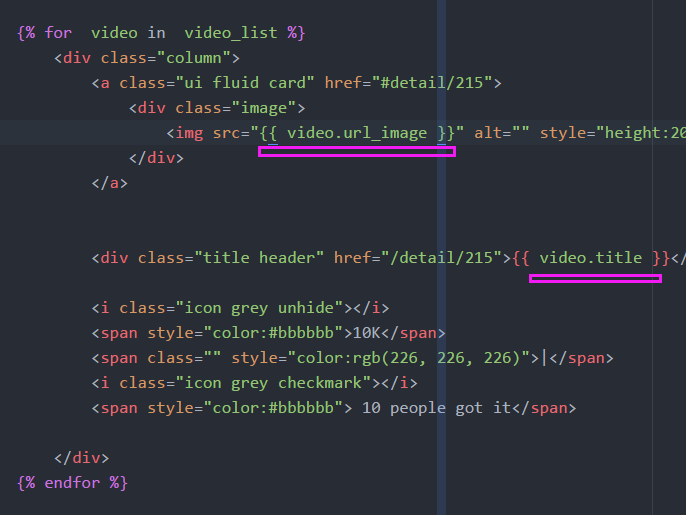
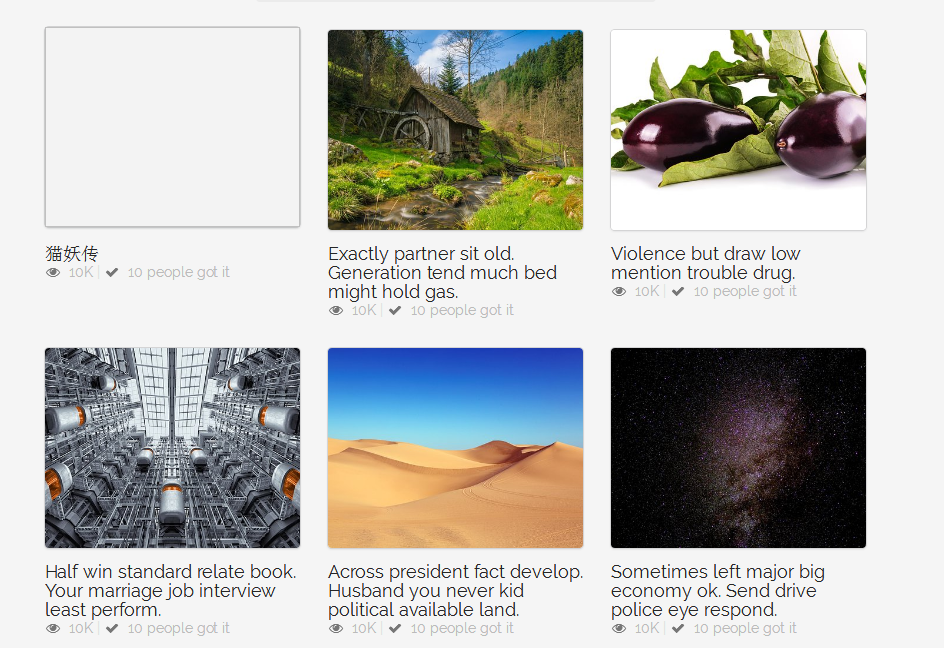
(7)listing.html
<!DOCTYPE html>

{% load staticfiles %}

<html>

<head>

    <meta http-equiv="content-type" content="text/html; charset=UTF-8">

    <meta charset="utf-8">

    <title></title>

    <link rel="stylesheet" href="../static/css/semantic.css" media="screen" title="no title" charset="utf-8">

    <link rel="stylesheet" href="../static/css/list_custom.css" media="screen" title="no title" charset="utf-8">

    <link href="https://fonts.googleapis.com/css?family=Oswald|Raleway" rel="stylesheet">

</head>

<body>

    <div class="ui inverted top fixed menu borderless red menu">

        <div class="header item">

            <div class="ui image">

                <img src="../static/images/tenlogo.png" alt="">

            </div>

        </div>

        <div class="right menu">

            <div class="item">

                <h5 class="ui inverted header">

                        <div class="ui mini circular image">

                            <img src="../static/images/hou30.jpg" alt="">

                        </div>

                        <span>admin</span>

                    </h5>

            </div>

            <div class="item">

                <a href="#logout/" class="ui inverted circular button">Logout</a>

            </div>

        </div>

    </div>

    <div class="ui inverted segment container nav">

        <div class="ui  three borderless  item  menu">

            <a class="item">

                        All

                    </a>

            <a class="item">

                        New

                    </a>

            <a class="active item" href="#list/editors">

                        Editor's

                    </a>

        </div>

    </div>

    <div class="ui basic segment container content">

        <div class="ui three column grid">

            {% for  video in  video_list %}

                <div class="column">

                    <a class="ui fluid card" href="#detail/215">

                        <div class="image">

                            <img src="{{ video.url_image }}" alt="" style="height:200px;object-fit: cover;">

                        </div>

                    </a>

                    <div class="title header" href="/detail/215">{{ video.title }}</div>

                    <i class="icon grey unhide"></i>

                    <span style="color:#bbbbbb">10K</span>

                    <span class="" style="color:rgb(226, 226, 226)">|</span>

                    <i class="icon grey checkmark"></i>

                    <span style="color:#bbbbbb"> 10 people got it</span>

                </div>

            {% endfor %}

        </div>

    </div>

    <div class="ui center aligned very padded vertical segment container">

        <div class="ui pagination menu">

            <a href="#" class="item">

                <i class="icon red left arrow"></i>

            </a>

            <a href="#" class="item">

                <i class="icon red right arrow"></i>

            </a>

        </div>

    </div>

</body>

</html>
6.实现分页功能:Django自带的分页器

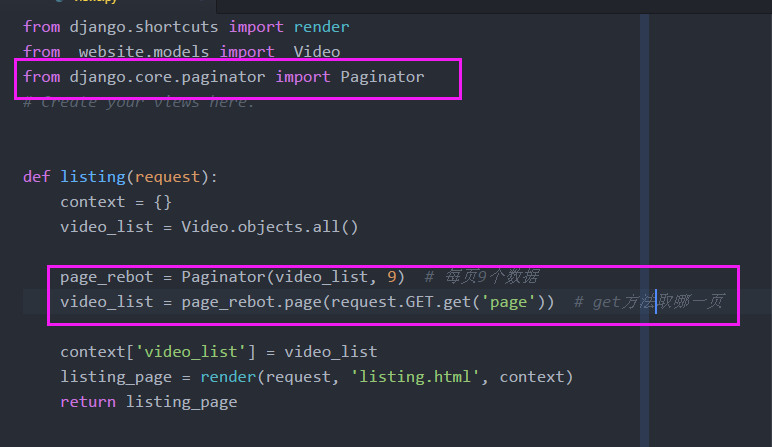
from django.shortcuts import render

from  website.models import  Video

from django.core.paginator import Paginator

# Create your views here.

def listing(request):

    context = {}

    video_list = Video.objects.all()

    page_rebot = Paginator(video_list, 9)  # 每页9个数据

    video_list = page_rebot.page(request.GET.get('page'))  # get方法取哪一页

    context['video_list'] = video_list

    listing_page = render(request, 'listing.html', context)

    return listing_page



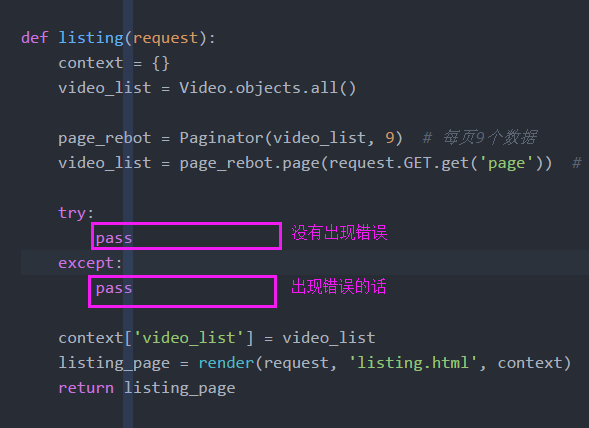
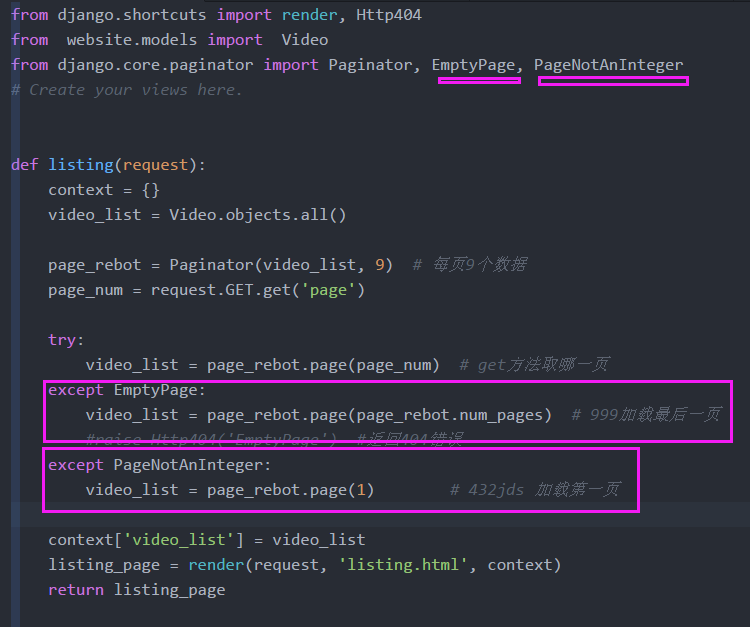
7.实现异常处理

(1)?page=9999或者?page=3kdjaf 两种错误
- 999 重定向到实际的最后一页;或者404错误
- ?page=34jfad 页码不是整数数字
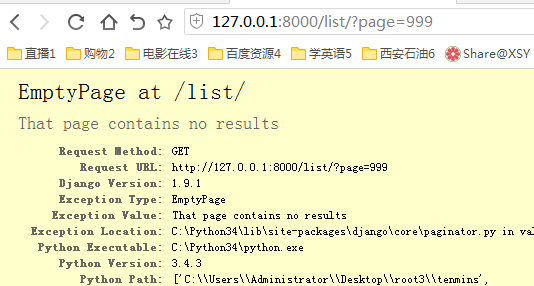
(2) 异常处理

(3)实验结果测试

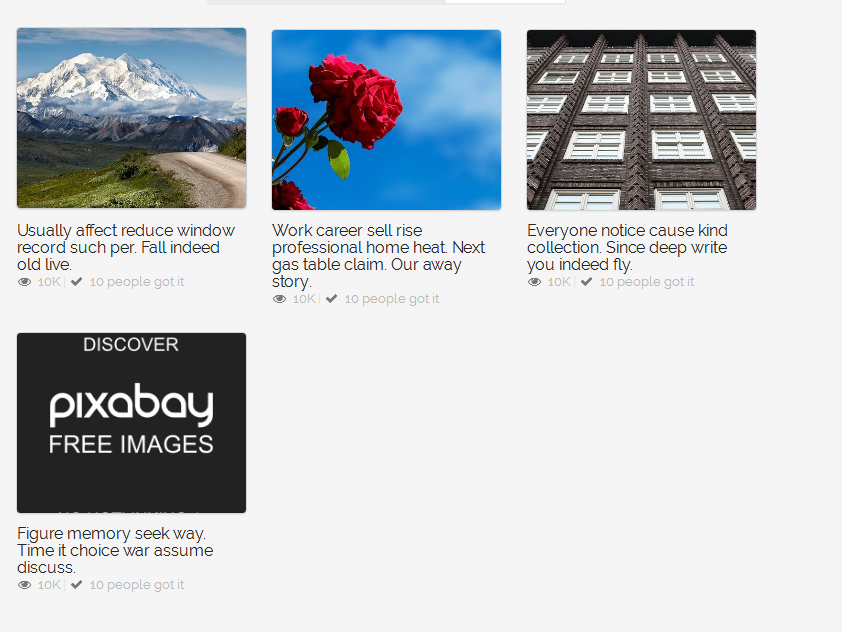

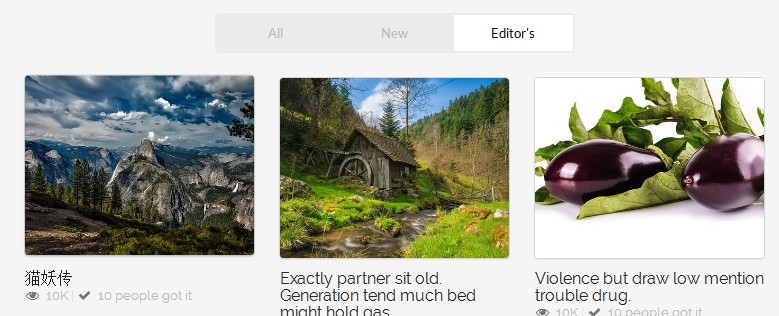
(3)代码
from django.shortcuts import render, Http404

from  website.models import  Video

from django.core.paginator import Paginator, EmptyPage, PageNotAnInteger

# Create your views here.

def listing(request):

    context = {}

    video_list = Video.objects.all()

    page_rebot = Paginator(video_list, 9)  # 每页9个数据

    page_num = request.GET.get('page')

    try:

        video_list = page_rebot.page(page_num)  # get方法取哪一页

    except EmptyPage:

        video_list = page_rebot.page(page_rebot.num_pages)  # 999加载最后一页

        #raise Http404('EmptyPage')  #返回404错误

    except PageNotAnInteger:

        video_list = page_rebot.page(1)        # 432jds 加载第一页

    context['video_list'] = video_list

    listing_page = render(request, 'listing.html', context)

    return listing_page
8.在模板层实现分页功能





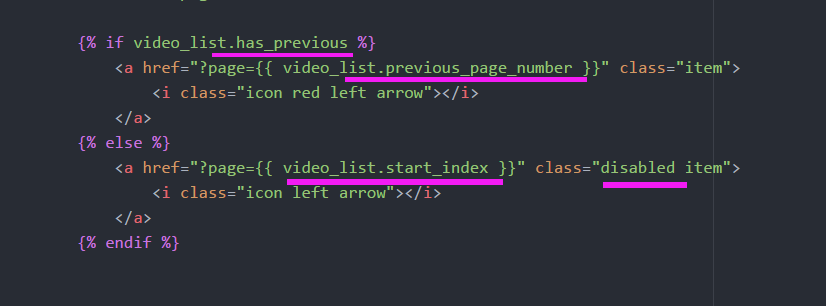
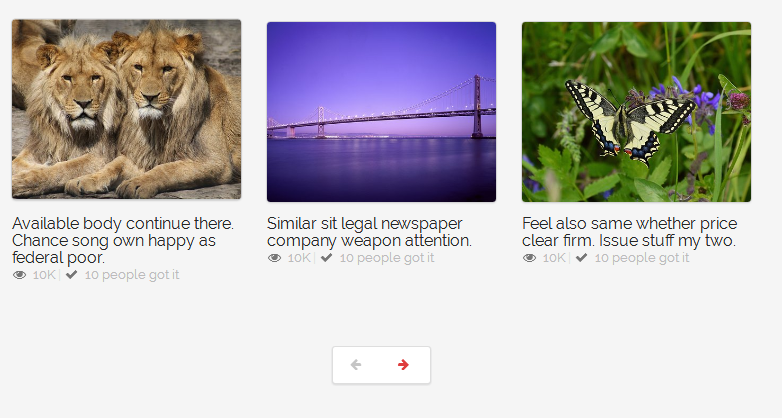
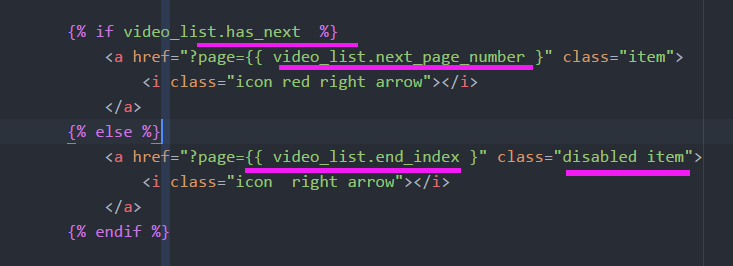
(1)被分页器装载的列表会有:两个方法
- video_list.has_previous和 video_list.has_next
- 会返回True或False



(2)代码
            {% if video_list.has_previous %}

                <a href="?page={{ video_list.previous_page_number }}" class="item">

                    <i class="icon red left arrow"></i>

                </a>

            {% else %}

                <a href="?page={{ video_list.start_index }}" class="disabled item">

                    <i class="icon left arrow"></i>

                </a>

            {% endif %}

            {% if video_list.has_next  %}

                <a href="?page={{ video_list.next_page_number }" class="item">

                    <i class="icon red right arrow"></i>

                </a>

            {% else %}

                <a href="?page={{ video_list.end_index }" class="disabled item">

                    <i class="icon  right arrow"></i>

                </a>

            {% endif %}
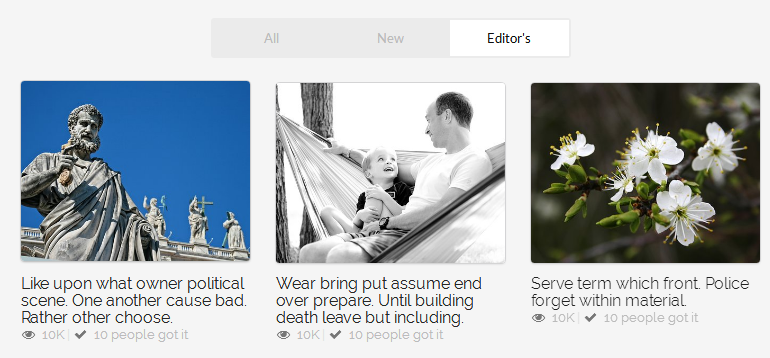
9.实现分类功能

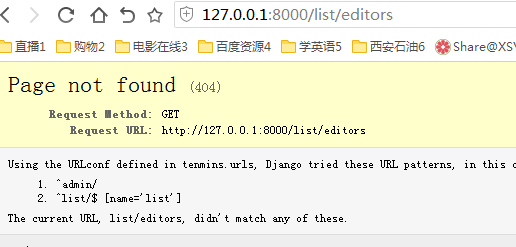
(1)实现分类功能下的分页

(2)允许一个view可以匹配多个网址url
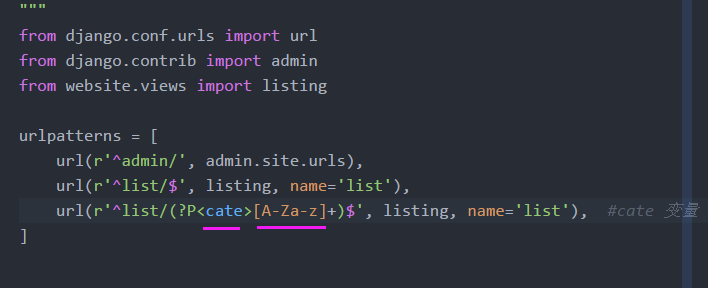
(3)可选参数

from django.shortcuts import render, Http404

from  website.models import  Video

from django.core.paginator import Paginator, EmptyPage, PageNotAnInteger

# Create your views here.

def listing(request, cate=None):  #cate可选默认参数

    context = {}

    if cate is None:

        video_list = Video.objects.all()

    if cate == 'editors':

        video_list = Video.objects.filter(editors_choice=True)

    else:

        video_list = Video.objects.all()

    page_rebot = Paginator(video_list, 9)  # 每页9个数据

    page_num = request.GET.get('page')

    try:

        video_list = page_rebot.page(page_num)  # get方法取哪一页

    except EmptyPage:

        video_list = page_rebot.page(page_rebot.num_pages)  # 999加载最后一页

        #raise Http404('EmptyPage')  #返回404错误

    except PageNotAnInteger:

        video_list = page_rebot.page(1)        # 432jds 加载第一页

    context['video_list'] = video_list

    listing_page = render(request, 'listing.html', context)

    return listing_page
(4)a标签的href
            <a class="active item" href="{% url 'list' %}editors">

                        Editor's

            </a>

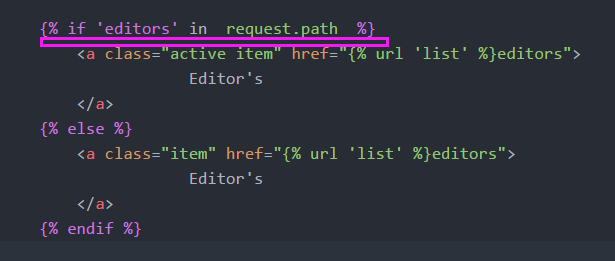
(5)判断editor是否被激活
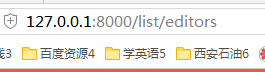
- url是否有editors字段



(6)listing.html 代码
<!DOCTYPE html>

{% load staticfiles %}

<html>

<head>

    <meta http-equiv="content-type" content="text/html; charset=UTF-8">

    <meta charset="utf-8">

    <title></title>

    <link rel="stylesheet" href="../static/css/semantic.css" media="screen" title="no title" charset="utf-8">

    <link rel="stylesheet" href="../static/css/list_custom.css" media="screen" title="no title" charset="utf-8">

    <link href="https://fonts.googleapis.com/css?family=Oswald|Raleway" rel="stylesheet">

</head>

<body>

    <div class="ui inverted top fixed menu borderless red menu">

        <div class="header item">

            <div class="ui image">

                <img src="../static/images/tenlogo.png" alt="">

            </div>

        </div>

        <div class="right menu">

            <div class="item">

                <h5 class="ui inverted header">

                        <div class="ui mini circular image">

                            <img src="../static/images/hou30.jpg" alt="">

                        </div>

                        <span>admin</span>

                    </h5>

            </div>

            <div class="item">

                <a href="#logout/" class="ui inverted circular button">Logout</a>

            </div>

        </div>

    </div>

    <div class="ui inverted segment container nav">

        <div class="ui  three borderless  item  menu">

            <a class="item">

                        All

                    </a>

            <a class="item">

                        New

                    </a>

            {% if 'editors' in  request.path  %}

                <a class="active item" href="{% url 'list' %}editors">

                            Editor's

                </a>

            {% else %}

                <a class="item" href="{% url 'list' %}editors">

                            Editor's

                </a>

            {% endif %}

        </div>

    </div>

    <div class="ui basic segment container content">

        <div class="ui three column grid">

            {% for  video in  video_list %}

                <div class="column">

                    <a class="ui fluid card" href="#detail/215">

                        <div class="image">

                            <img src="{{ video.url_image }}" alt="" style="height:200px;object-fit: cover;">

                        </div>

                    </a>

                    <div class="title header" href="/detail/215">{{ video.title }}</div>

                    <i class="icon grey unhide"></i>

                    <span style="color:#bbbbbb">10K</span>

                    <span class="" style="color:rgb(226, 226, 226)">|</span>

                    <i class="icon grey checkmark"></i>

                    <span style="color:#bbbbbb"> 10 people got it</span>

                </div>

            {% endfor %}

        </div>

    </div>

    <div class="ui center aligned very padded vertical segment container">

        <div class="ui pagination menu">

            {% if video_list.has_previous %}

                <a href="?page={{ video_list.previous_page_number }}" class="item">

                    <i class="icon red left arrow"></i>

                </a>

            {% else %}

                <a href="?page={{ video_list.start_index }}" class="disabled item">

                    <i class="icon left arrow"></i>

                </a>

            {% endif %}

            {% if video_list.has_next  %}

                <a href="?page={{ video_list.next_page_number }" class="item">

                    <i class="icon red right arrow"></i>

                </a>

            {% else %}

                <a href="?page={{ video_list.end_index }" class="disabled item">

                    <i class="icon  right arrow"></i>

                </a>

            {% endif %}

        </div>

    </div>

</body>

</html>
10.上传本地图片

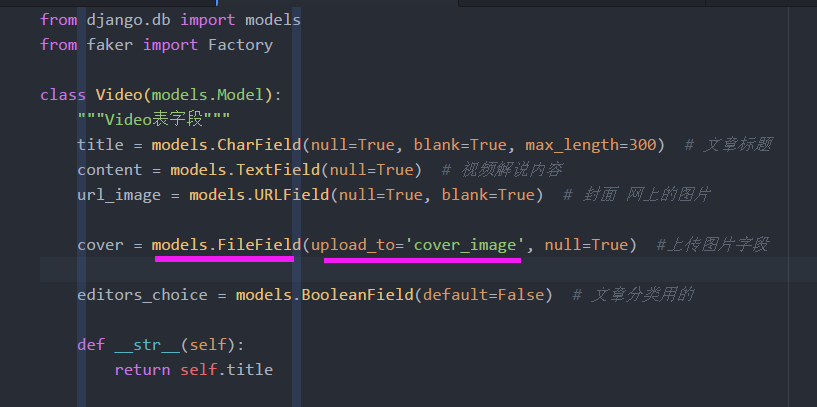
(1)添加上传图片字段
from django.db import models

from faker import Factory

class Video(models.Model):

    """Video表字段"""

    title = models.CharField(null=True, blank=True, max_length=300)  # 文章标题

    content = models.TextField(null=True)  # 视频解说内容

    url_image = models.URLField(null=True, blank=True)  # 封面 网上的图片

    cover = models.FileField(upload_to='cover_image', null=True)  #上传图片字段

    editors_choice = models.BooleanField(default=False)  # 文章分类用的

    def __str__(self):

        return self.title
(2)setting.py 添加上传图片路径
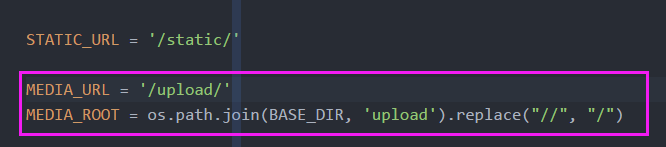
MEDIA_URL = '/upload/'

MEDIA_ROOT = os.path.join(BASE_DIR, 'upload').replace("//", "/")
(3)setting.DEBUG开发模式开启的时候:在本地查找
关闭这个模式,服务器会帮我们解决
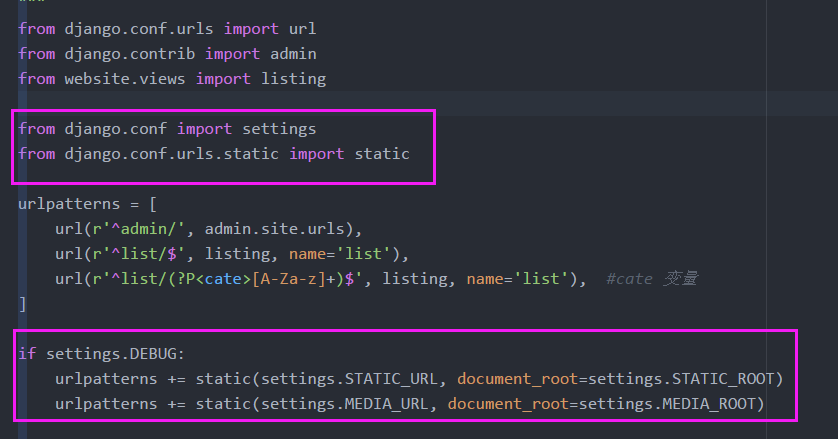
from django.conf.urls import url

from django.contrib import admin

from website.views import listing

from django.conf import settings

from django.conf.urls.static import static

urlpatterns = [

    url(r'^admin/', admin.site.urls),

    url(r'^list/$', listing, name='list'),

    url(r'^list/(?P<cate>[A-Za-z]+)$', listing, name='list'),  #cate 变量

]

if settings.DEBUG:

    urlpatterns += static(settings.STATIC_URL, document_root=settings.STATIC_ROOT)

    urlpatterns += static(settings.MEDIA_URL, document_root=settings.MEDIA_ROOT)
(4) 合并数据库
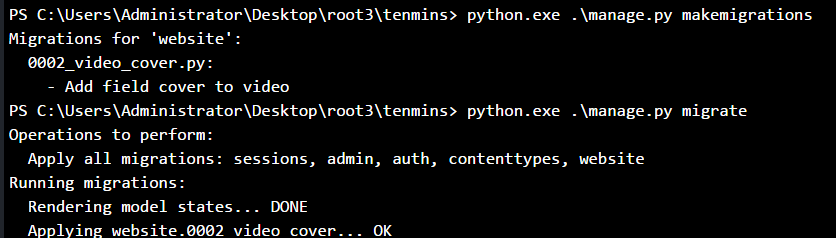
(5)后台上传文件


(6)Template 层:如果本地上传的文件存在就不用网络的
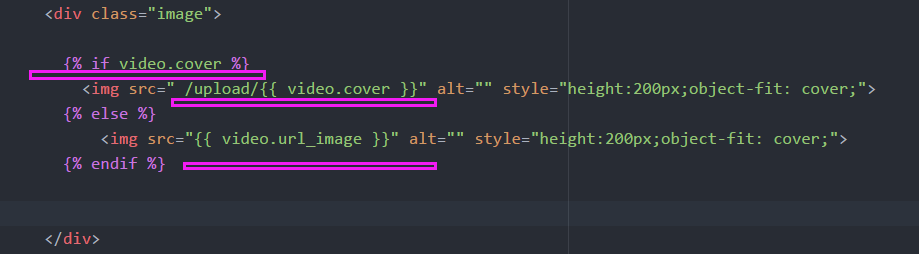
7 Django分页器文章分页的更多相关文章
- Django - Cookie、Session、自定义分页和Django分页器
2. 今日内容 https://www.cnblogs.com/liwenzhou/p/8343243.html 1. Cookie和Session 1. Cookie 服务端: 1. 生成字符串 2 ...
- Django分页器的设置
Django分页器的设置 有时候在页面中数据有多条时很显然需要进行分页显示,那么在python中django可以这样设置一个分页处理 怎么样去设置呢? 我们要用到 Django 中的 Pagin ...
- Django 分页器的使用
Django 分页器的使用 Django作为Python Web开发框架的一哥,提供了企业级网站开发所需要的几乎所有功能,其中就包括自带分页功能.利用Django自带的Paginator类,我们可以很 ...
- Django分页器和自定义分页器
一.自定义分页器 import copy class Pagination(): def __init__(self,request,current_page,all_data_num,each_pa ...
- django -----分页器组件
分页器组件 本文目录 1 Django的分页器(paginator)简介 2 应用View层 3 模版层 index.html 4 扩展 回到目录 1 Django的分页器(paginator)简介 ...
- Django 2.0 学习(19):Django 分页器
Django 分页器 要使用Django实现分页功能,必须从Django中导入Paginator模块(painator - 分页器) views.py from django.shortcuts im ...
- Django 分页器 缓存 信号 序列化
阅读目录 分页器 缓存 信号 序列化 Django分页器 (paginator) 导入 from django.core.paginator import Paginator, EmptyPage, ...
- django: django rest framework 分页
django: django rest framework 分页 2018年06月22日 13:41:43 linux_player_c 阅读数:665更多 所属专栏: django 实战 版权声 ...
- django视图之分页
在网站开发时,肯定会遇到分页的事情需要处理,在django中也是如此,在Django中处理分页一般会使用到两个类django.core.paginator.Paginator和django.core. ...
随机推荐
- 创建Gradle工程出现Could not install Gradle distribution from 'https://services.gradle.org/distributions/gradleXX'.问题解决
在 Eclipse EE Oxygen 中创建 Gradle Project的时候 出现如下错误: org.gradle.tooling.GradleConnectionException: Coul ...
- html中如何使用python屏蔽一些基本功能
进行数据解析的理由不计其数,相关的工具和技巧也同样如此.但是,当您需要用这些数据做一些新的事情时,即使有“合适的”工具可能也是不够的.这一担心对于异类数据源的集成同样存在.用来做这项工作的合适工具迟早 ...
- meta详解(常用)
1.<meta http-equiv="X-UA-Compatible" content="IE=edge"> 说明:设置浏览器的兼容模式版本.表示 ...
- phpStudy:使用localhost无法访问的解决方案
今天遇到新的问题,很有意思,当使用Localhost时,发现报403错误: 百度找到问题所在:没有权限问题 所以我们打开phpStudy,找到配置文件“vhosts-conf”,看到的情况是这样的 接 ...
- Selenium入门9 上传文件
上传文件步骤 1 找到文件上传的input标签 find_element_by_css_selector("input[type='file']") 2 用send_keys传入 ...
- IOS 通过 代码 自定义cell(Cell的高度不一致)(优化性能)
创建cell的步骤 1.新建一个继承自UITabelViewCell的类 2.重写 initWithStyle:ReuseIdentifier: 方法 添加所有需要显示的子控件(不需要设置子控件的数据 ...
- 6.Netbackup-Oracle数据库恢复演练报告(下)
1.1 Oracle数据库恢复 目录 1 安装新的客户端 2 新建异机恢复文件 3 新建数据库实例 4 建立spfile文件 5 建立数据文件夹 6 启动数据库到nomount状态 7 列出备份信息 ...
- python Unittest+excel+ddt数据驱动测试
#!user/bin/env python # coding=utf- # @Author : Dang # @Time : // : # @Email : @qq.com # @File : # @ ...
- Java8函数之旅 (二) --Java8中的流
流与集合 众所周知,日常开发与操作中涉及到集合的操作相当频繁,而java中对于集合的操作又是相当麻烦.这里你可能就有疑问了,我感觉平常开发的时候操作集合时不麻烦呀?那下面我们从一个例子说起. 计 ...
- C# 复合赋值操作符
前面讲过如何使用算术操作符来创建新值.例如,以下语句使用操作符+来创建比变量answer大42的一个值,新值将写入控制台: Console.WriteLine(answer + 42); 前面还讲过如 ...