
12、SpringBoot------activeMq的简单使用
开发工具:STS
前言:
What is ActiveMq?
ActiveMq:实现了Jms规范的一款Java 消息中间件。
消息中间件:
处理消息的一个消息机制,负责接收消息与转发。
用途:
(1)功能解耦,
(2)高并发
(3)简单的说,就是不太重要的资源,类似给用户发送邮件验证码之类的,我告诉它一下,我就返回到前端了,不在这里等你发送完,
提高用户体验感。然后之后,消息中间件转发给专门负责发邮件的模块,发送邮件就可以了,节约了互联网资源。
一、简单实例:
1.pom依赖:
 <?xml version="1.0" encoding="UTF-8"?>

 <project xmlns="http://maven.apache.org/POM/4.0.0" xmlns:xsi="http://www.w3.org/2001/XMLSchema-instance"

     xsi:schemaLocation="http://maven.apache.org/POM/4.0.0 http://maven.apache.org/xsd/maven-4.0.0.xsd">

     <modelVersion>4.0.0</modelVersion>

     <groupId>com.xm</groupId>

     <artifactId>springboot_jms</artifactId>

     <version>0.0.1-SNAPSHOT</version>

     <packaging>jar</packaging>

     <name>springboot_jms</name>

     <description>This is a Web about springcloud</description>

     <parent>

         <groupId>org.springframework.boot</groupId>

         <artifactId>spring-boot-starter-parent</artifactId>

         <version>1.5.14.RELEASE</version>

         <relativePath/> <!-- lookup parent from repository -->

     </parent>

     <properties>

         <project.build.sourceEncoding>UTF-8</project.build.sourceEncoding>

         <project.reporting.outputEncoding>UTF-8</project.reporting.outputEncoding>

         <java.version>1.8</java.version>

     </properties>

     <dependencies>

         <dependency>

             <groupId>org.springframework.boot</groupId>

             <artifactId>spring-boot-starter-activemq</artifactId>

         </dependency>

         <dependency>

             <groupId>org.springframework.boot</groupId>

             <artifactId>spring-boot-starter-test</artifactId>

             <scope>test</scope>

         </dependency>

     </dependencies>

     <build>

         <plugins>

             <plugin>

                 <groupId>org.springframework.boot</groupId>

                 <artifactId>spring-boot-maven-plugin</artifactId>

             </plugin>

         </plugins>

     </build>

 </project>
2.配置文件:
 spring:

   activemq:

     broker-url: tcp://127.0.0.1:61617

     #发送Object需要开启,并且Object需要实现序列化接口

     packages:

       trust-all: true
3.发送者:
 package com.xm.jms.query;

 import javax.jms.Destination;

 import org.springframework.beans.factory.annotation.Autowired;

 import org.springframework.jms.core.JmsMessagingTemplate;

 import org.springframework.stereotype.Service;

 import com.xm.jms.pojo.Student;

 @Service

 public class Producer {

     @Autowired

     private JmsMessagingTemplate template;

     public void sendMeseage(Destination destination) {

         Student s = new Student();

         s.setId(1);

         s.setName("郭小明");

         template.convertAndSend(destination,s);

     }

 }
4.接收者:
 package com.xm.jms.query;

 import org.springframework.jms.annotation.JmsListener;

 import org.springframework.stereotype.Component;

 import com.xm.jms.pojo.Student;

 @Component

 public class Consumer {

     @JmsListener(destination = "queueText")

     public void getQuery(Student s) {

         System.out.println("收到一条消息:");

         System.out.println(s);

     }

 }
5.测试类:
 package com.xm.jms;

 import javax.jms.Destination;

 import javax.jms.JMSException;

 import org.apache.activemq.command.ActiveMQObjectMessage;

 import org.apache.activemq.command.ActiveMQQueue;

 import org.junit.Test;

 import org.junit.runner.RunWith;

 import org.springframework.beans.factory.annotation.Autowired;

 import org.springframework.boot.test.context.SpringBootTest;

 import org.springframework.messaging.Message;

 import org.springframework.test.context.junit4.SpringRunner;

 import com.xm.jms.pojo.Student;

 import com.xm.jms.query.Producer;

 @RunWith(SpringRunner.class)

 @SpringBootTest

 public class SpringbootJmsApplicationTests {

     @Autowired

     private Producer producer;

     @Test

     public void contextLoads() throws JMSException {

         Destination destination = new  ActiveMQQueue("queueText");

             producer.sendMeseage(destination);

     }

 }
二、开启ActiveMq
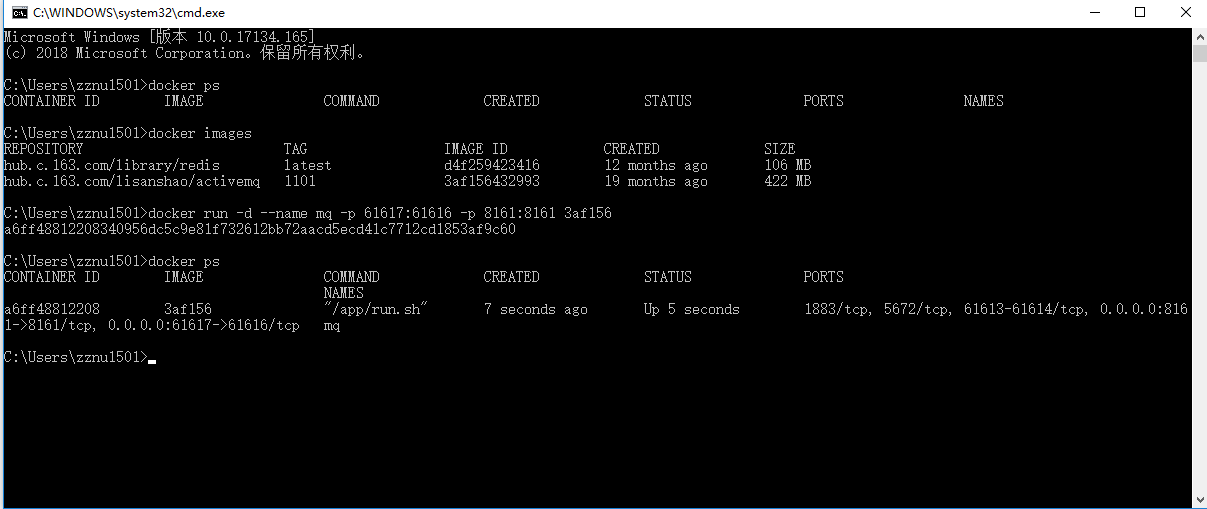
1.docker容器中开启activemq:
docker run -d:后台运行
-p:端口映射
--name:命名
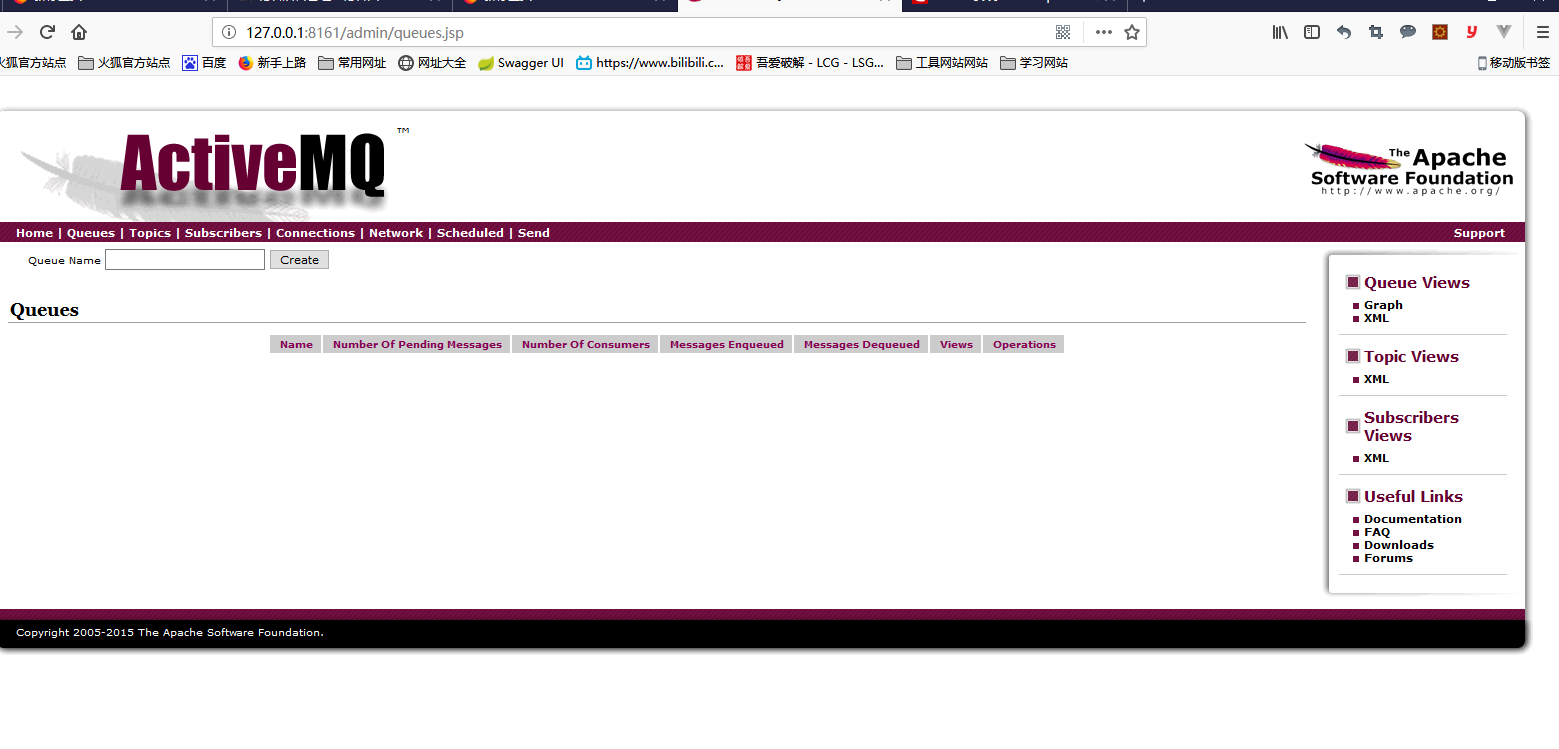
2.在浏览器中查看mq:
默认账号、密码:admin、admin
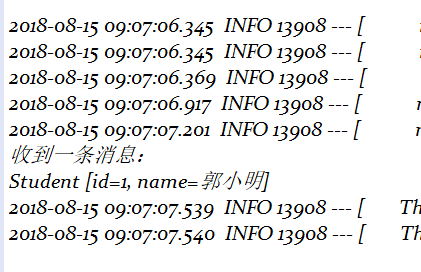
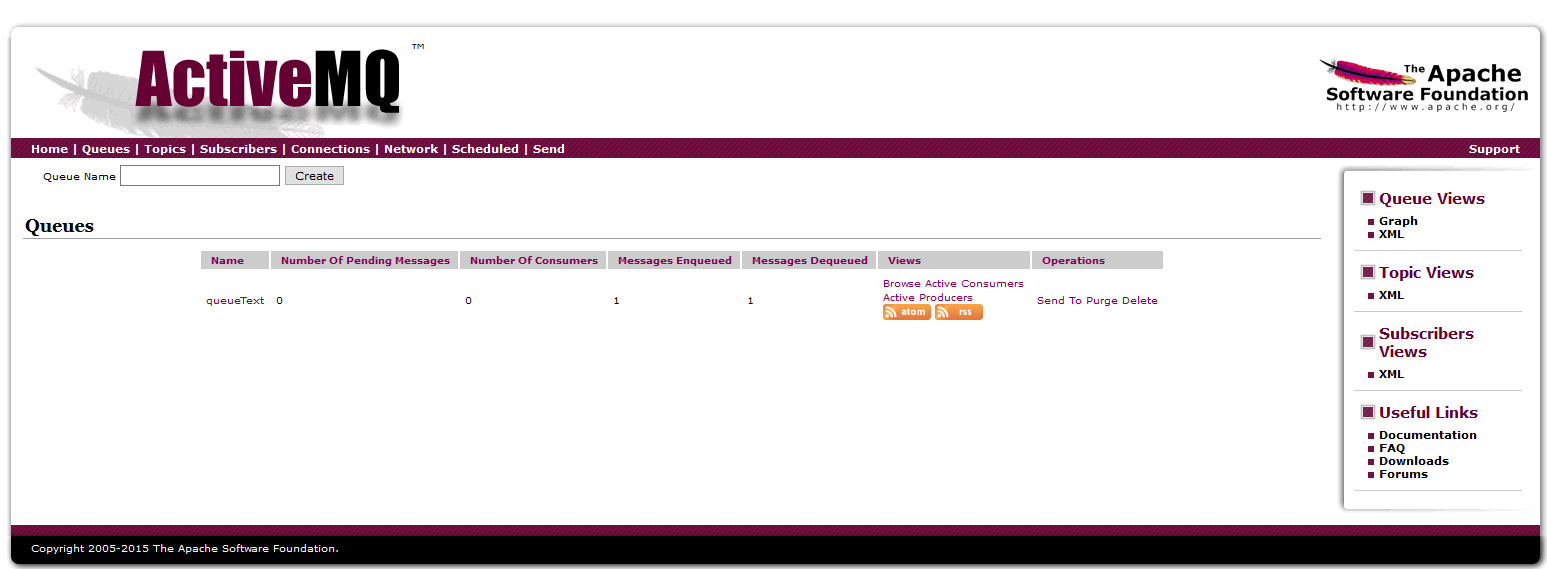
三、运行测试:
12、SpringBoot------activeMq的简单使用的更多相关文章
- ActiveMQ入门系列之应用:Springboot+ActiveMQ+JavaMail实现异步邮件发送
现在邮件发送功能已经是几乎每个系统或网址必备的功能了,从用户注册的确认到找回密码再到消息提醒,这些功能普遍的会用到邮件发送功能.我们都买过火车票,买完后会有邮件提醒,有时候邮件并不是买完票立马就能收到 ...
- Springboot+ActiveMQ(ActiveMQ消息持久化,保证JMS的可靠性,消费者幂等性)
ActiveMQ 持久化设置: 在redis中提供了两种持久化机制:RDB和AOF 两种持久化方式,避免redis宕机以后,能数据恢复,所以持久化的功能 对高可用程序来说 很重要. 同样在Active ...
- java springboot activemq 邮件短信微服务,解决国际化服务的国内外兼容性问题,含各服务商调研情况
java springboot activemq 邮件短信微服务,解决国际化服务的国内外兼容性问题,含各服务商调研情况 邮件短信微服务 spring boot 微服务 接收json格式参数 验证参数合 ...
- 在商城系统中使用设计模式----简单工厂模式之在springboot中使用简单工厂模式
1.前言: 不了解简单工厂模式请先移步:在商城中使用简单工厂.在这里主要是对springboot中使用简单工厂模式进行解析. 2.问题: 什么是简单工厂:它的实现方式是由一个工厂类根据传入的参数,动态 ...
- 使用springboot写一个简单的测试用例
使用springboot写一个简单的测试用例 目录结构 pom <?xml version="1.0" encoding="UTF-8"?> < ...
- springboot搭建一个简单的websocket的实时推送应用
说一下实用springboot搭建一个简单的websocket 的实时推送应用 websocket是什么 WebSocket是一种在单个TCP连接上进行全双工通信的协议 我们以前用的http协议只能单 ...
- SpringBoot基础学习(一) SpringBoot概念、简单案例实现、单元测试及热部署讲解
SpringBoot概念 Spring优缺点分析 Spring优点 Spring是Java企业版(Java Enterprise Edition,JEE,也称J2EE)的轻量级代替品,无需开发重量级的 ...
- dubbo 图片服务器(FastDFS) redis solr ActiveMQ等简单配置使用
一.dubbo 项目基于soa的架构,表现层和服务层是不同的工程.所以要实现商品列表查询需要两个系统之间进行通信. 1.1如何实现远程通信? 1.Webservice:效率不高基于soap协议.项目中 ...
- SpringBoot整合SpringSecurity简单实现登入登出从零搭建
技术栈 : SpringBoot + SpringSecurity + jpa + freemark ,完整项目地址 : https://github.com/EalenXie/spring-secu ...
- 12.SpringBoot+MyBatis(XML)+Druid
转自:https://www.cnblogs.com/MaxElephant/p/8108342.html 主要是在Spring Boot中集成MyBatis,可以选用基于注解的方式,也可以选择xml ...
随机推荐
- cannot focus element解决方案
If you enconter error "cannot focus element" when using Selenium+Python in Chrome to input ...
- spark常用算子总结
算子分为value-transform, key-value-transform, action三种.f是输入给算子的函数,比如lambda x: x**2 常用算子: keys: 取pair rdd ...
- 支付宝php支付接口说明
直接把该代码放到PHP服务器下,直接访问index.php.1.文件列表: alipay_config.php (基本参数配置页面,填写商家的支付宝安全校验码,合作id,支付宝帐号等内容)ind ...
- DB2去重复的几种方法
DB2去重的几种方法 有两个意义上的重复记录,一是完全重复的记录,也即所有字段均重复的记录,二是部分关键字段重复的记录,比如Name字段重复,而其他字段不一定重复或都重复可以忽略. 例如下表:tabl ...
- Windows Store 应用中获取程序集版本号的方法
本文为个人博客备份文章,原文地址: http://validvoid.net/windows-store-app-get-assembly-version/ WinRT 中对反射做了很多限制,假设 W ...
- 简单的JS统计静态网站访问次数
最简单的静态页面刷新 <html> <head> <meta http-equiv="Content-Type" content="text ...
- Js仿腾讯微博效果
<!DOCTYPE html> <html xmlns="http://www.w3.org/1999/xhtml"> <head> <m ...
- Java Knowledge series 4
JVM & Bytecode Has-a or Is-a relationship(inheritance or composition) 如果想利用新类内部一个现有类的特性,而不想使用它的接 ...
- C#变量、常量
变量 一.命名变量:标识符 为变量命名时要遵循C#语言的命名规范: 1.变量名只能由字母.数字和下划线组成,而不能包含空格.标点符号.运算符等其他符号 2.变量名不能与C#中的关键字名称相同 二. ...
- Struts2_HelloWorld_3
struts.xml的配置 <?xml version="1.0" encoding="UTF-8" ?> <!DOCTYPE struts ...