
React Query & SWR
React Query & SWR
HTTP request all in one solution
React Query
Hooks for fetching, caching and updating asynchronous data in React
https://react-query.tanstack.com/
https://github.com/tannerlinsley/react-query

/* eslint-disable jsx-a11y/anchor-is-valid */

import React from "react";

import ReactDOM from "react-dom";

import axios from "axios";

import {

  useQuery,

  useQueryCache,

  QueryCache,

  ReactQueryCacheProvider,

} from "react-query";

import { ReactQueryDevtools } from "react-query-devtools";

const queryCache = new QueryCache();

function App() {

  const [postId, setPostId] = React.useState(-1);

  return (

    <ReactQueryCacheProvider queryCache={queryCache}>

      <p>

        As you visit the posts below, you will notice them in a loading state

        the first time you load them. However, after you return to this list and

        click on any posts you have already visited again, you will see them

        load instantly and background refresh right before your eyes!{" "}

        <strong>

          (You may need to throttle your network speed to simulate longer

          loading sequences)

        </strong>

      </p>

      {postId > -1 ? (

        <Post postId={postId} setPostId={setPostId} />

      ) : (

        <Posts setPostId={setPostId} />

      )}

      <ReactQueryDevtools initialIsOpen />

    </ReactQueryCacheProvider>

  );

}

function usePosts() {

  return useQuery("posts", async () => {

    const { data } = await axios.get(

      "https://jsonplaceholder.typicode.com/posts"

    );

    return data;

  });

}

function Posts({ setPostId }) {

  const cache = useQueryCache();

  const { status, data, error, isFetching } = usePosts();

  return (

    <div>

      <h1>Posts</h1>

      <div>

        {status === "loading" ? (

          "Loading..."

        ) : status === "error" ? (

          <span>Error: {error.message}</span>

        ) : (

          <>

            <div>

              {data.map((post) => (

                <p key={post.id}>

                  <a

                    onClick={() => setPostId(post.id)}

                    href="#"

                    style={

                      // We can use the queryCache here to show bold links for

                      // ones that are cached

                      cache.getQueryData(["post", post.id])

                        ? {

                            fontWeight: "bold",

                            color: "green",

                          }

                        : {}

                    }

                  >

                    {post.title}

                  </a>

                </p>

              ))}

            </div>

            <div>{isFetching ? "Background Updating..." : " "}</div>

          </>

        )}

      </div>

    </div>

  );

}

const getPostById = async (key, id) => {

  const { data } = await axios.get(

    `https://jsonplaceholder.typicode.com/posts/${id}`

  );

  return data;

};

function usePost(postId) {

  return useQuery(["post", postId], getPostById, {

    enabled: postId,

  });

}

function Post({ postId, setPostId }) {

  const { status, data, error, isFetching } = usePost(postId);

  return (

    <div>

      <div>

        <a onClick={() => setPostId(-1)} href="#">

          Back

        </a>

      </div>

      {!postId || status === "loading" ? (

        "Loading..."

      ) : status === "error" ? (

        <span>Error: {error.message}</span>

      ) : (

        <>

          <h1>{data.title}</h1>

          <div>

            <p>{data.body}</p>

          </div>

          <div>{isFetching ? "Background Updating..." : " "}</div>

        </>

      )}

    </div>

  );

}

const rootElement = document.getElementById("root");

ReactDOM.render(<App />, rootElement);
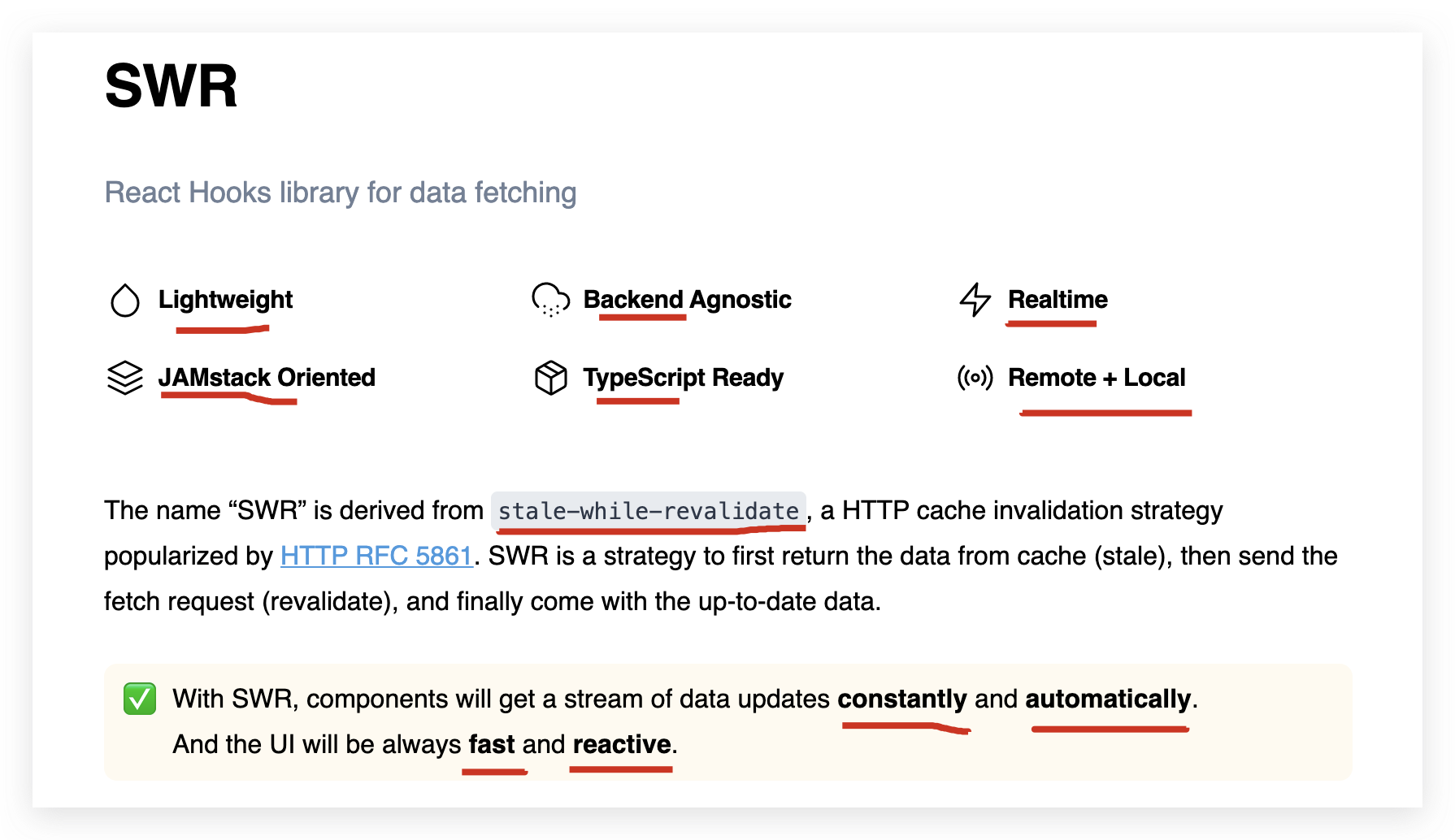
SWR
React Hooks library for data fetching
// fetcher

export function fetcher() {

  return fetch(`${process.env.REACT_APP_API_BASE_URL}users`).then(response =>

    response.json()

  );

}
import useSWR from 'swr';

function Profile() {

  const { data, error } = useSWR('/api/user', fetcher)

  if (error) return <div>failed to load</div>

  if (!data) return <div>loading...</div>

  return <div>hello {data.name}!</div>

}
demo
https://codesandbox.io/s/4-ways-to-handle-restful-http-in-react-41j83
https://codesandbox.io/s/react-query-hooks-ss7o0
https://www.dataformsjs.com/examples/countries-no-spa-react.htm
refs
https://codesandbox.io/s/4-ways-to-handle-restful-http-in-react-k3xug
https://codesandbox.io/s/github/tannerlinsley/react-query/tree/master/examples/basic?from-embed
xgqfrms 2012-2020
www.cnblogs.com 发布文章使用:只允许注册用户才可以访问!
React Query & SWR的更多相关文章
- [GraphQL] Apollo React Query Component
In this lesson I refactor a React component that utilizes the graphql higher-order component to the ...
- 写一个react hook:useLoading
在写业务的过程中,我们总是会遇到这样的需求,在请求时显示一个 loading,然后请求结束后展示数据.以一个是不是 vip 的场景为例,如果不加入 loading 状态,页面可能在未请求的时候显示非 ...
- [GraphQL] Fetch Server Data and Client-side State in One Query using React Apollo + GraphQL
In this lesson we look at how the Apollo @client directive can be used to fetch client-side state al ...
- [React Router v4] Parse Query Parameters
React Router v4 ignores query parameters entirely. That means that it is up to you to parse them so ...
- [React + GraphQL] Use useLazyQuery to manually execute a query with Apollo React Hooks
When using useQuery from Apollo React Hooks, the request will be sent automatically after the compon ...
- [React] Create a Query Parameter Modal Route with React Router
Routes are some times better served as a modal. If you have a modal (like a login modal) that needs ...
- webpack+react+redux+es6开发模式
一.预备知识 node, npm, react, redux, es6, webpack 二.学习资源 ECMAScript 6入门 React和Redux的连接react-redux Redux 入 ...
- 构建通用的 React 和 Node 应用
这是一篇非常优秀的 React 教程,这篇文章对 React 组件.React Router 以及 Node 做了很好的梳理.我是 9 月份读的该文章,当时跟着教程做了一遍,收获很大.但是由于时间原因 ...
- react+redux教程(六)redux服务端渲染流程
今天,我们要讲解的是react+redux服务端渲染.个人认为,react击败angular的真正“杀手锏”就是服务端渲染.我们为什么要实现服务端渲染,主要是为了SEO. 例子 例子仍然是官方的计数器 ...
随机推荐
- Spring-01-事务
Spring事务机制 spring事务机制最重要的两个配置项,隔离级别和传播特性. 1. 隔离级别 隔离级别针对高并发问题导致的数据库丢失更新问题 1.1 数据库的4大基本特征 原子性(Atomic) ...
- Spring Security 实战干货:分布式对象SharedObject
1. 前言 在上一篇我们对AuthenticationManager的初始化的细节进行了分析,其中里面有一段代码引起了不少同学的注意: ApplicationContext context = htt ...
- JavaScript中函数的定义!
JavaScript中函数的定义! 1 自定义函数(命名函数) function fun() {}; 2 函数表达式(匿名函数) var fun = function () {}; 3 利用 new ...
- 使用Gulp里面的浏览器同步插件browser-sync的注意事项
使用Gulp里面的浏览器同步插件browser-sync的注意事项 第一步:打开你的开发者工具, 编写前端代码!图如下! 第二步:打开你当前工作目录的命令行窗口 第三步:输入浏览器同步执行的代码! b ...
- PE节表
- https://tools.ietf.org/html/rfc8017
PKCS #1: RSA Cryptography Specifications Version 2.2
- 多线程c++11编程题目
/*题目:子线程循环 10 次,接着主线程循环 100 次,接着又回到子线程循环 10 次,接着再回到主线程又循环 100 次. 如此循环50次,试写出代码.子线程与主线程必有一个满足条件(flag ...
- Mysql 四种事务隔离级别
一.前提 时过一年重新拾起博文记录,希望后面都能坚持下来. 接着之前MySql的学习,先记录下这篇. 以下都是基于mysql8 innodb存储引擎进行分析的. 二.事务的ACID特性 A(Atomi ...
- dp - 斜率优化笔记
(原来的题解没得了,只好重写一份) 斜率优化一般是,\(dp\) 是枚举一个 \(i\),然后前面找一个 \(j\),式子中有些和 \(j\) 有关,有些和 \(i\) 有关,有些和俩都有关. 过程中 ...
- 详述C++casting操作
Casting----类型转换,也就是将数据从一种类型转换到另一种类型的操作.本文首先给出两种类型转换的方式:隐式转换和显式转换,然后简单介绍一下C语言常用的类型转换方式,最后详细叙述C++中常用的三 ...