
百度智能(文本识别),API传图OC代码与SDK使用
百度智能中的文本识别中的身份证识别,有API方式和SDK方式
API方式
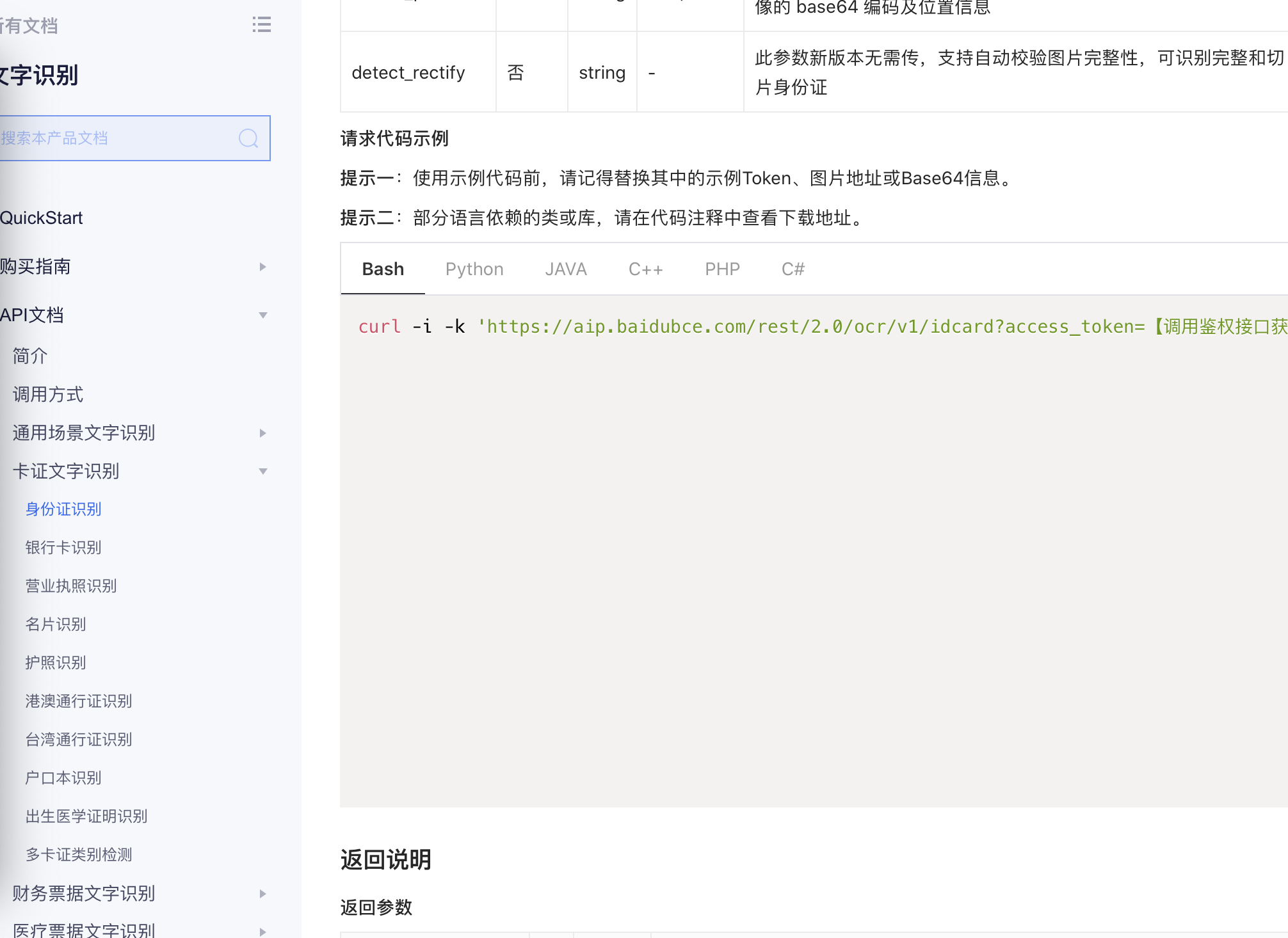
百度智能(文本识别),百度API传图没有提供OC的示例,这里提供一下
- (void)OCTest:(NSString*)token {

    //***********post请求********************//

    NSString *testURL =[NSString stringWithFormat:@"https://aip.baidubce.com/rest/2.0/ocr/v1/idcard?access_token=%@",token];

    testURL = [testURL  stringByAddingPercentEncodingWithAllowedCharacters:[NSCharacterSet URLQueryAllowedCharacterSet]];

    NSURL *url = [NSURL URLWithString:testURL];

    NSMutableURLRequest *request = [NSMutableURLRequest requestWithURL:url];

    //设置请求方法

    request.HTTPMethod = @"POST";

    //设置请求体

    UIImage *testImage = [UIImage imageNamed:@"test.jpg"];

    NSData *imageData = UIImagePNGRepresentation(testImage);

    NSString *baseStr = [imageData base64EncodedStringWithOptions:NSDataBase64Encoding64CharacterLineLength];

   NSString *urlEncode=  (NSString *)CFBridgingRelease(CFURLCreateStringByAddingPercentEscapes(

                                                                          NULL,

                                                                          (__bridge CFStringRef)baseStr,

                                                                          NULL,

                                                                          (CFStringRef)@"!*'\"();:@&=+$,/?%#[]% ",

                                                                                       CFStringConvertNSStringEncodingToEncoding(NSUTF8StringEncoding)));

    NSLog(@"urlEncode is %@",urlEncode);

    NSString *str =[NSString stringWithFormat:@"image=%@&id_card_side=%@",urlEncode,@"front"];

    NSData *data = [str dataUsingEncoding:NSUTF8StringEncoding];

    request.HTTPBody = data;

    NSURLSession *session  = [NSURLSession sharedSession];

    NSURLSessionDataTask *dataTask =  [session dataTaskWithRequest:request completionHandler:^(NSData * _Nullable data, NSURLResponse * _Nullable response, NSError * _Nullable error) {

        //

        if (error) {

            NSLog(@"error is %@",error);

        }else

        {

            NSLog(@"data is %@",data);

           NSDictionary *dic= [NSJSONSerialization JSONObjectWithData:data options:kNilOptions error:nil];

            NSLog(@"解析得出的dic is %@",dic);

        }

    }];

    [dataTask resume];

}
如果UI没设计拍照UI,这里建议大家使用SDK,稳定性好,效率高。
SDK方式
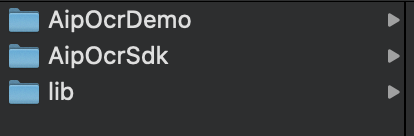
真机运行报错的话,把lib中的模拟器都移掉。
真机运行报错、Archive/IPA/Upload AppStore 时报错"Unsupported Architecture. Your executable contains unsupported architecture '[x86_64, i386]..."
为了方便开发者调试,AipBase.framework合并了模拟器和真机架构,上线前,使用lipo工具移除相关架构即可,参考:
cd lib

# 使用lipo -info 可以查看包含的架构

lipo -info AipBase.framework/AipBase  # Architectures in the fat file: AipBase are: i386 x86_64 armv7 armv7s arm64

# 移除x86_64, i386

lipo -remove x86_64 AipBase.framework/AipBase -o AipBase.framework/AipBase

lipo -remove i386 AipBase.framework/AipBase -o AipBase.framework/AipBase

lipo -remove x86_64 AipOcrSdk.framework/AipOcrSdk -o AipOcrSdk.framework/AipOcrSdk

lipo -remove i386 AipOcrSdk.framework/AipOcrSdk -o AipOcrSdk.framework/AipOcrSdk

# 再次查看

lipo -info AipBase.framework/AipBase # Architectures in the fat file: AipBase are: armv7 armv7s arm64
如果想修改SDK的UI,可以使用AipOrcSdk中的源码,站在巨人的肩膀上编程,也很香!
百度智能(文本识别),API传图OC代码与SDK使用的更多相关文章
- 百度OCR文字识别API使用心得===com.baidu.ocr.sdk.exception.SDKError[283604]
异常com.baidu.ocr.sdk.exception.SDKError[283604]App identifier unmatch.错误的packname或bundleId.logId::303 ...
- 百度AI文本审核API使用说明
虽然,虽然,虽然,今天: 百度发布了2019年第一季度未经审计的财务报告.本季度百度营收241亿元人民币(约合35.9亿美元),同比增长15%,移除业务拆分收入影响,同比增长21%.低于市场预期242 ...
- 百度云人脸识别API人脸对比
from urllib import request import base64 import requests import re import json import urllib import ...
- 百度云人脸识别API人脸库管理
from urllib import request import base64 import requests import re import json import urllib impor ...
- wordpress百度熊掌号“搜索结果出图”改造代码
<?php if(is_single()||is_page()){ echo '<script type="application/ld+json">{ &quo ...
- 转《trackingjs+websocket+百度人脸识别API,实现人脸签到》流程
先用websocket与后台建立通讯:用trackingjs在页面调用电脑摄像头,监听人脸,发现有人脸进入屏幕了,就把图片转成base64字符串,通过websocket发送到后端:后端拿到图片,调用百 ...
- trackingjs+websocket+百度人脸识别API,实现人脸签到
在公司做了个年会的签到.抽奖系统.用java web做的,用公司的办公app扫二维码码即可签到,扫完码就在大屏幕上显示这个人的照片.之后领导让我改得高大上一点,用人脸识别来签到,就把扫二维码的步骤改成 ...
- 免费人脸识别APi
今天对应一些免费的人脸识别的api 做了一下简单的对比,觉得百度开发出来的人脸识别接口还是最符合的我的要求,简单易用,容易上手. 据说百度的一些门禁也使用上了人脸识别的功能了,功能很强大,而且能识别出 ...
- 百度智能云平台调用食物识别api Java实现
纪录一下我小学期2天花了20小时写的菜品识别java程序. 1.2. 百度智能云简介 1.2.1 百度图像识别服务 百度图像识别服务,基于深度学习及大规模图像训练,准确识别图片中的物体类别.位置.置信 ...
随机推荐
- Panda Global获悉,美国承诺4年内明确区块链数字资产监管方式!
近日,美国商品期货交易委员会(CFTC)宣布,在4年内将会全面把加密货币监管列为优先事项.Panda Global从7月8日公布的新战略中获悉,此次CFTC公布了自己接下来的新框架,并且在框架中承诺: ...
- WPF源代码分析系列一:剖析WPF模板机制的内部实现(一)
众所周知,在WPF框架中,Visual类是可以提供渲染(render)支持的最顶层的类,所有可视化元素(包括UIElement.FrameworkElment.Control等)都直接或间接继承自Vi ...
- I am George1123!
我是 George1123,一名来自浙江省,杭州市的初三爆菜 \(\tt oier\) . 以下是蒟蒻逊逊的 OJ 账号: 洛谷 loj uoj bzoj spoj 彩蛋:Welcome to my ...
- 题解 CF1446D2 【Frequency Problem (Hard Version)】
给出一个跑得快一点的做法,洛谷最优解 (时间是第二名的 \(\frac{1}{2}\)), CF 第一页 D1 首先找到整个序列的众数 \(G\), 很容易证明答案序列中的两个众数中其中一个是 \(G ...
- 使用pip安装pymysql出错;Could not find a version that satisfies the requirement cryptography (from pymysql) (from versions: ) No matching distribution found for cryptography (from pymysql)
今天使用pip安装pymysql时出现如下错误: Could not find a version that satisfies the requirement cryptography (from ...
- js实现转盘抽奖
大转盘抽奖,主要通过css3的"transform:rotate(0deg)"属性来控制元素的旋转角度来实现. 通常,抽奖的过程需要渐进的效果,所以直接通过旋转属性写比较繁琐. 这 ...
- Android原子操作——android_atomic_cmpxchg
网络给我们带来了很多方便,查阅我们目前认知范围外的道理.但是,凡事也要学会分辨,不然可能会误导你. 话说,最近的一个项目(Mercury-Project),接近尾声中.然而,在调试一个demo时,却遇 ...
- Python中open函数怎么操作文件
在 Python 中,如果想要操作文件,首先需要创建或者打开指定的文件,并创建一个文件对象,而这些工作可以通过内置的 open() 函数实现. open() 函数用于创建或打开指定文件,该函数的常用语 ...
- gnuplot中的一些技巧
http://blog.csdn.net/bill_chuang/article/details/18215051 一.基础篇: 1.plot命令 基本命令:plot {<ranges>} ...
- HBase按照TimeStamp删除数据
#!/bin/bash #两种时间输入,一种是输入起始日期,另一种是直接输入hbase里面数据的起始时间戳 if [ $# != 5 ];then echo 'usage:sh byTimestamp ...