
Ocelot网关+IdentityServer4实现API权限认证
Ocelot是一个用.NET Core实现并且开源的API网关,它功能强大,包括了:路由、请求聚合、服务发现、认证、鉴权、限流熔断、并内置了负载均衡器与Service Fabric、Butterfly Tracing集成。这些功能只都只需要简单的配置即可完成。
本文主要向大家简单介绍一下如何结合Ocelot网关和IdentityServer4鉴权服务实现API接口权限认证。关于IdentityServer4大家可以看下我之前的文章。
好了,下面开始进入正题。我们需要搭建两个API项目+一个IdentityServer4鉴权服务+一个Ocelot网关服务。本文以.NetCore2.2为例。
第一步,快速搭建两个WebAPI项目。
1.新建第一个WebApi项目:

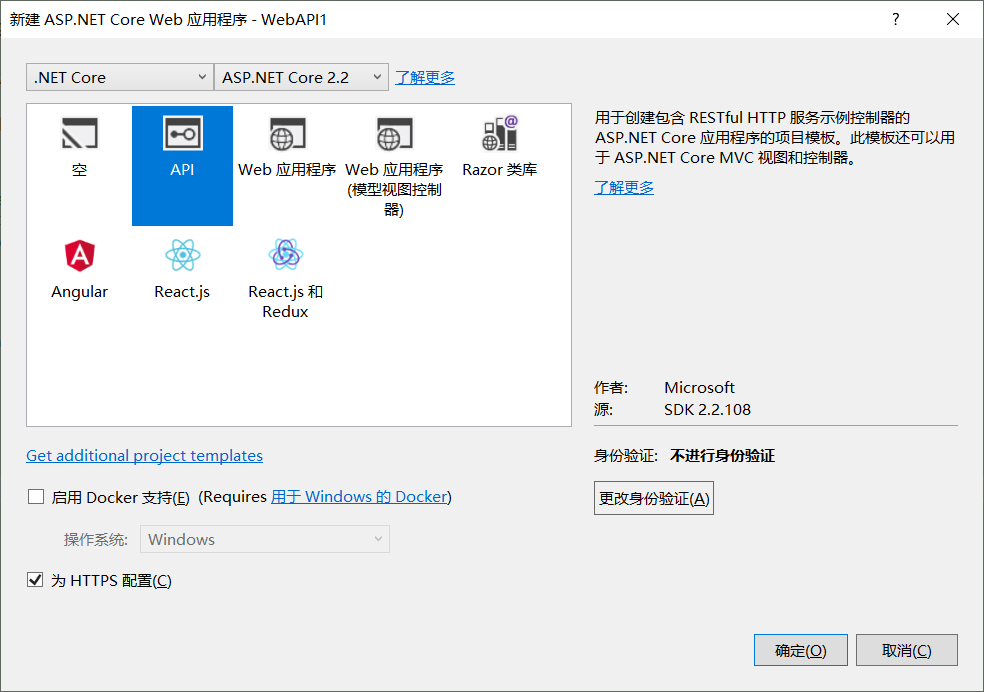
2.配置API端口:6000
1)配置文件appsettings.json中增加端口配置节点。
{

  "Http": {

    "Port": 6000

  },

  "Logging": {

    "LogLevel": {

      "Default": "Warning"

    }

  },

  "AllowedHosts": "*"

}
2)主程序Program.cs中添加端口监听:
 public static IWebHostBuilder CreateWebHostBuilder(string[] args) =>

             WebHost.CreateDefaultBuilder(args)

 3                 .ConfigureKestrel(options =>

 4                 {

 5                     //监听端口

 6                     var config = options.ApplicationServices.GetRequiredService<IConfiguration>();

 7                     var port = config.GetValue<int>("Http:Port");

 8                     options.ListenAnyIP(port);

 9                 })

                 .UseStartup<Startup>();
3.启动项目
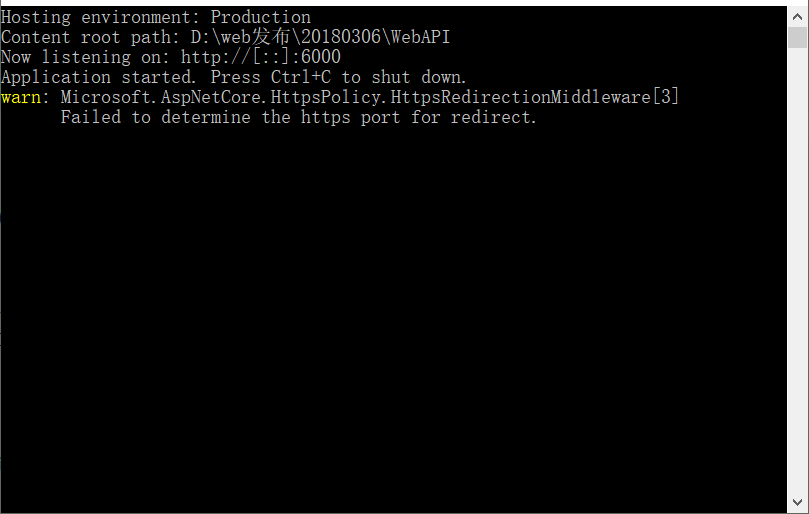
4.新建第二个WebAPI2项目,操作步骤同上,监听端口6002。
第二步,搭建IdentityServer4鉴权服务
1.新增项目Identity4
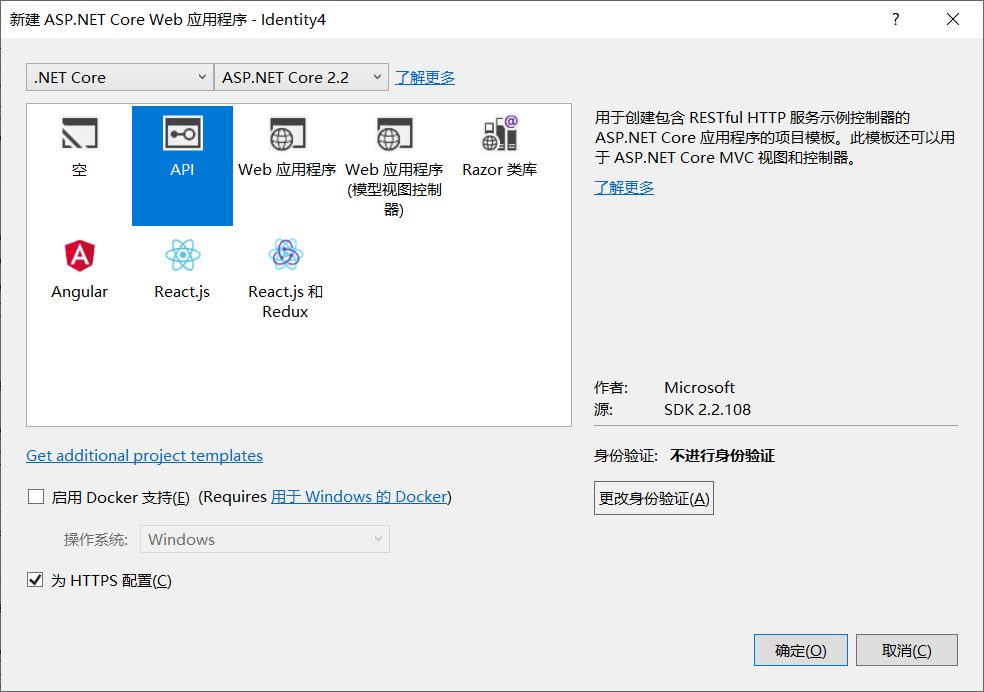
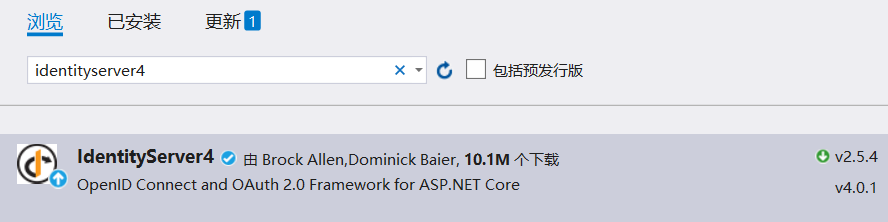
2.添加IdentityServer4 Nuget程序包。版本大家根据实际开发环境选择。
3.添加IdentityServer配置类
public class Config

    {

        /// <summary>

        /// 定义API资源

        /// </summary>

        /// <returns></returns>

        public static IEnumerable<ApiResource> GetApiResources()

        {

            return new List<ApiResource>

            {

                new ApiResource("api1","测试API"),

                new ApiResource("api2","测试API2")

            };

        }

        /// <summary>

        /// 定义客户端

        /// </summary>

        /// <returns></returns>

        public static IEnumerable<Client> GetClients()

        {

            return new List<Client>

            {

                new Client{

                    ClientId="client",

                    //授权方式为客户端验证,类型可参考GrantTypes枚举

                    AllowedGrantTypes=GrantTypes.ClientCredentials,

                    //秘钥

                    ClientSecrets=

                    {

                        new Secret("secret".Sha256())

                    },

                    AllowedScopes=new []{ "api1" }

                 },

                new Client{

                    ClientId="client2",

                    //授权方式为用户密码验证,类型可参考GrantTypes枚举

                    AllowedGrantTypes=GrantTypes.ResourceOwnerPassword,

                    //秘钥

                    ClientSecrets=

                    {

                        new Secret("secret2".Sha256())

                    },

                    AllowedScopes=new []{ "api2", IdentityServerConstants.StandardScopes.OpenId,

                        IdentityServerConstants.StandardScopes.Profile }

                 }

            };

        }

        /// <summary>

        /// 定义身份资源

        /// </summary>

        /// <returns></returns>

        public static IEnumerable<IdentityResource> GetIdentityResources()

        {

            return new IdentityResource[]

            {

                new IdentityResources.OpenId(),

                new IdentityResources.Profile()

             };

        }

    }
这里我们定义了两个API资源(就是我们上面创建的两个API项目):
a.第一个api我们授权client以客户端模式访问
b.第二个api我们授权client2以用户密码模式访问
4.针对用户密码访问模式,我们这里使用了自定义用户认证。(数据库用户密码校验)
我们实现接口:IResourceOwnerPasswordValidator,并通过实现接口方法ValidateAsyn()完成用户认证。
数据库访问我这里使用的SqlSugar ORM框架,在这里不多做介绍,感兴趣的同学可以去了解一下。
public class UserPasswordValidator : IResourceOwnerPasswordValidator

    {

        private readonly IDBContext dbcontext;

        public UserPasswordValidator(IDBContext _context)

        {

            dbcontext = _context;

        }

        public async Task ValidateAsync(ResourceOwnerPasswordValidationContext context)

        {
            //通过sqlsugar ORM框架实现数据库访问

            var user = await dbcontext.DB.Queryable<User>().Where(x => x.USER_NAME == context.UserName && x.PASSWORD == context.Password).FirstAsync();

            if (user != null)

            {

                context.Result = new GrantValidationResult(subject: context.UserName,

                               authenticationMethod: GrantType.ResourceOwnerPassword,

                               claims: GetUserClaims(user));

            }

            else

                context.Result = new GrantValidationResult(TokenRequestErrors.InvalidGrant, "账号或密码错误");

        }

        /// <summary>

        /// 获取用户声明项

        /// </summary>

        /// <returns></returns>

        private List<Claim> GetUserClaims(User user)

        {

            List<Claim> list = new List<Claim>();

            list.Add(new Claim(JwtClaimTypes.Name, user.USER_NAME));

            list.Add(new Claim(JwtClaimTypes.Id, user.USER_ID));
            return list;

        }

    }
5.注册IdentityServer4服务并添加中间件。这里使用的就是我们上方定义的配置类以及自定义用户认证类
添加授权客户端:AddInMemoryClients(Config.GetClients())

添加API资源:AddInMemoryApiResources(Config.GetApiResources())

添加身份资源:AddInMemoryIdentityResources(Config.GetIdentityResources())

添加自定义用户认证:AddResourceOwnerValidator<UserPasswordValidator>();
        public void ConfigureServices(IServiceCollection services)

        {

            //注册服务

            services.AddIdentityServer()

                .AddDeveloperSigningCredential()

                .AddInMemoryClients(Config.GetClients())

                .AddInMemoryApiResources(Config.GetApiResources())

                .AddInMemoryIdentityResources(Config.GetIdentityResources())

                .AddResourceOwnerValidator<UserPasswordValidator>();

            //添加数据库配置

            services.AddDBContext(Configuration.GetValue<string>("ConnectionStrings:DB"));

            services.AddMvc().SetCompatibilityVersion(CompatibilityVersion.Version_2_2);

        }

        public void Configure(IApplicationBuilder app, IHostingEnvironment env)

        {

            if (env.IsDevelopment())

            {

                app.UseDeveloperExceptionPage();

            }

            //添加IdentityServer中间件

            app.UseIdentityServer();

        }
6.配置API端口:7000
1)配置文件appsettings.json中增加端口配置节点。
{

  "Http": {

    "Port": 7000

  },

  "Logging": {

    "LogLevel": {

      "Default": "Warning"

    }

  },

  "AllowedHosts": "*"

}
2)主程序Program.cs中添加端口监听:
 1 public static IWebHostBuilder CreateWebHostBuilder(string[] args) =>

 2             WebHost.CreateDefaultBuilder(args)

 3                 .ConfigureKestrel(options =>

 4                 {

 5                     //监听端口

 6                     var config = options.ApplicationServices.GetRequiredService<IConfiguration>();

 7                     var port = config.GetValue<int>("Http:Port");

 8                     options.ListenAnyIP(port);

 9                 })

10                 .UseStartup<Startup>();
7.启动项目
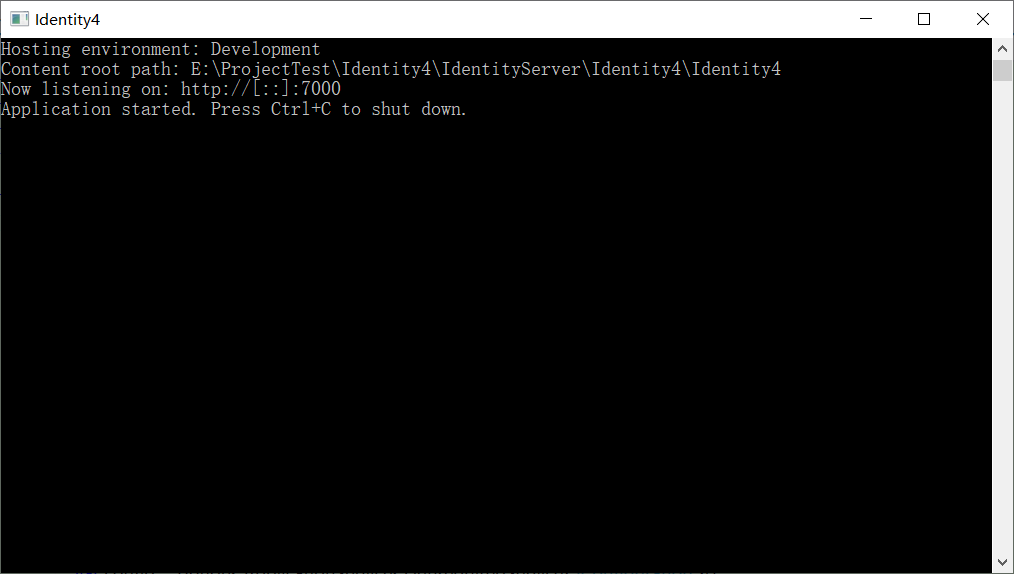
第三步,搭建Ocelot网关服务
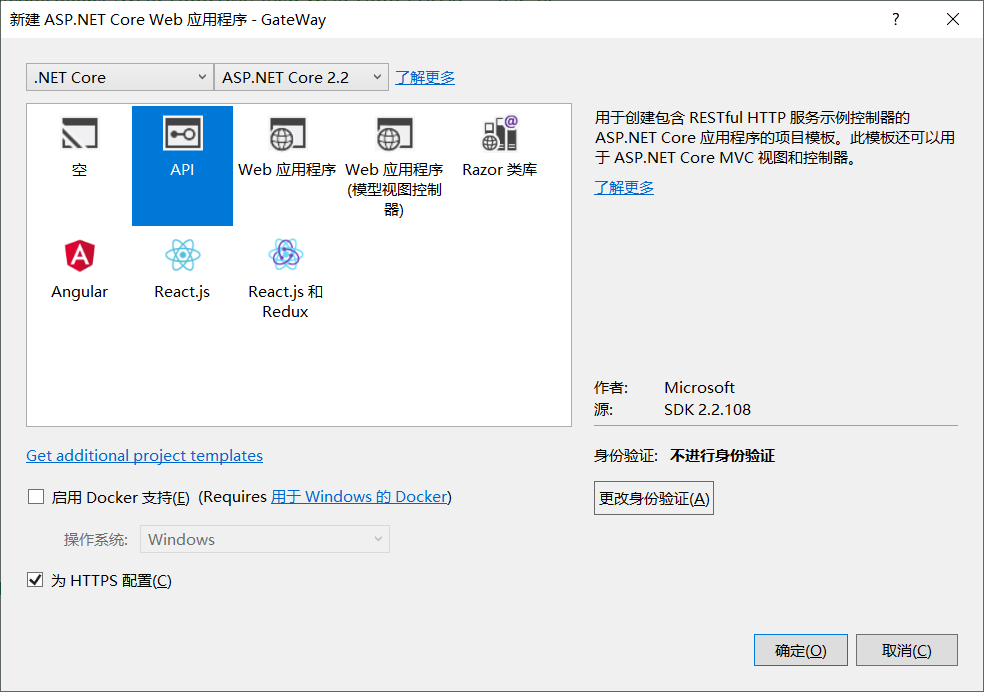
1.新建GateWay项目
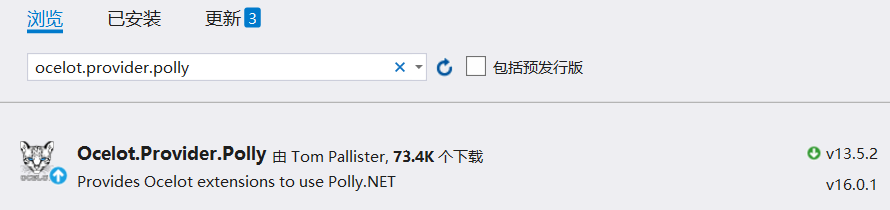
2.添加NuGet依赖包:Ocelot、Ocelot.Provider.Polly(服务质量与熔断配置需引用Polly)、IdentityServer4.AccessTokenValidation


3.添加网关配置文件ocelot.json(配置文件名称可自定义)。
路由是API网关最基本也是最核心的功能、ReRoutes下就是由多个路由节点组成。
{

    "ReRoutes": [

    ]

}
注意:16.0版本开始之后,路由使用Routes,否则会提示找不到路由。

几个主要节点说明:
- DownstreamPathTemplate:下游服务路径(实际接口请求url)
- DownstreamScheme:下游服务http schema
- DownstreamHostAndPorts:下游服务的地址(包含Host:IP地址 、 Port:端口号),如果使用LoadBalancer(负载均衡)的话这里可以填多项
- UpstreamPathTemplate: 上游服务路径(客户端输入的请求Url)
- UpstreamHttpMethod: 上游请求http方法,可使用数组,如:Get,Post等
- AuthenticationOptions:添加此节点表示改路由需要进行权限认证
- QosOptions:熔断,配置什么情况下停止将请求转发到下游服务。
{

  "ReRoutes": [

    {

      "DownstreamPathTemplate": "/{url}",

      "DownstreamScheme": "http",

      "DownstreamHostAndPorts": [

        {

          "Host": "localhost",

          "Port":

        }

      ],

      "UpstreamPathTemplate": "/Service1/{url}",

      "UpstreamHttpMethod": [ "Get", "Post" ],

      "AuthenticationOptions": {

        "AuthenticationProviderKey": "auth",

        "AllowedScopes": []

      },

      "QoSOptions": {

        "ExceptionsAllowedBeforeBreaking": ,

        "DurationOfBreak": ,

        "TimeoutValue":

      }

    },

    {

      "DownstreamPathTemplate": "/{url}",

      "DownstreamScheme": "http",

      "DownstreamHostAndPorts": [

        {

          "Host": "localhost",

          "Port":

        }

      ],

      "UpstreamPathTemplate": "/Service2/{url}",

      "UpstreamHttpMethod": [ "Get", "Post" ],

      "AuthenticationOptions": {

        "AuthenticationProviderKey": "auth2",

        "AllowedScopes": []

      },

      "QoSOptions": {

        "ExceptionsAllowedBeforeBreaking": ,

        "DurationOfBreak": ,

        "TimeoutValue":

      }

    },

    {

      "DownstreamPathTemplate": "/{url}",

      "DownstreamScheme": "http",

      "DownstreamHostAndPorts": [

        {

          "Host": "localhost",

          "Port":

        }

      ],

      "UpstreamPathTemplate": "/auth/{url}",

      "UpstreamHttpMethod": [ "Get", "Post" ]

    }

  ],

  "GlobalConfiguration": {

    "BaseUrl": "",

    "RateLimitOptions": {

      "ClientWhitelist": [],

      "EnableRateLimiting": true,

      "Period": "1s",

      "PeriodTimespan": ,

      "Limit":

    }

  }

}
4.添加启用ocelot.json并配置端口号5000
public static IHostBuilder CreateHostBuilder(string[] args) =>

            Host.CreateDefaultBuilder(args)

                   .ConfigureAppConfiguration((context, builder) =>

                    {
                        //添加启用配置文件
                        builder.SetBasePath(context.HostingEnvironment.ContentRootPath);

                        builder.AddJsonFile("ocelot.json", optional: true, reloadOnChange: true);

                    })

                    .UseKestrel(options =>

                    {

                        //动态配置默认端口号5000

                        var config = options.ApplicationServices.GetRequiredService<IConfiguration>();

                        var httpPort = config["Http:Port"];

                        options.ListenAnyIP(Convert.ToInt32(httpPort));

                    });

                    UseStartup<Startup>();
5.注册ocelot服务和Identity4认证
        public void ConfigureServices(IServiceCollection services)

        {

            //注册ocelot服务

            services.AddOcelot().AddPolly();

            //注册Identity4认证

            services.AddAuthentication()

                .AddIdentityServerAuthentication("auth", option =>

                 {

                     option.Authority = "http://localhost:7000";

                     option.RequireHttpsMetadata = false;

                     option.ApiName = "api1";

                 })

                .AddIdentityServerAuthentication("auth2", option =>

                {

                    option.Authority = "http://localhost:7000";

                    option.RequireHttpsMetadata = false;

                    option.ApiName = "api2";

                });

            services.AddControllers();

        }

        public void Configure(IApplicationBuilder app, IWebHostEnvironment env)

        {

            if (env.IsDevelopment())

            {

                app.UseDeveloperExceptionPage();

            }

            //添加ocelot中间件

            app.UseOcelot().Wait();

        }
重点说明:
1.这里我们需要注意AddIdentityServerAuthentication中参数值auth和auth2分别对应了ocelot配置文件中两个API路由下鉴权节点AuthenticationOptions:AuthenticationProviderKey。
这里绑定的对应关系,实际上也就是说第一个api启用的auth对应的权限认证,并可以访问api1资源;第二个api启用auth2对应的权限认证,并可访问api2资源。
2.option.ApiName = "api1"这里指定可访问api资源。此处配置的API资源来自我们在IdentityServer4服务中配置类中定义的API资源。
项目都搭建成功了,下面我们开始使用postman模拟请求,给大家演示一下效果。
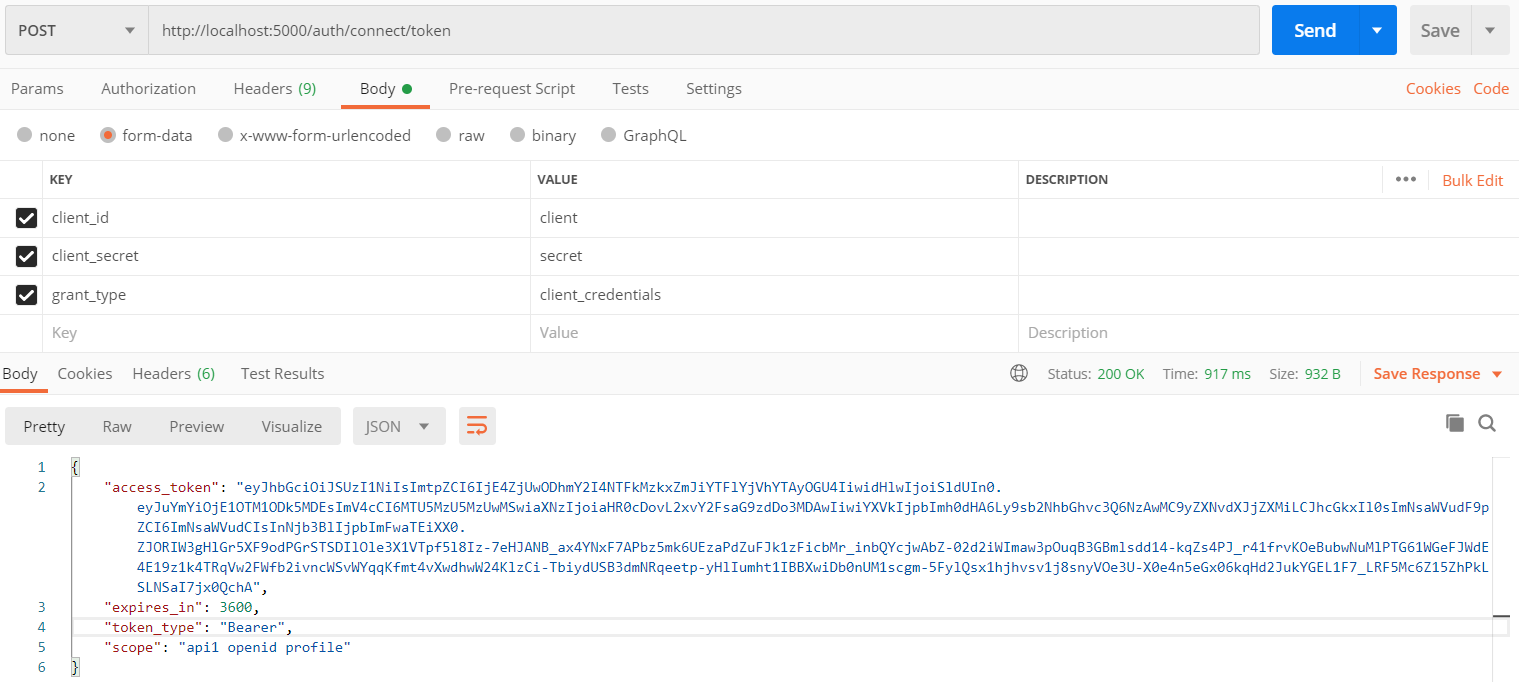
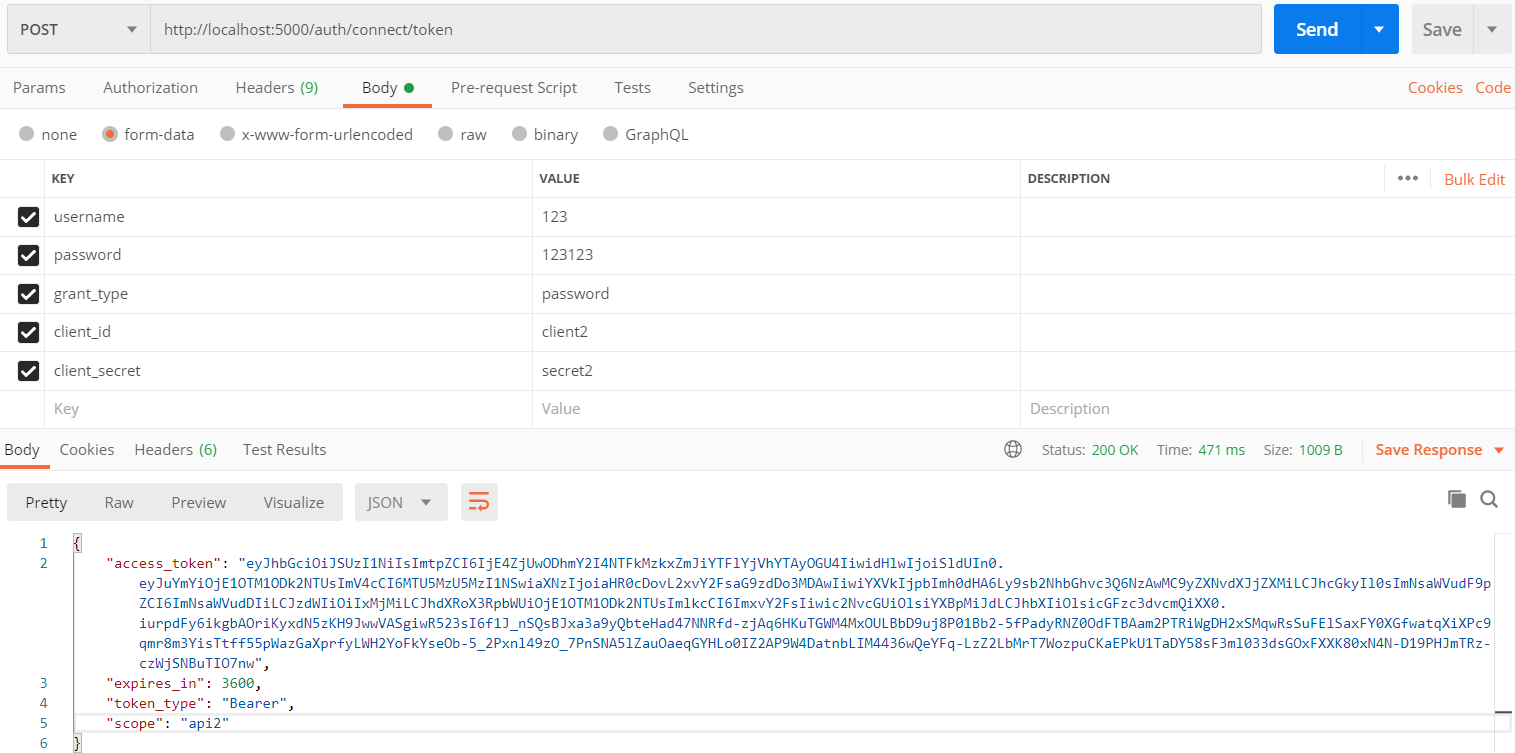
1.首先请求token:IdentityServer4框架为我们开放了token获取接口/connect/token
请求URL:http://locahost:5000/auth/connect/token 根据ocelot配置的路由上游模板auth/{url},此时会触发下游服务:localhost:7000/connect/token 其实也就是我们搭建的IdentityServer4服务接口地址。
第一种方式,客户端验证模式。
第二种方式,用户名密码模式
2.请求第一个API项目接口/api/values
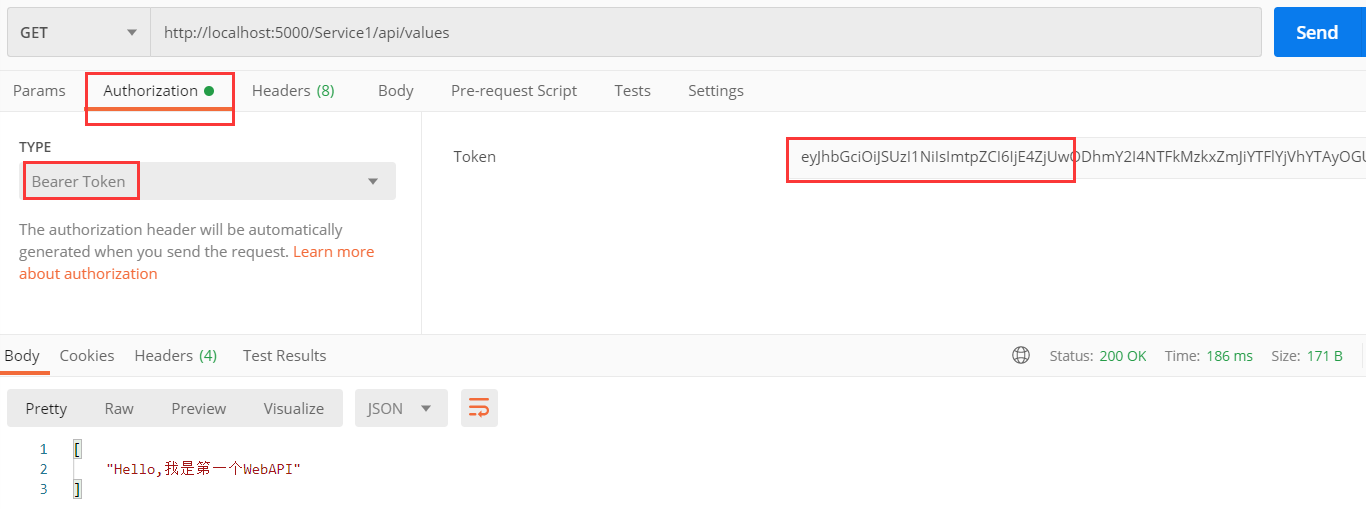
请求URL:http://locahost:5000/Service1/api/values 根据ocelot配置的路由上游模板Service1/{url},此时会触发下游服务:localhost:6000/api/values 其实也就是我们搭建的第一个API服务接口地址。
此时,由于我们还没有权限,提示401

我们在请求头加入client获取的token,再次发起请求,请求成功。
试想一下,如果我们用client2获取的token,再次发起请求,会发生什么。。。可想而知,以失败告终。那这是为什么呢?
举个例子方便大家理解:
当我们以client身份获取token之后,访问service1下面的接口,触发Service1配置的auth认证,此认证允许访问资源api1;而刚好IdentityServer4服务允许client访问api1资源,请求成功;诚然,如果以client身份访问Service2则会失败,因为Service2配置的auth2认证,此认证允许访问资源api2,而IdentityServer4服务仅允许client访问api1资源。
2.请求第一个API项目接口/api/values
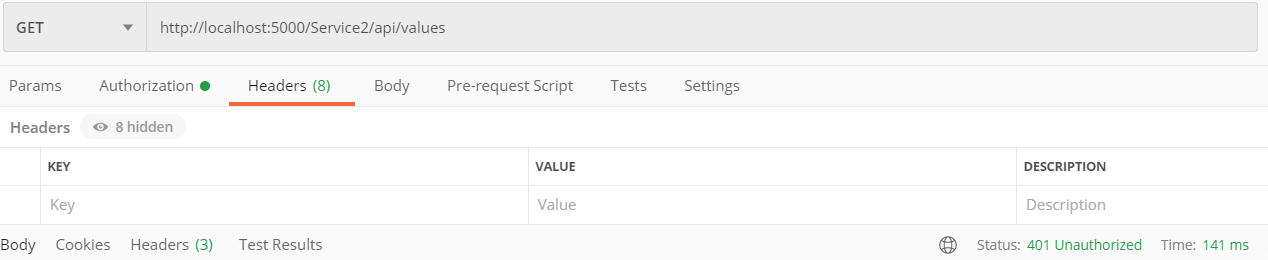
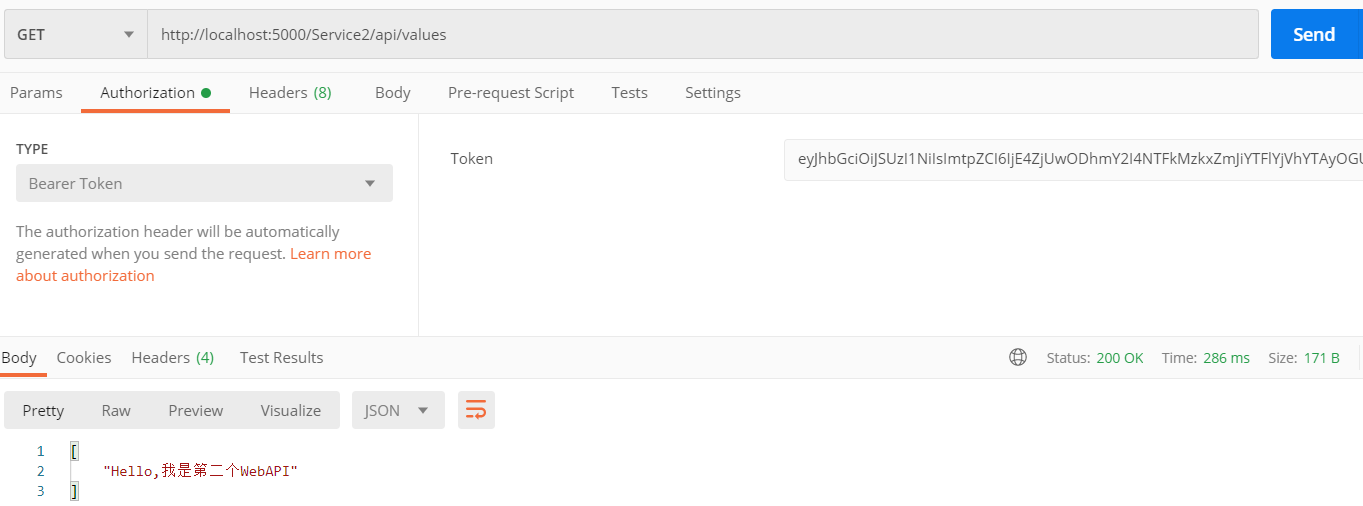
请求URL:http://locahost:5000/Service2/api/values 根据ocelot配置的路由上游模板Service2/{url},此时会触发下游服务:localhost:6002/api/values 其实也就是我们搭建的第二个API服务接口地址。
此时,由于我们还没有权限,提示401.
我们用client2获取的token,再次发起请求,请求成功。
想必到了这里,大家一定也有所想,有所言,欢迎大家交流。另外,大家不妨自己动手操作演示一下,或许更容易理解。
Ocelot网关+IdentityServer4实现API权限认证的更多相关文章
- NetCore项目实战篇05---添加Ocelot网关并集成identity server4认证
今天来给我们的项目增加API网关,使用Ocelot. 它是系统暴露在外部的一个访问入口,这个有点像代理访问的家伙,就像一个公司的门卫承担着寻址.限制进入.安全检查.位置引导.等等功能.同时我们还要在网 ...
- 庐山真面目之七微服务架构Consul集群、Ocelot网关集群和IdentityServer4版本实现
庐山真面目之七微服务架构Consul集群.Ocelot网关集群和IdentityServer4版本实现 一.简介 在上一篇文章<庐山真面目之六微服务架构Consul集群.Ocelot网 ...
- 微服务网关Ocelot加入IdentityServer4鉴权-.NetCore(.NET5)中使用
Consul+Ocelot+Polly在.NetCore中使用(.NET5)-Consul服务注册,服务发现 Consul+Ocelot+Polly在.NetCore中使用(.NET5)-网关Ocel ...
- API代理网关和OAuth2.0授权认证框架
API代理网关和OAuth2.0授权认证框架 https://www.cnblogs.com/bluedoctor/p/8967951.html 1,授权认证与微服务架构 1.1,由不同团队合作引发的 ...
- 认证鉴权与API权限控制在微服务架构中的设计与实现(四)
引言: 本文系<认证鉴权与API权限控制在微服务架构中的设计与实现>系列的完结篇,前面三篇已经将认证鉴权与API权限控制的流程和主要细节讲解完.本文比较长,对这个系列进行收尾,主要内容包括 ...
- Ocelot网关统一查看多个微服务asp.net core项目的swagger API接口
0.前言 整体架构目录:ASP.NET Core分布式项目实战-目录 一.准备 前提需要下载安装consul,项目需要懂添加swagger 统一在网关中配置多个微服务的swagger,需要用到服务注册 ...
- AspNetCore中使用Ocelot之 IdentityServer4(1)
AspNetCore中使用Ocelot之 IdentityServer4(1) 前言: OceLot网关是基于AspNetCore 产生的可扩展的高性能的企业级Api网关,目前已经基于2.0 升级版本 ...
- 庐山真面目之十二微服务架构基于Docker搭建Consul集群、Ocelot网关集群和IdentityServer版本实现
庐山真面目之十二微服务架构基于Docker搭建Consul集群.Ocelot网关集群和IdentityServer版本实现 一.简介 在第七篇文章<庐山真面目之七微服务架构Consul ...
- spring cloud+dotnet core搭建微服务架构:Api授权认证(六)
前言 这篇文章拖太久了,因为最近实在太忙了,加上这篇文章也非常长,所以花了不少时间,给大家说句抱歉.好,进入正题.目前的项目基本都是前后端分离了,前端分Web,Ios,Android...,后端也基本 ...
随机推荐
- Python爬虫之request +re
什么是爬虫? 它是指向网站发起请求,获取资源后分析并提取有用数据的程序: 爬虫的步骤: 1.发起请求 使用http库向目标站点发起请求,即发送一个Request Request包含:请求头.请求体等 ...
- 关于vue不能像angular深度克隆数据解决办法
vue要让数据源实现响应式前提必须要在初始化的时候有这个属性 如果没有这个属性,也可实现数据实时响应.解决方法: this.数组/对象.spice(0,1,'属性值') Vue.set(要修改的数组或 ...
- 🧑🏻💻数据库简介及Mac平台环境搭建🧑🏻💻
数据库 存储数据的演变过程 如果没有使用数据库,我们自己存放文件,数据格式是千差万别的,完全取决于我们自己,例如: """ # 张三 zhangsan|123|read ...
- SSH原理常见应用升级及端口转发
SSH介绍 SSH是Secure Shell Protocol的简写,由IETF网络工作小组(Network working Group)指定:在进行数据传输之前,SSH先对联机数据包通过加密技术进行 ...
- PHP 实现过滤参数字符的方法
//参数处理函数2function RepPostVar2($val){ if($val!=addslashes($val)) { exit(); } if(substr($val,-1)==&quo ...
- Com训练_1
初次接触Com大概是2001年,离现在多年了,那时认识比较肤浅,再次接触学习下. //ComPort + D7, 稍后将训练ComPort6 + D10.3.2环境 //MSComm + D7,D10 ...
- (四)Parameters,简单参数就用这个
Parameters注解在测试方法上指定参数列表,然后在测试方法中声明对应的形参,形参与参数列表一一对应,但名字可以不同,如下所示: public class Test1 { @Parameters( ...
- c常用函数-sprintf
sprintf sprinti函数的作用是把一个字符串格式化后输入到另一个字符串中,然后返回写入的·字符数量. Sprinf在用法上和1.2.3节的prinf函数一致,区别是sprintf输出结果到指 ...
- 论logstash的玩法(ELK)
本篇文章采用的采用的是logstash-7.7.0版本,主要从如下几个方面介绍 1.logstash是什么,可以用来干啥 2.logstash的基本原理是什么 3.怎么去玩这个elk的组件logsta ...
- Python学习日志-03
(3)如何运行程序 交互提示模式下编写代码: 最简单的运行Python程序的办法就是在Python交互命令行中输入这些程序.在cmd中输入python,不需要任何参数就可以进入Python交互命令行 ...