
Flutter学习笔记(36)--常用内置动画
如需转载,请注明出处:Flutter学习笔记(36)--常用内置动画
Flutter给我们提供了很多而且很好用的内置动画,这些动画仅仅需要简单的几行代码就可以实现一些不错的效果,Flutter的动画分为补间动画和基于物理的动画,基于物理的动画我们先不说。
补间动画很简单,Android里面也有补间动画,就是给UI设置初始的状态和结束状态,经过我们定义的一段时间,系统去帮助我们实现开始到结束的过渡变化,这就是补间动画。
今天我们要看的Flutter的内置动画就是补间动画,根据Flutter提供的动画组件,我们去设置初始、结尾的状态,并且定义一下这个变化过程所需要的时间,再经过系统的处理(其实就是setState())来达到动画的效果。
接下来我们会写一下常用的内置动画组件,并且提供一下动画效果的gif,方便大家更直观的去理解。
- AnimatedContainer
看到Container我们就会知道这是一个带有动画属性的容器组件,这个组件可以定义大小、颜色等属性,那么我们是不是就可以给这个组件设置初始和结束的大小及颜色的属性值,然后通过系统来帮助我们来补足中间过程的动画呢?
答案是可以的,下面看一下demo和动画效果:
class _MyHomePageState extends State<MyHomePage> {

  double _width = 100.0;

  double _height = 100.0;

  Color _color = Colors.red;

  @override

  Widget build(BuildContext context) {

    return Scaffold(

      appBar: AppBar(

        title: Text(widget.title),

      ),

      body: AnimatedContainer(

        width: _width,

        height: _height,

        duration: Duration(seconds: ),

        color: _color,

        curve: Curves.bounceInOut,

      ),

      floatingActionButton: FloatingActionButton(

        onPressed: () {

          setState(() {

            _width = 300.0;

            _height = 300.0;

            _color = Colors.green;

          });

        },

        tooltip: 'Increment',

        child: Icon(Icons.adjust),

      ), // This trailing comma makes auto-formatting nicer for build methods.

    );

  }

}
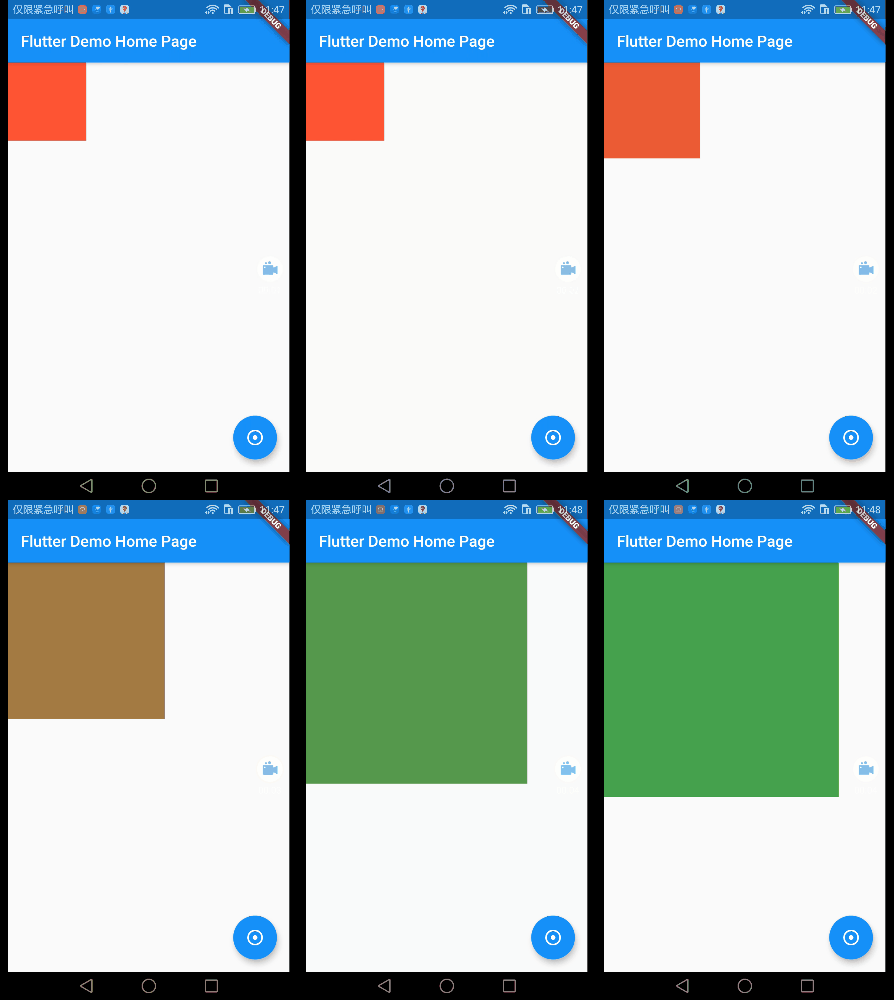
demo很简单,就是先定义好组件初始的大小和颜色,点击按钮,在按钮事件里面去更改大小和颜色的属性值。这里唯一需要特别说一下就是curve这个属性。
curve指的是动画曲线?我开始的时候不理解这个动画曲线是什么意思,后来看了一组图之后,豁然开朗。demo里面curve我们用的是Curves.bounceInOut。如下:

它其实就是一个非线性的动画的变化形式(变化过程)也可以理解为就是一种函数,也不知道这么说大家能不能理解。
/// {@animation 464 192 https://flutter.github.io/assets-for-api-docs/assets/animation/curve_bounce_in.mp4}

/// {@animation 464 192 https://flutter.github.io/assets-for-api-docs/assets/animation/curve_bounce_in_out.mp4}

/// {@animation 464 192 https://flutter.github.io/assets-for-api-docs/assets/animation/curve_bounce_out.mp4}

/// {@animation 464 192 https://flutter.github.io/assets-for-api-docs/assets/animation/curve_decelerate.mp4}

/// {@animation 464 192 https://flutter.github.io/assets-for-api-docs/assets/animation/curve_ease.mp4}

/// {@animation 464 192 https://flutter.github.io/assets-for-api-docs/assets/animation/curve_ease_in.mp4}

/// {@animation 464 192 https://flutter.github.io/assets-for-api-docs/assets/animation/curve_ease_in_sine.mp4}

/// {@animation 464 192 https://flutter.github.io/assets-for-api-docs/assets/animation/curve_ease_in_quad.mp4}

/// {@animation 464 192 https://flutter.github.io/assets-for-api-docs/assets/animation/curve_ease_in_cubic.mp4}

/// {@animation 464 192 https://flutter.github.io/assets-for-api-docs/assets/animation/curve_ease_in_quart.mp4}

/// {@animation 464 192 https://flutter.github.io/assets-for-api-docs/assets/animation/curve_ease_in_quint.mp4}

/// {@animation 464 192 https://flutter.github.io/assets-for-api-docs/assets/animation/curve_ease_in_expo.mp4}

/// {@animation 464 192 https://flutter.github.io/assets-for-api-docs/assets/animation/curve_ease_in_circ.mp4}

/// {@animation 464 192 https://flutter.github.io/assets-for-api-docs/assets/animation/curve_ease_in_back.mp4}

/// {@animation 464 192 https://flutter.github.io/assets-for-api-docs/assets/animation/curve_ease_in_out.mp4}

/// {@animation 464 192 https://flutter.github.io/assets-for-api-docs/assets/animation/curve_ease_in_out_sine.mp4}

/// {@animation 464 192 https://flutter.github.io/assets-for-api-docs/assets/animation/curve_ease_in_out_quad.mp4}

/// {@animation 464 192 https://flutter.github.io/assets-for-api-docs/assets/animation/curve_ease_in_out_cubic.mp4}

/// {@animation 464 192 https://flutter.github.io/assets-for-api-docs/assets/animation/curve_ease_in_out_quart.mp4}

/// {@animation 464 192 https://flutter.github.io/assets-for-api-docs/assets/animation/curve_ease_in_out_quint.mp4}

/// {@animation 464 192 https://flutter.github.io/assets-for-api-docs/assets/animation/curve_ease_in_out_expo.mp4}

/// {@animation 464 192 https://flutter.github.io/assets-for-api-docs/assets/animation/curve_ease_in_out_circ.mp4}

/// {@animation 464 192 https://flutter.github.io/assets-for-api-docs/assets/animation/curve_ease_in_out_back.mp4}

/// {@animation 464 192 https://flutter.github.io/assets-for-api-docs/assets/animation/curve_ease_out.mp4}

/// {@animation 464 192 https://flutter.github.io/assets-for-api-docs/assets/animation/curve_ease_out_sine.mp4}

/// {@animation 464 192 https://flutter.github.io/assets-for-api-docs/assets/animation/curve_ease_out_quad.mp4}

/// {@animation 464 192 https://flutter.github.io/assets-for-api-docs/assets/animation/curve_ease_out_cubic.mp4}

/// {@animation 464 192 https://flutter.github.io/assets-for-api-docs/assets/animation/curve_ease_out_quart.mp4}

/// {@animation 464 192 https://flutter.github.io/assets-for-api-docs/assets/animation/curve_ease_out_quint.mp4}

/// {@animation 464 192 https://flutter.github.io/assets-for-api-docs/assets/animation/curve_ease_out_expo.mp4}

/// {@animation 464 192 https://flutter.github.io/assets-for-api-docs/assets/animation/curve_ease_out_circ.mp4}

/// {@animation 464 192 https://flutter.github.io/assets-for-api-docs/assets/animation/curve_ease_out_back.mp4}

/// {@animation 464 192 https://flutter.github.io/assets-for-api-docs/assets/animation/curve_elastic_in.mp4}

/// {@animation 464 192 https://flutter.github.io/assets-for-api-docs/assets/animation/curve_elastic_in_out.mp4}

/// {@animation 464 192 https://flutter.github.io/assets-for-api-docs/assets/animation/curve_elastic_out.mp4}

/// {@animation 464 192 https://flutter.github.io/assets-for-api-docs/assets/animation/curve_fast_out_slow_in.mp4}

/// {@animation 464 192 https://flutter.github.io/assets-for-api-docs/assets/animation/curve_slow_middle.mp4}

/// {@animation 464 192 https://flutter.github.io/assets-for-api-docs/assets/animation/curve_linear.mp4}
这里是每一种curve曲线的表现形式,大家可以看看,也可以在demo里面多尝试,或者可以看另一篇博客,有动画曲线Curves 效果。
AnimatedCrossFade
Flutter中文网:一个widget,在两个孩子之间交叉淡入,并同时调整他们的尺寸。
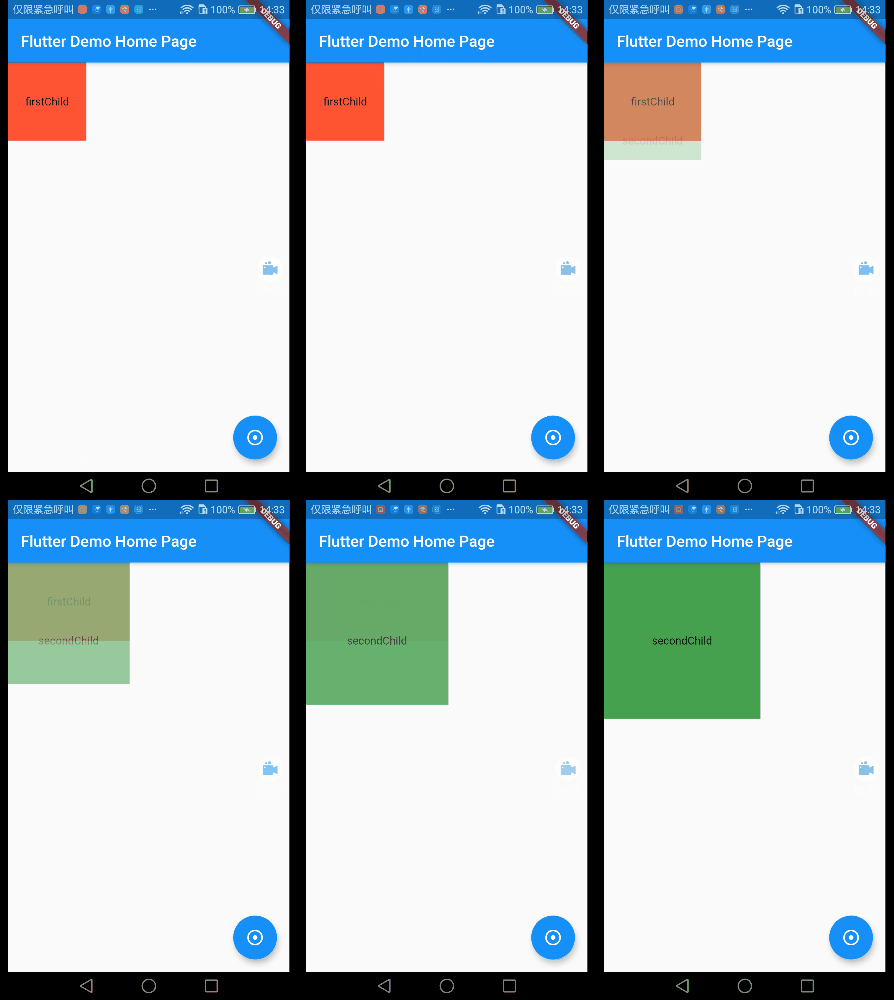
个人说明:CrossFade,故名思意,淡入淡出,AnimatedCrossFade组件包含两个子widget,一个firstChild一个secondChild,这两个组件根据状态(我们自己定义的一个标识)改变状态,
一个淡入,一个淡出,同时改变大小或颜色等属性。
class _MyHomePageState extends State<MyHomePage> {

  bool _showFirst = true;

  @override

  Widget build(BuildContext context) {

    return Scaffold(

      appBar: AppBar(

        title: Text(widget.title),

      ),

      body: AnimatedCrossFade(

        firstChild: Container(

          width: ,

          height: ,

          color: Colors.red,

          alignment: Alignment.center,

          child: Text('firstChild'),

        ),

        secondChild: Container(

          width: ,

          height: ,

          color: Colors.green,

          alignment: Alignment.center,

          child: Text('secondChild'),

        ),

        duration: Duration(seconds: ),

        crossFadeState:

            _showFirst ? CrossFadeState.showFirst : CrossFadeState.showSecond,

      ),

      floatingActionButton: FloatingActionButton(

        onPressed: () {

          setState(() {

            _showFirst = false;

          });

        },

        tooltip: 'Increment',

        child: Icon(Icons.adjust),

      ), // This trailing comma makes auto-formatting nicer for build methods.

    );

  }

}
Hero
Hero常用于页面跳转的过长动画,比如电商App有一个商品列表,列表的每个item都有一张缩略图,点击会跳转到详情页面,在Flutter中将图片从一个路由飞到另一个路由称为hero动画,尽管相同的动作有时也称为 共享元素转换。
class _MyHomePageState extends State<MyHomePage> {

  @override

  Widget build(BuildContext context) {

    return Scaffold(

      appBar: AppBar(

        title: Text(widget.title),

      ),

      body: Hero(

        tag: 'heroTag',

        child: ClipOval(

          child: Image.asset(

            'images/banner.png',

            width: ,

            height: ,

            fit: BoxFit.cover,

          ),

        ),

      ),

      floatingActionButton: FloatingActionButton(

        onPressed: () {

          setState(() {

            Navigator.push(context, MaterialPageRoute(builder: (_) {

              return new HeroPage();

            }));

          });

        },

        tooltip: 'Increment',

        child: Icon(Icons.adjust),

      ), // This trailing comma makes auto-formatting nicer for build methods.

    );

  }

}
详情页面:
import 'package:flutter/material.dart';

class HeroPage extends StatelessWidget {

  @override

  Widget build(BuildContext context) {

    return MaterialApp(

      title: 'HeroPage',

      home: Scaffold(

        appBar: AppBar(

          title: Text('HeroPage'),

        ),

        body: Center(

          child: GestureDetector(

            child: Hero(

              tag: 'heroTag',

              child: ClipOval(

                child: Image.asset(

                  'images/banner.png',

                  width: ,

                  height: ,

                  fit: BoxFit.cover,

                ),

              ),

            ),

            onTap: () {

              Navigator.pop(context);

            },

          ),

        ),

      ),

    );

  }

}
注:特别强调一下,为了将两个页面的元素关联起来,hero有个tag标识,前后两个页面的tag标识必须一样,不然的话元素是关联不起来的,也就意味着不会产生hero动画。
1.同级tag不允许相同。
2.前后页面想要有hero动画,tag必须相同。
3.前后关联起来的hero组件,其各自内部的child组件不是必须一样的,就是说前面的hero的子组件可以是image,后面的hero的子组件可以是image以外的其他组件。

AnimatedBuilder
class _MyHomePageState extends State<MyHomePage>

    with SingleTickerProviderStateMixin {

  Animation<double> _animation;

  AnimationController _animationController;

  @override

  void initState() {

    _animationController =

        AnimationController(duration: Duration(seconds: ), vsync: this);

    _animation =

        new Tween(begin: 0.0, end: 200.0).animate(_animationController);

    _animationController.forward();

    super.initState();

  }

  @override

  void dispose() {

    _animationController.dispose();

    super.dispose();

  }

  @override

  Widget build(BuildContext context) {

    return Scaffold(

        appBar: AppBar(

          title: Text(widget.title),

        ),

        body: AnimatedBuilder(

          animation: _animation,

          builder: (BuildContext context, Widget child) {

            return Center(

              child: Container(

                color: Colors.red,

                width: _animation.value,

                height: _animation.value,

                child: child,

              ),

            );

          },

        ));

  }

}
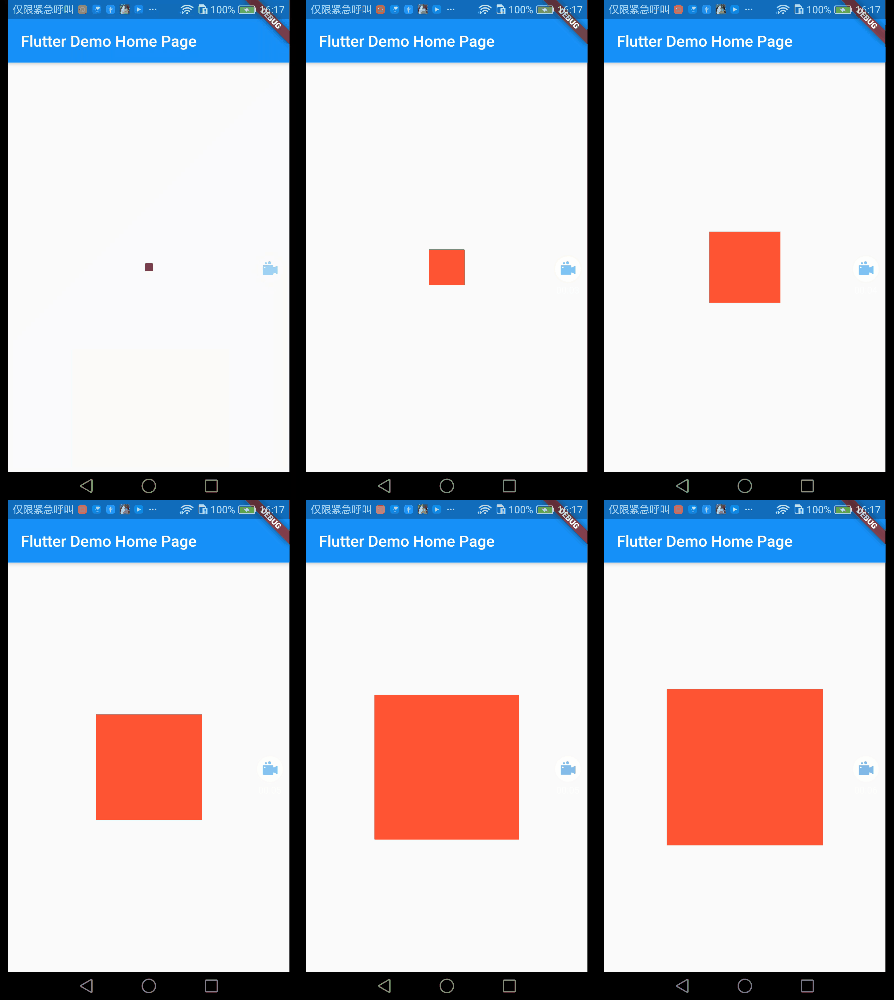
AnimationController:动画控制器(定义动画过程时长)。
Animation:动画变化区间值(也可以说是开始和结束的关键帧值),demo里定义的值为初始0,结束200。
_animation.value:关键帧值是0和200,_animation.value的值为0--200之间连续变化的值(0-1-2-3-...-198-199-200)。
DecoratedBoxTransition
Decortated可以给容器添加各种外观装饰,比如增加圆角、阴影等装饰。DecoratedBox的动画版本,可以给它的Decoration不同属性使用动画
class _MyHomePageState extends State<MyHomePage>

    with SingleTickerProviderStateMixin {

  Animation<Decoration> _animation;

  AnimationController _animationController;

  @override

  void initState() {

    _animationController =

        AnimationController(duration: Duration(seconds: ), vsync: this);

    _animation = DecorationTween(

            begin: BoxDecoration(

                borderRadius: BorderRadius.all(Radius.circular(0.0)),

                color: Colors.red),

            end: BoxDecoration(

                borderRadius: BorderRadius.all(Radius.circular(30.0)),

                color: Colors.green))

        .animate(_animationController);

    _animationController.forward();

    super.initState();

  }

  @override

  void dispose() {

    _animationController.dispose();

    super.dispose();

  }

  @override

  Widget build(BuildContext context) {

    return Scaffold(

      appBar: AppBar(title: Text(widget.title)),

      body: Center(

        child: DecoratedBoxTransition(

          decoration: _animation,

          child: Container(

            width: ,

            height: ,

          ),

        ),

      ),

    );

  }

}

FadeTransition
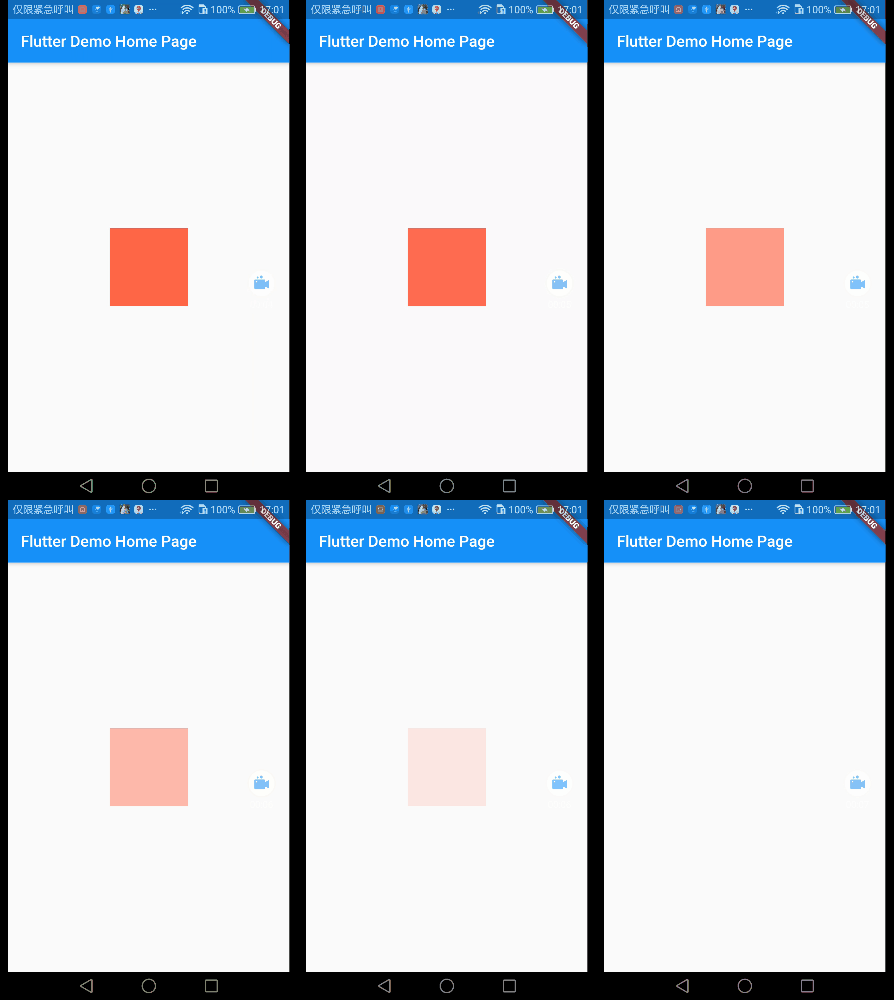
透明度变化动画,因为透明度也是在0-1之间变化的,所以animation就还继续用double类型的就可以了。
class _MyHomePageState extends State<MyHomePage>

    with SingleTickerProviderStateMixin {

  Animation<double> _animation;

  AnimationController _animationController;

  @override

  void initState() {

    _animationController =

        AnimationController(duration: Duration(seconds: ), vsync: this);

    _animation = Tween(begin: 1.0, end: 0.0).animate(_animationController);

    _animationController.forward();

    super.initState();

  }

  @override

  void dispose() {

    _animationController.dispose();

    super.dispose();

  }

  @override

  Widget build(BuildContext context) {

    return Scaffold(

      appBar: AppBar(title: Text(widget.title)),

      body: Center(

        child: FadeTransition(

          opacity: _animation,

          child: Container(

            width: ,

            height: ,

            decoration: BoxDecoration(

              color: Colors.red,

            ),

          ),

        ),

      ),

    );

  }

}
- RotationTransition
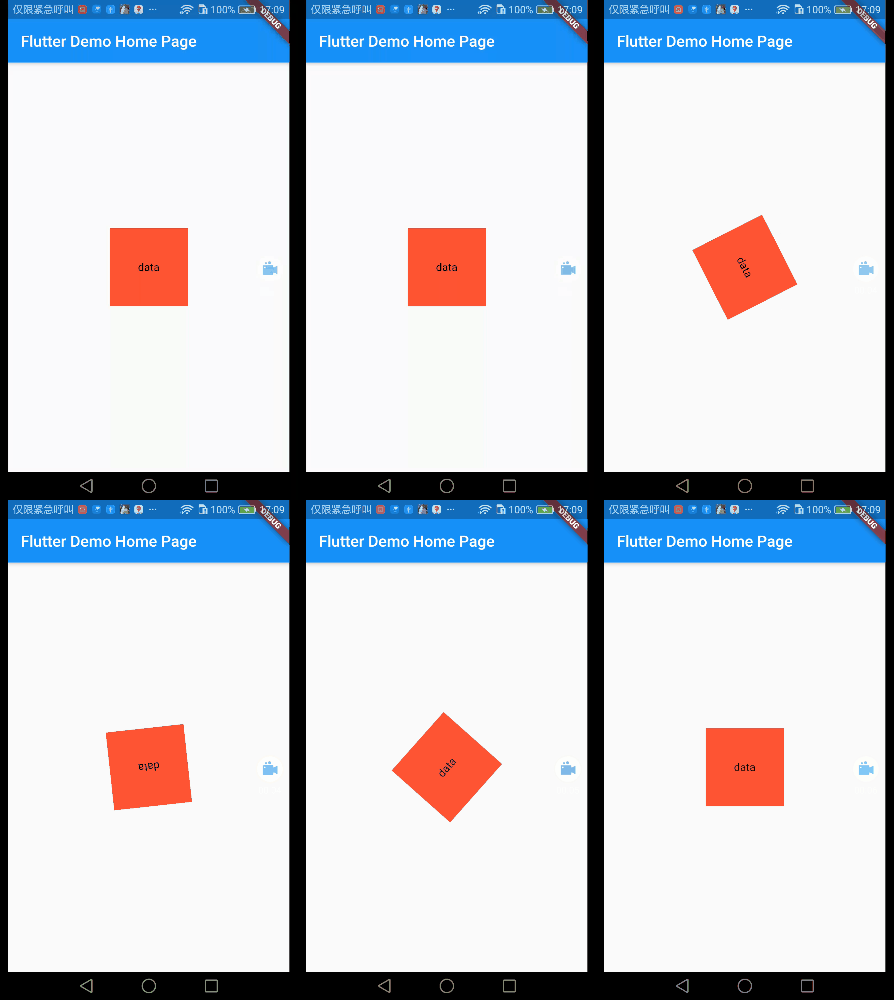
旋转动画,对widget使用旋转动画 1~360°(Tween(begin: 0.0, end: 1.0))这里的0-1指的是0°-360°
class _MyHomePageState extends State<MyHomePage>

    with SingleTickerProviderStateMixin {

  Animation<double> _animation;

  AnimationController _animationController;

  @override

  void initState() {

    _animationController =

        AnimationController(duration: Duration(seconds: ), vsync: this);

    _animation = Tween(begin: 0.0, end: 1.0).animate(_animationController);

    _animationController.forward();

    super.initState();

  }

  @override

  void dispose() {

    _animationController.dispose();

    super.dispose();

  }

  @override

  Widget build(BuildContext context) {

    return Scaffold(

      appBar: AppBar(title: Text(widget.title)),

      body: Center(

        child: RotationTransition(

          turns: _animation,

          child: Container(

            width: ,

            height: ,

            decoration: BoxDecoration(

              color: Colors.red,

            ),

            child: Center(child: Text('data')),

          ),

        ),

      ),

    );

  }

}
ScaleTransition
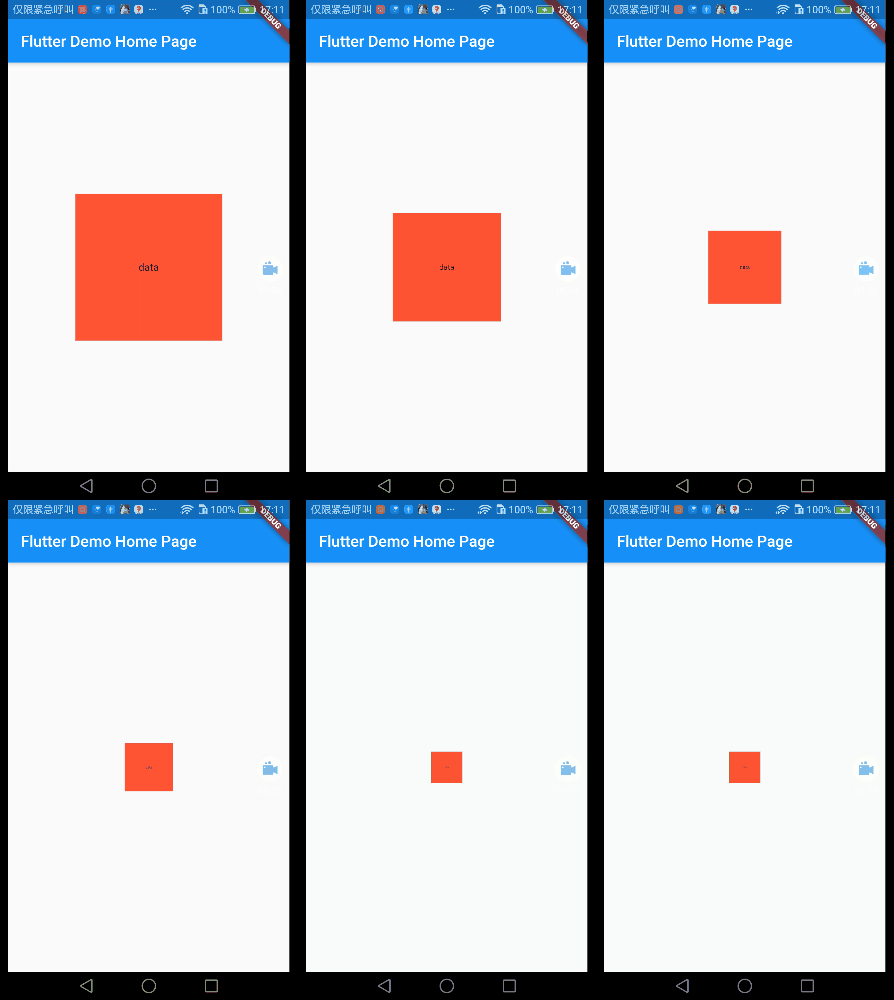
缩放动画,Tween(begin: 1.0, end: 0.2)指的是原大小的倍数,demo里是由原大小缩小到原来的0.2倍。
class _MyHomePageState extends State<MyHomePage>

    with SingleTickerProviderStateMixin {

  Animation<double> _animation;

  AnimationController _animationController;

  @override

  void initState() {

    _animationController =

        AnimationController(duration: Duration(seconds: ), vsync: this);

    _animation = Tween(begin: 1.0, end: 0.2).animate(_animationController);

    _animationController.forward();

    super.initState();

  }

  @override

  void dispose() {

    _animationController.dispose();

    super.dispose();

  }

  @override

  Widget build(BuildContext context) {

    return Scaffold(

      appBar: AppBar(title: Text(widget.title)),

      body: Center(

        child: ScaleTransition(

          scale: _animation,

          child: Container(

            width: ,

            height: ,

            decoration: BoxDecoration(

              color: Colors.red,

            ),

            child: Center(child: Text('data')),

          ),

        ),

      ),

    );

  }

}
SizeTransition
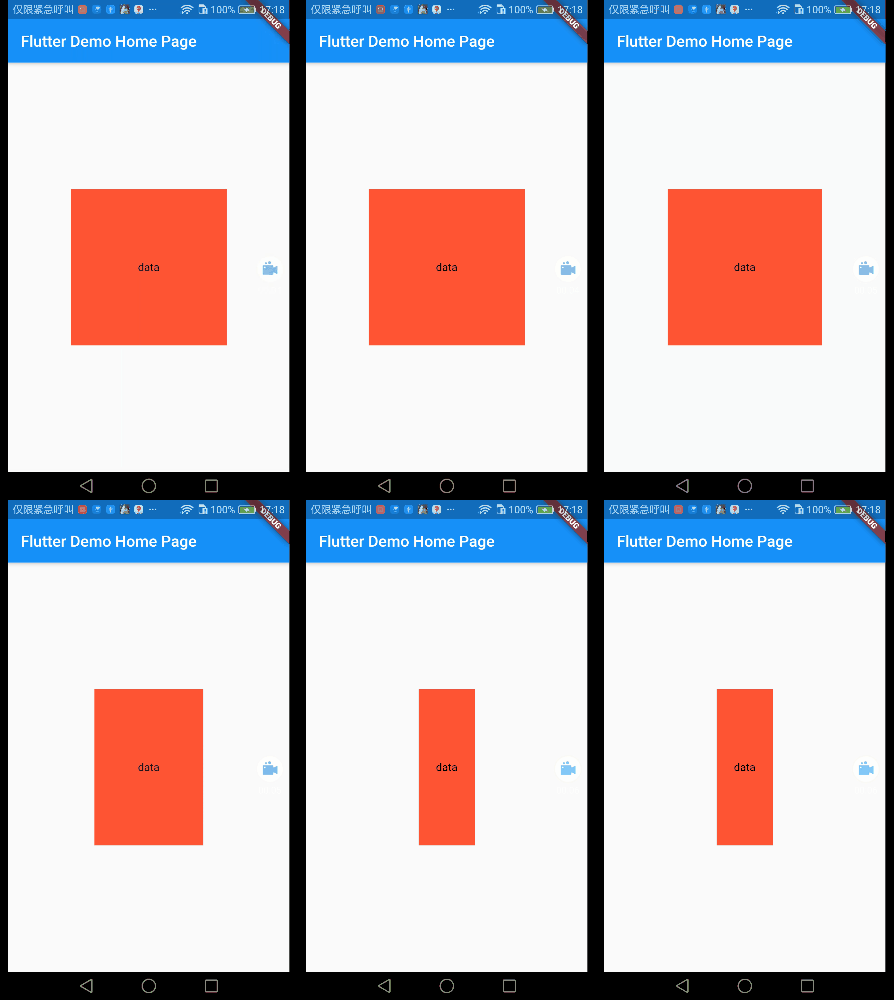
仅一个方向进行缩放
class _MyHomePageState extends State<MyHomePage>

    with SingleTickerProviderStateMixin {

  Animation<double> _animation;

  AnimationController _animationController;

  @override

  void initState() {

    _animationController =

        AnimationController(duration: Duration(seconds: ), vsync: this);

    _animation = Tween(begin: 1.0, end: 0.2).animate(_animationController);

    _animationController.forward();

    super.initState();

  }

  @override

  void dispose() {

    _animationController.dispose();

    super.dispose();

  }

  @override

  Widget build(BuildContext context) {

    return Scaffold(

      appBar: AppBar(title: Text(widget.title)),

      body: Center(

        child: SizeTransition(

          axis: Axis.horizontal,

          sizeFactor: _animation,

          child: Center(

            child: Container(

              width: ,

              height: ,

              decoration: BoxDecoration(

                color: Colors.red,

              ),

              child: Center(child: Text('data')),

            ),

          ),

        ),

      ),

    );

  }

}
以上!有任何疑问欢迎留言!
Flutter学习笔记(36)--常用内置动画的更多相关文章
- MySQL学习笔记_7_MySQL常用内置函数
MySQL常用内置函数 说明: 1)可以用在SELECT/UPDATE/DELETE中,及where,orderby,having中 2)在函数里将字段名作为参数,变量的值就是字段所对应的每一行的值. ...
- hive学习笔记之七:内置函数
欢迎访问我的GitHub https://github.com/zq2599/blog_demos 内容:所有原创文章分类汇总及配套源码,涉及Java.Docker.Kubernetes.DevOPS ...
- JavaWeb学习笔记--2.3内置对象
参考资料:http://www.cnblogs.com/qqnnhhbb/archive/2007/10/16/926234.html 目录 1. JSP内置对象分类2. 属性保存范围 2.1 pag ...
- springboot学习笔记:6.内置tomcat启动和外部tomcat部署总结
springboot的web项目的启动主要分为: 一.使用内置tomcat启动 启动方式: 1.IDEA中main函数启动 2.mvn springboot-run 命令 3.java -jar XX ...
- Oracle学习笔记十四 内置程序包
扩展数据库的功能 为 PL/SQL 提供对 SQL 功能的访问 用户 SYS 拥有所有程序包 是公有同义词 可以由任何用户访问 一些内置程序包 程序包名称 说明 STANDARD和DBMS_STAND ...
- Prometheus监控学习笔记之PromQL 内置函数
概述 Prometheus 提供了其它大量的内置函数,可以对时序数据进行丰富的处理.某些函数有默认的参数,例如:year(v=vector(time()) instant-vector).其中参数 v ...
- javascript学习笔记 - 引用类型 单体内置对象
七 单体内置对象 1.Global对象 不属于任何对象的属性和方法,都归于它.全局作用域中定义的变量.函数,都属于Global对象 1.1 URI编码 encodeURI <=>deco ...
- python学习三十八天常用内置函数分类汇总
python给我们提供丰富的内置函数,不用去写函数体,直接调用就可以运行,很方便快速给我提供开发所需要的函数. 1,查内存地址 id() 变量的内存地址 id() 2,输入输出 input() pr ...
- flutter常用内置动画组件
文章目录 AnimatedContainer AnimatedCrossFade Hero AnimatedBuilder DecoratedBoxTransition FadeTransition ...
随机推荐
- python3.7 64bit安装pygame1.9.3
https://blog.csdn.net/xiaolixi199311/article/details/79209506/
- mysql 数据类型笔记
一. varchar存储规则: 4.0版本以下,varchar(20),指的是20字节,如果存放UTF8汉字时,只能存6个(每个汉字3字节) 5.0版本以上,varchar(20),指的是20字符,无 ...
- Hadoop Yarn REST API未授权漏洞利用
Hadoop Yarn REST API未授权漏洞利用 Hadoop是一个由Apache基金会所开发的分布式系统基础架构,YARN是hadoop系统上的资源统一管理平台,其主要作用是实现集群资源的统一 ...
- Golang基础教程——map使用篇
本文始发于个人公众号:TechFlow,原创不易,求个关注 今天是golang专题的第7篇文章,我们来聊聊golang当中map的用法. map这个数据结构我们经常使用,存储的是key-value的键 ...
- 开心一下-实现一个基于Java的中文编程语言2
https://mp.weixin.qq.com/s/VmCTvh0c7X9DjIgIMycdlw 上一篇所提到的只是使用中文写Java,而不能算作一门新的语言.作为一门中文语言,需要语言提供的关 ...
- Chisel3 - 字面量(literal)
https://mp.weixin.qq.com/s/uiW4k4DeguvYsG8LhHk2Ug 介绍Chisel3中基本数据类型的字面量的写法,及其背后的实现机制,也就是Scala隐式规则. ...
- Java实现 蓝桥杯VIP 算法训练 斜率计算
输入两个点的坐标,即p1 = (x1, y1)和p2=(x2, y2),求过这两个点的直线的斜率.如果斜率为无穷大输出"INF". 样例输入 1 2 2 4 样例输出 2 样例输入 ...
- Java实现 蓝桥杯 算法训练 纪念品分组
问题描述 元旦快到了,校学生会让乐乐负责新年晚会的纪念品发放工作.为使得参加晚会的同学所获得的纪念品价值 相对均衡,他要把购来的纪念品根据价格进行分组,但每组最多只能包括两件纪念品,并且每组纪念品的价 ...
- Java实现 洛谷 P1023 税收与补贴问题
import java.util.Scanner; public class Main { public static void main(String[] args){ Scanner in = n ...
- Java实现迷宫城堡(强连通图的判定)
1 问题描述 Problem Description 为了训练小希的方向感,Gardon建立了一座大城堡,里面有N个房间(N<=10000)和M条通道(M<=100000),每个通道都是单 ...