
Android中使用Intent的Action和Data属性实现点击按钮跳转到拨打电话和发送短信
场景
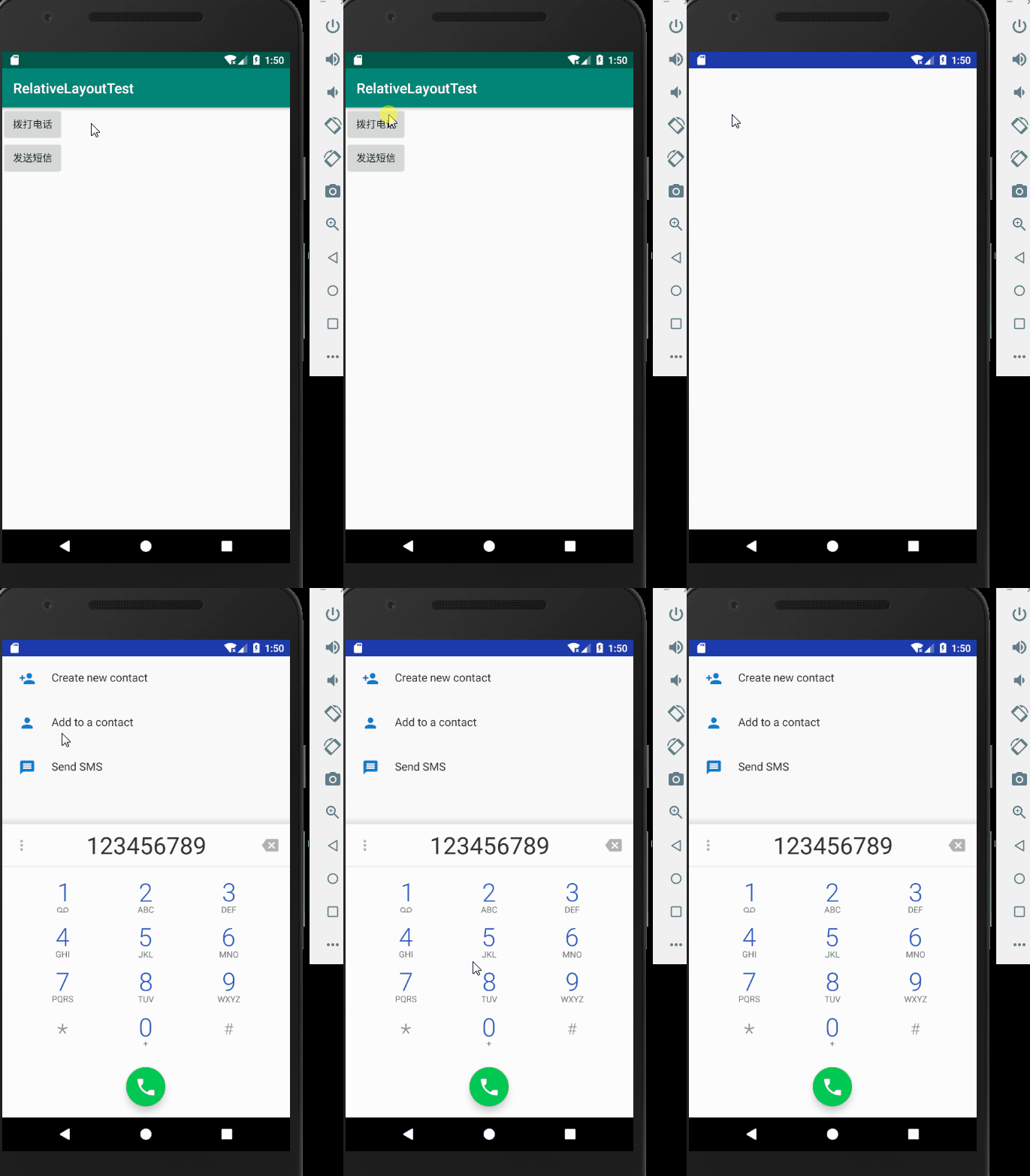
点击拨打电话按钮,跳转到拨打电话页面
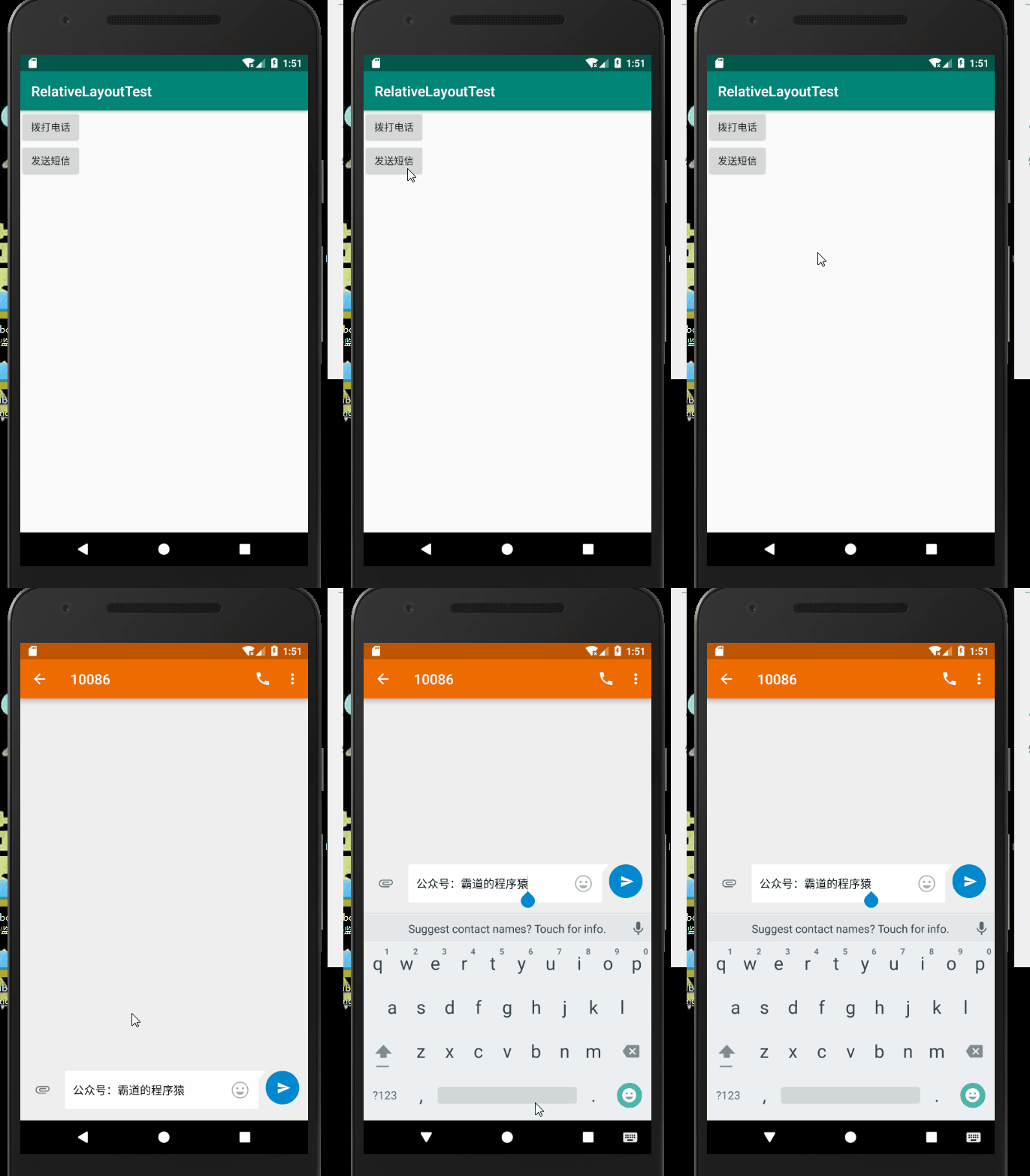
点击发送短信按钮,跳转到发送短信页面
注:
博客:
https://blog.csdn.net/badao_liumang_qizhi
关注公众号
霸道的程序猿
获取编程相关电子书、教程推送与免费下载。
实现
将布局改为LinearLayout,并通过android:orientation="vertical">设置为垂直布局,然后添加id属性。
然后添加两个按钮,并设置Id属性与显示文本。
<?xml version="1.0" encoding="utf-8"?>

<LinearLayout xmlns:android="http://schemas.android.com/apk/res/android"

    xmlns:app="http://schemas.android.com/apk/res-auto"

    xmlns:tools="http://schemas.android.com/tools"

    android:layout_width="match_parent"

    android:layout_height="match_parent"

    android:orientation="vertical"

    tools:context=".IntentActivity">

    <Button

        android:id="@+id/call"

        android:text="拨打电话"

        android:layout_width="wrap_content"

        android:layout_height="wrap_content"/>

    <Button

        android:id="@+id/send"

        android:text="发送短信"

        android:layout_width="wrap_content"

        android:layout_height="wrap_content"/>

</LinearLayout>
然后来到Activity,首先通过ID获取者两个Button
        Button buttonCall = (Button) findViewById(R.id.call);

        Button buttonSend = (Button) findViewById(R.id.send);
又因为这两个Button的点击事件监听器差不多,所有抽离出一个公共的点击事件监听器对象。
View.OnClickListener listener = new View.OnClickListener() {

        @Override

        public void onClick(View v) {

            Intent intent = new Intent();

            //将view强转为Button

            Button button = (Button) v;

            //根据button的id

            switch(button.getId()){

                //如果是拨打电话按钮

                case R.id.call:

                    //设置Action行为属性

                    intent.setAction(intent.ACTION_DIAL);

                    //设置数据 后面123456789是默认要拨打的电话

                    intent.setData(Uri.parse("tel:123456789"));

                    startActivity(intent);

                    break;

                case R.id.send:

                    //设置行为为 发送短信

                    intent.setAction(intent.ACTION_SENDTO);

                    //设置发送至 10086

                    intent.setData(Uri.parse("smsto:10086"));

                    //设置短信的默认发送内容

                    intent.putExtra("sms_body","公众号:霸道的程序猿");

                    startActivity(intent);

                    break;

            }

        }

    };
然后在OnCreate中对按钮设置点击事件监听器。
完整示例代码
package com.badao.relativelayouttest;

import androidx.appcompat.app.AppCompatActivity;

import android.content.Intent;

import android.net.Uri;

import android.os.Bundle;

import android.view.View;

import android.widget.Button;

public class IntentActivity extends AppCompatActivity {

    @Override

    protected void onCreate(Bundle savedInstanceState) {

        super.onCreate(savedInstanceState);

        setContentView(R.layout.activity_intent);

        Button buttonCall = (Button) findViewById(R.id.call);

        Button buttonSend = (Button) findViewById(R.id.send);

        buttonCall.setOnClickListener(listener);

        buttonSend.setOnClickListener(listener);

    }

    View.OnClickListener listener = new View.OnClickListener() {

        @Override

        public void onClick(View v) {

            Intent intent = new Intent();

            //将view强转为Button

            Button button = (Button) v;

            //根据button的id

            switch(button.getId()){

                //如果是拨打电话按钮

                case R.id.call:

                    //设置Action行为属性

                    intent.setAction(intent.ACTION_DIAL);

                    //设置数据 后面123456789是默认要拨打的电话

                    intent.setData(Uri.parse("tel:123456789"));

                    startActivity(intent);

                    break;

                case R.id.send:

                    //设置行为为 发送短信

                    intent.setAction(intent.ACTION_SENDTO);

                    //设置发送至 10086

                    intent.setData(Uri.parse("smsto:10086"));

                    //设置短信的默认发送内容

                    intent.putExtra("sms_body","公众号:霸道的程序猿");

                    startActivity(intent);

                    break;

            }

        }

    };

}
因为用到了打电话和发动短信,所以需要声明这两个权限,打开AndroidMainfest.xml
    <!--添加打电话权限-->

    <uses-permission android:name="android.permission.CALL_PHONE"/>

    <!--添加发送短信权限-->

    <uses-permission android:name="android.permission.SEND_SMS"/>
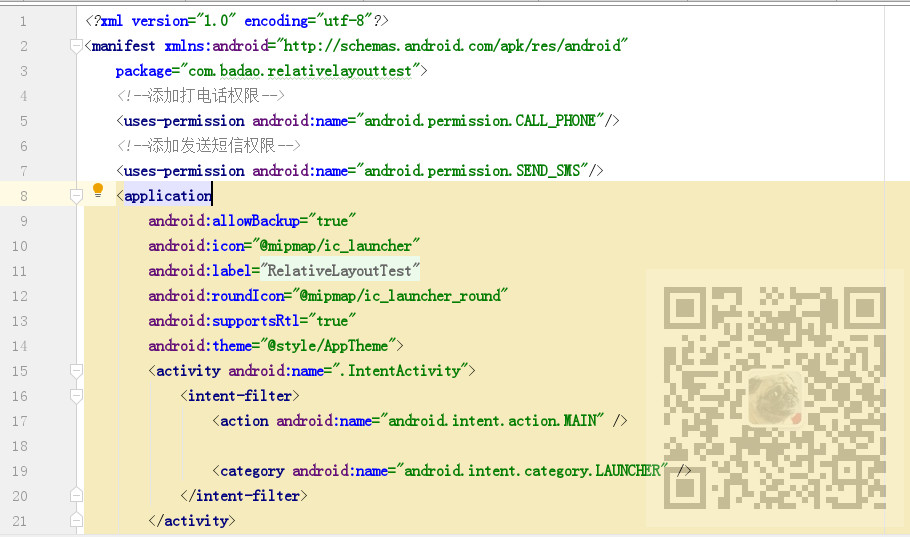
添加位置如下
Android中使用Intent的Action和Data属性实现点击按钮跳转到拨打电话和发送短信的更多相关文章
- Android 打开URL中的网页和拨打电话、发送短信功能
拨打电话需要的权限 <uses-permission android:name="android.permission.CALL_PHONE"/> 为了省事界面都写一起 ...
- java攻城师之路(Android篇)--搭建开发环境、拨打电话、发送短信、布局例子
一.搭建开发环境 1.所需资源 JDK6以上 Eclipse3.6以上 SDK17, 2.3.3 ADT17 2.安装注意事项 不要使用中文路径 如果模拟器默认路径包含中文, 可以设置android_ ...
- 脚本控制向Android模拟拨打电话,发送短信,定位设置功能
做行为触发的时候要向模拟器实现拨打电话,发送短信,定位设置的的功能,可以很方便通过telnet localhost 5554实现. 写个脚本很快的搞定了.网上资料很多,脚本的很少,也所积点德啦. 写 ...
- Android开发手记(15) 拨打电话和收发短信
1.Intent简介 Android组价之间的通信,由Intent来协助完成.Intent负责对应用中一次操作的动作.动作涉及数据.附加数据进行描述,Android则根据此Intent的描述,负责找到 ...
- html5页面中 触发 拨打电话、发短信 的方式
<a href="tel:18688888888">拨号</a> <a href="sms:18688888888">发短信 ...
- Intent的属性及Intent-filter配置——实例Action、Data属性启动系统Activity
一旦为Intent同时指定了Action.Data属性,那么Android将可根据指定的数据类型来启动特定的应用程序,并对指定数据类型执行相应的操作. 下面是几个Action属性.Data属性的组合. ...
- Android中的intent属性
android之Intent的七大属性 2015年04月03日 ⁄ Android ⁄ 共 14866字 ⁄ 字号 小 中 大 ⁄ 1条评论 Intent用于封装程序的“调用意图”.两个Activit ...
- android使用Intent操作拨打号码发送短信
Activity程序Activity.java package com.example.intentcaseproject; import android.net.Uri; import androi ...
- android 中调用接口发送短信
android中可以通过两种方式发送短信 第一:调用系统短信接口直接发送短信:主要代码如下: //直接调用短信接口发短信 SmsManager smsManager = SmsManager.getD ...
随机推荐
- windows下远程访问Linux系统中mysql
1,查询MySQL数据库是否允许远程ip访问,命令如下: sql语句: use mysql; select host, user from user; 查询结果为127.0.0.1或者localhos ...
- python3操作PyMySQL笔记
python3操作mysql需要先安装PyMySQL pip install PyMySQL 在linux登录mysql ,并且在安装数据库时设置了数据库的用户名“root”和密码“root”,mys ...
- keras模型可视化
#keras.utils.vis_utils模块提供了画出Keras模型的函数(keras版本2.0.2以上)pip install graphviz pip install pydotplus im ...
- 科普文,搭建python开发环境
Python简介!首先,是一门面向对象的程序设计语言,先说3个优点!1.有条理,简单,易学,易用.2.强大!可以把其他编程语言制作的模块利用起来.3.拥有丰富的库.Python作为高级编程语言,拥有的 ...
- HDU-6185-Covering(推递推式+矩阵快速幂)
Covering Time Limit: 5000/2500 MS (Java/Others) Memory Limit: 32768/32768 K (Java/Others)Total Su ...
- ES6笔记分享 part 2
ECMAScript ES6 从一脸懵逼到灵活运用 接 part 1 New String Methods const id = 'adcd123456x'; const fan = 'I love ...
- Docker底层架构之基础架构
Docker 采用了 C/S架构,包括客户端和服务端. Docker daemon 作为服务端接受来自客户 的请求,并处理这些请求(创建.运行.分发容器). 客户端和服务端既可以运行在一个机器上,也可 ...
- 本机链接虚拟机的mapreduce错误解决方法
hadoop2.7.7的压缩包(已经含有hadoop.dll和winutils.exe路径就在hadoop/bin下)以及令附一个hadoop2x-eclipse-plugin-master文件 链接 ...
- ROS和Gazebo进行机器人仿真(二)
一.在Gazebo中使用ROS控制器 在本节中,我们将讨论如何在Gazebo中让机器人的每个关节运动. 为了让关节动起来,我们需要分配一个ROS控制器,尤其是,我们需要为每个关节连上一个与transm ...
- 实验15: STP
实验12: STP Ø 实验目的通过本实验,读者可以掌握如下技能:(1) 理解STP 的工作原理(2) 掌握STP 树的控制(3) 利用PVST 进行负载平衡 Ø 实验拓扑 SW1 和S ...