
兄弟连 企业shell笔试题 16-31
企业实践题16:
企业案例:写网络服务独立进程模式下rsync的系统启动脚本
例如:/etc/init.d/rsyncd{start|stop|restart} 。
要求:
1.要使用系统函数库技巧。
2.要用函数,不能一坨SHI的方式。
3.可被chkconfig管理。
脚本1:自己写的
#!/bin/bash

pidfile="/var/run/rsyncd.pid"

result=`ps aux|grep  'rsync --daemon --config=*'|grep -v grep`

Rstatus(){

if [ "$result"X = X ];then

 echo "rsyncd is not running !"

else

 echo "rsyncd is running"

fi

}

Rstart(){

if [ "$result"X == X ];then

 /usr/bin/rsync --daemon --config=/etc/rsyncd/rsyncd.conf

 echo "rsync service start.......OK"

else

 echo "rsyncd is running"

fi

}

Rstop(){

if [ "$result"X == X ];then

   echo "rsync service is down !"

   exit

else

 kill - $(cat $pidfile)

 Rstatus2=`ps aux|grep  'rsync --daemon --config=*'|grep -v grep`

 if [ "$Rstatus2"X = X ];then

   rm -f $pidfile

   echo "rsync service stop.......OK"

 fi

fi

}

Rrestart(){

if [ "$result"X != X ];then

 Rstop

 /usr/bin/rsync --daemon --config=/etc/rsyncd/rsyncd.conf

 echo "rsync service start.......OK"

else

 echo "rsync service is down !"

fi

}

case $ in

"start" )

 Rstart

;;

"stop" )

 Rstop

;;

"restart" )

 Rrestart

;;

"status" )

 Rstatus

;;

* )

echo "argument is start|stop|status|restart"

;;

esac
脚本2:网上找的
#!/bin/bash

#this script for start|stop rsync daemon service

status1=$(ps -ef | egrep "rsync --daemon.*rsyncd.conf" | grep -v 'grep')

pidfile="/var/run/rsyncd.pid"

start_rsync="rsync --daemon --config=/etc/rsyncd/rsyncd.conf"

                    #start rsync

function rsyncstart() {

    if [ "${status1}X" == "X" ];then

        rm -f $pidfile

        ${start_rsync}

        status2=$(ps -ef | egrep "rsync --daemon.*rsyncd.conf" | grep -v 'grep')

        if [  "${status2}X" != "X"  ];then

            echo "rsync service start.......OK"

        fi

    else

        echo "rsync service is running !"

    fi

}

                  #stop rsync

function rsyncstop() {

    if [ "${status1}X" != "X" ];then

        kill - $(cat $pidfile)                               #读取并结束 进程 pid号

        status2=$(ps -ef | egrep "rsync --daemon.*rsyncd.conf" | grep -v 'grep')

        if [ "${statusw2}X" == "X" ];then

            echo "rsync service stop.......OK"

        fi

    else

        echo "rsync service is not running !"

    fi

}

              #status

function rsyncstatus() {

    if [ "${status1}X" != "X" ];then

        echo "rsync service is running !"

    else

         echo "rsync service is not running !"

    fi

}

           #restart

function rsyncrestart() {

    if [ "${status1}X" == "X" ];then

               echo "rsync service is not running..."

               rsyncstart

        else

               rsyncstop

               rsyncstart

        fi

}

case $ in

        "start")

               rsyncstart

                ;;

        "stop")

               rsyncstop

                ;;

        "status")

               rsyncstatus

               ;;

        "restart")

               rsyncrestart

               ;;

        *)

          echo

                echo  "Usage: $0 start|stop|restart|status"

          echo

esac
展开
企业实践题17:
需要一个抓阄的程序:
要求:
1、执行脚本后,想去的同学输入英文名字全拼,产生随机数01-99之间的数字,数字越大就去参加项目实践,前面已经抓到的数字,下次不能在出现相同数字。
2、第一个输入名字后,屏幕输出信息,并将名字和数字记录到文件里,程序不能退出继续等待别的学生输入。
重点语句分析:
产生01-99随机数
我开始使用的是 echo $RANDOM | head -c 2 这个语句只能产生 10-99
修改后为 echo $(($RANDOM%100))
用嵌套的两个while 来完成接收用户名和 生成数字-判断数字重重功能
#!/bin/bash

namelist=/tmp/name.txt

#判断数字是否重复

judgeNum(){

grep -w $ $namelist

if [ "$?" -eq  ];then

 a=

else

 a=

fi

}

while  read -p "please input your name:" name

do

 a=

 while [ $a -eq  ]  #数字不重复就跳出第二个while ,重复就再生成一个

  do

   num=`echo $(($RANDOM%+))`

   judgeNum $num

  done

 echo "$name:$num" |  tee -a $namelist  #结果显示到屏幕 并 追加到文件中

done
企业实践题18:
已知下面的字符串是通过RANDOM随机数变量md5sum|cut-c 1-8截取后的结果,请破解这些字符串对应的md5sum前的RANDOM对应数字?
21029299
00205d1c
a3da1677
1f6d12dd
890684b
重点语句分析:
我直接用 爆破法了
查看一个变量是否包含在 数组内两个方法
1. if [[ ${array[*]} =~ $variable ]]
2. echo ${array[*]} | grep -w "xxx"
#!/bin/bash

array=( 00205d1c a3da1677 1f6d12dd 890684ba)

count=

for i in `seq  `

do

variable=`echo $i | md5sum | cut -c -`

 if [[  ${array[*]} =~ $variable ]];then

  let count++

  echo "$count: $i ==>> $variable"

 fi

[ $count -eq  ] && exit

done
运行结果
# bash 18old.sh
1: 1346 ==>> 00205d1c
2: 7041 ==>> 1f6d12dd
3: 10082 ==>> 890684ba
4: 25345 ==>> a3da1677
5: 25667 ==>> 21029299
企业实践题19:
批量检查多个网站地址是否正常
要求:shell数组方法实现,检测策略尽量模拟用户访问思路
http://www.etiantian.org
http://www.taobao.com
http://oldboy.blog.51cto.com
http://10.0.0.7
重点语句分析:
验证网站的可行性两种方法
wget -T 5 -t 2 --spider
http_code=`curl -m 5 -s -o /dev/null -w %{http_code}
#!/bin/bash

[ -f /etc/init.d/functions ] && source /etc/init.d/functions

array=(

http://www.163.com

http://www.taobao.com

http://oldboy.blog.51cto.com

http://10.0.0.7

)

wait(){

echo -n "wait"

for((a=;a<=;a++))

do

 echo -n "."

 sleep

done

}

check_url(){

wget -T  -t  --spider $ &>/dev/null

RETVAL=$?

if [ $RETVAL -eq  ];then

 action "check $1" /bin/true

else

 action "check $1" /bin/false

fi

return $RETVAL

}

main(){

for((i=;i< ${#array[*]};i++))

do

 wait

 check_url ${array[i]}

done

}

main
运行结果:
# bash 19old.sh
wait...check http://www.163.com [ OK ]
wait...check http://www.taobao.com [FAILED]
wait...check http://oldboy.blog.51cto.com [ OK ]
wait...check http://10.0.0.7
淘宝访问失败是因为 ssl 验证
企业实践题20:
1、按单词出现频率降序排序!
2、按字母出现频率降序排序!
the squid project provides a number of resources toassist users design,implement and support squid installations. Please browsethe documentation and support sections for more infomation
重点语句分析:
单词排序 先把这一句话 按空格符 生成一个单词一行,然后再排序
1.使用for循环将这一变量(句话) 再用 sort uniq sort 排序
2.使用 sed 's/ /\n/g' | sort | uniq -c | sort -r
3.使用 tr ' ' '\n'|sort|uniq -c |sort -r
字母排序
将字符串变量while read 按行输入,然后截取cut -c 每一个字符 存入文件(一行一个字符)
sort进行排序统计
#!/bin/bash

a="the squid project provides a number of resources toassist users design,implement and support squid installations. Please browsethe documentation and support sections for more infomation"

word=/tmp/word.txt

word_sort(){

for i in `echo $a`

do

echo $i >> $word

done

cat $word|sort|uniq -c|sort -rn

}

letter_sort(){

echo $a |

while read line

do

 for i in `seq  ${#line}`

 do

  echo $line |cut -c "$i" >> $word

 done

done

cat $word |sort|uniq -c|sort -rn

}
main(){
[ -f $word ] && rm -f $word
echo "word sort input 1"
echo "letter sort input 2"
read num
case $num in
"1")
word_sort
;;
"2")
letter_sort
;;
*)
echo "please input 1 or 2"
esac
}
main
企业实践题21:
输出正方形、等腰三角形、直角梯形
1.输出正方形
这里使用+ 或者 ■ 这两种符号实现
加号的宽度应该乘以2 长宽才相等
#!/bin/bash

echo -n "please input a number:"

read a

let b=a*

for((i=;i<=$a;i++))

do

 printf "%-"$b"s\n" "+"|sed 's/ /+/g'

done
其次使用两个for循环嵌套 来实现
#!/bin/bash

echo "input a number"

read num

let num2=num*

for((a=;a<="$num";a++))

do

 echo -e "\n"

 for((b=;b<="$num2";b++))

 do

  echo -n +

 done

done
2.输出直角梯形
#!/bin/bash

echo -n "please input a number:"

read a

for((i=;i<=$a;i++))

do

 printf "%-"$i"s\n" "+"|sed 's/ /+/g'

done
#!/bin/bash

echo "input a number"

read num

#let num2=num*

for((a=;a<="$num";a++))

do

 echo -e "\n"

 for((b=;b<=a;b++))

 do

  echo -n "+"

 done

done
3.输出等腰梯形
用四个for循环来构造,第一个for确定每一行,第二个for 打印每行前段空格,第三个for输出+,第四个for打印每行末尾空格
#!/bin/bash

echo "please a number"

read num

let sum=num*+

for((a=;a<=num;a++))

do

 for((b=;b<=$[(sum-*a-)/];b++))

 do

  echo -n " "

 done

 for((b=;b<=$[*a-];b++))

 do

  echo -n "+"

 done

 for((b=;b<=$[(sum-*a-)/];b++))

 do

  echo -n " "

 done

 echo -e "\n"

done
企业实践题22:
开发通过web界面展示监控Nginx代理节点状态,效果图如下。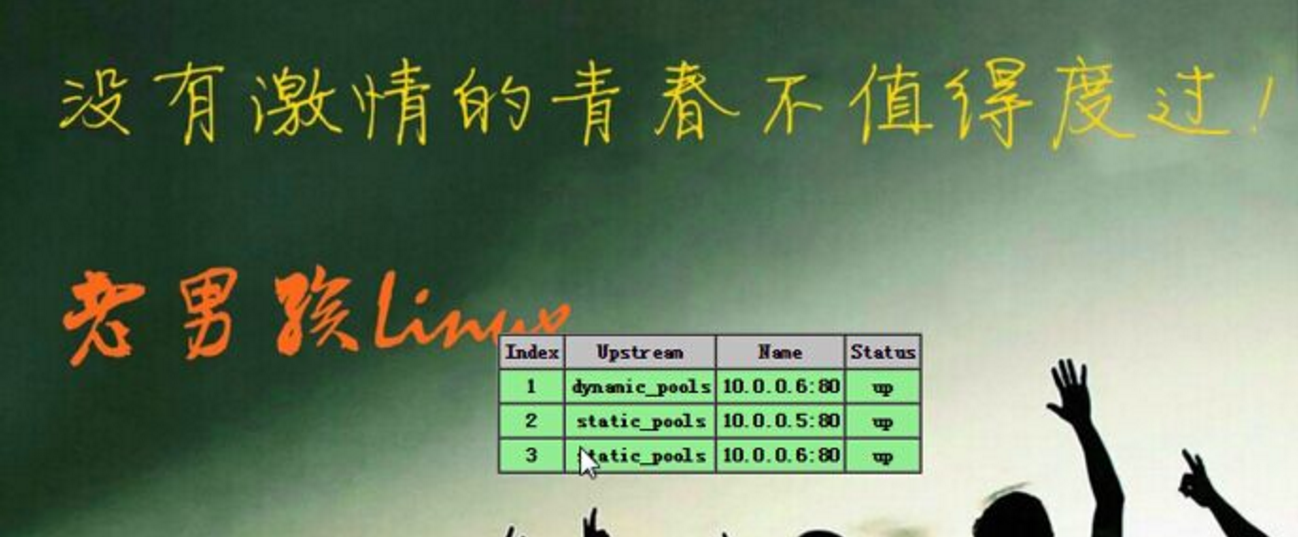
思路:
首先新建一个html页面(如上图),然后编写shell脚本检测机器状态,
检测结果直接修改html文件,up-》down。
我这里简单写了一个脚本:
#!/bin/bash

html_file=/var/www/html/status.html

array=(

192.168.0.104

)

check(){

array[]=`netstat -anptl | grep "httpd"|wc -l`

}

output(){

if [ ${array[]} -eq  ];then

  echo '<td align="center" bgcolor="green"><font size="15">OK!</font></td>' > $html_file

elif [ ${array[]} -eq  ];then

  echo '<td align="center" bgcolor="green"><font size="15">OK!</font></td>' > $html_file

fi

}

while true

do

check

output

sleep

done
网上找到一个比较好的脚本
#!/bin/bash

#Author: Stanley Wang

#mail:

#Version: 1.0

#Description: This is a script for nginx proxy health check.

#

###def vars##########

RS=(

  172.16.1.191

  172.16.1.192

)

PORT=

html_file="/var/html/www/index.html"

declare -a RSTATUS

###main##############

function checkrs(){

  local I=

  for ((I=;I<${#RS[*]};I++))

  do

    RSTATUS[$I]=`nmap ${RS[$I]} -p $PORT|grep "open"|wc -l`

  done

}

function output(){

    if [ ${RSTATUS[]} -eq  ];then

      #echo "${RS[$i]} is down!"

      sed -i '22 s/.*/<td align="center" bgcolor="red"><font size="15">Down!<\/font><\/td>/g' $html_file

    elif [ ${RSTATUS[]} -eq  ];then

      #echo "${RS[$i]} is OK!"

      sed -i '22 s/.*/<td align="center" bgcolor="green"><font size="15">OK!<\/font><\/td>/g' $html_file

    fi

    if [ ${RSTATUS[]} -eq  ];then

      #echo "${RS[$i]} is down!"

      sed -i '28 s/.*/<td align="center" bgcolor="red"><font size="15">Down!<\/font><\/td>/g' $html_file

    elif [ ${RSTATUS[]} -eq  ];then

      #echo "${RS[$i]} is OK!"

      sed -i '28 s/.*/<td align="center" bgcolor="green"><font size="15">OK!<\/font><\/td>/g' $html_file

    fi

}

while true

do

  checkrs

  output

sleep

done
企业实践题23:
【LVS主节点】手工开发ipvsadm管理lvs的脚本ip_vs
实现:/etc/init.d/lvs {start|stop|restart}
说明为了简化脚本便于理解,这里使用LVS 中的 DR工作模式 + rr轮询模式 ,不使用keepalive
机器ip如下:
vip 10.0.0.90
Director server ip 10.0.0.54
Real server 10.0.0.56 10.0.0.57
#/bin/bash

[ $UID -ne  ] && echo "please use root run" && exit

[ -f /etc/init.d/functions ] && . /etc/init.d/functions

vip=10.0.0.90

vip_netmask=10.0.0.90/

RealServer=(

10.0.0.56

10.0.0.57

)

start(){

ip addr show|grep "$vip" &>/dev/null

#判断网卡上 vip 是否存在,不存在添加

if [ "$?" -ne  ];then

   ip addr add "$vip_netmask" dev ens32

   action "ip address add vip "$vip_netmask"" /bin/true

else

   echo "ip address vip $vip_netmask already exists"

fi

#判断ipvsadm中 vip是否存在,不存在则添加

lvs_table=`ipvsadm -ln|grep "$vip"|wc -l`

if [ "$lvs_table" -eq   ];then

   echo "ipvsadm vip already exist"

else

   ipvsadm -A -t "$vip": -s rr

   action "ipvsadm add vip $vip" /bin/true

fi
#判断ipvsadm中 real server是否存在,不存在则添加
for ip in ${RealServer[*]}

do

 rs_num=`ipvsadm -ln | grep "$ip"|wc -l`

 if [ $rs_num -eq  ];then

   echo "real server $ip already exists"

 else

   ipvsadm -a -t "$vip": -r $ip -g

   action "ipvsadm add real server $ip" /bin/true

 fi

done

}

stop(){

ip addr show|grep $vip &>/dev/null

if [ "$?" -ne  ];then

 echo "ip address vip $vip is not exist"

else

 ip addr del $vip_netmask dev ens32

  action "ip address delete vip $vip" /bin/true

fi

ipvsadm -C && action "clear all lvs table." /bin/true

}

case "$1" in

start)

start

;;

stop)

stop

;;

restart)

stop

sleep

start

;;

*)

echo "please input {start|stop|restart}"

esac
企业实践题24:
【LVS主节点】模拟keepalived健康检查功能管理LVS节点,
当节点挂掉(检测2次,间隔2秒)从服务器池中剔除,好了(检测2次,间隔2秒)加进来
提示:利用ipvsadm命令实现添加和减少LVS节点。
机器ip如下:
vip 10.0.0.90
Director server ip 10.0.0.54
Real server 10.0.0.56 10.0.0.57
说明:这道题目是 编写脚本 检查 Real server 服务器的状态,失效的则使用命令ipvsadm 踢出 ,状态恢复则用 ipvsadm 重新加入
使用两个函数 ,函数判断如下
status_del()函数
| ipvsadm中是否存在 | 两次检测状态 | 操作 |
| 在 | ×× | 从ipvsadm中删除 |
| 在 | √× 或 √√ | echo running |
| 不在 | ×× | echo down |
status_add() 函数
ipvsadm 中不存在 两次检测状态√√ 向ipvsadm中添加这个real server ip
#!/bin/bash

[ $UID -ne  ] && echo "please use root run" && exit

[ -f /etc/init.d/functions ] && . /etc/init.d/functions
#定义 vip 和real server ip
vip=10.0.0.90

vip_netmask=10.0.0.90/

RealServer=(

10.0.0.56

10.0.0.57

)

status_del(){

for Rs_ip in ${RealServer[*]}

do

 error=0   #定义检测失败次数
#进行两次检测
for((i=;i<=;i++))

 do

   x=` nmap -p  $Rs_ip | grep 'open' | wc -l`

   if [ "$x" -eq  ];then

     let error+=

   fi

   sleep

 done
#检查real主机ip 是否在 ipvsadm列表中

vs_ip=`ipvsadm -ln|grep $Rs_ip | wc -l`
#两次检测失败,而且real ip存在ipvsadm列表中,执行向ipvsadm中添加命令
if [ $error -eq  -a $vs_ip -ne  ];then

     ipvsadm -d -t "$vip": -r "$Rs_ip":

     echo "Real server $Rs_ip is down,delete it"
#两次检测失败,而且不存在ipvsadm列表中,输出 down

 elif [ $error -eq  -a $vs_ip -eq  ];then

     echo "Real server $Rs_ip is down"
#检测失败次数为0或者1,列表中存在,输出 running

 elif [ $error -ne  -a $vs_ip -ne  ];then

   echo "Real server $Rs_ip is running"

 fi

done

}

status_add(){

for Rs_ip in ${RealServer[*]}

do

 bingo=

 for((i=;i<=;i++))

 do

   x=` nmap -p  $Rs_ip | grep 'open' | wc -l`

   if [ "$x" -eq  ];then

     let bingo+=

   fi

   sleep

 done

vs_ip=`ipvsadm -ln|grep $Rs_ip | wc -l`
#两次检测成功,real ip不在ipvsadm中,执行向ipvsadm 添加ip 命令

 if [ $bingo -eq  -a $vs_ip -eq  ];then

     ipvsadm -a -t "$vip": -r "$Rs_ip":

     echo "Real server $Rs_ip is recover,add it"

 fi

done

}

main(){

while true

do

 status_del

 sleep

 status_add

 sleep

done

}

main
企业实践题25:
【LVS客户端节点】开发LVS客户端设置VIP以及抑制ARP的管理脚本
实现:/etc/init.d/lvsclient {start|stop|restart}
说明:在real server 上 实现脚本开关命令
机器ip如下:
vip 10.0.0.90
Director server ip 10.0.0.54
Real server 10.0.0.56 10.0.0.57
#!/bin/bash

[ -f /etc/init.d/functions ] && . /etc/init.d/functions

vip=10.0.0.90

vip_netmask=10.0.0.90/

RealServer=10.0.0.56

start(){
# lo网卡上没有vip 则添加

ip addr show|grep "$vip" &>/dev/null

if [ "$?" -ne  ];then

   ip addr add "$vip_netmask" dev lo

fi

echo "" > /proc/sys/net/ipv4/conf/all/arp_ignore

echo "" > /proc/sys/net/ipv4/conf/all/arp_announce
#检测lo是否添加上vip

ip addr show|grep "$vip" &>/dev/null

if [ "$?" -eq  ];then

 action "ip address add vip $vip_netmask ,lvs_client start" /bin/true

else

 action "can't add vip $vip_netmask " /bin/false

fi

}

stop(){
#lo网卡上有 vip 则删掉

ip addr show|grep "$vip" &>/dev/null

if [ "$?" -eq  ];then

   ip addr del "$vip_netmask" dev lo

fi

echo "" > /proc/sys/net/ipv4/conf/all/arp_ignore

echo "" > /proc/sys/net/ipv4/conf/all/arp_announce
#检测删除结果

ip addr show|grep "$vip" &>/dev/null

if [ "$?" -ne  ];then

 action "ip address del vip $vip_netmask ,lvs_client stop" /bin/true

else

 action "can't del vip $vip_netmask " /bin/false

fi

}

case $ in

    start)

      start

    ;;

    stop)

      stop

    ;;

    restart)

          stop

          sleep

          start

    ;;

    *)

      echo "USAGE: $0 {start|stop|restart|status}"

  esac
企业实践题26:
【LVS备节点】模拟keepalved vrrp功能,监听主节点,如果主节点不可访问则备节点启动并配置LVS实现接管主节点的资源提供服务(提醒:注意ARP缓存)
说明:编写的这个脚本运行在LVS的 备用DS上,监听主节点 ,一旦主节点发生故障,立即接管(这里不考虑,主节点恢复后 主备的抢占问题),并退出监控
这里用到了 脚本23的 start() 函数
机器ip如下:
vip 10.0.0.90
Director server ip 10.0.0.54(主) 10.0.0.55(备)
Real server 10.0.0.56 10.0.0.57
#!/bin/bash

[ -f /etc/init.d/functions ] && . /etc/init.d/functions

vip=10.0.0.90

RealServer=(10.0.0.56 10.0.0.57)

gateway=10.0.0.254

dev=ens32

start(){

ip addr show|grep "$vip" &>/dev/null

if [ "$?" -ne  ];then

   ip addr add "$vip"/ dev $dev

   arping -I $dev -c  -s $vip $gateway &>/dev/null

   action "ip address add vip "$vip"" /bin/true

else

   echo "ip address vip $vip already exists"

fi

lvs_table=`ipvsadm -ln|grep "$vip"|wc -l`

if [ "$lvs_table" -eq   ];then

   echo "ipvsadm vip already exist"

else

   ipvsadm -A -t "$vip": -s rr

   action "ipvsadm add vip $vip" /bin/true

fi

for ip in ${RealServer[*]}

do

 rs_num=`ipvsadm -ln | grep "$ip"|wc -l`

 if [ $rs_num -eq  ];then

   echo "real server $ip already exists"

 else

   ipvsadm -a -t "$vip": -r $ip -g

   action "ipvsadm add real server $ip" /bin/true

 fi

done

echo "master is stop ,slave have running"

exit

}

check_lvs(){

ping -c  $vip &>/dev/null

RETVAL=$?

if [ $RETVAL -ne  ];then

  start

else

  echo 'lvs master is good'

fi

}

main(){

while true

do

  check_lvs

  sleep

done

}

main
企业实践题27:
请用shell或Python编写一个正方形(oldboy_square.sh),接收用户输入的数字。
此题与脚本21题 相同,略过
企业实践题28:
请用shell或Python编写一个等腰三角形(oldboy2_triangle.sh),接收用户输入的数字
此题与脚本21题 相同,略过
企业实践题29:
请用shell或Python编写一个等腰三角形(oldboy2_triangle.sh),接收用户输入的数字
此题与脚本21题 相同,略过
兄弟连 企业shell笔试题 16-31的更多相关文章
- 兄弟连 企业shell笔试题 1-15
这些题目收集自网络,对比原来的答案,又根据实际情况重新编写了自己的答案 企业实践题1: (生产实战案例):监控MySQL主从同步是否异常,如果异常,则发送短信或者邮件给管理员.提示:如果没主从同步环境 ...
- 企业Shell面试题及企业运维实战案例(三)
1.企业Shell面试题1:批量生成随机字符文件名案例 使用for循环在/oldboy目录下批量创建10个html文件,其中每个文件需要包含10个随机小写字母加固定字符串oldboy,名称示例如下: ...
- 企业Shell面试题5:解决DOS攻击生产案例
企业Shell面试题5:解决DOS攻击生产案例 写一个Shell脚本解决DOS攻击生产案例. 请根据web日志或者或者网络连接数,监控当某个IP并发连接数或者短时内PV达到100(读者根据实际情况设定 ...
- Shell笔试题1
1.用Shell编程,判断一文件是不是块或字符设备文件,如果是将其拷贝到 /dev 目录下. #!/bin/bash#1.sh#判断一文件是不是字符或块设备文件,如果是将其拷贝到 /dev 目录下#f ...
- 企业shell面试题及解答
1.面试题:使用for循环在/tmp目录下批量创建10个html文件,其中每个文件需要包含10个随机小写字母加固定字符串template,示例如下 aaesdffbnv_template.html 方 ...
- 转:shell笔试题
源地址:http://blog.csdn.net/zcsylj/article/details/6799632 1.用Shell编程,判断一文件是不是块或字符设备文件,如果是将其拷贝到 /dev 目录 ...
- 企业shell面试题:获取51CTO博客列表倒序排序考试题
#!/bin/sh PATH=/usr/local/sbin:/usr/local/bin:/sbin:/bin:/usr/sbin:/usr/bin HTMLFILE=/home/oldboy/ht ...
- Shell笔试题3
1.查找当前目录中所有大于500M的文件,把这些文件名写到一个文本文件中,并统计其个数.find ./ -size +500M -type f | tee file_list | wc -l 2.在目 ...
- Shell笔试题2
1. 从a.log文件中提取包含"WARNING"或"FATAL",同时不包含"IGNOR"的行,然后提取以":"分割的 ...
随机推荐
- 基于Netty和SpringBoot实现一个轻量级RPC框架-Client篇
前提 前置文章: <基于Netty和SpringBoot实现一个轻量级RPC框架-协议篇> <基于Netty和SpringBoot实现一个轻量级RPC框架-Server篇> 前 ...
- gradle 不用打开项目直接编译
gradlew :api-client:install 编辑完后点击
- spdlog 基本结构分析
spdlog 基本结构分析 代码取自 V1.5.0, 代码堪称美学. spdlog 是一个只有头文件的C++日志库,速度非常快,扩展性很强,更重要的是 社区活跃,文档齐全. 使用 参考官方的 exam ...
- python 文件监听
对文件进行监听.过滤 def tail(filename): f = open(file=filename, mode='r', encoding='utf-8') # 打开文件不能用with,因为监 ...
- redis 注意事项
1.scan_iter car_key = 'shopping*' # print(car_key) data_li = [] for i in con.scan_iter(car_key): # p ...
- 个人任务day4
今日任务: 完成注册和登录界面的绘制,并创建用户数据库. 昨日成果: 完成博客数据库的录入和界面跳转.
- MySQL 相关规约(v1.0) (转)
0)前言 a. 基本规约 [强制]表存储引擎必须使用InnoDB(针对主库一般是强制要求的) [强制]表字符集默认使用utf8,必要时候使用utf8mb4(个人踩坑:emoji表情存储问题)•说明:• ...
- 图解kubernetes调度器SchedulerExtender扩展
在kubernetes的scheduler调度器的设计中为用户预留了两种扩展机制SchdulerExtender与Framework,本文主要浅谈一下SchdulerExtender的实现, 因为还有 ...
- Codeforces Round #617 (Div. 3)F. Berland Beauty
题意: 给一棵树,边权未知,现在给m组约束,每组约束给出从u到v路径中的最小值,现在让你给出一组边权,使得符合之前的约束,不能给出输出-1 思路: 因为n较小,对于每组约束我们可以直接暴力修改路径上的 ...
- Python 入门基本知识
编码:是把机器语言翻译成人能看懂的语言 美国信息互换标准代码<<ASSIC>>这张表就是相当于语法表随着发展后面又出现了:gb2312 ——到—— gbk18030 AS ...