
IOS RunLoop 常驻线程的实现
线程常驻,正如其名,我们要实现的事让一个线程长期存在,不被销毁。
这时会有人说,那还不简单吗。
但是这里我们要实现的事如何让线程座椅待命,而且并不是主线程。
首先介绍一下正常情况下的线程使用。
//

//  ViewController.m

//  CX RunLoop 常驻线程的实现

//

//  Created by ma c on 16/3/30.

//  Copyright © 2016年 xubaoaichiyu. All rights reserved.

//

#import "ViewController.h"

#import "CXThread.h"

@interface ViewController ()

@property (nonatomic, strong)CXThread * thread;

@end

@implementation ViewController

- (void)viewDidLoad {

    [super viewDidLoad];

     NSThread* thread = [[CXThread alloc]initWithTarget:self selector:@selector(run) object:nil];

    [thread start];

}

-(void)run{

    NSLog(@"run -- 旭宝爱吃鱼");

}

-(void)test{

    NSLog(@"test -- 旭宝爱吃鱼 %@",[NSThread currentThread]);

}

-(void)touchesBegan:(NSSet<UITouch *> *)touches withEvent:(UIEvent *)event{

    [self test];

    //让test方法在线程thread上实现

//    [self performSelector:@selector(test) onThread:_thread withObject:nil waitUntilDone:nil];

}

@end
上面的代码知识简单的实现了线程的使用。
下面是其效果图(注意线程的销毁)

实际上test与thread并没有关系。
我知识简单的让其输出默认的主线程日志,以供后面对比。
下面是让thread为全局变量
//

//  ViewController.m

//  CX RunLoop 常驻线程的实现

//

//  Created by ma c on 16/3/30.

//  Copyright © 2016年 xubaoaichiyu. All rights reserved.

//

#import "ViewController.h"

#import "CXThread.h"

@interface ViewController ()

@property (nonatomic, strong)CXThread * thread;

@end

@implementation ViewController

- (void)viewDidLoad {

    [super viewDidLoad];

     _thread = [[CXThread alloc]initWithTarget:self selector:@selector(run) object:nil];

    [_thread start];

}

-(void)run{

    NSLog(@"run -- 旭宝爱吃鱼");

}

-(void)test{

    NSLog(@"test -- 旭宝爱吃鱼 %@",[NSThread currentThread]);

}

-(void)touchesBegan:(NSSet<UITouch *> *)touches withEvent:(UIEvent *)event{

    [self test];

    //让test方法在线程thread上实现

//    [self performSelector:@selector(test) onThread:_thread withObject:nil waitUntilDone:nil];

}

@end
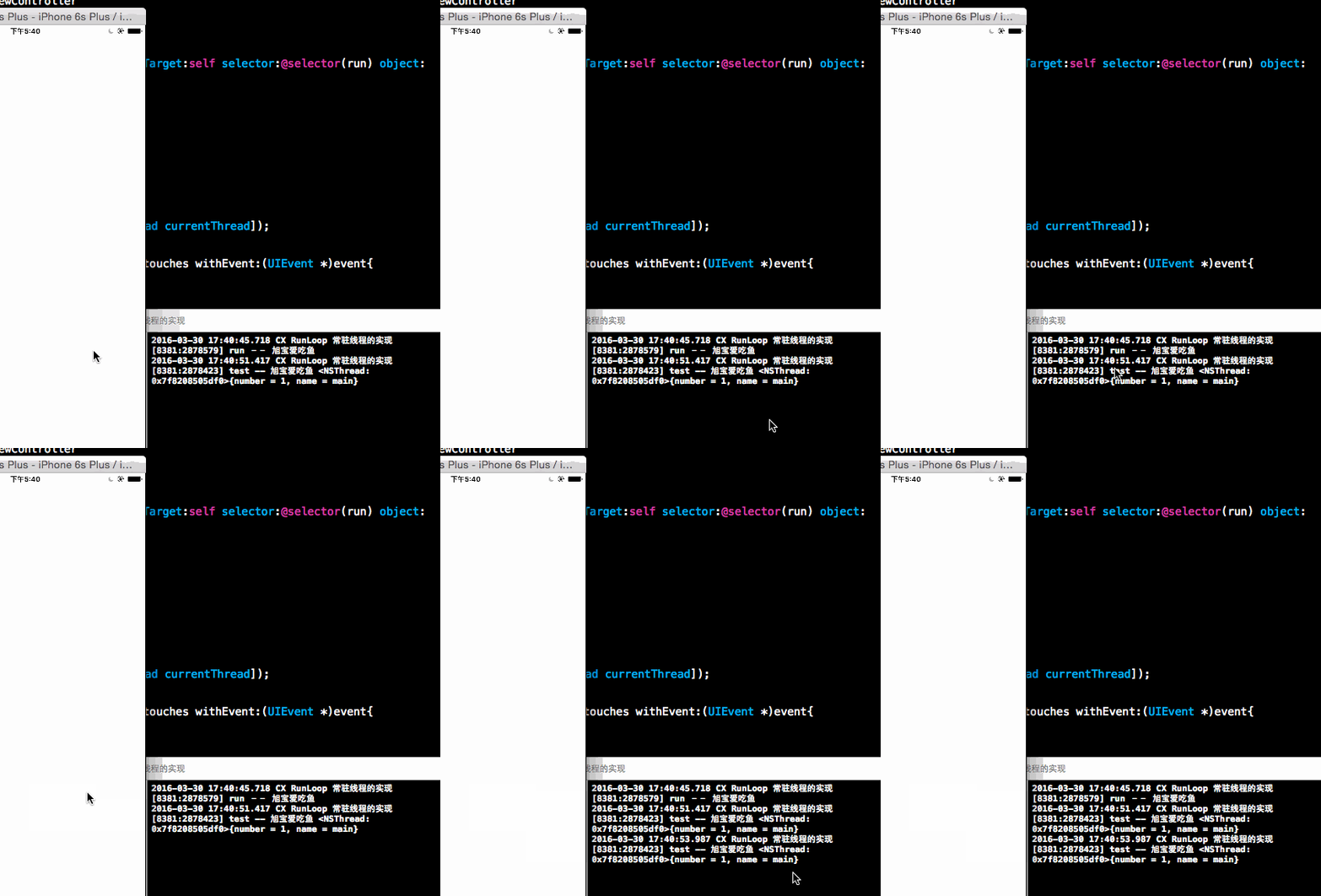
由效果图我们可以发现。thread并没有销毁。而且test,依旧是在主线程上实现的。
但我们想要的是test在thread上实现(实际开发中是不允许耗时操作在主线程中的)
我们让test在thread中实现:(注意虾米那方法并不成功)
//

//  ViewController.m

//  CX RunLoop 常驻线程的实现

//

//  Created by ma c on 16/3/30.

//  Copyright © 2016年 xubaoaichiyu. All rights reserved.

//

#import "ViewController.h"

#import "CXThread.h"

@interface ViewController ()

@property (nonatomic, strong)CXThread * thread;

@end

@implementation ViewController

- (void)viewDidLoad {

    [super viewDidLoad];

     _thread = [[CXThread alloc]initWithTarget:self selector:@selector(run) object:nil];

    [_thread start];

}

-(void)run{

    NSLog(@"run -- 旭宝爱吃鱼");

}

-(void)test{

    NSLog(@"test -- 旭宝爱吃鱼 %@",[NSThread currentThread]);

}

-(void)touchesBegan:(NSSet<UITouch *> *)touches withEvent:(UIEvent *)event{

//    让test方法在线程thread上实现

    [self performSelector:@selector(test) onThread:_thread withObject:nil waitUntilDone:YES];

}

@end

为什么会不成功呢??(我真的点击了)
原因是我们只是单纯的建立了一个线程。。。很单纯的。。。考虑一下我们该怎么做。
那么我们有两种做法实现。
方法一(比较正常的方法)
//

//  ViewController.m

//  CX RunLoop 常驻线程的实现

//

//  Created by ma c on 16/3/30.

//  Copyright © 2016年 xubaoaichiyu. All rights reserved.

//

#import "ViewController.h"

#import "CXThread.h"

@interface ViewController ()

@property (nonatomic, strong)CXThread * thread;

@end

@implementation ViewController

- (void)viewDidLoad {

    [super viewDidLoad];

     _thread = [[CXThread alloc]initWithTarget:self selector:@selector(run) object:nil];

    [_thread start];

}

-(void)run{

    NSLog(@"run -- 旭宝爱吃鱼");

    //添加Port 实时监听

    [[NSRunLoop currentRunLoop] addPort:[NSPort port] forMode:NSDefaultRunLoopMode];

    //添加runloop

    [[NSRunLoop currentRunLoop]run];

}

-(void)test{

    NSLog(@"test -- 旭宝爱吃鱼 %@",[NSThread currentThread]);

}

-(void)touchesBegan:(NSSet<UITouch *> *)touches withEvent:(UIEvent *)event{

//    让test方法在线程thread上实现

    [self performSelector:@selector(test) onThread:self.thread withObject:nil waitUntilDone:NO];

}

@end
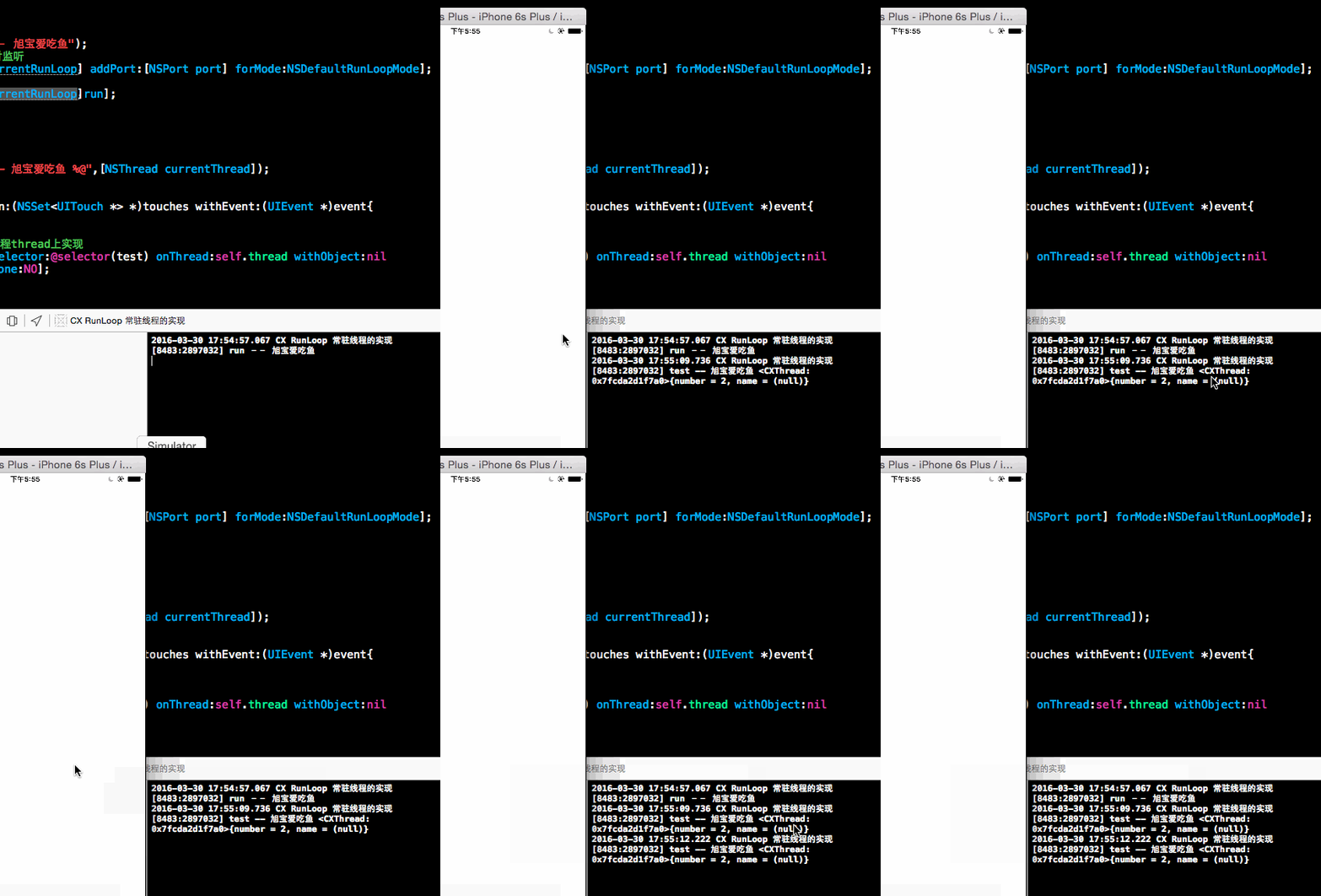
就是这么简单。
方法二
//

//  ViewController.m

//  CX RunLoop 常驻线程的实现

//

//  Created by ma c on 16/3/30.

//  Copyright © 2016年 xubaoaichiyu. All rights reserved.

//

#import "ViewController.h"

#import "CXThread.h"

@interface ViewController ()

@property (nonatomic, strong)CXThread * thread;

@end

@implementation ViewController

- (void)viewDidLoad {

    [super viewDidLoad];

     _thread = [[CXThread alloc]initWithTarget:self selector:@selector(run) object:nil];

    [_thread start];

}

-(void)run{

    NSLog(@"run -- 旭宝爱吃鱼");

    while () {

        //添加runloop

        [[NSRunLoop currentRunLoop]run];

    }

}

-(void)test{

    NSLog(@"test -- 旭宝爱吃鱼 %@",[NSThread currentThread]);

}

-(void)touchesBegan:(NSSet<UITouch *> *)touches withEvent:(UIEvent *)event{

//    让test方法在线程thread上实现

    [self performSelector:@selector(test) onThread:self.thread withObject:nil waitUntilDone:NO];

}

@end
IOS RunLoop 常驻线程的实现的更多相关文章
- iOS之创建一个常驻线程
// 当创建一个线程,并且希望它一直存在时,但往往我们创建的线程都是执行完成之后也就停止了,不能再次利用,那么如何创建一个线程可以让他可以再次工作呢,这个时候就需要使用到RunLoop了.下面的是我写 ...
- iOS Runloop理解
一.RunLoop的定义 当有持续的异步任务需求时,我们会创建一个独立的生命周期可控的线程.RunLoop就是控制线程生命周期并接收事件进行处理的机制. RunLoop是iOS事件响应与任务处理最核心 ...
- IOS多线程之线程的创建
版权声明:原创作品,谢绝转载!否则将追究法律责任. 之前也说过线程是消耗资源的.多线程会占用你应用程序(和系统的)的内存使用和性能方面的资源.我们创建一个线程后可以对他的一些部分进行配置例如可以对 ...
- iOS RunLoop详解
1. RunLoop简介 1.1 什么是RUnLoop 可以理解为字面的意思:Run表示运行,Loop表示循环.结合在一起就是运行的循环.通常叫做运行循环. RunLoop实际上是一个对象,这个对象在 ...
- iOS Runloop 消息循环
介绍 Runloop是一种事件监听循环,可以理解成一个while死循环,监听到事件就起来,没有就休息. Runloop可以在不同模式下进行切换,iOS有五种模式,其中UIInitializationR ...
- iOS runLoop 原理多线程 总结 NSTimer优化
可以理解为字面意思:Run 表示运行,Loop 表示循环.结合在一起就是运行的循环的意思.哈哈,我更愿意翻译为『跑圈』.直观理解就像是不停的跑圈. RunLoop 实际上是一个对象,这个对象在循环中用 ...
- IOS RunLoop面试题
一 什么是RunLoop? 从字面意思看就是运行循环,其实内部就是do-while循环,这个循环内部不断地处理各种任务(比 如Source,Timer,Observer) 一个线程对应一个RunLoo ...
- ios -RunLoop(简单理解)
一. RunLoop简介 RunLoop字面意思是运行时,即跑圈得意思.它可以在我们需要的时候自己跑起来运行,在我们没有操作的时候就停下来休息,充分节省CPU资源,提高程序性能. 二. RunLoop ...
- ios runloop学习
今天突然才之间才意识到NSTimer这样的运行方式,是在多线程中实现的循环还是在主线程中去实现的呢.当然不可能是在主线程中的while那么简单,那样什么都干不了,简单看了下NSTimer是以同步方式运 ...
随机推荐
- 窥探Swift编程之别样的HelloWorld
从今天就开始陆陆续续的发布一些有关Swift语言的东西,虽然目前在公司项目开发中Objective-C还是iOS开发的主力军,但是在不久的将来Swift将会成为iOS开发中的新生宠儿.所以在在Xcod ...
- IOS开发之视图和视图控制器
视图(View), 视图控制器(ViewController)是IOS开发UI部分比较重要的东西.在学习视图这一块的东西的时候,感觉和Java Swing中的Panel差不多.在UIKit框架中都有一 ...
- geotrellis使用(十四)导出定制的GeoTiff
Geotrellis系列文章链接地址http://www.cnblogs.com/shoufengwei/p/5619419.html 目录 前言 需求说明 实现方案 总结 一.前言 最 ...
- iOS chart 图表完美解决方案 基于swift
如果打算在app中使用图标功能,这个框架基本能够满足90%的需求 下边是作者的框架的下载地址 ,基于swift2.0 https://github.com/danielgindi/ios-charts ...
- Cesium应用篇:2影像服务(上)
文章中相关范例下载路径:https://yunpan.cn/cByQqkANWN7Pu 访问密码 823d Cesium中提供了多种ImageryProvider方式,来满足用户的实际需 ...
- WPF老矣,尚能饭否——且说说WPF今生未来(中):策略
本文接上文<WPF老矣,尚能饭否——且说说WPF今生未来(上):担心>继续. “上篇”中部分精彩的点评: 虽然WPF不再更新了,但是基于WPF的技术还是在发展着,就比如现在的WinRT,只 ...
- Xamarin.Android之布局文件智能提示问题
一.前言 看到有人问关于xamarin.android的布局没智能提示问题(VS 2015),当然,写布局这东西没提示这是一件相对痛苦的事 ,所以这里就提供一个解决的方案! 二.解决方案 想要智能提示 ...
- hotcss用法
1.0 GitHub下载地址: https://github.com/imochen/hotcss 或者我的百度网盘:http://pan.baidu.com/s/1pKlLqHX 使用方法看demo ...
- deviceFilters与设备过滤
本主题是ASP.NET在移动设备上展示的方面的内容 起初看起来deviceFilters与前面的browserCaps类似.同样也会关联到HttpBrowserCapabilities,而在这里用到的 ...
- 异步编程系列06章 以Task为基础的异步模式(TAP)
p { display: block; margin: 3px 0 0 0; } --> 写在前面 在学异步,有位园友推荐了<async in C#5.0>,没找到中文版,恰巧也想提 ...