
使用Boostrap框架写一个登录\注册界面
Bootstrap是一个Web前端开发框架,使用它提供的css、js文件可以简单、方便地美化HTML控件。一般情况下,对控件的美化需要我们自己编写css代码,并通过标签选择器、类选择器、ID选择器为指定的控件使用。Bootstrap框架为各种控件定义好了很多的类(class),在引入相关文件后,为控件添加相应的类,控件就变成了这个类所规定的样子了。Bootstrap现在有两个版本,Bootstrap 3和Bootstrap 4。关于Bootstrap的更多信息,请查看相关文档:http://www.bootcss.com/,http://www.runoob.com/bootstrap4/bootstrap4-install.html。
Bootstrap小例子
新建一个HTML页面,引入在线的Bootstrap CDN。
 <html>

 <head>

     <meta charset="utf-8">

     <title>Bootstrap示例</title>

     <!-- 新 Bootstrap4 核心 CSS 文件 -->

     <link rel="stylesheet" href="https://cdn.bootcss.com/bootstrap/4.1.0/css/bootstrap.min.css">

     <!-- jQuery文件。务必在bootstrap.min.js 之前引入 -->

     <script src="https://cdn.bootcss.com/jquery/3.2.1/jquery.min.js"></script>

     <!-- popper.min.js 用于弹窗、提示、下拉菜单 -->

     <script src="https://cdn.bootcss.com/popper.js/1.12.5/umd/popper.min.js"></script>

     <!-- 最新的 Bootstrap4 核心 JavaScript 文件 -->

     <script src="https://cdn.bootcss.com/bootstrap/4.1.0/js/bootstrap.min.js"></script>

 </head>

 <body>

 </body>

 </html>
在<body>标签中添加一个Button。
 <body>

     <button>一个button</button>

 </body>
运行后结果为: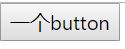
为这个button添加所属的类(class)。
 <body>

     <button class='btn'>一个button</button>

 </body>
结果为: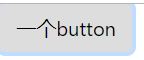
按钮的样子发生了变化,点击这个按钮还会出现浅蓝色的边框。为按钮进行其他类的添加。
 <body>

     <button class='btn btn-primary'>一个button</button>

 </body>
结果为: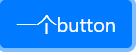
除了btn-primary,还有btn-secondary,btn-success,btn-info,btn-warning,btn-danger,btn-dark,btn-light,btn-link。每一种按钮颜色不同,点击后边框的颜色也不同。
 <body>

     <button class='btn'>基本按钮</button>

     <button class='btn btn-primary'>主要按钮</button>

     <button class='btn btn-secondary'>次要按钮</button>

     <button class='btn btn-success'>成功</button>

     <button class='btn btn-info'>信息</button>

     <button class='btn btn-warning'>警告</button>

     <button class='btn btn-danger'>危险</button>

     <button class='btn btn-dark'>黑色</button>

     <button class='btn btn-light'>浅色</button>

     <button class='btn btn-link'>链接</button>

 </body>
各种样式的button

熟悉了Bootstrap的基本使用,我们就可以进行登录\注册界面的编写了。自己编写css代码也可以写出好看的界面,但使用Bootstrap框架会省去大量的工作,对css的要求也没有那么高。
一、创建一个asp.net空项目并复制数据库到App_Data文件夹
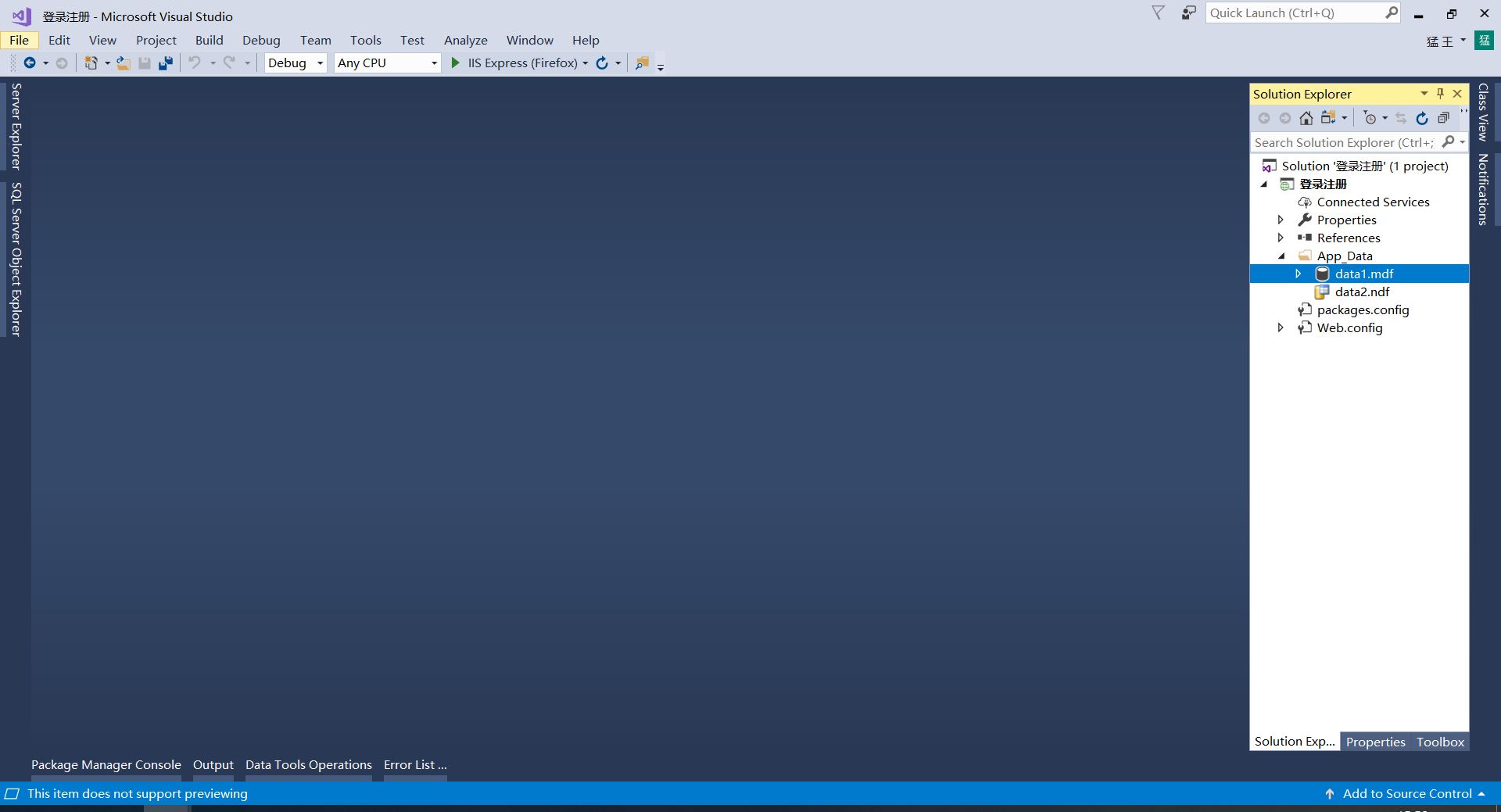
打开Web.config文件,编写数据库连接字符串。
   <!-- 数据库连接-->

   <connectionStrings>

     <add name="connectionString"

          connectionString="Data Source=(LocalDB)\MSSQLLocalDB;AttachDbFilename=|DataDirectory|\data1.mdf;Integrated Security=True"

          providerName="System.Data.SqlClient"/>

   </connectionStrings>
有关创建asp.net空项目、新建App_Data文件夹(文件夹的名字不能更改,否则无法创建数据库的连接)、复制数据库、更改Web.config文件的更多信息,请查看:两种方法实现asp.net方案的前后端数据交互(aspx文件、html+ashx+ajax)。
二、编写HTML页面
右键项目,新建login.html,register.html,login.ashx,register.ashx。有关ashx文件(Generic Handler一般处理程序)和ajax的有关内容、数据库访问的具体语句,请查看:两种方法实现asp.net方案的前后端数据交互(aspx文件、html+ashx+ajax)。
打开HTML页面login.html,进行登录表单的编写。
 <body>

     <!-- 登录表单 -->

     <form style="margin-left:500px;margin-top:200px;">

         <div class="form-group">

             <label for="user" stype="display:inline;">账户:</label>

             <input type="text" class="form-control" id="user" style="display:inline;width:200px;"autocomplete="off" />

         </div>

         <div class="form-group">

             <label for="password" style="display:inline;">密码:</label>

             <input type="text" class="form-control" id="password" style="display:inline;width:200px;"autocomplete="off" />

         </div>

         <button type="submit" class="btn btn-primary">登录</button>

         <button type="submit" class="btn btn-primary">注册</button>

     </form>

 </body>
在最外侧写上<form>标签,输入框、标签、按钮就写在<form>里面。一个标签对应一个输入框,把它们放在一个div里并为div添加类form-group。在这个div内部,为input起个ID名字,label中添加属性for,值就是它对应的input输入框的ID。这样设置结构更清晰,也使用了Bootstrap提供的行距、间距等等。如果不这样写,也可以,但可能会遇到一些问题。label和input的display方式都是inline,行内显示。autocomplete=off清除输入框的历史输入记录。在form表单最后,添加两个button。
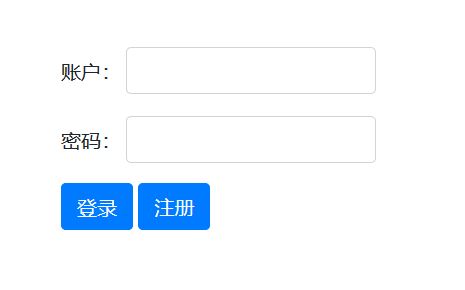
点击注册按钮将跳转到register.html进行注册,点击登录按钮,如果用户名和密码正确,则跳转到主界面index.html。
为两个button添加事件。window.open("跳转的网址或页面","打开方式"),这是window.open()的一种写法,打开方式有4种:_self,_parent,_top,_blank,_blank是打开一个新的窗口,_self是在当前页面打开目标页面,但这里不知道什么原因,_self参数用不了(没有解决)。这里关于asp.net有个小的提示,当编辑好代码并保存后,点击调试或者右键解决方案管理器中的文件-用浏览器打开,有时候代码并没有更新,需要在浏览器中打开源码进行确认。可以交换使用不同的浏览器进行调试。
 <!DOCTYPE html>

 <html>

 <head>

     <meta charset="utf-8" />

     <title>登录界面</title>

     <!-- 新 Bootstrap4 核心 CSS 文件 -->

     <link rel="stylesheet" href="https://cdn.bootcss.com/bootstrap/4.1.0/css/bootstrap.min.css">

     <!-- jQuery文件。务必在bootstrap.min.js 之前引入 -->

     <script src="https://cdn.bootcss.com/jquery/3.2.1/jquery.min.js"></script>

     <!-- popper.min.js 用于弹窗、提示、下拉菜单 -->

     <script src="https://cdn.bootcss.com/popper.js/1.12.5/umd/popper.min.js"></script>

     <!-- 最新的 Bootstrap4 核心 JavaScript 文件 -->

     <script src="https://cdn.bootcss.com/bootstrap/4.1.0/js/bootstrap.min.js"></script>

     <script>

         function register() {

             //跳转到注册界面register.html进行注册

             window.open("register.html", "_blank");  //_self,_parent,_top,_blank

         }

         function login() {

             //登录逻辑

         }

     </script>

 </head>

 <body>

     <!-- 登录表单 -->

     <form style="margin-left:500px;margin-top:200px;">

         <div class="form-group">

             <label for="user" stype="display:inline;">账户:</label>

             <input type="text" class="form-control" id="user" style="display:inline;width:200px;"autocomplete="off" />

         </div>

         <div class="form-group">

             <label for="password" style="display:inline;">密码:</label>

             <input type="text" class="form-control" id="password" style="display:inline;width:200px;"autocomplete="off" />

         </div>

         <button type="submit" class="btn btn-primary" onclick="login()">登录</button>

         <button type="submit" class="btn btn-primary" onclick="register()">注册</button>

     </form>

 </body>

 </html>
在login.html页面中,点击注册按钮将跳转到register.html页面进行注册。下面我们对register.html页面进行编辑。
编写register.html页面,和刚才的登录界面大体相同,只是去掉了登录按钮。在ajax的编写里,要特别注意的是异步async要设置成false,读者可以试一下true和false的区别。
 <!DOCTYPE html>

 <html>

 <head>

     <meta charset="utf-8" />

     <title>注册界面</title>

     <!-- 新 Bootstrap4 核心 CSS 文件 -->

     <link rel="stylesheet" href="https://cdn.bootcss.com/bootstrap/4.1.0/css/bootstrap.min.css">

     <!-- jQuery文件。务必在bootstrap.min.js 之前引入 -->

     <script src="https://cdn.bootcss.com/jquery/3.2.1/jquery.min.js"></script>

     <!-- popper.min.js 用于弹窗、提示、下拉菜单 -->

     <script src="https://cdn.bootcss.com/popper.js/1.12.5/umd/popper.min.js"></script>

     <!-- 最新的 Bootstrap4 核心 JavaScript 文件 -->

     <script src="https://cdn.bootcss.com/bootstrap/4.1.0/js/bootstrap.min.js"></script>

     <script>

         function register() {

             //jQuery写法

             var user = $('#user').val();

             var password = $('#password').val();

             //JavaScript原生写法

             //var user = document.getElementById('user').value;

             //var password = document.getElementById('password').value;

             $.ajax({

                 type: "post",  //post put get 等等

                 url: "register.ashx",

                 //编写注册功能时,要将异步设置为false(缺省为true)

                 //如果async是ture,对于FireFox浏览器,会刷新掉alert()弹出框的内容

                 //对于Chrome浏览器,第一次注册时会执行error的回调函数,输出“请求在连接过程中出现错误..”

                 async:false,

                 data: {  //要传入ashx文件的数据

                     "user": user,

                     "password": password

                 },

                 success: function (data, textStatus) {

                     //连接至ashx文件成功时,执行函数

                     //data是从ashx文件返回来的信息,可以是字符串也可以是一个对象

                     //如果data是字符串,则可以输出data的值

                     //如果data是对象,则可以将这个对象的各属性值赋给其他变量

                     //textStatus是表示状态的字符串,这里textStatus的值是"success"

                     alert(data);

                 },

                 error: function (XMLHttpRequest, textStatus, errorThrown) {  //连接至ashx文件失败时,执行函数

                     //XMLHttpRequest在这个例子里没有用到

                     //textStatus是表示状态的字符串,这里textStatus的值是"error"

                     //errorThrown包含连接失败的信息,可以输出查看

                     alert("请求在连接过程中出现错误..\n" + errorThrown);

                 }

             });

         }

     </script>

 </head>

 <body>

 <!-- 注册表单 -->

     <form style="margin-left:500px;margin-top:200px;">

         <div class="form-group">

             <label for="user" stype="display:inline;">账户:</label>

             <input type="text" class="form-control" id="user" style="display:inline;width:200px;" autocomplete="off" />

         </div>

         <div class="form-group">

             <label for="password" style="display:inline;">密码:</label>

             <input type="text" class="form-control" id="password" style="display:inline;width:200px;" autocomplete="off" />

         </div>

         <button type="submit" class="btn btn-primary" onclick="register()">确认注册</button>

     </form>

 </body>

 </html>
注册功能对应的register.ashx文件:
 using System;

 using System.Collections.Generic;

 using System.Linq;

 using System.Web;

 using System.Data;

 using System.Data.SqlClient;

 namespace 登录注册

 {

     /// <summary>

     /// Summary description for register

     /// </summary>

     public class register : IHttpHandler

     {

         //数据库连接字符串

         string connectionString = System.Configuration.ConfigurationManager.ConnectionStrings["connectionString"].ToString();

         public void ProcessRequest(HttpContext context)

         {

             context.Response.ContentType = "text/plain";

             //context.Response.Write("Hello World");

             string user = context.Request["user"];

             string password = context.Request["password"];

             SqlConnection conn = new SqlConnection(connectionString);

             conn.Open();

             SqlCommand cmd = new SqlCommand();

             cmd.Connection = conn;

             cmd.CommandText = "SELECT * FROM 用户表 WHERE 用户名='" + user + "'";

             try

             {

                 if (cmd.ExecuteScalar() != null)

                 {

                     context.Response.Write("账户已存在!");

                 }

                 else

                 {

                     cmd.CommandText = "INSERT INTO 用户表 VALUES('" + user + "','" + password + "')";

                     if (cmd.ExecuteNonQuery() != )

                     {

                         context.Response.Write("信息添加成功!\n用户名=" + user + "\n密码=" + password);

                     }

                     else

                     {

                         context.Response.Write("信息添加失败..");

                     }

                 }

             }

             catch(Exception e)

             {

                 context.Response.Write("命令执行过程中出现错误..\n" + e.Message);

             }

             conn.Close();

         }

         public bool IsReusable

         {

             get

             {

                 return false;

             }

         }

     }

 }
register.ashx
注册的运行结果:
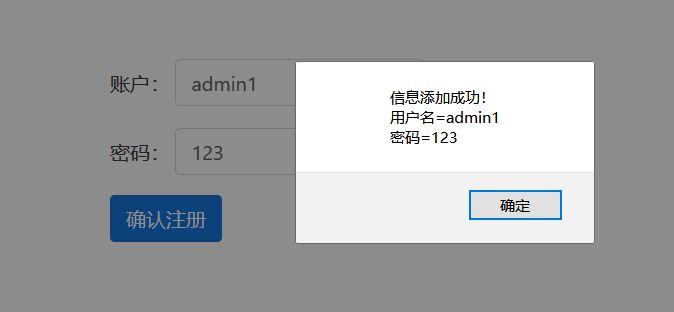
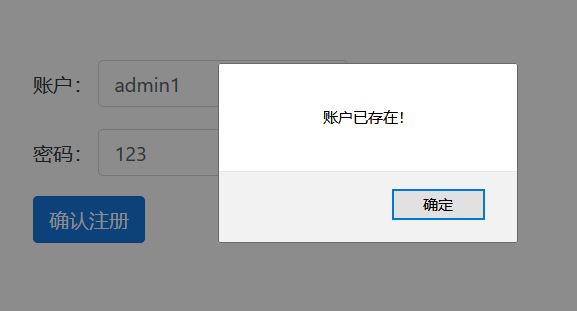
注册功能编写完成,进行登录功能的编写,在function login(){ $.ajax() }中,与注册界面相同,同样要注意异步async要设置成false。
 <!DOCTYPE html>

 <html>

 <head>

     <meta charset="utf-8" />

     <title>登录界面</title>

     <!-- 新 Bootstrap4 核心 CSS 文件 -->

     <link rel="stylesheet" href="https://cdn.bootcss.com/bootstrap/4.1.0/css/bootstrap.min.css">

     <!-- jQuery文件。务必在bootstrap.min.js 之前引入 -->

     <script src="https://cdn.bootcss.com/jquery/3.2.1/jquery.min.js"></script>

     <!-- popper.min.js 用于弹窗、提示、下拉菜单 -->

     <script src="https://cdn.bootcss.com/popper.js/1.12.5/umd/popper.min.js"></script>

     <!-- 最新的 Bootstrap4 核心 JavaScript 文件 -->

     <script src="https://cdn.bootcss.com/bootstrap/4.1.0/js/bootstrap.min.js"></script>

     <script>

         function register() {

             //跳转到注册界面register.html进行注册

             window.open("register.html", "_blank");  //_self,_parent,_top,_blank

         }

         function login() {

             //登录逻辑

             //jQuery写法

             var user = $('#user').val();

             var password = $('#password').val();

             //JavaScript原生写法

             //var user = document.getElementById('user').value;

             //var password = document.getElementById('password').value;

             $.ajax({

                 type: "post",  //post put get 等等

                 url: "login.ashx",

                 //编写登录功能时,要将异步设置为false(缺省为true)

                 //如果async是ture,对于FireFox浏览器,会刷新掉alert()弹出框的内容

                 //对于Chrome浏览器,第一次注册时会执行error的回调函数,输出“请求在连接过程中出现错误..”

                 async:false,

                 data: {  //要传入ashx文件的数据

                     "user": user,

                     "password": password

                 },

                 success: function (data, textStatus) {

                     //连接至ashx文件成功时,执行函数

                     //data是从ashx文件返回来的信息,可以是字符串也可以是一个对象

                     //如果data是字符串,则可以输出data的值

                     //如果data是对象,则可以将这个对象的各属性值赋给其他变量

                     //textStatus是表示状态的字符串,这里textStatus的值是"success"

                     if (data == "admin") {

                         window.open("index.html", "_blank");

                     }

                     else {

                         alert(data);  //这里data是从ashx文件返回的“账户名或密码不存在..

                     }

                 },

                 error: function (XMLHttpRequest, textStatus, errorThrown) {  //连接至ashx文件失败时,执行函数

                     //XMLHttpRequest在这个例子里没有用到

                     //textStatus是表示状态的字符串,这里textStatus的值是"error"

                     //errorThrown包含连接失败的信息,可以输出查看

                     alert("请求在连接过程中出现错误..\n" + errorThrown);

                 }

             });

         }

     </script>

 </head>

 <body>

     <!-- 登录表单 -->

     <form style="margin-left:500px;margin-top:200px;">

         <div class="form-group">

             <label for="user" stype="display:inline;">账户:</label>

             <input type="text" class="form-control" id="user" style="display:inline;width:200px;"autocomplete="off" />

         </div>

         <div class="form-group">

             <label for="password" style="display:inline;">密码:</label>

             <input type="text" class="form-control" id="password" style="display:inline;width:200px;"autocomplete="off" />

         </div>

         <button type="submit" class="btn btn-primary" onclick="login()">登录</button>

         <button type="submit" class="btn btn-primary" onclick="register()">注册</button>

     </form>

 </body>

 </html>
相应login.ashx代码:
 using System;

 using System.Collections.Generic;

 using System.Linq;

 using System.Web;

 using System.Data;

 using System.Data.SqlClient;

 namespace 登录注册

 {

     /// <summary>

     /// Summary description for login

     /// </summary>

     public class login : IHttpHandler

     {

         public void ProcessRequest(HttpContext context)

         {

             //数据库连接字符串

             string connectionString = System.Configuration.ConfigurationManager.ConnectionStrings["connectionString"].ToString();

             context.Response.ContentType = "text/plain";

             //context.Response.Write("Hello World");

             string user = context.Request["user"];

             string password = context.Request["password"];

             SqlConnection conn = new SqlConnection(connectionString);

             conn.Open();

             SqlCommand cmd = new SqlCommand();

             cmd.Connection = conn;

             cmd.CommandText="SELECT * FROM 用户表 WHERE 用户名='"+user+"' AND 密码='" + password + "'";

             try

             {

                 if (cmd.ExecuteScalar() != null)

                 {

                     context.Response.Write("admin");

                 }

                 else

                 {

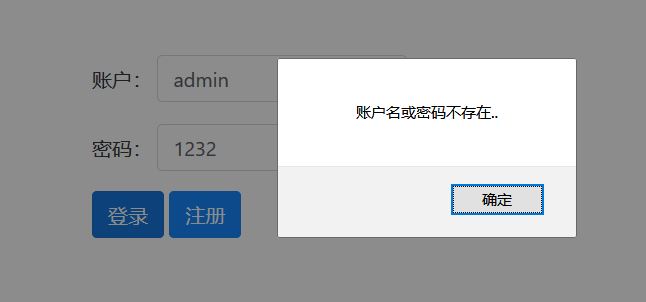
                     context.Response.Write("账户名或密码不存在..");

                 }

             }

             catch(Exception e)

             {

                 context.Response.Write("命令执行过程中出现错误..\n" + e.Message);

             }

             conn.Close();

         }

         public bool IsReusable

         {

             get

             {

                 return false;

             }

         }

     }

 }
login.ashx
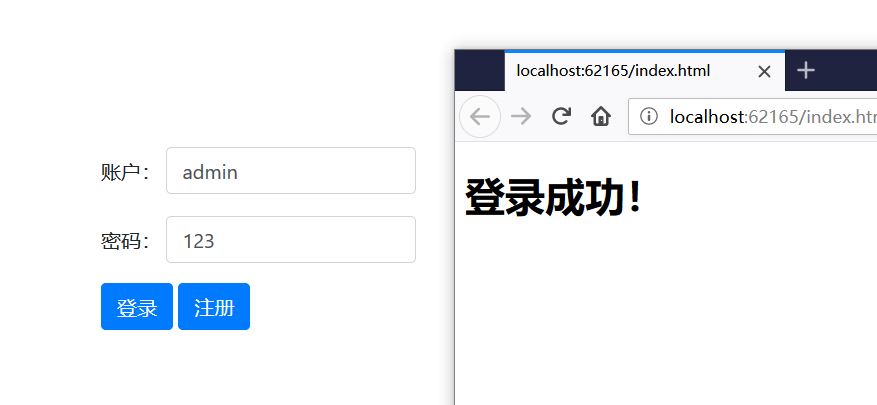
登录界面运行结果:
这个例子使用的工程文件的链接分享(Visual Studio 2017):https://pan.baidu.com/s/1wMlgIp7Iw3fF5_eBhECDvw
使用Boostrap框架写一个登录\注册界面的更多相关文章
- Java-Web 用html和css写一个EasyMall注册界面
要求: html代码: <!DOCTYPE html> <html> <head> <title>EasyMall注册页面</title> ...
- 使用 Flask 框架写用户登录功能的Demo时碰到的各种坑(五)——实现注册功能
使用 Flask 框架写用户登录功能的Demo时碰到的各种坑(一)——创建应用 使用 Flask 框架写用户登录功能的Demo时碰到的各种坑(二)——使用蓝图功能进行模块化 使用 Flask 框架写用 ...
- HTML登录注册界面怎么制作?
在没有学习CSS样式的前提下,是如何做一个简单的注册界面的. 一.表单标签(form) 首先我们先写一个<form></form>的标签,form标签属于表单标签,通常我们的登 ...
- 使用 Flask 框架写用户登录功能的Demo时碰到的各种坑(一)——创建应用
使用 Flask 框架写用户登录功能的Demo时碰到的各种坑(一)——创建应用 使用 Flask 框架写用户登录功能的Demo时碰到的各种坑(二)——使用蓝图功能进行模块化 使用 Flask 框架写用 ...
- 使用 Flask 框架写用户登录功能的Demo时碰到的各种坑(二)——使用蓝图功能进行模块化
使用 Flask 框架写用户登录功能的Demo时碰到的各种坑(一)——创建应用 使用 Flask 框架写用户登录功能的Demo时碰到的各种坑(二)——使用蓝图功能进行模块化 使用 Flask 框架写用 ...
- 使用 Flask 框架写用户登录功能的Demo时碰到的各种坑(三)——使用Flask-Login库实现登录功能
使用 Flask 框架写用户登录功能的Demo时碰到的各种坑(一)——创建应用 使用 Flask 框架写用户登录功能的Demo时碰到的各种坑(二)——使用蓝图功能进行模块化 使用 Flask 框架写用 ...
- 如何快速使用Access实现一个登录验证界面?
大三上学期期末总结,嗯,没错,上学期,写在新学期开始,hhhh. 上学期末的时候信管班的一个同学问我会不会Access,能不能它实现一个登录验证界面,说实话,之前对Access只是有所耳闻,随便敷衍了 ...
- 使用 Flask 框架写用户登录功能的Demo时碰到的各种坑(四)——对 run.py 的调整
使用 Flask 框架写用户登录功能的Demo时碰到的各种坑(一)——创建应用 使用 Flask 框架写用户登录功能的Demo时碰到的各种坑(二)——使用蓝图功能进行模块化 使用 Flask 框架写用 ...
- Python 实现简单的登录注册界面
Python 实现简单的登录注册界面 注意:编写代码之前需要导入很重要的包 import tkinter as tk import pickle from tkinter import message ...
随机推荐
- Python-炫酷二维码
一.环境 首先是安装python环境,如果没有安装python环境看此处 二.myqr myqr 其实是一个 python 的脚本,可以生产二维码图片,作者也对python脚本进行了打包,在 ...
- LVS的DR模型配置
LVS的DR模型配置 介绍 下图为DR模型的通信过程,图中的IP不要被扑结构中的IP迷惑,图里只是为了说明DR的通信原理,应用到本例中的拓扑上其工作原理不变. 拓扑结构 服务器 IP地址 角色 Srv ...
- kube-proxy的功能
Kube-proxy的功能 我们知道POD的IP是动态分配的而且经常会变,所以为了可以通过一个不太容易变化的IP访问POD就会使用一个叫做service的东西,通过标签选择器和POD进行关联. Ser ...
- My97DatePicker日期控件,开始时间不能大于结束时间,结束时间不能小于开始时间
在只做项目的时候,需要用到一个日期控件,之前用到过my97,感觉挺好的,兼容性很强,配置也比较容易 当开始时间不能大于结束时间和结束时间不能小于开始时间,这个需要一个判定的,要不然不就乱套了 在my9 ...
- DateTime Tips
DateTime Tips(System.Runtime Version=4.2.1.0) 抛砖引玉,如有错误或是更好的方式还望不吝赐教 1. 根据某个DateTime对象取其当天的起始时间例如:输入 ...
- 关于ef+codefirst+mysql/dapper(dbFirse)(入门)
ef+mssql详细是许多.net程序员的标配.作为一个程序员当然不能只会mssql这一个数据库,今天简单聊聊ef+mysql.推荐新人阅读. 1]首先创建一个mvc项目,如图: 创建完毕之后再nug ...
- 土旦:关于display:flex碰上white-space nowrap 影响布局的问题
背景,做一个前面图片宽度固定,后面宽度自适应,使用到了flex布局,但是想让后面div里文字不换行,超出以点点表示时,这时布局就乱了,查了下,原来flex布局与white-space:nowrap有影 ...
- 基于geoserver的REST服务完成mysql数据源动态发布
文章版权由作者李晓晖和博客园共有,若转载请于明显处标明出处:http://www.cnblogs.com/naaoveGIS/ 1. 背景 在之前的<简析GeoServer服务的内部文件组织以及 ...
- ORACLE字符集修改ORA-02374\ORA-12899\ORA-02372
IMPDP时部分日志显示这个警告ORA-02374: conversion error loading table "MEMXXX"."T_MEMBER_XXXX&quo ...
- [20190130]删除tab$记录的恢复.txt
[20190130]删除tab$记录的恢复.txt --//网上提到许多删除tab$的案例,主要原因在于没有从官方正规渠道下载oracle版本,还有一些来自工具里面带有一些脚本删除tab$记录. -- ...