
PYTHON3 RE正则表达:
 The special characters are:
     "."      Matches any character except a newline.
     "^"      Matches the start of the string.
     "$"      Matches the end of the string or just before the newline at
              the end of the string.
     "*"      Matches 0 or more (greedy) repetitions of the preceding RE.
              Greedy means that it will match as many repetitions as possible.
     "+"      Matches 1 or more (greedy) repetitions of the preceding RE.
     "?"      Matches 0 or 1 (greedy) of the preceding RE.
     *?,+?,?? Non-greedy versions of the previous three special characters.
     {m,n}    Matches from m to n repetitions of the preceding RE.
     {m,n}?   Non-greedy version of the above.
     "\\"     Either escapes special characters or signals a special sequence.
     []       Indicates a set of characters.
              A "^" as the first character indicates a complementing set.
     "|"      A|B, creates an RE that will match either A or B.
     (...)    Matches the RE inside the parentheses.
              The contents can be retrieved or matched later in the string.
     (?aiLmsux) Set the A, I, L, M, S, U, or X flag for the RE (see below).
     (?:...)  Non-grouping version of regular parentheses.
     (?P<name>...) The substring matched by the group is accessible by name.
     (?P=name)     Matches the text matched earlier by the group named name.
     (?#...)  A comment; ignored.
     (?=...)  Matches if ... matches next, but doesn't consume the string.
     (?!...)  Matches if ... doesn't match next.
     (?<=...) Matches if preceded by ... (must be fixed length).
     (?<!...) Matches if not preceded by ... (must be fixed length).
     (?(id/name)yes|no) Matches yes pattern if the group with id/name matched,
                        the (optional) no pattern otherwise.

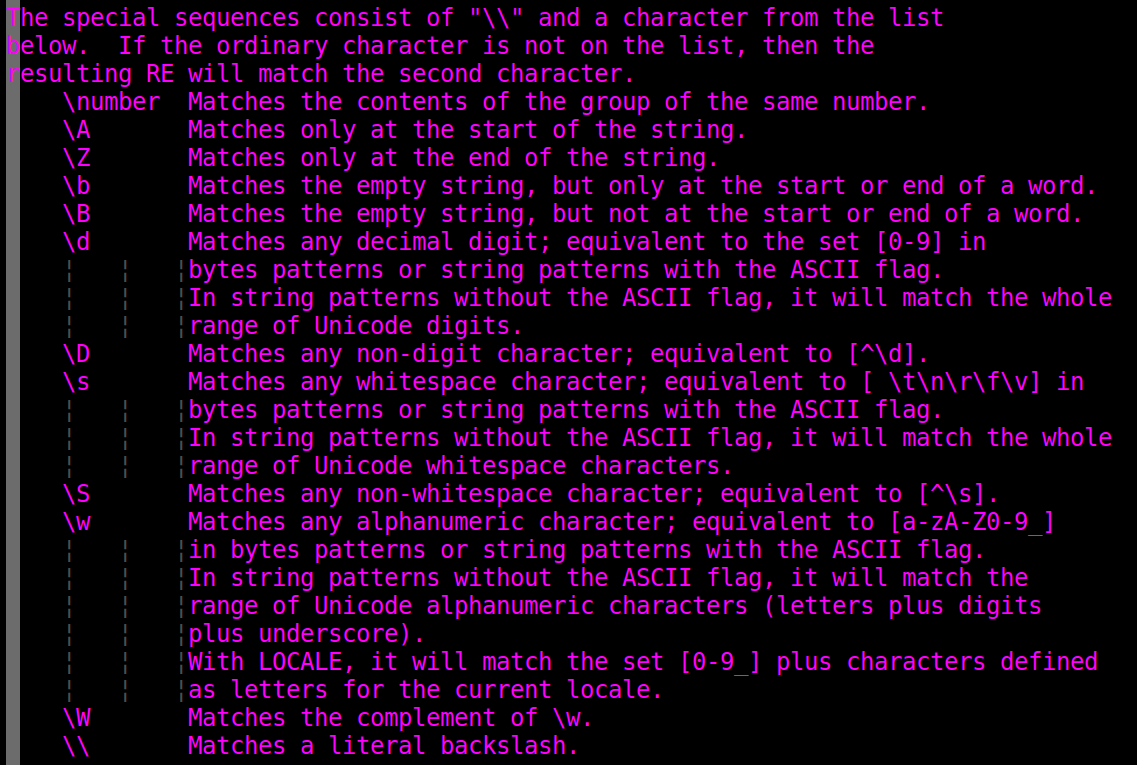
 The special sequences consist of "\\" and a character from the list
 below.  If the ordinary character is not on the list, then the
 resulting RE will match the second character.
     \number  Matches the contents of the group of the same number.
     \A       Matches only at the start of the string.
     \Z       Matches only at the end of the string.
     \b       Matches the empty string, but only at the start or end of a word.
     \B       Matches the empty string, but not at the start or end of a word.
     \d       Matches any decimal digit; equivalent to the set [0-9] in
              bytes patterns or string patterns with the ASCII flag.
              In string patterns without the ASCII flag, it will match the whole
              range of Unicode digits.
     \D       Matches any non-digit character; equivalent to [^\d].
     \s       Matches any whitespace character; equivalent to [ \t\n\r\f\v] in
              bytes patterns or string patterns with the ASCII flag.
              In string patterns without the ASCII flag, it will match the whole
              range of Unicode whitespace characters.
     \S       Matches any non-whitespace character; equivalent to [^\s].
     \w       Matches any alphanumeric character; equivalent to [a-zA-Z0-9_]
              in bytes patterns or string patterns with the ASCII flag.
              In string patterns without the ASCII flag, it will match the
              range of Unicode alphanumeric characters (letters plus digits
              plus underscore).
              With LOCALE, it will match the set [0-9_] plus characters defined
              as letters for the current locale.
     \W       Matches the complement of \w.
     \\       Matches a literal backslash.

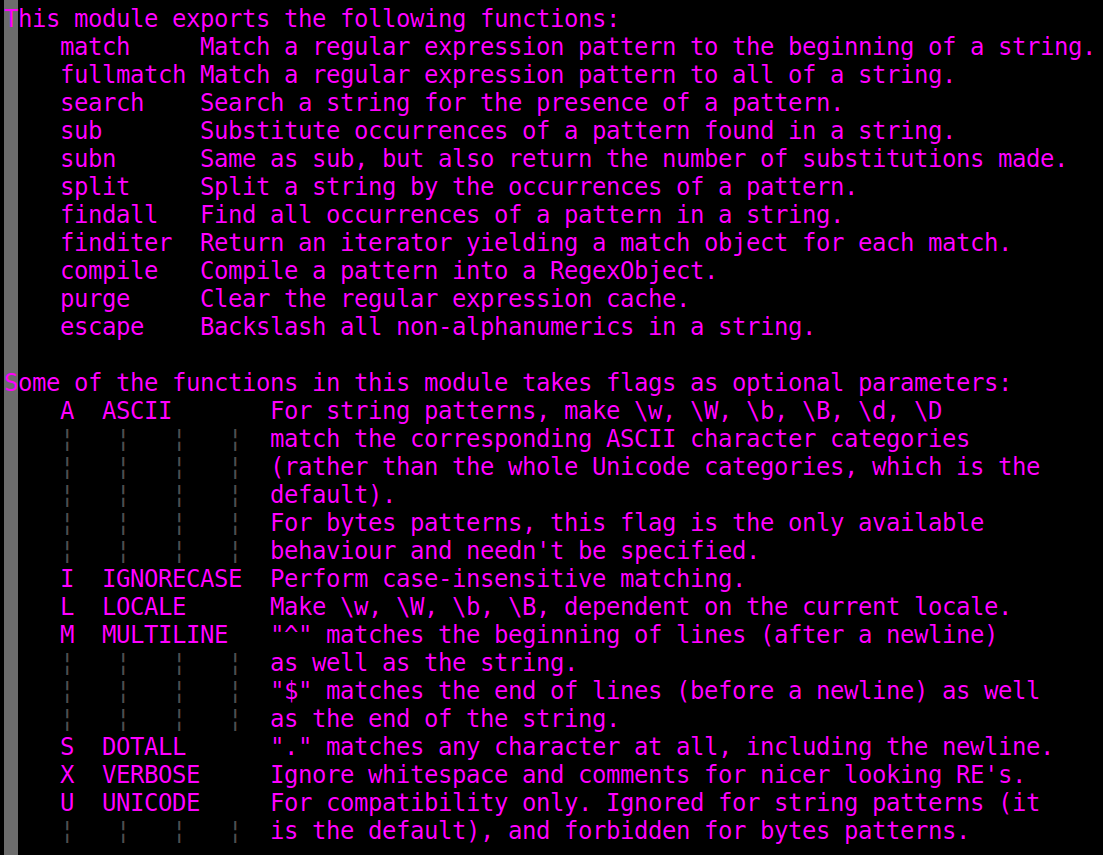
 This module exports the following functions:
     match     Match a regular expression pattern to the beginning of a string.
     fullmatch Match a regular expression pattern to all of a string.
     search    Search a string for the presence of a pattern.
     sub       Substitute occurrences of a pattern found in a string.
     subn      Same as sub, but also return the number of substitutions made.
     split     Split a string by the occurrences of a pattern.
     findall   Find all occurrences of a pattern in a string.
     finditer  Return an iterator yielding a match object for each match.
     compile   Compile a pattern into a RegexObject.
     purge     Clear the regular expression cache.
     escape    Backslash all non-alphanumerics in a string.

 Some of the functions in this module takes flags as optional parameters:
     A  ASCII       For string patterns, make \w, \W, \b, \B, \d, \D
                    match the corresponding ASCII character categories
                    (rather than the whole Unicode categories, which is the
                    default).
                    For bytes patterns, this flag is the only available
                    behaviour and needn't be specified.
     I  IGNORECASE  Perform case-insensitive matching.
     L  LOCALE      Make \w, \W, \b, \B, dependent on the current locale.
     M  MULTILINE   "^" matches the beginning of lines (after a newline)
                    as well as the string.
                    "$" matches the end of lines (before a newline) as well
                    as the end of the string.
     S  DOTALL      "." matches any character at all, including the newline.
     X  VERBOSE     Ignore whitespace and comments for nicer looking RE's.
     U  UNICODE     For compatibility only. Ignored for string patterns (it
                    is the default), and forbidden for bytes patterns.

 # --------------------------------------------------------------------
 # public interface

 def match(pattern, string, flags=0):
     """Try to apply the pattern at the start of the string, returning
     a match object, or None if no match was found."""
     return _compile(pattern, flags).match(string)

 def fullmatch(pattern, string, flags=0):
     """Try to apply the pattern to all of the string, returning
     a match object, or None if no match was found."""
     return _compile(pattern, flags).fullmatch(string)

 def search(pattern, string, flags=0):
     """Scan through string looking for a match to the pattern, returning
     a match object, or None if no match was found."""
     return _compile(pattern, flags).search(string)

 def sub(pattern, repl, string, count=0, flags=0):
     """Return the string obtained by replacing the leftmost
     non-overlapping occurrences of the pattern in string by the
     replacement repl.  repl can be either a string or a callable;
     if a string, backslash escapes in it are processed.  If it is
     a callable, it's passed the match object and must return
     a replacement string to be used."""
     return _compile(pattern, flags).sub(repl, string, count)

 def subn(pattern, repl, string, count=0, flags=0):
     """Return a 2-tuple containing (new_string, number).
     new_string is the string obtained by replacing the leftmost
     non-overlapping occurrences of the pattern in the source
     string by the replacement repl.  number is the number of
     substitutions that were made. repl can be either a string or a
     callable; if a string, backslash escapes in it are processed.
     If it is a callable, it's passed the match object and must
     return a replacement string to be used."""
     return _compile(pattern, flags).subn(repl, string, count)

 def split(pattern, string, maxsplit=0, flags=0):
     """Split the source string by the occurrences of the pattern,
     returning a list containing the resulting substrings.  If
     capturing parentheses are used in pattern, then the text of all
     groups in the pattern are also returned as part of the resulting
     list.  If maxsplit is nonzero, at most maxsplit splits occur,
     and the remainder of the string is returned as the final element
     of the list."""
     return _compile(pattern, flags).split(string, maxsplit)

 def findall(pattern, string, flags=0):
     """Return a list of all non-overlapping matches in the string.

     If one or more capturing groups are present in the pattern, return
     a list of groups; this will be a list of tuples if the pattern
     has more than one group.

     Empty matches are included in the result."""
     return _compile(pattern, flags).findall(string)

 def finditer(pattern, string, flags=0):
     """Return an iterator over all non-overlapping matches in the
     string.  For each match, the iterator returns a match object.

     Empty matches are included in the result."""
     return _compile(pattern, flags).finditer(string)

 def compile(pattern, flags=0):
     "Compile a regular expression pattern, returning a pattern object."
     return _compile(pattern, flags)

 def purge():
     "Clear the regular expression caches"
     _cache.clear()
     _cache_repl.clear()

 def template(pattern, flags=0):
     "Compile a template pattern, returning a pattern object"
     return _compile(pattern, flags|T)
re.py

PYTHON3 RE正则表达:的更多相关文章
- 正则表达示 for Python3
前情提要 从大量的文字内容中找到自己想要的东西,正则似乎是最好的方法.也是写爬虫不可缺少的技能.所以,别墨迹了赶紧好好学吧! 教程来自http://www.runoob.com/python3/pyt ...
- Javascript正则构造函数与正则表达字面量&&常用正则表达式
本文不讨论正则表达式入门,即如何使用正则匹配.讨论的是两种创建正则表达式的优劣和一些细节,最后给出一些常用正则匹配表达式. Javascript中的正则表达式也是对象,我们可以使用两种方法创建正则表达 ...
- HttpGet协议与正则表达
使用HttpGet协议与正则表达实现桌面版的糗事百科 写在前面 最近在重温asp.net,找了一本相关的书籍.本书在第一章就讲了,在不使用浏览器的情况下生成一个web请求,获取服务器返回的内容.于 ...
- js正则表达test、exec和match的区别
test的用法和exec一致,只不过返回值是 true false. 以前用js很少用到js的正则表达式,即使用到了,也是诸如邮件名称之类的判断,网上代码很多,很少有研究,拿来即用. 最近开发遇到一些 ...
- Python之面向对象和正则表达(代数运算和自动更正)
面向对象 一.概念解释 面对对象编程(OOP:object oriented programming):是一种程序设计范型,同时也是一种程序开发的方法,实现OOP的程序希望能够在程序中包含各种独立而又 ...
- JS写法 数值与字符串的相互转换 取字符中的一部分显示 正则表达规则
http://www.imooc.com/article/15885 正则表达规则 <script type="text/javascript"> </scrip ...
- shell正则表达
shell正则表达 .*和.?的比较: 比如说匹配输入串A: 101000000000100 使用 1.*1 将会匹配到1010000000001,匹配方法:先匹配至输入串A的最后, 然后向前匹配,直 ...
- python 正则表达提取方法 (提取不来的信息print不出来 加个输出type 再print信息即可)
1,正则表达提取 (findall函数提取) import re a= "<div class='content'>你大爷</div>"x=re.finda ...
- grep 正则表达
常见的 grep 正则表达参数 -c # 显示匹配到得行的数目,不显示内容 -h # 不显示文件名 -i # 忽略大小写 -l # 只列出匹配行所在文件的文件名 -n # 在每一行中加上相对行号 -s ...
随机推荐
- 多文件中的static
这里借鉴一篇文章:http://www.cnblogs.com/yc_sunniwell/archive/2010/07/14/1777431.html#undefined 在这里举个例子,先和你说说 ...
- TCP协议中三次握手
TCP/IP是互联网相关的各类协议族的总称 TCP/IP协议族分为:应用层,传输层,网络层,数据链路层 应用层:向用户提供应用服务时的通讯的活动 传输层:提供处于网络连接中的两台计算机之间的数据传输 ...
- dedecms_分页技术
<ul>{dede:list pagesize='30'} <li><a href="[field:arcurl/]">[field:title ...
- Build path contains duplicate entry
问题:Build path contains duplicate entry:''D:soft/Myeclipse 6.5/jre/lib/rt.jar' for project 'dataServi ...
- 如何 Scale Up/Down Deployment?- 每天5分钟玩转 Docker 容器技术(126)
伸缩(Scale Up/Down)是指在线增加或减少 Pod 的副本数.Deployment nginx-deployment 初始是两个副本. k8s-node1 和 k8s-node2 上各跑了一 ...
- (2-3)Eureka详解
基础架构 服务注册中心 服务提供者 服务消费者 服务治理 服务提供者 服务注册.在服务注册时,需要确认一下eureka.client.registerwith-eurek=ture参数是否正确,默认是 ...
- 找不到javax.servlet.Filter类,
找不到javax.servlet.Filter类, 在构建的依赖包中缺少servlet.api
- python_计算1+……+100中偶数和
如何计算1+--+100中偶数和? 1. 把奇数去掉,通过if,判断累加数除以2的余数,是否为1,判断是否是奇数 2. 通过continue 跳过对奇数的累加 #!/usr/bin/python3 d ...
- Spring MVC CORS 跨域
介绍 跨域CORS,全称是"跨域资源共享"(Cross-origin resource sharing) 当页面发出跨域请求时: 简单请求(先简单理解为正常的get/post吧): ...
- SSMS 2005 连接 SQL SERVER 2008问题
用本机的 Microsoft SQL Server Management Studio 2005 客户端连接数据库服务器时报错:"This version of Microsoft SQL ...