
CSS效果集锦(持续更新中)
高亮光弧效果
使用CSS3实现的一个高亮光弧效果,当鼠标hover到某一个元素上时,一道光弧从左向右闪过,效果如下:
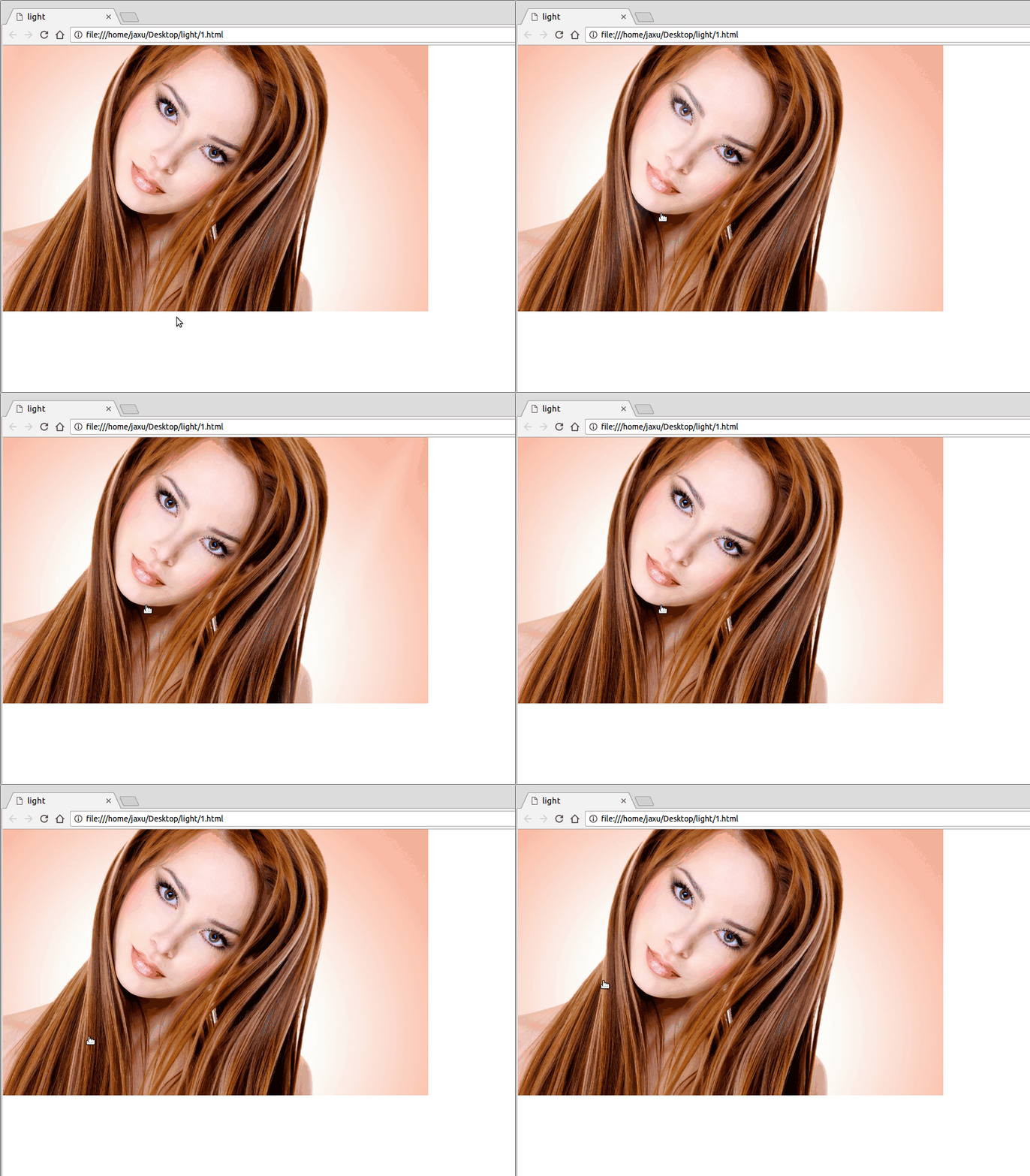
代码如下:
<!DOCTYPE html>

<html lang="en">

<head>

    <meta charset="UTF-8">

    <title>light</title>

    <style>

        body{

            margin: 0;

        }

        a.floor{

            display: block;

            height: 475px;

        }

        a.floor:hover:before{

            -webkit-transition: left 1.5s;

            -moz-transition: left 1.5s;

            transition: left 1.5s;

            left: 920px;

        }

        a.floor:before{

            content: "";

            position: absolute;

            width: 80px;

            height: 475px;

            top: 0;

            left: -150px;

            overflow: hidden;

            background: -moz-linear-gradient(left,rgba(255,255,255,0)0,rgba(255,255,255,.2)50%,rgba(255,255,255,0)100%);

            background: -webkit-gradient(linear,left top,right top,color-stop(0%,rgba(255,255,255,0)),color-stop(50%,rgba(255,255,255,.2)),color-stop(100%,rgba(255,255,255,0)));

            background: -webkit-linear-gradient(left,rgba(255,255,255,0)0,rgba(255,255,255,.2)50%,rgba(255,255,255,0)100%);

            background: -o-linear-gradient(left,rgba(255,255,255,0)0,rgba(255,255,255,.2)50%,rgba(255,255,255,0)100%);

            -webkit-transform: skewX(-25deg);

            -moz-transform: skewX(-25deg);

        }

    </style>

</head>

<body>

<a class="floor" href="javascript:;">

    <img src="./images/girl.jpg" height="475" width="760" alt="">

</a>

</body>

</html>
鼠标hover图片突出显示
类似于今日头条首页的图片,当鼠标hover到上面的时候会着重显示图片(放大效果):

代码如下:
<!DOCTYPE html>

<html lang="en">

<head>

    <meta charset="UTF-8">

    <title>hover</title>

    <style>

        body{

            margin: 0;

        }

        .img-wrap {

            width: 194px;

            height: 108px;

            float: left;

            margin-left: 6px;

            background: #e8e8e8;

            border: 1px solid #e8e8e8;

            overflow: hidden;

            cursor: pointer;

            -webkit-transform-style: preserve-3d;

            transform-style: preserve-3d;

        }

        .img-wrap img {

            width: 100%;

            height: 100%;

            border: 0;

            -webkit-transition: all .5s ease-out .1s;

            transition: all .5s ease-out .1s;

        }

        .img-wrap:hover img {

            -webkit-transform: matrix(1.04,0,0,1.04,0,0);

            -ms-transform: matrix(1.04,0,0,1.04,0,0);

            transform: matrix(1.04,0,0,1.04,0,0);

            -webkit-backface-visibility: hidden;

            backface-visibility: hidden;

        }

    </style>

</head>

<body>

<a class="img-wrap" target="_blank" href="/group/6347460154771013889/">

    <img alt="" src="http://p3.pstatp.com/list/640x360/e59000a6ecaab7d1535">

</a>

</body>

</html>
鼠标hover图片移动
向上移动:

代码:
<!DOCTYPE html>

<html lang="en">

<head>

    <meta charset="UTF-8">

    <title>hover</title>

    <style>

        body{

            padding: 4rem;

        }

        .img-wrap {

            width: 194px;

            height: 108px;

            display: block;

            cursor: pointer;

        }

        .img-wrap:hover img {

            -webkit-transform: translateY(-5px);

            -moz-transform: translateY(-5px);

            -ms-transform: translateY(-5px);

            transform: translateY(-5px);

        }

        .img-wrap img {

            width: 100%;

            height: 100%;

            border: 0;

             -webkit-transition: -webkit-transform .4s ease;

             transition: -webkit-transform .4s ease;

            -moz-transition: transform .4s ease,-moz-transform .4s ease;

             transition: transform .4s ease;

            transition: transform .4s ease,-webkit-transform .4s ease,-moz-transform .4s ease;

            -webkit-transform: translateY(0);

            -moz-transform: translateY(0);

            -ms-transform: translateY(0);

            transform: translateY(0);

        }

    </style>

</head>

<body>

<a class="img-wrap" href="javascript:;">

    <img alt="" src="http://p3.pstatp.com/list/640x360/11ff00027e781c4f7807">

</a>

</body>

</html>
向左移动:

将上面CSS样式改成下面即可:
body{

    padding: 4rem;

}

.img-wrap {

    width: 194px;

    height: 108px;

    display: block;

    cursor: pointer;

}

.img-wrap:hover img {

    -webkit-transform: translateX(-5px);

    -moz-transform: translateX(-5px);

    -ms-transform: translateX(-5px);

    transform: translateX(-5px);

}

.img-wrap img {

    width: 100%;

    height: 100%;

    border:;

     -webkit-transition: -webkit-transform .4s ease;

     transition: -webkit-transform .4s ease;

    -moz-transition: transform .4s ease,-moz-transform .4s ease;

     transition: transform .4s ease;

    transition: transform .4s ease,-webkit-transform .4s ease,-moz-transform .4s ease;

    -webkit-transform: translateX(0);

    -moz-transform: translateX(0);

    -ms-transform: translateX(0);

    transform: translateX(0);

}
晃动的计算器图标

代码如下:
<!DOCTYPE html>

<html lang="en">

<head>

    <meta charset="UTF-8">

    <title>animation</title>

    <style>

        body{

            padding: 4rem;

        }

       .calculator{

            margin: -35px auto 30px;

            width: 150px;

            line-height: 30px;

            text-align: center;

            border: 1px solid #ff7200;

            -webkit-border-radius: 30px;

            -moz-border-radius: 30px;

            border-radius: 30px;

            cursor: pointer;

            font-size: 0;

       }

       .calculator:hover{

            background-color: #fb7b14;

       }

       .calculator i{

            display: inline-block;

            width: 12px;

            height: 16px;

            line-height: 1;

            margin-right: 10px;

            vertical-align: middle;

            background: url("cal.png") no-repeat;

       }

       .calculator i.tada{

            -webkit-animation: tada 2s infinite linear;

            -moz-animation: tada 2s infinite linear;

            animation: tada 2s infinite linear;

       }

       .calculator .calculator-txt{

            line-height: 1;

            vertical-align: middle;

            color: #ff7200;

            font-size: 14px;

       }

       .calculator:hover .calculator-txt{

            color: #fff;

       }

       .calculator:hover i{

            background-position: 0 -16px;

       }

       .calculator:hover i.tada{

            -webkit-animation: ccc 2s infinite;

            -moz-animation: ccc 2s infinite;

            animation: ccc 2s infinite;

       }

       @keyframes tada{

            0% {

                -webkit-transform: none;

                -moz-transform: none;

                transform: none;

            }

            5% {

                -webkit-transform: translate3d(-25%,0,0) rotate3d(0,0,1,-5deg);

                -moz-transform: translate3d(-25%,0,0) rotate3d(0,0,1,-5deg);

                transform: translate3d(-25%,0,0) rotate3d(0,0,1,-5deg);

            }

            10% {

                -webkit-transform: translate3d(20%,0,0) rotate3d(0,0,1,3deg);

                -moz-transform: translate3d(20%,0,0) rotate3d(0,0,1,3deg);

                transform: translate3d(20%,0,0) rotate3d(0,0,1,3deg);

            }

            15% {

                -webkit-transform: translate3d(-15%,0,0) rotate3d(0,0,1,-3deg);

                -moz-transform: translate3d(-15%,0,0) rotate3d(0,0,1,-3deg);

                transform: translate3d(-15%,0,0) rotate3d(0,0,1,-3deg);

            }

            20% {

                -webkit-transform: translate3d(10%,0,0) rotate3d(0,0,1,2deg);

                -moz-transform: translate3d(10%,0,0) rotate3d(0,0,1,2deg);

                transform: translate3d(10%,0,0) rotate3d(0,0,1,2deg);

            }

            25%, 26% {

                -webkit-transform: translate3d(-5%,0,0) rotate3d(0,0,1,-1deg);

                -moz-transform: translate3d(-5%,0,0) rotate3d(0,0,1,-1deg);

                transform: translate3d(-5%,0,0) rotate3d(0,0,1,-1deg);

            }

            100% {

                -webkit-transform: none;

                -moz-transform: none;

                transform: none;

            }

       }

    </style>

</head>

<body>

<div class="calculator">

    <i class="tada"></i><span class="calculator-txt">省钱计算器</span>

</div>

</body>

</html>
转动的地球
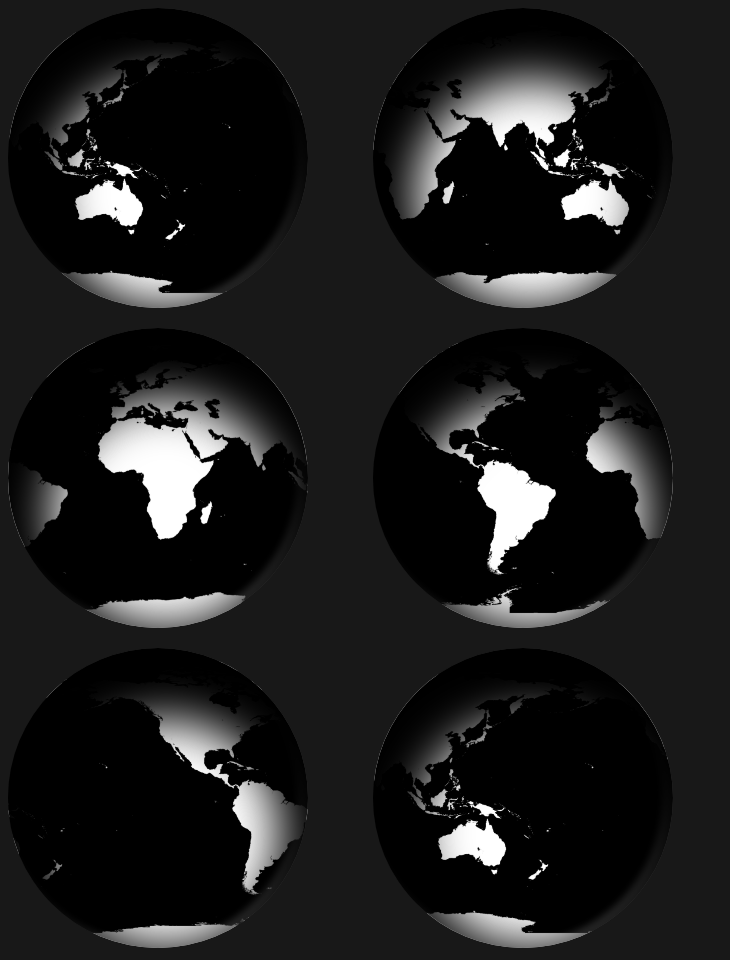
代码如下:
<!DOCTYPE html>

<html lang="en">

<head>

    <meta charset="UTF-8">

    <title>Global</title>

    <style tyle="text/css">

        body {

            background-color: #111;

        }

        #earth {

            width: 300px;

            height: 300px;

            background: url(http://users.evtek.fi/~sampsara/3D/Earth-Spec4096.jpg);

            border-radius: 50%;

            background-size: 610px;

            box-shadow: inset 8px 36px 80px 36px rgb(0, 0, 0), inset -6px 0 12px 4px rgba(255, 255, 255, 0.3);

            animation-name: rotate;

            animation-duration: 12s;

            animation-iteration-count: infinite;

            animation-timing-function: linear;

            -webkit-animation-name: rotate;

            -webkit-animation-duration: 12s;

            -webkit-animation-iteration-count: infinite;

            -webkit-animation-timing-function: linear;

        }

        @keyframes rotate {

            from {

                background-position: 0px 0px;

            }

            to {

                background-position: 610px 0px;

            }

        }

        @-webkit-keyframes rotate {

            from {

                background-position: 0px 0px;

            }

            to {

                background-position: 610px 0px;

            }

        }

    </style>

</head>

<body>

    <div id="earth"></div>

</body>

</html>

点赞效果

代码如下:
<!DOCTYPE html>

<html lang="en">

<head>

    <meta charset="UTF-8">

    <title>like</title>

    <style type="text/css">

        img{

            /*width: 20px;

            height: 20px;*/

            position: absolute;

            bottom: 100px;

            left: 50%;

            margin-left: -12.5px;

        }

        .btn{ width: 100px; height: 30px; border:0; background: red; color: #fff; position: absolute; bottom: 100px; left: 50%; margin-left: -50px; }

    </style>

    <script src="jquery.min.js" type="text/javascript" charset="utf-8"></script>

    <script type="text/javascript">

        $(function(){

            $("#btn1").on('click', function(){

                $(".demo").append("<img src='love-r.png'>");

                $("img").animate({

                    bottom:"200px",

                    width: "50px",

                    marginLeft: "-25px",

                    opacity:"0"

                }, 1000, function(){

                    $(".demo").empty();

                });

            });

        });

    </script>

</head>

<body>

    <div class="demo"></div>

    <input id="btn1" type="button" class="btn" value="点赞">

</body>

</html>

CSS效果集锦(持续更新中)的更多相关文章
- JavaEE进阶集锦(持续更新中)
1.影响Servlet生命周期的注解:@PostConstruct和@PreDestroy @PostConstruct:被修饰的方法会在服务器加载Servlet的时候运行,并且只会被服务器调用一次, ...
- Linux 集锦(持续更新中)
// 获取文件夹下的代码总行数 find . -name "*.*" | xargs wc -l // ls 排序 ls -lt 按照最后修改时间降序 ls -lrt 按照时间升序 ...
- fastadmin 后台管理框架使用技巧(持续更新中)
fastadmin 后台管理框架使用技巧(持续更新中) FastAdmin是一款基于ThinkPHP5+Bootstrap的极速后台开发框架,具体介绍,请查看文档,文档地址为:https://doc. ...
- 前端面试题总结——HTML(持续更新中)
前端面试题总结--HTML(持续更新中) 1.什么是HTML? HTML:HyperText Markup Language超文本标记语言 2.XHTML和HTML有什么区别 HTML是一种基本的WE ...
- 【前端面试】Vue面试题总结(持续更新中)
Vue面试题总结(持续更新中) 题目参考链接 https://blog.csdn.net/weixin_45257157/article/details/106215158 由于已经有很多前辈深造VU ...
- Atom使用记录(持续更新中)
部分内容取自:http://www.jianshu.com/p/dd97cbb3c22d,我自己也在使用,持续更新中 Atom安装插件在窗口中File---Setting---install 在里面进 ...
- java视频教程 Java自学视频整理(持续更新中...)
视频教程,马士兵java视频教程,java视频 1.Java基础视频 <张孝祥JAVA视频教程>完整版[RMVB](东西网) 历经5年锤炼(史上最适合初学者入门的Java基础视频)(传智播 ...
- tp5 使用技巧(持续更新中...)
tp5 使用技巧(持续更新中...) 1.自动写入时间 create_time和update_time 使用save方法才行,insert方法不生效,不知为何 2.过滤字段 allowfield和st ...
- 史上最全的spark面试题——持续更新中
史上最全的spark面试题——持续更新中 2018年09月09日 16:34:10 为了九亿少女的期待 阅读数 13696更多 分类专栏: Spark 面试题 版权声明:本文为博主原创文章,遵循C ...
- git常用命令(持续更新中)
git常用命令(持续更新中) 本地仓库操作git int 初始化本地仓库git add . ...
随机推荐
- 【原创】内核ShellCode注入的一种方法
标 题: [原创]内核ShellCode注入的一种方法 作 者: organic 时 间: 2013-05-04,04:34:08 链 接: http://bbs.pediy.com/showthre ...
- 分享篇——我的Java学习路线
虽然之前我是开发出身,但是我学习的语言是Objective-c,这个语言使用起来范围比较窄,对于自动化学习来说也是无用武之地,所以我自己学习了Java,对于一个有开发经验的人来说学习一门新语言相对来说 ...
- Linux学习笔记(14)-进程通信|共享内存
在Linux中,共享内存是允许两个不相关的进程访问同一个逻辑内存的进程间通信方法,是在两个正在运行的进程之间共享和传递数据的一种非常有效的方式. 不同进程之间共享的内存通常安排为同一段物理内存.进程可 ...
- .NET string字符串的截取、移除、替换、插入
在实际开发中经常要用到string的各种截取等操作,在这里总结自己认为经常出现的.NET 字符串的截取.移除.替换.插入操作,方面以后查阅. 前台代码: <%@ Page Language=&q ...
- BZOJ1565 [NOI2009]植物大战僵尸(拓扑排序 + 最大权闭合子图)
题目 Source http://www.lydsy.com/JudgeOnline/problem.php?id=1565 Description Input Output 仅包含一个整数,表示可以 ...
- 【原】iOS学习之三种拨打电话方式的比较
拨打电话小编从网上找到三种,在这里做一些总结和比较 1.基本使用 NSString *str = [[NSMutableString alloc] initWithFormat:@"tel: ...
- git回滚错误提交
git log //找到你要回滚的那次提交 比如:43596f6b1f57157e627c25ae7a843f60157ac52d git reset --hard HEAD~43596f6b1f57 ...
- jquery常见获取高度
jquery获取文档高度和窗口高度,$(document).height().$(window).height() $(document).height():整个网页的文档高度 $(window).h ...
- Xilinx下载安装与在win10闪退问题解决方法
Xilinx的14.4版本的下载链接(百度云的上传了N多次都提示失败,所以就换了360云盘上传) https://yunpan.cn/cPHKLjbX9RueM (提取码:2a5a)下载后解压到以下目 ...
- ZK 样式使用
控件: <textbox id="usernameTb" sclass="login-user-input" placeholder="账号&q ...