Splash.h
1
2
3
4
5
6
7
8
9
10
11
12
13
14
15
16
17
18
19
20
21
22
23
24
25
26
27
28
29
30
31
32
33
34
35
36
37
38
39
40
41
42
43
44
45
46
47
48
49
50
51
52
53
54
55
56
57
58
59
60
61
62
63
64
65
66
67
68
69
70
71
72
73
74
75
76
77
78
79
80
81
82
83
84
85
86
87
88
89
90
91
92
93
94
95
96
97
98
99
 
//  ===========================================================================
//  File    Splash.h
//  Desc    The interface of the CSplash class
//  ===========================================================================
#ifndef _ABHI_SPLASH_H_
#define _ABHI_SPLASH_H_

#include "windows.h"

//  ===========================================================================
//  Class   CSplash
//  Desc    Use it for displaying splash screen for applications
//          Works only on Win2000 , WinXP and later versions of Windows
//  ===========================================================================
class CSplash
{
public:
    //  =======================================================================
    //  Func   CSplash
    //  Desc   Default constructor
    //  =======================================================================
    CSplash();
    
    //  =======================================================================
    //  Func   CSplash
    //  Desc   Constructor
    //  Arg    Path of the Bitmap that will be show on the splash screen
    //  Arg    The color on the bitmap that will be made transparent
    //  =======================================================================
    CSplash(LPCTSTR lpszFileName, COLORREF colTrans);

//  =======================================================================
    //  Func   ~CSplash
    //  Desc   Desctructor
    //  =======================================================================
    virtual ~CSplash();

//  =======================================================================
    //  Func   ShowSplash
    //  Desc   Launches the non-modal splash screen
    //  Ret    void 
    //  =======================================================================
    void ShowSplash();

//  =======================================================================
    //  Func   DoLoop
    //  Desc   Launched the splash screen as a modal window. Not completely 
    //         implemented.
    //  Ret    int 
    //  =======================================================================
    int DoLoop();

//  =======================================================================
    //  Func   CloseSplash
    //  Desc   Closes the splash screen started with ShowSplash
    //  Ret    int 
    //  =======================================================================
    int CloseSplash();

//  =======================================================================
    //  Func   SetBitmap
    //  Desc   Call this with the path of the bitmap. Not required to be used
    //         when the construcutor with the image path has been used.
    //  Ret    1 if succesfull
    //  Arg    Either the file path or the handle to an already loaded bitmap
    //  =======================================================================
    DWORD SetBitmap(LPCTSTR lpszFileName);
    DWORD SetBitmap(HBITMAP hBitmap);

//  =======================================================================
    //  Func   SetTransparentColor
    //  Desc   This is used to make one of the color transparent
    //  Ret    1 if succesfull
    //  Arg    The colors RGB value. Not required if the color is specified 
    //         using the constructor
    //  =======================================================================
    bool SetTransparentColor(COLORREF col);

LRESULT CALLBACK WindowProc(HWND hwnd, UINT uMsg, WPARAM wParam, LPARAM lParam);

HWND m_hwnd;

private:
    void Init();
    void OnPaint(HWND hwnd);
    bool MakeTransparent();
    HWND RegAndCreateWindow();
    COLORREF m_colTrans;
    DWORD m_dwWidth;
    DWORD m_dwHeight;
    void FreeResources();
    HBITMAP m_hBitmap;
    LPCTSTR m_lpszClassName;

};

#endif //_ABHI_SPLASH_H_

 Splash.cpp
1
2
3
4
5
6
7
8
9
10
11
12
13
14
15
16
17
18
19
20
21
22
23
24
25
26
27
28
29
30
31
32
33
34
35
36
37
38
39
40
41
42
43
44
45
46
47
48
49
50
51
52
53
54
55
56
57
58
59
60
61
62
63
64
65
66
67
68
69
70
71
72
73
74
75
76
77
78
79
80
81
82
83
84
85
86
87
88
89
90
91
92
93
94
95
96
97
98
99
100
101
102
103
104
105
106
107
108
109
110
111
112
113
114
115
116
117
118
119
120
121
122
123
124
125
126
127
128
129
130
131
132
133
134
135
136
137
138
139
140
141
142
143
144
145
146
147
148
149
150
151
152
153
154
155
156
157
158
159
160
161
162
163
164
165
166
167
168
169
170
171
172
173
174
175
176
177
178
179
180
181
182
183
184
185
186
187
188
189
190
191
192
193
194
195
196
197
198
199
200
201
202
203
204
205
206
207
208
209
210
211
212
213
214
215
216
217
218
219
220
221
222
223
224
225
226
227
228
229
230
231
232
233
234
235
236
237
238
239
240
241
242
243
244
245
246
247
248
249
250
251
252
253
254
255
256
257
258
259
260
261
262
263
264
265
266
267
268
269
270
271
272
273
274
275
276
277
278
 
//  ===========================================================================
//  File    Splash.cpp
//  Desc    The implementation file for the CSplash class.
//  ===========================================================================

#include "splash.h"
#include "windowsx.h"

//  ===========================================================================
//  The following is used for layering support which is used in the 
//  splash screen for transparency. In VC 6 these are not defined in the headers
//  for user32.dll and hence we use mechanisms so that it can work in VC 6.
//  We define the flags here and write code so that we can load the function
//  from User32.dll explicitely and use it. This code requires Win2k and above
//  to work.
//  ===========================================================================
typedef BOOL (WINAPI *lpfnSetLayeredWindowAttributes)
        (HWND hWnd, COLORREF cr, BYTE bAlpha, DWORD dwFlags);

lpfnSetLayeredWindowAttributes g_pSetLayeredWindowAttributes;

#define WS_EX_LAYERED 0x00080000 
 // Use color as the transparency color.
 // Use bAlpha to determine the opacity of the layer

//  ===========================================================================
//  Func    ExtWndProc
//  Desc    The windows procedure that is used to forward messages to the 
//          CSplash class. CSplash sends the "this" pointer through the
//          CreateWindowEx call and the pointer reaches here in the 
//          WM_CREATE message. We store it here and use it for message 
//          forwarding.
//  ===========================================================================
static LRESULT CALLBACK ExtWndProc(HWND hwnd, UINT uMsg, WPARAM wParam, LPARAM lParam)
{
    static CSplash * spl = NULL;
    if(uMsg == WM_CREATE)
    {
        spl = (CSplash*)((LPCREATESTRUCT)lParam)->lpCreateParams;
    }
    if(spl)
        return spl->WindowProc(hwnd, uMsg, wParam, lParam);
    else
        return DefWindowProc (hwnd, uMsg, wParam, lParam);
}

LRESULT CALLBACK CSplash::WindowProc(HWND hwnd, UINT uMsg, WPARAM wParam, LPARAM lParam)
{
    //  We need to handle on the WM_PAINT message
    switch(uMsg)
    {
        HANDLE_MSG(hwnd, WM_PAINT, OnPaint);
    }

return DefWindowProc (hwnd, uMsg, wParam, lParam) ;
}

void CSplash:: OnPaint(HWND hwnd)
{
    if (!m_hBitmap)
        return;

//  =======================================================================
    //  Paint the background by BitBlting the bitmap
    //  =======================================================================
    PAINTSTRUCT ps ;
    HDC hDC = BeginPaint (hwnd, &ps) ;

RECT   rect;
    ::GetClientRect(m_hwnd, &rect);
    
    HDC hMemDC      = ::CreateCompatibleDC(hDC);
    HBITMAP hOldBmp = (HBITMAP)::SelectObject(hMemDC, m_hBitmap);
    
    BitBlt(hDC, , SRCCOPY);

::SelectObject(hMemDC, hOldBmp);

::DeleteDC(hMemDC);
    
    EndPaint (hwnd, &ps) ;
}

void CSplash::Init()
{
    //  =======================================================================
    //  Initialize the variables
    //  =======================================================================
    m_hwnd = NULL;
    m_lpszClassName = TEXT("SPLASH");
    m_colTrans = ;

//  =======================================================================
    //  Keep the function pointer for the SetLayeredWindowAttributes function
    //  in User32.dll ready
    //  =======================================================================
    HMODULE hUser32 = GetModuleHandle(TEXT("USER32.DLL"));

g_pSetLayeredWindowAttributes = (lpfnSetLayeredWindowAttributes)
                        GetProcAddress(hUser32, "SetLayeredWindowAttributes");
}

CSplash::CSplash()
{
    Init();
}

CSplash::CSplash(LPCTSTR lpszFileName, COLORREF colTrans)
{
    Init();

SetBitmap(lpszFileName);
    SetTransparentColor(colTrans);
}

CSplash::~CSplash()
{
    FreeResources();
}

HWND CSplash::RegAndCreateWindow()
{
    //  =======================================================================
    //  Register the window with ExtWndProc as the window procedure
    //  =======================================================================
    WNDCLASSEX wndclass;
    wndclass.cbSize         = sizeof (wndclass);
    wndclass.style          = CS_BYTEALIGNCLIENT | CS_BYTEALIGNWINDOW;
    wndclass.lpfnWndProc    = ExtWndProc;
    wndclass.cbClsExtra     = ;
    wndclass.cbWndExtra     = DLGWINDOWEXTRA;
    wndclass.hInstance      = ::GetModuleHandle(NULL);
    wndclass.hIcon          = NULL;
    wndclass.hCursor        = ::LoadCursor( NULL, IDC_WAIT );
    wndclass.hbrBackground  = (HBRUSH)::GetStockObject(LTGRAY_BRUSH);
    wndclass.lpszMenuName   = NULL;
    wndclass.lpszClassName  = m_lpszClassName;
    wndclass.hIconSm        = NULL;

if(!RegisterClassEx (&wndclass))
        return NULL;

//  =======================================================================
    //  Create the window of the application, passing the this pointer so that
    //  ExtWndProc can use that for message forwarding
    //  =======================================================================
    DWORD nScrWidth  = ::GetSystemMetrics(SM_CXFULLSCREEN);
    DWORD nScrHeight = ::GetSystemMetrics(SM_CYFULLSCREEN);

;
    ;
    m_hwnd = ::CreateWindowEx(WS_EX_TOPMOST|WS_EX_TOOLWINDOW, m_lpszClassName, 
                              TEXT("Banner"), WS_POPUP, x, y, 
                              m_dwWidth, m_dwHeight, NULL, NULL, NULL, this);

//  =======================================================================
    //  Display the window
    //  =======================================================================
    if(m_hwnd)
    {
        MakeTransparent();
        ShowWindow   (m_hwnd, SW_SHOW) ;
        UpdateWindow (m_hwnd);
    }
    return m_hwnd;
}

int CSplash::DoLoop()
{
    //  =======================================================================
    //  Show the window
    //  =======================================================================
    if(!m_hwnd)
        ShowSplash();

//  =======================================================================
    //  Get into the modal loop
    //  =======================================================================
    MSG msg ;
    ))
    {
        TranslateMessage (&msg) ;
        DispatchMessage  (&msg) ;
    }

return msg.wParam ;

}

void CSplash::ShowSplash()
{
    CloseSplash();
    RegAndCreateWindow();
}

DWORD CSplash::SetBitmap(LPCTSTR lpszFileName)
{
    //  =======================================================================
    //  load the bitmap
    //  =======================================================================
    HBITMAP    hBitmap       = NULL;
    hBitmap = (HBITMAP)::LoadImage(, LR_LOADFROMFILE);
    return SetBitmap(hBitmap);
}

DWORD CSplash::SetBitmap(HBITMAP hBitmap)
{
    int nRetValue;
    BITMAP  csBitmapSize;
    
    //  =======================================================================
    //  Free loaded resource
    //  =======================================================================
    FreeResources();
    
    if (hBitmap)
    {
        m_hBitmap = hBitmap;
        
        //  ===================================================================
        //  Get bitmap size
        //  ===================================================================
        nRetValue = ::GetObject(hBitmap, sizeof(csBitmapSize), &csBitmapSize);
        )
        {
            FreeResources();
            ;
        }
        m_dwWidth = (DWORD)csBitmapSize.bmWidth;
        m_dwHeight = (DWORD)csBitmapSize.bmHeight;
    }
       
    ;
}

void CSplash::FreeResources()
{
    if (m_hBitmap)
        ::DeleteObject (m_hBitmap);
    m_hBitmap = NULL;
}

int CSplash::CloseSplash()
{
    
    if(m_hwnd)
    {
        DestroyWindow(m_hwnd);
        m_hwnd = ;
        UnregisterClass(m_lpszClassName, ::GetModuleHandle(NULL));
        ;
    }
    ;
}

bool CSplash::SetTransparentColor(COLORREF col)
{
    m_colTrans = col;

return MakeTransparent();
}

bool CSplash::MakeTransparent()
{
    //  =======================================================================
    //  Set the layered window style and make the required color transparent
    //  =======================================================================
    if(m_hwnd && g_pSetLayeredWindowAttributes && m_colTrans )
    {
        //  set layered style for the window
        SetWindowLong(m_hwnd, GWL_EXSTYLE, GetWindowLong(m_hwnd, GWL_EXSTYLE) | WS_EX_LAYERED);
        //  call it with 0 alpha for the given color
, LWA_COLORKEY);
    }    
    return TRUE;
}

  测试调用:

SplashClient.cpp
1
2
3
4
5
6
7
8
9
10
11
12
13
14
15
16
17
18
19
20
21
22
23
24
25
26
27
28
29
30
31
32
33
34
35
36
37
38
39
40
41
 
//  ===========================================================================
//  File    SplashClient.cpp
//  Desc    Test stub for the CSplash class
//  ===========================================================================
#include "stdafx.h"
#include "splash.h"

int APIENTRY WinMain(HINSTANCE hInstance,
                     HINSTANCE hPrevInstance,
                     LPSTR     lpCmdLine,
                     int       nCmdShow)
{
    //  =======================================================================
    //  Display the splash screen using the overloaded construcutor
    //  =======================================================================
    //  Launch splash screen
));
    splashObj.ShowSplash();

// your start up code here
); //  simulate using a 5 second delay

//  Close the splash screen
    splashObj.CloseSplash();

//  =======================================================================
    //  Display the splash screen using the various CSplash methods
    //  =======================================================================
    CSplash splashAbout;
    splashAbout.SetBitmap(TEXT(".\\about.bmp"));
    splashAbout.SetTransparentColor(RGB());
    splashAbout.ShowSplash();

Sleep();

splashAbout.CloseSplash();

;
}

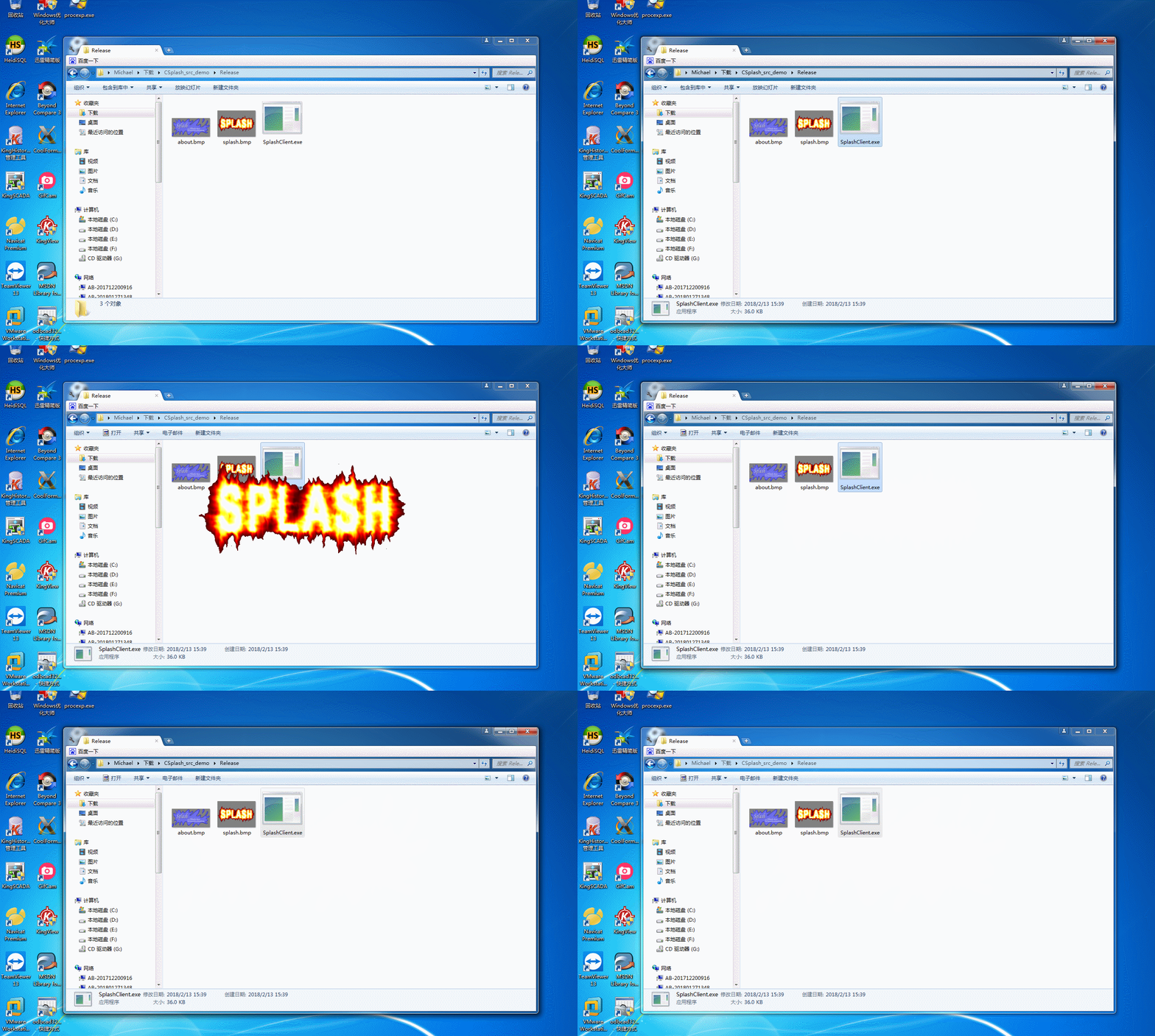
  效果图:

  出处https://www.codeproject.com/Articles/7658/CSplash-A-Splash-Window-Class

VC++ Splash Window封装类CSplash的更多相关文章

  1. VC获得window操作系统版本号, 获取操作系统位数

    原文链接: http://www.greensoftcode.net/techntxt/2014315195331643021849 #include <Windows.h>include ...

  2. C# WinForm开发系列 - Form/Window

    Form是WinForm开发中非常重要的一个控件, 本文将包含如何制作一个关于对话框,系统载入提示窗体, 创建类似于QQ提示框以及创建不规则窗体等(文章及相关代码搜集自网络,仅供学习参考,版权属于原作 ...

  3. iOS UIButton加在window上点击无效果问题

    UIButton加在window上,点击没有效果,找了很久,原来是没有加上这名:[self.window makeKeyAndVisible]; self.window = [[UIWindow al ...

  4. iOS切换window根控制器 (转)

    转自linfengwenyou 在运行过程中更改根控制器的方法:(假设:A为当前根控制器,B为要设的根控制器) 方法一: 1. appdelegate.m中 self.window = [[UIWin ...

  5. VC++ 轻松实现“闪屏” SplashWnd

    我们平时使用的好多软件在运行启动时都会有一个“闪屏”画面显示,一般用于标识软件的一些信息,如软件版本名称.公司等,通过查找资料发现,其实实现起来很简单,一个类就能搞定! SplashWnd.h  C+ ...

  6. [转]WinForm下Splash(启动画面)制作

    本文转自:http://www.smartgz.com/blog/Article/1088.asp 原文如下: 本代码可以依据主程序加载进度来显示Splash. static class Progra ...

  7. 为你的Web程序加个启动画面

    .Net开发者一定熟悉下面这个画面: 这就是宇宙第一IDE Visual Studio的启动画面,学名叫Splash Screen(或者Splash Window).同样,Javar们一定对Eclip ...

  8. JSPatch来更新已上线的App中出现的BUG(超级详细)

    JSPatch的作用是什么呢? 简单来说:(后面有具体的操作步骤以及在操作过程中会出现的错误) 1.iOS应用程序上架到AppStore需要等待苹果公司的审核,一般审核时间需要1到2周.虽然程序在上架 ...

  9. ios10新特性-UserNotification

    引言:iOS的通知分本地通知和远程通知,iOS10之前采用的是UILocationNotification类,远程通知有苹果服务器进行转发,本地通知和远程通知其回调的处理都是通过AppDelegate ...

随机推荐

  1. 【Linux】cat命令

    用途 cat用于将一个档案的内容连续的打印在屏幕上 全称 cat的全称是Conctaenate 参数 -A :相当于-vTE的整合选项,可列出一些特殊字符而不是空白而已 -b :列出行号,仅针对非空白 ...

  2. ubuntu开启ftp服务

    首先再防火墙中开启21和20端口 iptables -A INPUT -p tcp --dport -j ACCEPT iptables -A INPUT -p tcp --dport -j ACCE ...

  3. jquery 常用api 小结2

    *一)jQuery常用方法API实战 (1)DOM简述与分类 A)DOM是一种标准,它独立于平台,语言,浏览器. B)如果项目中,你完全按照DOM标准写代码,你就能在各大主流的浏览器中操作标准控件. ...

  4. [svc]ssh生成key不交互

    ssh-keygen -t rsa -f ~/.ssh/id_rsa -P "" 首次执行不交互 第二次再次执行会让输入y

  5. C# 获得文件名

    string strFilePaht="文件路径"; Path.GetFileNameWithoutExtension(strFilePath);这个就是获取文件名的 还有的就是用 ...

  6. id ,NSObject, id<NSObject>区别

    转自:http://blog.csdn.net/happytengfei/article/details/11473931 我们经常会混淆以下三种申明(我是没有留意过):    1. id foo1; ...

  7. Android实战简易教程-第二十三枪(基于Baas的用户注冊验证username是否反复功能!)

    接上一篇,加入验证用户名是否已经注冊功能! 仅仅须要改动MainActivity.java: package com.example.logintest; import java.util.List; ...

  8. 再谈API GateWay服务网关

    前面在谈微服务架构的时候,我博客上转过Chris Richardson 微服务系列中对微服务网关的描述: 通常来说,使用 API 网关是更好的解决方式.API 网关是一个服务器,也可以说是进入系统的唯 ...

  9. Hystrix使用Commond的三种方式

    目录(?)[-] 1 依赖引入 2 使用 21 Hystrix command 211 同步执行 212 异步执行 213 反应执行 214 三种模式使用区别 22 Fallback 23 Error ...

  10. kafka启动及查看topic命令【已用过的,待更新】

    以下均为开发测试环境下: 启动Zookeeperbin/zookeeper-server-start.sh config/zookeeper.properties &启动kafkabin/ka ...