
学以致用:Python爬取廖大Python教程制作pdf

当我学了廖大的Python教程后,感觉总得做点什么,正好自己想随时查阅,于是就开始有了制作PDF这个想法。
想要把教程变成PDF有三步:
- 先生成空html,爬取每一篇教程放进一个新生成的div,这样就生成了包含所有教程的html文件(
BeautifulSoup) - 将html转换成pdf(
wkhtmltopdf) - 由于廖大是写教程的,反爬做的比较好,在爬取的过程中还需要代理ip(阿布云代理)
BeautifulSoup
Beautiful Soup 是一个可以从HTML或XML文件中提取数据的Python库.它能够通过你喜欢的转换器实现惯用的文档导航,查找,修改文档的方式.Beautiful Soup会帮你节省数小时甚至数天的工作时间.
安装
pip3 install BeautifulSoup4
开始使用
将一段文档传入 BeautifulSoup 的构造方法,就能得到一个文档的对象, 可以传入一段字符串或一个文件句柄.
如下所示:
from bs4 import BeautifulSoup

soup = BeautifulSoup(open("index.html"))

soup = BeautifulSoup("<html>data</html>")
- 首先,文档被转换成Unicode,并且HTML的实例都被转换成Unicode编码.
- 然后,Beautiful Soup选择最合适的解析器来解析这段文档,如果手动指定解析器那么Beautiful Soup会选择指定的解析器来解析文档.
对象的种类
Beautiful Soup 将复杂 HTML 文档转换成一个复杂的树形结构,每个节点都是 Python 对象,所有对象可以归纳为 4 种: Tag , NavigableString , BeautifulSoup , Comment .
Tag:通俗点讲就是HTML中的一个个标签,类似div,p。NavigableString:获取标签内部的文字,如,soup.p.string。BeautifulSoup:表示一个文档的全部内容。Comment:Comment对象是一个特殊类型的NavigableString对象,其输出的内容不包括注释符号.
Tag
Tag就是html中的一个标签,用BeautifulSoup就能解析出来Tag的具体内容,具体的格式为soup.name,其中name是html下的标签,具体实例如下:
print soup.title输出title标签下的内容,包括此标签,这个将会输出<title>The Dormouse's story</title>
print soup.head输出head标签下的内容<head><title>The Dormouse's story</title></head>
如果 Tag 对象要获取的标签有多个的话,它只会返回所以内容中第一个符合要求的标签。
Tag 属性
每个 Tag 有两个重要的属性 name 和 attrs:
name:对于Tag,它的name就是其本身,如soup.p.name就是pattrs是一个字典类型的,对应的是属性-值,如print soup.p.attrs,输出的就是{'class': ['title'], 'name': 'dromouse'},当然你也可以得到具体的值,如print soup.p.attrs['class'],输出的就是[title]是一个列表的类型,因为一个属性可能对应多个值,当然你也可以通过get方法得到属性的,如:print soup.p.get('class')。还可以直接使用print soup.p['class']
get
get方法用于得到标签下的属性值,注意这是一个重要的方法,在许多场合都能用到,比如你要得到<img src="#">标签下的图像url,那么就可以用soup.img.get('src'),具体解析如下:
# 得到第一个p标签下的src属性

print soup.p.get("class")
string
得到标签下的文本内容,只有在此标签下没有子标签,或者只有一个子标签的情况下才能返回其中的内容,否则返回的是None具体实例如下:
# 在上面的一段文本中p标签没有子标签,因此能够正确返回文本的内容

print soup.p.string

# 这里得到的就是None,因为这里的html中有很多的子标签

print soup.html.string
get_text()
可以获得一个标签中的所有文本内容,包括子孙节点的内容,这是最常用的方法。
搜索文档树
BeautifulSoup 主要用来遍历子节点及子节点的属性,通过Tag取属性的方式只能获得当前文档中的第一个 tag,例如,soup.p。如果想要得到所有的<p> 标签,或是通过名字得到比一个 tag 更多的内容的时候,就需要用到 find_all()
find_all(name, attrs, recursive, text, **kwargs )
find_all是用于搜索节点中所有符合过滤条件的节点。
name参数:是Tag的名字,如p,div,title
# 1. 节点名

print(soup.find_all('p'))

# 2. 正则表达式

print(soup.find_all(re.compile('^p')))

# 3. 列表

print(soup.find_all(['p', 'a']))
另外 attrs 参数可以也作为过滤条件来获取内容,而 limit 参数是限制返回的条数。
CSS 选择器
以 CSS 语法为匹配标准找到 Tag。同样也是使用到一个函数,该函数为select(),返回类型是 list。它的具体用法如下:
# 1. 通过 tag 标签查找

print(soup.select(head))

# 2. 通过 id 查找

print(soup.select('#link1'))

# 3. 通过 class 查找

print(soup.select('.sister'))

# 4. 通过属性查找

print(soup.select('p[name=dromouse]'))

# 5. 组合查找

print(soup.select("body p"))
wkhtmltopdf
- wkhtmltopdf主要用于HTML生成PDF。
- pdfkit是基于wkhtmltopdf的python封装,支持URL,本地文件,文本内容到PDF的转换,其最终还是调用wkhtmltopdf命令。
安装
先安装wkhtmltopdf,再安装pdfkit。
- https://wkhtmltopdf.org/downloads.html
- pdfkit
pip3 install pdfkit
转换url/file/string
import pdfkit

pdfkit.from_url('http://google.com', 'out.pdf')

pdfkit.from_file('index.html', 'out.pdf')

pdfkit.from_string('Hello!', 'out.pdf')
转换url或者文件名列表
pdfkit.from_url(['google.com', 'baidu.com'], 'out.pdf')

pdfkit.from_file(['file1.html', 'file2.html'], 'out.pdf')
转换打开文件
with open('file.html') as f:

    pdfkit.from_file(f, 'out.pdf')
自定义设置
options = {

    'page-size': 'Letter',

    'margin-top': '0.75in',

    'margin-right': '0.75in',

    'margin-bottom': '0.75in',

    'margin-left': '0.75in',

    'encoding': "UTF-8",

    'custom-header' : [

        ('Accept-Encoding', 'gzip')

    ]

    'cookie': [

        ('cookie-name1', 'cookie-value1'),

        ('cookie-name2', 'cookie-value2'),

    ],

    'no-outline': None,

    'outline-depth': 10,

}

pdfkit.from_url('http://google.com', 'out.pdf', options=options)
使用代理ip
爬取十几篇教程之后触发了这个错误:

看来廖大的反爬虫做的很好,于是只好使用代理ip了,尝试了免费的西刺免费代理后,最后选择了付费的 蘑菇代理 ,感觉响应速度和稳定性还OK。
运行结果
运行过程截图:
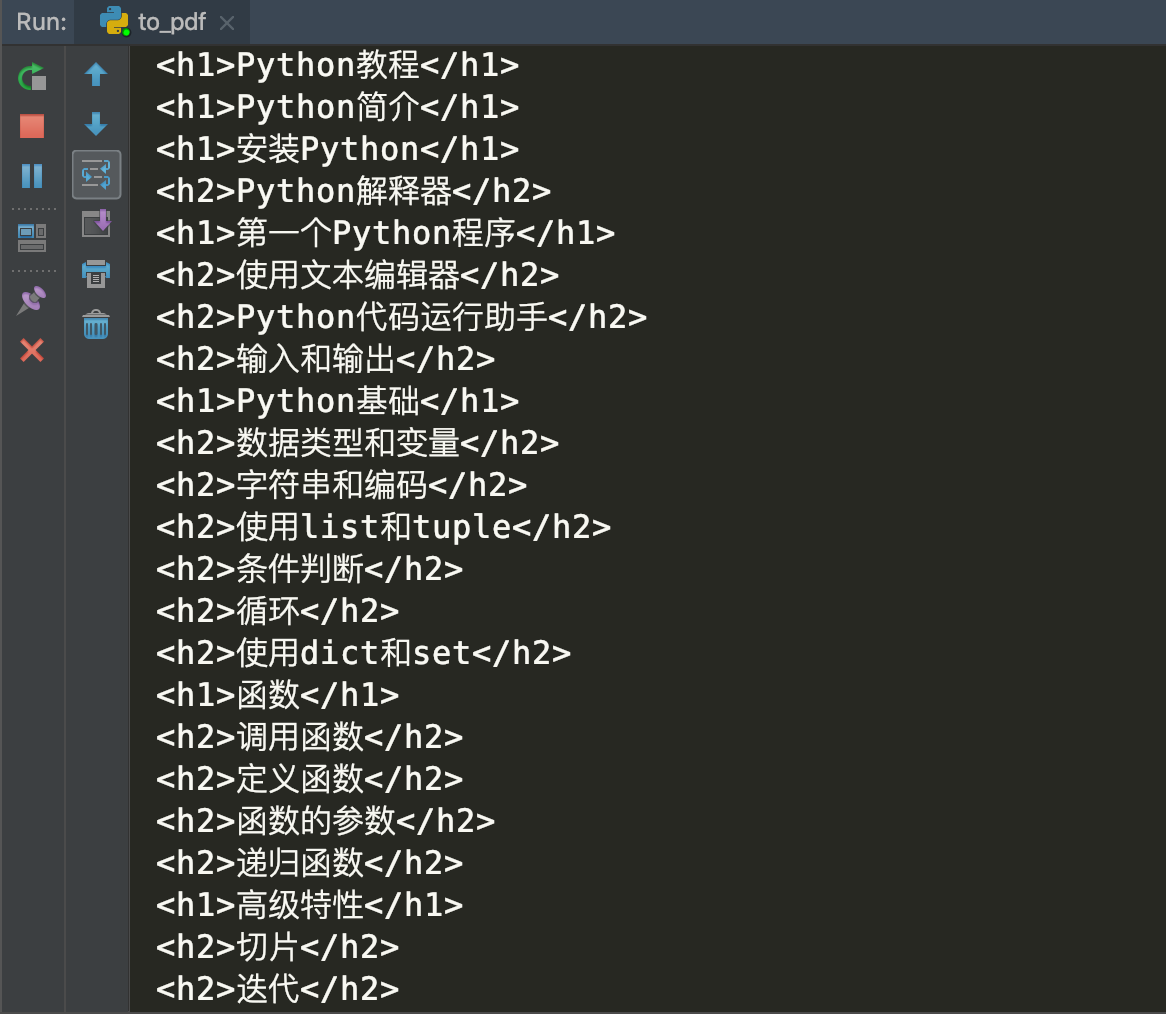
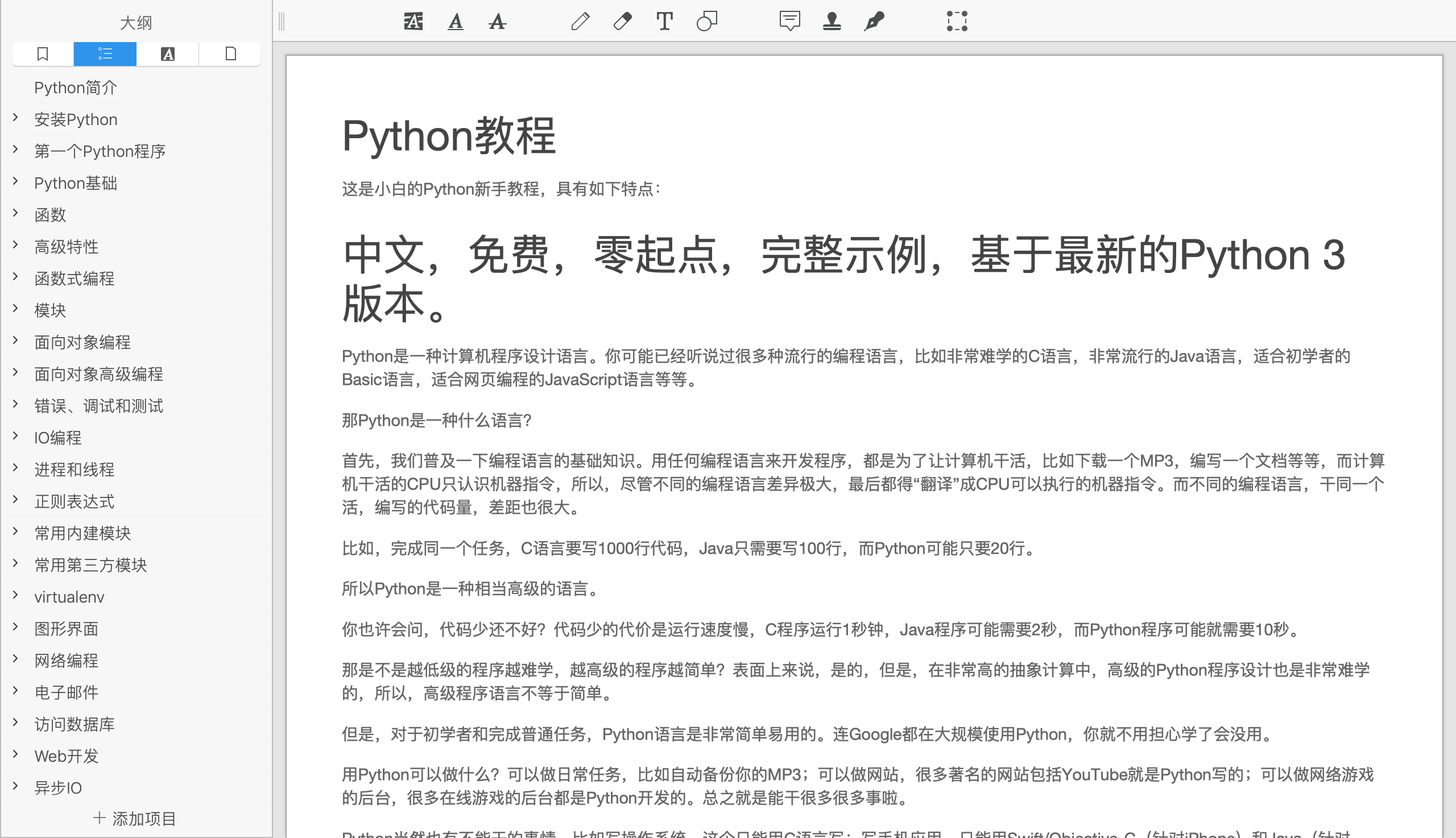
生成的效果图:
代码如下:
import re

import time

import pdfkit

import requests

from bs4 import BeautifulSoup

# 使用 阿布云代理

def get_soup(target_url):

    proxy_host = "http-dyn.abuyun.com"

    proxy_port = "9020"

    proxy_user = "**"

    proxy_pass = "**"

    proxy_meta = "http://%(user)s:%(pass)s@%(host)s:%(port)s" % {

        "host": proxy_host,

        "port": proxy_port,

        "user": proxy_user,

        "pass": proxy_pass,

    }

    proxies = {

        "http": proxy_meta,

        "https": proxy_meta,

    }

    headers = {'User-Agent':

                   'Mozilla/5.0 (Macintosh; Intel Mac OS X 10_14_2) AppleWebKit/537.36 (KHTML, like Gecko) Chrome/71.0.3578.98 Safari/537.36'}

    flag = True

    while flag:

        try:

            resp = requests.get(target_url, proxies=proxies, headers=headers)

            flag = False

        except Exception as e:

            print(e)

            time.sleep(0.4)

    soup = BeautifulSoup(resp.text, 'html.parser')

    return soup

def get_toc(url):

    soup = get_soup(url)

    toc = soup.select("#x-wiki-index a")

    print(toc[0]['href'])

    return toc

# ⬇️教程html

def download_html(url, depth):

    soup = get_soup(url)

    # 处理目录

    if int(depth) <= 1:

        depth = '1'

    elif int(depth) >= 2:

        depth = '2'

    title = soup.select("#x-content h4")[0]

    new_a = soup.new_tag('a', href=url)

    new_a.string = title.string

    new_title = soup.new_tag('h' + depth)

    new_title.append(new_a)

    print(new_title)

    # 加载图片

    images = soup.find_all('img')

    for x in images:

        x['src'] = 'https://static.liaoxuefeng.com/' + x['data-src']

    # 将bilibili iframe 视频更换为链接地址

    iframes = soup.find_all('iframe', src=re.compile("bilibili"))

    for x in iframes:

        x['src'] = "http:" + x['src']

        a_tag = soup.new_tag("a", href=x['src'])

        a_tag.string = "vide play:" + x['src']

        x.replace_with(a_tag)

    div_content = soup.find('div', class_='x-wiki-content')

    return new_title, div_content

def convert_pdf(template):

    html_file = "python-tutorial-pdf.html"

    with open(html_file, mode="w") as code:

        code.write(str(template))

    pdfkit.from_file(html_file, 'python-tutorial-pdf.pdf')

if __name__ == '__main__':

    # html 模板

    template = BeautifulSoup(

        '<!DOCTYPE html> <html lang="en"> <head> <meta charset="UTF-8"> <link rel="stylesheet" href="https://cdn.liaoxuefeng.com/cdn/static/themes/default/css/all.css?v=bc43d83"> <script src="https://cdn.liaoxuefeng.com/cdn/static/themes/default/js/all.js?v=bc43d83"></script> </head> <body> </body> </html>',

        'html.parser')

    # 教程目录

    toc = get_toc('https://www.liaoxuefeng.com/wiki/0014316089557264a6b348958f449949df42a6d3a2e542c000')

    for i, x in enumerate(toc):

        url = 'https://www.liaoxuefeng.com' + x['href']

        # ⬇️教程html

        content = download_html(url, x.parent['depth'])

        # 往template添加新的教程

        new_div = template.new_tag('div', id=i)

        template.body.insert(3 + i, new_div)

        new_div.insert(3, content[0])

        new_div.insert(3, content[1])

        time.sleep(0.4)

    convert_pdf(template)
参考文档:
学以致用:Python爬取廖大Python教程制作pdf的更多相关文章
- 适合初学者的Python爬取链家网教程
前言 文的文字及图片来源于网络,仅供学习.交流使用,不具有任何商业用途,版权归原作者所有,如有问题请及时联系我们以作处理. 作者: TinaLY PS:如有需要Python学习资料的小伙伴可以加点击下 ...
- 使用python爬取天气预报,[python入门案例]
# 天气网余姚地区爬虫案例 import requests from lxml import etree class WeatherSpider: def __init__(self): self.u ...
- Python 爬取各大代理IP网站(元类封装)
import requests from pyquery import PyQuery as pq base_headers = { 'User-Agent': 'Mozilla/5.0 (Windo ...
- Python爬取51job实例
用Python爬取51job里面python相关职业.工作地址和薪资. 51job上的信息 程序代码 from bs4 import BeautifulSoup from urllib.request ...
- python制作爬虫爬取京东商品评论教程
作者:蓝鲸 类型:转载 本文是继前2篇Python爬虫系列文章的后续篇,给大家介绍的是如何使用Python爬取京东商品评论信息的方法,并根据数据绘制成各种统计图表,非常的细致,有需要的小伙伴可以参考下 ...
- Python爬取微信好友
前言 今天看到一篇好玩的文章,可以实现微信的内容爬取和聊天机器人的制作,所以尝试着实现一遍,本文记录了实现过程和一些探索的内容 来源: 痴海 链接: https://mp.weixin.qq.com/ ...
- python爬取网站数据保存使用的方法
这篇文章主要介绍了使用Python从网上爬取特定属性数据保存的方法,其中解决了编码问题和如何使用正则匹配数据的方法,详情看下文 编码问题因为涉及到中文,所以必然地涉及到了编码的问题,这一次借这 ...
- python爬取《龙岭迷窟》的数据,看看质量剧情还原度到底怎么样
前言 文的文字及图片来源于网络,仅供学习.交流使用,不具有任何商业用途,版权归原作者所有,如有问题请及时联系我们以作处理. 作者:简单 PS:如有需要Python学习资料的小伙伴可以加点击下方链接自行 ...
- python爬取网站数据
开学前接了一个任务,内容是从网上爬取特定属性的数据.正好之前学了python,练练手. 编码问题 因为涉及到中文,所以必然地涉及到了编码的问题,这一次借这个机会算是彻底搞清楚了. 问题要从文字的编码讲 ...
随机推荐
- iOS- 本地文本容错搜索引擎2-->如何实现英文(英文首字母,汉语拼音)对中文的搜索?
1.前言 先闲说几句,最近北京的雾霾真是大,呛的我这攻城师都抗不住了.各位攻城师们一定要爱护好自己的身体!空气好时,少坐多动. 如果条件好的话,最好让你们BOSS搞个室内空气净化器.因为那几天一般 ...
- 复利计算测试(C语言)
对我们和复利计算程序,写单元测试. 有哪些场景? 期待的返回值 写测试程序. 运行测试. 测试模块 测试输入 预期结果 运行结果 bug跟踪 计算终值 (本金,年限,利率) 终值 1 (100 ...
- ecplise maven springmvc工程搭建
转载自:https://www.cnblogs.com/crazybirds/p/4643497.html 内网上网代理配置: 第一步:新建maven项目,选择Maven Project,如图1. ...
- 查看ROS最大并发连接数量
命令行下输入以下 ip firewall connection tracking print interval 1 max-entries这个就是最大的并发连接数量 退出按Q
- Inside Qt Series (全集,共十六篇,不同版本的Qt有不同的实现)
Inside Qt 系列 QObject这个 class 是 QT 对象模型的核心,绝大部分的 QT 类都是从这个类继承而来.这个模型的中心特征就是一个叫做信号和槽(signaland slot)的机 ...
- yii框架 excel导出
环境: yii框架 basic版 1.下载 PHPexcel (我用的是PHPExcel-1.8.1) 2.将下载的文件夹 (PHPExcel-1.8.1)放至 vender下 (路径:basic ...
- poj 2942 Knights of the Round Table(点双连通分量+二分图判定)
题目链接:http://poj.org/problem?id=2942 题意:n个骑士要举行圆桌会议,但是有些骑士相互仇视,必须满足以下两个条件才能举行: (1)任何两个互相仇视的骑士不能相邻,每个骑 ...
- check the manual that corresponds to your MySQL server version for the right syntax to use near 'type=InnoDB' at line 7
第一种是:解决MySQL的版本问题(我用的是mysql 5.5版本),mysql 5.0版本以后的数据库方言是:org.hibernate.dialect.MySQ5LInnoDBDialect.第二 ...
- SpringBoot(十三)_springboot上传Excel并读取excel中的数据
今天工作中,发现同事在整理数据,通过excel上传到数据库.所以现在写了篇利用springboot读取excel中的数据的demo.至于数据的进一步处理,大家肯定有不同的应用场景,自行修改 pom文件 ...
- BZOJ 3173 最长上升子序列(树状数组+二分+线段树)
给定一个序列,初始为空.现在我们将1到N的数字插入到序列中,每次将一个数字插入到一个特定的位置.每插入一个数字,我们都想知道此时最长上升子序列长度是多少? 由于序列是顺序插入的,所以当前插入的数字对之 ...