
【CentOS 7】nginx配置web服务器
1,安装过程
[root@VM_1_14_centos ~]# cd /data/

[root@VM_1_14_centos data]# wget  http://nginx.org/download/nginx-1.15.7.tar.gz

[root@VM_1_14_centos data]# tar -xvf nginx-1.15..tar.gz

[root@VM_1_14_centos data]# mkdir //usr/local/nginx -p

[root@VM_1_14_centos data]# ll

total

drwxr-xr-x        Dec  : nginx-1.15.

-rw-r--r--  root root  Nov  : nginx-1.15..tar.gz

[root@VM_1_14_centos data]# cd nginx-1.15./

[root@VM_1_14_centos nginx-1.15.]# ./configure --prefix=/usr/local/nginx

[root@VM_1_14_centos nginx-1.15.]#make&&make install
2,假设服务器外网IP为129.129.129.129,需要通过web访问的index文件是 /usr/index.html,index.html文件内容是:
<!DOCTYPE html>

<html>

        <head>

                <meta charset="UTF-8">

                <title></title>

        </head>

        <body>

                <h1>标题1</h1>

                <h2>标题2</h2>

                <h3>标题3</h3>

                <h4>标题4</h4>

                <h5>标题5</h5>

                <h6>标题6</h6>

                <h7>标题7</h7>

        </body>

</html>
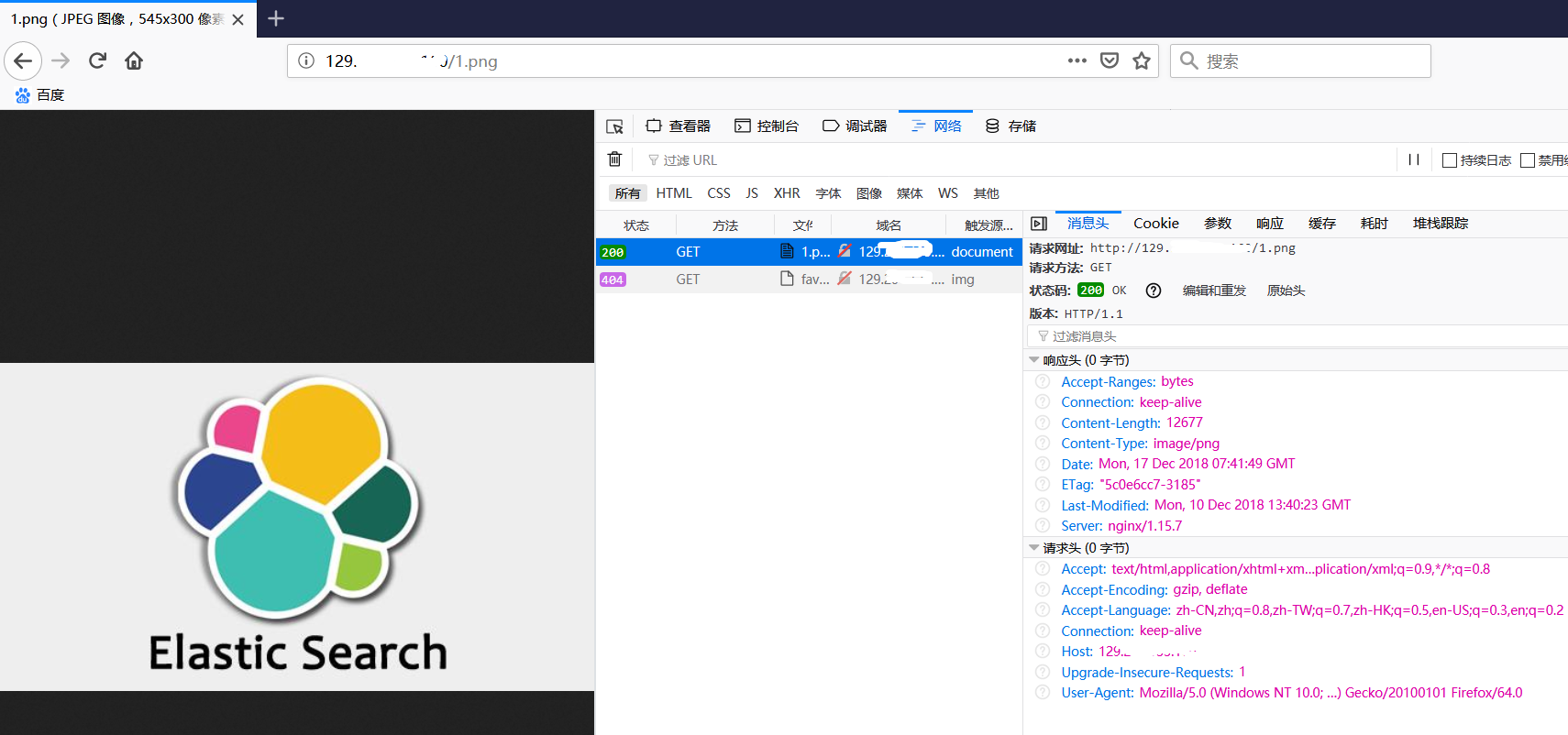
同时,需要访问某个图片文件/usr/1.png
3,此时我们需要配置nginx
[root@VM_1_14_centos /]# cd /usr/local/nginx/conf/

[root@VM_1_14_centos conf]#

[root@VM_1_14_centos conf]#

[root@VM_1_14_centos conf]#

[root@VM_1_14_centos conf]# vim nginx.conf

#user  nobody;

worker_processes  ;

#error_log  logs/error.log;

#error_log  logs/error.log  notice;

#error_log  logs/error.log  info;

#pid        logs/nginx.pid;

events {

    worker_connections  ;

}

http {

    include       mime.types;

    default_type  application/octet-stream;

    #log_format  main  '$remote_addr - $remote_user [$time_local] "$request" '

    #                  '$status $body_bytes_sent "$http_referer" '

    #                  '"$http_user_agent" "$http_x_forwarded_for"';

    #access_log  logs/access.log  main;

    sendfile        on;

    #tcp_nopush     on;

    #keepalive_timeout  ;

    keepalive_timeout  ;

    #gzip  on;

    server {

        listen       ;             #这里需要我们设置web访问的端口

        server_name  129.xxx.xxx.xxx;       #这里设置web访问的IP,最终在浏览器访问    129.xxx.xxx.xxx:80/index.html

        #charset koi8-r;

        #access_log  logs/host.access.log  main;

        location / {                                  #这里很重要,原因参考下一行

            root   /usr;                              #这里更重要,root是指直接访问 IP:port 时,获取文件的根目录,如果上一行设置为 / ,则直接访问IP:port会去拉取 /usr下面的index.html

            index  index.html index.htm;              #接上一行,如果location后面设置了目录  /abc ,则访问IP:port时,会拉取 /usr/abc/index.html.

        }

        #error_page                /.html;

        # redirect server error pages to the static page /50x.html

        #

        error_page        /50x.html;

        location = /50x.html {

            root   html;

        }

        # proxy the PHP scripts to Apache listening on 127.0.0.1:

        #

        #location ~ \.php$ {

        #    proxy_pass   http://127.0.0.1;

        #}

        # pass the PHP scripts to FastCGI server listening on 127.0.0.1:

        #

        #location ~ \.php$ {

        #    root           html;

        #    fastcgi_pass   127.0.0.1:;

        #    fastcgi_index  index.php;

        #    fastcgi_param  SCRIPT_FILENAME  /scripts$fastcgi_script_name;

        #    include        fastcgi_params;

        #}

        # deny access to .htaccess files, if Apache's document root

        # concurs with nginx's one

        #

        #location ~ /\.ht {

        #    deny  all;

        #}

    }

    # another virtual host using mix of IP-, name-, and port-based configuration

    #

    #server {

    #    listen       ;

    #    listen       somename:;

    #    server_name  somename  alias  another.alias;

    #    location / {

    #        root   html;

    #        index  index.html index.htm;

    #    }

    #}

    # HTTPS server

    #

    #server {

    #    listen        ssl;

    #    server_name  localhost;

    #    ssl_certificate      cert.pem;

    #    ssl_certificate_key  cert.key;

    #    ssl_session_cache    shared:SSL:1m;

    #    ssl_session_timeout  5m;

    #    ssl_ciphers  HIGH:!aNULL:!MD5;

    #    ssl_prefer_server_ciphers  on;

    #    location / {

    #        root   html;

    #        index  index.html index.htm;

    #    }

    #}

}
4,启动nginx服务,使用上面的配置文件
[root@VM_1_14_centos sbin]# pwd

/usr/local/nginx/sbin

[root@VM_1_14_centos sbin]# ./nginx -t #检查配置文件是否正确无误

nginx: the configuration file /usr/local/nginx/conf/nginx.conf syntax is ok

nginx: configuration file /usr/local/nginx/conf/nginx.conf test is successful

[root@VM_1_14_centos sbin]# ./nginx -c /usr/local/nginx/conf/nginx.conf  #使用上一步配置的nginx.conf启动nginx服务

[root@VM_1_14_centos sbin]# ps -aux | grep nginx

root        0.0  0.0      ?        Ss   :   : nginx: master process ./nginx -c /usr/local/nginx/conf/nginx.conf

nobody      0.0  0.0     ?        S    :   : nginx: worker process

root        0.0  0.0     pts/    S+   :   : grep --color=auto nginx
5,使用浏览器打开对应IP:port
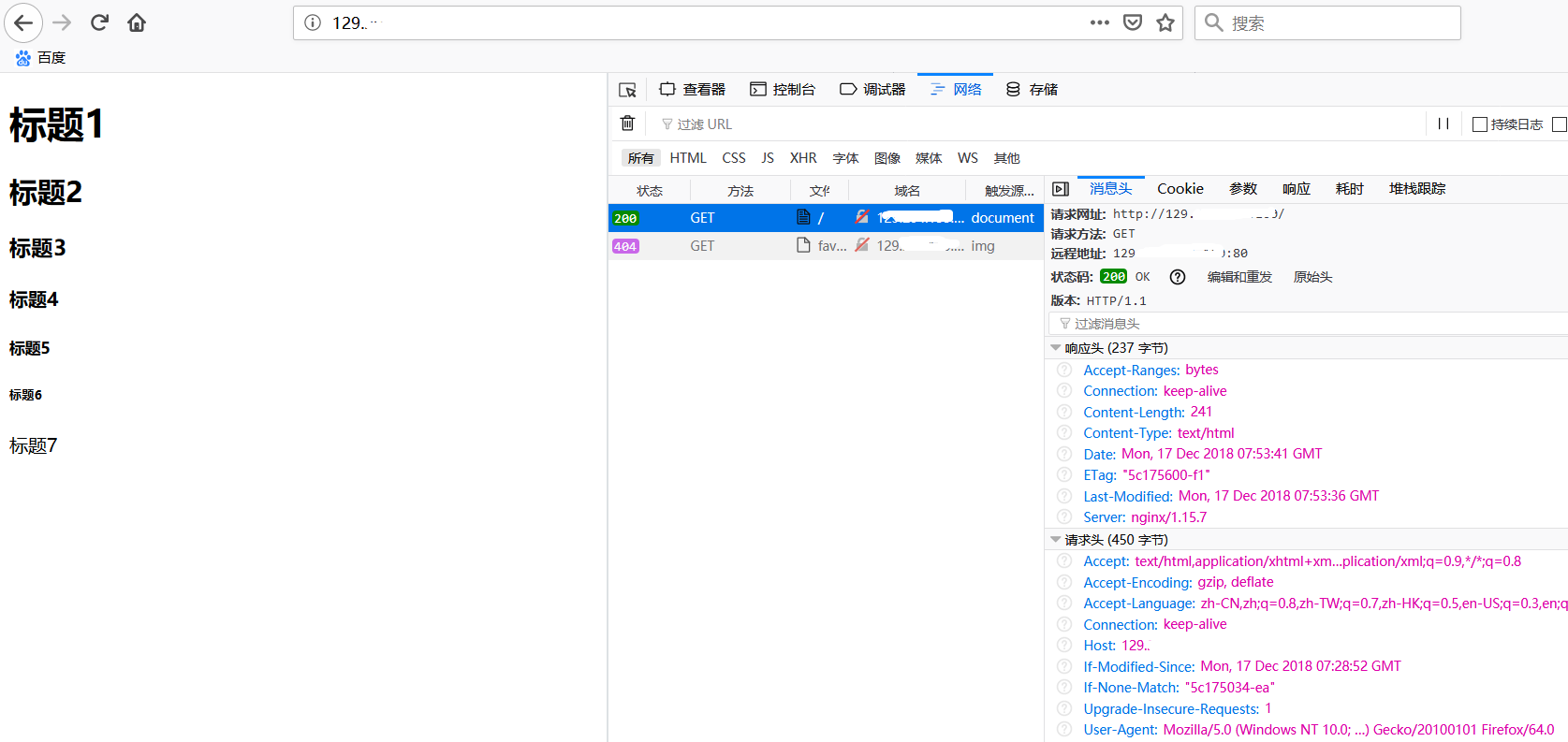
如上图,直接访问IP,会使用默认端口80并拉取index.html.
如果我们需要访问web服务器上的1.png图片,只需要访问url 129.xxx.xxx.xxx:80/1.png,若端口号设置为80时,在浏览器中访问也可以不带端口号。
【Finished】
附:
nginx常用命令
./nginx -s reload 重启nginx
./nginx -s stop 停止nginx
【CentOS 7】nginx配置web服务器的更多相关文章
- centos从头学习配置web服务器环境
为了学习linux下配置web服务器环境,于是安装了vmware,准备在虚拟机里面学习web服务器的搭建! 首先是在虚拟机里安装centos,我选择的是32位的centos6.6版本,因为新版本7据说 ...
- Centos下Nginx配置WEB访问日志并结合shell脚本定时切割
在一个成熟的WEB系统里,没有日志管理是不可以的,有了日志,可以帮助你得到用户地域来源.跳转来源.使用终端.某个URL访问量等相关信息:通过错误日志,你可以得到系统某个服务或server的性能瓶颈等. ...
- nginx配置web服务器
一:设置虚拟服务器 1.设置 http { server { listen 127.0.0.1:8080; server_name example.org www.example.org; } } 2 ...
- linux centOS下怎么配置web服务器
| 浏览:4503 | 更新:2011-12-07 17:45 1 2 3 分步阅读 下是我在配置web服务时作的一些记录,高手飘开或者看了指点一下,不胜感激,第一次配置,很多细节需要自己优化.适合环 ...
- linux使用nginx配置web服务器
环境: CenterOS 7 1.安装nginx之前先安装nginx所需的依赖包 yum -y install zlib zlib-devel openssl openssl-devel pcre p ...
- nginx高性能WEB服务器系列之六--nginx负载均衡配置+健康检查
nginx系列友情链接:nginx高性能WEB服务器系列之一简介及安装https://www.cnblogs.com/maxtgood/p/9597596.htmlnginx高性能WEB服务器系列之二 ...
- nginx高性能WEB服务器系列之五--实战项目线上nginx多站点配置
nginx系列友情链接:nginx高性能WEB服务器系列之一简介及安装https://www.cnblogs.com/maxtgood/p/9597596.htmlnginx高性能WEB服务器系列之二 ...
- nginx配置图片服务器
这几天研究了一下nginx配置图片服务器的相关内容,个人的一些收获与大家分享一下: Nginx是目前非常流行的web服务器,它起源于俄罗斯.它具有处理速度快,并发量大,占用资源极低等优点,尤其对于静态 ...
- NGINX高性能Web服务器详解(读书笔记)
原文地址:NGINX高性能Web服务器详解(读书笔记) 作者:夏寥寥 第4章 Nginx服务器的高级配置 4.1 针对IPv4的内核7个参数的配置优化 说明:我们可以将这些内核参数的值追加到Linu ...
随机推荐
- [BJOI2019] 排兵布阵
题目 这个\(dp\)出在普及都算水题吧 直接背包,\(O(nms)\)跑不满,非常稳 #include<cstdio> #include<vector> #include&l ...
- Spring Boot中使用EhCache实现缓存支持
SpringBoot提供数据缓存功能的支持,提供了一系列的自动化配置,使我们可以非常方便的使用缓存.,相信非常多人已经用过cache了.因为数据库的IO瓶颈.一般情况下我们都会引入非常多的缓存策略, ...
- jQuery鼠标悬停
(function ($) { $.fn.hoverdir = function(options){ var options = $.extend({ choice : ".cove&quo ...
- c++版 nms
目前这个代码运行会报一些错误,还要再修改修改才行 #include<iostream> #include<vector> #include<algorithm> # ...
- python基础整理2——Linux
Linux 目录 /:根目录,一般根目录下只存放目录 /bin./usr/bin: 可执行二进制文件的目录,如常用的命令ls.tar.mv.cat等 /boot:放置linux系统启动时用到的一些文件 ...
- java中判断图片格式并且等比例压缩图片
最近项目中需要判断上传的图片必须是png,jpg,gif三种格式的图片,并且当图片的宽度大于600px时,压缩图片至600px,并且等比例的压缩图片的高度. 具体的实现形式: 大致的思路是: 判断根据 ...
- $Mayan$游戏
\(Mayan\)游戏 好啊,一年(半年)来的梦魇,终于结束了. 其实我从来没料到整体竟然会如此暴力--做的时候机房里冷得很,感觉晕晕乎乎地做完了,晕晕乎乎地调了好久,晕晕乎乎地听(看了题解的)\(q ...
- display:inline、block、inline-block的区别(摘抄)
display:inline.block.inline-block的区别 display:block就是将元素显示为块级元素. block元素的特点是: 总是在新行上开始: 高度,行高以及顶和底边距都 ...
- php 查看使用多少内存
方法memory_get_usage 是指当前脚本正在使用的内存 unset只是把内存标记为空闲但并没有释放,要GC程序结束后才会释放 $bytes = memory_get_peak_usage() ...
- TIDB数据集群部署
TIDB 数据库集群 一.TiDB数据介绍 1.1.TiDB数据简介 TiDB 是 PingCAP 公司设计的开源分布式 HTAP (Hybrid Transactional and Analytic ...