
【报错解决】Uncaught TypeError: Failed to execute 'readAsDataURL' on 'FileReader': parameter 1 is not of type 'Blob'.
项目开发日记-bug多多篇(2)
同时也是 实现一些功能(3)
真的痛苦,写一天代码遇到的bug够我写三天博客。
今天是为了做一个头像功能,具体说是用户上传头像文件并且预览的功能。


<div class="col-lg-3" style="border-right-color: #0f0f0f">

            <img src="" class="img-circle" id="img">

            <input type="file" name="img" id="exampleInputFile" onchange="showImg()" accept="image/gif, image/jpg, image/png">

        </div>
HTML
 1 <script th:inline="javascript">

 2         const exampleInputFile = document.getElementById("exampleInputFile");

 3         const img = document.getElementById("img")

 4         const fileReader = new FileReader();

 5         var imgFile = document.getElementById("exampleInputFile").file;

 6         var showImg = function (){

 7             fileReader.readAsDataURL(imgFile);

 8             console.log(fileReader.result);

 9             fileReader.onload = function (){

10                 img.innerHTML=fileReader.result;

11                 console.log(img.getAttribute("src"));

12             }

13         }

14     </script>
JS
在页面用户提交了头像文件后console报错Uncaught TypeError: Failed to execute 'readAsDataURL' on 'FileReader': parameter 1 is not of type 'Blob'.
先记录问题,解决了再来更新。
先说报错原因,在博客园和CSDN逛了一圈都没有找到解决方法,拉踩一下CSDN七、八个热门回答抄的都是同一份作业,不多说。
我去MDN搜索了出错的方法 readAsDataURL(),MDN上对于这一方法的描述为:
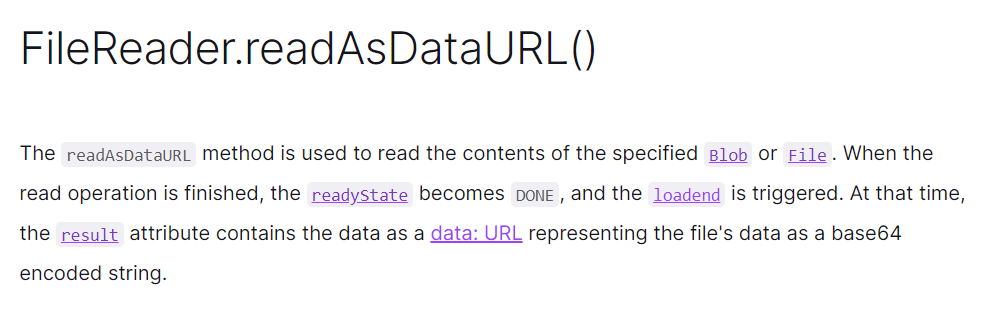
大致翻译一下就是:readAsDataURL()这个方法会读取指定的Blob或File文件,读取完后readystate会变成‘DONE’,并且触发loadend事件。同时result属性将会包含一个用于表示文件的URL格式的字符串。
再结合一下报错信息,Uncaught TypeError: Failed to execute 'readAsDataURL' on 'FileReader': parameter 1 is not of type 'Blob'
那就可以直到了原来Blob是一种文件类型,而不是因为我插入的图片是GGB
 意思就是说我们传入readAsDataURL()的参数不是Blob类型的(这里插入一下,file对象是特殊的Blob类型)
那就看看我们传了什么东西进去
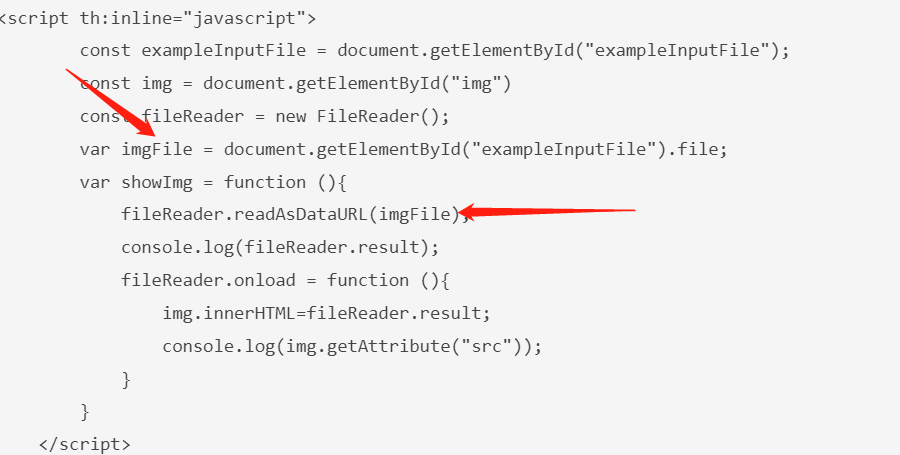
其实这里是我按照自己的猜想写的代码,肯定是不规范的,console看看传了什么进去
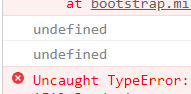 果不其然,undefined。
那接下来就看看规范的写法应该是怎么样的,我参照了MDN中的代码,这里贴上原链接 https://developer.mozilla.org/en-US/docs/Web/API/FileReader/readAsDataURL
我自己的代码:
<script th:inline="javascript">

        var showImg = function (){

            var img = document.querySelector('img');

            const fileReader = new FileReader();

            var imgFile = document.querySelector('input[type=file]').files[0];

            fileReader.addEventListener('load',function (){

                img.src = fileReader.result;

            },false);

            if (imgFile){

                fileReader.readAsDataURL(imgFile);

            }

        }

    </script>
JS
实现效果:
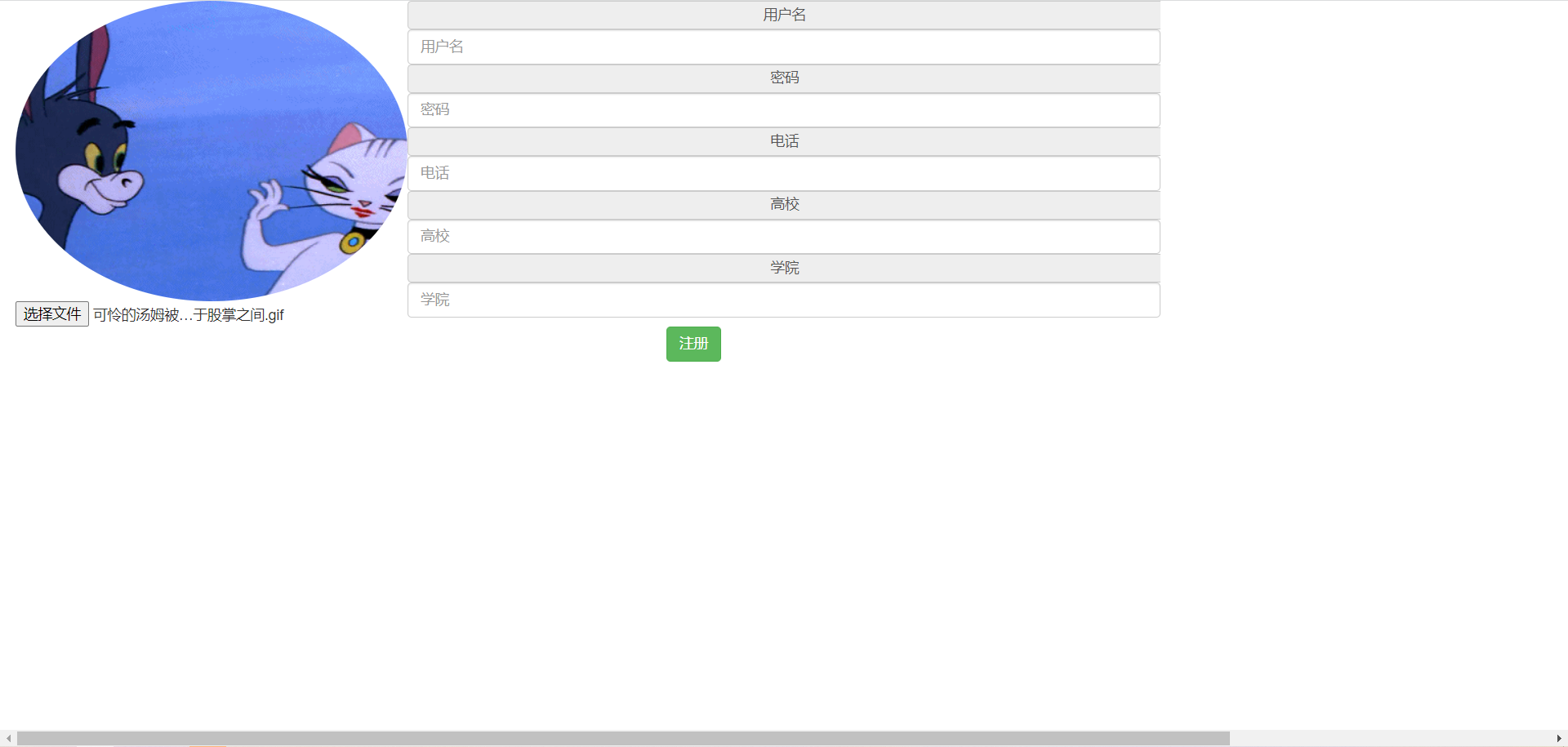
跟预想的差不多,可惜了这个动图。

【报错解决】Uncaught TypeError: Failed to execute 'readAsDataURL' on 'FileReader': parameter 1 is not of type 'Blob'.的更多相关文章
- 【postman】postman测试API报错如下:TypeError: Failed to execute 'fetch' on 'Window': Invalid value 对中文支持不好
使用postman测试APi的时候,因为系统需要在header部带上登录用户的信息,所以 如下: 然后测试报错如下:TypeError: Failed to execute 'fetch' on 'W ...
- Vue的报错:Uncaught TypeError: Cannot assign to read only property 'exports' of object '#<Object>'
Vue的报错:Uncaught TypeError: Cannot assign to read only property 'exports' of object '#<Object>' ...
- Jquery报错:Uncaught TypeError: ((m.event.special[e.origType] || (intermediate value)).handle || e.handler).apply is not a function
页面中出现了Jquery报错:Uncaught TypeError: ((m.event.special[e.origType] || (intermediate value)).handle || ...
- DataTable插件报错:Uncaught TypeError: Cannot read property 'style' of undefined
DataTable插件报错:Uncaught TypeError: Cannot read property 'style' of undefined 原因:table 中定义的列和aoColumns ...
- jQuery报错:Uncaught TypeError: _this.attr is not a function
问题:想通过延时把置灰的按钮再次复原,代码如下: $("#sendEmailCode").on("click", function() { var _this ...
- JS报错:Uncaught TypeError: Cannot set property ‘nTf‘ of undefined
在使用DataTable时,遇到以下报错: Uncaught TypeError: Cannot set property 'nTf' of undefined ... ... 初步排查后发现是< ...
- Vue报错:Uncaught TypeError: Cannot assign to read only property’exports‘ of object’#<Object>‘的解决方法
发现问题 运行一下以前的一个Vue+webpack的 vue仿新闻网站 小项目,报错 由于自己vue学习不深入,老是这个报错,找了好久(确切的说是整整一下午^...^)才找到原因 -v- Uncau ...
- Maven进行install的时候报错,COMPILATION ERROR : Failed to execute goal org.apache.maven.plugins:maven-surefire-plugin:2.13:test (default-test) on project cmu: There are test failures.
maven进行install的时候,test类里面报错: COMPILATION ERROR : [INFO] -------------------------------------------- ...
- vue 报错解决:TypeError: Cannot read property '_t' of undefined"
前端报错如下: [Vue warn]: Error in render: "TypeError: Cannot read property '_t' of undefined" 是 ...
随机推荐
- Redis快速入门:初识Redis
[IT168 专稿]在之前的文章中介绍了<Redis快速入门:选择Key-Value Store>,今天给大家介绍Redis的入门知识.Redis是一个开源的使用ANSI C语言编写.支持 ...
- Rust-Sqlx极简教程
简介 sqlx 是 rust 中的一个数据库访问工具.具有以下特点: 异步:原生就支持异步,在并发性高的场合能够得到更好的支持 编译时检查查询:sqlx可以在 cargo build 的时候检查执行s ...
- 面试官:知道ThreadLocal嘛?谈谈你对它的理解?(基于jdk1.8)
https://zhuanlan.zhihu.com/p/99150038 西北工业大学 计算机技术硕士在读 在java的多线程模块中,ThreadLocal是经常被提问到的一个知识点,提问的 ...
- java 基础知识(三)
Arraylist与Vector的区别 清浅池塘 程序员,专栏:Java那些事儿唯一作者,咨询前请先点详细资料 162 人赞同了该文章 这几天工作有点忙,有很多代码需要写,更新文章有点慢,说声抱歉 ...
- Java IO流处理
字节流是由字节组成的;字符流是由字符组成的Java里字符由两个字节组成. 1字符=2字节JAVA中的字节流是采用ASCII编码的,字符流是采用好似UTF编码,支持中文的 Java IO流处理 面试题汇 ...
- nginx静态资源服务器配置
编辑 nginx.conf server { listen 80; server_name file.youxiu326.xin; location /image/ { #访问 file.youxiu ...
- 前端面试题整理——手写AJAX
<!DOCTYPE html> <html lang="en"> <head> <meta charset="UTF-8&quo ...
- 2022DASCTF X SU 三月春季挑战赛 ezpop
复现一道dactf的ezpop <?php class crow { public $v1; public $v2; function eval() { echo new $this->v ...
- python-逆序输出
输入一行字符串,然后对其进行如下处理. 输入格式: 字符串中的元素以空格或者多个空格分隔. 输出格式: 逆序输出字符串中的所有元素.然后输出原列表.然后逆序输出原列表每个元素,中间以1个空格分隔.注意 ...
- python爬取梦幻西游召唤兽资质信息(不包含变异)
一.分析 1.爬取网站:https://xyq.163.com/chongwu/ 2.获取网页源码: request.get("https://xyq.163.com/chongwu/&qu ...