
gui的服务器和vnc安装测试
为了OpenStack做连接准备,我们要准备企业中不常用到的gui桌面,和vnc连接去调试
然后开始我们的教程
yum grouplist
列出包组选择要安装的服务
 systemctl stop zabbix

因为云端主机上运行着zabbix所有停掉它

可跳过
安装服务
# yum groupinstall 'Server with GUI'
稍等就好
# yum install tigervnc-server –y

安装vnc服务端
# vim /etc/sysconfig/vncservers


编辑配置文件


VNCSERVER="2:root"

VNCSERVERARGS[2]="-geometry 800x600 -nolisten tcp"

~

~

~

~

~

~

~                写入两行  配置文件
vncpasswd


更改vnc密码

和vnc查看密码

输入不显示

要有六位
systemctl status firewalld

查看firewalld是否关闭

如不想关闭firewalld 可以添加规则允许端口出入
 vncserver :1

  vnc服务启动
ps aux | grep vnc

查看vnc

netstat -l | grep 159

查看端口
vncserver -kill :1

关闭vnc服务
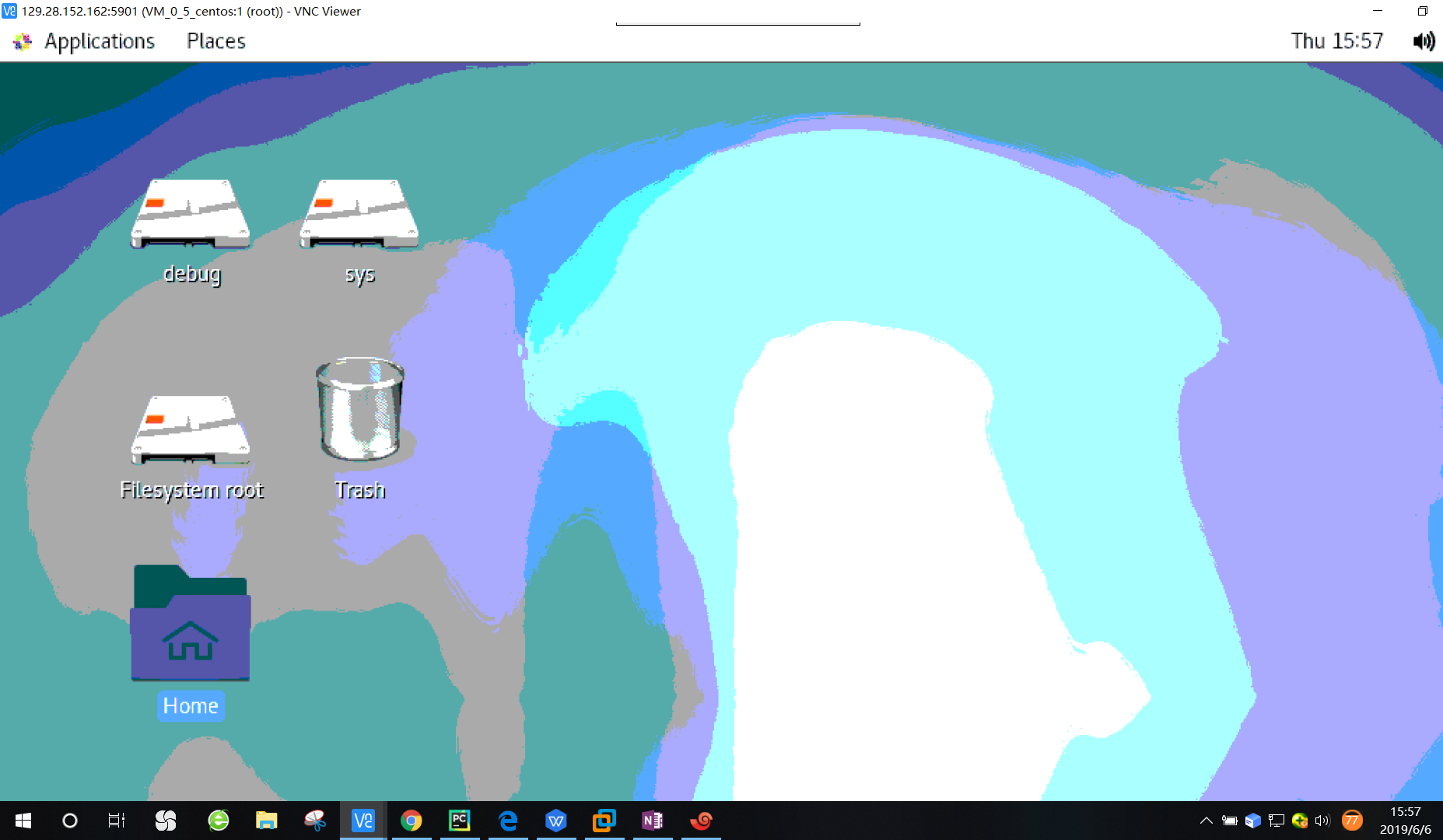
最后附上一张成功图片
gui的服务器和vnc安装测试的更多相关文章
- 阿里云服务器Linux CentOS安装配置(八)nginx安装、配置、域名绑定
阿里云服务器Linux CentOS安装配置(八)nginx安装.配置.域名绑定 1.安装nginx yum -y install nginx 2.启动nginx service nginx star ...
- 阿里云服务器Linux CentOS安装配置(七)域名解析
阿里云服务器Linux CentOS安装配置(七)域名解析 1.购买域名 登录阿里云,左侧菜单点击[域名],然后[域名注册],完成域名购买.(一般首年45元) 2.添加域名解析 在域名列表里点击你的域 ...
- 阿里云服务器Linux CentOS安装配置(六)resin多端口配置、安装、部署
阿里云服务器Linux CentOS安装配置(六)resin多端口配置.安装.部署 1.下载resin包 http://125.39.66.162/files/2183000003E08525/cau ...
- 阿里云服务器Linux CentOS安装配置(五)jetty配置、部署
阿里云服务器Linux CentOS安装配置(五)jetty配置.部署 1.官网下载jetty:wget http://repo1.maven.org/maven2/org/eclipse/jetty ...
- 阿里云服务器Linux CentOS安装配置(三)yum安装mysql
阿里云服务器Linux CentOS安装配置(三)yum安装mysql 1.执行yum安装mysql命令:yum -y install mysql-server mysql-devel 2.启动mys ...
- 阿里云服务器Linux CentOS安装配置(二)yum安装svn
阿里云服务器Linux CentOS安装配置(二)yum安装svn 1.secureCRT连接服务器 2.先创建一个文件夹,用来按自己的习惯来,用来存放数据 mkdir /data 3.yum安装sv ...
- 阿里云服务器Linux CentOS安装配置(一)购买阿里云服务器
阿里云服务器Linux CentOS安装配置(一)购买阿里云服务器 我在阿里云购买的服务器配置 CPU:1核 内存:2G 系统盘:40G 公共镜像:CentOS 6.5 64位 公网带宽:1Mbps ...
- 如何在本地安装测试ECSHOP 转载
如何在本地安装测试ECSHOP 如何在本地(自己的电脑)上先安装ECShop 一.创建PHP环境 1.下载AppServ 因为ECShop在线网上商店系统是用PHP语言开发的,所以,在本地架设网店之前 ...
- 实践过配置成功的VNC安装配置
VNC安装步骤说明那个 1.安装图形界面 #yum install tigervnc-server tigervnc 2.启动VNCServer #vncserver 对应的关闭图形界面的命令 ...
- mpush 服务器环境配置安装 CentOS 7 and Windows
github-doc https://github.com/mywiki/mpush-doc/blob/master/SUMMARY.md Introduction 1.服务器环境 2.安装Redis ...
随机推荐
- 02.java基础(一)java的基础、方法和数组
目录 Java基础 Java特性 Java程序运行机制 Java基础语法 1.数据类型 基本类型 引用类型 数据类型扩展 String类型内存分配过程 转义字符 类型转换 变量 常量 2.运算符 逻辑 ...
- centos7本地yum配置和使用
1.打开centos的yum文件夹 输入命令cd /etc/yum.repos.d/ 2.用wget下载repo文件 输入命令wget http://mirrors.aliyun.com/repo ...
- Docker 基础常用命令
Docker 是一个开源的应用容器引擎,让开发者可以打包他们的应用以及依赖包到一个可移植的镜像中,然后发布到任何流行的 Linux或Windows操作系统的机器上,也可以实现虚拟化.Docker是内核 ...
- 【快问快答】为什么NPOI读取表格数据的时候,遇到空格单元值会直接忽略
答:其实就是Excel文档的问题,具体问题出在哪里不知道,反正尝试换了一份新的文档来进行导入就可以!
- vscode远程连接服务器出现Bad owner or permissions on .ssh/config
vscode远程连接服务器出现Bad owner or permissions on C:\\Users\USER\.ssh/config 过程试图写入的管道不存在, 原因是vscode的remoto ...
- jeecgboot <j-popup
<a-col :span="24"> <a-form-item label=" 规格" :labelCol="labelCol&qu ...
- 2.9 系统IO
iostream: 输入流 cin; c 指代 character 输出流 cout, cerr(立即刷新缓冲区), clog(缓冲区满后刷新) 命名空间 访问方式 namespace NameSpa ...
- 基于SDN控制器(ONOS)实现量子设备配置管理
基础知识 基于SDN控制器(ONOS)实现量子设备配置管理,首先选择合适的南向协议.OpenFlow与NETCONF是两个最适合企业网场景使用的协议.目前各大网络厂商的网络设备都已基本宣称支持NETC ...
- 为什么Controller层注入的是Service接口,而不是ServiceImpl实现类
转自csdn--https://blog.csdn.net/weixin_39565597/article/details/78078728 今天看代码发现,写法和自己理解的java写法不一致,就查找 ...
- fiddler 调试
如果本地代理js发现跨域,需要手动修改自定义规则 1 static function OnBeforeResponse(oSession: Session) { 2 if (m_Hide304s &a ...