
Vitis-AI之docker指南
由于网络原因,有时候进入docker官网时候很卡,故摘录一部分安装要点,供自己查阅参考
docker安装原文链接:https://docs.docker.com/engine/install/ubuntu/#uninstall-docker-engine docker权限设置原文链接:https://docs.docker.com/engine/install/linux-postinstall/
强烈建议看原文安装!!!看原文!!!非常全面!!!
安装环境要求
1.1To install Docker Engine, you need the 64-bit version of one of these Ubuntu versions:
Ubuntu Impish 21.10
Ubuntu Hirsute 21.04
Ubuntu Focal 20.04 (LTS)
Ubuntu Bionic 18.04 (LTS)
1.2 安装之前卸载旧版本
sudo apt-get remove docker docker-engine docker.io containerd runc
It’s OK if apt-get reports that none of these packages are installed.
The contents of /var/lib/docker/, including images, containers, volumes, and networks, are preserved. If you do not need to save your existing data, and want to start with a clean installation, refer to the uninstall Docker Engine section at the bottom of this page.
Uninstall Docker Engine
Uninstall the Docker Engine, CLI, and Containerd packages:
sudo apt-get purge docker-ce docker-ce-cli containerd.io
Images, containers, volumes, or customized configuration files on your host are not automatically removed. To delete all images, containers, and volumes:
sudo rm -rf /var/lib/docker
sudo rm -rf /var/lib/containerd
You must delete any edited configuration files manually.
2.开始安装(在线安装)
(采用命令行在线安装,网络不好也可以根据官方手册选择.deb离线安装的方式)
2.1 Install using the repository
Update the apt package index and install packages to allow apt to use a repository over HTTPS:
 sudo apt-get update

 sudo apt-get install \

    ca-certificates \

    curl \

    gnupg \

    lsb-release
Add Docker’s official GPG key:
curl -fsSL https://download.docker.com/linux/ubuntu/gpg | sudo gpg --dearmor -o /usr/share/keyrings/docker-archive-keyring.gpg
Use the following command to set up the stable repository. To add the nightly or test repository, add the word nightly or test (or both) after the word stable in the commands below. Learn about nightly and test channels.
echo \

  "deb [arch=$(dpkg --print-architecture) signed-by=/usr/share/keyrings/docker-archive-keyring.gpg] https://download.docker.com/linux/ubuntu \

  $(lsb_release -cs) stable" | sudo tee /etc/apt/sources.list.d/docker.list > /dev/null
2.2 Install Docker Engine
一定要选择19.03以上的版本,否则不支持DPU docker!!!,后续又要重新升级,很麻烦。。。
 sudo apt-get update

 sudo apt-get install docker-ce docker-ce-cli containerd.io
To install a specific version of Docker Engine, list the available versions in the repo, then select and install:
apt-cache madison docker-ce

sudo apt-get install docker-ce=<VERSION_STRING> docker-ce-cli=<VERSION_STRING> containerd.io
test
sudo docker run hello-world
3设置权限
3.1Create the docker group.
sudo groupadd docker
3.2 Add your user to the docker group
sudo usermod -aG docker $USER
3.3测试部分
Log out and log back in so that your group membership is re-evaluated.
If testing on a virtual machine, it may be necessary to restart the virtual machine for changes to take effect.
On a desktop Linux environment such as X Windows, log out of your session completely and then log back in.
On Linux, you can also run the following command to activate the changes to groups:
newgrp docker
Verify that you can run docker commands without sudo.
docker run hello-world
4 安装xilinx GPU版本的docker
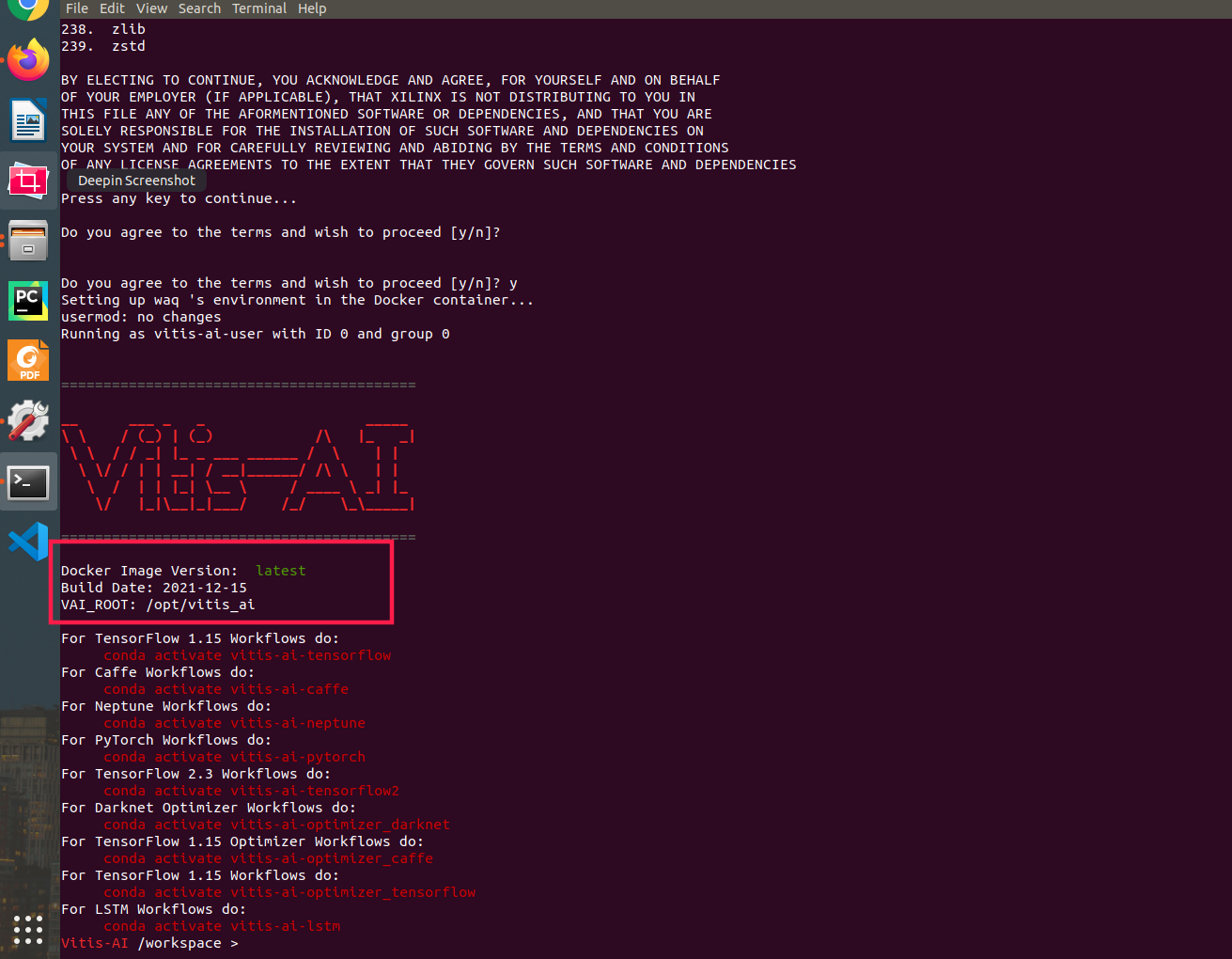
4.进入https://github.com/Xilinx/Vitis-AI按照教程安装完之后,启动运行的时候报错:
docker: Error response from daemon: could not select device driver "" with capabilities: [[gpu]].
2解决方案
这是由于没有配置好docker运行环境导致的,执行安装容器运行环境(以Ubuntu18.04为例)
执行命令:
sudo apt-get update

sudo apt-get install nvidia-container-runtime

systemctl restart docker

Vitis-AI之docker指南的更多相关文章
- Docker 指南
一.docker 介绍 1.1 引言 环境不一致 "我本地运行没问题啊?!" 多用户相互影响 "哪个哥们又写死循环了,怎么这么卡?!" 运维成本高 " ...
- Vitis AI--个人调试篇
一.下载VITIS-AI的仓库 单独git clone很慢,因此先将其导入到gitee平台,再执行clone 1. Import VITIS-AI github repo into gitee rep ...
- 学习 Docker - 入门
Docker简介 一种虚拟容器技术. 一种虚拟化分方案: 操作系统级别的虚拟化: 只能运行相同或相似内核的操作系统: 依赖与linux内核特性:Namespace和Cgroups(Control Gr ...
- 花十分钟,让你变成AI产品经理
花十分钟,让你变成AI产品经理 https://www.jianshu.com/p/eba6a1ca98a4 先说一下你阅读本文可以得到什么.你能得到AI的理论知识框架:你能学习到如何成为一个AI产品 ...
- 【Python】paddlepaddle docker python2.7 centos运行
PS E:\AI\BlockMining> docker cp .\LearnPaddle-master\ 30acd98dbc60:\rootPS E:\AI\BlockMining> ...
- docker和kubernetes docker的区别
之前公司的测试环境,刚开始自己搭建虚拟机,然后安装redis,nginx,mq,mysql,tomcat,jdk,marven,还有jekins.前面些还算好点,jekins还是比较麻烦的.然后搭完以 ...
- docker安装db2数据库
查询可安装的db2镜像 # docker search db2 [root@docker-servers ~]# docker search db2 INDEX NAME DESCRIPTION ST ...
- 助力培养高质量AI人才,璞公英乐学平台在日本深受好评!
璞公英乐学平台(原名"璞睿魔数")自进入日本市场以来,受到日本用户的广泛好评.近日,日本AI门户网站AIsmiley在发刊的杂志<AI人才育成指南>中对璞公英乐学平台做 ...
- Vitis-AI集成
Vitis-AI集成 Vitis-AI是Xilinx的开发堆栈,用于在Xilinx平台(包括边端设备和Alveo卡)上进行硬件加速的AI推理.它由优化的IP,工具,库,模型和示例设计组成.设计时考虑到 ...
- Tensorflow從源碼編譯
从源代码构建 从源代码构建 TensorFlow pip 软件包并将其安装在 Ubuntu Linux 和 macOS 上.尽管这些说明可能适用于其他系统,但仅针对 Ubuntu 和 macOS 进行 ...
随机推荐
- echarts去除下载小图标
toolbox: { show: true, orient: 'vertical', left: 'right', top: 'center', feature: { dataView: { read ...
- STL set容器常用API
set容器,容器内部将数据自动排序(平衡二叉树),不能插入重复元素.multiset可以插入重复元素.不能修改容器中的值,通过删除值,在插入. #define _CRT_SECURE_NO_WARNI ...
- 远程登录到Linux服务器
首先我们下载一个xshell,下载地址:https://www.xshell.com/zh/ 下载安装打开xshell 按快捷键alt + n进入新建窗口,输入自己的主机名,名称,说明等 双击点击左边 ...
- IT编程相关内容汇总 - 进阶者系列 - 学习者系列文章
笔者工作了十多年了,对于技术也有一定的经验,但是IT编程技术的更新是挺快的,特别是各种框架,各种中间件啥的都涌现出来了.这篇博文笔者打算将IT编程的前端.后端.数据库和移动端做一个博文知识汇总,让阅读 ...
- 升级csproj文件为vs2017工程格式(SDK样式)
csproj文件在VS2017后格式变更为SDK样式.framework项目如果需要源链接等等功能,需要进行手动升级. 升级过程 升级需要Project2015To2017Nuget包. > d ...
- 通过Docker启动DB2,并在Spring Boot整合DB2
1 简介 DB2是IBM的一款优秀的关系型数据库,简单学习一下. 2 Docker安装DB2 为了快速启动,直接使用Docker来安装DB2.先下载镜像如下: docker pull ibmcom/d ...
- 最新版 Proteus 8.15 Professional 图文安装教程 [ 附安装包 ]
前言 Proteus 是世界上唯一将电路仿真软件.PCB设计软件和虚拟模型仿真软件三合一的设计平台. Proteus 8.15 现已发布,本篇将带领大家安装此版本. 介绍 Proteus Proteu ...
- Win10环境下yolov8(ultralytics) 快速配置与测试
win10下亲测有效!(如果想在tensorrt+cuda下部署,直接看第五5章) 一.win10下创建yolov8环境 # 注:python其他版本在win10下,可能有坑,我已经替你踩坑了,这里p ...
- Spring Security Form表单认证代码实例
Spring Security Form表单认证 Spring Security中,常见的认证方式可以分为HTTP层面和表单层面,如下: HTTP基本认证 Form表单认证 HTTP摘要认证 Spri ...
- Django框架之drf:5、反序列化器校验部分源码分析、断言、drf之请求与响应、视图组件介绍及两个视图基类、代码部分实战
Django框架之drf 目录 Django框架之drf 一.反序列化类校验部分源码解析 二.断言 三.drf之请求 1.Request能够解析的前端传入编码格式 2.Request类中的属性和方法 ...