
Harbor 2.1.2 安装部署
环境
首先需要准备好 Docker + Docker-Compose 环境,Docker 在 CentOS 7.x 的安装教程请参考 这篇文章,后续文章假设你已经安装好了上述环境。
安装
标准安装
首先从 Harbor 的官方 GitHub Relase 下载最新的安装包,Harbor 本身的运行也是依赖于 Docker Compose ,整个压缩包本质上就是一系列离线镜像,执行安装脚本就是执行 docker load 命令将需要的镜像直接加载。
下载安装包,请访问 https://github.com/goharbor/harbor/releases/tag/v2.1.2 下载 tgz 压缩包。
将文件移动到安装文件夹,这里我建立了一个
/opt/harbor文件夹。运行
tar -xvf harbor-offline-installer-v1.10.1.tgz解压文件包。移动到解压完成的文件夹,编辑对应的
harbor.yml文件,设置域名、SSL 证书等信息。注意️:
这一步的证书文件必须是全链证书(fullchain),否则后续
docker login的时候会提示 X509 错误。执行
./install.sh --with-clair开始安装 Harbor。
完成上述步骤以后 Harbor 就安装成功了。
不使用内置 NGINX
在我们的环境当中,NGINX 容器是单独存在的,并且使用的是 docker nework create 创建的外部网络。这个时候就不能够使用 Harbor 安装脚本内提供的 NGINX,需要变更 Harbor 的 Docker Compose 文件。
执行
docker-compose down命令,停止所有 Harbor 容器。编辑 Harbor 的
docker-compose.yml文件,引入外部网络,这里我以 internal-network 为例,下面是变更好的 YAML 文件。version: '2.3'
services:
log:
image: goharbor/harbor-log:v2.1.2
container_name: harbor-log
restart: always
dns_search: .
cap_drop:
- ALL
cap_add:
- CHOWN
- DAC_OVERRIDE
- SETGID
- SETUID
volumes:
- /var/log/harbor/:/var/log/docker/:z
- type: bind
source: ./common/config/log/logrotate.conf
target: /etc/logrotate.d/logrotate.conf
- type: bind
source: ./common/config/log/rsyslog_docker.conf
target: /etc/rsyslog.d/rsyslog_docker.conf
ports:
- 127.0.0.1:1514:10514
networks:
- harbor
- internal-network
registry:
image: goharbor/registry-photon:v2.1.2
container_name: registry
restart: always
cap_drop:
- ALL
cap_add:
- CHOWN
- SETGID
- SETUID
volumes:
- /data/registry:/storage:z
- ./common/config/registry/:/etc/registry/:z
- type: bind
source: /data/secret/registry/root.crt
target: /etc/registry/root.crt
- type: bind
source: ./common/config/shared/trust-certificates
target: /harbor_cust_cert
networks:
- harbor
- internal-network
dns_search: .
depends_on:
- log
logging:
driver: "syslog"
options:
syslog-address: "tcp://127.0.0.1:1514"
tag: "registry"
registryctl:
image: goharbor/harbor-registryctl:v2.1.2
container_name: registryctl
env_file:
- ./common/config/registryctl/env
restart: always
cap_drop:
- ALL
cap_add:
- CHOWN
- SETGID
- SETUID
volumes:
- /data/registry:/storage:z
- ./common/config/registry/:/etc/registry/:z
- type: bind
source: ./common/config/registryctl/config.yml
target: /etc/registryctl/config.yml
- type: bind
source: ./common/config/shared/trust-certificates
target: /harbor_cust_cert
networks:
- harbor
- internal-network
dns_search: .
depends_on:
- log
logging:
driver: "syslog"
options:
syslog-address: "tcp://127.0.0.1:1514"
tag: "registryctl"
postgresql:
image: goharbor/harbor-db:v2.1.2
container_name: harbor-db
restart: always
cap_drop:
- ALL
cap_add:
- CHOWN
- DAC_OVERRIDE
- SETGID
- SETUID
volumes:
- /data/database:/var/lib/postgresql/data:z
networks:
harbor:
dns_search: .
env_file:
- ./common/config/db/env
depends_on:
- log
logging:
driver: "syslog"
options:
syslog-address: "tcp://127.0.0.1:1514"
tag: "postgresql"
core:
image: goharbor/harbor-core:v2.1.2
container_name: harbor-core
env_file:
- ./common/config/core/env
restart: always
cap_drop:
- ALL
cap_add:
- SETGID
- SETUID
volumes:
- /data/ca_download/:/etc/core/ca/:z
- /data/:/data/:z
- ./common/config/core/certificates/:/etc/core/certificates/:z
- type: bind
source: ./common/config/core/app.conf
target: /etc/core/app.conf
- type: bind
source: /data/secret/core/private_key.pem
target: /etc/core/private_key.pem
- type: bind
source: /data/secret/keys/secretkey
target: /etc/core/key
- type: bind
source: ./common/config/shared/trust-certificates
target: /harbor_cust_cert
networks:
- harbor
- internal-network
dns_search: .
depends_on:
- log
- registry
- redis
- postgresql
logging:
driver: "syslog"
options:
syslog-address: "tcp://127.0.0.1:1514"
tag: "core"
portal:
image: goharbor/harbor-portal:v2.1.2
container_name: harbor-portal
restart: always
cap_drop:
- ALL
cap_add:
- CHOWN
- SETGID
- SETUID
- NET_BIND_SERVICE
volumes:
- type: bind
source: ./common/config/portal/nginx.conf
target: /etc/nginx/nginx.conf
networks:
- harbor
- internal-network
dns_search: .
depends_on:
- log
logging:
driver: "syslog"
options:
syslog-address: "tcp://127.0.0.1:1514"
tag: "portal" jobservice:
image: goharbor/harbor-jobservice:v2.1.2
container_name: harbor-jobservice
env_file:
- ./common/config/jobservice/env
restart: always
cap_drop:
- ALL
cap_add:
- CHOWN
- SETGID
- SETUID
volumes:
- /data/job_logs:/var/log/jobs:z
- type: bind
source: ./common/config/jobservice/config.yml
target: /etc/jobservice/config.yml
- type: bind
source: ./common/config/shared/trust-certificates
target: /harbor_cust_cert
networks:
- harbor
- internal-network
dns_search: .
depends_on:
- core
logging:
driver: "syslog"
options:
syslog-address: "tcp://127.0.0.1:1514"
tag: "jobservice"
redis:
image: goharbor/redis-photon:v2.1.2
container_name: redis
restart: always
cap_drop:
- ALL
cap_add:
- CHOWN
- SETGID
- SETUID
volumes:
- /data/redis:/var/lib/redis
networks:
harbor:
dns_search: .
depends_on:
- log
logging:
driver: "syslog"
options:
syslog-address: "tcp://127.0.0.1:1514"
tag: "redis" networks:
harbor:
external: false
internal-network:
external: true
在独立的 NGINX 中创建对应的配置文件,在上一步的 YAML 文件内部,我为每个容器指定了
container_name,确保容器名字唯一不会因为外部原因而变动。这个配置文件我是从之前 Harbor 内部的 NGINX 拷贝出来的,直接拿去改吧改吧就能用。server{
listen 80;
server_name 你的域名;
return 301 https://你的域名$request_uri;
} server{
listen 443 ssl;
server_name 你的域名; # disable any limits to avoid HTTP 413 for large image uploads
client_max_body_size 0; # required to avoid HTTP 411: see Issue #1486 (https://github.com/docker/docker/issues/1486)
chunked_transfer_encoding on; # Add extra headers
add_header Strict-Transport-Security "max-age=31536000; includeSubdomains; preload";
add_header X-Frame-Options DENY;
add_header Content-Security-Policy "frame-ancestors 'none'"; ssl_certificate /etc/nginx/ssl/你的域名/full.pem; # SSL 证书文件的存放路径
ssl_certificate_key /etc/nginx/ssl/你的域名/key.pem; # SSL 密钥文件的存放路径 ssl_protocols TLSv1.2;
ssl_ciphers '!aNULL:kECDH+AESGCM:ECDH+AESGCM:RSA+AESGCM:kECDH+AES:ECDH+AES:RSA+AES:';
ssl_prefer_server_ciphers on;
ssl_session_cache shared:SSL:10m; location / {
proxy_pass http://harbor-portal:8080/;
proxy_set_header Host $http_host;
proxy_set_header X-Real-IP $remote_addr;
proxy_set_header X-Forwarded-For $proxy_add_x_forwarded_for; # When setting up Harbor behind other proxy, such as an Nginx instance, remove the below line if the proxy already has similar settings.
proxy_set_header X-Forwarded-Proto $scheme; proxy_cookie_path / "/; HttpOnly; Secure"; proxy_buffering off;
proxy_request_buffering off;
} location /c/ {
proxy_pass http://harbor-core:8080/c/;
proxy_set_header Host $host;
proxy_set_header X-Real-IP $remote_addr;
proxy_set_header X-Forwarded-For $proxy_add_x_forwarded_for; # When setting up Harbor behind other proxy, such as an Nginx instance, remove the below line if the proxy already has similar settings.
proxy_set_header X-Forwarded-Proto $scheme; proxy_cookie_path / "/; Secure"; proxy_buffering off;
proxy_request_buffering off;
} location /api/ {
proxy_pass http://harbor-core:8080/api/;
proxy_set_header Host $host;
proxy_set_header X-Real-IP $remote_addr;
proxy_set_header X-Forwarded-For $proxy_add_x_forwarded_for; # When setting up Harbor behind other proxy, such as an Nginx instance, remove the below line if the proxy already has similar settings.
proxy_set_header X-Forwarded-Proto $scheme; proxy_cookie_path / "/; Secure"; proxy_buffering off;
proxy_request_buffering off;
} location /chartrepo/ {
proxy_pass http://harbor-core:8080/chartrepo/;
proxy_set_header Host $host;
proxy_set_header X-Real-IP $remote_addr;
proxy_set_header X-Forwarded-For $proxy_add_x_forwarded_for; # When setting up Harbor behind other proxy, such as an Nginx instance, remove the below line if the proxy already has similar settings.
proxy_set_header X-Forwarded-Proto $scheme; proxy_cookie_path / "/; Secure"; proxy_buffering off;
proxy_request_buffering off;
} location /v1/ {
return 404;
} location /v2/ {
proxy_pass http://harbor-core:8080/v2/;
proxy_set_header Host $http_host;
proxy_set_header X-Real-IP $remote_addr;
proxy_set_header X-Forwarded-For $proxy_add_x_forwarded_for; # When setting up Harbor behind other proxy, such as an Nginx instance, remove the below line if the proxy already has similar settings.
proxy_set_header X-Forwarded-Proto $scheme;
proxy_buffering off;
proxy_request_buffering off;
proxy_send_timeout 900;
proxy_read_timeout 900;
} location /service/ {
proxy_pass http://harbor-core:8080/service/;
proxy_set_header Host $http_host;
proxy_set_header X-Real-IP $remote_addr;
proxy_set_header X-Forwarded-For $proxy_add_x_forwarded_for; # When setting up Harbor behind other proxy, such as an Nginx instance, remove the below line if the proxy already has similar settings.
proxy_set_header X-Forwarded-Proto $scheme; proxy_cookie_path / "/; Secure"; proxy_buffering off;
proxy_request_buffering off;
} location /service/notifications {
return 404;
}
}
这里我使用的是 acme.sh 申请的泛解析 SSL 证书。
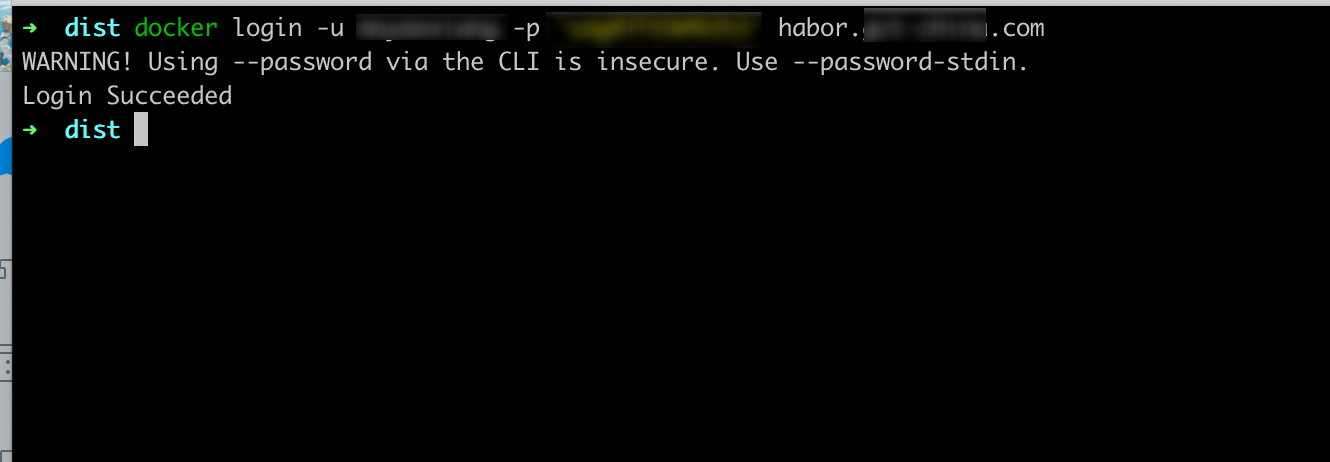
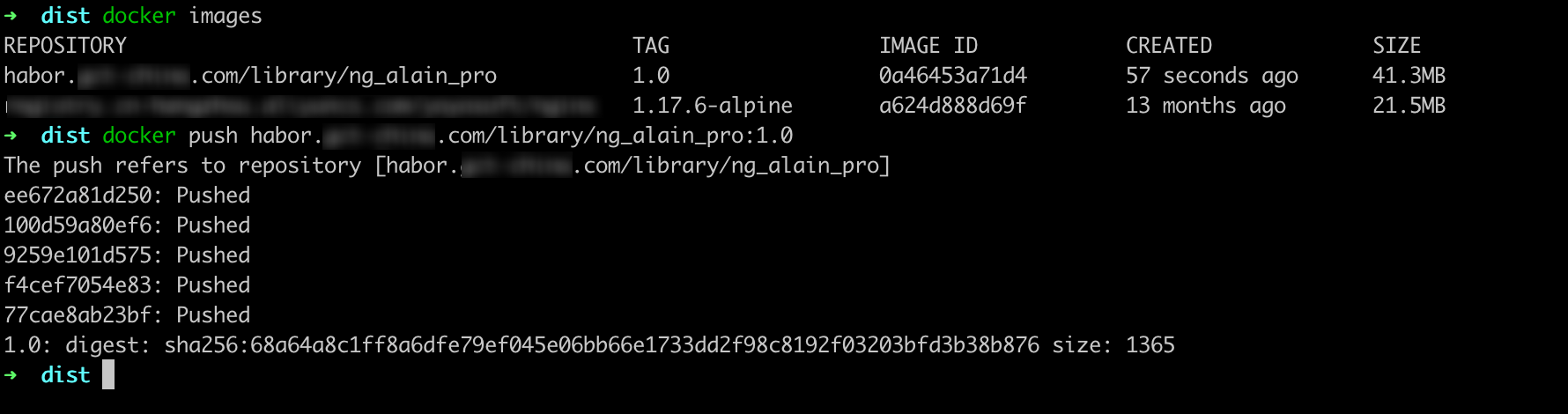
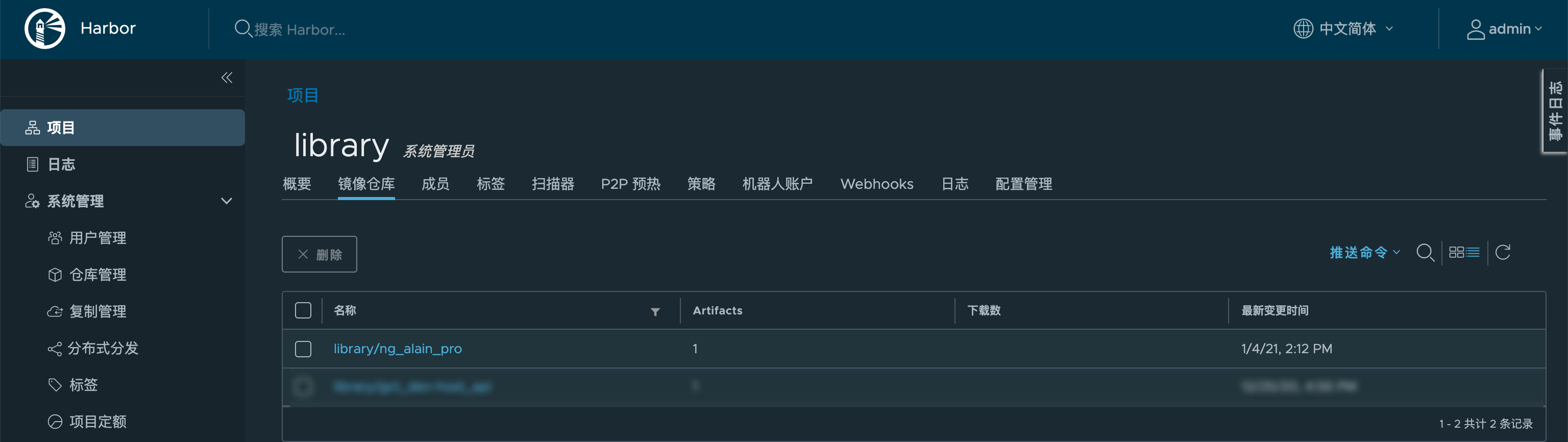
效果

Harbor 2.1.2 安装部署的更多相关文章
- harbor镜像仓库-01-搭建部署
harbor镜像仓库-01-搭建部署 dockerregistryharbor安装部署docker-compose harbor的https配置参考另一章节harbor镜像仓库-02-https访问配 ...
- Kubernetes1.91(K8s)安装部署过程(一)--证书安装
安装前忠告:如果你用的是虚拟机,强烈不建议你使用克隆(链接克隆)的方式,至于完整克隆不知道有没有问题,每一台全新安装centos7系统最好. 一.安装前主题环境准备 1.docker安装 建议使用官网 ...
- kubernetes 1.9 安装部署
参考地址:https://github.com/gjmzj/kubeasz 引言 提供快速部署高可用k8s集群的工具,基于二进制方式部署和利用ansible-playbook实现自动化,既提供一键安装 ...
- (转)实验文档1:跟我一步步安装部署kubernetes集群
实验环境 基础架构 主机名 角色 ip HDSS7-11.host.com k8s代理节点1 10.4.7.11 HDSS7-12.host.com k8s代理节点2 10.4.7.12 HDSS7- ...
- 基于Containerd安装部署高可用Kubernetes集群
转载自:https://blog.weiyigeek.top/2021/7-30-623.html 简述 Kubernetes(后续简称k8s)是 Google(2014年6月) 开源的一个容器编排引 ...
- Oracle安装部署,版本升级,应用补丁快速参考
一.Oracle安装部署 1.1 单机环境 1.2 Oracle RAC环境 1.3 Oracle DataGuard环境 1.4 主机双机 1.5 客户端部署 二.Oracle版本升级 2.1 单机 ...
- KVM安装部署
KVM安装部署 公司开始部署KVM,KVM的全称是kernel base virtual machine,对KVM虚拟化技术研究了一段时间, KVM是基于硬件的完全虚拟化,跟vmware.xen.hy ...
- Linux平台oracle 11g单实例 + ASM存储 安装部署 快速参考
操作环境:Citrix虚拟化环境中申请一个Linux6.4主机(模板)目标:创建单机11g + ASM存储 数据库 1. 主机准备 2. 创建ORACLE 用户和组成员 3. 创建以下目录并赋予对应权 ...
- 分布式文件系统 - FastDFS 在 CentOS 下配置安装部署
少啰嗦,直接装 看过上一篇分布式文件系统 - FastDFS 简单了解一下的朋友应该知道,本次安装是使用目前余庆老师开源的最新 V5.05 版本,是余庆老师放在 Github 上的,和目前你能在网络上 ...
- C# winform安装部署(转载)
c# winform 程序打包部署 核心总结: 1.建议在完成的要打包的项目外,另建解决方案建立安装部署项目(而不是在同一个解决方案内新建),在解决方案上右击-〉添加-〉现有项目-〉选择你要打包的项目 ...
随机推荐
- JVM(Java虚拟机) 整理
JVM整体结构 本文主要说的是HotSpot虚拟机, JVM 全称是 Java Virtual Machine,中文译名:Java虚拟机 简化一下: Java字节码文件 Class文件本质上是一个以8 ...
- C/C++ MinHook 库的使用技巧
在上面的各种Hook挂钩方式中,我们都是在手写封装代码,但这样的方式并不高效,真正的生产环境中我们必须使用现成的Hook库,常用的Hook库有免费开源的MinHook和商业的Detours Hook, ...
- MySQL安装 starting the server解决办法
https://blog.csdn.net/qq_52183856/article/details/123792012 主要原因:
- CSS概念与CSS选择器
CSS简述 CSS被称为级联样式表或者CSS样式表.CSS也是一种标记语言. CSS主要用于设置HTML页面中的: 1.文本内容(字体,大小,对齐方式等), 2.图片的外形(宽高,边框样式,边距等), ...
- (C语言)关于printf的新发现: 可以用字符串变量替代第一个字符串参数
char a[] = "hello%d\n%dworld"; printf(a, 2, 3); //输出: //hello2 //2world 事情的起因是使用printf(&qu ...
- 练习(java):关于自增运算的练习
//练习3: byte bb1 = 127; bb1++; System.out.println("bb1 = " + bb1);//-128 bb1--; System.out. ...
- 【Flink入门修炼】1-2 Mac 搭建 Flink 源码阅读环境
在后面学习 Flink 相关知识时,会深入源码探究其实现机制.因此,需要现在本地配置好源码阅读环境. 本文搭建环境: Mac M1(Apple Silicon) Java 8 IDEA Flink 官 ...
- Spring Boot 参数校验注解(自整理,不停的测试更新)
首先我们只使用java官方的 javax.validation.constraints ,足以使用了,不使用spring boot 自身的,自身的与官方的一致,可能会有扩展,但是还得引入包,麻烦,只用 ...
- JAVA生成随机数工具类RandomStringUtils详解
public static String random(int count, boolean letters, boolean numbers) /** * count 创建一个随机字符串,其长度是指 ...
- delphi 异常测试(我自己捕捉)
由于最近的短信模块老是报SocketErorr错误,有的时候也不确定是哪里有问题,影响短信的销售,所以这里这样写,把出现的异常捕捉到显示出来.然后跳过这个不发送 ------------------- ...