
Bind DNS Server的基础配置
1、访问https://192.168.3.254:10000
由于SSL证书是不安全的,我用的Firefox浏览器会阻止打开网页:
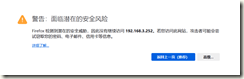
看到上述界面,先选择“高级”,
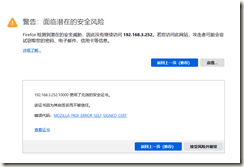
然后再选择“接受风险并继续”,就到了这一步:
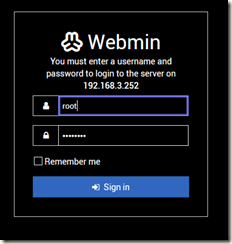
用户名:root
默认密码:password
2、需要修改2个配置文件
登入成功后,在左侧主菜单选“BIND DNS SERVER”,再在右边选“Edit Config File”:
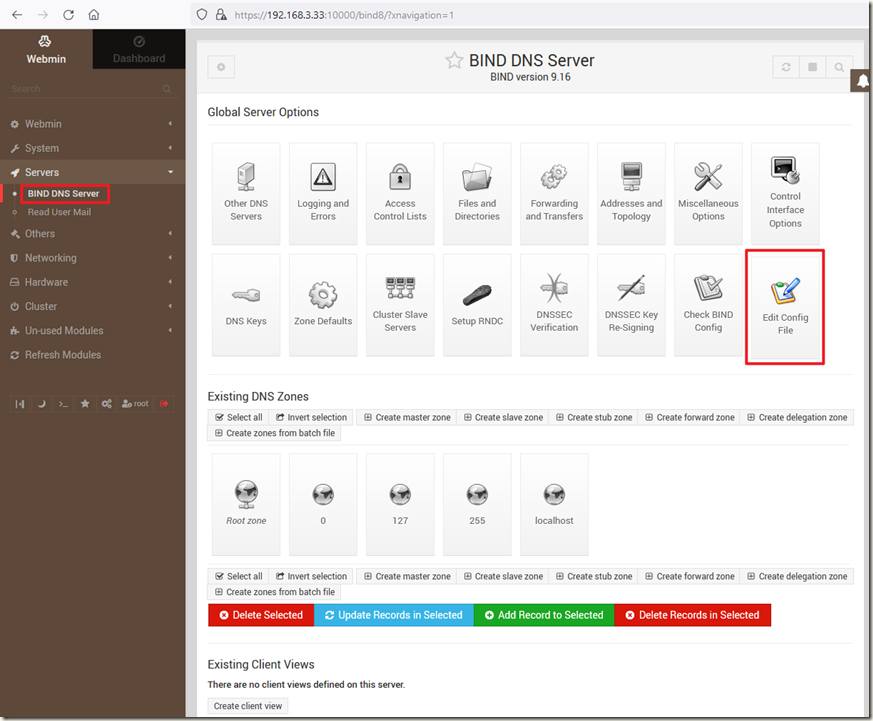
分别对两文件进行修改
3.1 named.conf
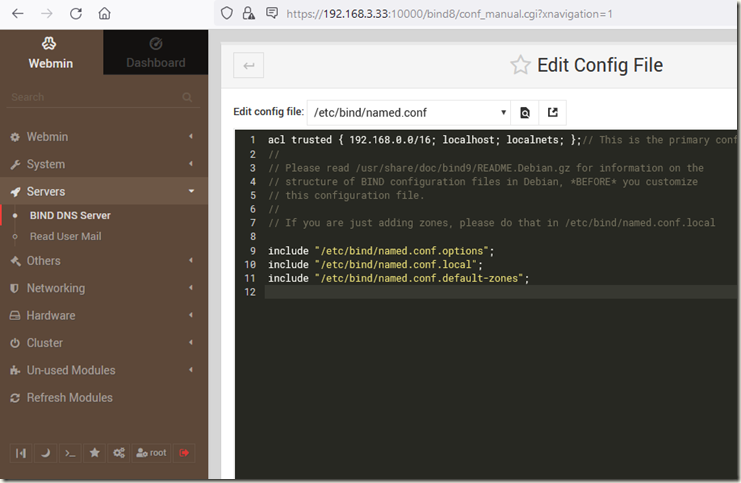
修改这里,把能访问这个DNS服务器的IP地址加入到白名单。
我们局域网用的是192.168.3.*的网段,子网掩码是255.255.255.0.
我们这里设置的宽泛一点,白名单为192.168.0.0/16
acl trusted {

 192.168.0.0/16;

 localhost;

localnets;

 };

 // This is the primary configuration file for the BIND DNS server named.

 //

// Please read /usr/share/doc/bind9/README.Debian.gz for information on the

 // structure of BIND configuration files in Debian, *BEFORE* you customize

 // this configuration file.

 //

 // If you are just adding zones, please do that in /etc/bind/named.conf.local

include "/etc/bind/named.conf.options";

 include "/etc/bind/named.conf.local";

 include "/etc/bind/named.conf.default-zones";
效果图如下
3.2 named.conf.options
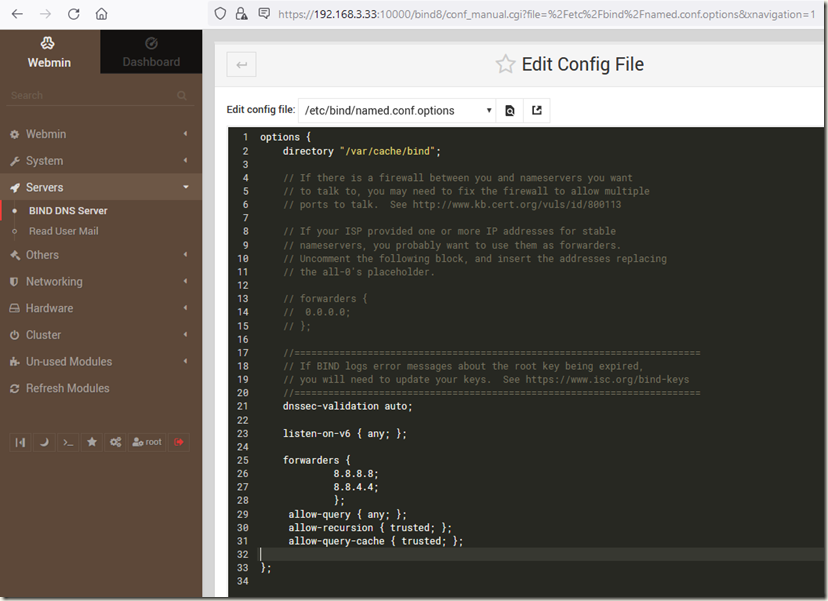
这里主要是配置域名转发的服务器,我们需要哪几个域名服务器来协助我们解析。
这里暂时就是用8.8.8.8和8.8.4.4
大家可以自由发挥。
options {

 directory "/var/cache/bind";

```

  // If there is a firewall between you and nameservers you want

     // to talk to, you may need to fix the firewall to allow multiple

     // ports to talk.  See http://www.kb.cert.org/vuls/id/800113

    // If your ISP provided one or more IP addresses for stable

     // nameservers, you probably want to use them as forwarders.

     // Uncomment the following block, and insert the addresses replacing

     // the all-0's placeholder.

    // forwarders {

     //      0.0.0.0;

     // };

    //========================================================================

     // If BIND logs error messages about the root key being expired,

     // you will need to update your keys.  See https://www.isc.org/bind-keys

     //========================================================================

     dnssec-validation auto;

    listen-on-v6 { any; };

     forwarders {

             8.8.8.8;

             8.8.4.4;

             };

     allow-query { any; };

     allow-recursion { trusted; };

     allow-query-cache { trusted; };

 ```

};
效果图如下
4、重启容器
docker restart dns
Bind DNS Server的基础配置的更多相关文章
- CentOS7.x的DNS服务的基础配置
一.bind服务器安装 bind:开源.稳定.应用广泛的DNS服务.bind的软件包名bind,服务名称named. 查看是否安装bind, 安装bind包: rpm -qa bind yum -y ...
- 【Linux】DNS服务-BIND基础配置(二)
BIND简介 现在使用最为广泛的DNS服务器软件是BIND(Berkeley Internet Name Domain),最早有伯克利大学的一名学生编写,现在最新的版本是9,有ISC(Internet ...
- 【Linux】DNS服务-BIND基础配置
1.BIND简介 现在使用最为广泛的DNS服务器软件是BIND(Berkeley Internet Name Domain),最早有伯克利大学的一名学生编写,现在最新的版本是9,有ISC(Intern ...
- Linux基础服务——Bind DNS服务 Part2
Linux基础服务--Bind DNS服务 Part2 DNS反向解析与区域传送 实验环境延续Part1的实验环境. 反向区域配置 正向解析是域名到IP地址的映射,反向解析则是IP地址到域名的解析,在 ...
- 【转】在CentOS 8 / RHEL 8上配置主/从BIND DNS服务器
转自: https://zh.codepre.com/centos-2700.html 前言 本指南描述了在CentOS 8 / RHEL 8 Linux上配置BIND DNS服务器所需的步骤.在Ce ...
- Linux基础服务——Bind DNS服务 Part1
Linux基础服务--Bind DNS服务 Part1 DNS正向解析 实验环境: CentOS8.3.2011 IP地址:192.168.100.50 VMware虚拟环境 NAT网段 需要解析的区 ...
- Bind DNS服务——基础知识
Linux基础--Bind DNS服务 Part0 DNS简介 域名系统(英语:Domain Name System,缩写:DNS)是互联网的一项服务.它作为将域名和IP地址相互映射的一个分布式数据库 ...
- Ubuntu 14.04.3 LTS 配置 DNS Server
我们目的是用一台局域网机器完成 192.168.1.113 <-->cloudshield.com的解析,指定A记录和CNAME; 0.关于Ubuntu 14.04.2 LTS 下载.安装 ...
- dns server 配置
# cat /etc/named.conf//// named.conf//// Provided by Red Hat bind package to configure the ISC BIND ...
- How to Install and Configure Bind 9 (DNS Server) on Ubuntu / Debian System
by Pradeep Kumar · Published November 19, 2017 · Updated November 19, 2017 DNS or Domain Name System ...
随机推荐
- [转贴]一图弄懂ASCII、GB2312、GBK、GB18030编码
一图弄懂ASCII.GB2312.GBK.GB18030编码 https://blog.csdn.net/LightUpHeaven/article/details/92008630 转载君子不器. ...
- 【dp,建模】AGC032D Rotation Sort
Problem Link 有一个长为 \(n\) 的排列 \(p\),给定 \(A,B\),你每次可以做以下两种操作之一: 选取 \(l,r\),将 \(p[l:r]\) 循环右移,代价为 \(A\) ...
- 【发现一个问题】extjs-gpl-7.0: 当修改 store 对象的字段后,再次 loadPage() 后字段映射错误。
作者:张富春(ahfuzhang),转载时请注明作者和引用链接,谢谢! cnblogs博客 zhihu Github 公众号:一本正经的瞎扯 因为查询中需要每次返回数目不确定的 fields ,这就需 ...
- windwos使用FRP方式
FRP使用方法 流程图如下 建议查看流程图哦 访问FRP官方项目 https://freefrp.net 下面是windwos演示 进入网站选择客户端下载 客户端版本选择 windwos是adm64 ...
- Volatility 内存数字取证方法
计算机数字取证分为内存取证和磁盘取证,活取证与死取证,不管是那种取证方式,都应尽量避免破环犯罪现场,例如通过内存转储工具对内存进行快照,通过磁盘克隆工具对磁盘进行克隆,方便后期的分析工作,这里将研究内 ...
- Java多线程-ThreadLocal(六)
为了提高CPU的利用率,工程师们创造了多线程.但是线程们说:要有光!(为了减少线程创建(T1启动)和销毁(T3切换)的时间),于是工程师们又接着创造了线程池ThreadPool.就这样就可以了吗?-- ...
- 数据共享Manager(Python)
from multiprocessing import Process,Manager,Lock def change_dic(dic,lock): with lock: dic['count'] - ...
- [Ngbatis源码学习][SpringBoot] 由BeanFactoryPostProcessor想到
由BeanFactoryPostProcessor想到 在看Ngbatis源码时看到了对BeanFactoryPostProcessor后置处理器的使用,对其的使用并不是很了解,在此做一些学习和总结. ...
- [WPF] 使用Silk.NET绘制D3D9或OpenGL内容并完美解决空域问题。
可扩展渲染控件实现的基本思路(D3D.OpenGL绘制所使用的基类): 首先创建一个抽象类 FramebufferBase,该类主要记录当前控件宽高和图像资源. public abstract cla ...
- 【Unity3D】人物跟随鼠标位置
1 游戏对象 2D动画和人体模型及动画中介绍了 Aniamtion.Animator.人体模型.人体骨骼.人体动画等基础知识,本文将通过 "人物跟随鼠标位置" 案例加强对 Un ...