
【ARM-LInux开发】如何运行wayland
Running Wayland
原文:https://jan.newmarch.name/Wayland/RunningWayland/
Resources
Weston under X
A Wayland compositor is a mixture of a Wayland server, a window manager and a compositor. Weston is a reference implementation of a compositor and normally would be run as a full windowing system, talking directly to the hardware. How to do this is described
in the next section.
In order to experiment with Weston in an X environment, Weston can talk to the X server as though it was an X client. This is not the intended use of Wayland, but can be useful. This kind of use will not in general be supported by Wayland compositors. Anyway,
to use Weston this way, simply type
weston
from within an X terminal.
This will bring up a window under X looking like
Weston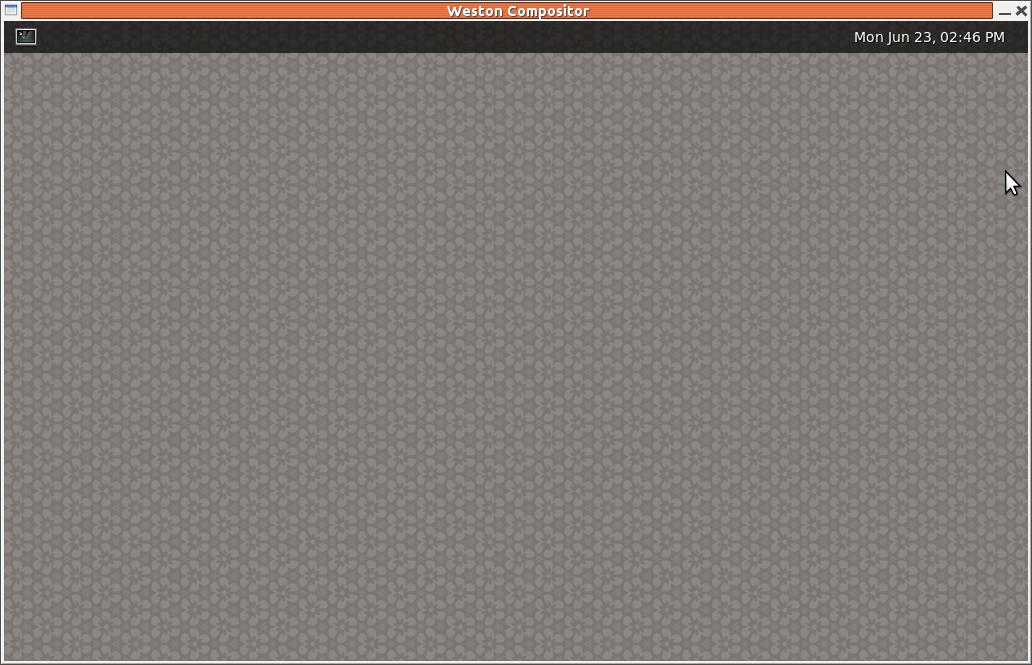 It contains a small menu bar across the top, with a terminal icon
and the date. If you were around at the beginning of X, then it would look pretty familiar - and we all got really excited by it! This window is decorated by the X window manager, which would not happen in a standalone environment.
Wayland in a standalone environment
If you are running a Linux system in a command line environment, then you can start a Wayland compositor directly, talking to the hardware. For example, to run Weston type the following at the command prompt:
weston-launch
This will set the proper access permissions and run Weston.
It is not possible to do an X screen dump of this: the standard X tools such as gnome-screenshot will try to connect to the X server, and there isn't one running!
Virtual terminals
Linux has had virtual terminals almost from the beginning. These allow you to have multiple login sessions, each basically independent of the others. By default, Linux has seven of these, so you can have upto seven login sessions running. Note that this is not the
same as using multiple terminal windows under X: this is a separate mechanism.
You switch between virtual terminals by the key sequence CTL-ALT-F<n> where n is 1-7. If you are running X as in a normal user distro, then that is usually running in virtual terminal 7. So if you press the keys CTL-ALT-F4 you will get a login prompt for virtual
terminal 4. When you want to return to your GUI environment, just press CTL-ALT-F7.
Virtual terminals and X
This is easy: when you switch to another virtual terminal, the X server releases control of the hardware. That means you can do whatever you want, including starting up another X session!
Running a Wayland compositor in a virtual terminal
Switch to a virtual terminal. Login, and at the command prompt, start a compositor.
Many distros such as Ubuntu include the proof-of-concept compositor weston in their repositories. Download and install it by, say,
sudo apt-get install weston
under a Debian-derived system such as Ubuntu. Then in a virtual terminal, run
weston-launch
What runs under Wayland?
If it's an application relying only on X, then it won't run. This includes applications with a long history in X: xterm, xclock and xedit,
for example. They just complain that they can't find an X server and give up.
Many GUI applications are now built using toolkits such as Gtk or KDE. Many of these toolkits are progressively including support for Wayland, and many of their applications run okay. This includes for example eog.
But other applications using Gtk don't, including Firefox, Chromium and Gimp. This is at June, 2014. The situation can change rapidly.
XWayland
The X server can be modified to talk to Wayland instead of to the hardware. This has been done as the XWayland project. At present, Weston has been modified to listen on the X ports 6000+. It starts an X server as a Weston client when an X client starts.
To run Weston with XWayland, in a non-X environment, run
weston-launch -- --modules=xwayland.so
[doesn't work for me. sets DISPLAY to :1 but xclock can't open it]
The page XWaylandhas details.
【ARM-LInux开发】如何运行wayland的更多相关文章
- 在Ubuntu上建立Arm Linux 开发环境
我使用的是友善2410的板子,以前都是用Fedora,现在家里的电脑被我转为Linux专用的了,装的是Ubuntu.但是嵌入式还是要玩的,在装载过程中也遇到一些小麻烦.在此记录一下,一来自己比较健忘, ...
- 成功移植SQLite3到ARM Linux开发板
SQLite,是一款轻型的数据库,是遵守ACID的关联式数据库管理系统,它的设计目标是嵌入式的,而且目前已经在很多嵌入式产品中使用了它,它占用资源非常的低,在嵌入式设备中,可能只需要几百K的内存就够了 ...
- 用 qemu-user 在arm linux机器上运行amd64/x86程序
1. qemu-user 是什么 本来, 对于 QEmu, 我只知道它是一个模拟器, 可以像 VirtualBox/VMWare 那样跑一个操作系统, 只不过 QEmu 可以在 AMD64 上面跑针对 ...
- minigui移植到arm linux开发板上无法执行
要保证目录下有该文件 /etc/MiniGUI.cfg 复制过程使用cp –af 强制复制
- 【Qt开发】【Linux开发】Qt程序在嵌入式设备(arm) 上运行,鼠标擦除界面的解决方案
笔者最近想在arm开发板上,开发一个应用程序,经过网上查询发现qt作为跨平台开发软件很不错,于是便选择了qt开发,笔者的qt版本是4.8.6的.由于arm的主频太低,在arm上进行开发编译,效率会大大 ...
- 构建 ARM Linux 4.7.3 嵌入式开发环境 —— BusyBox 构建 RootFS
上一篇我们已经成功将 ARM Linux 4.7.3 的内核利用 U-BOOT 引导了起来.但是细心的你会发现,引导到后面,系统无法启动,出现内核恐慌 (Kernel Panic). 原因是找不到文件 ...
- 构建 ARM Linux 4.7.3 嵌入式开发环境 —— U-BOOT 引导 Kernel
经过若干天的反复测试,搜索.终于成功利用 Qemu 在 u-boot 下引导 ARM Linux 4.7.3 内核.如下详细解释整个构建过程. 准备环境 运行环境:Ubuntu 16.04 需要的虚拟 ...
- golang 2行代码在基于arm linux的树莓派、orangepi上运行http web服务
go语言(golang)简化了跨平台交叉编译步骤,支持在windows系统下交叉编译基于arm+linux平台的应用,运行时无需其它依赖库.以下以一个简单的http server为例,先上源码: ** ...
- Qemu搭建ARM vexpress开发环境(二)----通过u-boot启动Linux内核
Qemu搭建ARM vexpress开发环境(二)----通过u-boot启动Linux内核 标签(空格分隔): Qemu ARM Linux 在上文<Qemu搭建ARM vexpress开发环 ...
- # 【ARM-Linux开发】在Win7的电脑上直接运行安装Ubuntu14.04发生的问题 标签(空格分隔): 【Linux开发】 --- > 一段时间以来,一直是在Windows上安装虚拟机
[ARM-Linux开发]在Win7的电脑上直接运行安装Ubuntu14.04发生的问题 标签(空格分隔): [Linux开发] 一段时间以来,一直是在Windows上安装虚拟机,然后安装Ubuntu ...
随机推荐
- 再论i++ ++i
#include <stdio.h> int main(void) { char acData[5] ={'A','B','C','D','E'}; char *pcData = NULL ...
- [hdoj6415 Rikka with Nash Equilibrium][dp]
http://acm.hdu.edu.cn/showproblem.php?pid=6415 Rikka with Nash Equilibrium Time Limit: 10000/5000 MS ...
- 14、Spring Boot 2.x 集成 Druid 数据源
14.Spring Boot 2.x 集成 Druid 数据源 完整源码: Spring-Boot-Demos
- mysql 常见ALTER TABLE操作
删除列 alter table table-name drop col-name; 增加列(单列) alter table table-name add col-name col-type comme ...
- window.open全屏显示
将window.open(url,'','height=600,width=910,top=0,left=0,toolbar=no,menubar=no,scrollbars=yes,resizabl ...
- Vue中v-if和v-show的使用场景
1. 官方文档 https://cn.vuejs.org/v2/guide/conditional.html#v-if-vs-v-show 2. v-if 和 v-show 的区别 2.1 官方解释 ...
- 049_指定目录路径,脚本自动将该目录使用 tar 命令打包备份到/data 目录
#!/bin/bash[ ! -d /data ] && mkdir /data #确保有此目录[ -z $1 ] && exit #为空不需要打包if [ -d ...
- Java面向对象4(P~U)
P 3-1 Point类的构造函数 (SDUT 2670) import java.util.Arrays; import java.util.Scanner; public class Mai ...
- 2019.7.9 校内测试 T3 15数码问题
这一次是交流测试?边交流边测试(滑稽 15数码问题 大家应该都玩过这个15数码的游戏吧,就在桌面小具库那里面哦. 一看到这个题就知道要GG,本着能骗点分的原则输出了 t 个无解,本来以为要爆零,没想到 ...
- sql语句 基本
1.sql不区分大小写,一般结尾要加分号: 2.select 列,列,列 from 表 3.distinct ,返回列中不同的值.需要哪个列不同,关键词哪个列 4.where子句,select 列 f ...