
异步消息处理机制相关面试问题-intentservice面试问题详解
IntentService是什么?
IntentService是继承并处理异步请求的一个类,在IntentService内有一个工作线程来处理耗时操作,启动IntentService方法和启动传统的Service一样,同时,当任务执行完后,IntentService会自动停止,而不需要我们手动的stopSelf()。另外,可以启动IntentService多次,而每个耗时操作会以工作队列的方式在IntentService的onHandleIntent回调方法中执行,并且,每次只会执行一个线程,执行完第一个再执行第二个。
- 它本质上是一种特殊的Service,继承自Service并且本身是一个抽象类。
- 它内部是通过HandlerThread和Handler实现异步操作的。
IntentService使用方法:
关于它的使用可以参考之前写的博客:http://www.cnblogs.com/webor2006/p/4305715.html
下面总结一下:创建IntentService时,只需要实现onHandleIntent()和构造方法,onHandleIntent()为异步方法,可以执行耗时操作。
IntentService源码解析:
跟HandlerThread的源代码类似,代码也不多,如下:
public abstract class IntentService extends Service {

    private volatile Looper mServiceLooper;

    private volatile ServiceHandler mServiceHandler;

    private String mName;

    private boolean mRedelivery;

    private final class ServiceHandler extends Handler {

        public ServiceHandler(Looper looper) {

            super(looper);

        }

        @Override

        public void handleMessage(Message msg) {

            onHandleIntent((Intent)msg.obj);

            stopSelf(msg.arg1);

        }

    }

    /**

     * Creates an IntentService.  Invoked by your subclass's constructor.

     *

     * @param name Used to name the worker thread, important only for debugging.

     */

    public IntentService(String name) {

        super();

        mName = name;

    }

    /**

     * Sets intent redelivery preferences.  Usually called from the constructor

     * with your preferred semantics.

     *

     * <p>If enabled is true,

     * {@link #onStartCommand(Intent, int, int)} will return

     * {@link Service#START_REDELIVER_INTENT}, so if this process dies before

     * {@link #onHandleIntent(Intent)} returns, the process will be restarted

     * and the intent redelivered.  If multiple Intents have been sent, only

     * the most recent one is guaranteed to be redelivered.

     *

     * <p>If enabled is false (the default),

     * {@link #onStartCommand(Intent, int, int)} will return

     * {@link Service#START_NOT_STICKY}, and if the process dies, the Intent

     * dies along with it.

     */

    public void setIntentRedelivery(boolean enabled) {

        mRedelivery = enabled;

    }

    @Override

    public void onCreate() {

        // TODO: It would be nice to have an option to hold a partial wakelock

        // during processing, and to have a static startService(Context, Intent)

        // method that would launch the service & hand off a wakelock.

        super.onCreate();

        HandlerThread thread = new HandlerThread("IntentService[" + mName + "]");

        thread.start();

        mServiceLooper = thread.getLooper();

        mServiceHandler = new ServiceHandler(mServiceLooper);

    }

    @Override

    public void onStart(@Nullable Intent intent, int startId) {

        Message msg = mServiceHandler.obtainMessage();

        msg.arg1 = startId;

        msg.obj = intent;

        mServiceHandler.sendMessage(msg);

    }

    /**

     * You should not override this method for your IntentService. Instead,

     * override {@link #onHandleIntent}, which the system calls when the IntentService

     * receives a start request.

     * @see android.app.Service#onStartCommand

     */

    @Override

    public int onStartCommand(@Nullable Intent intent, int flags, int startId) {

        onStart(intent, startId);

        return mRedelivery ? START_REDELIVER_INTENT : START_NOT_STICKY;

    }

    @Override

    public void onDestroy() {

        mServiceLooper.quit();

    }

    /**

     * Unless you provide binding for your service, you don't need to implement this

     * method, because the default implementation returns null.

     * @see android.app.Service#onBind

     */

    @Override

    @Nullable

    public IBinder onBind(Intent intent) {

        return null;

    }

    /**

     * This method is invoked on the worker thread with a request to process.

     * Only one Intent is processed at a time, but the processing happens on a

     * worker thread that runs independently from other application logic.

     * So, if this code takes a long time, it will hold up other requests to

     * the same IntentService, but it will not hold up anything else.

     * When all requests have been handled, the IntentService stops itself,

     * so you should not call {@link #stopSelf}.

     *

     * @param intent The value passed to {@link

     *               android.content.Context#startService(Intent)}.

     *               This may be null if the service is being restarted after

     *               its process has gone away; see

     *               {@link android.app.Service#onStartCommand}

     *               for details.

     */

    @WorkerThread

    protected abstract void onHandleIntent(@Nullable Intent intent);

}
而首先先看一下它的onCreate()方法:
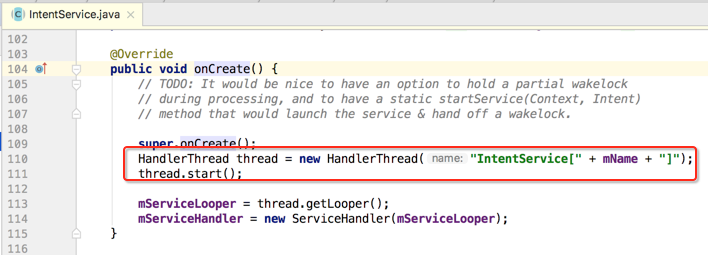
首先会创建一个HandlerThread,然后再根据它的Looper来创建一个Handler,如下:
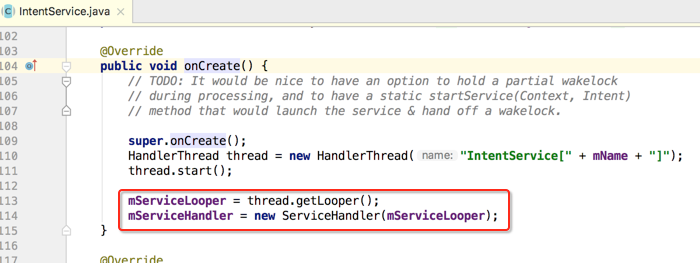
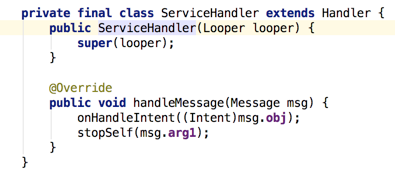
此时就可以在Handler中执行异步任务了。那IntentService是如何启动异步任务的呢?这里可以看一下onStrartCommand()方法:
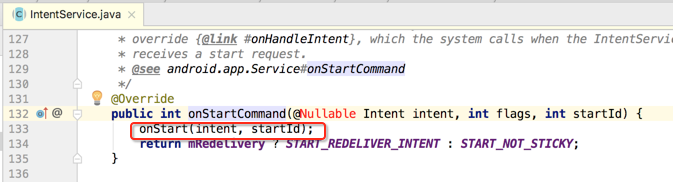
又调用了onStart()方法:
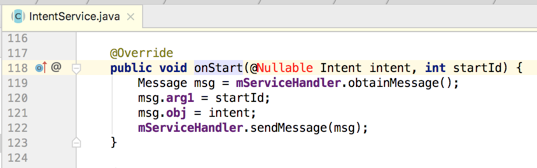
接着就会到handler的handleMessage()方法中去处理了:
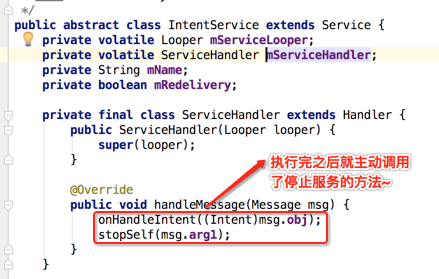
而onHandleIntent()方法是个抽象方法,由咱们自己来实现:

而其中调用停止任务时传了一个参数:
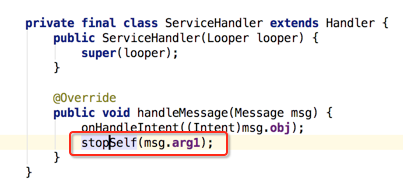
这时就会等待所有任务处理完之后才会停止,而不是立马停止。也就是如果有很多个任务都要由IntentService处理完之后,才会去让IntentService去停止,而非执行完一个就立马停止了。
它的本质就是一个封装了HandlerThread和handler的异步框架。
异步消息处理机制相关面试问题-intentservice面试问题详解的更多相关文章
- 异步消息处理机制相关面试问题-handlerThread面试问题详解
handlerThread产生背景: 开启Thread子线程进行耗时操作,多次创建和销毁线程是很耗系统资源的. handlerThread是什么? handler + thread + looper ...
- 异步消息处理机制相关面试问题-handler面试问题详解
什么是handler? 这个异常应该也就是引出handler的原因,也就是默认在非UI线程中是无法去更新UI的东东滴,那到底什么上handler呢? handler通过发送和处理Message和Run ...
- 异步消息处理机制相关面试问题-AsyncTask面试问题详解
什么是AsyncTask: 它本质上是一个封装了线程池和handler的异步框架. AsyncTask的使用方法: 三个参数: 五个方法: AsyncTask的内部原理: AsyncTask的注意事项 ...
- 【转】Android 异步消息处理机制 让你深入理解 Looper、Handler、Message三者关系
转载请标明出处:http://blog.csdn.net/lmj623565791/article/details/38377229 ,本文出自[张鸿洋的博客] 很多人面试肯定都被问到过,请问Andr ...
- Android 异步消息处理机制 让你在深入了解 Looper、Handler、Message之间的关系
转载请注明出处:http://blog.csdn.net/lmj623565791/article/details/38377229 ,本文出自[张鸿洋的博客] 非常多人面试肯定都被问到过,请问And ...
- Android 异步消息处理机制 让你深入理解 Looper、Handler、Message三者关系
转自:http://blog.csdn.net/lmj623565791/article/details/38377229 ,本文出自[张鸿洋的博客] 很多人面试肯定都被问到过,请问Android中的 ...
- Android 异步消息处理机制终结篇 :深入理解 Looper、Handler、Message、MessageQueue四者关系
版权声明:本文出自汪磊的博客,转载请务必注明出处. 一.概述 我们知道更新UI操作我们需要在UI线程中操作,如果在子线程中更新UI会发生异常可能导致崩溃,但是在UI线程中进行耗时操作又会导致ANR,这 ...
- 【转载】Android异步消息处理机制详解及源码分析
PS一句:最终还是选择CSDN来整理发表这几年的知识点,该文章平行迁移到CSDN.因为CSDN也支持MarkDown语法了,牛逼啊! [工匠若水 http://blog.csdn.net/yanbob ...
- Android多线程----异步消息处理机制之Handler详解
[声明] 欢迎转载,但请保留文章原始出处→_→ 生命壹号:http://www.cnblogs.com/smyhvae/ 文章来源:http://www.cnblogs.com/smyhvae/p/ ...
随机推荐
- 【POJ - 3579 】Median(二分)
Median Descriptions 给N数字, X1, X2, ... , XN,我们计算每对数字之间的差值:∣Xi - Xj∣ (1 ≤ i < j ≤N). 我们能得到 C(N,2) 个 ...
- 如何简单的编译v8动态库
按照google v8的官方提供的方法,在国内,完成编译简直太难了. 还好nodejs提供离线编译能力,稍微改造一下可以从node源码中直接编译纯净的v8动态库. 直接把v8解压出来的py/gpy文件 ...
- 华为 huawei 查看系统中存在的安全风险信息 display security risk
查看系统中存在的安全风险信息. 应用场景 由于协议自身的安全性能不同,用户配置时使用的某些协议可能存在安全风险.通过该命令可查看系统中存在的安全风险,并根据给出的修复建议解除风险.例如,用户配置了SN ...
- 使用Java实现hello/hi的简单网络聊天程序
Socket又称套接字,是基于应用服务与TCP/IP通信之间的一个抽象,它是计算机之间进行通信的一种约定或一种方式.通过socket这种约定,一台计算机可以接收其他计算机的数据,也可以向其他计算机发送 ...
- windows ping命令
ping -a 192.168.xxx.xxx 解析计算机NetBios名 ping -n 数字 192.168.xxx.xxx 发送指定数量的echo数据包数,默认是四个 ping -l 192 ...
- Stardew Valley(星露谷物语)Mod开发之路 1环境配置
首先来说明一下,我写这个章节本身也是对学习过程的记录,主要参考了http://canimod.com/guides/creating-a-smapi-mod中的内容.也推荐大家看看. *这些是我的开发 ...
- X86逆向14:常见的脱壳手法
本章节内容将介绍软件的脱壳技术.什么是加壳?加壳就是用来压缩或者保护软件不被非法修改破解的一种工具,而脱壳就是将已经加壳的程序从壳中剥离出来,既然能给程序进行加壳,那也就会有相应的脱壳方法,本节课我们 ...
- 《深入实践C++模板编程》之五——容器与迭代器
1.容器的定义 容器:专门用于某种形式组织及存储数据的类称为“容器”. 2.容器与迭代器 迭代器:封装了对容器虚拟数据序列的操作并按约定提供统一界面以遍历容器内容的代理类即为迭代器. 举例理解 ...
- asp.net 10 Cookie & Session
Cookie 1.什么是Cookie 一小段文本,明文的数据,关于网站相关的文本字符串数据.一个客户端状态保持机制~ 存储在客户端的浏览器内存里面或者磁盘(如果不指定过期时间,那么存储在客户端浏览器内 ...
- 原生JS-实现轮播图
用原生JS实现一个轮播图(效果) HTML <div id="outer"> <ul id="imgList"> <!-- 图片列 ...