
react-native-echarts 解决数据刷新闪烁,不能动态连续绘制问题(转载)
最终能实现效果:动态绘制K线图,安卓,iOS正常显示
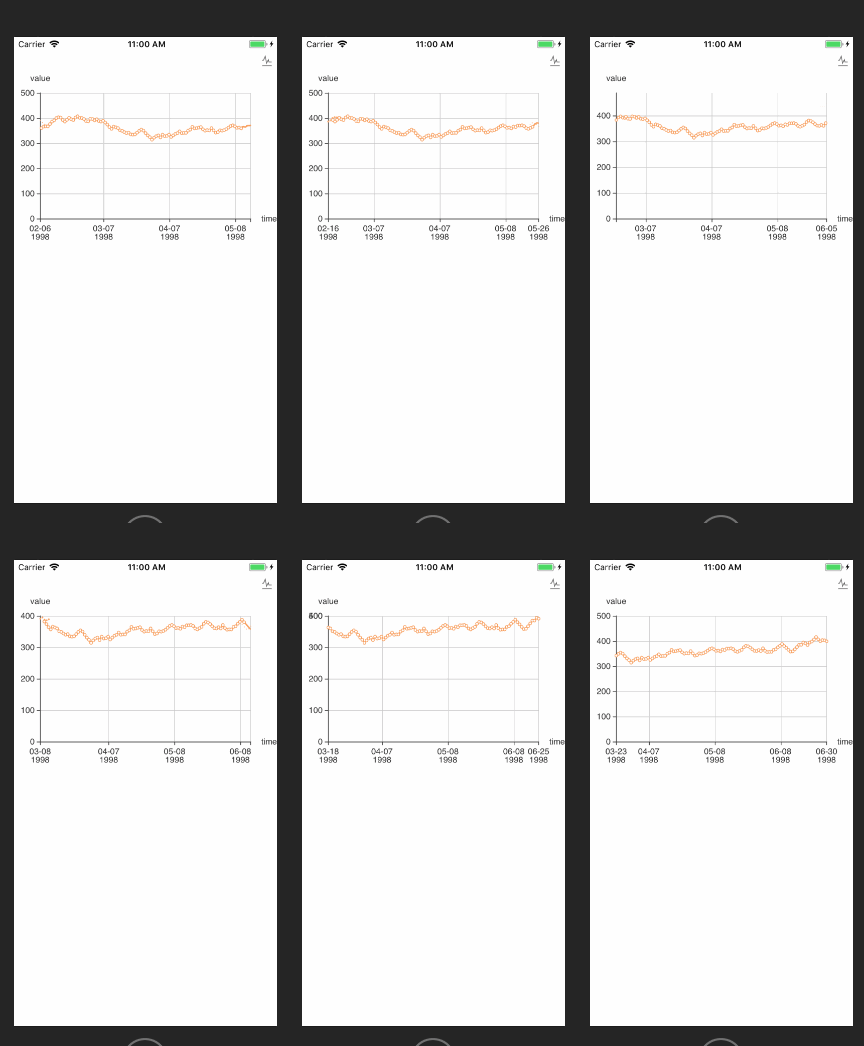
替换node_modules/native-echarts/src/components/Echarts/中的index.js和renderChart.js
index.js替换代码
import React, { Component } from 'react';

import { WebView, View, StyleSheet,Platform } from 'react-native';

import renderChart from './renderChart';

import renderChartNoFirst from './renderChart'

import echarts from './echarts.min';

export default class App extends Component {

// 预防过渡渲染

shouldComponentUpdate(nextProps, nextState) {

const thisProps = this.props || {}

nextProps = nextProps || {}

if (Object.keys(thisProps).length !== Object.keys(nextProps).length) {

return true

}

for (const key in nextProps) {

if (JSON.stringify(thisProps[key]) != JSON.stringify(nextProps[key])) {

// console.log('props', key, thisProps[key], nextProps[key])

return true

}

}

return false

}

componentWillReceiveProps(nextProps) {

if(nextProps.option !== this.props.option) {

// 解决数据改变时页面闪烁的问题

this.refs.chart.injectJavaScript(renderChart(nextProps,false))

}

}

  render() {

    if (Platform.OS == 'android'){

      return (

      <View style={{flex: 1, height: this.props.height || 400,}}>

        <WebView

          ref="chart"

          scrollEnabled = {false}

          injectedJavaScript = {renderChart(this.props,true)}

          style={{

            height: this.props.height || 400,

          }}

          //source={require('./tpl.html')}

          source={{uri: 'file:///android_asset/tpl.html'}}

        />

      </View>

    );

    }else{

      return (

      <View style={{flex: 1, height: this.props.height || 400,}}>

        <WebView

          ref="chart"

          scrollEnabled = {false}

          scalesPageToFit={false}

          injectedJavaScript = {renderChart(this.props,true)}

          style={{

            height: this.props.height || 400,

          }}

          source={require('./tpl.html')}

        />

      </View>

    );

    }

  }

}
renderChart.js替换代码
import echarts from './echarts.min';

import toString from '../../util/toString';

var myChart = null;

export default function renderChart(props,isFirst) {

  const height = props.height || 400;

    if (isFirst){

      return `

    document.getElementById('main').style.height = "${height}px";

    myChart = echarts.init(document.getElementById('main'));

    myChart.setOption(${toString(props.option)});

  `

    }else{

      return `

    document.getElementById('main').style.height = "${height}px";

    myChart.setOption(${toString(props.option)});

  `

    }

}
安卓打包echart不显示修复
1.将上述代码替换,注意备注部分
//解决安卓打包不显示问题

source={{uri: 'file:///android_asset/tpl.html'}}
2.将node_modules/native-echarts/src/components/Echarts/tpl.html拷贝一份到/android/app/src/main/assets/目录下
3.运行js打包命令
4.删除/android/app/src/main/res/drawable-mdpi/node_modules_nativeecharts_src_components_echarts_tpl.html
5.安卓打包APK
作者:LPrison
链接:https://www.jianshu.com/p/6fa9482695bf
來源:简书
react-native-echarts 解决数据刷新闪烁,不能动态连续绘制问题(转载)的更多相关文章
- React Native 获取网络数据
getMoviesFromApiAsync() { return fetch('http://facebook.github.io/react-native/movies.json') .then(( ...
- react native 完美解决启动白屏
先讲下我的RN版本0.58.5 首先安装react-native-splash-screen(目前使用的版本是3.2.0) 项目地址https://github.com/crazycodeboy/re ...
- React Native 适配Android物理返回键,实现连续两次点击退出
一直使用iPhone作为测试机开发,提交给测试同事Android版本后发现很多适配问题,其中一个非常明显的是,弹出一个modal后,点击Android的返回键,modal不会消失,直接navigati ...
- React Native 网络层分析
文:志俊(沪江Web前端) 本文原创,转载请注明作者及出处 在使用React Native开发中,我们熟练的采用JavaScript的方式发送请求的方式发送一个请求到服务端,但是处理这个请求的过程其实 ...
- React Native:使用 JavaScript 构建原生应用
[转载] 本篇为联合翻译,译者:寸志,范洪春,kmokidd,姜天意 数月前,Facebook 对外宣布了正在开发的 React Native 框架,这个框架允许你使用 JavaScript 开发原生 ...
- 深入浅出 React Native:使用 JavaScript 构建原生应用
深入浅出 React Native:使用 JavaScript 构建原生应用 链接:https://zhuanlan.zhihu.com/p/19996445 原文:Introducing React ...
- React Native:使用 JavaScript 构建原生应用 详细剖析
数月前,Facebook 对外宣布了正在开发的 React Native 框架,这个框架允许你使用 JavaScript 开发原生的 iOS 应用——就在今天,Beta 版的仓库释出了! 基于 Pho ...
- React Native 从入门到原理
React Native 是最近非常火的一个话题,介绍如何利用 React Native 进行开发的文章和书籍多如牛毛,但面向入门水平并介绍它工作原理的文章却寥寥无几. 本文分为两个部分:上半部分用通 ...
- 关于React Native 火热的话题,从入门到原理
本文授权转载,作者:bestswifter(简书) React Native 是最近非常火的一个话题,介绍如何利用 React Native 进行开发的文章和书籍多如牛毛,但面向入门水平并介绍它工作原 ...
随机推荐
- HTML 5 <span> 标签
标签定义及使用说明 <span> 用于对文档中的行内元素进行组合. <span> 标签没有固定的格式表现.当对它应用样式时,它才会产生视觉上的变化.如果不对 <span& ...
- [Codeforces Round #340 (Div. 2)]
[Codeforces Round #340 (Div. 2)] vp了一场cf..(打不了深夜的场啊!!) A.Elephant 水题,直接贪心,能用5步走5步. B.Chocolate 乘法原理计 ...
- 设计模式之单例模式-C++
单例模式也称单子模式.单件模式,通过单例模式可以保证系统中只有一个类只有一个实例,并提供一个访问它的全局访问点,该实例被所有程序模块共享 对于系统中的某些类来说,只有一个实例很重要,比如一个打印机可以 ...
- iOS 面试总结
APP崩溃 启动秒退 在新 iOS 上正常的应用,到了老版本 iOS 上秒退最常见原因是系统动态链接库或Framework无法找到.这种情况通常是由于 App 引用了一个新版操作系统里的动态库(或者某 ...
- hearbeat of RAC
Heartbeat is a pooling mechanism in clustered platforms to verify if the other server participating ...
- vscode代码保存时自动格式化成ESLint风格(支持VUE)
一.问题 vscode的默认的代码格式化ctrl+shift+f 无法通过eslint的代码风格检查是一个非常蛋疼的问题 同样在进行vue项目开发的时候,使用eslint代码风格检查是没啥问题的,但是 ...
- Qt Widgets——抽象旋转框及其继承类
默认外观分别如下(win7,与上述顺序对应): 可看出,都是由一个可编辑的文本框及右端小箭头组成 QAbstractSpinBox 属性简单解释如下: Properties accelerated : ...
- 将16进制unsigned char数组转换成整数
/** * 将unsigned char数组转换成long long数值 * {0x00 0x00 0x20 0x00}转换之后得到8192 * * @param str 数组 * @param le ...
- 【Loadrunner_Http接口】使用Loadrunner对天气信息的接口编写脚本
方法一:使用get请求 Action() { //http接口访问,get请求 web_url("www.abc.com", "URL=http://v.juhe.cn/ ...
- 逆袭之旅DAY20.xia.师父指导.数据类型
2018-07-16 09:35:57 基础是王道 从码农--软件工程师--软件架构师 String 首字母大写,特殊引用类型,常量类 二.数组 存钱罐(只能放钱) 数据兼容 数组的长度(定义后长度 ...