
[knownledge][latex] LaTex入门
序言
最近需要写一份文档, 时间也不是特别紧.
之前一直用markdown写文档. 始终想学一下LaTex, 毕竟是学术论文界的工具.
在提及LaTex的内容之前. 事必是一定要首先提及高德纳的.
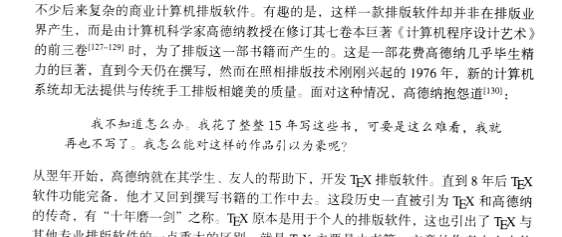
他用十五年写了半本书,然后发现印刷出来不好看,便又花八年时间写了Tex软件来排版,然后回去继续写书,到现在还没写完。
正文
先来一本书:
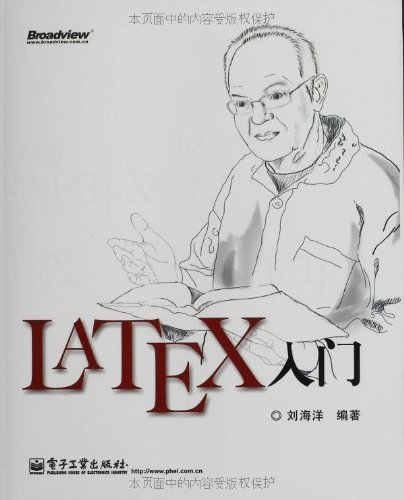
扫描版PDF: https://github.com/wuzhouhui/misc/blob/master/LaTeX%E5%85%A5%E9%97%A8%20%E5%88%98%E6%B5%B7%E6%B4%8B.pdf
先选了工具套装 texlive
https://wiki.archlinux.org/index.php/TeX_Live
安装:
┬─[tong@T7:~]─[:: PM]

╰─>$ sudo pacman -S texlive-most

:: There are  members in group texlive-most:

:: Repository extra

   ) texlive-bibtexextra  ) texlive-core  ) texlive-fontsextra  ) texlive-formatsextra  ) texlive-games  ) texlive-humanities  ) texlive-latexextra  ) texlive-music

   ) texlive-pictures  ) texlive-pstricks  ) texlive-publishers  ) texlive-science

Enter a selection (default=all):
The TeX Live packages are arranged into two groups in the official repositories:

texlive-most includes TeX Live applications.

texlive-lang provides various character sets and non-English features.
支持中文:
┬─[tong@T7:~/Temp]─[:: PM]

╰─>$ pacman -S extra/texlive-langchinese
官方手册:https://en.wikibooks.org/wiki/LaTeX/Introduction
前文安装的TexLive只有解释器没有编辑器, 还需要选一个编辑器
https://en.wikibooks.org/wiki/LaTeX/Installation#Editors
A. 我选了kile, 因为是KDE组件...
B. 还有一个据说比较好用的 texworks
┬─[tong@T7:~/Temp]─[:: PM]

╰─>$ yaourt -Ss texworks

aur/texworks 0.6.- () (0.17)

    A TeX IDE inspired by TeXShop.
语法摘录:
1. 空格与换行
a. 空格或tab都会识别成空白字符.
b. 多个连续的空白字符会被识别为一个空白字符.
c. 一个或多个空行会被识别为换行.
2. 保留字
# $ % ^ & _ { } ~ \
斜杠\ 为转意字符, 如
\# \$ \% \^{} \& \_ \{ \} \~{} \textbackslash{}
有时 [ 和 ] 也是保留字, 当用作可选参数时, 如:
\command [text]
3. 组
用于限定作用域, 使用命令 \bgroup 和 \egroup, 如:
\documentclass{article}

\begin{document}

normal text {\itshape walzing \bfseries Wombat} more normal text

normal text \bgroup\itshape walzing \bfseries Wombat\egroup{} more normal text

\end{document}
4. 环境
Anything in LaTeX can be expressed in terms of commands and environments.
\begin{environmentname}

text to be influenced

\end{environmentname}
5. 命令
\commandname[option1,option2,...]{argument1}{argument2}...
cmmand VS switch (不太理解)
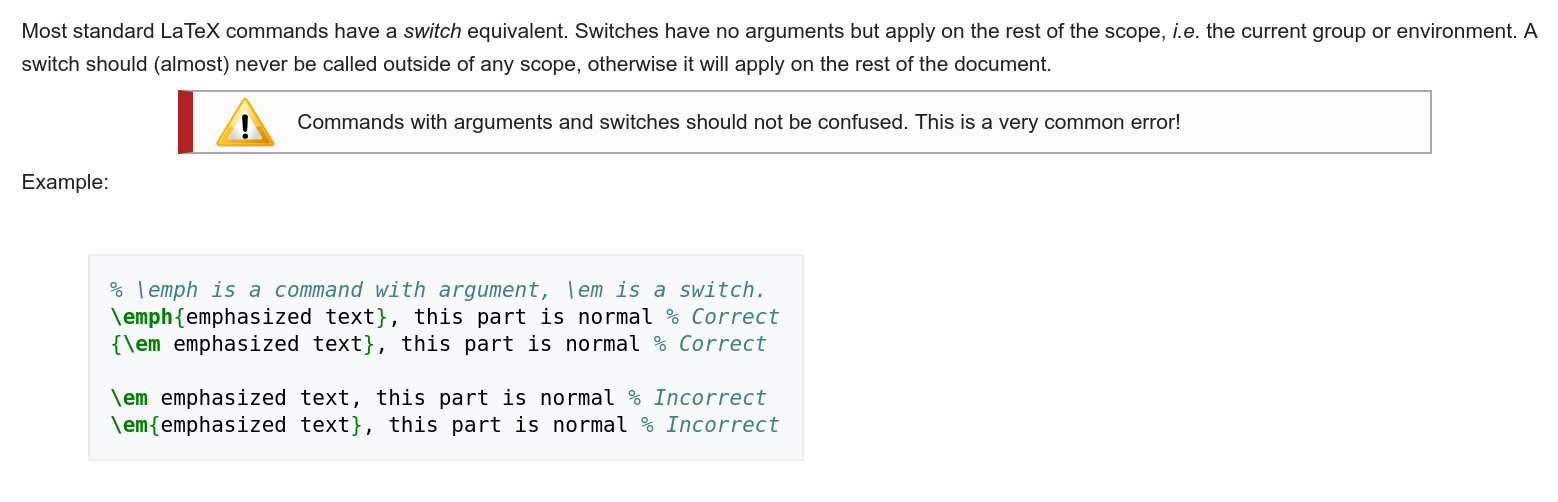
6. 注释
When LaTeX encounters a % character while processing an input file, it ignores the rest of the current line, the line break, and all whitespace at the beginning of the next line.

例子
┬─[tong@T7:~/Temp]─[:: AM]

╰─>$ cat tex_test.tex

% hello.tex - Our first LaTeX example!

\documentclass{article}

\begin{document}

Hello world!

\end{document}
编译文档, 并查看
┬─[tong@T7:~/Temp]─[:: AM]

╰─>$ xelatex tex_test.tex

This is XeTeX, Version 3.14159265-2.6-0.99998 (TeX Live /Arch Linux) (preloaded format=xelatex)

 restricted \write18 enabled.

entering extended mode

(./tex_test.tex

LaTeX2e <-->

Babel <3.15> and hyphenation patterns for  language(s) loaded.

(/usr/share/texmf-dist/tex/latex/base/article.cls

Document Class: article // v1.4h Standard LaTeX document class

(/usr/share/texmf-dist/tex/latex/base/size10.clo))

No file tex_test.aux.

[] (./tex_test.aux) )

Output written on tex_test.pdf ( page).

Transcript written on tex_test.log.

┬─[tong@T7:~/Temp]─[:: AM]

╰─>$ ls

tex_test.aux  tex_test.log  tex_test.pdf  tex_test.tex

┬─[tong@T7:~/Temp]─[:: AM]

╰─>$ okular tex_test.pdf

到此, 就算入门了. 接着换一个中文文档, 做一些进阶学习
https://liam0205.me/2014/09/08/latex-introduction/
我们使用texworks试一下.
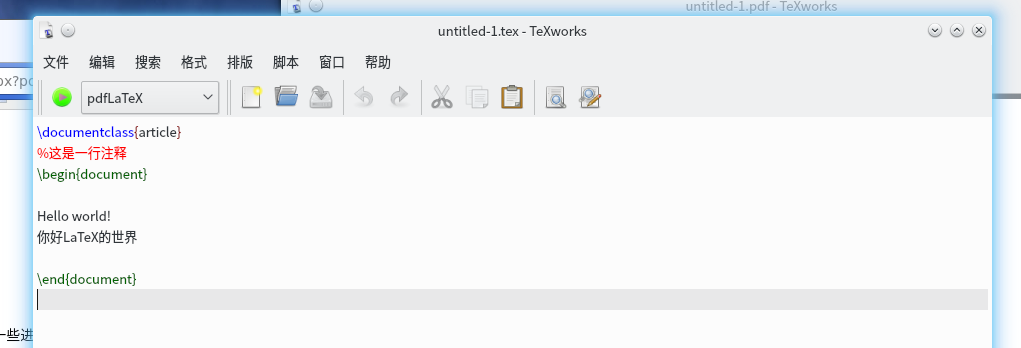
上图这个demo, 虽然很好. 但是并不能正常显示中文.
中文:
CTeX宏包
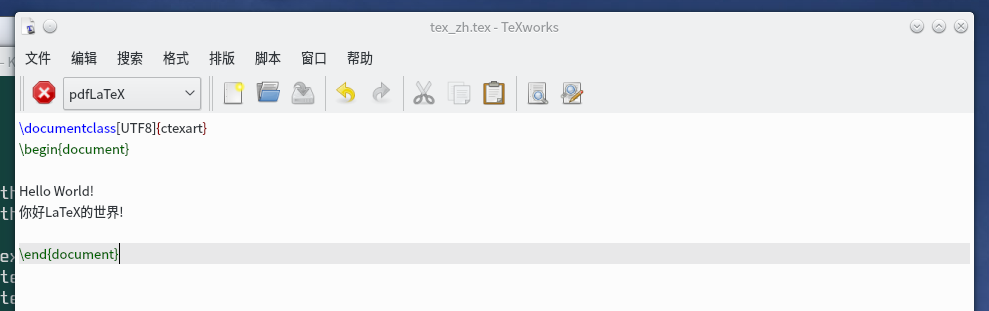
运行报错:
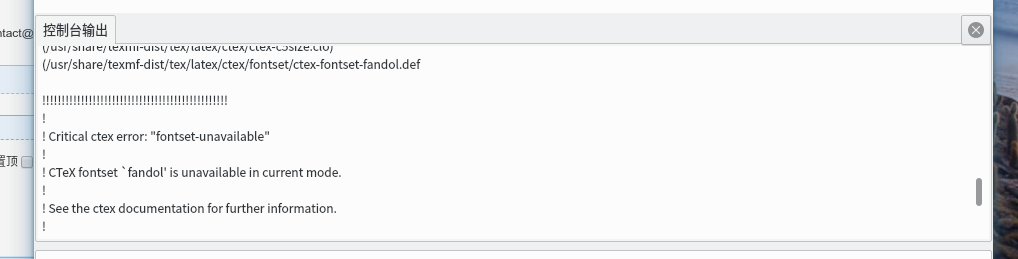
这个奥秘是把输出引擎选择为XeTeX. 为什么要这样做呢?
参考上文文档的家族章节: https://liam0205.me/2014/09/08/latex-introduction/#TeX_%E5%AE%B6%E6%97%8F
之后有两种方法显示, 如下所示:


一个稍复杂的例子
%显示中文的第一种方法

\documentclass[UTF8]{ctexart}

% 显示中文的第二种方法

%\documentclass{article}

%\usepackage{xeCJK}

\title{你好, world!}

\author{Tong}

\date{\today}

\begin{document}

\maketitle

\tableofcontents

\section{你好中国}

中国在East Asia.

\subsection{Hello Beijing}

北京是Capital of China.

\subsubsection{Hello Dongcheng district}

\paragraph{Tian'anmen Square}

is in the center of Beijing

\subparagraph{Chairman Mao}

is in the center of 天安门广场。

\subsection{Hello 山东}

\paragraph{山东大学} is one of the best university in 山东。

Hello World!

你好LaTeX的世界!

\end{document}
例子

一个效果图。。。。
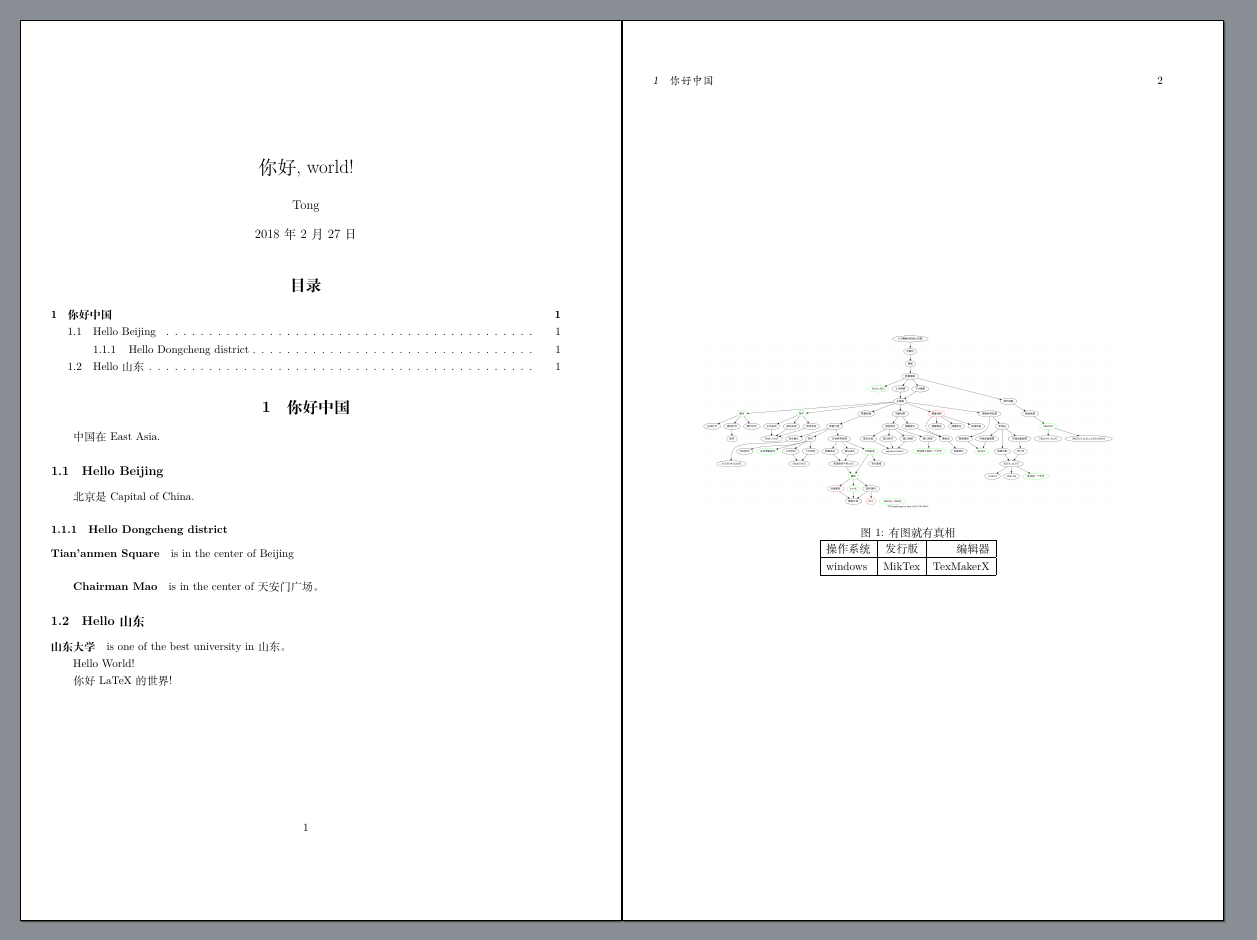
如你所见, 上边那个图实在是太丑了。
于是我又去了解了一下pandoc,又试图对比了一下markdown,详见:
[daily] pandoc
然后再回到latex的话题, 其实丑不丑的还在于个人设置。比如,不用CTex而换成Xelatex之后。如下图:
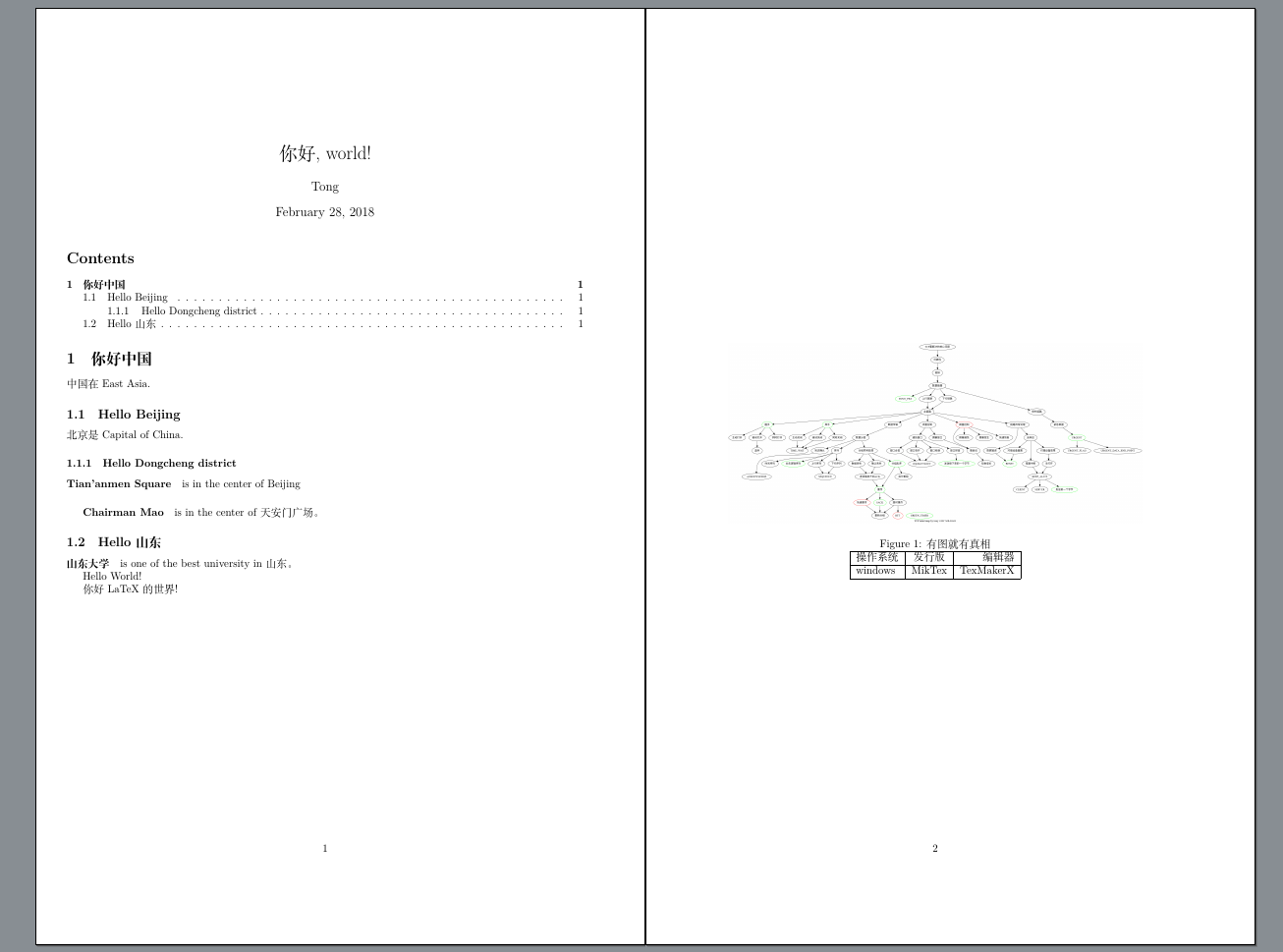
其实也还好吧,细致的调整一下相信也不会丑。
于是要提到的是, 到底XeLaTex是什么?
http://blog.jqian.net/post/xelatex.html
中文问题还是很复杂的,详细内容,推荐阅读下面这个章节:
https://en.wikibooks.org/wiki/LaTeX/Internationalization
https://en.wikibooks.org/wiki/LaTeX/Internationalization#Chinese
跟排版,页面,页边距等有关的内容:
https://en.wikibooks.org/wiki/LaTeX/Page_Layout
简历文档类:https://www.xiangsun.org/tex/notes-on-moderncv
至此,读文档,知识之类的工作基本差不多了。
接下来就是一边实践一边继续深入学习了。
语法那么多。所以实践学习阶段,需要一份速查手册。
TeXLive是自带的,一个命令texdoc。但是由于我的TeXlive不是通过官方工具安装的,而是通过arch源。目前源里面还没有texdoc的文档内容。
索性找到了online的texdoc:http://texdoc.net/
texdoc里面有好多文档,其中一份作为日常的简明速查手册已经足够
http://texdoc.net/texmf-dist/doc/latex/latex2e-help-texinfo/latex2e.pdf
另外还有一个,内容应该是一样的:
https://latex.org/know-how/latex/55-latex-general/424-latex-reference-manual
TODO:
https://en.wikibooks.org/wiki/LaTeX/Counters
------------------------------------- update @ 2018-03-12 -------------------------------
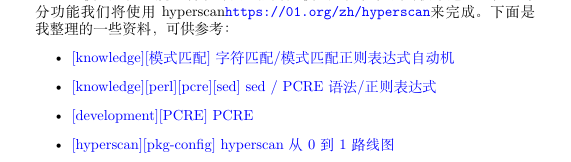
生产PDF时候链接颜色巨丑,怎么破?
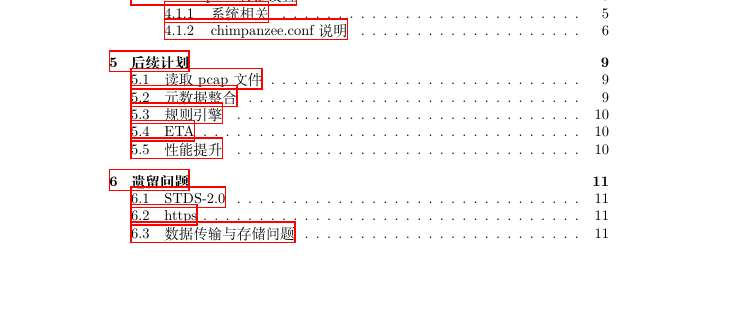

很简单,加入下面一行。。。。
\usepackage[colorlinks,urlcolor=blue]{hyperref}
然后,漂亮多了。。。。

--------------------------------------------------------------------------------------------------------
如何设置首行缩进?
在导言区加入宏包首行 \usepackage{indentfirst} 就可以了.

使用命令 设置 缩进的距离 \setlength{\parindent}{2em},
http://blog.sina.com.cn/s/blog_5e16f1770100fve2.html
-------------------------------------------------------------------------------------------------------
如何设置行间距
http://blog.csdn.net/u010297791/article/details/54232542
\usepackage{setspace}

\setlength{\baselineskip}{20pt}
不知道是不是因为我用来\clearpage,第二行需要写到正文里才能生效。
---------------------------------------------------------------------------------------------------------
默认生成目录的标题是 “contents”, 我要把它修改为中文的“目录”, 如何做?
\renewcommand{\contentsname}{目录}
需要写在 tableofcontents 之前。
需要注意的是,\renewcommand{\contentsname}{...} 不能写在导言区,要写在 \tableofcontents 之前。

其它预设名如下

\abstractname         Abstract

\alsoname         see also (makeidx package)

\appendixname         Appendix

\bibname         Bibliography (report,book)

\ccname         cc (letter)

\chaptername         Chapter (report,book)

\contentsname         Contents

\enclname         encl (letter)

\figurename         Figure (for captions)

\headtoname         To (letter)

\indexname         Index

\listfigurename         List of Figures

\listtablename         List of Tables

\pagename         Page (letter)

\partname         Part

\refname         References (article)

\seename         see (makeidx package)

\tablename         Table (for caption)

如:

\renewcommand{\contentsname}{\small Contents}

\tableofcontents
---------------------------------------------------------------------------------
设置了行间距之后,itemize之间的距离就变大了。那么如何控制itemize直接的距离呢?
两个方法,一个在导言区全局设置:
\usepackage{enumitem}

\setenumerate[]{itemsep=0pt,partopsep=0pt,parsep=\parskip,topsep=5pt}

\setitemize[]{itemsep=0pt,partopsep=0pt,parsep=\parskip,topsep=5pt}

\setdescription{itemsep=0pt,partopsep=0pt,parsep=\parskip,topsep=5pt}
一个是针对单个item,单独设置:
begin{itemize}

\setlength{\itemsep}{0pt}

\setlength{\parsep}{0pt}

\setlength{\parskip}{0pt}

\item ...

\item ...

\end{itemize}
见:http://www.voidcn.com/article/p-sdcrpatl-re.html
[knownledge][latex] LaTex入门的更多相关文章
- 【LaTeX】E喵的LaTeX新手入门教程(6)中文
假期玩得有点凶 ._.前情回顾[LaTeX]E喵的LaTeX新手入门教程(1)准备篇 [LaTeX]E喵的LaTeX新手入门教程(2)基础排版 [LaTeX]E喵的LaTeX新手入门教程(3)数学公式 ...
- 【LaTeX】E喵的LaTeX新手入门教程(4)图表
这里说的不是用LaTeX画图,而是插入已经画好的图片..想看画图可以把滚动条拉到底.前情回顾[LaTeX]E喵的LaTeX新手入门教程(1)准备篇 [LaTeX]E喵的LaTeX新手入门教程(2)基础 ...
- 【LaTeX】E喵的LaTeX新手入门教程(5)参考文献、文档组织
这不是最后一篇,明天开始建模所以会从6号开始继续更新.前情回顾[LaTeX]E喵的LaTeX新手入门教程(1)准备篇 [LaTeX]E喵的LaTeX新手入门教程(2)基础排版 [LaTeX]E喵的La ...
- 【LaTeX】E喵的LaTeX新手入门教程(3)数学公式
昨天熄灯了真是坑爹.前情回顾[LaTeX]E喵的LaTeX新手入门教程(1)准备篇 [LaTeX]E喵的LaTeX新手入门教程(2)基础排版上一期测试答案1.大家一开始想到的肯定是\LaTeX{}er ...
- 【LaTeX】E喵的LaTeX新手入门教程(1)准备篇
昨天熄灯了真是坑爹.前情回顾[LaTeX]E喵的LaTeX新手入门教程(1)准备篇 [LaTeX]E喵的LaTeX新手入门教程(2)基础排版上一期测试答案1.大家一开始想到的肯定是\LaTeX{}er ...
- 【LaTeX】E喵的LaTeX新手入门教程(2)基础排版
换了块硬盘折腾了好久..联想的驱动真坑爹.前情回顾[LaTeX]E喵的LaTeX新手入门教程(1)准备篇文档框架嗯昨天我们已经编写了一个最基本的文档,其内容是这样的:\documentclass{ar ...
- 【LaTeX】E喵的LaTeX新手入门教程(3)
[LaTeX]E喵的LaTeX新手入门教程(3) 数学公式作者: 郭英东.sty 昨天熄灯了真是坑爹.前情回顾 [LaTeX]E喵的LaTeX新手入门教程(1)准备篇 [LaTeX]E喵的LaTeX新 ...
- Latex:入门教程
http://blog.csdn.net/pipisorry/article/details/54571521 总的来说,LaTex是一套排版系统,与word那种所见即所得对排版方式不太,用LaTex ...
- LaTeX快速入门-蔡炎龙
蔡老师的这个文档只有26页,非常简短称得上是快速入门的文档了,TeX的基本入门这个文档还做不到,仅仅是一个简单的引子,让大家管中窥豹,先简单使用,然后才会更加深入进去. 文档早一个版本是用CJK排版的 ...
随机推荐
- Total Command 常用快捷键
压缩和解压缩文件Alt + F5 压缩选定文件 Alt + F9 解压压缩文件Alt + Shift + F9 ...
- python os详解
1.os.getcwd()--起始执行目录 获取当前执行程序文件所在的目录,需要注意的是,getcwd不是获取代码所在文件的目录,也不是获取执行文件所在的目录,而是起始执行目录. 目录结构: test ...
- 将png图片转换为字体图标
字体图标不仅可以随意调整大小,而且可以避免在页面制作过程中引用N多的图片,发送请求造成的流量浪费,因此,我们可以将图标的icon转换成字体图标: 方法一: 1.将png格式的图片转换成svg格式: 网 ...
- [教程]-三种空格unicode(\u00A0,\u0020,\u3000)表示的区别
1.不间断空格\u00A0,主要用在office中,让一个单词在结尾处不会换行显示,快捷键ctrl+shift+space ; 2.半角空格(英文符号)\u0020,代码中常用的; 3.全角空格(中文 ...
- CentOS配置Tomcat开机启动
通常我们进行服务器维护的时候需要注意点为,服务器上的容器一般都是开机启动,减少停机后应用还需要一个一个启动的麻烦. 1) 新建tomcat文件 touch /etc/rc.d/init.d/tomca ...
- Go_14:GoLang中 json、map、struct 之间的相互转化
1. golang 中 json 转 struct <1. 使用 json.Unmarshal 时,结构体的每一项必须是导出项(import field).也就是说结构体的 key 对应的首字母 ...
- Jenkins这种构建工具,一般都是内部使用,所以外部基本上不能访问
类似于Jenkins这种构建工具,一般都是内部使用,所以外部基本上不能访问,也可以隔绝外部黑客的入侵等.直接暴露外部是非常不安全的,特别是没有什么安全验证,容易被别人入侵做一些非法的事情! 所以,希望 ...
- CSS实现响应式全屏背景图
body { /* 加载背景图 */ background-image: url(images/background-photo.jpg); /* 背景图垂直.水平均居中 */ background- ...
- nginx 默认访问index.php
代码 http { include mime.types; default_type application/octet-stream; sendfile on; #tcp_nopush on; #k ...
- PowerDesigner 16PDM显示备注
默认显示的列是Name及类型 name和code不支持同时显示,设置方法: Tool->Model Options->Name Convention->右侧display中选择显示n ...