
WebGPU[4] 纹理三角形
代码见:https://github.com/onsummer/my-dev-notes/tree/master/webgpu-Notes/04-texture-triangle
原创,发布日 2021年4月5日,@秋意正寒。若代码失效请留言,或自行到官网根据最新 API 修改。
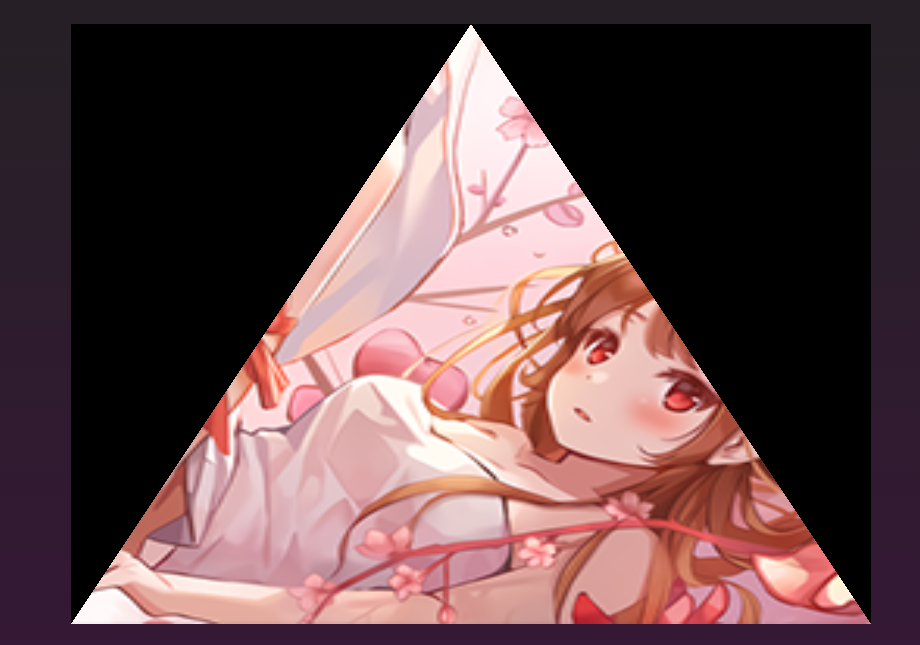
数据预览
NDC 坐标和 纹理坐标(原点、朝向、值域)基础不再补充。
0.1 VBO
const vbodata = new Float32Array([

  -1.0, -1.0, 0.0, 1.0,

  0.0, 1.0, 0.5, 0.0,

  1.0, -1.0, 1.0, 1.0

])
0.2 贴图
一张 256 x 256 的 png 贴图,jpg 和 webp 没测试。

1 纹理与采样器
使用采样器在纹理贴图上,通过纹理坐标取顶点的颜色值,这是一个很常规的操作。
1.1 创建采样器、纹理
/* create sampler */

const sampler = device.createSampler({

  minFilter: "linear",

  magFilter: "linear"

})

/* --- create img source --- */

const img = document.createElement('img')

img.src = 'texture.png'

// 用 await 代表这个操作必须在 async 函数中,或者在 html 中提前做好 img 标签并加载纹理贴图

await img.decode()

const imageBitmap = await createImageBitmap(img)

/* create texture */

const texture = device.createTexture({

  size: [img.width, img.height], // 256, 256 -> 2d的纹理

  format: "rgba8unorm",

  usage: GPUTextureUsage.SAMPLED | GPUTextureUsage.COPY_DST

})
1.2 将纹理贴图数据 填入 纹理对象
我在文档中看到有两个方法,一个是 GPUQueue.prototype.writeToTexture(),另一个是下面这个 GPUQueue.prototype.copyImageBitmapToTexture():
device.queue.copyImageBitmapToTexture(

  { imageBitmap: imageBitmap },

  { texture: texture },

  [img.width, img.height, 1]

)
至此,采样器、纹理对象都准备好了,纹理数据也写入纹理对象中了。
2 将纹理对象、采样器对象传进流水线(Pipeline)
要向渲染通道传递纹理和采样器,必须创建一个 “Pipeline布局” 对象。
这个布局对象要对纹理对象、采样器对象进行绑定。在 WebGPU 中,将诸如 uniform变量、采样器、纹理对象 等资源统一打组,这个组叫 GPUBindGroup。
它们的关系图大概是这样的:

上代码:
/* 创建绑定组的布局对象 */

const bindGroupLayout = device.createBindGroupLayout({

  entries: [

    {

      /* use for sampler */

      binding: 0,

      visibility: GPUShaderStage.FRAGMENT,

      sampler: {

        type: 'filtering',

      },

    },

    {

      /* use for texture view */

      binding: 1,

      visibility: GPUShaderStage.FRAGMENT,

      texture: {

        sampleType: 'float'

      }

    }

  ]

})

/* 创建 Pipeline 的布局对象 */

const pipelineLayout = device.createPipelineLayout({

  bindGroupLayouts: [bindGroupLayout],

})
/* 创建 pipeline 时,传递 Pipeline 的布局对象 */

const pipeline = device.createRenderPipeline({

  layout: pipelineLayout, // <- 传递布局对象

  // ... 其他

})
/* 创建绑定组:GPUBindGroup,一组资源 */

const uniformBindGroup = device.createBindGroup({

  layout: pipeline.getBindGroupLayout(0), // <- 指定绑定组的布局对象

  entries: [

    {

      binding: 0,

      resource: sampler, // <- 传入采样器对象

    },

    {

      binding: 1,

      resource: texture.createView() // <- 传入纹理对象的视图

    }

  ]

})
3 修改着色器
光将采样器、纹理对象传入流水线还是不够的,在顶点着色器阶段、片元着色器阶段,仍需要把颜色给弄到。
3.1 顶点着色器
[[builtin(position)]] var<out> out_position: vec4<f32>;

[[location(0)]] var<out> out_st: vec2<f32>; // <- 输出纹理坐标到下一阶段,即片元着色器

[[location(0)]] var<in> in_position_2d: vec2<f32>;

[[location(1)]] var<in> in_st: vec2<f32>; // <- 从 GPUBuffer 中获取的纹理坐标

[[stage(vertex)]]

// 注意这个主函数被改为 vertex_main,在创建流水线时,要改 entryPoint 属性为 'frag_main'

fn vertex_main() -> void {

  out_position = vec4<f32>(in_position_2d, 0.0, 1.0);

  out_uv = in_st;

  return;

}
3.2 片元着色器
// 从绑定组i里取绑定的资源j的语法是 [[binding(j), group(i)]]

[[binding(0), group(0)]] var mySampler: sampler; // <- 采样器对象

[[binding(1), group(0)]] var myTexture: texture_2d<f32>; // <- 纹理对象

[[location(0)]] var<out> outColor: vec4<f32>;

[[location(0)]] var<in> in_st: vec2<f32>; // 从顶点着色器里传递进来的纹理坐标

[[stage(fragment)]]

// 注意这个主函数被改为 frag_main,在创建流水线时,要改 entryPoint 属性为 'frag_main'

fn frag_main() -> void {

  outColor = textureSample(myTexture, mySampler, in_st); // 使用 textureSample 内置函数获取对应纹理坐标的颜色

  return;

}
4 渲染通道编码器传入资源
即把绑定组传入对象传入即可。
passEncoder.setBindGroup(0, uniformBindGroup)
踩坑点
不要设置流水线中 primitive 属性的 cullMode 属性值为 "back",否则会背面剔除。
const pipeline = device.createRenderPipeline({

  // ...

  primitive: {

    topology: 'triangle-list',

    cullMode: 'back', // <- 如果设为 back 三角形就不见了

  }

  // ...

})
WebGPU[4] 纹理三角形的更多相关文章
- WebGL 与 WebGPU比对[6] - 纹理
目录 1. WebGL 中的纹理 1.1. 创建二维纹理与设置采样参数 1.2. 纹理数据写入与拷贝 1.3. 着色器中的纹理 1.4. 纹理对象 vs 渲染缓冲对象 1.5. 立方体六面纹理 1.6 ...
- dx中纹理相关的接口备注
1.内存中的纹理保存到文件 HRESULT D3DXSaveTextureToFile( __in LPCTSTR pDestFile, __in D3DXIMAGE_FILEFORMAT DestF ...
- DirectX 基础学习系列5 纹理映射
1 纹理坐标 类似BMP图像坐标系,左上为原点 纹理坐标为了规范化,范围限定在[0,1]之间,使用纹理的时候,需要修改顶点结构 struct ColorVetex { float x, y,z; fl ...
- 有关mipmaps
Mipmaps的作用是什么,仅仅是为了使屏幕三角形和纹理三角形的差异变小?有没有以空间换时间的理念? Mipmaps在生成一系列小的纹理样本时, 是如何从原始纹理采样的?即如何生成这些小的纹理样本.
- DirectX 总结和DirectX 9.0 学习笔记
转自:http://www.cnblogs.com/graphics/archive/2009/11/25/1583682.html DirectX 总结 DDS DirectXDraw Surfac ...
- CCRenderBuffer初始化中的render state参数
绘制纹理三角形的渲染状态(render state)已经被CCSprite基类设置过了,所以你可以简单的将self.renderState传递过去就可以了. 渲染状态是混合模式(blend mode) ...
- Introduction to 3D Game Programming with DirectX 12 学习笔记之 --- 第十九章:法线贴图
原文:Introduction to 3D Game Programming with DirectX 12 学习笔记之 --- 第十九章:法线贴图 学习目标 理解为什么需要法线贴图: 学习法线贴图如 ...
- WebGPU图形编程(3):构建三角形图元<学习引自徐博士教程>
一.首先修改你的index.html文件 请注意主要在html页面修改添加的是需要加选择项:"triangle-list"和"triangle-strip",如 ...
- WebGPU学习(二): 学习“绘制一个三角形”示例
大家好,本文学习Chrome->webgl-samplers->helloTriangle示例. 准备Sample代码 克隆webgl-samplers Github Repo到本地. ( ...
随机推荐
- 前端使用 js 如何实现大文件上传
前端使用 js 如何实现大文件上传 大文件上传 refs xgqfrms 2012-2020 www.cnblogs.com 发布文章使用:只允许注册用户才可以访问!
- DataBase All in One
DataBase All in One DB SQL: relational database management system NoSQL(Not only SQL / Non SQL): key ...
- UI 素材网站
UI 素材网站 UI 设计师网站 国外: dribble.behance.Pinteres 国内: 优设.站酷.UI中国.花瓣 https://design.google/ https://dribb ...
- NGK是公链吗?NGK为何会这么火?
NGK号称区块链3.0的经典代表之作,公链底层技术开源发布,支撑百万级应用场景,集合了其他公链的优点,不仅拥有超高的TPS,军业级DPOSS共识机制,还有极高的网络确认速度和转账速度.更重要的是无需矿 ...
- 05_MySQL什么是sql语句
什么是SQL语言 SQL语言的分类 SQL语言的注意事项 SQL语句的注释 数据的创建.查看及删除 实操: 创建数据表 实操: 数据表的其他操作 查看数据库的数据表 查看表结构: 查看建表语句:
- JVM元空间(Metaspace)
本文转载自JVM学习--元空间(Metaspace) 从方法区(PermGen)到元空间(Metaspace) 方法区(PermGen) JDK1.8以前的HotSpot JVM有方法区,也叫永久代( ...
- Golang 实现 Redis(9): 使用GeoHash 搜索附近的人
本文是使用 golang 实现 redis 系列的第九篇,主要介绍如何使用 GeoHash 实现搜索附近的人. 搜索附近的POI是一个非常常见的功能,它的技术难点在于地理位置是二维的(经纬度)而我们常 ...
- WPF MVVM实例三
在没给大家讲解wpf mwm示例之前先给大家简单说下MVVM理论知识: WPF技术的主要特点是数据驱动UI,所以在使用WPF技术开发的过程中是以数据为核心的,WPF提供了数据绑定机制,当数据发生变化时 ...
- List转String数组 collection.toArray(new String[0])中new String[0]的语法解释
Collection的公有方法中,toArray()是比较重要的一个. 但是使用无参数的toArray()有一个缺点,就是转换后的数组类型是Object[]. 虽然Object数组也不是不能用,但当你 ...
- [计算机图形学]绘制填充模型:重心坐标、z-buffer
目录 一.点乘和叉乘 0. 向量表示 1. 点乘 2.叉乘 2.1 坐标运算方式 2.2 向量运算方式 2.3 叉乘的用途 二.Bounding Box 三.重心坐标 四.z-buffer 五.总结 ...