
Spring+SpringMVC整合----配置文件
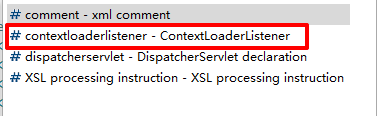
<!-- Spring -->

<context-param>

      <param-name>contextConfigLocation</param-name>

      <!-- 指定spring的配置文件的路径和名称 -->

      <param-value>classpath:applicationContext.xml</param-value>

</context-param>

<!-- Bootstraps the root web application context before servlet initialization -->

<listener>

      <listener-class>org.springframework.web.context.ContextLoaderListener</listener-class>

</listener>

<!-- SpringMVC -->

<servlet>

      <servlet-name>springDispatcherServlet</servlet-name>

      <servlet-class>org.springframework.web.servlet.DispatcherServlet</servlet-class>

      <init-param>

            <param-name>contextConfigLocation</param-name>

            <param-value>classpath:springmvc.xml</param-value>

      </init-param>

      <load-on-startup>1</load-on-startup>

</servlet>

<!-- Map all requests to the DispatcherServlet for handling -->

<servlet-mapping>

      <servlet-name>springDispatcherServlet</servlet-name>

      <url-pattern>/</url-pattern>

</servlet-mapping>
3.在 web.xml 文件中设置处理POST请求乱码
<!-- 处理POST请求乱码 -->

<filter>

      <filter-name>CharacterEncodingFilter</filter-name>

      <filter-class>org.springframework.web.filter.CharacterEncodingFilter</filter-class>

      <init-param>

            <param-name>encoding</param-name>

            <param-value>UTF-8</param-value>

      </init-param>

</filter>

<filter-mapping>

      <filter-name>CharacterEncodingFilter</filter-name>

      <url-pattern>/*</url-pattern>

</filter-mapping>
4.在 web.xml 文件中配置将POST请求转化为PUT、DELETE请求
<!-- 将POST请求转化为PUT、DELETE请求 -->

<filter>

      <filter-name>HiddenHttpMethodFilter</filter-name>

      <filter-class>org.springframework.web.filter.HiddenHttpMethodFilter</filter-class>

</filter>

<filter-mapping>

      <filter-name>HiddenHttpMethodFilter</filter-name>

      <url-pattern>/*</url-pattern>

</filter-mapping>
<context:component-scan base-package="com.neuedu" use-default-filters="false">

      <context:include-filter type="annotation" expression="org.springframework.stereotype.Controller"/>

      <context:include-filter type="annotation" expression="org.springframework.web.bind.annotation.ControllerAdvice"/>

</context:component-scan>
6.在 springmvc .xml 文件中配置视图解析器
<!-- 配置视图解析器 -->

<bean class="org.springframework.web.servlet.view.InternalResourceViewResolver">

      <property name="prefix" value="WEB-INF/views/"></property>

      <property name="suffix" value=".jsp"></property>

</bean>
<!-- 处理静态资源 -->

<mvc:default-servlet-handler/>

<mvc:annotation-driven/>
<context:component-scan base-package="com.neuedu">

    <context:exclude-filter type="annotation" expression="org.springframework.stereotype.Controller"/>

    <context:exclude-filter type="annotation" expression="org.springframework.web.bind.annotation.ControllerAdvice"/>

</context:component-scan>
9.在 bean.xml 文件中配置 jdbc.properties 及 C3P0 数据源
<!-- 加载外部属性文件 -->

<context:property-placeholder location="classpath:jdbc.properties"/>

<!-- 配置C3P0 数据源 -->

<bean id="comboPooledDataSource" class="com.mchange.v2.c3p0.ComboPooledDataSource">

      <property name="user" value="${jdbc.username}"></property>

      <property name="password" value="${jdbc.password}"></property>

      <property name="driverClass" value="${jdbc.driver}"></property>

      <property name="jdbcUrl" value="${jdbc.url}"></property>

</bean>
10.在 bean.xml 文件中配置 jdbcTemplate
<!-- 配置jdbcTemplate -->

<bean id="jdbcTemplate" class="org.springframework.jdbc.core.JdbcTemplate">

      <property name="dataSource" ref="comboPooledDataSource"></property>

</bean>
11.在 bean.xml 文件中配置事务管理器及基于注解的事务
<!-- 配置事务管理器 -->

<bean id="dataSourceTransactionManager" class="org.springframework.jdbc.datasource.DataSourceTransactionManager">

      <property name="dataSource" ref="comboPooledDataSource"></property>

</bean>

<!-- 开启基于注解的事务 -->

<tx:annotation-driven transaction-manager="dataSourceTransactionManager"/>
Spring+SpringMVC整合----配置文件的更多相关文章
- SpringMVC Spring MyBatis整合配置文件
1.spring管理SqlSessionFactory.mapper 1)在classpath下创建mybatis/sqlMapConfig.xml <?xml version="1. ...
- spring+springMVC 整合 MongoDB 实现注册登录
发现一入手 MongoDB,便无法脱离,简要说一下,MongoDB 是一个介于关系数据库和非关系数据库之间的产品,是非关系数据库当中功能最丰富,最像关系数据库的. 也是在 Nosql 中我最喜欢的一种 ...
- Spring+SpringMVC重复加载配置文件问题
sping+springmvc的框架中,IOC容器的加载过程 http://my.oschina.net/xianggao/blog/596476 基本上是先加载ContextLoaderListen ...
- 06_MyBatis,Spring,SpringMVC整合
项目结构 Spring的配置: beans.xml <?xml version="1.0" encoding="UTF-8"?> <be ...
- ssm整合(Spring+SpringMVC+Mybatis)
一.Spring Spring致力于提供一种方法管理你的业务对象.IOC容器,它可以装载bean(也就是我们java中的类,当然也包括service dao里面的),有了这个机制,我们就不用在每次使用 ...
- Spring Boot2 系列教程(二十四)Spring Boot 整合 Jpa
Spring Boot 中的数据持久化方案前面给大伙介绍了两种了,一个是 JdbcTemplate,还有一个 MyBatis,JdbcTemplate 配置简单,使用也简单,但是功能也非常有限,MyB ...
- spring+springMVC+mybatis框架整合——配置文件说明
如下图 web.xml配置说明: spring配置文件说明-1: spring配置文件说明-2: spring配置助记: 扫注(base) 读配(loc) 数据源(和comb(使用c3p0数据源)) ...
- Spring+SpringMVC+Mybaties整合之配置文件如何配置及内容解释--可直接拷贝使用--不定时更改之2017/4/27
以下配置可直接使用,只需更改包名. 关于内部标签的解释及用法,都以注解形式在代码内部说明.个人原创,转载需注明出处. 1,web.xml.添加jar包后首先需要配置WEB-INF下的web.xml文件 ...
- Eclipse Meaven Spring SpringMVC Mybaits整合
本示例是在:Ubuntu15上实现的:Windows上安装Maven将不太相同. Maven Install Run command sudo apt-get install maven, to in ...
随机推荐
- Java零基础手把手系列:HashMap排序方法一网打尽
HashMap的排序在一开始学习Java的时候,比较容易晕,今天总结了一些常见的方法,一网打尽.HashMap的排序入门,看这篇文章就够了. 1. 概述 本文排序HashMap的键(key)和值(va ...
- Mycat读写分离(一主一从)
Mycat读写分离(一主一从) 我们一共使用2个虚拟机,每个机器的作用如下: 主机名 IP地址 任务角色 数据库 node1 192.168.1.121 Mycat, master MySQL nod ...
- Sieve of Eratosthenes时间复杂度的感性证明
上代码. #include<cstdio> #include<cstdlib> #include<cstring> #define reg register con ...
- windows与office激活
暴风官网:www.baofengjihuo.com
- linux系统状态网络、权限、用户大杂烩
来来来,我们聊一下liunx系统相关的知识!! 首先从查询网络配置开始 ifconfig 查询.设置网卡和ip等参数 ifup,ifdown 脚本命令,更简单的方式启动关闭网络 ip命令是结合了ifc ...
- python常用算法(6)——贪心算法,欧几里得算法
1,贪心算法 贪心算法(又称贪婪算法)是指,在对问题求解时,总是做出在当前看来是最好的选择.也就是说,不从整体最优上加以考虑,他所做出的的时在某种意义上的局部最优解. 贪心算法并不保证会得到最优解,但 ...
- java中的Static、final、Static final各种用法详解
前言 对Static.final.Static final这几个关键词熟悉又陌生?想说却又不知怎么准确说出口?好的,本篇博客文章将简短概要出他们之间的各自的使用,希望各位要是被你的面试官问到了,也能从 ...
- 持久层框架JPA与Mybatis该如何选型
一.现状描述 目前java 持久层ORM框架应用最广泛的就是JPA和Mybatis.JPA只是一个ORM框架的规范, 对该规范的实现比较完整就是Spring Data JPA(底层基于Hibernat ...
- 谁说程序员不懂浪漫?用Python每天自动给女朋友免费发短信
前言 之前发过一篇文章,用 Python 制作的给父母天气预报提醒的小工具天气变冷了,给父母制作一个天气提醒小助手,这篇文章我同步到博客上之后,有读者在评论区留言,对于部分微信没有网页版接口,导致无法 ...
- UIScrollView的contentView 助于理解