
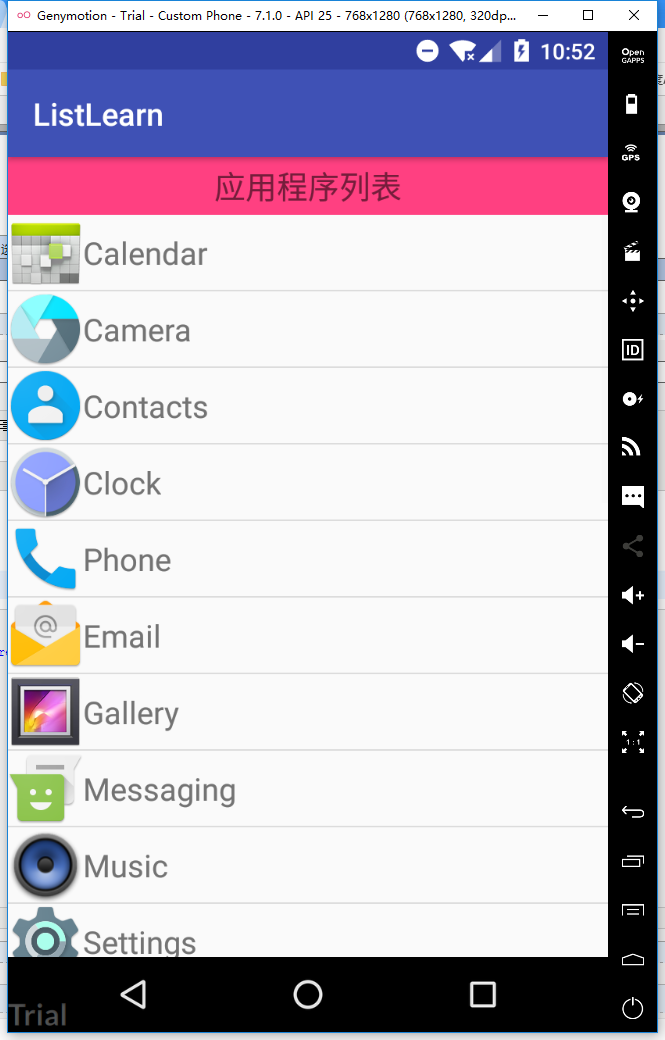
获取Android系统应用信息
<?xml version="1.0" encoding="utf-8"?>
<LinearLayout xmlns:android="http://schemas.android.com/apk/res/android"
    xmlns:app="http://schemas.android.com/apk/res-auto"
    android:layout_width="match_parent"
    android:layout_height="match_parent"
    android:orientation="vertical">
    <TextView
        android:layout_width="match_parent"
        android:layout_height="wrap_content"
        android:gravity="center"
        android:text="应用程序列表"
        android:textSize="20dp"
        android:padding="5dp"
        android:background="@color/colorAccent"
        />

    <ListView
        android:id="@+id/list_ctn_main"
        android:layout_width="match_parent"
        android:layout_height="match_parent" />

</LinearLayout>
<?xml version="1.0" encoding="utf-8"?>
     <RelativeLayout xmlns:android="http://schemas.android.com/apk/res/android"
        android:layout_width="match_parent"
        android:layout_height="wrap_content">

        <ImageView
            android:id="@+id/app_logo"
            android:layout_width="wrap_content"
            android:layout_height="wrap_content"
            android:src="@mipmap/ic_launcher"/>

        <TextView
            android:id="@+id/app_name"
            android:layout_width="wrap_content"
            android:layout_height="wrap_content"
            android:text="TextView"
            android:layout_toRightOf="@id/app_logo"
            android:layout_centerVertical="true"
            android:textSize="20dp"
            />
    </RelativeLayout>
public class AppInfo {
    private Drawable app_logo;
    private String name;
    private String packName;

    public AppInfo() {
    }

    public AppInfo(Drawable app_logo, String name, String packName) {
        this.app_logo = app_logo;
        this.name = name;
        this.packName = packName;
    }

    public Drawable getApp_logo() {
        return app_logo;
    }

    public void setApp_logo(Drawable app_logo) {
        this.app_logo = app_logo;
    }

    public String getName() {
        return name;
    }

    public void setName(String name) {
        this.name = name;
    }

    public String getPackName() {
        return packName;
    }

    public void setPackName(String packName) {
        this.packName = packName;
    }
}
public class MainActivity extends AppCompatActivity {
    private ListView listView ;
    private List<AppInfo> data;
    private AppAdapter appAdapter;

    class AppAdapter extends BaseAdapter{
        @Override
        public int getCount() {
            return data.size();
        }

        @Override
        public Object getItem(int position) {
            return data.get(position);
        }

        @Override
        public long getItemId(int position) {
            return 0;
        }

        @Override
        public View getView(int position, View convertView, ViewGroup parent) {
            if (convertView == null) {
                convertView = View.inflate(MainActivity.this, R.layout.list_ctn, null);
            }
            AppInfo appInfo = data.get(position);
            ImageView imageView = (ImageView) convertView.findViewById(R.id.app_logo);
            TextView name = (TextView) convertView.findViewById(R.id.app_name);
            imageView.setImageDrawable(appInfo.getApp_logo());
            name.setText(appInfo.getName());
            return convertView;
        }
    }

    @Override
    protected void onCreate(Bundle savedInstanceState) {
        super.onCreate(savedInstanceState);
        setContentView(R.layout.activity_main);

        listView = (ListView) findViewById(R.id.list_ctn_main);
        data = getAllAppInfos();
        AppAdapter appAdapter = new AppAdapter();
        listView.setAdapter(appAdapter);
    }

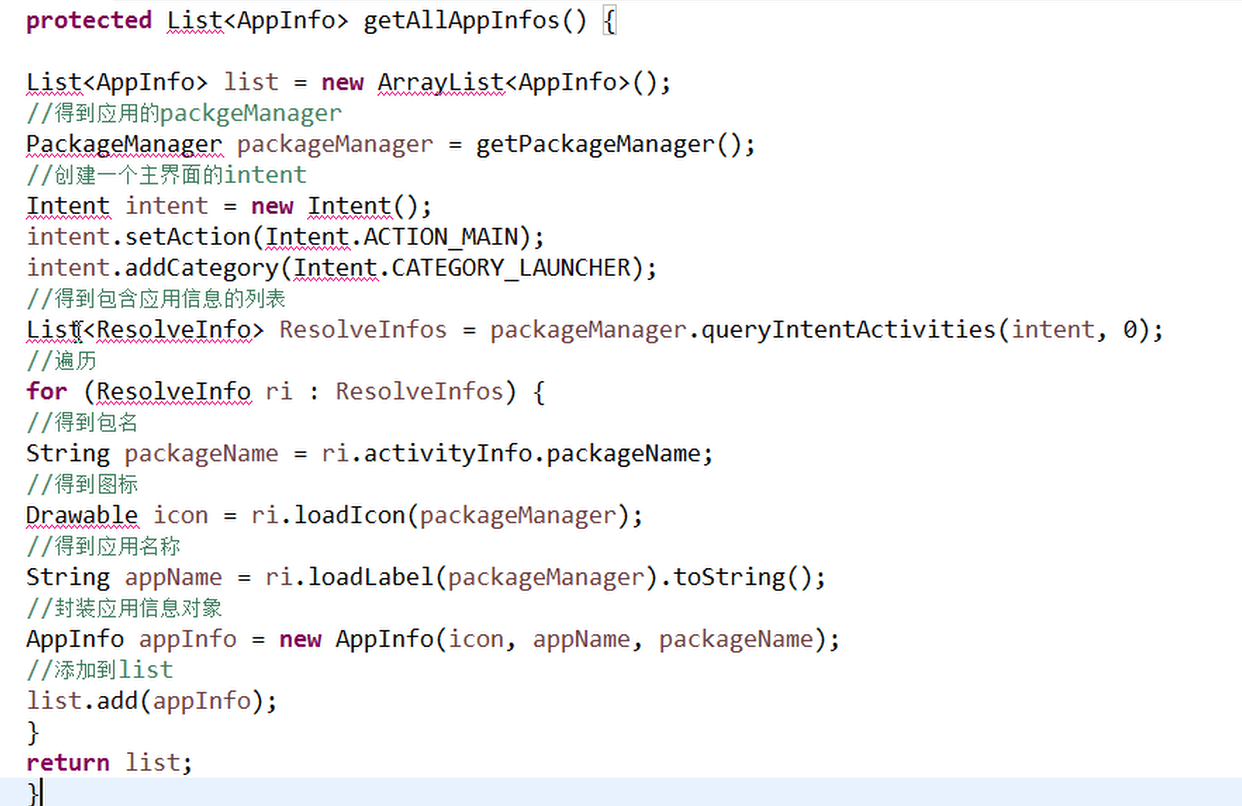
    private List<AppInfo> getAllAppInfos() {
        List<AppInfo> list = new ArrayList<AppInfo>();
        PackageManager packageManager = getPackageManager();
        Intent intent = new Intent();
        intent.setAction(Intent.ACTION_MAIN);
        intent.addCategory(Intent.CATEGORY_LAUNCHER);

        List<ResolveInfo> resolveInfos = packageManager.queryIntentActivities(intent, 0);
        for (ResolveInfo ri : resolveInfos) {
            String packageName = ri.activityInfo.packageName;
            Drawable icon = ri.loadIcon(packageManager);
            String appName = ri.loadLabel(packageManager).toString();
            AppInfo appInfo = new AppInfo(icon, appName, packageName);
            list.add(appInfo);
        }
        return list;
    }
}
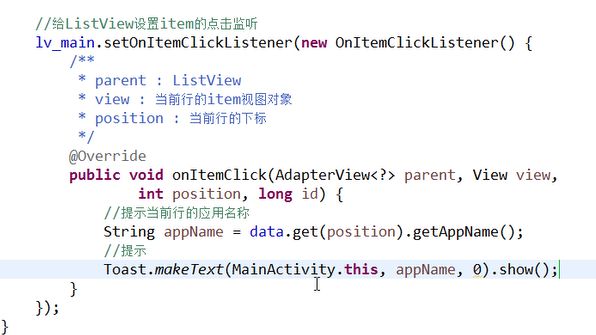
单击事件
长按删除更新列表
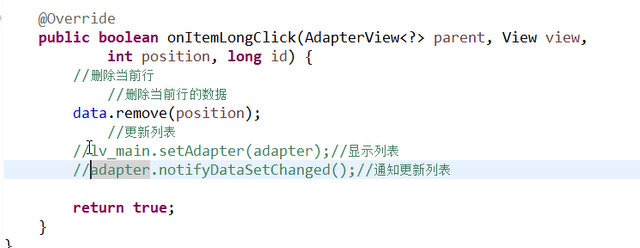
setAdapter和notify**都可以实现重新显示,前者会跳到list顶部,是因为重新渲染的ui,后者会使用所有缓存的item对象,前者不会
获取Android系统应用信息的更多相关文章
- 获取Java系统相关信息
package com.test; import java.util.Properties; import java.util.Map.Entry; import org.junit.Test; pu ...
- getprop 获取android系统属性
Android属性系统 property_get/property_set (很透彻)http://www.blogjava.net/MEYE/articles/359773.html getpro ...
- 获取 Android APP 版本信息工具类(转载)
获取 Android APP 版本信息工具类 获取手机APP版本信息工具类 1.获取版本名称 2.获取版本号 3.获取App的名称 package com.mingyue.nanshuibeidiao ...
- 如何获取Android系统中申请对象的信息
最近一直在做有关内存方面的优化工作,在做优化的过程,除了关注内存的申请量以及GC的情况之外,我们经常需要想方法找出是那些对象占用了大量内存,以及他们是如何导致GC的,这意味着我们需要获取对象申请的信息 ...
- adb获取Android系统属性(adb shell getprop ***)数据来源
在Android系统中,它的根文件系统下有几个用于启动系统时需要的配置文件: /init.rc /default.prop /system/build.prop 通常我们可以通过命令getprop获取 ...
- iOS获取iPhone系统等信息和服务器返回空的异常处理
前言: 在项目中经常会遇到需要获取系统的信息来处理一些特殊的需求和服务端返回为空的处理,写在这里只是笔记一下. 获取设备的信息 NSLog(@"globallyUniqueString=%@ ...
- Android初级教程获取手机系统联系人信息
在手机内部,对联系人信息存在对应的数据库.我们创建的而联系人信息都存在这张表中.如下是对数据库的截图,我已经对表和应该注意的地方做了红笔标注: 好了,现在可以根据数据库里面的数据来写代码了. 代码如下 ...
- 获取Android崩溃crash信息并写入日志发送邮件
一.实现Thread.UncaughtExceptionHandlerUnChecked异常发生时,由于没有相应的try…catch处理该异常对象,所以Java运行环境将会终止,程序将退出,也就是我们 ...
- 获取android手机联系人信息
package com.yarin.android.Examples_04_04; import android.app.Activity; import android.database.Curso ...
随机推荐
- bzoj4002 [JLOI2015]有意义的字符串 快速幂
Description B 君有两个好朋友,他们叫宁宁和冉冉. 有一天,冉冉遇到了一个有趣的题目:输入 b;d;n,求((b+sqrt(D)/2)^N的整数部分,请输出结果 Mod 752844341 ...
- BZOJ3295 动态逆序对(树状数组套线段树)
[Cqoi2011]动态逆序对 Time Limit: 10 Sec Memory Limit: 128 MBSubmit: 6058 Solved: 2117[Submit][Status][D ...
- 回顾基础知识,类,fbv,cbv
一 类中绑定方法的传参,不需要self class Foo(object): def __init__(self,name): self.name = name def foo(self,x): se ...
- C++ 中new
operator new在C++中的各种写法 (2011-09-21 14:59:33) 标签: 杂谈 乍一看,在C++中动态分配内存很简单:new是分配,delete是释放,就这么简单.然而,这 ...
- Laravel 修改操作
增加路由: Route::any('Student/update/{id}',['uses'=>'StudentController@update']); 控制器代码:(Request $req ...
- fmt 包中的函数和方法
/ Fprintf 将参数列表 a 填写到格式字符串 format 的占位符中// 并将填写后的结果写入 w 中,返回写入的字节数func Fprintf(w io.Writer, format st ...
- golang并发编程goroutine+channel(一)
go语言的设计初衷除了在不影响程序性能的情况下减少复杂度,另一个目的是在当今互联网大量运算下,如何让程序的并发性能和代码可读性达到极致.go语言的并发关键词 "go" go dos ...
- 动态AdvStringGrid完美示例 (AdvStringGrid使用技巧/Cells)
http://www.cnblogs.com/JackSun/archive/2010/12/16/1908104.html 此窗体,只需要简单准备如下,即可运行: 1,添加一个TAdvStri ...
- 接阿里云oss有感
看API,从头细看到尾,在这个过程中一定会找到你要找的东西.
- 一点点VIM
VIM 当你喜欢它时,你会发现真的不错,不过配置真是麻烦, 不过万事开头难,当你熟练时真的会发现她的美. syntax on set nu colo evening set mouse=a set c ...