
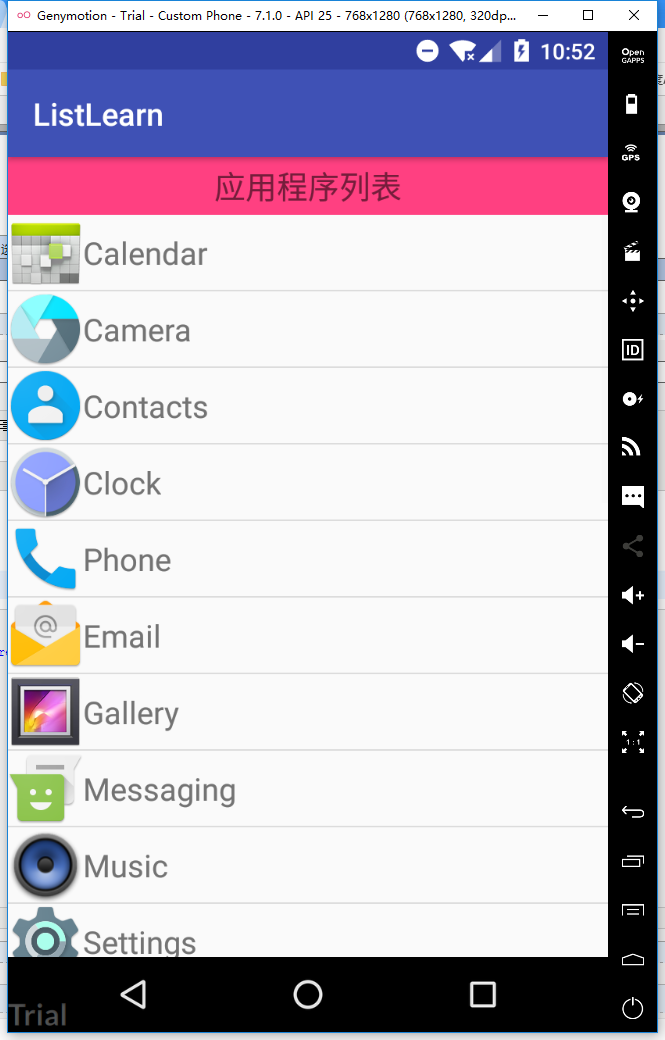
获取Android系统应用信息
<?xml version="1.0" encoding="utf-8"?>
<LinearLayout xmlns:android="http://schemas.android.com/apk/res/android"
    xmlns:app="http://schemas.android.com/apk/res-auto"
    android:layout_width="match_parent"
    android:layout_height="match_parent"
    android:orientation="vertical">
    <TextView
        android:layout_width="match_parent"
        android:layout_height="wrap_content"
        android:gravity="center"
        android:text="应用程序列表"
        android:textSize="20dp"
        android:padding="5dp"
        android:background="@color/colorAccent"
        />

    <ListView
        android:id="@+id/list_ctn_main"
        android:layout_width="match_parent"
        android:layout_height="match_parent" />

</LinearLayout>
<?xml version="1.0" encoding="utf-8"?>
     <RelativeLayout xmlns:android="http://schemas.android.com/apk/res/android"
        android:layout_width="match_parent"
        android:layout_height="wrap_content">

        <ImageView
            android:id="@+id/app_logo"
            android:layout_width="wrap_content"
            android:layout_height="wrap_content"
            android:src="@mipmap/ic_launcher"/>

        <TextView
            android:id="@+id/app_name"
            android:layout_width="wrap_content"
            android:layout_height="wrap_content"
            android:text="TextView"
            android:layout_toRightOf="@id/app_logo"
            android:layout_centerVertical="true"
            android:textSize="20dp"
            />
    </RelativeLayout>
public class AppInfo {
    private Drawable app_logo;
    private String name;
    private String packName;

    public AppInfo() {
    }

    public AppInfo(Drawable app_logo, String name, String packName) {
        this.app_logo = app_logo;
        this.name = name;
        this.packName = packName;
    }

    public Drawable getApp_logo() {
        return app_logo;
    }

    public void setApp_logo(Drawable app_logo) {
        this.app_logo = app_logo;
    }

    public String getName() {
        return name;
    }

    public void setName(String name) {
        this.name = name;
    }

    public String getPackName() {
        return packName;
    }

    public void setPackName(String packName) {
        this.packName = packName;
    }
}
public class MainActivity extends AppCompatActivity {
    private ListView listView ;
    private List<AppInfo> data;
    private AppAdapter appAdapter;

    class AppAdapter extends BaseAdapter{
        @Override
        public int getCount() {
            return data.size();
        }

        @Override
        public Object getItem(int position) {
            return data.get(position);
        }

        @Override
        public long getItemId(int position) {
            return 0;
        }

        @Override
        public View getView(int position, View convertView, ViewGroup parent) {
            if (convertView == null) {
                convertView = View.inflate(MainActivity.this, R.layout.list_ctn, null);
            }
            AppInfo appInfo = data.get(position);
            ImageView imageView = (ImageView) convertView.findViewById(R.id.app_logo);
            TextView name = (TextView) convertView.findViewById(R.id.app_name);
            imageView.setImageDrawable(appInfo.getApp_logo());
            name.setText(appInfo.getName());
            return convertView;
        }
    }

    @Override
    protected void onCreate(Bundle savedInstanceState) {
        super.onCreate(savedInstanceState);
        setContentView(R.layout.activity_main);

        listView = (ListView) findViewById(R.id.list_ctn_main);
        data = getAllAppInfos();
        AppAdapter appAdapter = new AppAdapter();
        listView.setAdapter(appAdapter);
    }

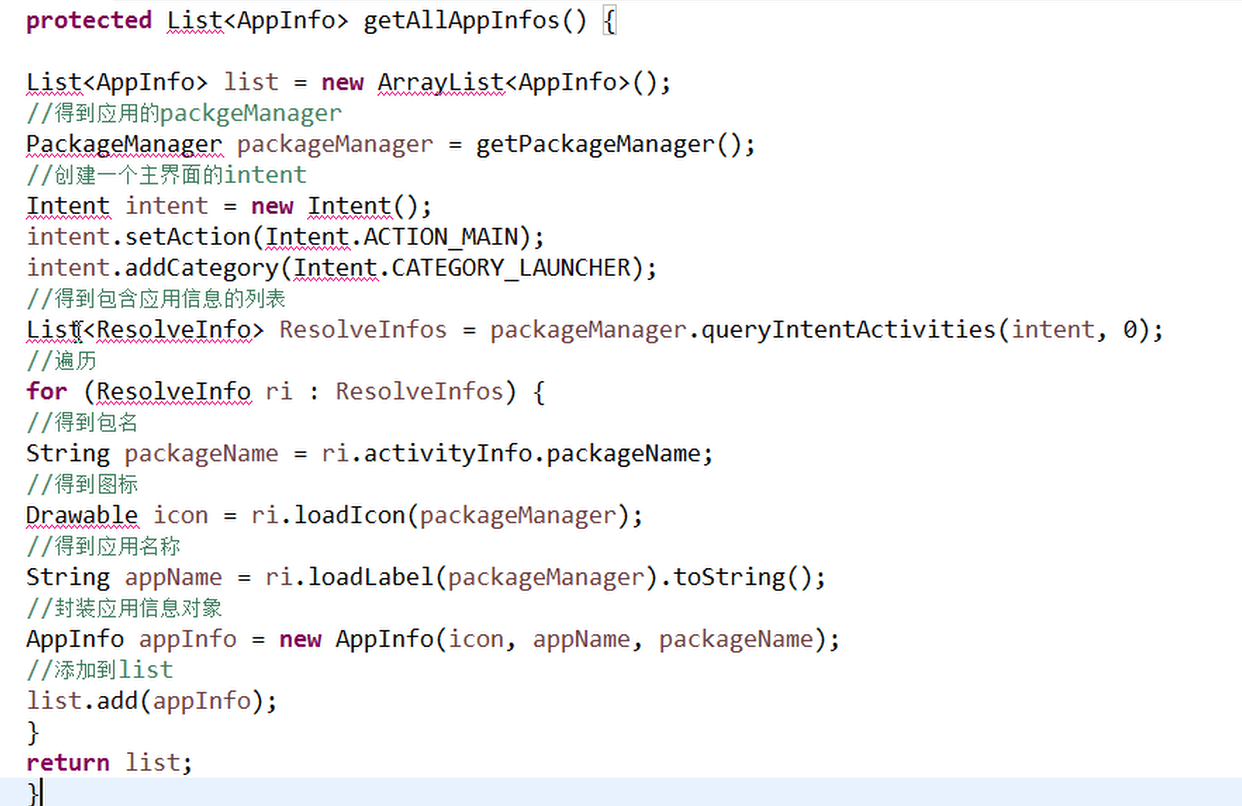
    private List<AppInfo> getAllAppInfos() {
        List<AppInfo> list = new ArrayList<AppInfo>();
        PackageManager packageManager = getPackageManager();
        Intent intent = new Intent();
        intent.setAction(Intent.ACTION_MAIN);
        intent.addCategory(Intent.CATEGORY_LAUNCHER);

        List<ResolveInfo> resolveInfos = packageManager.queryIntentActivities(intent, 0);
        for (ResolveInfo ri : resolveInfos) {
            String packageName = ri.activityInfo.packageName;
            Drawable icon = ri.loadIcon(packageManager);
            String appName = ri.loadLabel(packageManager).toString();
            AppInfo appInfo = new AppInfo(icon, appName, packageName);
            list.add(appInfo);
        }
        return list;
    }
}
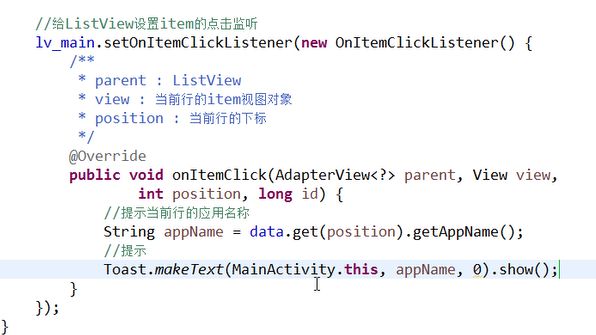
单击事件
长按删除更新列表
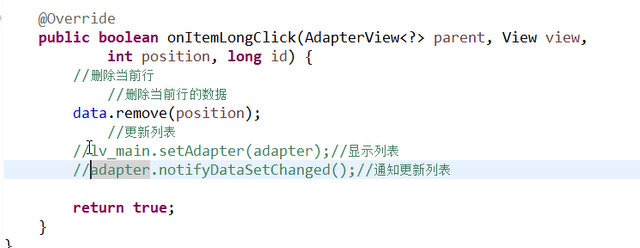
setAdapter和notify**都可以实现重新显示,前者会跳到list顶部,是因为重新渲染的ui,后者会使用所有缓存的item对象,前者不会
获取Android系统应用信息的更多相关文章
- 获取Java系统相关信息
package com.test; import java.util.Properties; import java.util.Map.Entry; import org.junit.Test; pu ...
- getprop 获取android系统属性
Android属性系统 property_get/property_set (很透彻)http://www.blogjava.net/MEYE/articles/359773.html getpro ...
- 获取 Android APP 版本信息工具类(转载)
获取 Android APP 版本信息工具类 获取手机APP版本信息工具类 1.获取版本名称 2.获取版本号 3.获取App的名称 package com.mingyue.nanshuibeidiao ...
- 如何获取Android系统中申请对象的信息
最近一直在做有关内存方面的优化工作,在做优化的过程,除了关注内存的申请量以及GC的情况之外,我们经常需要想方法找出是那些对象占用了大量内存,以及他们是如何导致GC的,这意味着我们需要获取对象申请的信息 ...
- adb获取Android系统属性(adb shell getprop ***)数据来源
在Android系统中,它的根文件系统下有几个用于启动系统时需要的配置文件: /init.rc /default.prop /system/build.prop 通常我们可以通过命令getprop获取 ...
- iOS获取iPhone系统等信息和服务器返回空的异常处理
前言: 在项目中经常会遇到需要获取系统的信息来处理一些特殊的需求和服务端返回为空的处理,写在这里只是笔记一下. 获取设备的信息 NSLog(@"globallyUniqueString=%@ ...
- Android初级教程获取手机系统联系人信息
在手机内部,对联系人信息存在对应的数据库.我们创建的而联系人信息都存在这张表中.如下是对数据库的截图,我已经对表和应该注意的地方做了红笔标注: 好了,现在可以根据数据库里面的数据来写代码了. 代码如下 ...
- 获取Android崩溃crash信息并写入日志发送邮件
一.实现Thread.UncaughtExceptionHandlerUnChecked异常发生时,由于没有相应的try…catch处理该异常对象,所以Java运行环境将会终止,程序将退出,也就是我们 ...
- 获取android手机联系人信息
package com.yarin.android.Examples_04_04; import android.app.Activity; import android.database.Curso ...
随机推荐
- 洛谷P3097 - [USACO13DEC]最优挤奶Optimal Milking
Portal Description 给出一个\(n(n\leq4\times10^4)\)个数的数列\(\{a_n\}(a_i\geq1)\).一个数列的最大贡献定义为其中若干个不相邻的数的和的最大 ...
- 刷题总结——shortest(ssoi)
题目: 题目背景 SOURCE:NOIP2015-SHY-3 题目描述 给定一张 n 个点的有向带权完全图,和一个数组 a[] ,请按顺序删除数组中的点,请求出在删除点 a[i] 以前,所有未删除点对 ...
- spring 如何动态加载properties文件的内容
1. 在xml中配置你的properties路径: <bean id="messageSource" class="org.springframework.cont ...
- Codevs 2956 排队问题
2956 排队问题 时间限制: 1 s 空间限制: 32000 KB 题目等级 : 黄金 Gold 题目描述 Description 有N个学生去食堂,可教官规定:必须2人或3人组成一组,求有多少种不 ...
- 标准C程序设计七---21
Linux应用 编程深入 语言编程 标准C程序设计七---经典C11程序设计 以下内容为阅读: <标准C程序设计>(第7版) 作者 ...
- ScrollPic.js——图片左右滚动插件
自己在做项目的时候刚好遇到了图片做左右滚动的项目,发现ScrollPic.js这个插件还是很好用的,一般的浏览器都支持,也可以做成bootstrap样式: 首先需要下载ScrollPic.js这个插件 ...
- codevs——2651 孔子教学——同桌
2651 孔子教学——同桌 时间限制: 1 s 空间限制: 8000 KB 题目等级 : 黄金 Gold 题解 题目描述 Description 孔子是我国古代著名的教育家.他有先见 ...
- Java利用Mybatis进行数据权限控制
权限控制主要分为两块,认证(Authentication)与授权(Authorization).认证之后确认了身份正确,业务系统就会进行授权,现在业界比较流行的模型就是RBAC(Role-Based ...
- flask结合令牌桶算法实现上传和下载速度限制
限流.限速: 1.针对flask的单个路由进行限流,主要场景是上传文件和下载文件的场景 2.针对整个应用进行限流,方法:利用nginx网关做限流 本文针对第一中情况,利用令牌桶算法实现: 这个方法:h ...
- linux命令stat,查看文件详细信息
可以查看文件的各类具体信息:文件权限的数字形式0664:uid.gid的权限的数字形式等 更多用法参考stat --help lsattr test.sh 查看文件的其他属性:只读属性.只可以追加写属 ...