
HTML--比较实用的小例子
常用的前端实例:
1略
2、在网页商城中的图片当我们把鼠标放上去之后,图片会显示一个有颜色的外边框,图片某一部分的字体的颜色并发生改变
鼠标放上去之前

鼠标放上去之后:
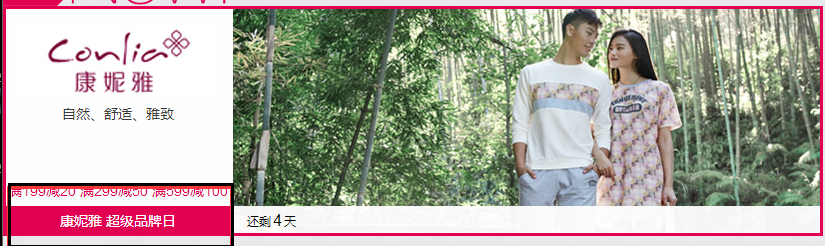
实现的代码:
<!DOCTYPE html>

<html lang="en">

<head>

    <meta charset="UTF-8" content="text/html" http-equiv="Content-Type">

    <title>Title</title>

    <style>

        .ele{

            /*先给图片的变框设置一个有宽度的变框这个鼠标放上去看到的效果就是静态的*/

            border: 1px solid transparent;

            /*加变框是为了不希望看到图片的位置发生改变*/

        }

        .ele:hover{

            /*伪类 :鼠标放上去会出现一个外边框*/

            border: 1px solid gray;

        }

        /*鼠标放上去 一部分的字体颜色发生改变*/

        .ele:hover .ele-item{

            color: red;

        }

    </style>

</head>

<body>

    <div class="ele">

        <div>123</div>

        <div class="ele-item">123</div>

    </div>

</body>

</html>
边框加颜色-并改变某一部分的字体颜色
3、鼠标放到图片上,图片上会显示一些相关的信息:
之前的效果:

设置代码之后的效果:
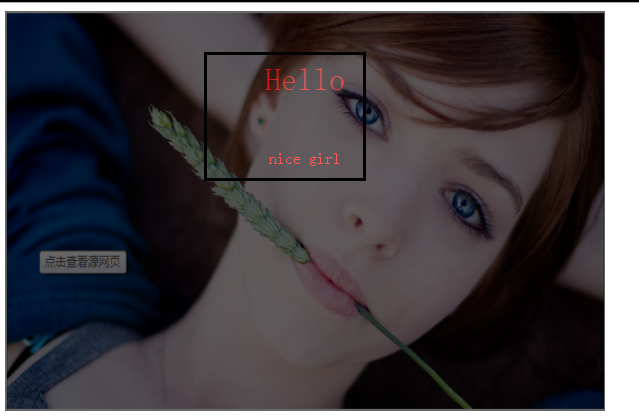
上代码:
<!DOCTYPE html>

<html lang="en">

<head>

    <meta charset="UTF-8" content="text/html" http-equiv="Content-Type">

    <title>隐藏</title>

    <style>

        .touch{

            /*父亲div的position采用relative

            那么在其内部的div只需要使用absolute就可以定位在父div的任意位置*/

            overflow: hidden;

            position: relative;

            width: 600px;

            height: 400px;

        }

        .touch img{

            /*设置图片的宽和高让它在框架的div中铺满*/

            width: 600px;

            height: 400px;

        }

        .touch .content{

            position: absolute;

            top:0;

            left:0;

            right:0;

            bottom:0;

            background-color: black;

            opacity: 0.6;   /*透明度*/

            color: red;

            text-align: center;

            visibility: hidden;

        }

        .touch:hover .content{

            /*内容设置一个伪类 鼠标放上去让其可见*/

            visibility: visible;

        }

        .touch .content .c1{

            font-size: 32px;

            padding: 50px 0;

        }

     </style>

</head>

<body>

    <div class="touch">

        <div><img src="nice.png"></div>

        <div class="content">

            <div class="c1">Hello</div>

            <div class="c2">nice girl</div>

        </div>

    </div>

</body>

</html>
图片上边加一层效果
4、画三角形:
4.1、border的特性:拐角处是特殊的样式:

<!DOCTYPE html>

<html lang="en">

<head>

    <meta charset="UTF-8" content="text/html" http-equiv="Content-Type">

    <title>画图</title>

    <style>

        .picture{

            border-top: 30px solid black;

            border-bottom: 30px solid red;

            border-right: 30px solid purple;

            border-left: 30px solid pink;

        }

    </style>

</head>

<body>

<div class="picture"></div>

</body>

</html>
拉长的效果是由于div是块级标签
4.2、将图形变成一个正方形:

<!DOCTYPE html>

<html lang="en">

<head>

    <meta charset="UTF-8" content="text/html" http-equiv="Content-Type">

    <title>画图</title>

    <style>

        .picture{

            border-top: 30px solid black;

            border-bottom: 30px solid red;

            border-right: 30px solid purple;

            border-left: 30px solid pink;

            /*将块级变成内联的且可以设置宽度高度*/

            display: inline-block;

        }

    </style>

</head>

<body>

<div class="picture"></div>

</body>

</html>
画一个正方形
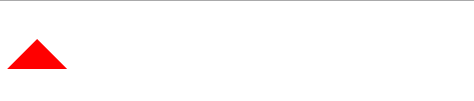
4.3画一个上三角形
就是把上边的正方的其他边设置成透明色就可以达到设置三角的目的:
<!DOCTYPE html>

<html lang="en">

<head>

    <meta charset="UTF-8" content="text/html" http-equiv="Content-Type">

    <title>画三角</title>

    <style>

        .up{

            border-top: 30px solid transparent;

            border-bottom: 30px solid red;

            border-right: 30px solid transparent;

            border-left: 30px solid transparent;

            /*将块级变成内联的且可以设置宽度高度*/

            display: inline-block;

        }

    </style>

</head>

<body>

<div class="up"></div>

</body>

</html>
上三角
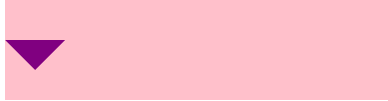
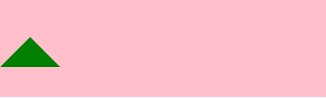
4.4画一个下三角,鼠标放上去变成下三角且颜色不一样:
<!DOCTYPE html>

<html lang="en">

<head>

    <meta charset="UTF-8" content="text/html" http-equiv="Content-Type">

    <title>尖角</title>

    <style>

                .c1{

            border: 30px solid transparent;

            border-top: 30px solid purple;

           margin-top: 40px;

            display: inline-block;

        }

        .c1:hover{

            border: 30px solid transparent;

            border-bottom: 30px solid green;

            margin-top: 10px;

        }

           </style>

</head>

<body>

<div style="height: 100px;background-color: pink;">

    <div class="c1"></div>

</div>

</body>

</html>
下三角变上三角
5、引用特殊的图标:(awesome)

<!DOCTYPE html>

<html lang="en">

<head>

    <meta charset="UTF-8" content="text/html" http-equiv="Content-Type">

    <title>图标</title>

    <link rel="stylesheet" href="font-awesome/css/font-awesome.css">

    <style>

    </style>

</head>

<body>

    <i class="icon-cny"></i>

    <i class="icon-collapse"></i>

    <i class="icon-twitter-sign"></i>

</body>

</html>
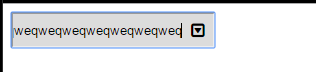
6、输入框

<!DOCTYPE html>

<html lang="en">

<head>

    <meta charset="UTF-8" content="text/html" http-equiv="Content-Type">

    <title>form-input</title>

    <link href="font-awesome/css/font-awesome.css" rel="stylesheet">

    <style>

        .user{

            position: relative;

            /*background-color: purple;*/

            width: 250px;

        }

        .user input{

            height: 30px;

            width: 170px;

            background-color: gainsboro;

            padding-right: 30px;

        }

        .user .ren{

            position: absolute;

            top: 10px;

            left: 180px;

        }

        .icon-collapse{

            cursor: pointer;

        }

    </style>

</head>

<body>

    <div class="user">

        <input type="text">

        <span class="ren icon-collapse"></span>

    </div>

</body>

</html>
form-input
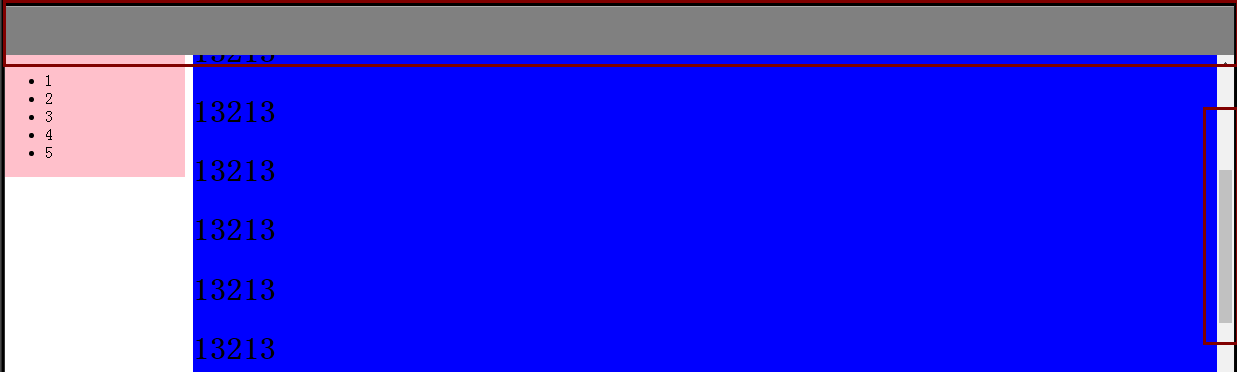
7、页面布局:
- 导航栏固定
- 菜单栏如果超出屏幕范围则有下拉框
- 内容部分超出页面也会有下拉框
<!DOCTYPE html>

<html lang="en">

<head>

    <meta charset="UTF-8" content="text/html" http-equiv="Content-Type">

    <title>布局页-1</title>

    <style>

        body{

            margin: 0;

        }

        .pg-body{

            height: 48px;

            background-color: gray;

        }

        .pg-body .body-menu{

            top: 48px;

            position: absolute;

            width: 180px;

            background-color: pink;

            left: 0px;

        }

        .pg-body .body-content{

            position:absolute;

            top: 48px;

            left: 188px;

            right:0;

            bottom:0;

            background-color: blue;

            overflow: auto;

        }

    </style>

</head>

<body>

<div class="pg-header">

</div>

<div class="pg-body">

    <div class="body-menu">

        <ul>

            <li>1</li>

            <li>2</li>

            <li>3</li>

            <li>4</li>

            <li>5</li>

        </ul>

    </div>

    <div class="body-content">

        <h1>13213</h1><h1>13213</h1><h1>13213</h1><h1>13213</h1><h1>13213</h1><h1>13213</h1><h1>13213</h1><h1>13213</h1><h1>13213</h1><h1>13213</h1><h1>13213</h1><h1>13213</h1>

        <h1>13213</h1><h1>13213</h1><h1>13213</h1><h1>13213</h1><h1>13213</h1><h1>13213</h1><h1>13213</h1><h1>13213</h1><h1>13213</h1><h1>13213</h1><h1>13213</h1><h1>13213</h1><h1>13213</h1><h1>13213</h1>

        <h1>13213</h1><h1>13213</h1><h1>13213</h1><h1>13213</h1><h1>13213</h1><h1>13213</h1><h1>13213</h1><h1>13213</h1><h1>13213</h1><h1>13213</h1><h1>13213</h1><h1>13213</h1><h1>13213</h1><h1>13213</h1>

    </div>

</div>

<div></div>

</body>

</html>
页面布局
8、有些页面打开之后我们点击登录,会弹出一个小的文本框,在屏幕的中间让用户登录或者注册,且页面的内容是可见的;
效果如下:
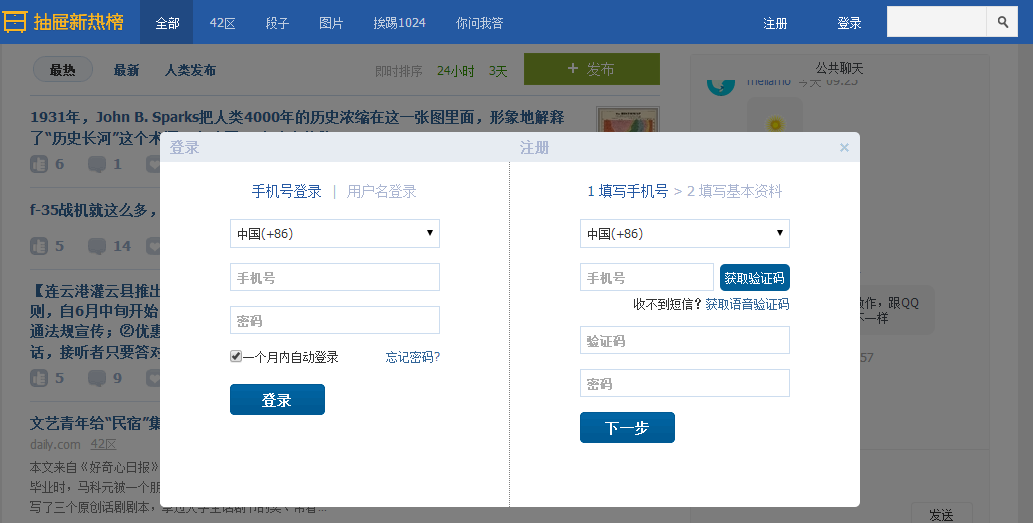
这个画面共有三个层次,最底部是网页,第二层是一个遮罩层(透明的灰色), 第三层就是我们看到的登录注册的页面且在页面偏上的位置:
<!DOCTYPE html>

<html lang="en">

<head>

    <meta charset="UTF-8" content="text/html" http-equiv="Content-Type">

    <title>模态对话框</title>

    <style>

        body{

            margin: 0;

            padding: 0;

        }

        .model{

            position: fixed;

            top:0;

            left:0;

            bottom:0;

            right:0;

            background: rgba(0,0,0,.6);

            z-index: 2;

        }

        .content{

            height: 300px;

            width: 400px;

            background-color: white;

            position: fixed;

            top:50%;

            left: 50%;

            z-index: 3;

            margin-top: -200px;

            margin-left: -200px;

        }

    </style>

</head>

<body>

<div style="height: 2000px;background-color: gainsboro">

    <h1>132</h1><h1>132</h1><h1>132</h1><h1>132</h1><h1>132</h1>

    <h1>132</h1><h1>132</h1><h1>132</h1>

</div>

    <div class="model"></div>

    <div class="content"></div>

</body>

</html>
模拟对话框
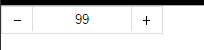
9、购物的时候可以选择一个或者多个
<!DOCTYPE html>

<html lang="en">

<head>

    <meta charset="UTF-8" content="text/html" http-equiv="Content-Type">

    <title>商品数量的加减</title>

    <style>

        body{

            margin: 0;

        }

        .left{

            float: left;

        }

        .center{

            line-height: 26px;

            text-align: center;

        }

        .wrap{

            width: 160px;

            height: 26px;

            border: 1px solid #dddddd;

            /*background-color: gainsboro;*/

        }

        .wrap .minus{

            height: 26px;

            width: 30px;

            cursor: pointer;

        }

        .wrap .plus{

            height: 26px;

            width: 30px;

            cursor: pointer;

        }

        .wrap .count input{

            height: 24px;

            border: 0;

            width: 98px;

            padding: 0;

            border-right: 1px solid #dddddd;

            border-left: 1px solid #dddddd;

            text-align: center;

        }

    </style>

</head>

<body>

<div class="wrap">

    <div class="minus left center" onclick="Minus();">-</div>

    <div class="count left">

        <input id="count" type="text" value="">

    </div>

    <div class="plus left center" onclick="Plus();">+</div>

</div>

<script type="text/javascript">

    function Plus(){

        var old_str = document.getElementById("count").value;

        var old_int = parseInt(old_str);

        var new_int = old_int + 1;

        document.getElementById('count').value = new_int;

    }

    function Minus(){

        var old_str = document.getElementById("count").value;

        var old_int = parseInt(old_str);

        var new_int = old_int - 1;

        document.getElementById('count').value = new_int;

    }

</script>

</body>

</html>
商品数量的加减
HTML--比较实用的小例子的更多相关文章
- 疯狂delphi - 朱建强 (一些小例子很实用,也是我所关心的几个问题)
疯狂delphi - 朱建强 (一些小例子很实用,也是我所关心的几个问题) Android实例-获取安卓手机WIFI信息(XE8+小米2)http://www.cnblogs.com/FKdelphi ...
- Runtime的几个小例子(含Demo)
一.什么是runtime(也就是所谓的“运行时”,因为是在运行时实现的.) 1.runtime是一套底层的c语言API(包括很多强大实用的c语言类型,c语言函数); [runti ...
- python2.7练习小例子(十六)
16):题目:输入一行字符,分别统计出其中英文字母.空格.数字和其它字符的个数. 程序分析:利用 while 或 for 语句,条件为输入的字符不为 '\n'. 程序源代码: #!/u ...
- 一个能获取如果hash或search是中文的内容小例子
代码: (function () { var url = "http//baidu.com#a=你好&b=world"; var url1 = "http//ba ...
- springmvc入门的第一个小例子
今天我们探讨一下springmvc,由于是初学,所以简单的了解一下 springmvc的流程,后续会持续更新... 由一个小例子来简单的了解一下 springmvc springmvc是spring框 ...
- java即时通信小例子
学习java一段时间了,今天写来一个即时通信的小例子练手在其过程中也学到了一些知识拿出来和大家分享,请路过的各位大神多多赐教... 好了下面讲一下基本的思路: 首先,编写服务器端的程序,简单点说吧就是 ...
- bootstrap 模态 modal 小例子
bootstrap 模态 modal 小例子 <html> <head> <meta charset="utf-8" /> <title ...
- INI配置文件分析小例子
随手写个解析INI配置字符串的小例子 带测试 #include <iostream> #include <map> #include <string> #inclu ...
- JavaScript小例子:复选框全选
JavaScript小例子:复选框全选 这只是一个小例子,很简单,但是这个功能还是很常用的: 实现后效果如图: JavaScript代码: <script type="text/jav ...
随机推荐
- Day05基本运算符,if判断和while循环
day05 1.常量 变量名全大写 2.基本运算符 ①算术运算 10/3除法 10//3取整 10*3乘法 10**3幂 ②赋值运算 增量赋值 age += 1#age = age + 1 age * ...
- 牛客网暑期ACM多校训练营(第一场)J Different Integers(树状数组, 离线)
题意: 给定n个数字, 然后给出m个区间, 求区间外其他数字的种类有多少. 分析: 将区间以r为基准升序排序, 每次处理pre~r的数字第一次出现的位置. #include<bits/stdc+ ...
- 俯瞰spring
[简化Java开发] 基于POJO的轻量级和最小入侵性编程: 通过依赖注入和面向接口实现松耦合: 基于切面和惯例进行声明式编程: 通过切面和模板减少样板代码: [容纳你的bean] 容器是spring ...
- Hive 执行查询语句报错,由于内存空间不足导致
org.apache.hadoop.ipc.RemoteException(org.apache.hadoop.hdfs.server.namenode.SafeModeException): Can ...
- android 之 Intent、broadcast
Intent的功能有: 在mainActivity中为按钮1添加监听事件: listener1 = new OnClickListener() { @Override public void o ...
- 【0门槛】PR稿的自我修养
本文来自网易云社区 作者:巩爽 十一过完,离2018年结束就只剩下85天啦!是不是2016年许下的2017年的梦想,在2018年还没有实现? 做过的项目仿佛都小有成就,可惜只是内部自嗨,想做域外宣传却 ...
- WordPress登录框显示/隐藏输入的密码
直接让用户自行根据需要选择是全部隐藏输入的密码,还是全部显示输入的密码. 在全部显示密码框的内容时,用户输错的可能性就大大降低,这也是微软推荐的一种密码框处理方式.效果如下: 今天,我将给大家介绍,在 ...
- API错误码设计-资料
搜索到一篇文章:新浪微博API错误代码说明对照表 可以参考新浪微博的错误码设计思路,设计自己系统的错误码.
- PAT天梯赛练习题——L3-007. 天梯地图(多边权SPFA)
L3-007. 天梯地图 时间限制 300 ms 内存限制 65536 kB 代码长度限制 8000 B 判题程序 Standard 作者 陈越 本题要求你实现一个天梯赛专属在线地图,队员输入自己学校 ...
- request,response,session,cookie,application
A:request 客服端向服务器端请求 JAVA讲究封装,所以Request也是某个东西的封装,到底是什么东西呢? 按字面意思:请求! 从Http协议说起,当你发一个请求到服务端的时候,你会把一些信 ...