
编译安装nginx,实现多域名 https
一、编译安装nginx
1.1 获取源码包
[root@cetnos7 ~]#wget -O /usr/local/src/nginx-1.18.0.tar.gz http://nginx.org/download/nginx-1.18.0.tar.gz

[root@cetnos7 ~]#cd /usr/local/src/

[root@cetnos7 src]#tar xvf nginx-1.18.0.tar.gz
1.2 准备工作
[root@cetnos7 ~]#yum -y install gcc pcre-devel openssl-devel zlib-devel

[root@cetnos7 ~]#useradd -s /sbin/nologin nginx
1.3 进行编译
[root@cetnos7 ~]#cd nginx-1.18.0

[root@cetnos7 nginx-1.18.0]#./configure --prefix=/apps/nginx \

 --user=nginx \

 --group=nginx \

 --with-http_ssl_module \

 --with-http_v2_module \

 --with-http_realip_module \

 --with-http_stub_status_module \

 --with-http_gzip_static_module \

 --with-pcre \

 --with-stream \

 --with-stream_ssl_module \

 --with-stream_realip_module

[root@cetnos7 nginx-1.18.0]#make -j 4 && make install

[root@cetnos7 nginx-1.18.0]#chown -R nginx.nginx /apps/nginx

[root@cetnos7 nginx-1.18.0]#ll /apps/nginx/

total 0

drwxr-xr-x 2 nginx nginx 333 Nov 28 13:37 conf

drwxr-xr-x 2 nginx nginx  40 Nov 28 13:37 html

drwxr-xr-x 2 nginx nginx   6 Nov 28 13:37 logs

drwxr-xr-x 2 nginx nginx  19 Nov 28 13:37 sbin
1.4 创建server文件
[root@centos7 ~]#vim /usr/lib/systemd/system/nginx.service

[Unit]

Description=nginx - high performance web server

Documentation=http://nginx.org/en/docs/

After=network-online.target remote-fs.target nss-lookup.target

Wants=network-online.target

[Service]

Type=forking

PIDFile=/apps/nginx/run/nginx.pid

ExecStart=/apps/nginx/sbin/nginx -c /apps/nginx/conf/nginx.conf

ExecReload=/bin/kill -s HUP $MAINPID

ExecStop=/bin/kill -s TERM $MAINPID

[Install]

WantedBy=multi-user.target

[root@centos7 ~]#mkdir /apps/nginx/run/    #创建pid目录

[root@centos7 ~]#vim /apps/nginx/conf/nginx.conf

pid /apps/nginx/run/nginx.pid;
1.5 启动nginx
[root@cetnos7 ~]# ln -s /apps/nginx/sbin/nginx /usr/sbin/

[root@cetnos7 ~]#nginx -v

nginx version: nginx/1.18.0

[root@cetnos7 ~]#systemctl enable --now nginx

[root@cetnos7 ~]#ll /apps/nginx/run/

total 4

-rw-r--r-- 1 root root 5 Nov 28 13:57 nginx.pid
二、实现多域名
2.1 声明子配置文件
[root@cetnos7 ~]#vim /apps/nginx/conf/nginx.conf

http {

  include         /apps/nginx/conf.d/*.conf;  #在http语句块添加此行

}

[root@cetnos7 ~]#mkdir /apps/nginx/conf.d -v

[root@cetnos7 ~]#touch /apps/nginx/conf.d/test{1..3}.conf #创建子配置文件
2.2 子配置文件配置
[root@cetnos7 ~]#cd /apps/nginx/conf.d

[root@cetnos7 ~]#cat test1.conf

server  {

    listen          80;

    server_name     www.pc.test1.org;

    location / {

        root        /data/nginx/html/test1;

        index	    index.html;

    }

}

[root@cetnos7 ~]#cat test2.conf

server  {

    listen          80;

    server_name     www.pc.test2.org;

    location / {

        root        /data/nginx/html/test2;

        index	    index.html;

    }

}

[root@cetnos7 ~]#cat test3.conf

server  {

    listen          80;

    server_name     www.pc.test3.org;

    location / {

        root        /data/nginx/html/test3;

        index	    index.html;

    }

}
2.3 创建web目录
[root@cetnos7 conf.d]#mkdir /data/nginx/html/test{1..3} -p

[root@cetnos7 conf.d]#echo "<h1>pc.test1<h1>" > test1/index.html

[root@cetnos7 conf.d]#echo "<h1>pc.test2<h1>" > test2/index.html

[root@cetnos7 conf.d]#echo "<h1>pc.test3<h1>" > test3/index.html
2.4 重启nginx
[root@cetnos7 ~]#nginx -t  #检查配置语法是否正确

nginx: the configuration file /apps/nginx/conf/nginx.conf syntax is ok

nginx: configuration file /apps/nginx/conf/nginx.conf test is successful

[root@cetnos7 ~]#nginx -s reload
2.5 测试
[root@client ~]#cat /etc/hosts

10.0.0.7    test1.org test2.org test3.org  #添加本地域名解析

[root@client ~]#curl www.pc.test1.org  www.pc.test2.org www.pc.test3.org

<h1>pc.test1<h1>

<h1>pc.test2<h1>

<h1>pc.test3<h1>
三、实现https
3.1 生成自签名证书
[root@centos7 ~]#openssl req -newkey rsa:4096 -nodes -sha256 -keyout ca.key -x509 -days 3650 -out ca.crt

Generating a 4096 bit RSA private key

...++

..............................................................................................................................................................................................................................................................................................................................................................................................................................................++

writing new private key to 'ca.key'

-----

You are about to be asked to enter information that will be incorporated

into your certificate request.

What you are about to enter is what is called a Distinguished Name or a DN.

There are quite a few fields but you can leave some blank

For some fields there will be a default value,

If you enter '.', the field will be left blank.

-----

Country Name (2 letter code) [XX]:CN

State or Province Name (full name) []:Shanghai

Locality Name (eg, city) [Default City]:Shanghai

Organization Name (eg, company) [Default Company Ltd]:test.org

Organizational Unit Name (eg, section) []:test

Common Name (eg, your name or your server's hostname) []:ca.test.org

Email Address []:admin@123.org

[root@7-1 certs]#ll

total 8

-rw-r--r-- 1 root root 2102 Nov 28 15:39 ca.crt

-rw-r--r-- 1 root root 3272 Nov 28 15:39 ca.key
3.2自制key和csr文件
[root@7-1 certs]#openssl req -newkey rsa:4096 -nodes -sha256 -keyout www.test1.org.key -out www.test1.org.csr  #重复此步骤,生成test2,test3的相关文件

-----

Country Name (2 letter code) [XX]:CN

State or Province Name (full name) []:Beijing

Locality Name (eg, city) [Default City]:Beijing

Organization Name (eg, company) [Default Company Ltd]:test.org

Organizational Unit Name (eg, section) []:nginx

Common Name (eg, your name or your server's hostname) []:www.pc.test1.org

Email Address []:root@test1.org

Please enter the following 'extra' attributes

to be sent with your certificate request

A challenge password []:

An optional company name []:

##注意国家,省,公司这个三个参数要与CA的对应##

#签发证书

[root@7-1 certs]#openssl x509 -req -days 3650 -in www.pc.test1.org.csr -CA ca.crt -CAkey ca.key -CAcreateserial -out www.pc.test1.org.crt

[root@7-1 certs]#openssl x509 -req -days 3650 -in www.pc.test2.org.csr -CA ca.crt -CAkey ca.key -CAcreateserial -out www.pc.test2.org.crt

[root@7-1 certs]#openssl x509 -req -days 3650 -in www.pc.test3.org.csr -CA ca.crt -CAkey ca.key -CAcreateserial -out www.pc.test3.org.crt

#合并证书文件

[root@7-1 certs]#cat www.pc.test1.org.crt  ca.crt > www.test1.org.pem

[root@7-1 certs]#cat www.pc.test2.org.crt  ca.crt > www.test2.org.pem

[root@7-1 certs]#cat www.pc.test3.org.crt  ca.crt > www.test3.org.pem

#证书文件目录如下

total 60

-rw-r--r-- 1 root root 1103 Nov 28 16:07 ca.crt

-rw------- 1 root root 1708 Nov 28 16:07 ca.key

-rw-r--r-- 1 root root 1046 Nov 28 15:46 www.pc.test1.org.crt

-rw-r--r-- 1 root root  968 Nov 28 15:46 www.pc.test1.org.csr

-rw------- 1 root root 1708 Nov 28 15:46 www.pc.test1.org.key

-rw-r--r-- 1 root root 2149 Nov 28 15:48 www.pc.test1.org.pem

-rw-r--r-- 1 root root 1046 Nov 28 16:07 www.pc.test2.org.crt

-rw-r--r-- 1 root root  968 Nov 28 16:07 www.pc.test2.org.csr

-rw------- 1 root root 1708 Nov 28 16:07 www.pc.test2.org.key

-rw-r--r-- 1 root root 2149 Nov 28 16:07 www.pc.test2.org.pem

-rw-r--r-- 1 root root 1046 Nov 28 16:01 www.pc.test3.org.crt

-rw-r--r-- 1 root root  968 Nov 28 16:01 www.pc.test3.org.csr

-rw------- 1 root root 1704 Nov 28 16:01 www.pc.test3.org.key

-rw-r--r-- 1 root root 2149 Nov 28 16:02 www.pc.test3.org.pem
3.3 修改配置文件
##在各子配置文件的sever语句块添加,如下内容以test1为例:

server  {

    listen          80;

    listen 	    443 ssl;

    server_name     www.pc.test1.org;

    ssl_certificate /apps/nginx/certs/www.test1.org.pem;

    ssl_certificate_key /apps/nginx/certs/www.test1.org.key;

    ssl_session_cache shared:sslcache:20m;

    ssl_session_timeout 10m;

    location / {

        root        /data/nginx/html/test1;

        index        index.html;

    }

}

[root@cetnos7 ~]#nginx -t

[root@cetnos7 ~]#nginx -s reload
3.4 访问测试
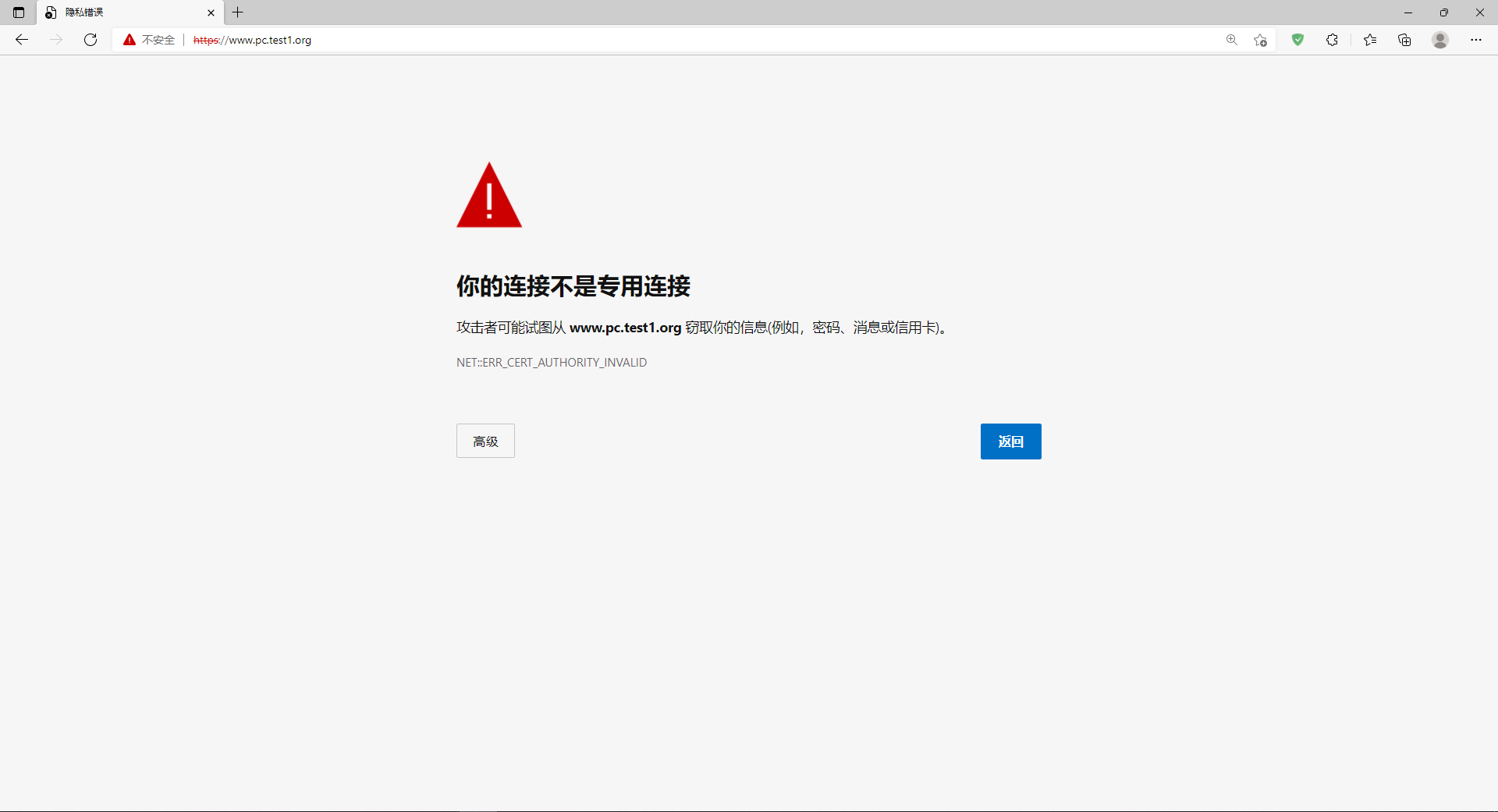
[root@client ~]#curl https://www.pc.test1.org -k

<h1>pc.test1<h1>

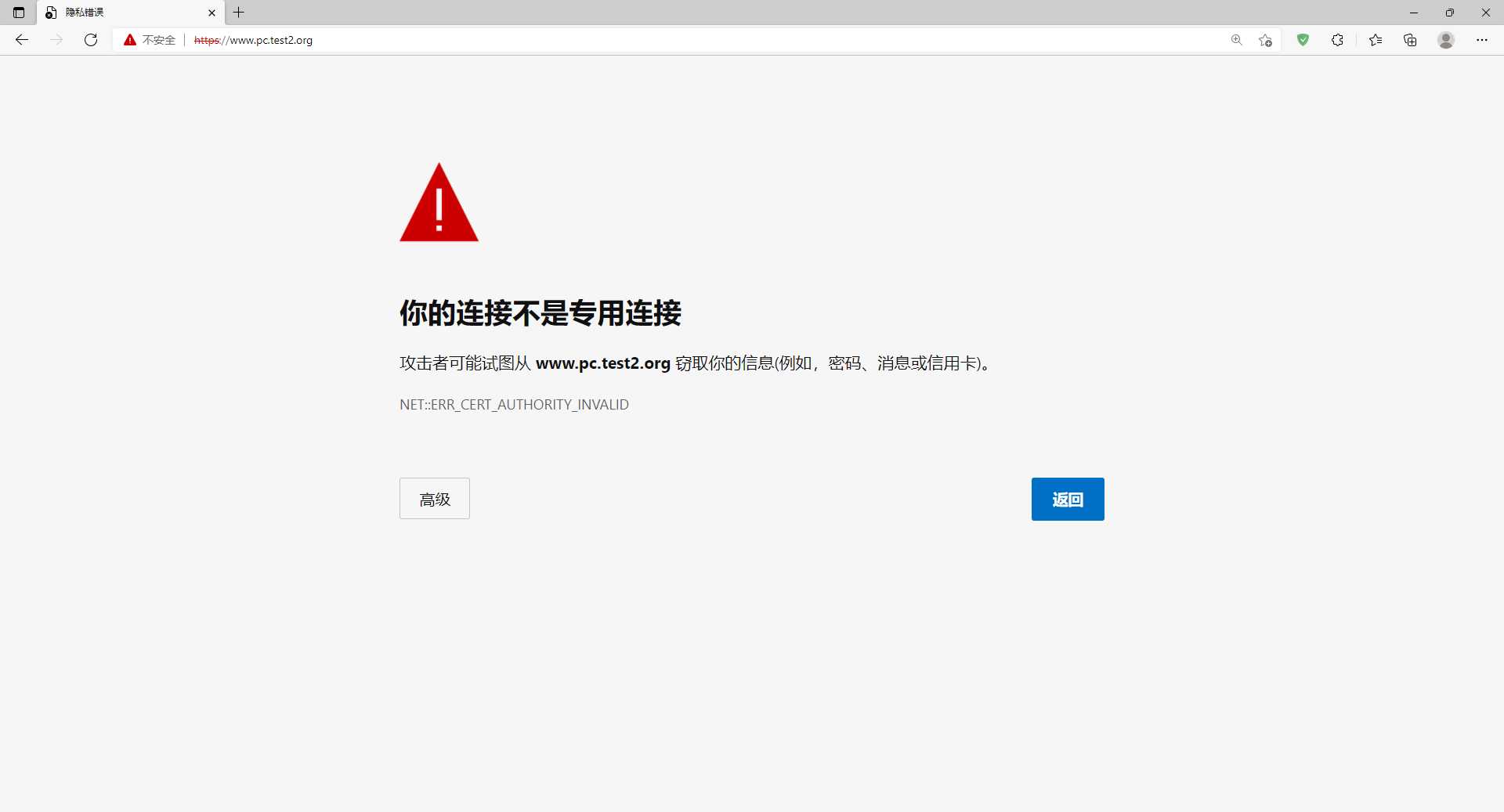
[root@client ~]#curl https://www.pc.test2.org -k

<h1>pc.test2<h1>

[root@client ~]#curl https://www.pc.test3.org -k

<h1>pc.test3<h1>

编译安装nginx,实现多域名 https的更多相关文章
- centos7编译安装nginx及无缝升级https
安装依赖: yum install -y gcc-c++ pcre pcre-devel zlib zlib-devel openssl openssl-devel 下载nginx: wget -c ...
- Centos7 编译安装 Nginx PHP Mariadb Memcached 扩展 ZendOpcache扩展 (实测 笔记 Centos 7.3 + Mariadb 10.1.20 + Nginx 1.10.2 + PHP 7.1.0 + Laravel 5.3 )
环境: 系统硬件:vmware vsphere (CPU:2*4核,内存2G,双网卡) 系统版本:CentOS-7-x86_64-Minimal-1611.iso 安装步骤: 1.准备 1.0 查看硬 ...
- Centos7 编译安装 Nginx PHP Mariadb Memcached 扩展 ZendOpcache扩展 (实测 笔记 Centos 7.3 + Openssl 1.1.0e + Mariadb 10.1.22 + Nginx 1.12.0 + PHP 7.1.4 + Laravel 5.4 )
环境: 系统硬件:vmware vsphere (CPU:2*4核,内存2G,双网卡) 系统版本:CentOS-7-x86_64-Minimal-1611.iso 安装步骤: 1.准备 1.0 查看硬 ...
- 初识Nginx及编译安装Nginx
初识Nginx及编译安装Nginx 环境说明: 系统版本 CentOS 6.9 x86_64 软件版本 nginx-1.12.2 1.什么是Nginx? 如果你听说或使用过Apache软件 ...
- Mac Pro 编译安装 Nginx 1.8.1
#下载相关源码包,统一放到 /usr/local/src 目录下: http://nginx.org/download/nginx-1.8.1.tar.gz http://zlib.net/zlib- ...
- 【转】linux 编译安装nginx,配置自启动脚本
linux 编译安装nginx,配置自启动脚本 本文章来给各位同学介绍一篇关于linux 编译安装nginx,配置自启动脚本教程,希望有需要了解的朋友可一起来学习学习哦. 在公司的suse服务器装ng ...
- linux 编译安装nginx,配置自启动脚本
本文章来给各位同学介绍一篇关于linux 编译安装nginx,配置自启动脚本教程,希望有需要了解的朋友可一起来学习学习哦. 在公司的suse服务器装nginx,记录下安装过程: 参照这篇文章:Linu ...
- Ubuntu 16.04源码编译安装nginx 1.10.0
一.下载相关的依赖库 pcre 下载地址 http://120.52.73.43/jaist.dl.sourceforge.net/project/pcre/pcre/8.38/pcre-8.38.t ...
- Centos7 编译安装 Nginx Mariadb Asp.net Core2 (实测 笔记 Centos 7.3 + Openssl 1.1.0h + Mariadb 10.3.7 + Nginx 1.14.0 + Asp.net. Core 2 )
环境: 系统硬件:vmware vsphere (CPU:2*4核,内存2G,双网卡) 系统版本:CentOS-7-x86_64-Minimal-1611.iso 安装步骤: 1.准备 1.0 查看硬 ...
随机推荐
- Docker 安装mysql主从
安装docker 1.yum -y install docker 2.查看是否安装成功 docker -v 3.接着将docker后台启动 systemctl start docker.service ...
- js 对 date 和 字符串 类型的正确互换【各浏览器兼容】,解决invalid Date
1.前言 有个需求,想要把指定日期时间的字符串转换成date类型 pc浏览器正常转换,但手机浏览器 返回结果是 invalid Date [无效的日期] 2.原因 出现这样不兼容的原因其实很简单, p ...
- 微信小程序自定义导航栏组件
1.首先,要在json文件中设置为自定义的形式 "navigationStyle": "custom" 2.计算相关值 导航栏分为状态栏和标题栏,只要能算出每台 ...
- 解读与部署(三):基于 Kubernetes 的微服务部署即代码
在基于 Kubernetes 的基础设施即代码一文中,我概要地介绍了基于 Kubernetes 的 .NET Core 微服务和 CI/CD 动手实践工作坊使用的基础设施是如何使用代码描述的,以及它的 ...
- vps上安装CobaltStrike服务端
今天我在我的vps上安装CobaltStrike服务端,真的是踩坑无数,所以写这篇博客记录一下,防止后人再踩坑 安装Oracle JDK8 官方不建议使用OpenJdk,建议使用Oracle JDK的 ...
- 【Java】File类
File类 File类的一个对象,代表一个文件或一个文件目录(俗称:文件夹) File类声明在java.io包下 File类中涉及到关于文件或文件目录的创建.删除.重命名.修改时间.文件大小等方法,并 ...
- 【Java】System类时间戳
System类中获取时间戳 long time = System.currentTimeMillis(); //返回当前时间与1970年1月1日0时0分0秒之间以毫秒为单位的时间差称为时间戳 Syst ...
- X-Forwarded-for漏洞解析
首先了解X-Forwarded-for(简称:XFF) X-Forwarded-for:简称XFF,它代表客户端,也就是HTTP的请求真实的IP,只有在通过了HTTP代理或者负载均衡器时才会添加该项. ...
- JS定时器不可靠的原因及解决方案
前言 在工作中应用定时器的场景非常多,但你会发现有时候定时器好像并没有按照我们的预期去执行,比如我们常遇到的setTimeout(()=>{},0)它有时候并不是按我们预期的立马就执行.想要知道 ...
- 使用PostGIS完成两点间的河流轨迹及流经长度的计算
基础准备工作 1.PostGIS 的安装 在安装PostGIS前首先必须安装PostgreSQL,然后再安装好的Stack Builder中选择安装PostGIS组件.具体安装步骤可参照 PostGI ...