
Centos 7.6 使用 kubekey 部署 kubesphere v3.1.0
文章目录
主要功能
- 安装 Kubernetes 集群
- 支持在任何基础设施上部署 Kubernetes,提供在线与离线安装,支持添加 GPU 节点
- Kubernetes 资源管理
- 提供 Web 控制台对接 Kubernetes 原生 API 快速创建与管理 Kubernetes 资源,内置多维度的可观测性
- 多租户管理
- 提供统一的认证鉴权与细粒度的基于角色的授权系统,支持对接 AD/LDAP
硬件要求
- 官方建议
- all-in-one(基于Linux系统,部署Kubernetes集群以及KubeSphere平台)
- 最小化:2C4G
- 开启全部组件:8C16G
- 基于Kubernetes集群
- 最小化1C2G(kubernetes集群,master节点是需要2C2G的配置要求,node节点是可以1C2G的)
- all-in-one(基于Linux系统,部署Kubernetes集群以及KubeSphere平台)
插件性能需求
https://kubesphere.io/zh/docs/pluggable-components/overview/
Kubernetes版本要求
安装 KubeSphere v3.1.0 的建议 Kubernetes 版本:v1.17.9,v1.18.8,v1.19.8 以及 v1.20.4。
如果不指定 Kubernetes 版本,KubeKey 将默认安装 Kubernetes v1.19.8
| KubeSphere 版本 | 受支持的 Kubernetes 版本 |
|---|---|
| v3.1.0 | v1.17.0,v1.17.4,v1.17.5,v1.17.6,v1.17.7,v1.17.8,v1.17.9,v1.18.3,v1.18.5,v1.18.6,v1.18.8,v1.19.0,v1.19.8,v1.19.9,v1.20.4 |
所以,如果想在现有的Kubernetes集群上部署KubeSphere,Kubernetes的版本不能低于1.17.0
| IP | 配置 | 系统版本 |
|---|---|---|
| 192.168.72.77 | 3C5G | CentOS 7.6 |
| 192.168.72.78 | 3C5G | CentOS 7.6 |
| 192.168.72.79 | 3C5G | CentOS 7.6 |
如果不是外网服务器,firewalld服务可以直接关掉,需要关闭selinux服务,重启后才会生效
selinux的关闭方式:
sed -i "s/SELINUX=enforcing/SELINUX=disabled/g" /etc/selinux/config
# cat /etc/redhat-release

CentOS Linux release 7.6.1810 (Core)

# systemctl status firewalld.service | grep active

   Active: inactive (dead)

# sestatus

SELinux status:                 disabled
配置主机之间的免密
# ssh-keygen

# ssh-copy-id 192.168.72.78

# ssh-copy-id 192.168.72.79
安装所需依赖
- Kubernetes 版本 < 1.18
- 官方建议都安装以下依赖
- Kubernetes 版本 ≥ 1.18
- socat 和 conntrack 是必须安装的依赖
- ebtables 和 ipset 是建议安装的
- 小孩子才做选择,我全都要
- 三个节点都需要安装依赖
# yum install -y socat conntrack ebtables ipset
下载KubeKey
- Github下载是真的难顶,除非你可以连接外网(还好我有一个香港的服务,才下载下来这个KubeKey)
- 我已经上传到百度云网盘了,只有14MB
- 链接:https://pan.baidu.com/s/1_f6WFgZZ6OwQ5GDo7lmvwg
提取码:yfui - 如果连接Github不方便,并且想要使用kk命令来部署Kubernetes集群,建议使用命令
export KKZONE=cn,这样,拉取的镜像都会是国内的镜像站,拉取速度会快很多很多
# export KKZONE=cn

# curl -sfL https://get-kk.kubesphere.io | VERSION=v1.1.0 sh -

# chmod +x kk
创建Kubernetes集群以及KubeSphere
kk命令使用方式
创建一个配置文件模板,执行后,会在当前目录生成一个
config-sample.yaml文件修改
config-sample.yaml文件,可以创建多节点Kubernetes集群,并且开启自定义插件
开启自定义插件,可以参考官方文档:启用可插拔组件
可以先部署最小化的机器,然后在web页面开启自定义的插件
# ./kk create config
apiVersion: kubekey.kubesphere.io/v1alpha1

kind: Cluster

metadata:

  name: sample

spec:

  hosts:

  - {name: node1, address: 172.16.0.2, internalAddress: 172.16.0.2, user: ubuntu, password: Qcloud@123}

  - {name: node2, address: 172.16.0.3, internalAddress: 172.16.0.3, user: ubuntu, password: Qcloud@123}

  roleGroups:

    etcd:

    - node1

    master:

    - node1

    worker:

    - node1

    - node2

  controlPlaneEndpoint:

    domain: lb.kubesphere.local

    address: ""

    port: 6443

  kubernetes:

    version: v1.19.8

    imageRepo: kubesphere

    clusterName: cluster.local

  network:

    plugin: calico

    kubePodsCIDR: 10.233.64.0/18

    kubeServiceCIDR: 10.233.0.0/18

  registry:

    registryMirrors: []

    insecureRegistries: []

  addons: []
创建集群
# ./kk create cluster -h

      -f, --filename string      Path to a configuration file

      --with-kubernetes string   Specify a supported version of kubernetes (default "v1.19.8")

      --with-kubesphere          Deploy a specific version of kubesphere (default v3.1.0)
只取了几条参数,其他的,可以自己查看
-f, --filename:指定配置文件进行部署--with-kubernetes:指定部署的kubernetes版本,不指定版本,默认安装1.19.8版本--with-kubesphere:指定部署的kubesphere版本,不指定版本,默认安装3.1.0版本如果执行
./kk create cluster --with-kubesphere则会安装默认的Kubernetes集群和KubeSphere服务
修改配置文件
apiVersion: kubekey.kubesphere.io/v1alpha1

kind: Cluster

metadata:

  name: sample

spec:

  hosts:

  - {name: k8s-node1, address: 192.168.72.77, internalAddress: 192.168.72.77, user: root, password: 123.com}

  - {name: k8s-node2, address: 192.168.72.78, internalAddress: 192.168.72.78, user: root, password: 123.com}

  - {name: k8s-node3, address: 192.168.72.79, internalAddress: 192.168.72.79, user: root, password: 123.com}

  roleGroups:

    etcd:

    - k8s-node1

    master:

    - k8s-node1

    worker:

    - k8s-node1

    - k8s-node2

    - k8s-node3

  controlPlaneEndpoint:

    domain: lb.kubesphere.local

    #address: "192.168.72.77"

    address: ""

    port: 6443

  kubernetes:

    version: v1.20.4

    imageRepo: kubesphere

    clusterName: cluster.local

  network:

    plugin: calico

    kubePodsCIDR: 10.233.64.0/18

    kubeServiceCIDR: 10.233.0.0/18

  registry:

    registryMirrors: []

    insecureRegistries: []

  addons: []
k8s-node1自行设定,设定后,这个将会变成主机名
开始部署
# ./kk create cluster --with-kubernetes v1.20.4 --with-kubesphere v3.1.0 -f config-sample.yaml -y
| name | sudo | curl | openssl | ebtables | socat | ipset | conntrack | docker | nfs client | ceph client | glusterfs client | time |
|---|---|---|---|---|---|---|---|---|---|---|---|---|
| localhost.localdomain.cluster.local | y | y | y | y | y | y | y | CST 23:44:43 |
以上是KubeSphere依赖的服务,如果在现有的Kubernetes集群上部署KubeSphere,需要有一个持久化(nfs、ceph、glusterfs三个选一个)
kk命令是以Kubeadm的形式安装的Kubernetes集群
如果是内网服务器,要先把所需的镜像都下载好,还需要提前安装好docker,然后加上
--skip-pull-images参数,就不会去网络上拉取镜像了使用KubeKey部署Kubernetes集群,需要用到如下镜像,版本自己根据实际所需去修改:
registry.cn-beijing.aliyuncs.com/kubesphereio/kube-proxy:v1.20.4
registry.cn-beijing.aliyuncs.com/kubesphereio/kube-apiserver:v1.20.4
registry.cn-beijing.aliyuncs.com/kubesphereio/kube-controller-manager:v1.20.4
registry.cn-beijing.aliyuncs.com/kubesphereio/kube-scheduler:v1.20.4
registry.cn-beijing.aliyuncs.com/kubesphereio/node:v3.16.3
registry.cn-beijing.aliyuncs.com/kubesphereio/pod2daemon-flexvol:v3.16.3
registry.cn-beijing.aliyuncs.com/kubesphereio/cni:v3.16.3
registry.cn-beijing.aliyuncs.com/kubesphereio/kube-controllers:v3.16.3
registry.cn-beijing.aliyuncs.com/kubesphereio/etcd:v3.4.13
registry.cn-beijing.aliyuncs.com/kubesphereio/k8s-dns-node-cache:1.15.12
registry.cn-beijing.aliyuncs.com/kubesphereio/coredns:1.6.9
registry.cn-beijing.aliyuncs.com/kubesphereio/pause:3.2
关于一些会出现的报错,以及解决方法
如果一直有报错:The connection to the server localhost:8080 was refused - did you specify the right host or port?: Process exited with status 1
可以尝试下面的命令,清除集群,重新创建集群
# ./kk delete cluster -f config-sample.yaml
如果镜像已经下载好了才报错的,清除集群后,再次创建集群即可
# ./kk create cluster --with-kubernetes v1.20.4 --with-kubesphere v3.1.0 -f config-sample.yaml -y
如果看到这个报错,就看一下,是不是报错的节点,缺少依赖
Failed to join node: interrupted by error
到所有节点,再次执行下面的这个命令,确保返回
Nothing to do
# yum install -y socat conntrack ebtables ipset
集群验证
看到这个,表示Kubernetes集群已经部署完成了,这里在部署KubeSphere,需要等待一会,时间会稍微有点久
Please wait for the installation to complete: >>--->
看到这个,表示KubeSphere以及部署完成了
访问:http://192.168.72.77:30880
用户名:admin
密码:P@88w0rd
第一次登录,会提示修改密码
#####################################################

###              Welcome to KubeSphere!           ###

#####################################################

Console: http://192.168.72.77:30880

Account: admin

Password: P@88w0rd

NOTES:

  1. After you log into the console, please check the

     monitoring status of service components in

     "Cluster Management". If any service is not

     ready, please wait patiently until all components

     are up and running.

  2. Please change the default password after login.

#####################################################

https://kubesphere.io             2021-05-09 22:23:47

#####################################################
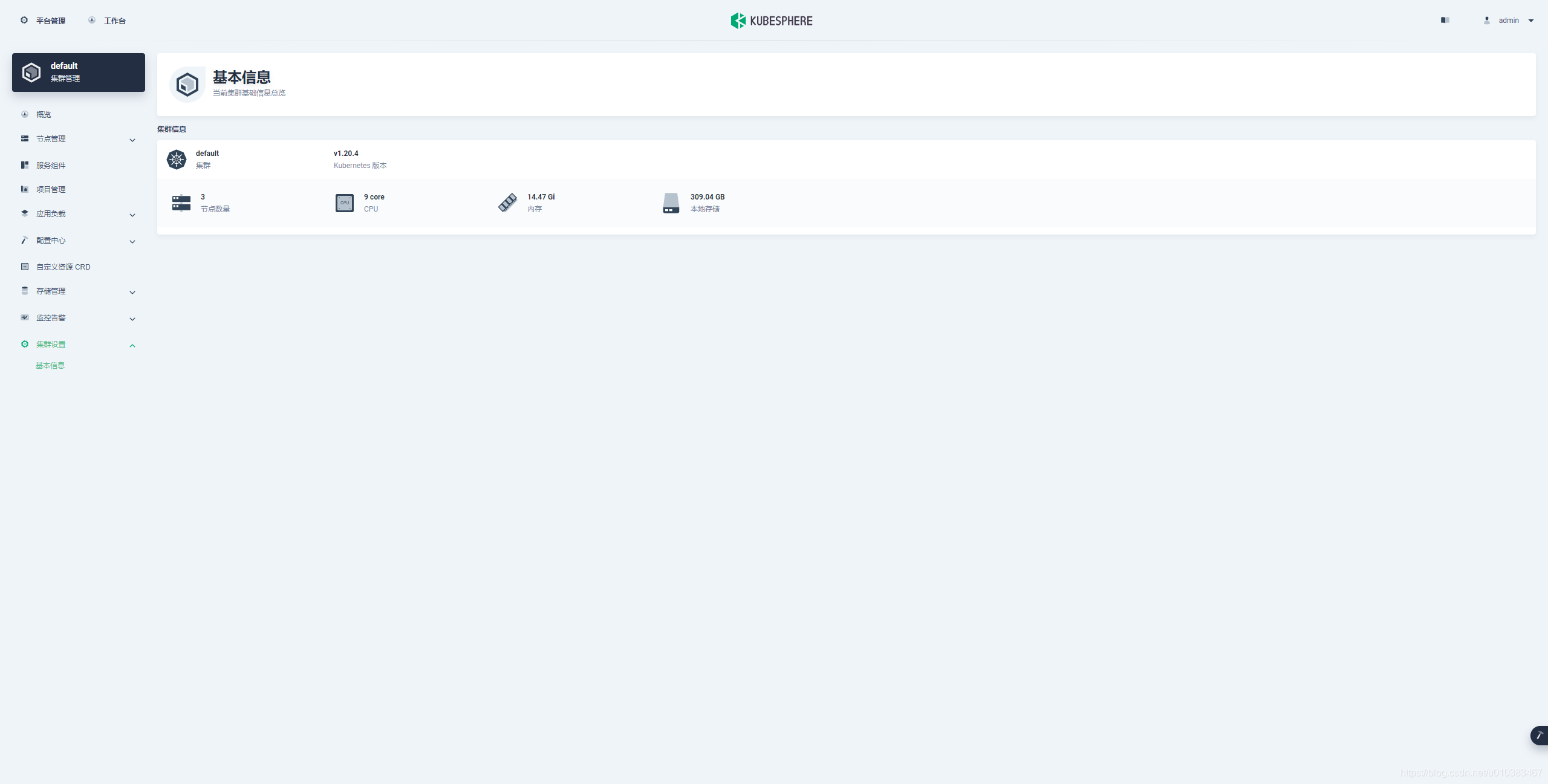
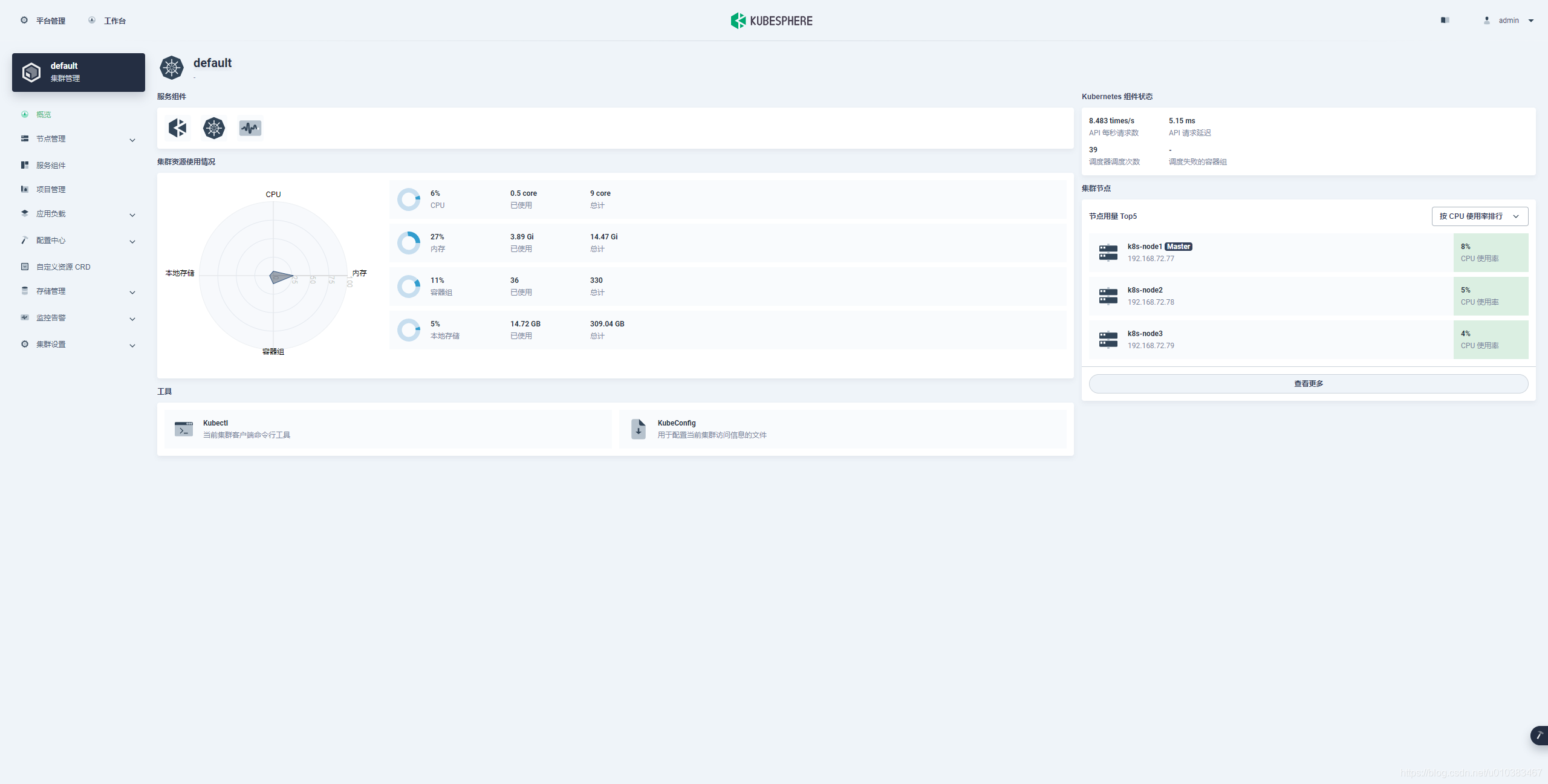
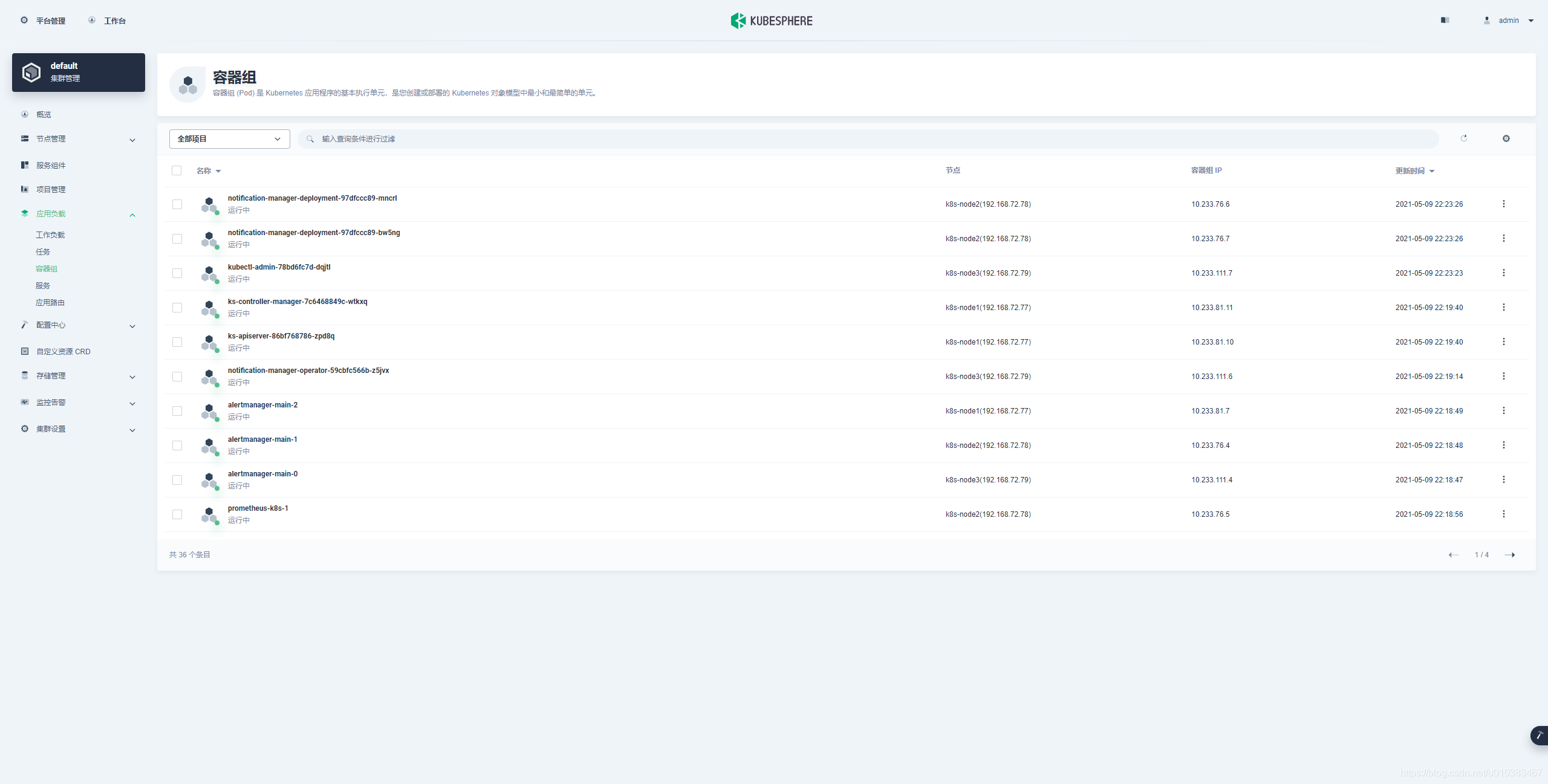

KubeSphere还支持各种告警
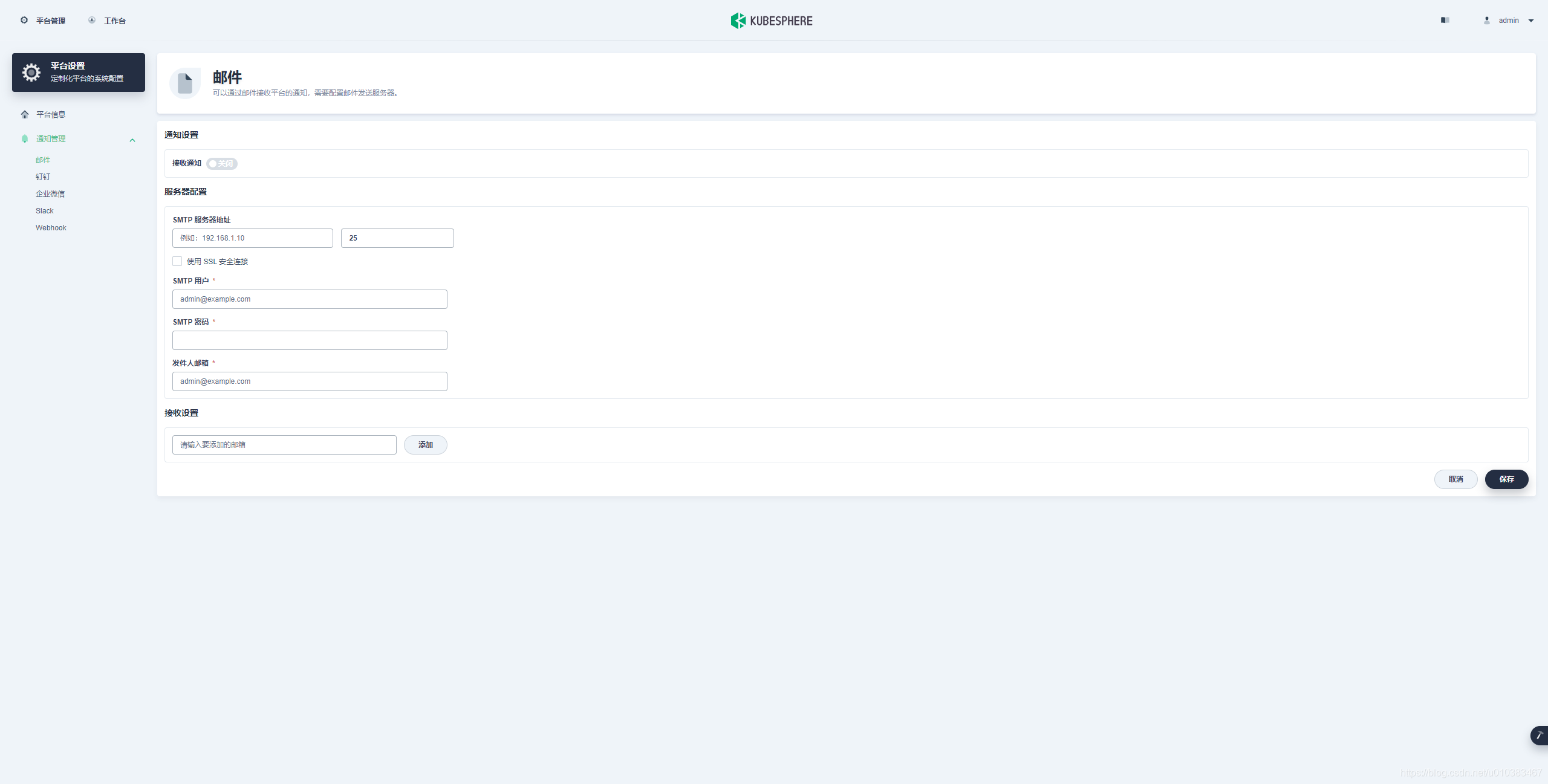
到这里,完成了一个最小化的KubeSphere的部署
Centos 7.6 使用 kubekey 部署 kubesphere v3.1.0的更多相关文章
- Centos 6.8 安装 Protocol Buffers , v3.2.0有 BUG ,安装 3.1.0
Centos 6.8 安装 Protocol Buffers , v3.2.0有 BUG ,安装 3.1.0 切换到用户目录 cd ~ 安装 python2.7,须加入zlib wget http ...
- SpringBoot入门教程(二)CentOS部署SpringBoot项目从0到1
在之前的博文<详解intellij idea搭建SpringBoot>介绍了idea搭建SpringBoot的详细过程, 并在<CentOS安装Tomcat>中介绍了Tomca ...
- 在CentOS 上搭建nginx来部署静态页面网站
在centOs 上搭建nginx来部署静态页面网站 一.部署服务器环境 nginx:轻量级.高性能的HTTP及反向代理服务器,占用内存少,并发能力强,相比老牌的apache作为web服务器,性能更加卓 ...
- 【转载】在Centos系统上采用二进制文件部署Node.js环境
Node.js 是一个基于 Chrome V8 引擎的 JavaScript 运行环境,用来方便地搭建快速的易于扩展的网络应用.Node.js 使用了一个事件驱动.非阻塞式 I/O 的模型,使其轻量又 ...
- Redis学习(一):CentOS下redis安装和部署
1.基础知识 redis是用C语言开发的一个开源的高性能键值对(key-value)数据库.它通过提供多种键值数据类型来适应不同场景下的存储需求,目前为止redis支持的键值数据类型如下字符串.列表 ...
- Redis在CentOS 7上的安装部署
简介: Redis是一种高级key-value数据库.它跟memcached类似,不过数据可以持久化,而且支持的数据类型很丰富.有字符串,链表,集 合和有序集合.支持在服务器端计算集合的并,交和补集( ...
- 在 Kubernetes 集群快速部署 KubeSphere 容器平台
KubeSphere 不仅支持部署在 Linux 之上,还支持在已有 Kubernetes 集群之上部署 KubeSphere,自动纳管 Kubernetes 集群的已有资源与容器. 前提条件 Kub ...
- [转帖]在 Kubernetes 离线部署 KubeSphere
在 Kubernetes 离线部署 KubeSphere https://kubesphere.io/docs/v2.0/zh-CN/installation/install-ks-offline/ ...
- CentOS下nagios报警飞信部署四步走
CentOS下nagios报警飞信部署四步走 今天 帮群里一兄弟配了下nagios上的飞信,这个东西 我个人感觉还是很实用的,不过好久没配了,今天配置了一遍,顺便 就把过程记录下来了,供大家学习! ...
随机推荐
- 第10组 Beta冲刺 (3/5)(组长)
1.1基本情况 ·队名:今晚不睡觉 ·组长博客:https://www.cnblogs.com/cpandbb/p/14018630.html ·作业博客:https://edu.cnblogs.co ...
- vue中form 表单常用校验封装(async-validator)
新建一个js校验文件validate.js export const regular = { // 验证自然数 naturalNumber: /^(([0-9]*[1-9][0-9]*)|(0+))$ ...
- StringBuffer和String的区别
面试题:String为什么不可变 StringBuffer和StringBuilder的区别 String 和StringBuffer的区别: (一):String 类中的byte数组使用final修 ...
- vivo推送平台架构演进
本文根据Li Qingxin老师在"2021 vivo开发者大会"现场演讲内容整理而成.公众号回复[2021VDC]获取互联网技术分会场议题相关资料. 一.vivo推送平台介绍 1 ...
- leetcode 645. 错误的集合
问题描述 集合 S 包含从1到 n 的整数.不幸的是,因为数据错误,导致集合里面某一个元素复制了成了集合里面的另外一个元素的值,导致集合丢失了一个整数并且有一个元素重复. 给定一个数组 nums 代表 ...
- Scratch 3 矢量编辑器——“临摹”一只哆啦A梦
利用Scratch来制作一些小作品,常常需要到网上去找图片,而网上下载的图片一般都是位图,往往存在两个问题: 图片不够清晰,当图片放大后会出现"马赛克"现象: 图片中存在不必要的背 ...
- EF中使用事务
using (var db = new dbEntities()) { //第一个坑,需要手动open db.Database.Connection.Open(); using (var tran = ...
- 【采坑小计】thanos receiver的官方文档中,并未说明tsdb落盘的配置方式
官方文档的地址在:https://thanos.io/tip/components/receive.md/ 一开始以为落盘的时间间隔是:--tsdb.retention=15d 实际测试中发现,tha ...
- dp问题解题思路
[基本问题单元的定义]这取决于你所查看问题的角度,找到一个划分,推进问题的角度十分重要.作者找到的方式是dp[ i ][ j ],用来表示 substring( i , j),然后站在这个角度,假设s ...
- docker四种模式
1 host模式众所周知,Docker使用了Linux的Namespaces技术来进行资源隔离,如PID Namespace隔离进程,MountNamespace隔离文件系统,Network Name ...