
使用SpringBoot实现文件的上传
使用SpringBoot实现文件的上传
springboot可以直接使用 org.springframework.web.multipart.MultipartFile
所以非常容易实现
一、首先是简单的单文件上传
先在index.html页面下写一个简单的form表单
<h1>单文件</h1>
<form class="form-signin" th:action="@{/SingleFile/upload}" method="post" enctype="multipart/form-data">
    <p><input type="file" name="myfile"/></p>
    <p><input type="submit" value="上传"/></p>
    <p style="color: red" th:text="${result_singlefile}" th:if="${not #strings.isEmpty(result_singlefile)}"></p>
</form>
注意使用thymeleaf
然后就到controller中写实现的代码
package com.manager.controller.FileController;

import org.springframework.stereotype.Controller;
import org.springframework.ui.Model;
import org.springframework.util.FileCopyUtils;
import org.springframework.web.bind.annotation.*;
import org.springframework.web.multipart.MultipartFile;
import org.springframework.web.multipart.MultipartHttpServletRequest;

import javax.servlet.http.HttpServletRequest;
import java.io.*;
import java.util.List;

@Controller
public class FileUploadController {

    @PostMapping("/SingleFile/upload")
    public String SingleFileUpLoad(@RequestParam("myfile") MultipartFile file, Model model) {
        //判断文件是否为空
        if(file.isEmpty()){
            model.addAttribute("result_singlefile", "文件为空");
            return "index";
        }

        //创建输入输出流
        InputStream inputStream = null;
        OutputStream outputStream = null;

        try {
            //指定上传的位置为 d:/upload/
            String path = "d:/upload/";
            //获取文件的输入流
            inputStream = file.getInputStream();
            //获取上传时的文件名
            String fileName = file.getOriginalFilename();
            //注意是路径+文件名
            File targetFile = new File(path + fileName);
            //如果之前的 String path = "d:/upload/" 没有在最后加 / ,那就要在 path 后面 + "/"

            //判断文件父目录是否存在
            if(!targetFile.getParentFile().exists()){
                //不存在就创建一个
                targetFile.getParentFile().mkdir();
            }

            //获取文件的输出流
            outputStream = new FileOutputStream(targetFile);
            //最后使用资源访问器FileCopyUtils的copy方法拷贝文件
            FileCopyUtils.copy(inputStream, outputStream);
            /*参数是通过源码
                public static int copy(InputStream in, OutputStream out) throws IOException {
                    ......
                }
           而得知的*/

            //告诉页面上传成功了
            model.addAttribute("result_singlefile", "上传成功");
        } catch (IOException e) {
            e.printStackTrace();
            //出现异常,则告诉页面失败
            model.addAttribute("result_singlefile", "上传失败");
        } finally {
            //无论成功与否,都有关闭输入输出流
            if (inputStream != null) {
                try {
                    inputStream.close();
                } catch (IOException e) {
                    e.printStackTrace();
                }
            }
            if (outputStream != null) {
                try {
                    outputStream.close();
                } catch (IOException e) {
                    e.printStackTrace();
                }
            }
        }
        return "index";
    }
步骤已在注释中说明,现在运行项目测试
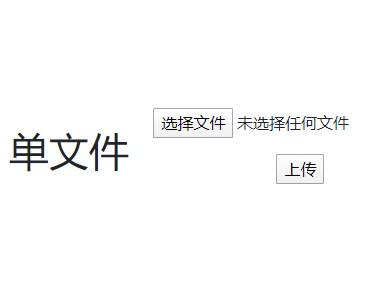
选择文件 1.png

点击上传

成功!
二、多文件上传
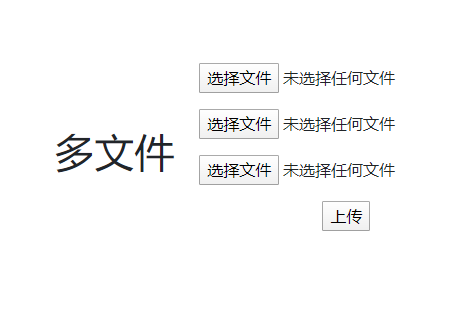
与单文件类似,注意先遍历再执行
首先还是index.html
<h1>多文件</h1>
<form class="form-signin" th:action="@{/MultiFile/upload}" method="post" enctype="multipart/form-data">
    <p><input type="file" name="myfile"/></p>
    <p><input type="file" name="myfile"/></p>
    <p><input type="file" name="myfile"/></p>
    <p><input type="submit" value="上传"/></p>
    <p style="color: red" th:text="${result_multifile}" th:if="${not #strings.isEmpty(result_multifile)}"></p>
</form>
再在刚才的controller中配置
@PostMapping("/MultiFile/upload")
public String MultiFileUpload(Model model, HttpServletRequest request) {

    List<MultipartFile> list_files=((MultipartHttpServletRequest)request).getFiles("myfile");

    if(list_files.isEmpty()){
        model.addAttribute("result_multifile", "文件为空");
        return "index";
    }
    InputStream inputStream = null;
    OutputStream outputStream = null;
    String path = "d:/upload/";
    for (MultipartFile file : list_files) {
        try {
            inputStream = file.getInputStream();
            String fileName = file.getOriginalFilename();
            File targetFile = new File(path + fileName);

            if(!targetFile.getParentFile().exists()){
                targetFile.getParentFile().mkdir();
            }

            outputStream = new FileOutputStream(targetFile);
            FileCopyUtils.copy(inputStream, outputStream);
            model.addAttribute("result_multifile", "上传成功");
        } catch (IOException e) {
            e.printStackTrace();
            model.addAttribute("result_multifile", "上传失败");
        }
    }
    if (inputStream != null) {
        try {
            inputStream.close();
        } catch (IOException e) {
            e.printStackTrace();
        }
    }
    if (outputStream != null) {
        try {
            outputStream.close();
        } catch (IOException e) {
            e.printStackTrace();
        }
    }
    return "index";
}
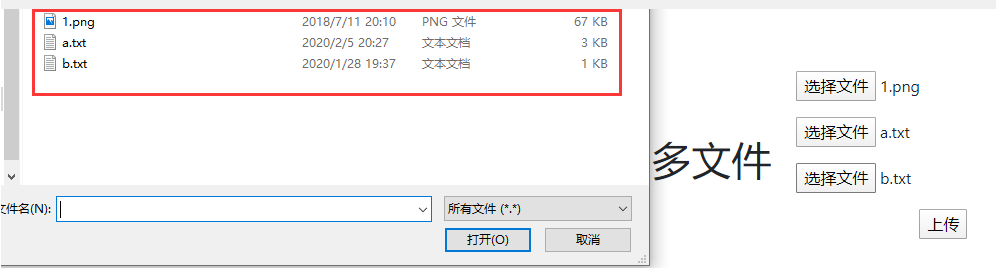
运行项目测试
选择1.png a.txt b.txt
成功!
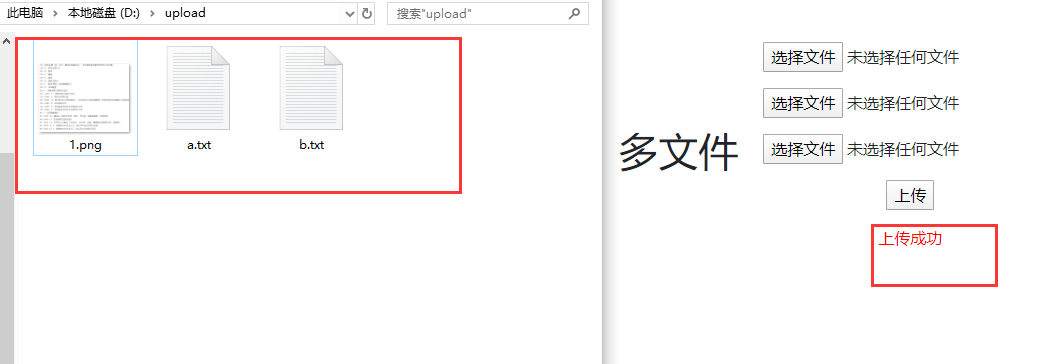
以上就是简单的文件上传案例,因为只是简单的实现,所以没有将重复代码整合到utils下,比如关闭流的操作
使用SpringBoot实现文件的上传的更多相关文章
- java springboot 大文件分片上传处理
参考自:https://blog.csdn.net/u014150463/article/details/74044467 这里只写后端的代码,基本的思想就是,前端将文件分片,然后每次访问上传接口的时 ...
- springboot整合vue实现上传下载文件
https://blog.csdn.net/yhhyhhyhhyhh/article/details/89888953 文章目录 springboot整合vue实现上传下载文件 1上传下载文件api文 ...
- springboot集成websocket实现大文件分块上传
遇到一个上传文件的问题,老大说使用http太慢了,因为http包含大量的请求头,刚好项目本身又集成了websocket,想着就用websocket来做文件上传. 相关技术 springboot web ...
- 02-05:springboot文件的上传
1.在static 下建立upload.html文件 <!DOCTYPE html> <html> <head> <meta charset="UT ...
- Java实现文件的上传下载(含源代码和jar包)
1.需要使用的jar包 链接:https://pan.baidu.com/s/1IaxQRSwfzxDpe4w4JiaEKw 提取码:xwtz 2.如果想实现文件的下载,需要创建一张表,表的结构为 i ...
- SpringBoot实现本地存储文件上传及提供HTTP访问服务
笔者计划为大家介绍分布式文件系统,用于存储应用的图片.word.excel.pdf等文件.在开始介绍分布式文件系统之前,为大家介绍一下使用本机存储来存放文件资源. 二者的核心实现过程是一样的: 上传文 ...
- 带进度条的文件批量上传插件uploadify
有时项目中需要一个文件批量上传功能时,个人认为uploadify是快速简便的解决方案. 先上效果图: 一. 下载uploadify 从官网下载uploadify的Flash版本(Flash版本免费,另 ...
- C# 用原生JS进行文件的上传
1.此文章是用原生JS来进行文件的上传,有两个版本,一个不用ajax,一个用ajax. 1)非AJAX <!DOCTYPE html> <html> <head> ...
- ssh整合问题总结--在添加商品模块实现图片(文件)的上传
今天在做毕设(基于SSH的网上商城项目)中碰到了一个文件上传的需求,就是在后台管理员的商品模块中,有一个添加商品,需要将磁盘上的图片上传到tomcat保存图片的指定目录中: 完成这个功能需要两个步,第 ...
随机推荐
- 线程池系列二:一张动图,彻底懂了execute和submit
我们知道线程池通过execute方法执行提交的Runnable任务,但Runnable只是执行任务,没有返回任何信息. [线程池原理:线程池原来是个外包公司,打工人我悟了] 若是我们想在异步执行完 ...
- STM32 禁用或开启总中断
今天把之前自己的一些在中断方面所产生的疑惑把具体的解决办法给大家分享一下,希望能够帮到大家. STM32在使用时有时需要禁用全局中断,比如MCU在升级过程中需禁用外部中断,防止升级过程中外部中断触发导 ...
- C++类的静态成员变量与静态成员函数
1.类的静态成员变量 C++类的静态成员变量主要有以下特性: 1.静态成员变量需要类内定义,类外初始化 2.静态成员变量不依赖于类,静态成员变量属于全局区,不属于类的空间. 3.静态成员变量通过类名访 ...
- (二)lamp环境搭建之编译安装mysql
mysql 编译安装1,在网站上下载: wget http://dev.mysql.com/get/Downloads/MySQL-5.6/mysql-5.6.15.tar.gz 2,安装cmake ...
- 通俗易懂的HTML全知识梳理笔记(第一部分)
文章目录 什么是HTML 块级元素和内联元素 属性 给`a`元素添加属性 布尔属性 HTML的空白 实体引用: 在HTML中包含特殊字符 head中的元数据 meta元素 在你的站点中增加自定义的图标 ...
- 后台管理系统:vue&node&MongoDB(一)
后台管理系统 使用工具: Vue Node Mongodb Element-ui 一.后台(Node+Mongodb) 前期准备: 需要下载的包: mongooes -------- ...
- Linux 下权限的管理
Linux 下权限的管理 我们都知道,Linux系统对于用户的权限管理是十分严格的. 那么,我们就来具体了解一下. 一. 用户 在Linux中按照类型用户分为两种:1.超级用户 2.普通用户 那么它们 ...
- K8S发布策略,无损发布
大家好,相信大部分公司都已经使用K8S进行容器管理和编排了,但是关于K8S的发布策略,还有很多同学不太清楚,通过这篇文章的介绍,相信大家对目前K8S的发布情况有一个概括的认识.总结下来,共有如下几种: ...
- 在随着layui官网下架后 layui镜像站起来了
layui:https://gitee.com/lh_yun/layui 介绍 layui镜像站 「本站仅为 layui 文档保留的镜像站点,与官方无关」 源码地址 在线 pdf 1.主页 https ...
- 在同级路径下,SpringBoot两种类型的配置文件(.properties/.yml)同时存在时,配置优先级如何处理?
两类配置文件如果同时存在,若 key 相同则 properties 优先级高,若key不同则合并加载: