
详细解读Volley(一)—— 基本Request对象 & RequestQueue

Volley它非常适合去进行数据量不大,但通信频繁的网络操作,而对于大数据量的网络操作,比如说下载文件等,Volley的表现就会非常糟糕。所以不建议用它去进行下载文件、加载大图的操作。有人可能会问,如果我服务器中的图片都挺大的,activity中listview要加载这些图片,是不是不能用这个框架呢?其实这个问题本身就是错误的,你想如果你服务器的图片都是大图,你要在手机上用照片墙进行展示,下载图片都会慢的要死,这个本身就是不可行的。所以在项目初期就应该建立好服务器端的小图,照片墙用加载小图,点击后再从网络上下载大图,这才是正确思路。这时你就可以用volley加载小图了,如果是要加载大图,可以用别的算法,强烈建议手动完成大图清除的工作,否则很可能会出现OOM。Volley本身没有做什么回收算法,还是用最基本的GC,实际使用中可以根据需要自定义一下。
零、准备工作
Git项目,添加为lib,申请权限
git clone https://android.googlesource.com/platform/frameworks/volley
<uses-permission android:name="android.permission.INTERNET" />
一、初始化请求对象——RequestQueue
public class MyApplication extends Application {

    public static RequestQueue requestQueue;

    @Override

    public void onCreate() {

        super.onCreate();

        // 不必为每一次HTTP请求都创建一个RequestQueue对象,推荐在application中初始化

        requestQueue = Volley.newRequestQueue(this);

    }

}
既然是Http操作,自然有请求和响应,RequestQueue是一个请求队列对象,它可以缓存所有的HTTP请求,然后按照一定的算法并发地发出这些请求。RequestQueue内部的设计就是非常合适高并发的,因此我们不必为每一次HTTP请求都创建一个RequestQueue对象,这是非常浪费资源的。所以在这里我建立了一个application,然后用单例模式定义了这个对象。当然,你可以选择在一个activity中定义一个RequestQueue对象,但这样可能会比较麻烦,而且还可能出现请求队列包含activity强引用的问题,因此我还是推荐在application中定义。
二、使用StringRequest接收String类型的响应
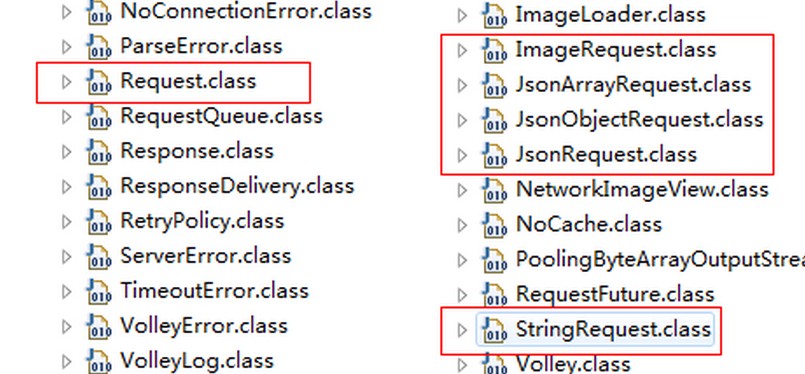
前面定义了请求对象,那么自然就有接收响应的对象了,这个框架中有多个响应对象,像StringRequest接受到的响应就是string类型的;JsonRequest接收的响应就是Json类型对象。其实它们都是继承自Request<T>,然后根据不同的响应数据来进行特殊的处理。
2.1 初始化
    /**

     * Creates a new request with the given method.

     *

     * @param method the request {@link Method} to use

     * @param url URL to fetch the string at

     * @param listener Listener to receive the String response

     * @param errorListener Error listener, or null to ignore errors

     */

    public StringRequest(int method, String url, Listener<String> listener, ErrorListener errorListener)
    /**

     * Creates a new GET request.

     *

     * @param url URL to fetch the string at

     * @param listener Listener to receive the String response

     * @param errorListener Error listener, or null to ignore errors

     */

    public StringRequest(String url, Listener<String> listener, ErrorListener errorListener) {

        this(Method.GET, url, listener, errorListener);

    }
这就是StringRequest的两个构造函数,不同之处是一个传入了一个method的参数,一个没有。其实看上面的源码就知道,如果你不传入method,默认会调用GET方式进行请求。当你传入了Method.POST就会用post来请求。
【参数解释】
url:请求的地址
listener:响应成功的监听器
errorListener:出错时的监听器
StringRequest getStringRequest = new StringRequest("http://www.baidu.com", new ResponseListener(), new ResponseErrorListener());
StringRequest postStringRequest = new StringRequest(Method.POST, "http://www.baidu.com", new ResponseListener(),null);
2.2 配置监听器
/**

     * @author:Jack Tony

     * @description  :设置响应结果监听器,因为用的是StringRequest,所以这里的结果我定义为string类型

     * @date  :2015年1月24日

     */

    private class ResponseListener implements Response.Listener<String>{

        @Override

        public void onResponse(String response) {

            // TODO 自动生成的方法存根

             Log.d("TAG", "-------------\n" + response);

        }

    }

    /**

     * @author:Jack Tony

     * @description  :访问出错时触发的监听器

     * @date  :2015年1月28日

     */

    private class ResponseErrorListener implements Response.ErrorListener{

        @Override

        public void onErrorResponse(VolleyError error) {

            // TODO 自动生成的方法存根

             Log.e("TAG", error.getMessage(), error);

        }

    }
这两个监听器没啥可说的,因为是StringRequest调用的,所以成功时触发的监听器中得到的response就是String类型。如果访问出错,那么就打印出错信息。
2.3 执行GET请求
现在我们有了请求对象和响应对象,外加处理响应结果的监听器,那么就执行最后一步——发送请求。发送请求很简单,将响应对象添加到请求队列即可。
mQueue.add(getStringRequest);
完整代码:
        RequestQueue mQueue = MyApplication.requestQueue;

        StringRequest getStringRequest = new StringRequest("http://www.baidu.com", new ResponseListener(), new ResponseErrorListener());

        mQueue.add(getStringRequest);
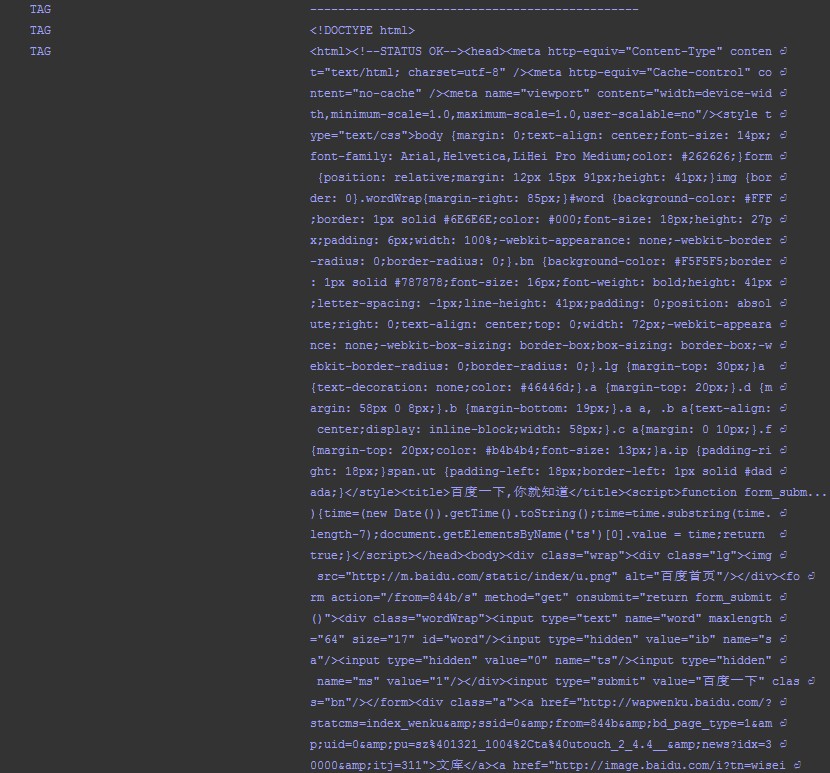
通过简单的add()方法就直接发送了请求,如果服务器响应了请求就会触发我们的结果监听器,然后被打印出啦。现在请求的是百度,所以得到了网页的源码:
2.4 执行POST请求
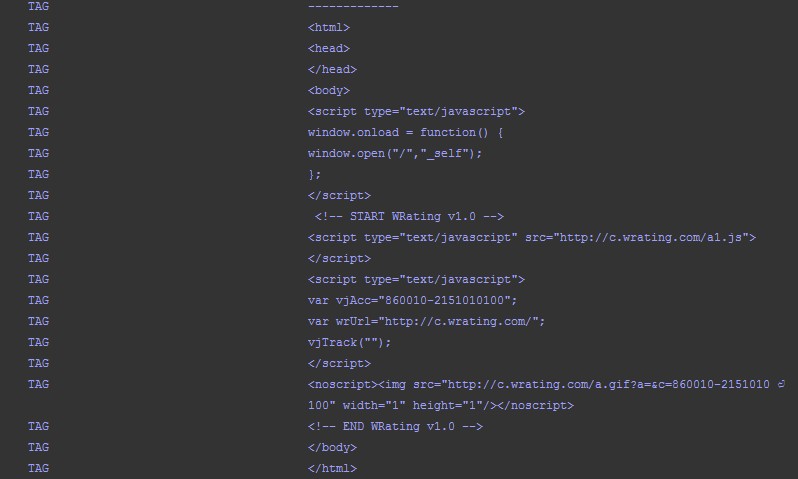
POST和GET一样,仅仅是传入的方法不同。但一般我们的post都是要带一些参数的,volley没有提供附加参数的方法,所以我们必须要在StringRequest的匿名类中重写getParams()方法:
StringRequest stringRequest = new StringRequest(Method.POST, url,  listener, errorListener) {

    @Override

    protected Map<String, String> getParams() throws AuthFailureError {

        Map<String, String> map = new HashMap<String, String>();

        map.put("params1", "value1");

        map.put("params2", "value2");

        return map;

    }

};
这样就传入了value1和value2两个参数了。现在可能有人会问为啥这个框架不提供这个传参的方法,还非得让我们重写。我个人觉得这个框架本身的目的就是执行频繁的网络请求,比如下载图片,解析json数据什么的,用GET就能很好的实现了,所以就没有提供传参的POST方法。为了简单起见,我重写了Request类中的getParams(),添加了传参的方法,以后通过setParams()就可以传参数了。
重写的代码块:
    Map<String, String> mParams = null;

    /**

     * Returns a Map of parameters to be used for a POST or PUT request.  Can throw

     * {@link AuthFailureError} as authentication may be required to provide these values.

     *

     * <p>Note that you can directly override {@link #getBody()} for custom data.</p>

     *

     * @throws AuthFailureError in the event of auth failure

     */

    protected Map<String, String> getParams() throws AuthFailureError {

        return mParams;

    }

    public void setParams(Map<String, String> params){

        mParams = params;

    }
完整代码:
/*

 * Copyright (C) 2011 The Android Open Source Project

 *

 * Licensed under the Apache License, Version 2.0 (the "License");

 * you may not use this file except in compliance with the License.

 * You may obtain a copy of the License at

 *

 *      http://www.apache.org/licenses/LICENSE-2.0

 *

 * Unless required by applicable law or agreed to in writing, software

 * distributed under the License is distributed on an "AS IS" BASIS,

 * WITHOUT WARRANTIES OR CONDITIONS OF ANY KIND, either express or implied.

 * See the License for the specific language governing permissions and

 * limitations under the License.

 */

package com.android.volley;

import java.io.UnsupportedEncodingException;

import java.net.URLEncoder;

import java.util.Collections;

import java.util.Map;

import android.net.TrafficStats;

import android.net.Uri;

import android.os.Handler;

import android.os.Looper;

import android.os.SystemClock;

import android.text.TextUtils;

import com.android.volley.VolleyLog.MarkerLog;

/**

 * Base class for all network requests.

 *

 * @param <T> The type of parsed response this request expects.

 */

public abstract class Request<T> implements Comparable<Request<T>> {

    /**

     * Default encoding for POST or PUT parameters. See {@link #getParamsEncoding()}.

     */

    private static final String DEFAULT_PARAMS_ENCODING = "UTF-8";

    /**

     * Supported request methods.

     */

    public interface Method {

        int DEPRECATED_GET_OR_POST = -1;

        int GET = 0;

        int POST = 1;

        int PUT = 2;

        int DELETE = 3;

        int HEAD = 4;

        int OPTIONS = 5;

        int TRACE = 6;

        int PATCH = 7;

    }

    /** An event log tracing the lifetime of this request; for debugging. */

    private final MarkerLog mEventLog = MarkerLog.ENABLED ? new MarkerLog() : null;

    /**

     * Request method of this request.  Currently supports GET, POST, PUT, DELETE, HEAD, OPTIONS,

     * TRACE, and PATCH.

     */

    private final int mMethod;

    /** URL of this request. */

    private final String mUrl;

    /** Default tag for {@link TrafficStats}. */

    private final int mDefaultTrafficStatsTag;

    /** Listener interface for errors. */

    private final Response.ErrorListener mErrorListener;

    /** Sequence number of this request, used to enforce FIFO ordering. */

    private Integer mSequence;

    /** The request queue this request is associated with. */

    private RequestQueue mRequestQueue;

    /** Whether or not responses to this request should be cached. */

    private boolean mShouldCache = true;

    /** Whether or not this request has been canceled. */

    private boolean mCanceled = false;

    /** Whether or not a response has been delivered for this request yet. */

    private boolean mResponseDelivered = false;

    // A cheap variant of request tracing used to dump slow requests.

    private long mRequestBirthTime = 0;

    /** Threshold at which we should log the request (even when debug logging is not enabled). */

    private static final long SLOW_REQUEST_THRESHOLD_MS = 3000;

    /** The retry policy for this request. */

    private RetryPolicy mRetryPolicy;

    /**

     * When a request can be retrieved from cache but must be refreshed from

     * the network, the cache entry will be stored here so that in the event of

     * a "Not Modified" response, we can be sure it hasn't been evicted from cache.

     */

    private Cache.Entry mCacheEntry = null;

    /** An opaque token tagging this request; used for bulk cancellation. */

    private Object mTag;

    /**

     * Creates a new request with the given URL and error listener.  Note that

     * the normal response listener is not provided here as delivery of responses

     * is provided by subclasses, who have a better idea of how to deliver an

     * already-parsed response.

     *

     * @deprecated Use {@link #Request(int, String, com.android.volley.Response.ErrorListener)}.

     */

    @Deprecated

    public Request(String url, Response.ErrorListener listener) {

        this(Method.DEPRECATED_GET_OR_POST, url, listener);

    }

    /**

     * Creates a new request with the given method (one of the values from {@link Method}),

     * URL, and error listener.  Note that the normal response listener is not provided here as

     * delivery of responses is provided by subclasses, who have a better idea of how to deliver

     * an already-parsed response.

     */

    public Request(int method, String url, Response.ErrorListener listener) {

        mMethod = method;

        mUrl = url;

        mErrorListener = listener;

        setRetryPolicy(new DefaultRetryPolicy());

        mDefaultTrafficStatsTag = findDefaultTrafficStatsTag(url);

    }

    /**

     * Return the method for this request.  Can be one of the values in {@link Method}.

     */

    public int getMethod() {

        return mMethod;

    }

    /**

     * Set a tag on this request. Can be used to cancel all requests with this

     * tag by {@link RequestQueue#cancelAll(Object)}.

     *

     * @return This Request object to allow for chaining.

     */

    public Request<?> setTag(Object tag) {

        mTag = tag;

        return this;

    }

    /**

     * Returns this request's tag.

     * @see Request#setTag(Object)

     */

    public Object getTag() {

        return mTag;

    }

    /**

     * @return this request's {@link com.android.volley.Response.ErrorListener}.

     */

    public Response.ErrorListener getErrorListener() {

        return mErrorListener;

    }

    /**

     * @return A tag for use with {@link TrafficStats#setThreadStatsTag(int)}

     */

    public int getTrafficStatsTag() {

        return mDefaultTrafficStatsTag;

    }

    /**

     * @return The hashcode of the URL's host component, or 0 if there is none.

     */

    private static int findDefaultTrafficStatsTag(String url) {

        if (!TextUtils.isEmpty(url)) {

            Uri uri = Uri.parse(url);

            if (uri != null) {

                String host = uri.getHost();

                if (host != null) {

                    return host.hashCode();

                }

            }

        }

        return 0;

    }

    /**

     * Sets the retry policy for this request.

     *

     * @return This Request object to allow for chaining.

     */

    public Request<?> setRetryPolicy(RetryPolicy retryPolicy) {

        mRetryPolicy = retryPolicy;

        return this;

    }

    /**

     * Adds an event to this request's event log; for debugging.

     */

    public void addMarker(String tag) {

        if (MarkerLog.ENABLED) {

            mEventLog.add(tag, Thread.currentThread().getId());

        } else if (mRequestBirthTime == 0) {

            mRequestBirthTime = SystemClock.elapsedRealtime();

        }

    }

    /**

     * Notifies the request queue that this request has finished (successfully or with error).

     *

     * <p>Also dumps all events from this request's event log; for debugging.</p>

     */

    void finish(final String tag) {

        if (mRequestQueue != null) {

            mRequestQueue.finish(this);

        }

        if (MarkerLog.ENABLED) {

            final long threadId = Thread.currentThread().getId();

            if (Looper.myLooper() != Looper.getMainLooper()) {

                // If we finish marking off of the main thread, we need to

                // actually do it on the main thread to ensure correct ordering.

                Handler mainThread = new Handler(Looper.getMainLooper());

                mainThread.post(new Runnable() {

                    @Override

                    public void run() {

                        mEventLog.add(tag, threadId);

                        mEventLog.finish(this.toString());

                    }

                });

                return;

            }

            mEventLog.add(tag, threadId);

            mEventLog.finish(this.toString());

        } else {

            long requestTime = SystemClock.elapsedRealtime() - mRequestBirthTime;

            if (requestTime >= SLOW_REQUEST_THRESHOLD_MS) {

                VolleyLog.d("%d ms: %s", requestTime, this.toString());

            }

        }

    }

    /**

     * Associates this request with the given queue. The request queue will be notified when this

     * request has finished.

     *

     * @return This Request object to allow for chaining.

     */

    public Request<?> setRequestQueue(RequestQueue requestQueue) {

        mRequestQueue = requestQueue;

        return this;

    }

    /**

     * Sets the sequence number of this request.  Used by {@link RequestQueue}.

     *

     * @return This Request object to allow for chaining.

     */

    public final Request<?> setSequence(int sequence) {

        mSequence = sequence;

        return this;

    }

    /**

     * Returns the sequence number of this request.

     */

    public final int getSequence() {

        if (mSequence == null) {

            throw new IllegalStateException("getSequence called before setSequence");

        }

        return mSequence;

    }

    /**

     * Returns the URL of this request.

     */

    public String getUrl() {

        return mUrl;

    }

    /**

     * Returns the cache key for this request.  By default, this is the URL.

     */

    public String getCacheKey() {

        return getUrl();

    }

    /**

     * Annotates this request with an entry retrieved for it from cache.

     * Used for cache coherency support.

     *

     * @return This Request object to allow for chaining.

     */

    public Request<?> setCacheEntry(Cache.Entry entry) {

        mCacheEntry = entry;

        return this;

    }

    /**

     * Returns the annotated cache entry, or null if there isn't one.

     */

    public Cache.Entry getCacheEntry() {

        return mCacheEntry;

    }

    /**

     * Mark this request as canceled.  No callback will be delivered.

     */

    public void cancel() {

        mCanceled = true;

    }

    /**

     * Returns true if this request has been canceled.

     */

    public boolean isCanceled() {

        return mCanceled;

    }

    /**

     * Returns a list of extra HTTP headers to go along with this request. Can

     * throw {@link AuthFailureError} as authentication may be required to

     * provide these values.

     * @throws AuthFailureError In the event of auth failure

     */

    public Map<String, String> getHeaders() throws AuthFailureError {

        return Collections.emptyMap();

    }

    /**

     * Returns a Map of POST parameters to be used for this request, or null if

     * a simple GET should be used.  Can throw {@link AuthFailureError} as

     * authentication may be required to provide these values.

     *

     * <p>Note that only one of getPostParams() and getPostBody() can return a non-null

     * value.</p>

     * @throws AuthFailureError In the event of auth failure

     *

     * @deprecated Use {@link #getParams()} instead.

     */

    @Deprecated

    protected Map<String, String> getPostParams() throws AuthFailureError {

        return getParams();

    }

    /**

     * Returns which encoding should be used when converting POST parameters returned by

     * {@link #getPostParams()} into a raw POST body.

     *

     * <p>This controls both encodings:

     * <ol>

     *     <li>The string encoding used when converting parameter names and values into bytes prior

     *         to URL encoding them.</li>

     *     <li>The string encoding used when converting the URL encoded parameters into a raw

     *         byte array.</li>

     * </ol>

     *

     * @deprecated Use {@link #getParamsEncoding()} instead.

     */

    @Deprecated

    protected String getPostParamsEncoding() {

        return getParamsEncoding();

    }

    /**

     * @deprecated Use {@link #getBodyContentType()} instead.

     */

    @Deprecated

    public String getPostBodyContentType() {

        return getBodyContentType();

    }

    /**

     * Returns the raw POST body to be sent.

     *

     * @throws AuthFailureError In the event of auth failure

     *

     * @deprecated Use {@link #getBody()} instead.

     */

    @Deprecated

    public byte[] getPostBody() throws AuthFailureError {

        // Note: For compatibility with legacy clients of volley, this implementation must remain

        // here instead of simply calling the getBody() function because this function must

        // call getPostParams() and getPostParamsEncoding() since legacy clients would have

        // overridden these two member functions for POST requests.

        Map<String, String> postParams = getPostParams();

        if (postParams != null && postParams.size() > 0) {

            return encodeParameters(postParams, getPostParamsEncoding());

        }

        return null;

    }

    Map<String, String> mParams = null;

    /**

     * Returns a Map of parameters to be used for a POST or PUT request.  Can throw

     * {@link AuthFailureError} as authentication may be required to provide these values.

     *

     * <p>Note that you can directly override {@link #getBody()} for custom data.</p>

     *

     * @throws AuthFailureError in the event of auth failure

     */

    protected Map<String, String> getParams() throws AuthFailureError {

        return mParams;

    }

    public void setParams(Map<String, String> params){

        mParams = params;

    }

    /**

     * Returns which encoding should be used when converting POST or PUT parameters returned by

     * {@link #getParams()} into a raw POST or PUT body.

     *

     * <p>This controls both encodings:

     * <ol>

     *     <li>The string encoding used when converting parameter names and values into bytes prior

     *         to URL encoding them.</li>

     *     <li>The string encoding used when converting the URL encoded parameters into a raw

     *         byte array.</li>

     * </ol>

     */

    protected String getParamsEncoding() {

        return DEFAULT_PARAMS_ENCODING;

    }

    /**

     * Returns the content type of the POST or PUT body.

     */

    public String getBodyContentType() {

        return "application/x-www-form-urlencoded; charset=" + getParamsEncoding();

    }

    /**

     * Returns the raw POST or PUT body to be sent.

     *

     * <p>By default, the body consists of the request parameters in

     * application/x-www-form-urlencoded format. When overriding this method, consider overriding

     * {@link #getBodyContentType()} as well to match the new body format.

     *

     * @throws AuthFailureError in the event of auth failure

     */

    public byte[] getBody() throws AuthFailureError {

        Map<String, String> params = getParams();

        if (params != null && params.size() > 0) {

            return encodeParameters(params, getParamsEncoding());

        }

        return null;

    }

    /**

     * Converts <code>params</code> into an application/x-www-form-urlencoded encoded string.

     */

    private byte[] encodeParameters(Map<String, String> params, String paramsEncoding) {

        StringBuilder encodedParams = new StringBuilder();

        try {

            for (Map.Entry<String, String> entry : params.entrySet()) {

                encodedParams.append(URLEncoder.encode(entry.getKey(), paramsEncoding));

                encodedParams.append('=');

                encodedParams.append(URLEncoder.encode(entry.getValue(), paramsEncoding));

                encodedParams.append('&');

            }

            return encodedParams.toString().getBytes(paramsEncoding);

        } catch (UnsupportedEncodingException uee) {

            throw new RuntimeException("Encoding not supported: " + paramsEncoding, uee);

        }

    }

    /**

     * Set whether or not responses to this request should be cached.

     *

     * @return This Request object to allow for chaining.

     */

    public final Request<?> setShouldCache(boolean shouldCache) {

        mShouldCache = shouldCache;

        return this;

    }

    /**

     * Returns true if responses to this request should be cached.

     */

    public final boolean shouldCache() {

        return mShouldCache;

    }

    /**

     * Priority values.  Requests will be processed from higher priorities to

     * lower priorities, in FIFO order.

     */

    public enum Priority {

        LOW,

        NORMAL,

        HIGH,

        IMMEDIATE

    }

    /**

     * Returns the {@link Priority} of this request; {@link Priority#NORMAL} by default.

     */

    public Priority getPriority() {

        return Priority.NORMAL;

    }

    /**

     * Returns the socket timeout in milliseconds per retry attempt. (This value can be changed

     * per retry attempt if a backoff is specified via backoffTimeout()). If there are no retry

     * attempts remaining, this will cause delivery of a {@link TimeoutError} error.

     */

    public final int getTimeoutMs() {

        return mRetryPolicy.getCurrentTimeout();

    }

    /**

     * Returns the retry policy that should be used  for this request.

     */

    public RetryPolicy getRetryPolicy() {

        return mRetryPolicy;

    }

    /**

     * Mark this request as having a response delivered on it.  This can be used

     * later in the request's lifetime for suppressing identical responses.

     */

    public void markDelivered() {

        mResponseDelivered = true;

    }

    /**

     * Returns true if this request has had a response delivered for it.

     */

    public boolean hasHadResponseDelivered() {

        return mResponseDelivered;

    }

    /**

     * Subclasses must implement this to parse the raw network response

     * and return an appropriate response type. This method will be

     * called from a worker thread.  The response will not be delivered

     * if you return null.

     * @param response Response from the network

     * @return The parsed response, or null in the case of an error

     */

    abstract protected Response<T> parseNetworkResponse(NetworkResponse response);

    /**

     * Subclasses can override this method to parse 'networkError' and return a more specific error.

     *

     * <p>The default implementation just returns the passed 'networkError'.</p>

     *

     * @param volleyError the error retrieved from the network

     * @return an NetworkError augmented with additional information

     */

    protected VolleyError parseNetworkError(VolleyError volleyError) {

        return volleyError;

    }

    /**

     * Subclasses must implement this to perform delivery of the parsed

     * response to their listeners.  The given response is guaranteed to

     * be non-null; responses that fail to parse are not delivered.

     * @param response The parsed response returned by

     * {@link #parseNetworkResponse(NetworkResponse)}

     */

    abstract protected void deliverResponse(T response);

    /**

     * Delivers error message to the ErrorListener that the Request was

     * initialized with.

     *

     * @param error Error details

     */

    public void deliverError(VolleyError error) {

        if (mErrorListener != null) {

            mErrorListener.onErrorResponse(error);

        }

    }

    /**

     * Our comparator sorts from high to low priority, and secondarily by

     * sequence number to provide FIFO ordering.

     */

    @Override

    public int compareTo(Request<T> other) {

        Priority left = this.getPriority();

        Priority right = other.getPriority();

        // High-priority requests are "lesser" so they are sorted to the front.

        // Equal priorities are sorted by sequence number to provide FIFO ordering.

        return left == right ?

                this.mSequence - other.mSequence :

                right.ordinal() - left.ordinal();

    }

    @Override

    public String toString() {

        String trafficStatsTag = "0x" + Integer.toHexString(getTrafficStatsTag());

        return (mCanceled ? "[X] " : "[ ] ") + getUrl() + " " + trafficStatsTag + " "

                + getPriority() + " " + mSequence;

    }

}
使用示例:
        StringRequest postStringRequest = new StringRequest(Method.POST, "http://m.weather.com.cn/data/101010100.html",

                new ResponseListener(), null);

        Map<String, String> map = new HashMap<String, String>();

        map.put("params1", "value1");

        map.put("params2", "value2");

        postStringRequest.setParams(map);

        mQueue.add(postStringRequest);
结果:
三、使用JsonObjectRequest接收Json类型的响应
类似于StringRequest,JsonRequest也是继承自Request类的,不过由于JsonRequest是一个抽象类,因此我们无法直接创建它的实例,那么只能从它的子类入手了。JsonRequest有两个直接的子类,JsonObjectRequest和JsonArrayRequest,从名字上你应该能就看出它们的区别了吧?一个是用于请求一段JSON数据的,一个是用于请求一段JSON数组的。
3.1 构造函数
    /**

     * Creates a new request.

     * @param method the HTTP method to use

     * @param url URL to fetch the JSON from

     * @param jsonRequest A {@link JSONObject} to post with the request. Null is allowed and

     *   indicates no parameters will be posted along with request.

     * @param listener Listener to receive the JSON response

     * @param errorListener Error listener, or null to ignore errors.

     */

    public JsonObjectRequest(int method, String url, JSONObject jsonRequest,
     Listener<JSONObject> listener, ErrorListener errorListener) {

        super(method, url, (jsonRequest == null) ? null : jsonRequest.toString(), listener,

                    errorListener);

    }

    /**

     * Constructor which defaults to <code>GET</code> if <code>jsonRequest</code> is

     * <code>null</code>, <code>POST</code> otherwise.

     *

     * @see #JsonObjectRequest(int, String, JSONObject, Listener, ErrorListener)

     */

    public JsonObjectRequest(String url, JSONObject jsonRequest, Listener<JSONObject> listener,

            ErrorListener errorListener) {

        this(jsonRequest == null ? Method.GET : Method.POST, url, jsonRequest,

                listener, errorListener);

    }
3.2 发送请求
和之前讲过的StringRequest一样,可以传入请求的类型,如果没传就默认是GET请求。参数也是如出一辙,就是泛型变了下。定义和使用的方式也完全一致,初始化对象后,添加到请求队列即可。
        JsonObjectRequest request = new JsonObjectRequest("http://m.weather.com.cn/data/101010100.html",

                null, new ResponseListener(), new ResponseErrorListener());

        mQueue.add(request);
    /**

     * @author:Jack Tony

     * @description :设置响应结果监听器,这里用的是JsonObjectRequest,所以返回的结果是JSONObject

     * @date :2015年1月24日

     */

    private class ResponseListener implements Response.Listener<JSONObject> {

        @Override

        public void onResponse(JSONObject response) {

            // TODO 自动生成的方法存根

            Log.d("TAG", "-------------\n" + response.toString());

        }

    }

    /**

     * @author:Jack Tony

     * @description :访问出错时触发的监听器

     * @date :2015年1月28日

     */

    private class ResponseErrorListener implements Response.ErrorListener {

        @Override

        public void onErrorResponse(VolleyError error) {

            Log.e("TAG", error.getMessage(), error);

        }

    }
结果:
你怎么查看解析是否成功了呢?服务器端的数据:
{"weatherinfo":{"city":"北京","city_en":"beijing","date_y":"2014年3月4日","date":"","week":"星期二","fchh":"11","cityid":"101010100","temp1":"8℃~-3℃","temp2":"8℃~-3℃","temp3":"7℃~-3℃","temp4":"8℃~-1℃","temp5":"10℃~1℃","temp6":"10℃~2℃","tempF1":"46.4℉~26.6℉","tempF2":"46.4℉~26.6℉","tempF3":"44.6℉~26.6℉","tempF4":"46.4℉~30.2℉","tempF5":"50℉~33.8℉","tempF6":"50℉~35.6℉","weather1":"晴","weather2":"晴","weather3":"晴","weather4":"晴转多云","weather5":"多云","weather6":"多云","img1":"0","img2":"99","img3":"0","img4":"99","img5":"0","img6":"99","img7":"0","img8":"1","img9":"1","img10":"99","img11":"1","img12":"99","img_single":"0","img_title1":"晴","img_title2":"晴","img_title3":"晴","img_title4":"晴","img_title5":"晴","img_title6":"晴","img_title7":"晴","img_title8":"多云","img_title9":"多云","img_title10":"多云","img_title11":"多云","img_title12":"多云","img_title_single":"晴","wind1":"北风4-5级转微风","wind2":"微风","wind3":"微风","wind4":"微风","wind5":"微风","wind6":"微风","fx1":"北风","fx2":"微风","fl1":"4-5级转小于3级","fl2":"小于3级","fl3":"小于3级","fl4":"小于3级","fl5":"小于3级","fl6":"小于3级","index":"寒冷","index_d":"天气寒冷,建议着厚羽绒服、毛皮大衣加厚毛衣等隆冬服装。年老体弱者尤其要注意保暖防冻。","index48":"冷","index48_d":"天气冷,建议着棉服、羽绒服、皮夹克加羊毛衫等冬季服装。年老体弱者宜着厚棉衣、冬大衣或厚羽绒服。","index_uv":"中等","index48_uv":"中等","index_xc":"较适宜","index_tr":"一般","index_co":"较舒适","st1":"7","st2":"-3","st3":"8","st4":"0","st5":"7","st6":"-1","index_cl":"较不宜","index_ls":"基本适宜","index_ag":"易发"}}
如果解析错误,就会出现警告,这时错误监听器就会被触发:
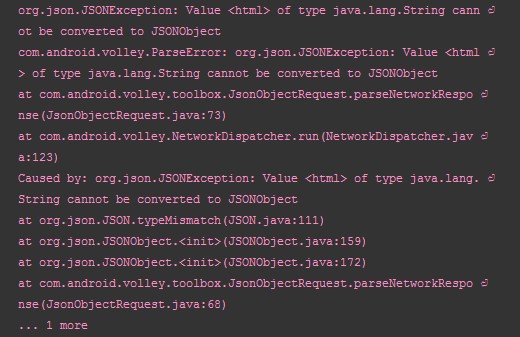
如果解析成功,就不会出现错误,这就是泛型的好处,保证了程序的正确性。
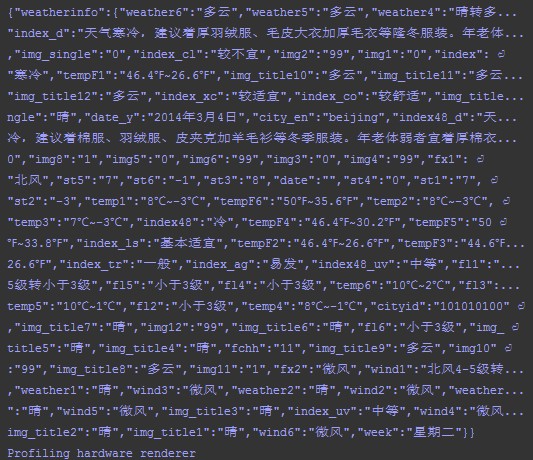
最终我们就可以在Response.Listener<JSONObject>中得到JSONObject对象,通过这个对象就能进行下一步的处理了。
3.3 解析Json
比如要解析出上面Json数据中city的字段,就可以按照如下方式编码:
     try {

                response = response.getJSONObject("weatherinfo");

                Log.i(TAG, "City = " + response.getString("city"));

            } catch (JSONException e) {

                // TODO 自动生成的 catch 块

                e.printStackTrace();

            }
完整监听器代码:
    private class ResponseListener implements Response.Listener<JSONObject> {

        @Override

        public void onResponse(JSONObject response) {

            // TODO 自动生成的方法存根

            Log.d("TAG", "-------------\n" + response.toString());

            try {

                response = response.getJSONObject("weatherinfo");

                Log.i(TAG, "City = " + response.getString("city"));

            } catch (JSONException e) {

                // TODO 自动生成的 catch 块

                e.printStackTrace();

            }

        }

    }
结果:

四、JsonArrayRequest简介
除此之外,还有一个相关的响应对象叫做JsonArrayRequest,这个获得的就是一个Json序列,使用方式没有任何改变,这里就不做过多介绍了,因为剩下的就是Json的知识了,和Volley没有任何关系。
源码:
/*

 * Copyright (C) 2011 The Android Open Source Project

 *

 * Licensed under the Apache License, Version 2.0 (the "License");

 * you may not use this file except in compliance with the License.

 * You may obtain a copy of the License at

 *

 *      http://www.apache.org/licenses/LICENSE-2.0

 *

 * Unless required by applicable law or agreed to in writing, software

 * distributed under the License is distributed on an "AS IS" BASIS,

 * WITHOUT WARRANTIES OR CONDITIONS OF ANY KIND, either express or implied.

 * See the License for the specific language governing permissions and

 * limitations under the License.

 */

package com.android.volley.toolbox;

import com.android.volley.NetworkResponse;

import com.android.volley.ParseError;

import com.android.volley.Response;

import com.android.volley.Response.ErrorListener;

import com.android.volley.Response.Listener;

import org.json.JSONArray;

import org.json.JSONException;

import java.io.UnsupportedEncodingException;

/**

 * A request for retrieving a {@link JSONArray} response body at a given URL.

 */

public class JsonArrayRequest extends JsonRequest<JSONArray> {

    /**

     * Creates a new request.

     * @param url URL to fetch the JSON from

     * @param listener Listener to receive the JSON response

     * @param errorListener Error listener, or null to ignore errors.

     */

    public JsonArrayRequest(String url, Listener<JSONArray> listener, ErrorListener errorListener) {

        super(Method.GET, url, null, listener, errorListener);

    }

    @Override

    protected Response<JSONArray> parseNetworkResponse(NetworkResponse response) {

        try {

            String jsonString =

                new String(response.data, HttpHeaderParser.parseCharset(response.headers));

            return Response.success(new JSONArray(jsonString),

                    HttpHeaderParser.parseCacheHeaders(response));

        } catch (UnsupportedEncodingException e) {

            return Response.error(new ParseError(e));

        } catch (JSONException je) {

            return Response.error(new ParseError(je));

        }

    }

}
通过源码我们知道,这个响应对象发送的请求是Get,而且它是继承自JsonRequest,如果你想用POST来做,自行添加新的构造函数即可。
Volley源码下载:http://download.csdn.net/detail/shark0017/8404451
参考自:http://blog.csdn.net/guolin_blog/article/details/17482095
详细解读Volley(一)—— 基本Request对象 & RequestQueue的更多相关文章
- Volley(二)—— 基本Request对象 & RequestQueue&请求取消
详细解读Volley(一)—— 基本Request对象 & RequestQueue&请求取消 Volley它非常适合去进行数据量不大,但通信频繁的网络操作,而对于大数据量的网络操作, ...
- 详细解读Volley(二)—— ImageRequest & Request简介
上篇文章我们讲到了如何用volley进行简单的网络请求,我们可以很容易的接受到string.JsonObjec类型的返回结果,之前的例子仅仅是一次请求,这里需要说明volley本身就是适合高并发的,所 ...
- 详细解读Volley(三)—— ImageLoader & NetworkImageView
ImageLoader是一个加载网络图片的封装类,其内部还是由ImageRequest来实现的.但因为源码中没有提供磁盘缓存的设置,所以咱们还需要去源码中进行修改,让我们可以更加自如的设定是否进行磁盘 ...
- 详细解读Volley(五)—— 通过源码来分析业务流程
一.初始化请求队列并运行 我们用Volley时,最先开始的就是初始化请求队列,一种常见的写法如下: public class MyApplication extends Application { p ...
- 详细解读Volley(四)—— 自定义Request
Volley中提供了几个Request,如果我们有特殊的需求,完全可以自定义Request的,自定义Request自然要继承Request,那么本篇就教大家来一步一步地定义一个自己的Request类. ...
- SpringMVC 原理 - 设计原理、启动过程、请求处理详细解读
SpringMVC 原理 - 设计原理.启动过程.请求处理详细解读 目录 一. 设计原理 二. 启动过程 三. 请求处理 一. 设计原理 Servlet 规范 SpringMVC 是基于 Servle ...
- MemCache超详细解读
MemCache是什么 MemCache是一个自由.源码开放.高性能.分布式的分布式内存对象缓存系统,用于动态Web应用以减轻数据库的负载.它通过在内存中缓存数据和对象来减少读取数据库的次数,从而提高 ...
- Request 对象
Request 对象用于检索从浏览器向服务器发送的请求中的信息. 1.使用Request对象的Browser属性,可以访问HttpBrowserCapabilities属性获得当前正在使用哪种类型的浏 ...
- django中request对象详解(转载)
django中的request对象详解 Request 我们知道当URLconf文件匹配到用户输入的路径后,会调用对应的view函数,并将 HttpRequest对象 作为第一个参数传入该函数. ...
随机推荐
- NET 异步多线程,THREAD,THREADPOOL,TASK,PARALLEL
.NET 异步多线程,THREAD,THREADPOOL,TASK,PARALLEL,异常处理,线程取消 今天记录一下异步多线程的进阶历史,以及简单的使用方法 主要还是以Task,Parallel为主 ...
- 7-12 The Rotation Game IDA*
状态搜索题目 一开始打算用bfs 但是图给的不是矩形图 有点难以下手 参考了 lrj 将图上所有的点进行标号 直接一个一维数组就解决了图的问题 并且明确了每个点的标号 处理起来十分方 ...
- Windows栈溢出原理
1.栈是什么? 栈是一种运算受限的线性表 其限制是仅允许在表的一端进行插入和删除运算 这一端称为栈顶(TOP),相对的另一端称为栈底(BASE) 向一个栈插入新元素,称作进栈.入栈或压栈(PUSH) ...
- BZOJ.2806.[CTSC2012]Cheat(广义后缀自动机 DP 单调队列)
题目链接 首先二分答案L.然后就是判断能否将原串划分出一些长度不小于L的子串,这些子串要是给定n个串中的某个串的子串,且满足它们的长度之和不小于原串长度的90%. 贪心多长选一段什么的显然不对.老老实 ...
- bzoj 4004 向量拟阵
题解RT. eps = 1e-10 WrongAnswer eps = 1e-5 Accepted /************************************************* ...
- allowDefinition='MachineToApplication错误
配置错误说明: 在处理向该请求提供服务所需的配置文件时出错.请检查下面的特定错误详细信息并适当地修改配置文件. 分析器错误信息: 在应用程序级别之外使用注册为 allowDefinition='Mac ...
- 企点微服务网关演进之路 IT大咖说 - 大咖干货,不再错过
http://www.itdks.com/dakashuo/new/dakalive/detail/2297
- Serilog中的Jobject/Jtoken对象序列化的问题
今天使用Serilog打印object对象的时候,发现Jtoken对象输出成 [[[]] 这种形式了,本来以为是传入参数的问题,确认了几遍后发现确实是Serilog输出的问题.github上也有人提出 ...
- What is OpenOCD?
About OpenOCD was created by Dominic Rath as part of a 2005 diploma thesis written at the University ...
- SourceTree 的初次使用的两个小问题
菜鸟才开始使用SourceTree,出现了两个小问题,特此整理一下,希望对各位新手有帮助.刚开始以为装了SourceTree就不用装git了,其实不然,不装git就会出现下面第一个问题: 1.新手使用 ...