
Nginx tcp限制并发、IP、记日志
L:114
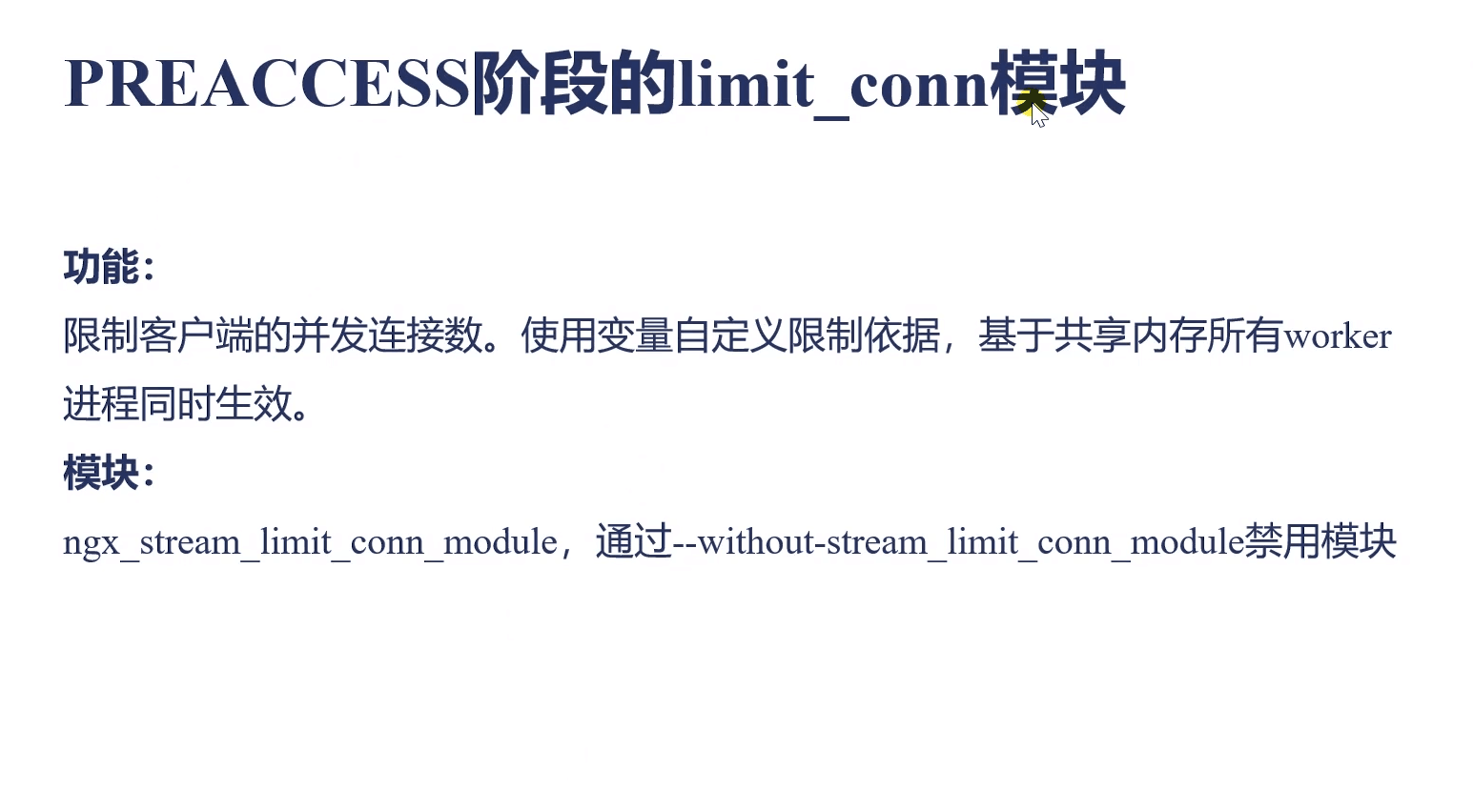
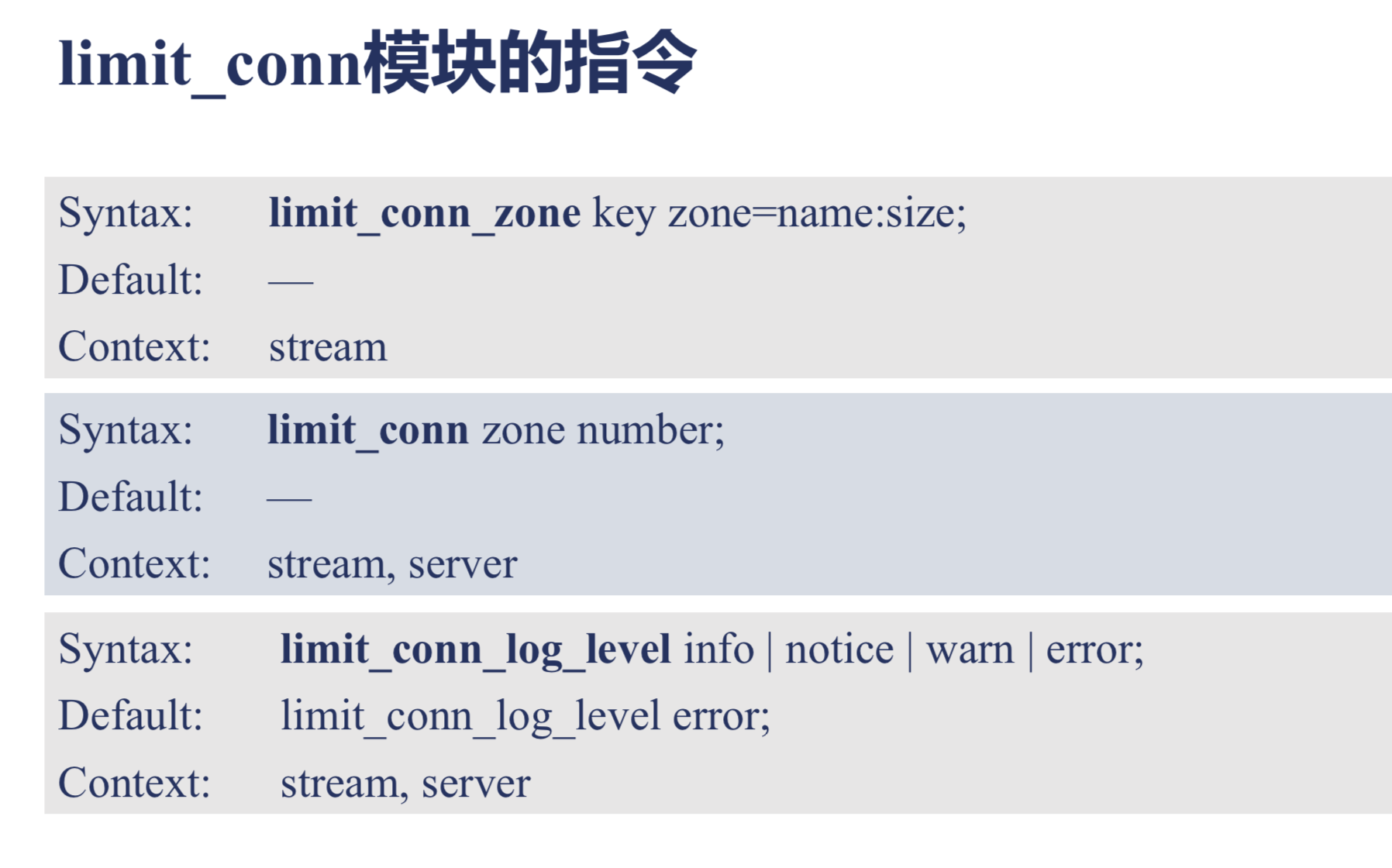
| Syntax: | limit_conn_zone |
|---|---|
| Default: | — |
| Context: | stream |
limit_conn_zone $binary_remote_addr zone=addr:10m;

server {

    ...

    limit_conn addr ;

}
| Syntax: | limit_conn_log_level |
|---|---|
| Default: |
limit_conn_log_level error; |
| Context: | stream, server |
Syntax:limit_conn zone number; //上面配置的zone名称 限制并发连接数量
Default:—
Context:stream, server

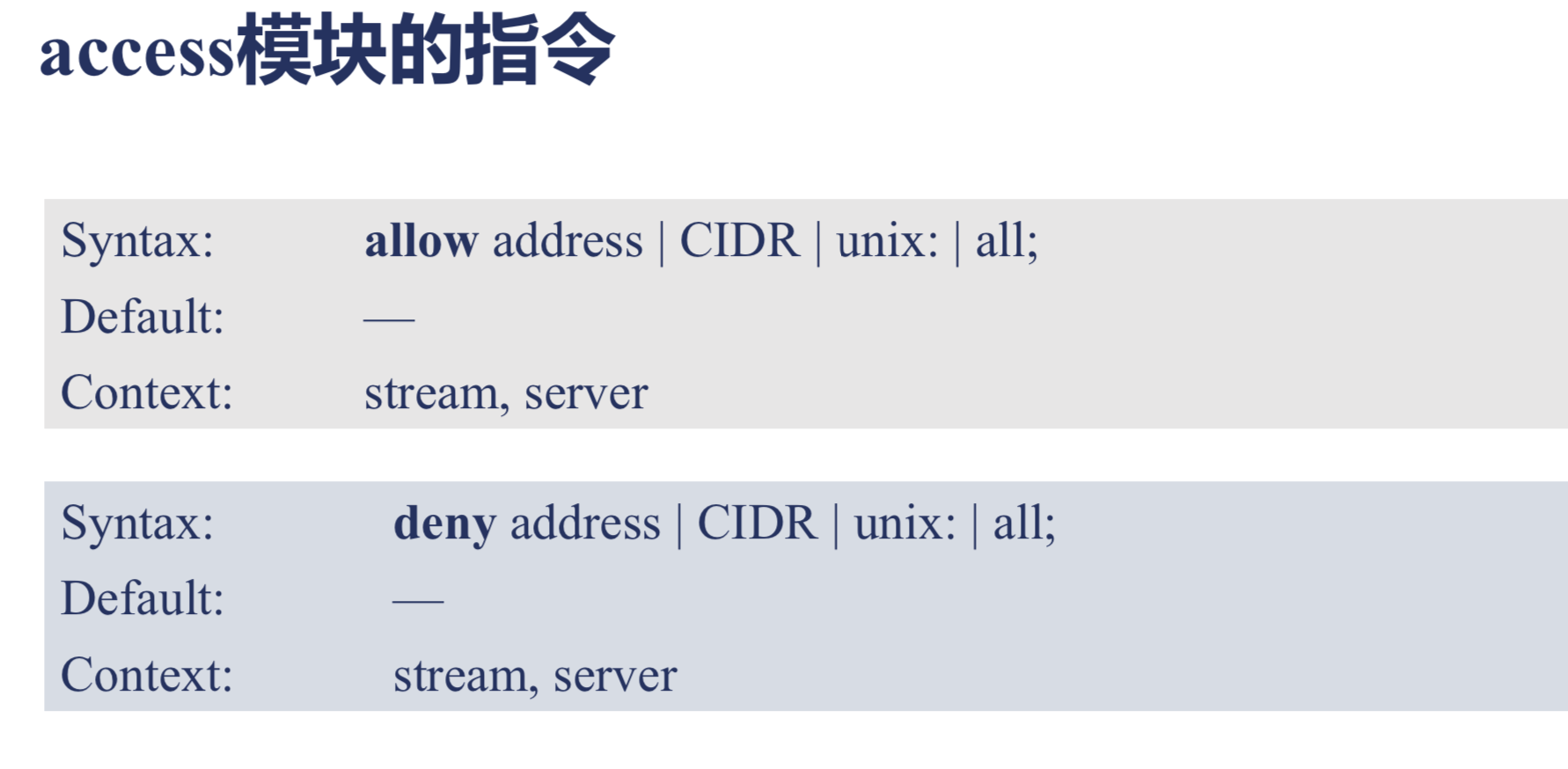
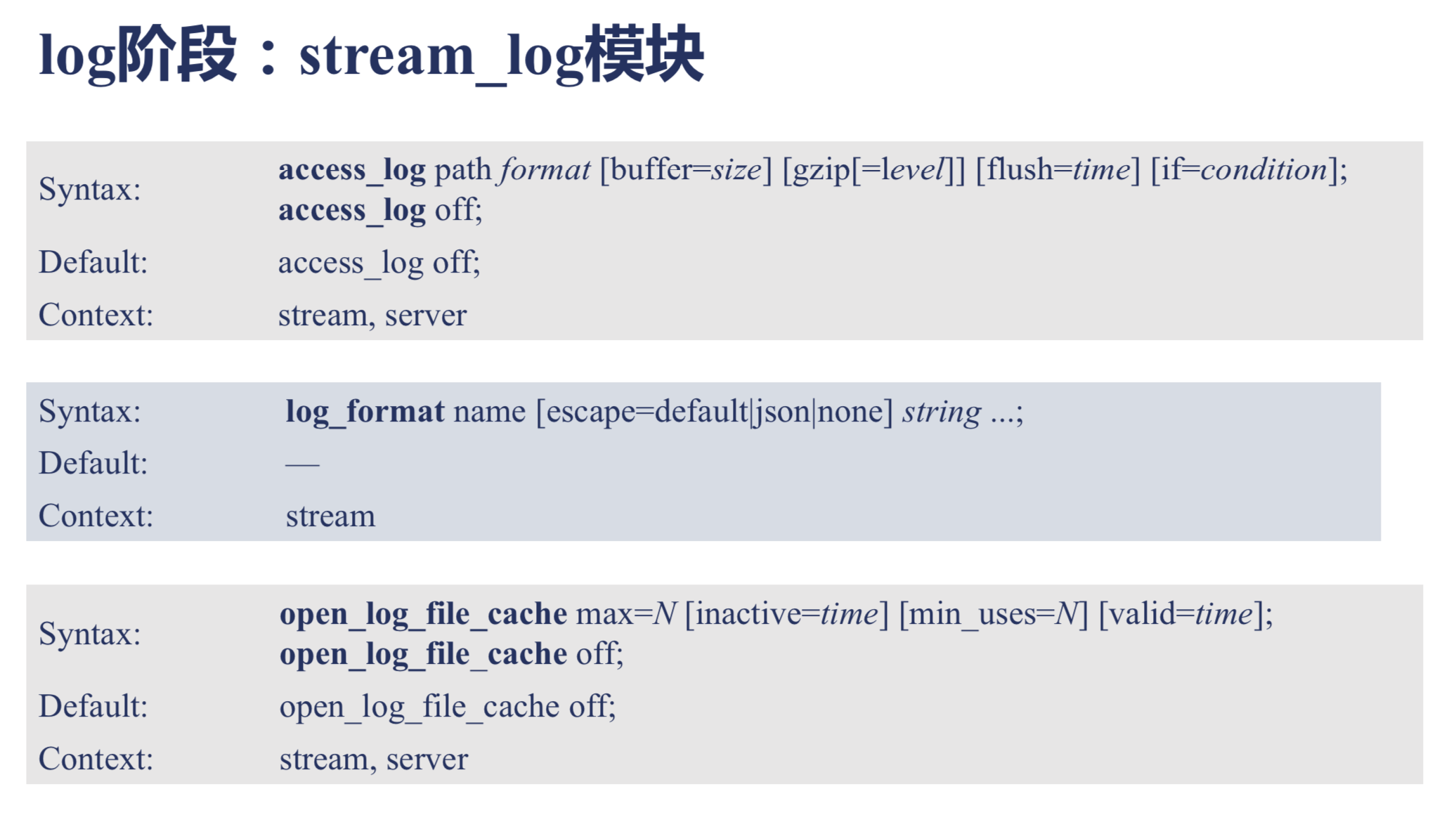
类似http access访问阶段
| Syntax: | allow |
|---|---|
| Default: | — |
| Context: | stream, server |
| Syntax: | deny |
|---|---|
| Default: | — |
| Context: | stream, server |
server {

    ...

    deny  192.168.1.1;

    allow 192.168.1.0/;

    allow 10.1.1.0/;

    allow :0db8::/;

    deny  all;

}
log阶段:stream_log模块
| Syntax: | access_log access_log |
|---|---|
| Default: |
access_log off; |
| Context: | stream, server |
| Syntax: | log_format |
|---|---|
| Default: | — |
| Context: | stream |
log_format proxy '$remote_addr [$time_local] '

                 '$protocol $status $bytes_sent $bytes_received '

                 '$session_time "$upstream_addr" '

                 '"$upstream_bytes_sent" "$upstream_bytes_received" "$upstream_connect_time"';
| Syntax: | open_log_file_cache open_log_file_cache |
|---|---|
| Default: |
open_log_file_cache off; |
| Context: | stream, server |
nginx.conf指令演示
server {

                listen  proxy_protocol; #这里开启了协议

        set_real_ip_from 192.168.0.51;

                allow 202.112.144.236; #通过protocol协议 允许该ip访问

                deny all; #禁用所有IP

                return '10004 vars:

bytes_received: $bytes_received

bytes_sent: $bytes_sent

proxy_protocol_addr: $proxy_protocol_addr

proxy_protocol_port: $proxy_protocol_port

remote_addr: $remote_addr

remote_port: $remote_port

realip_remote_addr: $realip_remote_addr

realip_remote_port: $realip_remote_port

server_addr: $server_addr

server_port: $server_port

session_time: $session_time

status: $status

protocol: $protocol

';

        }
[root@ conf]# telnet 192.168.0.51

Trying 192.168.0.51...

Connected to 192.168.0.51.

Escape character is '^]'.

PROXY TCP4 202.112.144.236 10.210.12.10  \r\n //这里输入了202.112.144.236地址表示 这样就允许访问了

 vars:

bytes_received:

bytes_sent:

proxy_protocol_addr: 202.112.144.236 //查看返回结果

proxy_protocol_port:

remote_addr: 202.112.144.236

remote_port:

realip_remote_addr: 192.168.0.51

realip_remote_port:

server_addr: 192.168.0.51

server_port:

session_time: 2.452

status:

protocol: TCP

Connection closed by foreign host.
Nginx tcp限制并发、IP、记日志的更多相关文章
- Nginx突破高并发的性能优化 - 运维笔记
在日常的运维工作中,经常会用到nginx服务,也时常会碰到nginx因高并发导致的性能瓶颈问题.今天这里简单梳理下nginx性能优化的配置(仅仅依据本人的实战经验而述,如有不妥,敬请指出~) 一.这里 ...
- Nginx网络架构实战学习笔记(五):大访问量优化整体思路、ab压力测试及nginx性能统计模块、nginx单机1w并发优化
文章目录 大访问量优化整体思路 ab压力测试及nginx性能统计模块 ab压力测试及nginx性能统计模块 ab压力测试 nginx性能统计模块 nginx单机1w并发优化 整装待发: socket ...
- Nginx负载均衡反向代理 后端Nginx获取客户端真实IP
Nginx 反向代理后,后端Nginx服务器无法正常获取客户端的真实IP nginx通过http_realip_module模块来实现的这需要重新编译,如果提前编译好了就无需重新编译了1,重新编译ng ...
- nginx获取上游真实IP(ngx_http_realip_module)
realip模块的作用是:当本机的nginx处于一个反向代理的后端时获取到真实的用户IP,如果没有realip模块,nginx的access_log里记录的IP会是反向代理服务器的IP,PHP中$_S ...
- Nginx(三)-- 配置文件之日志管理
1.日志文件的默认存放位置 默认的日志文件存放位置在:nginx/logs/ 文件夹下,logs文件夹下有:access.log error.log nginx.pid 文件 2.nginx. ...
- 在Nginx服务器上屏蔽IP
采集和防止采集是一个经久不息的话题,一方面都想搞别人的东西,另一方面不想自己的东西被别人搞走. 本文介绍如何利用nginx屏蔽ip来实现防止采集,当然也可以通过iptable来实现. 1.查找要屏蔽的 ...
- 13.多级代理下Nginx透传真实IP
1.基于代理(七层负载均衡)情况下 透传客户端的真实IP 环境: 10.0.0.5 proxy_node1 一级代理 10.0.0.6 proxy_node2 二级代理 10.0.0.7 proxy_ ...
- 阿里云Linux CentOS8.1 64位服务器安装LNMP(Linux+Nginx+MySQL+PHP) 并发调试之php-fpm配置及其与Nginx的通信
一.php-fpm的配置 1. php-fpm的配置,首先要关注进程数量. php-fpm的进程管理方式有三种:static.dynamic.ondemand. static方式,开启固定数量(pm. ...
- NGINX杂谈——flask_limiter的IP获取(怎么拿到真实的客户端IP)
本篇博客将 flask_limiter 作为切入点,来记录一下自己对 remote_addr 和 proxy_add_x_forwarded_for 两个变量.X-Real-IP 和 X-Forwar ...
随机推荐
- Linux笔记-SIGHUP与daemon
参考资料:linux信号signal和sigaction理解 http://blog.csdn.net/beginning1126/article/details/8680757 signal,此函 ...
- 广师大python学习笔记求派的值
用python语言算π值并且带有进度条 用python算圆周率π 1.准备第三方库pip 2.利用马青公式求π 3.用python语言编写出求圆周率到任意位的程序如下: from math impor ...
- .NET开源项目 QuarkDoc 一款自带极简主义属性的文档管理系统
有些话说在前头 因为公司产品业务重构且功能拆分组件化,往后会有很多的接口文档需要留存,所以急需一款文档管理系统.当时选型要求3点: 1.不能是云平台上的Saas服务,整个系统都要在自己公司部署维护(数 ...
- Webpack+Typescript 简易配置
教程:https://www.cnblogs.com/yasepix/p/9294499.html http://developer.egret.com/cn/github/egret-docs/ex ...
- CSS 伪类 (Pseudo-classes)实例
CSS 伪类 (Pseudo-classes)实例CSS 伪类用于向某些选择器添加特殊的效果在支持 CSS 的浏览器中,链接的不同状态都可以不同的方式显示,这些状态包括:活动状态,已被访问状态,未被访 ...
- 小L记单词
题目描述 小L最近在努力学习英语,但是对一些词组总是记不住,小L小把这些词组中每一个单词的首字母都记一下,这样形成词组的缩写,通过这种方式小L的学习效率明显提高. 输入 输入有多行,每组测试数据占一行 ...
- PAT L2-020 功夫传人
https://pintia.cn/problem-sets/994805046380707840/problems/994805059118809088 一门武功能否传承久远并被发扬光大,是要看缘分 ...
- PAT L2-023 图着色问题
https://pintia.cn/problem-sets/994805046380707840/problems/994805057298481152 图着色问题是一个著名的NP完全问题.给定无向 ...
- 08-webpack的介绍
在这里我仅仅的是对webpack做个讲解,webpack这个工具非常强大,解决了我们前端很繁琐的一些工具流程繁琐的事情.如果感兴趣的同学,简易还是看官网吧. 中文链接地址:https://www.we ...
- Memcache之安装篇
本篇文章会介绍memcache在Windows和Linux下的具体安装过程,详细的记录其中的流程内容,帮助小伙伴们快速的搭建起memcache服务,废话少说,直接上!!! Windows: Memca ...