
理解 vue-router的beforeEach无限循环的问题
在理解beforeEach无限循环之前,我们先来看一下beforeEach相关的知识点,该篇文章的项目是基于 express+vue+mongodb+session实现注册登录 这篇文章项目基础之上进行讲解的,因为登录完成后,会跳转到列表页面,那么在跳转到列表页面之前,我们会使用 router.js 使用beforeEach来判断下,如果登录成功,并且session在有效期内的话,就跳转到下一个页面去,否则的话,就重定向到登录页面去。
app/index/router.js 代码如下:
import Vue from 'vue';

import VueRouter from 'vue-router';

// 告诉 vue 使用 vueRouter

Vue.use(VueRouter);

const routes = [

  {

    path: '/list',

    name: 'list',

    component: resolve => require(['./views/list'], resolve)

  },

  {

    path: '*', // 其他没有的页面都重定向到 home页面去

    redirect: '/login'

  },

  {

    path: '/login',

    name: 'login',

    component: resolve => require(['./views/login'], resolve)

  },

  {

    path: '/regist',

    name: 'regist',

    component: resolve => require(['./views/regist'], resolve)

  }

]

var router = new VueRouter({

  base: '/app/index', // 配置单页应用的基路径

  routes: routes

});

router.beforeEach((to, from, next) => {

  console.log(to);   // 即将要进入路由的对象

  console.log(from); // 当前导航要离开的路由对象

  console.log(next); // 调用next该方法,才能进入下一个路由

  next();

});

export default router;
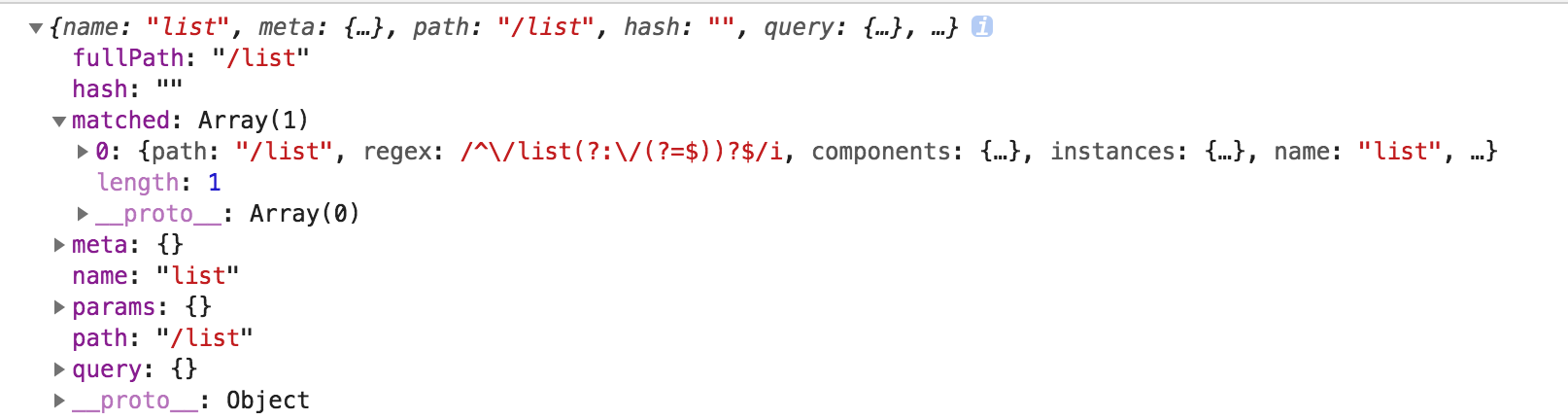
如上代码写完成后,我们从登录页面点击登录,登录成功后,会跳转至列表页面。在跳转之前会打印上面的信息。
console.log(to); 打印的信息如下:
console.log(from); 打印的信息如下:
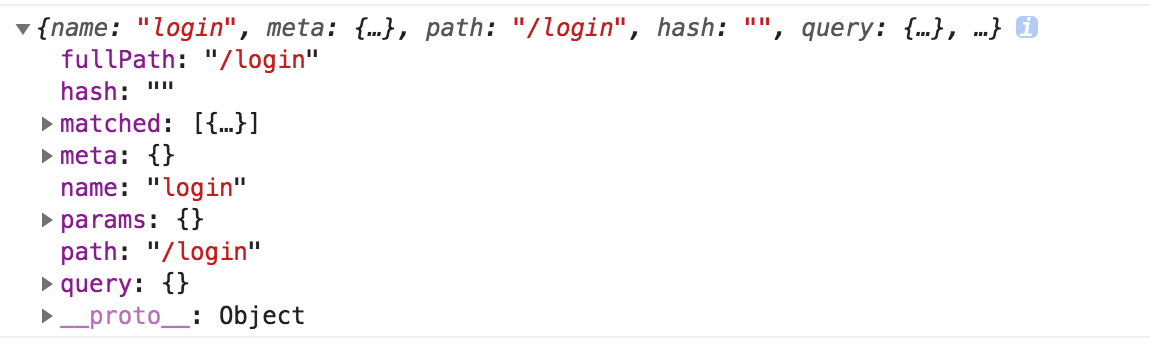
如上代码,调用 next()方法才能进入下一个路由,否则的如果写了beforeEach方法,但是没有调用next()方法的话,页面会空白,不会跳转到任何页面的。默认不写 router.beforeEach((to, from, next) => {}) 的话,它是默认跳转到指定页面去的,当然如果有这个方法的话,应该会覆盖默认的方法。因此如果写了调用了该方法的话,切记记得调用 next() 方法。
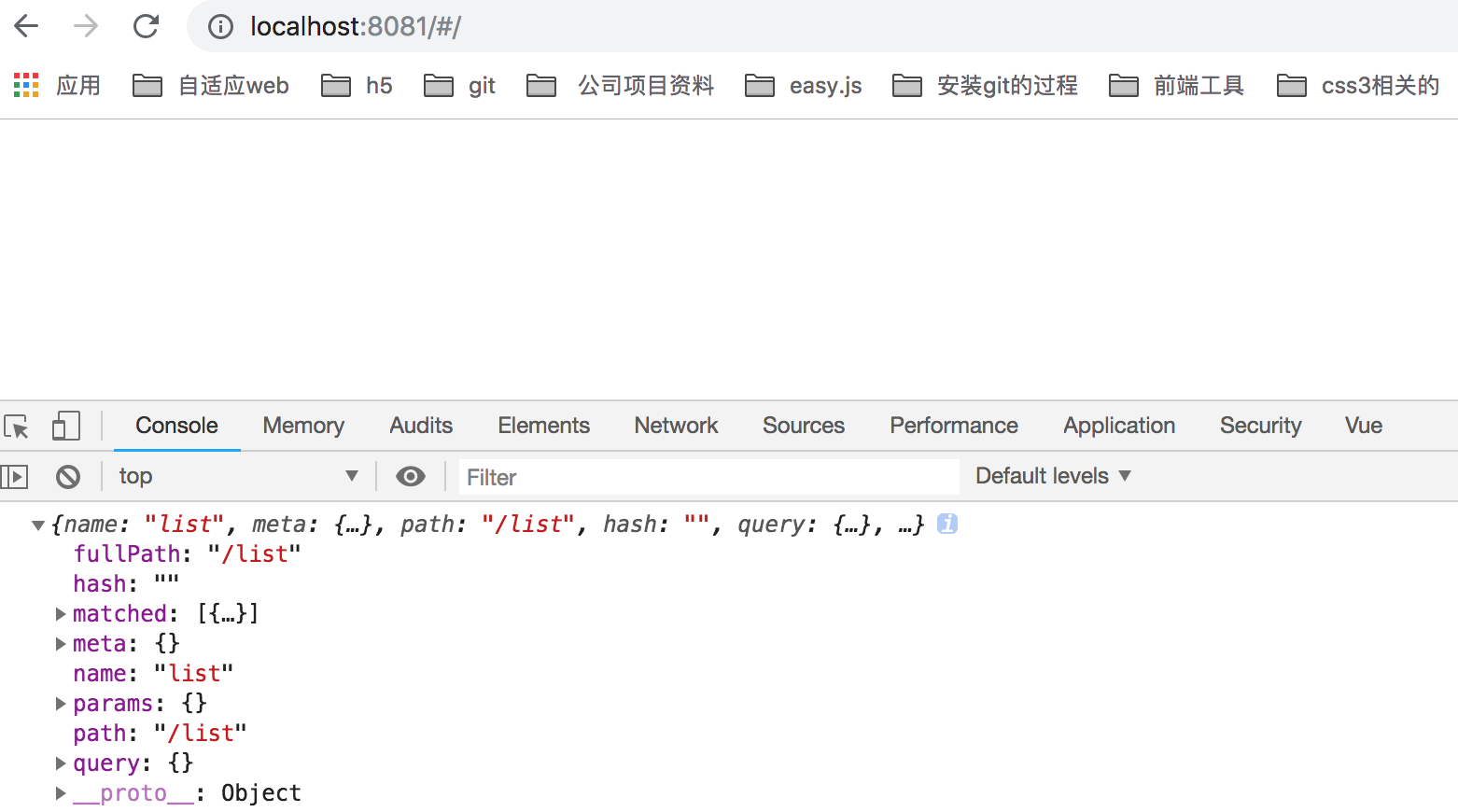
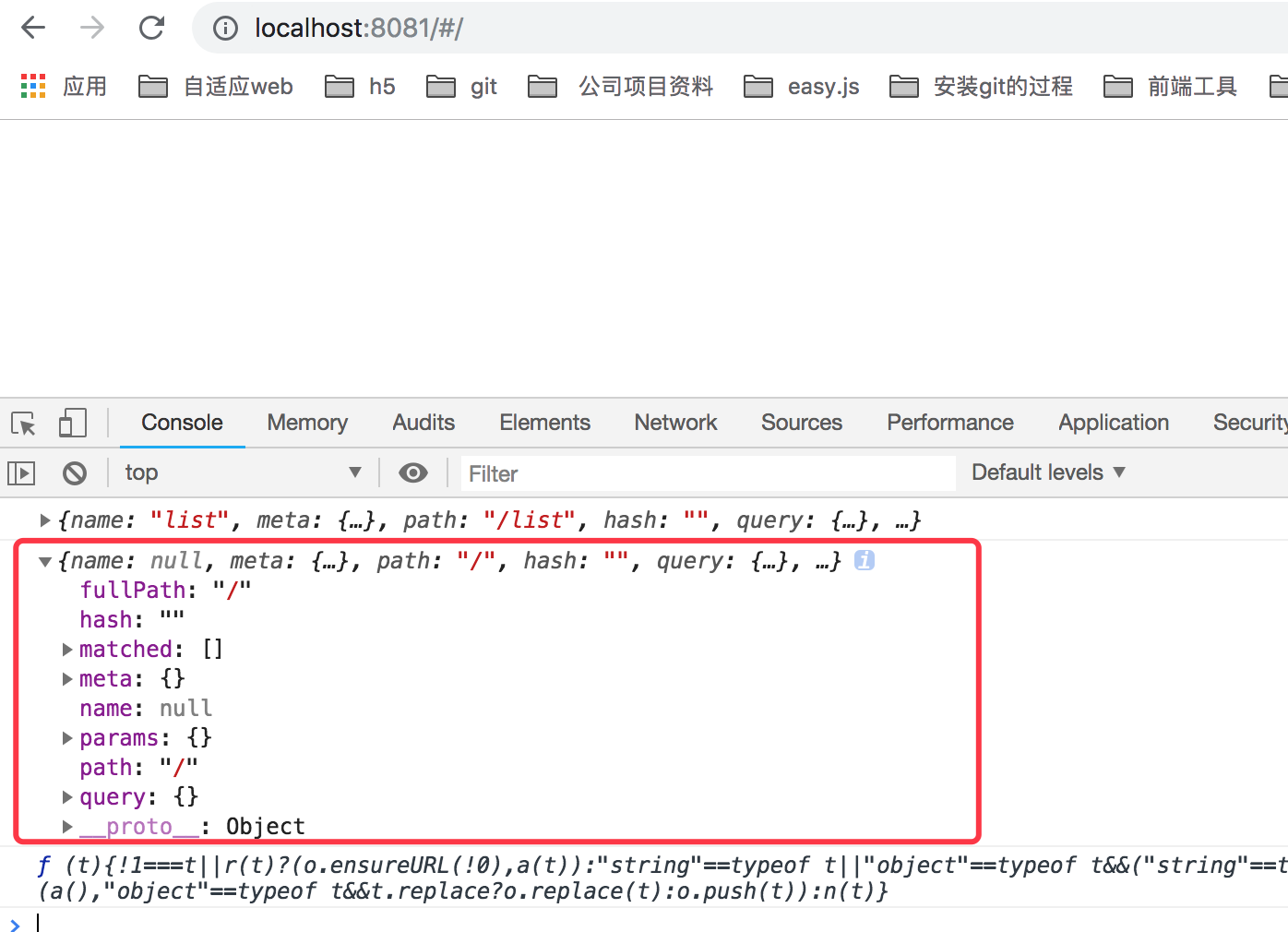
next(false); 如果next方法添加一个false的话,那么就会中断当前的导航跳转。修改完成后,我们重新刷新 localhost:8081/list 这个页面的话,会看到页面一片空白,最后我们打印下 console.log(to); 的信息如下:
打印 console.log(from); 打印信息如下所示:
next('/') 或者 next({ path: '/' }); 跳转到一个不同的地址,当前的导航会被中段,然后会进入 path那个新的导航。
如上是基本的beforeEach的语法,那么在具体跳转到那个页面去,我想在beforeEach中判断下,如果用户登录成功的话,并且session在有效期的话,那么就跳转到指定的页面去,否则的话,就重定向到登录页面去。
先看登录成功后的代码如下:
this.$http.post('/reglogin/login', obj).then((res) => {

  if (res.body.code === 0) {

    // 登录成功

    const msg = res.body.msg || '登录成功!!!';

    localStorage.setItem('username', 1);

    this.messageFunc('success', msg);

    setTimeout(() => {

      this.$router.push({

        path: '/list'

      });

    }, 2000);

  } else {

    // 登录失败

    const errorMsg = res.body.errorMsg || '登录失败';

    this.messageFunc('warning', errorMsg);

  }

});
登录成功后,我们会把 username 保存到 localStorage 中,我们就可以在 beforeEach中来判断 localStorage 中是否有username了,当然如果登录过期的话或者注销的话,需要把本地存储的 username该字段置为null即可。
因此我router.js代码会改成如下所示:
router.beforeEach((to, from, next) => {

  console.log(localStorage.getItem('username'));

  if (localStorage.getItem('username') === null) {

    console.log('出现死循环了');

    // 重定向到登录页面去

    next({

      path: '/login'

    });

  } else {

    console.log('我是来测试的');

  }

});
如上代码后会, 当我们刷新下 http://localhost:8081/#/login 后会出现死循环,如下所示:
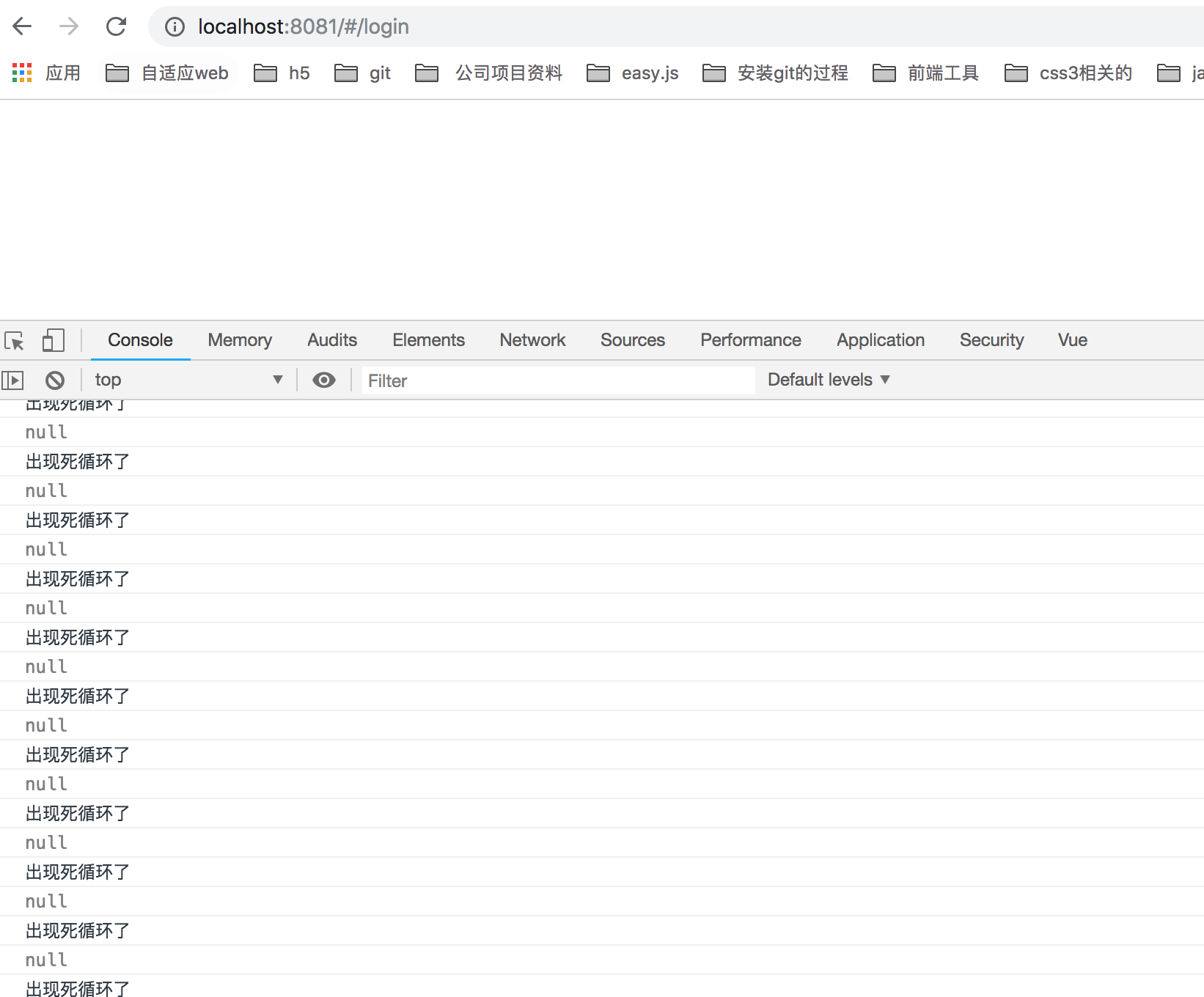
如上并且页面是空白的,因为当我们刷新 http://localhost:8081/#/login 后先会执行 router.beforeEach()该方法,因为我们还没有登录,所以获取到本地存储的username为null,因此一直重定向到 /login 登录页面去,因此会一直出现死循环,按道理来说重定向到登录页面去的时候,页面是登录页面,不应该是空白,但是有可能出现死循环了,导致一直重定向,最后什么原因导致空白了。
但是如果我们改成如下代码就一切正常了,如下代码:
router.beforeEach((to, from, next) => {

  /*

  console.log(localStorage.getItem('username'));

  if (localStorage.getItem('username') === null) {

    console.log('出现死循环了');

    // 重定向到登录页面去

    next({

      path: '/login'

    });

  } else {

    console.log('我是来测试的');

  }

  */

  if (true) {

    // 如果为true的话,会重定向到指定页面去,否则的话会重定向到登录页面去

    next();

  } else {

    next({

      path: '/login'

    });

  }

});
如上代码,我直接写死了为true,则直接调用 next()方法跳转到下一个路由,就不会再调用 beforeEach()方法了。如果为false的话,则跳转到 登录('/login') 页面去。
因此为了解决 全局 判断用户是否登录跳转的问题,我们可以使用如下方法解决:
router.beforeEach((to, from, next) => {

  if (localStorage.getItem('username')) { // 如果已经登录的话

    next();

  } else {

    if (to.path === '/login') { // 如果是登录页面的话,直接next()

      next();

    } else { // 否则 跳转到登录页面

      next({

        path: '/login'

      });

    }

  }

});
当然在登录接口中,登录成功后,要使用 localStorage 保存用户名,如下 app/index/views/login.vue 接口如下代码:
this.$http.post('/reglogin/login', obj).then((res) => {

  if (res.body.code === 0) {

    // 登录成功

    const msg = res.body.msg || '登录成功!!!';

    // 这里需要使用 localStorage 保存用户名

    localStorage.setItem('username', 1);

    this.messageFunc('success', msg);

    setTimeout(() => {

      this.$router.push({

        path: '/list'

      });

    }, 2000);

  } else {

    // 登录失败

    const errorMsg = res.body.errorMsg || '登录失败';

    this.messageFunc('warning', errorMsg);

  }

});
当然 点击注销的时候 也要删除该 username了,如下代码:
// 注销

logout() {

  this.$http.post('/reglogin/logout', {}).then((res) => {

    if (res.body.code === 1 && res.body.session) {

      // 说明注销成功 跳转到登录页面去

      this.$message({

        message: '注销成功',

        type: 'success'

      });

      localStorage.removeItem('username');

      setTimeout(() => {

        this.$router.push({

          path: '/login'

        });

      }, 1000);

    }

  });

}
我们首先看 beforeEach 代码,
router.beforeEach((to, from, next) => {

  if (localStorage.getItem('username')) { // 如果已经登录的话

    next();

  } else {

    if (to.path === '/login') { // 如果是登录页面的话,直接next()

      next();

    } else { // 否则 跳转到登录页面

      next({

        path: '/login'

      });

    }

  }

});
to 参数是到哪里去的含义,因此当我们刷新登录页面的时候,from 的值路径为 '/', to 的path为 '/login', 因此调用next方法,还是登录页面,不会出现死循环,和我们上面讲的如下代码原理是一样的:
router.beforeEach((to, from, next) => {

  if (true) {

    // 如果为true的话,会重定向到指定页面去,否则的话会重定向到登录页面去

    next();

  } else {

    next({

      path: '/login'

    });

  }

});
然后当我登录成功后,/login 接口会使用 localStorage 保存username信息,然后在跳转页面之前会继续调用 beforeEach方法,然后会判断:
if (localStorage.getItem('username')) { // 如果已经登录的话

  next();

}
说明有username的值,会执行下一个路由跳转,因此能跳转成功。
理解 vue-router的beforeEach无限循环的问题的更多相关文章
- vue中路由拦截无限循环的情况
router.beforeEach(async (to, from, next) => { if (token) { if (whiteList.indexOf(to.path) != -1) ...
- vue-router(转)——基本使用 + 路由守卫无限循环问题
路由守卫无限循环问题 https://www.jianshu.com/p/1187f8f74a72 学习目的 学习Vue的必备技能,必须 熟练使用 Vue-router,能够在实际项目中运用. Vue ...
- 使用Vue-Router的导航守卫-无限循环问题
我在项目里面用到了的是全局守卫,beforeEach,方便管理 不过遇到了一个问题,就是在beforeEach()中设置好判断条件后出现了无限循环的问题 当时的代码如下: router.beforeE ...
- python 全栈开发,Day91(Vue实例的生命周期,组件间通信之中央事件总线bus,Vue Router,vue-cli 工具)
昨日内容回顾 0. 组件注意事项!!! data属性必须是一个函数! 1. 注册全局组件 Vue.component('组件名',{ template: `` }) var app = new Vue ...
- 深入理解vue路由的使用
vue-router是Vue.js官方的路由插件,它和vue.js是深度集成的,适合用于构建单页面应用.vue的单页面应用是基于路由和组件的,路由用于设定访问路径,并将路径和组件映射起来.传统的页面应 ...
- vue 自定义侧边栏 递归无限子级菜单
有很多网站会涉及到导航栏,我自己在开发中用的是element导航组件,并且自定义事件,给大家分享一下. 1.使用递归方法,无限循环子级菜单. 2.使用组件封装,维护方便. 3.使用index作为路由跳 ...
- 手摸手带你理解Vue的Watch原理
前言 watch 是由用户定义的数据监听,当监听的属性发生改变就会触发回调,这项配置在业务中是很常用.在面试时,也是必问知识点,一般会用作和 computed 进行比较. 那么本文就来带大家从源码理解 ...
- 一行代码引入 ViewPager 无限循环 + 页码显示
(出处:http://www.cnblogs.com/linguanh) 前序: 网上的这类 ViewPager 很多,但是很多都不够好,体现在 bug多.对少页面不支持,例如1~2张图片.功能整合不 ...
- iOS开发系列--无限循环的图片浏览器
--UIKit之UIScrollView 概述 UIKit框架中有大量的控件供开发者使用,在iOS开发中不仅可以直接使用这些控件还可以在这些控件的基础上进行扩展打造自己的控件.在这个系列中如果每个控件 ...
随机推荐
- Ubuntu、deepin 支持 yum
1,首先检测是否安装了build-essential程序包 sudo apt-get install build-essential 2,安装 yum sudo apt-get yum 3,检测是否安 ...
- Python入门基础之条件判断、循环、dict和set
Python之if语句 比如,输入用户年龄,根据年龄打印不同的内容,在Python程序中,可以用if语句实现: age = 20 if age >= 18: print 'your age is ...
- 13.Odoo产品分析 (二) – 商业板块(6) –采购(3)
接上一篇 查看Odoo产品分析系列--目录 接上一篇Odoo产品分析 (二) – 商业板块(6) –采购(2) 7. 仓库 仓库是在安装采购管理模块时出现的菜单.用于管理工厂库存,包括已经在手的货物 ...
- Echarts纵坐标显示为整数小数
chart.DoubleDeckBarChart = function (getIDParam, Legend, xAxisData, seriesName1, seriesName2, series ...
- chrome正确的打开方式
1:修改默认的搜索引擎 原因是中国不能使用Google浏览器,所以需要对其默认的搜索引擎进行改造: 三个点/设置/修改默认搜索引擎 2:使用插件; 右上角的省略号小点/更多工具/扩展应 ...
- [转] Vue生命周期
Vue生命周期 这是Vue文档里关于实例生命周期的解释图 那么下面我们来进行测试一下 <section id="app-8"> {{data}} </sectio ...
- Table 'performance_schema.session_variables' doesn't exist错误的一
mysql驱动 jar 换到现在最新的mysql-connector-java-5.1.39-bin.jar
- Function、Object、Prototype 之间的关系解析
前提:js中所有的内置对象都是Function 的实例. 例如:Array\String\Number... 等 原理剖析: 对象属性搜索的原理就是按照对象的 __proto__ 属性进行搜索,直到_ ...
- Linux下进程的创建过程分析(_do_fork do_fork详解)--Linux进程的管理与调度(八)
Unix标准的复制进程的系统调用时fork(即分叉),但是Linux,BSD等操作系统并不止实现这一个,确切的说linux实现了三个,fork,vfork,clone(确切说vfork创造出来的是轻量 ...
- Windows Server 2016-Win Ser 2016新增功能
本来想着整个系列都是与Active Directory相关的内容,上一章节我们应读者要求补充了Window Server 2016标准版与数据中心版的区别,鉴于读者的疑惑,从本章节开始补充三到五章与W ...