
ASP.NET Core MiniAPI中 EndPoint相关
1.状态码返回之演化之路
1.1最基本的就是用Results或者TypedResults返回带有状态码的响应(可选Json响应体)
      app.MapGet("/fruit/{id}", (string id) =>

      {

          if (_fruit.TryGetValue(id, out Fruit fruit))

          {

              return Results.Ok(fruit);

          }

          else

          {

              return Results.NotFound();

          }

      });

            app.MapPost("/fruit/{id}", (string id, Fruit fruit) =>

            {

                if (_fruit.TryAdd(id, fruit))

                {

                    return TypedResults.Created($"/fruit/{id}", fruit);

                }

                else

                {

                    return Results.BadRequest(new { id = "A fruit with id already exists" });

                }

            });

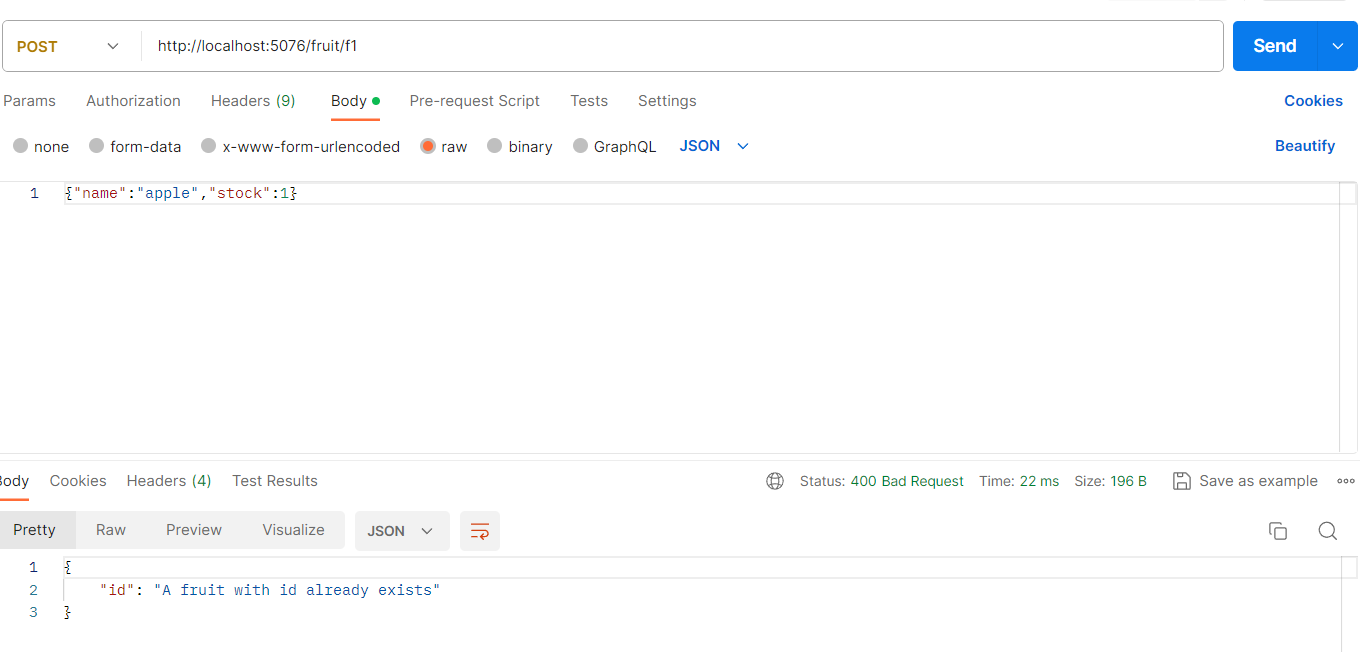

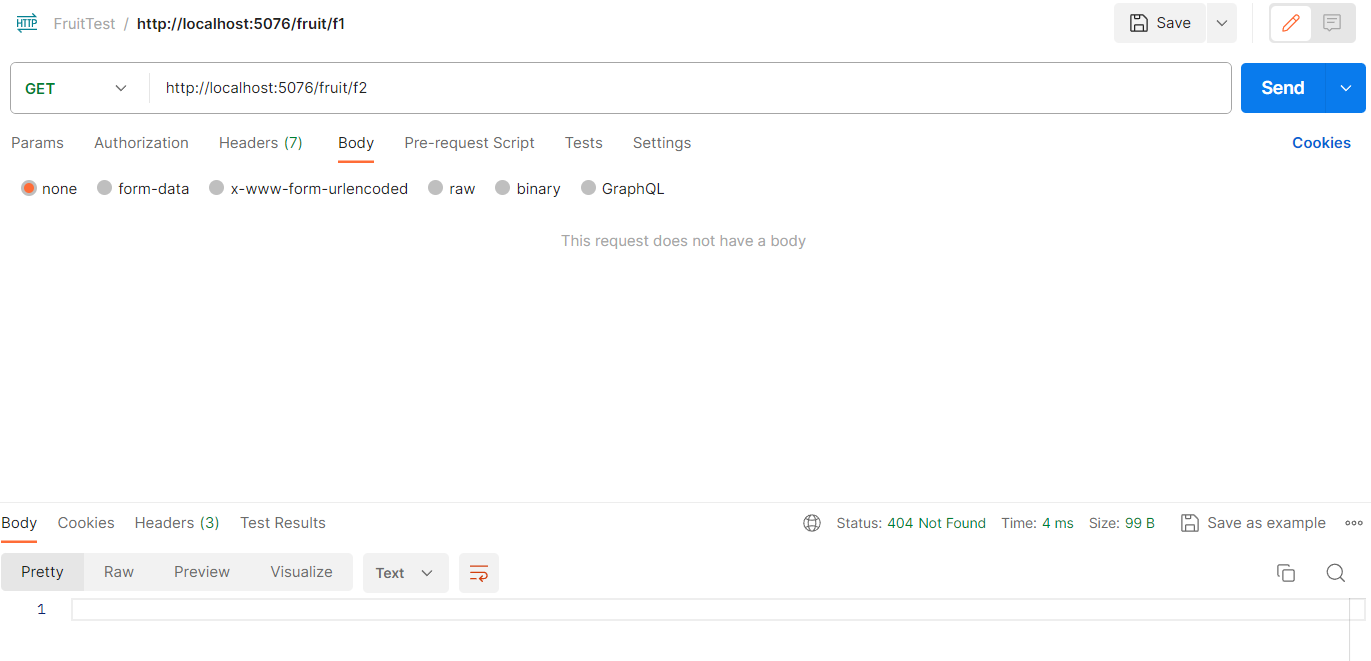
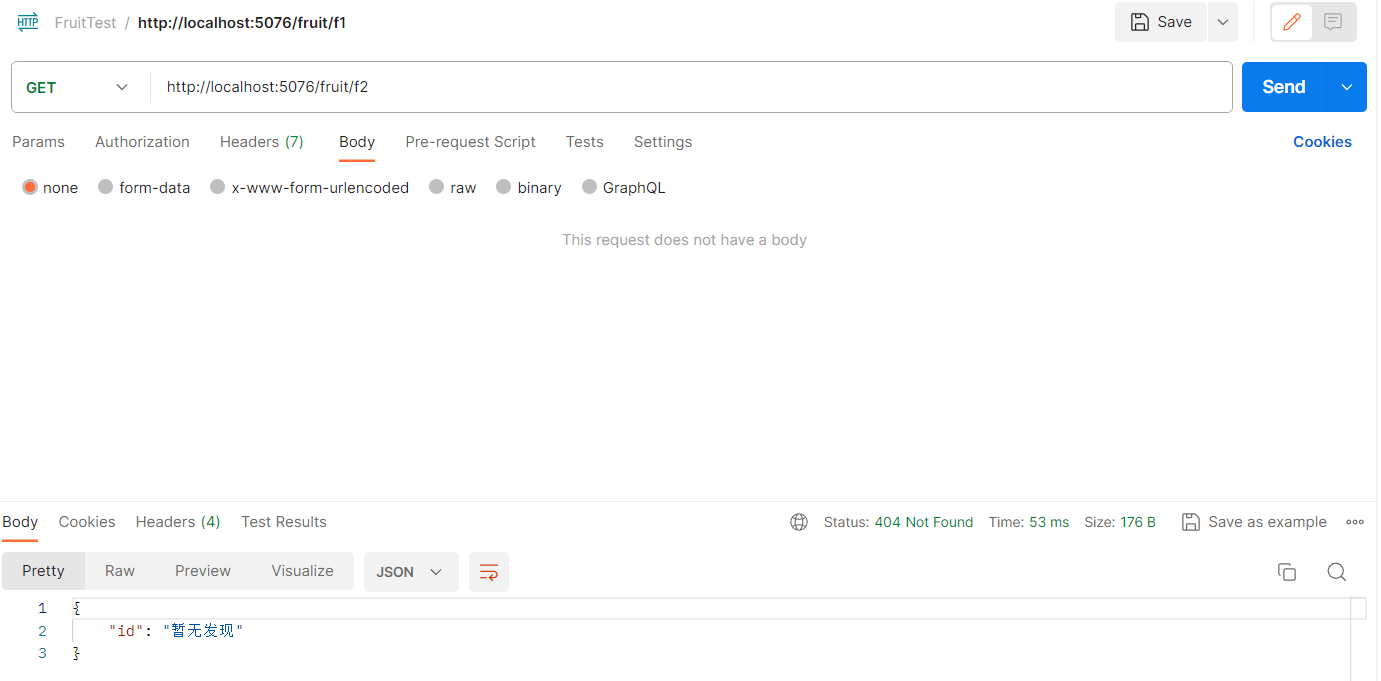
可选响应体:
app.MapGet("/fruit/{id}", (string id) =>

{

    if (_fruit.TryGetValue(id, out Fruit fruit))

    {

        return Results.Ok(fruit);

    }

    else

    {

        return Results.NotFound(new {id="暂无发现"});

    }

});
1.2 用Problem Details返回有用的错误。
1.1的方案有个小瑕疵,就是对于错误响应没有一个统一的格式,因此可以用**Problem Details"来有个统一的格式描述错误。
Problem Details有两个API:Results.Problem(TypedResults.Problem)和Results.ValidationProblem(TypedResults.ValidationProblem),Problem和ValidationProblem的区别就是前者是默认是500错误码,后者默认是400错误码,前者也可以填入参数statusCode来指明自定义错误码,如400,后者还需要填入Dictionary<string,string[]>类型的参数。
 app.MapGet("/fruit/{id}", (string id) =>

 {

     if (_fruit.TryGetValue(id, out Fruit fruit))

     {

         return Results.Ok(fruit);//或者TypedResults.Ok(fruit);

     }

     else

     {

         return Results.Problem("暂无",statusCode:404);

     }

 });

app.MapPost("/fruit/{id}", (string id, Fruit fruit) =>

{

    if (_fruit.TryAdd(id, fruit))

    {

        return TypedResults.Created($"/fruit/{id}", fruit);

    }

    else

    {

        return Results.ValidationProblem(new Dictionary<string, string[]>

        {

            ["id"] = new[] { "A fruit with this id already exists" },

        });

    }

});

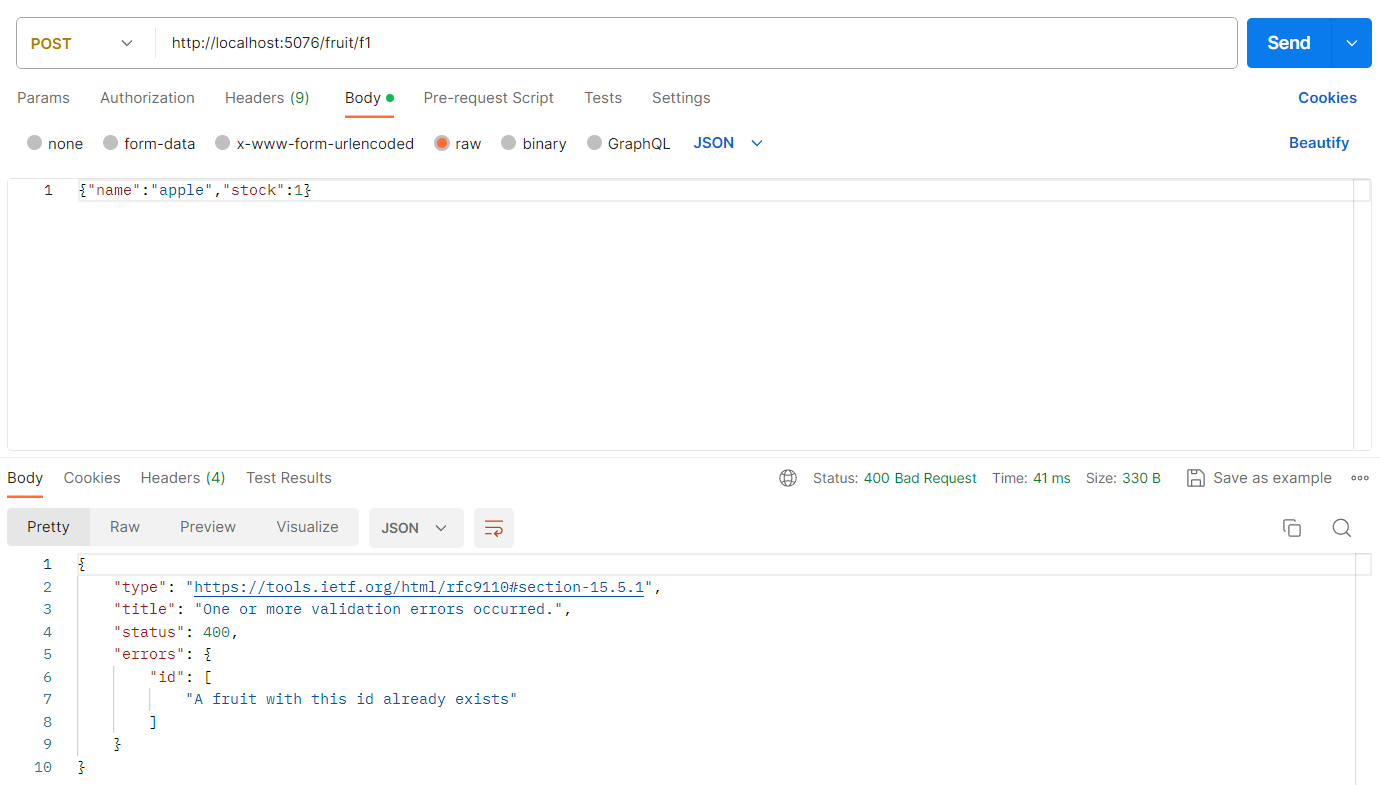
可见,确实统一了格式!
1.3将所有错误转为Problem Details
在1.2中,我们仅仅是在我们可控的endpoint中使用Problem和ValidationProblem,转为统一的Problem Details,问题是并不是所有的错误都仅发生在endpoint中,也可能发生在中间件中,也有可能是未知的异常。现在我们要将所有错误统一输出为Problem Detials。
错误分为异常和错误状态码两种:
1.3.1 将异常转为Problem Details
只需要builder.Services.AddProblemDetails()方法来注册服务,并app.UseExceptionHandler()即可.
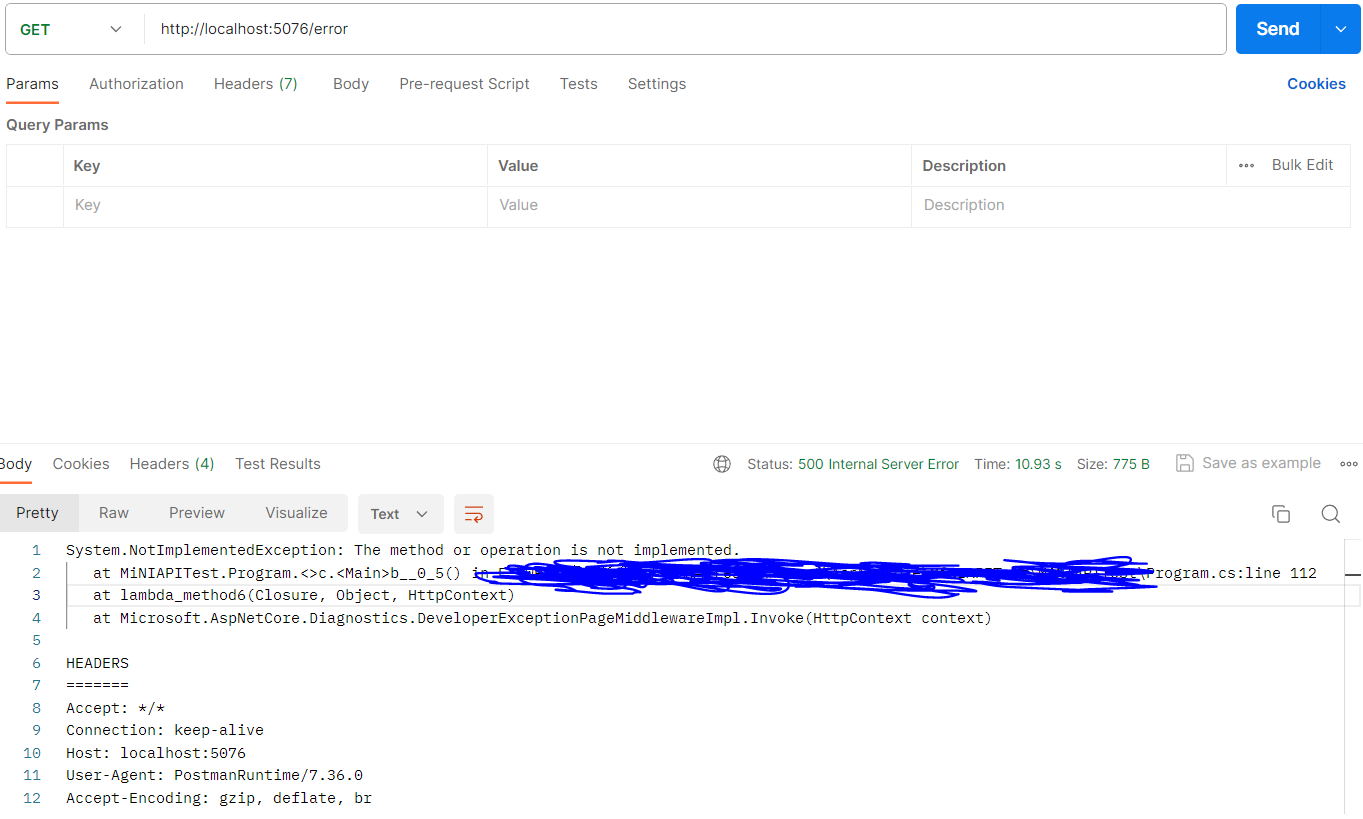
以下是没有使用该方法及其反应:
app.MapGet("/error", void () => throw new NotImplementedException());
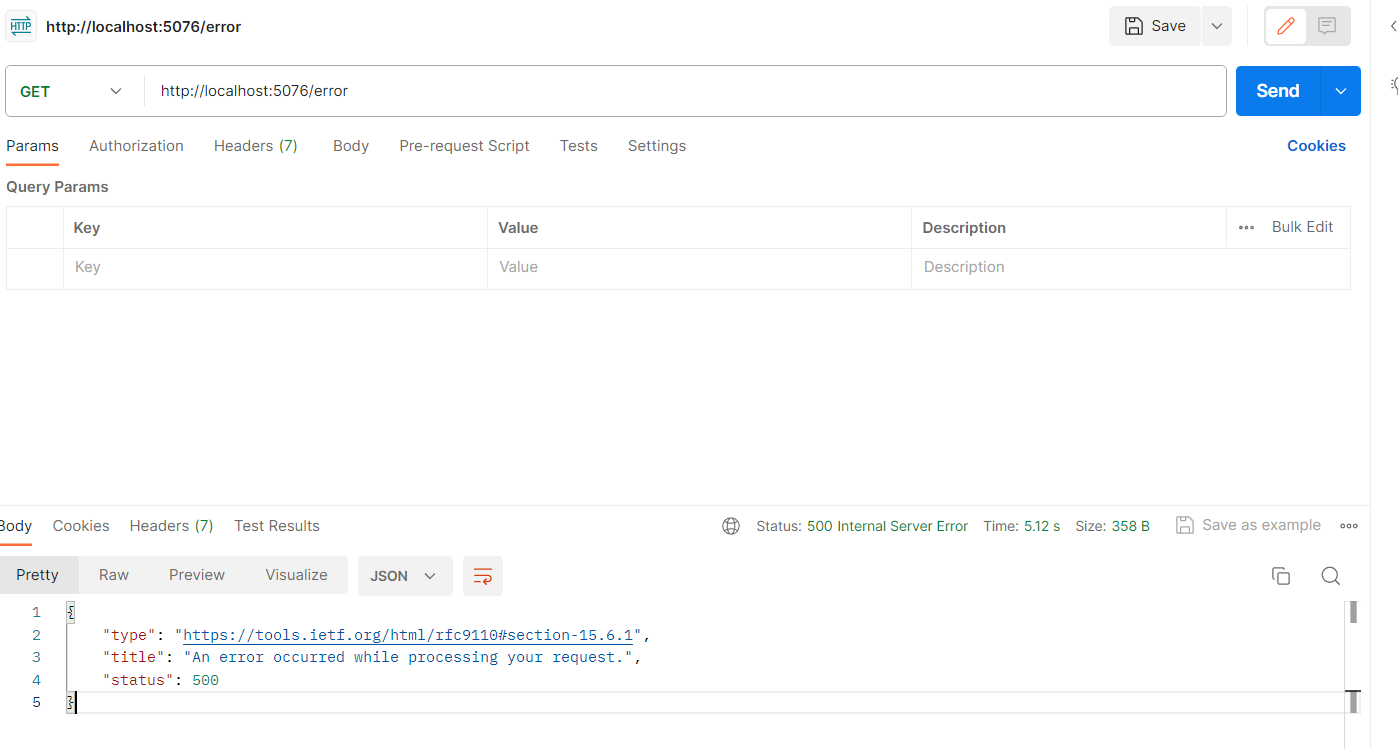
以下是使用该方法及其反应
var builder = WebApplication.CreateBuilder(args);

builder.Services.AddProblemDetails();//注册服务

var app = builder.Build();

app.UseExceptionHandler();//使用异常处理中间件

app.MapGet("/error", void () => throw new NotImplementedException());
1.3.2 将错误状态码转为Problem Details
还是必须先注册builder.Services.AddProblemDetails(),然后使用app.UseStatusCodePages()。
这样的话,如果任何进入该中间件的带有错误码的且无响应体的响应将会自动被加入Problem Details响应体.
builder.Services.AddProblemDetails();//注册服务

app.UseStatusCodePages();

app.MapGet("/fruit/{id}", (string id) =>

{

    if (_fruit.TryGetValue(id, out Fruit fruit))

    {

        return Results.Ok(fruit);

    }

    else

    {

        return Results.NotFound();

    }

});

2返回其他数据类型
Results.File()Results.Byte()Results.Stream()
3 endpoint filters
endpoint filters工作流程与中间件非常相似,都是流水线式请求进入,响应出来;都可以对请求进行短路;都可以进行logging,exception handle;
但也有非常明显的不同:中间件是对所有请求起作用的,endpoint filters,顾名思义,只对特定的请求起作用;endpoint filters可以访问到下一层级穿过来的result,而中间件不能。
class ValidationHelper

{

    internal static async ValueTask<object?> ValidateId(EndpointFilterInvocationContext context,EndpointFilterDelegate next)

    {

        var id = context.GetArgument<string>(0);

        if(String.IsNullOrEmpty(id) || !id.StartsWith("f"))

        {

            return Results.ValidationProblem(new Dictionary<string, string[]>

            {

                ["id"] = new[] { "Invalid format.Id must start with f" },

            });

        }

        return await next(context);

    }

}

app.MapGet("/fruit/{id}", (string id) => _fruit.TryGetValue(id, out var fruit) ?

TypedResults.Ok(fruit) : Results.Problem(statusCode: 404))

    .AddEndpointFilter(ValidationHelper.ValidateId)

    .AddEndpointFilter(async (context, next) =>

    {

        app.Logger.LogInformation("====Executing filter...");

        object? result = await next(context);

        app.Logger.LogInformation($"===Handler result:{result}");

        return result;

    });
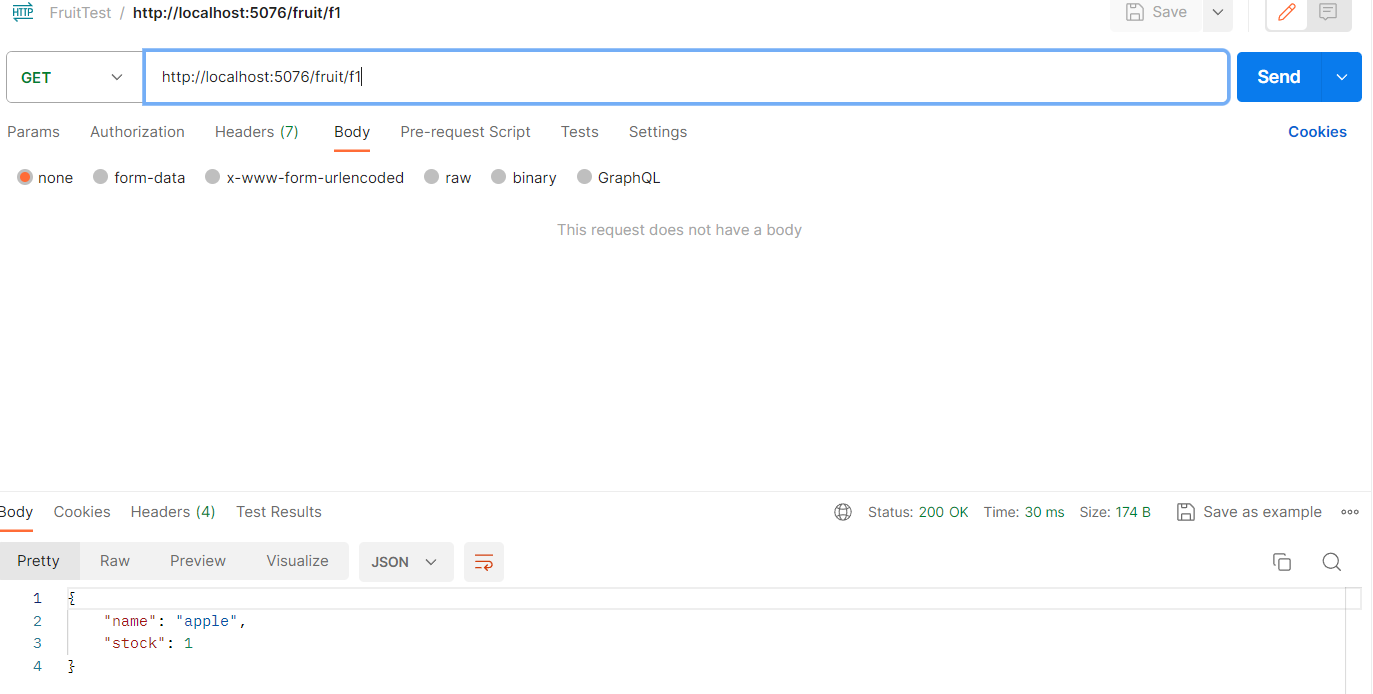
直接短路:

f开头,不存在:


正常访问到:

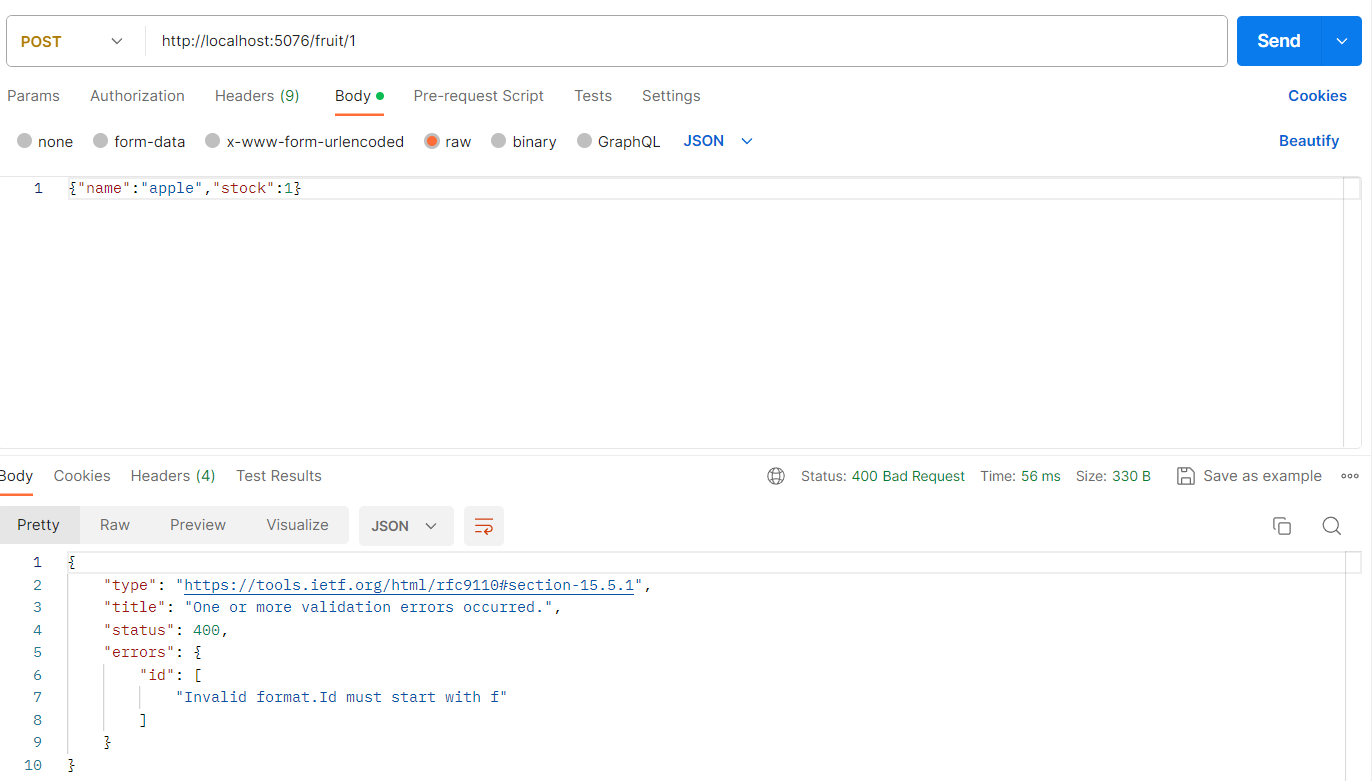
将该Filter应用到post上
app.MapPost("/fruit/{id}", (string id, Fruit fruit) =>

{

    if (_fruit.TryAdd(id, fruit))

    {

        return TypedResults.Created($"/fruit/{id}", fruit);

    }

    else

    {

        return Results.BadRequest(new { id = "A fruit with id already exists" });

    }

}).AddEndpointFilter(ValidationHelper.ValidateId);
成功拦截!
3.1 Filter Factory
上面的Filter有个小瑕疵,就是严格依赖参数顺序,但是对于MapPost来说,参数顺序却是随意的,
比如app.MapPost("/fruit/{id}",(stirng id,Fruit fruit)=>{...}),和app.MapPost("/fruit/{id}",(Fruit fruit,string id)=>{...})都是一样的,
但对于Filter,就是致命的错误。
那么该怎么办呢?Filter Factory的产生就是为了解决这个困境。
class ValidationHelper

{

    internal static async ValueTask<object?> ValidateId(EndpointFilterInvocationContext context,EndpointFilterDelegate next)

    {

        var id = context.GetArgument<string>(0);

        if(String.IsNullOrEmpty(id) || !id.StartsWith("f"))

        {

            return Results.ValidationProblem(new Dictionary<string, string[]>

            {

                ["id"] = new[] { "Invalid format.Id must start with f" },

            });

        }

        return await next(context);

    }

    internal static EndpointFilterDelegate ValidateIdFactory(EndpointFilterFactoryContext context,EndpointFilterDelegate next)

    {

        ParameterInfo[] parameters = context.MethodInfo.GetParameters();

        int? idPosition = null;

        for(int i = 0; i < parameters.Length; i++)

        {

            if (parameters[i].Name=="id" && parameters[i].ParameterType == typeof(string))

            {

                idPosition = i;

                break;

            }

        }

        if (!idPosition.HasValue)

        {

            return next;

        }

        return async (invocationContext) =>

        {

            var id = invocationContext.GetArgument<string>(idPosition.Value);

            if(string.IsNullOrEmpty(id) || !id.StartsWith("f"))

            {

                return Results.ValidationProblem(new Dictionary<string, string[]>

                {

                    ["id"] = new[] {"Id must start with f"},

                });

            }

            return await next(invocationContext);

        };

    }

}

app.MapPost("/fruit/{id}", ( Fruit fruit, string id) =>

{

    if (_fruit.TryAdd(id, fruit))

    {

        return TypedResults.Created($"/fruit/{id}", fruit);

    }

    else

    {

        return Results.BadRequest(new { id = "A fruit with id already exists" });

    }

}).AddEndpointFilterFactory(ValidationHelper.ValidateIdFactory);
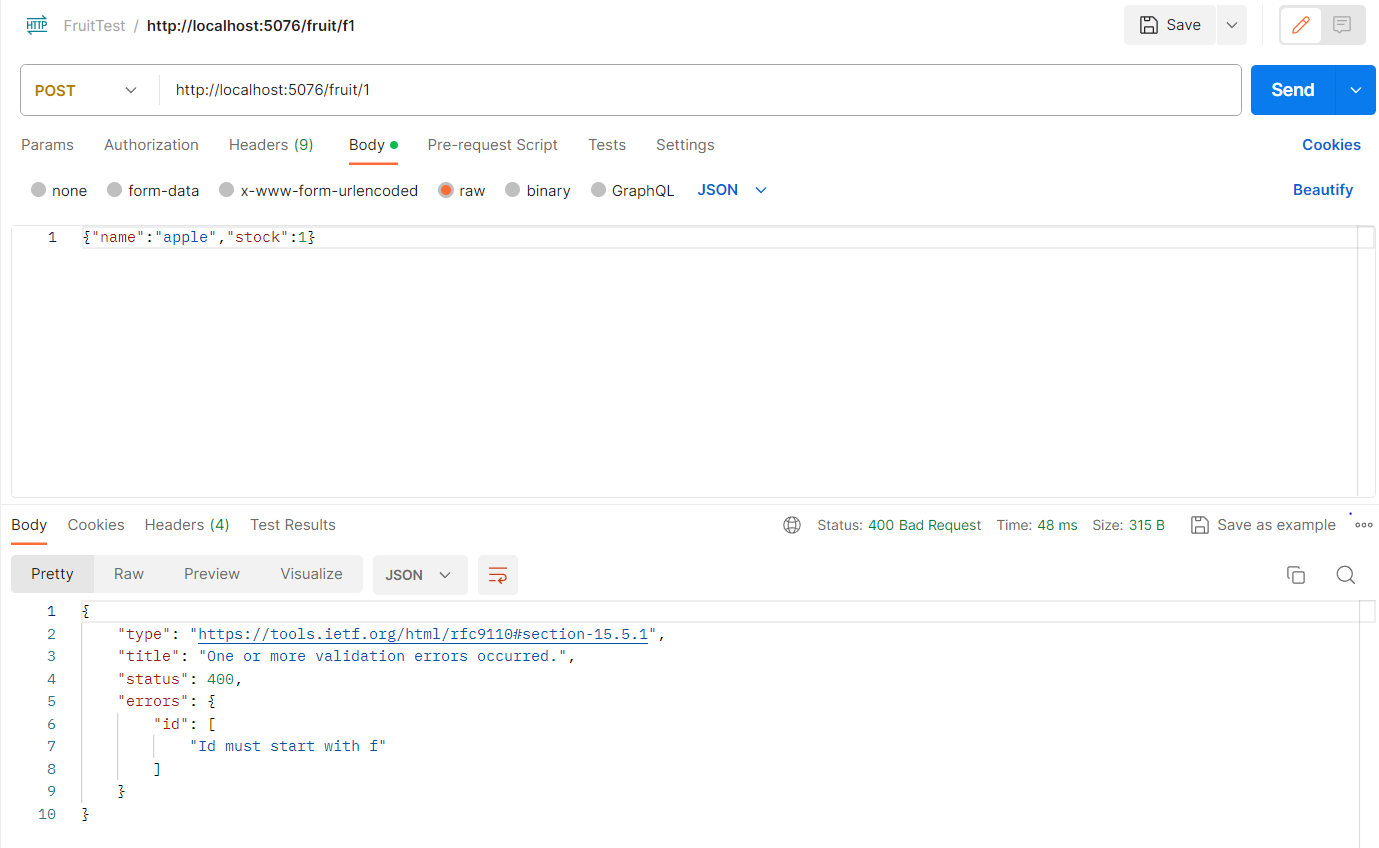
3.2 IEndpointFilter接口
每次手敲ValidationHelper中的方法,很恼火,那么用这个接口,可以充分利用vs的智能补全。
 class IdValidattionFilter : IEndpointFilter

 {

    //下面的async需要自己加上,不知道是不是vs智能补全的bug

     public async ValueTask<object?> InvokeAsync(EndpointFilterInvocationContext context, EndpointFilterDelegate next)

     {

         var id = context.GetArgument<string>(0);

         if (String.IsNullOrEmpty(id) || !id.StartsWith("f"))

         {

             return Results.ValidationProblem(new Dictionary<string, string[]>

             {

                 ["id"] = new[] { "Invalid format.Id must start with f" },

             });

         }

         return await next(context);

     }

 }

app.MapPost("/fruit/{id}", ( Fruit fruit, string id) =>

{

    if (_fruit.TryAdd(id, fruit))

    {

        return TypedResults.Created($"/fruit/{id}", fruit);

    }

    else

    {

        return Results.BadRequest(new { id = "A fruit with id already exists" });

    }

}).AddEndpointFilter< IdValidattionFilter>();//不传实例,只传类型就行。
4.用路由组route group 来组织API
MapGet("/fruit/{id}",(string id)=>{...});

MapPost("/fruit/{id}",(string id)=>{...});

MapPut("/fruit/{id}",(string id)=>{...});

MapDelete("/fruit/{id}",(string id)=>{...});
对于以上4个endpoint,都需要验证id,我们可以用filter来验证,但是还要一个一个的添加,也还是非常繁琐,那么route group就是为了应对这种情况。
 var builder = WebApplication.CreateBuilder(args);

 builder.Services.AddProblemDetails();//注册服务

 var app = builder.Build();

 app.UseExceptionHandler();//使用异常处理中间件

 app.UseStatusCodePages();

 var _fruit=new ConcurrentDictionary<string , Fruit>()

 {

 };

RouteGroupBuilder fruitApi = app.MapGroup("/fruit");//MapGrtoup可以嵌套,即MapGroup(xxx).MapGroup(xxxx).MapGroup()...

fruitApi.MapGet("/",()=>_fruit);

RouteGroupBuilder fruiApiWithValidation = fruitApi.AddEndpointFilterFactory(ValidationHelper.ValidateIdFactory);

fruiApiWithValidation.MapGet("/{id}", (string id) => _fruit.TryGetValue(id, out var fruit) ?

TypedResults.Ok(fruit) : Results.Problem(statusCode: 404))

    //.AddEndpointFilter(ValidationHelper.ValidateId)

    .AddEndpointFilter(async (context, next) =>

    {

        app.Logger.LogInformation("====Executing filter...");

        object? result = await next(context);

        app.Logger.LogInformation($"===Handler result:{result}");

        return result;

    });

 fruiApiWithValidation.MapPost("/{id}", ( Fruit fruit, string id) =>

 {

     if (_fruit.TryAdd(id, fruit))

     {

         return TypedResults.Created($"/fruit/{id}", fruit);

     }

     else

     {

         return Results.BadRequest(new { id = "A fruit with id already exists" });

     }

 });

 fruiApiWithValidation.MapPut("/{id}", (string id, Fruit fruit) =>

 {

     _fruit[id] = fruit;

     return Results.NoContent();

 });

 fruiApiWithValidation.MapDelete("/{id}", (string id) =>

 {

     _fruit.TryRemove(id, out _);

     return Results.NoContent();

 });

 app.MapGet("/teapot", (HttpResponse res) =>

 {

     res.StatusCode = 428;

     res.ContentType = MediaTypeNames.Text.Plain;

     return res.WriteAsync("tea pot!");

 });

 app.MapGet("/error", void () => throw new NotImplementedException());

 app.Run();
5.Model-Binding
Minimal API可以使用6种不同的绑定源来创建handler所需要的参数。
- Route values
- Query string values
- Header values
- Body Json
- Dependency Injection
- Custom binding. Access to
HttpRequest。
5.1 绑定简单类型
所谓简单类型就是指实现了public static bool TryParse(string? s,out T result)的类型,内置的类型当然包括string,int,double。
简单类型可以从Rooute values,Query string,Header values中获取。但从Header values中,获取,必须使用[FromHeader(Name=xxx)]特性,强行提取。
public class ProductId

{

    public int ID { get; set; }

    public ProductId(int id)

    {

        ID = id;

    }

    public static bool TryParse(string? s,out ProductId result)

    {

        result = null;

        if (s != null && s.StartsWith("p") && int.TryParse(s.Substring(1), out int id))

        {

            result = new ProductId(id);

            return true;

        }

        return false;

    }

}
(1) Route values
app.MapGet("/products/{id}", (ProductId id) => $"id is {id.ID}");

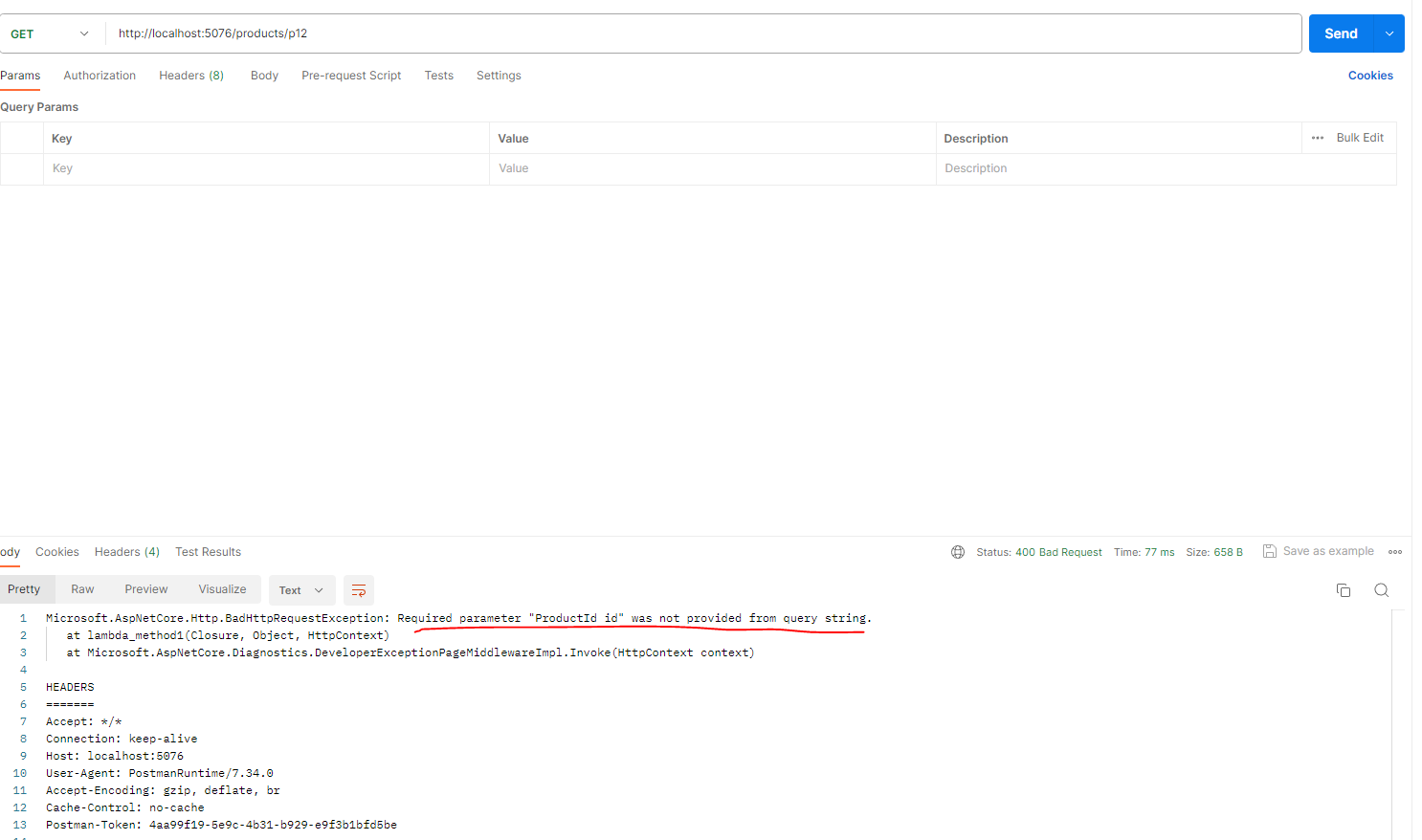
需要注意的是,路由模板中的变量一定要与handler函数中的参数名称完全一致
app.MapGet("/products/{iidd}", (ProductId id) => $"id is {id.ID}");
(2) Query strings
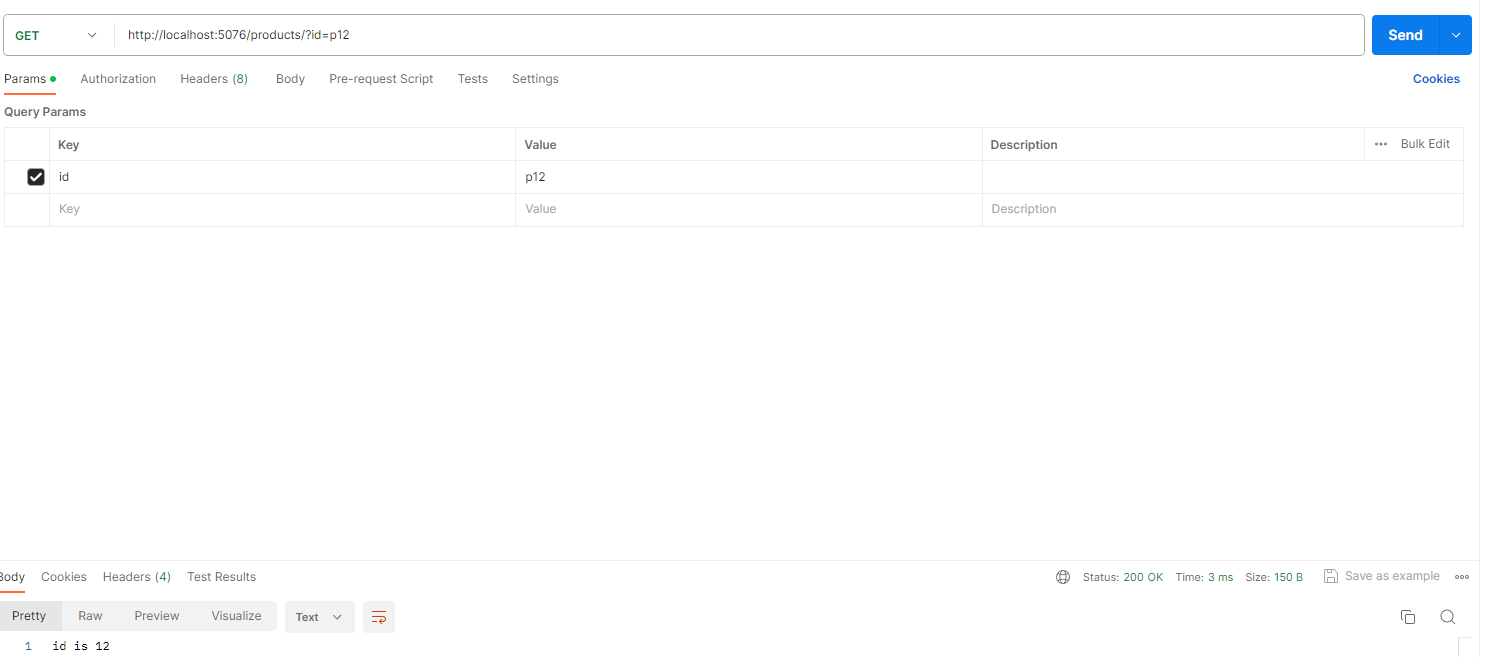
app.MapGet("/products", (ProductId id) => $"id is {id.ID}");
(3)Header values
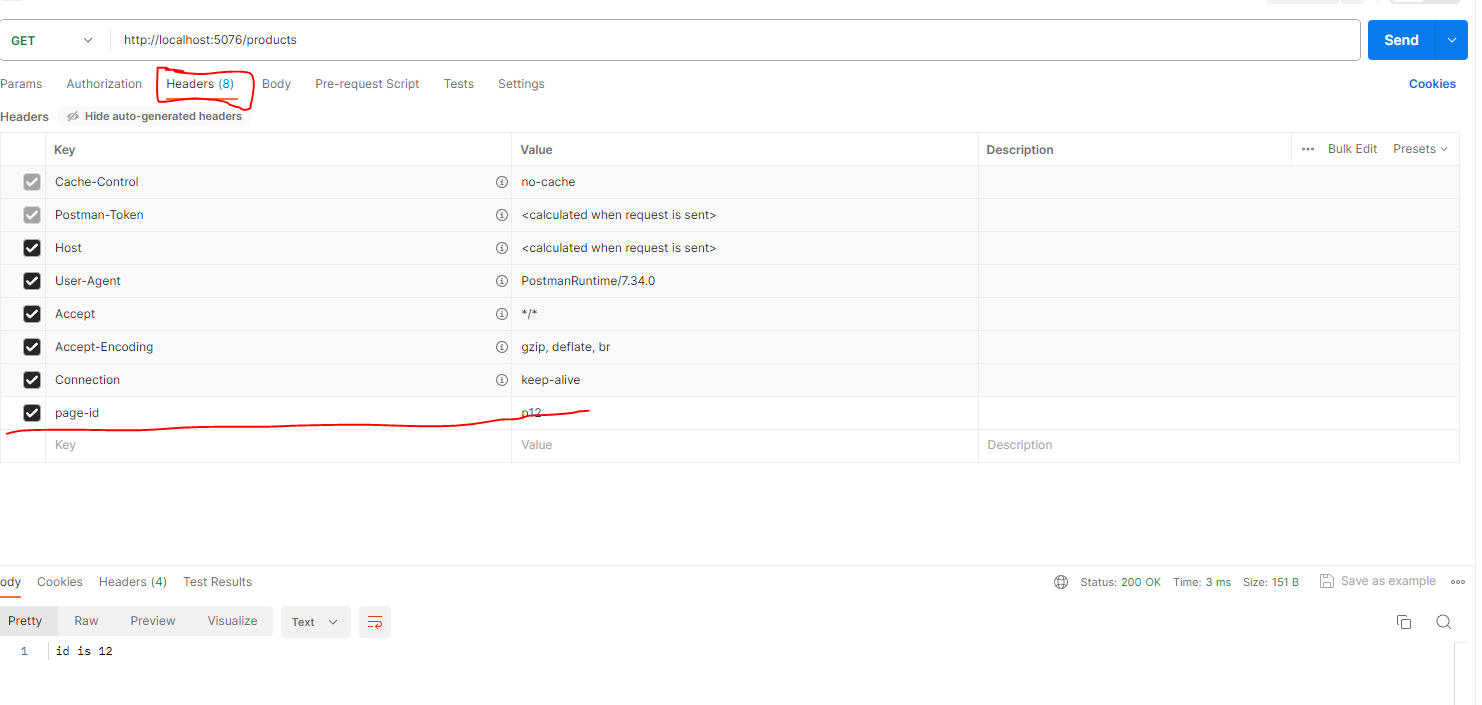
必须加上[FromHeader(Name="xxx")]参数特性
app.MapGet("/products", ([FromHeader(Name = "page-id")] ProductId size) => $" id is {size.ID}");
5.2 绑定复杂类型到body Json
public record Product(int Id,string Name,int Stock);
所谓复杂类型,就是没有实现TryParse(string?s,out T Result)的类型。复杂类型只能在MapPost的Body中以Json发送请求
当故意写在MapGet的Handler参数中,就会报错!(当然也可以通过[FromBody]来强行指定,但墙裂不建议这么做!!!因为这会对消费该API的用户造成困扰)
app.MapGet("/products", (Product p) => $"productinfo :{p.Id},{p.Name},{p.Stock}");

app.MapPost("/products", (Product p) => $"productinfo :{p.Id},{p.Name},{p.Stock}");
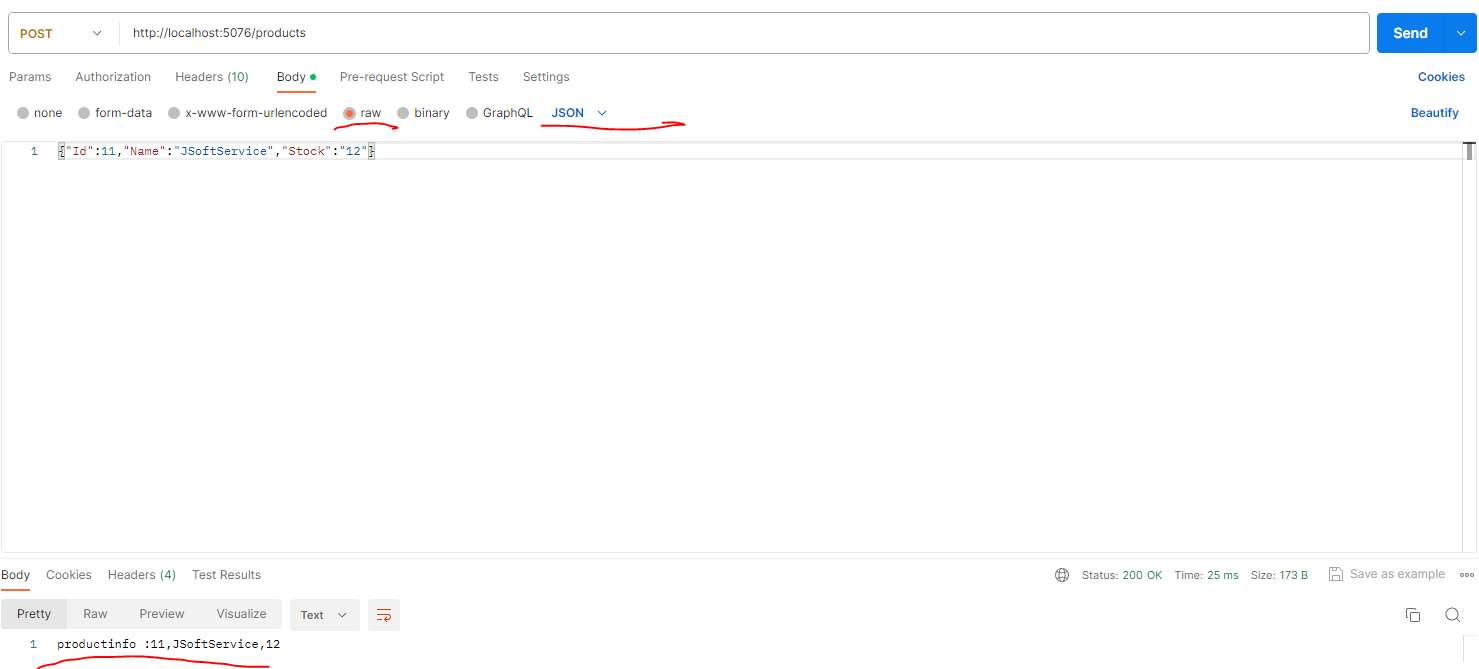
//强行[FromBody],用在MapGet上

app.MapGet("/products", ([FromBody]Product p) => $"productinfo :{p.Id},{p.Name},{p.Stock}");
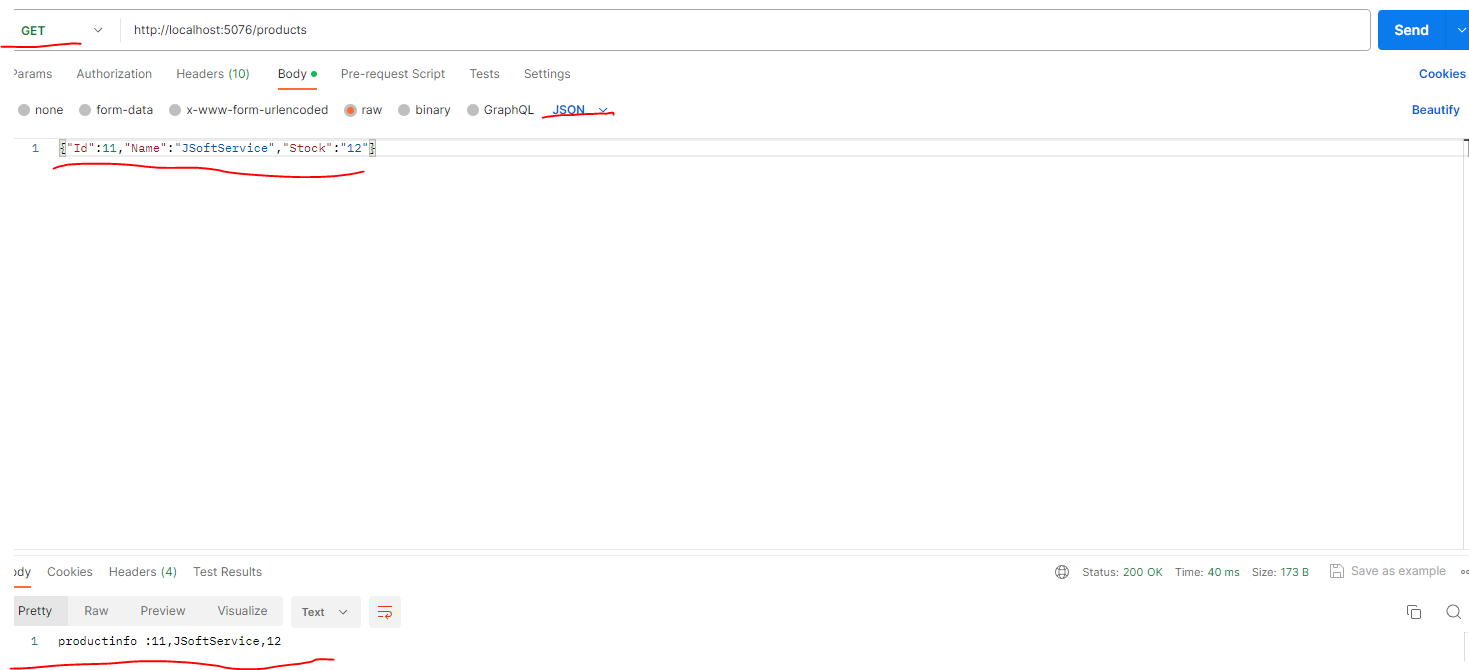
5.3数组怎么处理?
对于/products?id=123&id=234,是完全合法的,那么怎么应对这种情况?
可以用query string,甚至Header,反正就是不能用route value,然后handler的参数为类型的数组!
app.MapGet("/products", (int[] id) => $"Received {id.Length} ids");

**也可以通过[FromQuery(Name="xx")]来修改接受URL中的参数的名字,默认是必须与handler参数中名字一样
app.MapGet("/products", ([FromQuery(Name ="ids")]int[] id) => $"Received {id.Length} ids");
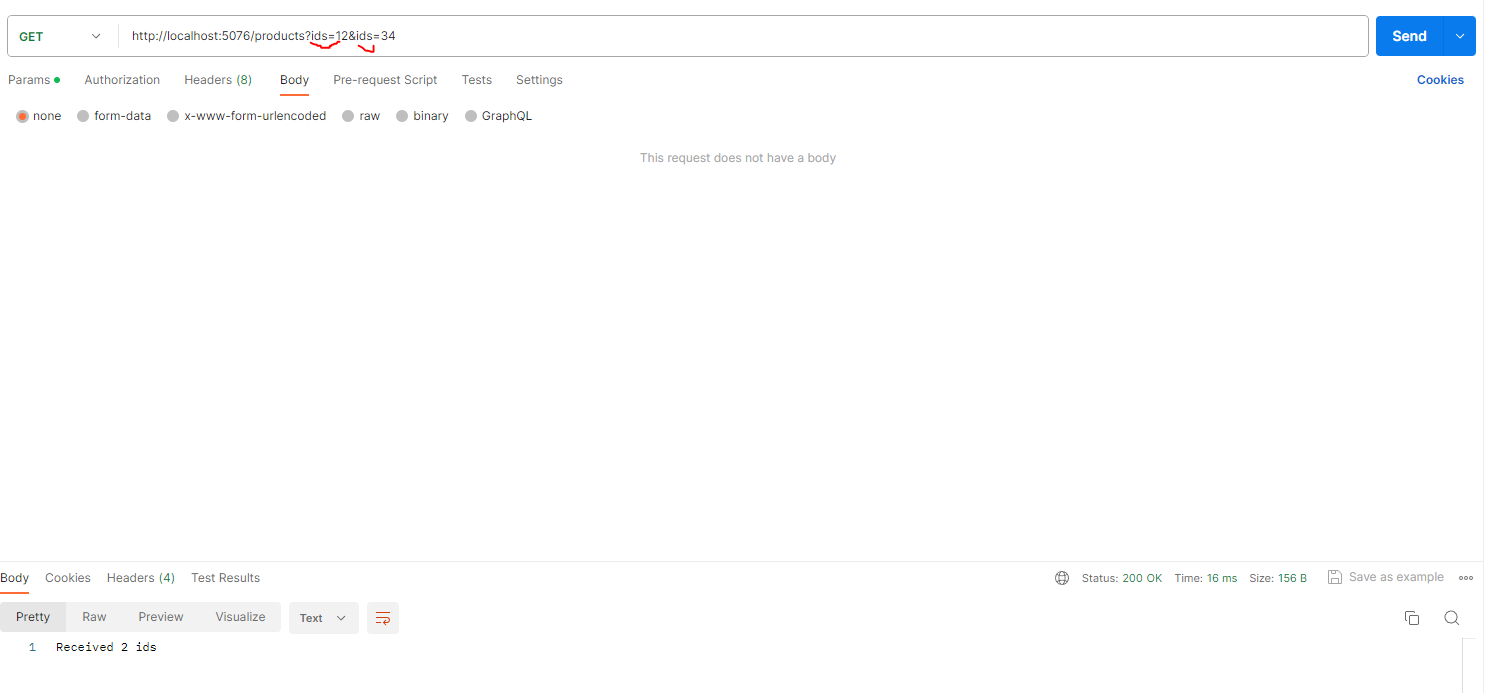
post也可以
app.MapPost("/products", ([FromQuery(Name ="ids")]int[] id) => $"Received {id.Length} ids");

//MapPost不用[FromQuery]会报错!

app.MapPost("/products", (int[] id) => $"Received {id.Length} ids");

//MapGet不用[FromQuery]也不会报错

app.MapGet("/products", (int[] id) => $"Received {id.Length} ids");

用FromHeader
app.MapGet("/products", ([FromHeader]int[] id) => $"Received {id.Length} ids");

//post也是可以的,只要[FromHeader]了就ok

app.MapPost("/products", ([FromHeader]int[] id) => $"Received {id.Length} ids");

6.0 让参数nullable
app.MapGet("/products/{id}", (int id) => $"id is {id}");

app.MapGet("/productsa",(int id)=>$"id is {id} a");


app.MapGet("/products/{id?}", (int id) => $"id is {id}");

app.MapGet("/products/{id?}", (int? id) => $"id is {id}");

也可以使用局部带默认参数函数(原因是因为lambda表达式没有默认参数,.Net8.0是可以的!)
app.MapGet("/products/{id?}", idWithDefalutValue);

string idWithDefalutValue(int id = 0) => $"id id {id}";

7.上传文件
var builder = WebApplication.CreateBuilder(args);

builder.Services.AddAntiforgery();

var app = builder.Build();

app.UseAntiforgery();

app.MapGet("/upload",(IFormFile file) =>

{

    if(file==null || file.Length == 0)

    {

        return Results.Problem("不能为空", statusCode: 400);

    }

    var filename = Path.GetFileName(file.FileName);

    var filePath = Path.Combine(Directory.GetCurrentDirectory(), filename);

    using (var fs = new FileStream(filePath,FileMode.Create))

    {

        file.CopyTo(fs);

    }

    return Results.Ok("成功上传");

});
postman上传


代码上传
HttpClient client = new HttpClient();

var fileContent = new ByteArrayContent(File.ReadAllBytes(@"C:\Users\JohnYang\Desktop\xxx.xxx"));

var multipartData = new MultipartFormDataContent();

multipartData.Add(fileContent, "file", "jjjfile.xxx");

var request = new HttpRequestMessage(HttpMethod.Get, "http://localhost:5076/upload");

request.Content = multipartData;

var response=client.Send(request);

try

{

    response.EnsureSuccessStatusCode();

    Console.WriteLine(response.Content.ReadAsStringAsync().Result);

}

catch(Exception e)

{

    Console.WriteLine(e.Message);

}
8.用BindAsync来自定义model binding!
/// <summary>

/// Using BindAsync for custom binding

/// </summary>

/// <param name="height"></param>

/// <param name="width"></param>

public record SizeDetails(double height,double width)

{

    public static async ValueTask<SizeDetails?> BindAsync(HttpContext context)

    {

        using(var sr=new StreamReader(context.Request.Body))

        {

            string? line1 = await sr.ReadLineAsync(context.RequestAborted);

            if (line1 == null)

            {

                return null;

            }

            string? line2 = await sr.ReadLineAsync(context.RequestAborted);

            if (line2 == null)

            {

                return null;

            }

            return double.TryParse(line1, out double height) &&

                double.TryParse(line2, out double width) ?

                new SizeDetails(height,width) : null;

        }

    }

}

app.MapPost("/sizes", (SizeDetails sd) => $"Received {sd}");

9 AsParameters
 record struct SearchModel(

     int id,

     int page,

     [FromHeader(Name ="sort")] bool? sortAsc,

     [FromQuery(Name ="q")] string search

     );

app.MapGet("/category/{id}", ([AsParameters] SearchModel model) => $"Received {model}");

10 DataValidation
public record UserModel

{

    [Required]

    [StringLength(100)]

    [Display(Name ="Your name")]

    public string FirstName { get; set; }

    [Required]

    [StringLength(100)]

    [Display(Name ="Last name")]

    public string LastName { get; set; }

    [Required]

    [EmailAddress]

    public string Email { get; set; }

    [Phone]

    [Display(Name ="Phone number")]

    public string PhoneNumber { get; set; }

}

app.MapPost("/users", (UserModel user) => user.ToString());
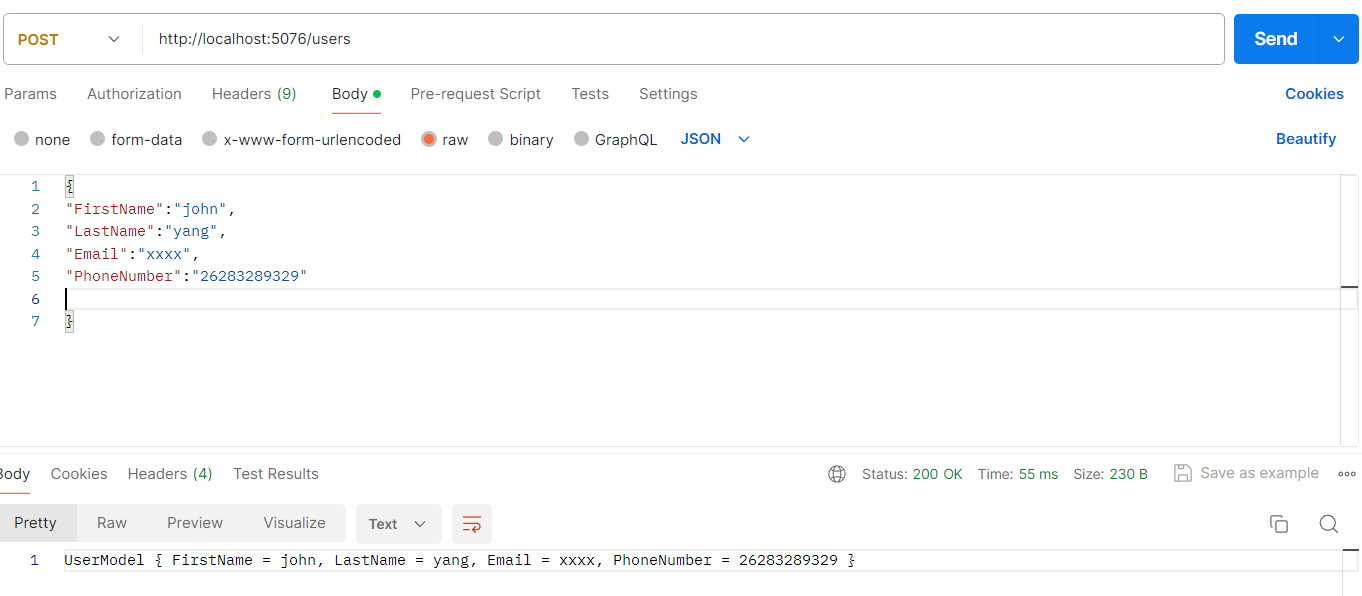
显然没有成功,那么就要
Install-Package MinimalApis.Extensions,然后再带上WithParameterValidation()
app.MapPost("/users", (UserModel user) => user.ToString()).WithParameterValidation();


ASP.NET Core MiniAPI中 EndPoint相关的更多相关文章
- 如何在ASP.NET Core应用中实现与第三方IoC/DI框架的整合?
我们知道整个ASP.NET Core建立在以ServiceCollection/ServiceProvider为核心的DI框架上,它甚至提供了扩展点使我们可以与第三方DI框架进行整合.对此比较了解的读 ...
- ASP.NET Core中的缓存[1]:如何在一个ASP.NET Core应用中使用缓存
.NET Core针对缓存提供了很好的支持 ,我们不仅可以选择将数据缓存在应用进程自身的内存中,还可以采用分布式的形式将缓存数据存储在一个“中心数据库”中.对于分布式缓存,.NET Core提供了针对 ...
- 006.Adding a controller to a ASP.NET Core MVC app with Visual Studio -- 【在asp.net core mvc 中添加一个控制器】
Adding a controller to a ASP.NET Core MVC app with Visual Studio 在asp.net core mvc 中添加一个控制器 2017-2-2 ...
- ASP.NET Core MVC中的 [Required]与[BindRequired]
在开发ASP.NET Core MVC应用程序时,需要对控制器中的模型校验数据有效性,元数据注释(Data Annotations)是一个完美的解决方案. 元数据注释最典型例子是确保API的调用者提供 ...
- 007.Adding a view to an ASP.NET Core MVC app -- 【在asp.net core mvc中添加视图】
Adding a view to an ASP.NET Core MVC app 在asp.net core mvc中添加视图 2017-3-4 7 分钟阅读时长 本文内容 1.Changing vi ...
- 在 ASP.NET Core 项目中使用 MediatR 实现中介者模式
一.前言 最近有在看 DDD 的相关资料以及微软的 eShopOnContainers 这个项目中基于 DDD 的架构设计,在 Ordering 这个示例服务中,可以看到各层之间的代码调用与我们之前 ...
- 采用最简单的方式在ASP.NET Core应用中实现认证、登录和注销
在安全领域,认证和授权是两个重要的主题.认证是安全体系的第一道屏障,是守护整个应用或者服务的第一道大门.当访问者请求进入的时候,认证体系通过验证对方的提供凭证确定其真实身份.认证体系只有在证实了访问者 ...
- 通过重建Hosting系统理解HTTP请求在ASP.NET Core管道中的处理流程[下]:管道是如何构建起来的?
在<中篇>中,我们对管道的构成以及它对请求的处理流程进行了详细介绍,接下来我们需要了解的是这样一个管道是如何被构建起来的.总的来说,管道由一个服务器和一个HttpApplication构成 ...
- ASP.NET Core MVC 中的 [Controller] 和 [NonController]
前言 我们知道,在 MVC 应用程序中,有一部分约定的内容.其中关于 Controller 的约定是这样的. 每个 Controller 类的名字以 Controller 结尾,并且放置在 Contr ...
- ASP.NET Core MVC 中设置全局异常处理方式
在asp.net core mvc中,如果有未处理的异常发生后,会返回http500错误,对于最终用户来说,显然不是特别友好.那如何对于这些未处理的异常显示统一的错误提示页面呢? 在asp.net c ...
随机推荐
- Typecho浏览统计和热门文章调用插件TePostViews
TePostViews是一款简单的typecho热门文章调用插件,通过该插件可以显示每篇文章的阅读次数,以及调用阅读次数最多或者评论数最多的文章作为热门文章调用,用户可以自由选择调用依据和调用文章的数 ...
- 【渗透测试】Vulnhub GROTESQUE 1.0.1
渗透环境 攻击机: IP: 192.168.10.18(Kali) 靶机: IP:192.168.10.9 靶机下载地址:https://www.vulnhub.com/entry/gro ...
- CF2018C Tree Pruning
分析 好像官方题解是反向求解的,这里提供一个正向求解的思路,即直接求出最后所有叶节点到根的距离相同为 \(x\) 时需要删除的结点数 \(ans_x\) . 如果我们最后到根的相同距离为 \(x\), ...
- php获取详细访客信息,获取访客IP,IP归属地,访问时间,操作系统,浏览器,移动端/PC端,环境语言,访问URL等信息
问题描述:需要获取访客访问网站信息 1.代码示例与说明: <?php header("Content-Type: text/html; charset=utf-8"); ...
- FastAPI 请求体参数与 Pydantic 模型完全指南:从基础到嵌套模型实战 🚀
title: FastAPI 请求体参数与 Pydantic 模型完全指南:从基础到嵌套模型实战 date: 2025/3/7 updated: 2025/3/7 author: cmdragon e ...
- 针对N=p^rq分解之初探
针对N=p^r*q分解之初探 论文地址:https://eprint.iacr.org/2015/399.pdf 题目:https://www.nssctf.cn/problem/2016 from ...
- 【MathType】word2016数学公式编号
问题 毕业论文排版中,对数学公式需要类似(3-1)的格式. 解决技巧 在写论文初稿的时候,先不要于公式的编号,先给它编一个号,比如(3) (2) (4)的. 最后写完了以后,再再添加section , ...
- Basics of using bash, and shell tools for covering several of the most common tasks
Basics of using bash, and shell tools for covering several of the most common tasks Introduction M ...
- golang实现三重DES加密解密
DES DES(Data Encryption)是1977年美国联邦信息处理标准(FIPS)中所采用的一种对称密码(FIPS46-3),一直以来被美国及其他国家的政府和银行等广泛使用.随着计算机的进步 ...
- 动态规划--最长公共子序列( LCS 问题)
博客地址:https://www.cnblogs.com/zylyehuo/ # -*- coding: utf-8 -*- # 最长公共子序列的长度 def lcs_length(x, y): m ...