
[Shiro] - Shiro之进阶
上一个知识点ssm, 哪里需要权限,哪里写注解@RequirePermission就行. 但是,真正项目开发的时候, 这种方式就很有局限性了,
当权限配置关系发生变化, 每次都要修改代码, 编译打包重启系统, 这肯定是不能够被接受的.
最好的方式,是通过动态配置,哪个给不同的用户配置不同的角色,权限,修改之后立马生效这种方式. 为了实现这个效果, 就需要基于URL配置的方式来做了.
接下来要做基于URL配置权限的讲解. 但是基于URL配置权限需要自己能够进行权限信息的灵活配置, 那么就需要对权限信息一套进行维护.
而权限一套本身的维护就很复杂,为了学习的平滑,本知识仅仅对权限一套信息的维护,进行开发, 以此为后续的基于URL配置权限做准备.
https://github.com/deadzq/shiro_demo2
applicationContext-shiro.xml
这个xml文件配置了shiro过滤器工厂类 会话ID生成器 会话DAO 会话管理器 等等
<?xml version="1.0" encoding="UTF-8"?>

<beans xmlns:xsi="http://www.w3.org/2001/XMLSchema-instance"

    xmlns="http://www.springframework.org/schema/beans" xmlns:util="http://www.springframework.org/schema/util"

    xmlns:context="http://www.springframework.org/schema/context" xmlns:p="http://www.springframework.org/schema/p"

    xmlns:tx="http://www.springframework.org/schema/tx" xmlns:mvc="http://www.springframework.org/schema/mvc"

    xmlns:aop="http://www.springframework.org/schema/aop"

    xsi:schemaLocation="http://www.springframework.org/schema/beans

    http://www.springframework.org/schema/beans/spring-beans-4.0.xsd http://www.springframework.org/schema/tx

    http://www.springframework.org/schema/tx/spring-tx-4.0.xsd http://www.springframework.org/schema/context

    http://www.springframework.org/schema/context/spring-context-4.0.xsd http://www.springframework.org/schema/mvc

    http://www.springframework.org/schema/mvc/spring-mvc.xsd http://www.springframework.org/schema/aop

    http://www.springframework.org/schema/aop/spring-aop-4.0.xsd http://www.springframework.org/schema/util

    http://www.springframework.org/schema/util/spring-util.xsd">

    <!-- 配置shiro的过滤器工厂类,id- shiroFilter要和我们在web.xml中配置的过滤器一致 -->

    <bean id="shiroFilter" class="org.apache.shiro.spring.web.ShiroFilterFactoryBean">

        <!-- 调用我们配置的权限管理器 -->

        <property name="securityManager" ref="securityManager" />

        <!-- 配置我们的登录请求地址 -->

        <property name="loginUrl" value="/login" />

        <!-- 如果您请求的资源不再您的权限范围,则跳转到/403请求地址 -->

        <property name="unauthorizedUrl" value="/unauthorized" />

        <!-- 退出 -->

        <property name="filters">

            <util:map>

                <entry key="logout" value-ref="logoutFilter" />

            </util:map>

        </property>

        <!-- 权限配置 -->

        <property name="filterChainDefinitions">

            <value>

                <!-- anon表示此地址不需要任何权限即可访问 -->

                /login=anon

                /index=anon

                /static/**=anon

                <!-- 只对业务功能进行权限管理,权限配置本身不需要没有做权限要求,这样做是为了不让初学者混淆 -->

                /config/**=anon

                /doLogout=logout

                <!--所有的请求(除去配置的静态资源请求或请求地址为anon的请求)都要通过登录验证,如果未登录则跳到/login -->

                /** = authc

            </value>

        </property>

    </bean>

    <!-- 退出过滤器 -->

    <bean id="logoutFilter" class="org.apache.shiro.web.filter.authc.LogoutFilter">

        <property name="redirectUrl" value="/index" />

    </bean>

    <!-- 会话ID生成器 -->

    <bean id="sessionIdGenerator"

        class="org.apache.shiro.session.mgt.eis.JavaUuidSessionIdGenerator" />

    <!-- 会话Cookie模板 关闭浏览器立即失效 -->

    <bean id="sessionIdCookie" class="org.apache.shiro.web.servlet.SimpleCookie">

        <constructor-arg value="sid" />

        <property name="httpOnly" value="true" />

        <property name="maxAge" value="-1" />

    </bean>

    <!-- 会话DAO -->

    <bean id="sessionDAO"

        class="org.apache.shiro.session.mgt.eis.EnterpriseCacheSessionDAO">

        <property name="sessionIdGenerator" ref="sessionIdGenerator" />

    </bean>

    <!-- 会话验证调度器,每30分钟执行一次验证 ,设定会话超时及保存 -->

    <bean name="sessionValidationScheduler"

        class="org.apache.shiro.session.mgt.ExecutorServiceSessionValidationScheduler">

        <property name="interval" value="1800000" />

        <property name="sessionManager" ref="sessionManager" />

    </bean>

    <!-- 会话管理器 -->

    <bean id="sessionManager"

        class="org.apache.shiro.web.session.mgt.DefaultWebSessionManager">

        <!-- 全局会话超时时间(单位毫秒),默认30分钟 -->

        <property name="globalSessionTimeout" value="1800000" />

        <property name="deleteInvalidSessions" value="true" />

        <property name="sessionValidationSchedulerEnabled" value="true" />

        <property name="sessionValidationScheduler" ref="sessionValidationScheduler" />

        <property name="sessionDAO" ref="sessionDAO" />

        <property name="sessionIdCookieEnabled" value="true" />

        <property name="sessionIdCookie" ref="sessionIdCookie" />

    </bean>

    <!-- 安全管理器 -->

    <bean id="securityManager" class="org.apache.shiro.web.mgt.DefaultWebSecurityManager">

        <property name="realm" ref="databaseRealm" />

        <property name="sessionManager" ref="sessionManager" />

    </bean>

    <!-- 相当于调用SecurityUtils.setSecurityManager(securityManager) -->

    <bean

        class="org.springframework.beans.factory.config.MethodInvokingFactoryBean">

        <property name="staticMethod"

            value="org.apache.shiro.SecurityUtils.setSecurityManager" />

        <property name="arguments" ref="securityManager" />

    </bean>

    <!-- 密码匹配器 -->

    <bean id="credentialsMatcher" class="org.apache.shiro.authc.credential.HashedCredentialsMatcher">

        <property name="hashAlgorithmName" value="md5"/>

        <property name="hashIterations" value="2"/>

        <property name="storedCredentialsHexEncoded" value="true"/>

    </bean>

    <bean id="databaseRealm" class="com.how2java.realm.DatabaseRealm">

        <property name="credentialsMatcher" ref="credentialsMatcher"/>

    </bean>

    <!-- 保证实现了Shiro内部lifecycle函数的bean执行 -->

    <bean id="lifecycleBeanPostProcessor" class="org.apache.shiro.spring.LifecycleBeanPostProcessor" />

</beans>
这些bean说明Spring的ioc容器要自动注入这个bean实例
虽然还不太清除会话ID和会话Cookie的具体实现,也许是当客户端和服务器进行一次交互时.
<?xml version="1.0" encoding="UTF-8"?>

<beans xmlns="http://www.springframework.org/schema/beans"

    xmlns:xsi="http://www.w3.org/2001/XMLSchema-instance" xmlns:aop="http://www.springframework.org/schema/aop"

    xmlns:tx="http://www.springframework.org/schema/tx" xmlns:jdbc="http://www.springframework.org/schema/jdbc"

    xmlns:context="http://www.springframework.org/schema/context"

    xmlns:mvc="http://www.springframework.org/schema/mvc"

    xsi:schemaLocation="http://www.springframework.org/schema/jdbc http://www.springframework.org/schema/jdbc/spring-jdbc-3.0.xsd

        http://www.springframework.org/schema/aop http://www.springframework.org/schema/aop/spring-aop-3.0.xsd

        http://www.springframework.org/schema/beans http://www.springframework.org/schema/beans/spring-beans-3.0.xsd

        http://www.springframework.org/schema/context http://www.springframework.org/schema/context/spring-context-3.0.xsd

        http://www.springframework.org/schema/tx http://www.springframework.org/schema/tx/spring-tx-3.0.xsd

        http://www.springframework.org/schema/mvc http://www.springframework.org/schema/mvc/spring-mvc-3.2.xsd">

    <context:annotation-config/>

    <context:component-scan base-package="com.how2java.controller">

          <context:include-filter type="annotation"

          expression="org.springframework.stereotype.Controller"/>

    </context:component-scan>

    <mvc:annotation-driven />

    <mvc:default-servlet-handler />

    <bean

        class="org.springframework.web.servlet.view.InternalResourceViewResolver">

        <property name="viewClass"

            value="org.springframework.web.servlet.view.JstlView" />

        <property name="prefix" value="/WEB-INF/jsp/" />

        <property name="suffix" value=".jsp" />

    </bean>

    <!--启用shiro注解 -->

    <bean

        class="org.springframework.aop.framework.autoproxy.DefaultAdvisorAutoProxyCreator"

        depends-on="lifecycleBeanPostProcessor">

        <property name="proxyTargetClass" value="true" />

    </bean>

    <bean

        class="org.apache.shiro.spring.security.interceptor.AuthorizationAttributeSourceAdvisor">

        <property name="securityManager" ref="securityManager" />

    </bean>

    <!-- 控制器异常处理 -->

    <bean id="exceptionHandlerExceptionResolver" class="org.springframework.web.servlet.mvc.method.annotation.ExceptionHandlerExceptionResolver">

    </bean>

    <bean class="com.how2java.exception.DefaultExceptionHandler"/>

</beans>
<mvc:annotation-driven />这个是启用mvc的注解的作用

下面还有启用shiro注解的bean
下面这个是包扫描
   <context:component-scan base-package="com.how2java.controller">

         <context:include-filter type="annotation"

          expression="org.springframework.stereotype.Controller"/>

    </context:component-scan>
demo中使用了log4j打印日志
# Global logging configuration

log4j.rootLogger=ERROR, stdout

# MyBatis logging configuration...

log4j.logger.com.how2java=TRACE

# Console output...

log4j.appender.stdout=org.apache.log4j.ConsoleAppender

log4j.appender.stdout.layout=org.apache.log4j.PatternLayout

log4j.appender.stdout.layout.ConversionPattern=%5p [%t] - %m%n
这个是之前的spring-mvc.xml
<?xml version="1.0" encoding="UTF-8"?>

<beans xmlns="http://www.springframework.org/schema/beans"

    xmlns:xsi="http://www.w3.org/2001/XMLSchema-instance"

    xmlns:context="http://www.springframework.org/schema/context"

    xmlns:aop="http://www.springframework.org/schema/aop"

    xmlns:tx="http://www.springframework.org/schema/tx"

    xmlns:mvc="http://www.springframework.org/schema/mvc"

    xsi:schemaLocation="

           http://www.springframework.org/schema/beans

           http://www.springframework.org/schema/beans/spring-beans.xsd

           http://www.springframework.org/schema/context

           http://www.springframework.org/schema/context/spring-context.xsd

           http://www.springframework.org/schema/tx

           http://www.springframework.org/schema/tx/spring-tx.xsd

           http://www.springframework.org/schema/aop

           http://www.springframework.org/schema/aop/spring-aop.xsd

           http://www.springframework.org/schema/mvc

           http://www.springframework.org/schema/mvc/spring-mvc.xsd">

    <!-- 默认扫描的包路径 自动注册类 -->

    <context:component-scan base-package="com.ykmimi.control" />

    <!-- 手动处理器 -->

    <bean id="/my.do" class="com.ykmimi.control.MyController" />

    <!-- 添加注解驱动 -->

    <mvc:annotation-driven />

    <mvc:default-servlet-handler />

    <!-- 视图解析器 -->

    <bean id="viewResolver"

        class="org.springframework.web.servlet.view.InternalResourceViewResolver">

        <property name="prefix" value="/" />

        <property name="suffix" value=".jsp" />

    </bean>

</beans>
可以看到<mvc:annotation-driven />是注解驱动
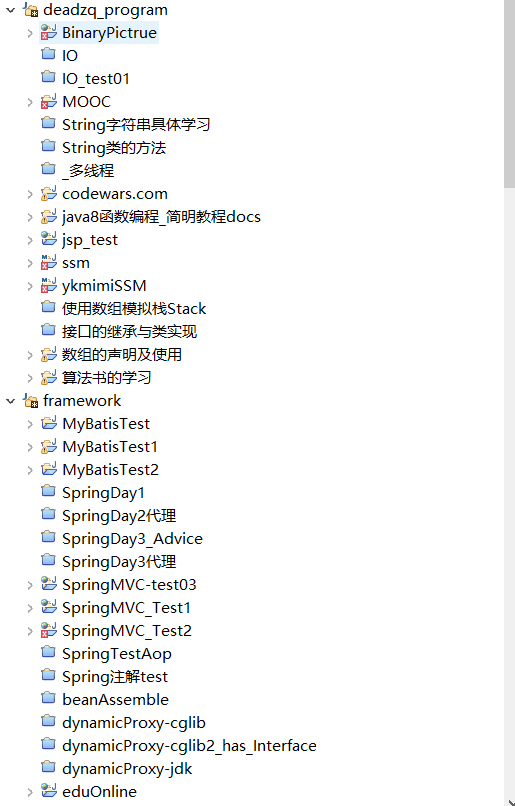
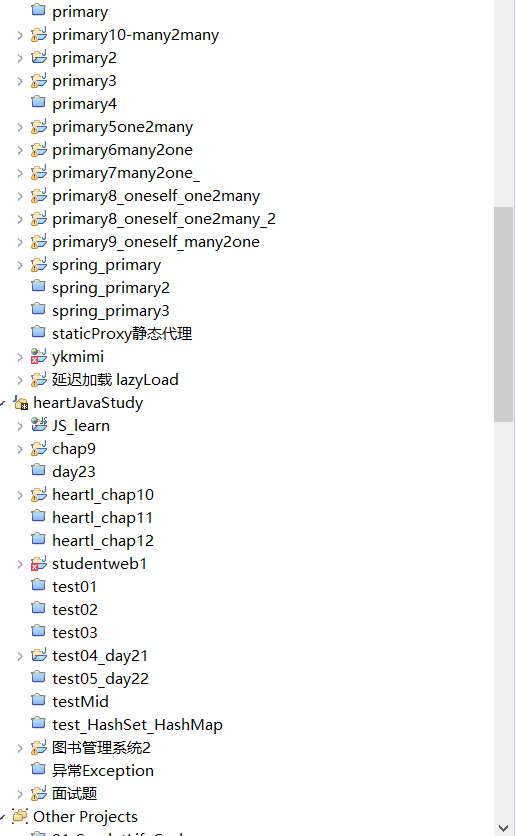
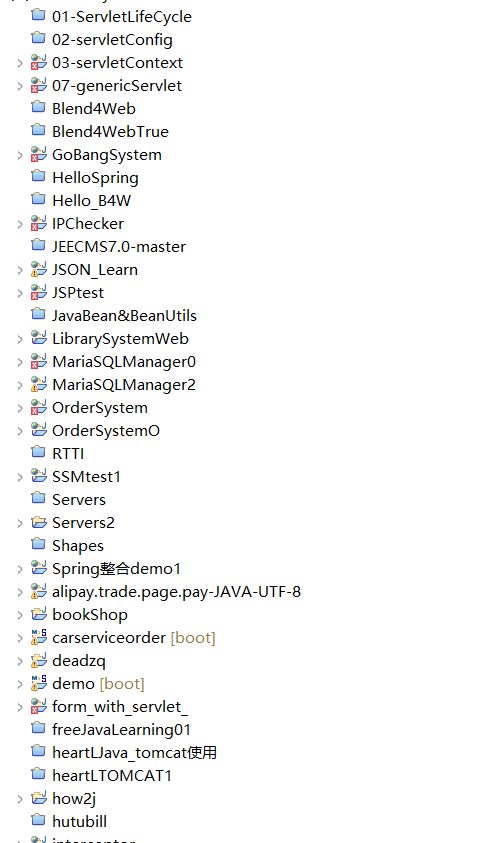
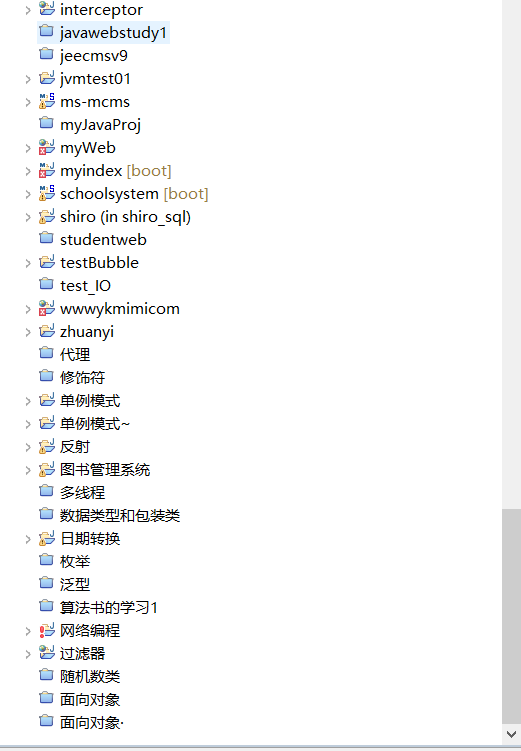
可以看到基础的Java类,以及老式的写法我这里还是比较多的
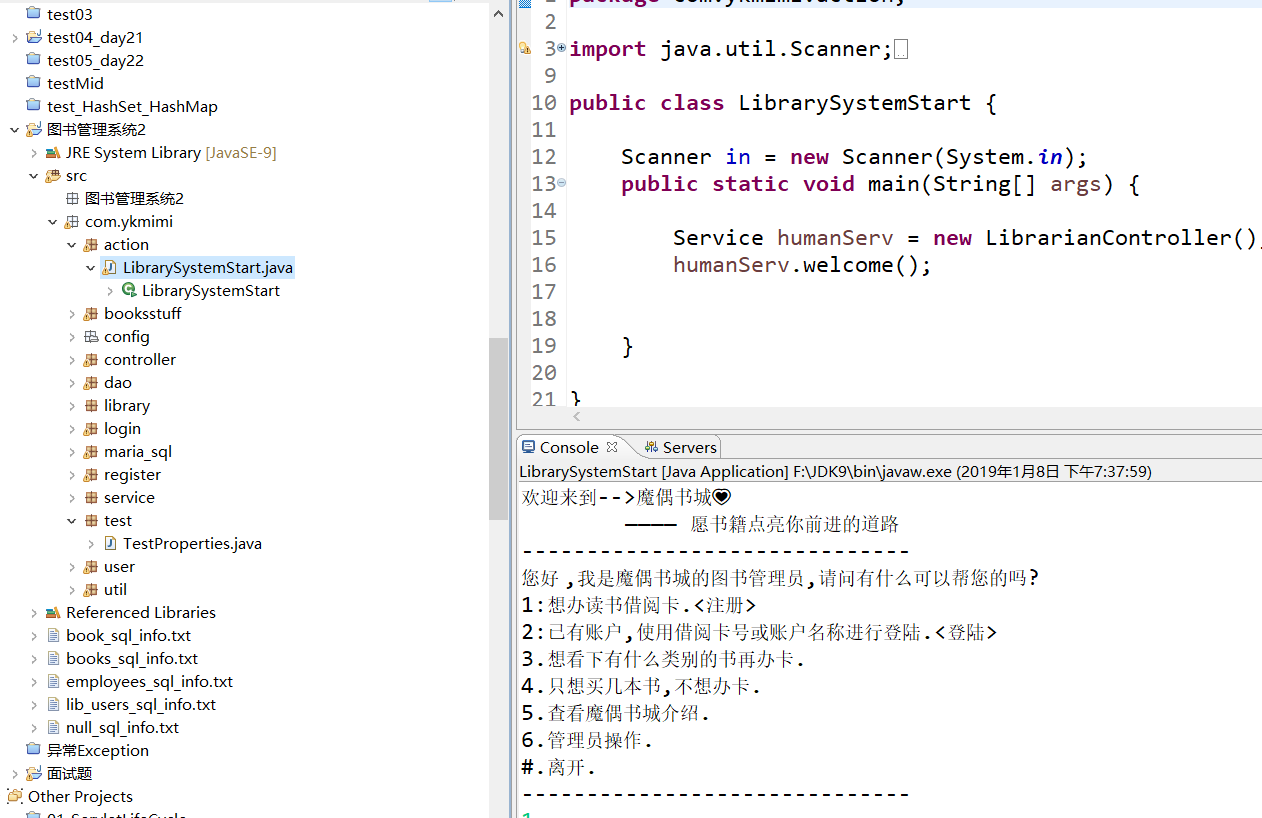
当时设计这个图书馆系统运用的Java面向对象的思想,比如书,书在书架上,每个书架都有分类,一个图书馆里有很多书架.
当然也可以把图书管理员设想成一个service
在booksstuff包中,有Books和BookShelf类
package com.ykmimi.booksstuff; import java.math.BigDecimal; /**
* 放书的那一类
*
* @author SeeClanUkyo
*
*/
public class Books { ///// *[Shiro] - Shiro之进阶的更多相关文章
- Shiro Shiro Web Support and EnvironmentLoaderListener
Shiro Shiro Web Support 主要参考: http://shiro.apache.org/web.html 还有涛哥的 作为资源控制访问的事情,主要使用在网络后台方面,所以了解了本地 ...
- [Shiro] - Shiro之SpringBoot中的使用
下载了运行项目后,访问路径:http://localhost/shiro/login 这篇应该在进阶后面的. shiro中的重中之重,一定要看. 基于springboot+thymeleaf+shir ...
- 跟开涛老师学shiro -- shiro简介
1.1 简介 Apache Shiro是Java的一个安全框架.目前,使用Apache Shiro的人越来越多,因为它相当简单,对比Spring Security,可能没有Spring Securi ...
- SpringBoot + Shiro + shiro.ini 的踩坑记录
0.写在前面的话 好久没写博客了,诶,好多时候偷懒直接就抓网上的资料丢笔记里了,也就没有自己提炼,偷懒偷懒.然后最近参加了一个网络课程,要交作业的那种,为了能方便看下其他同学的作业,就写了个爬虫把作业 ...
- [Shiro] - shiro之SSM中的使用
在学习shiro的途中,在github发现了一个开源项目,所需的控件刚好是自己要学习的方向. 虽然还要学习完ssm的shiro与springboot的shiro,以及接下来的种种控件和类库,但学习这个 ...
- springboot+mybatis+shiro——shiro简介
转载:[一]shiro入门 之 Shiro简介 一.shiro介绍: 官方网址:http://shiro.apache.org/introduction.html,shiro的功能包括:认证.授权.加 ...
- Thymeleaf集成Shiro,shiro权限使用el表达式
如果是Thymeleaf集成Shiro的话, 如果使用Shiro在页面上权限字符串需使用thymeleaf的表达式的话, 如果权限字符串在实例级别的话, 可以使用这种方式进行权限字符串的动态实例控制 ...
- shiro 和 spring boot 的集成
1 添加依赖 使用 shiro-spring-boot-web-starter 在 spring boot 中集成 shiro 只需要再添加一个依赖 <dependency> <gr ...
- springmvc 多数据源 SSM java redis shiro ehcache 头像裁剪
获取下载地址 QQ 313596790 A 调用摄像头拍照,自定义裁剪编辑头像 B 集成代码生成器 [正反双向](单表.主表.明细表.树形表,开发利器)+快速构建表单; 技术:31359679 ...
随机推荐
- sql server中的日期详解使用(convert)
转自:http://blog.csdn.net/hehe520347/article/details/48496853 有个字段值例如2012-07-02 00:00:00.000 转化成 2012- ...
- URAL 1517 Freedom of Choice (后缀数组 输出两个串最长公共子串)
版权声明:本文为博主原创文章,未经博主同意不得转载. https://blog.csdn.net/whyorwhnt/article/details/34075603 题意:给出两个串的长度(一样长) ...
- docker的安装,使用
1:安装:https://blog.csdn.net/yx_222/article/details/80936757 sudo apt-get install docker.io 2: 使用dock ...
- [py]django表单不清空实现的2种方法
参考 参考: django实现内容不清空2种方法 django form的作用 1.生成html标签 2.验证输入内容 form生成表单 zhuji/forms.py - 实例化表单 - 定制form ...
- lua的文件管理
lua没有自己的文件管理 只有读取和写入文件,但是可以通过调用lfs(LuaFileSystem),lfs是一个 用于lua进行文件访问的库,支持lua5.1和lua5.2,并且跨平台 lfs的使用: ...
- Py-apply用法学习【转载】
转自:https://blog.csdn.net/anshuai_aw1/article/details/82347016 1.Apply Python中apply函数的格式为:apply(func, ...
- Locust性能测试5-参数化批量注册
前言 实现场景:所有并发虚拟用户共享同一份测试数据,并且保证虚拟用户使用的数据不重复. 例如,模拟10用户并发注册账号,总共有100个手机号,要求注册账号不重复,注册完毕后结束测试 准备数据 虚拟用户 ...
- 网站nginx负载下因程序错误导致多节点重复处理请求的解决过程
目录 前言 问题来了 问题又来了 问题分析 困惑 转机 后续 前言: 这是我上周工作过程中的一次解决问题的过程.解决的是nginx负载环境下,因为应用程序异常导致某一请求被多节点站点重复处理的问题. ...
- Lintcode: Hash Function && Summary: Modular Multiplication, Addition, Power && Summary: 长整形long
In data structure Hash, hash function is used to convert a string(or any other type) into an integer ...
- jquery控制css的display属性(显示与隐藏)
jquery控制div的显示与隐藏,很方便的. 例如: $("#id").show()表示display:block, $("#id").hide()表示dis ...