
vue实现pc端无限加载功能
主要思路通过自定义指令,在视图初始化完成后,绑定scroll事件。当scrollTop + clientHeight >= scrollHeight时(此时滚定条到了底部)触发loadMore事件,
<template>

  <div class="index" v-scroll="loadMore">

   <!-- 列表数据传递给子组件,loading表示是否正在加载数据,避免在请求时多次触发 -->

    <my-item :lists="lists" :loading="loading" />

  </div>

</template>

<script>

import MyItem from '~/components/Item.vue'

export default {

  name: 'Index',

  created () {

  // 初始化数据

    this.$store.dispatch('GET_INDEX_LISTS')

    this.lists = this.$store.state.lists

  },

  data() {

    return {

      lists: [],

      page: 1,

      loading: false

    }

  },

  directives: {

  scroll: {

    bind: function (el, binding){

      window.addEventListener('scroll', function() {

        if(document.documentElement.scrollTop + document.documentElement.clientHeight  >= document.documentElement.scrollHeight) {

          let loadData = binding.value

          loadData()

        }

      })

    }

  }

},

methods: {

  async loadMore(){

    if(!this.loading){

      this.loading = true

        // 请求下一页数据

      await this.$store.dispatch('GET_INDEX_LISTS', {

          page: this.page++

        })

    // 重新填充数据

    this.lists = this.lists.concat(this.$store.state.lists)

    this.loading = false

    }

  }

},

  components: {

    MyItem

  }

}

</script>
附上一个css loading动画 , Loading.vue:
<template>
<div class="loading">
<div class="loader-inner line-scale">
<div></div>
<div></div>
<div></div>
<div></div>
<div></div>
</div>
</div>
</template>
<style>
.loading {
text-align: center;
}
.loader-inner {
display: inline-block;
}
@-webkit-keyframes line-scale {
0% {
-webkit-transform: scaley(1);
transform: scaley(1);
}
50% {
-webkit-transform: scaley(0.4);
transform: scaley(0.4);
}
100% {
-webkit-transform: scaley(1);
transform: scaley(1);
}
}
@keyframes line-scale {
0% {
-webkit-transform: scaley(1);
transform: scaley(1);
}
50% {
-webkit-transform: scaley(0.4);
transform: scaley(0.4);
}
100% {
-webkit-transform: scaley(1);
transform: scaley(1);
}
}
.line-scale > div:nth-child(1) {
-webkit-animation: line-scale 1s 0.1s infinite
cubic-bezier(0.2, 0.68, 0.18, 1.08);
animation: line-scale 1s 0.1s infinite cubic-bezier(0.2, 0.68, 0.18, 1.08);
}
.line-scale > div:nth-child(2) {
-webkit-animation: line-scale 1s 0.2s infinite
cubic-bezier(0.2, 0.68, 0.18, 1.08);
animation: line-scale 1s 0.2s infinite cubic-bezier(0.2, 0.68, 0.18, 1.08);
}
.line-scale > div:nth-child(3) {
-webkit-animation: line-scale 1s 0.3s infinite
cubic-bezier(0.2, 0.68, 0.18, 1.08);
animation: line-scale 1s 0.3s infinite cubic-bezier(0.2, 0.68, 0.18, 1.08);
}
.line-scale > div:nth-child(4) {
-webkit-animation: line-scale 1s 0.4s infinite
cubic-bezier(0.2, 0.68, 0.18, 1.08);
animation: line-scale 1s 0.4s infinite cubic-bezier(0.2, 0.68, 0.18, 1.08);
}
.line-scale > div:nth-child(5) {
-webkit-animation: line-scale 1s 0.5s infinite
cubic-bezier(0.2, 0.68, 0.18, 1.08);
animation: line-scale 1s 0.5s infinite cubic-bezier(0.2, 0.68, 0.18, 1.08);
}
.line-scale > div {
background-color: #fe0061;
width: 4px;
height: 30px;
border-radius: 2px;
margin: 2px;
-webkit-animation-fill-mode: both;
animation-fill-mode: both;
display: inline-block;
}
</style>
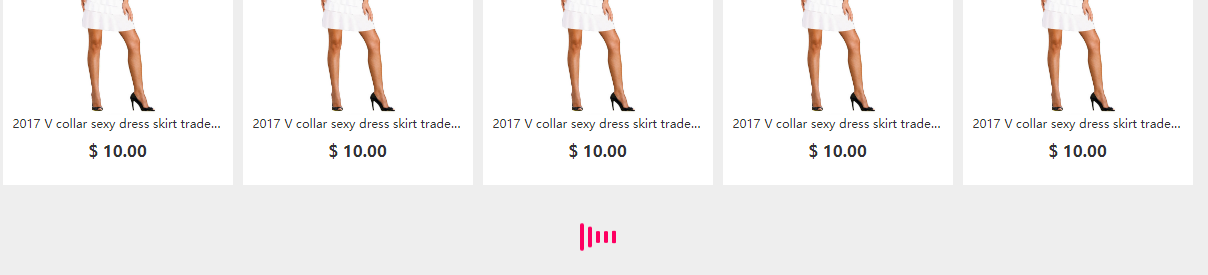
加载效果图:
vue实现pc端无限加载功能的更多相关文章
- Vue中实现一个无限加载列表
参考 https://www.jianshu.com/p/0a3aebd63a14 一个需要判断的地方就是加载中再次触发滚动的时候,不要获取数据. <!DOCTYPE html> < ...
- js实现移动端无限加载分页
原理:当滚动条到达底部时,执行下一页内容. 判断条件需要理解三个概念: 1.scrollHeight 真实内容的高度 2.clientHeight 视窗的高度,即在浏览器中所能看到的内容的 ...
- Vue.js 开发实践:实现精巧的无限加载与分页功能
本篇文章是一篇Vue.js的教程,目标在于用一种常见的业务场景--分页/无限加载,帮助读者更好的理解Vue.js中的一些设计思想.与许多Todo List类的入门教程相比,更全面的展示使用Vue.js ...
- vux-scroller实现移动端上拉加载功能
本文将讲述vue-cli+vux-scroller实现移动端的上拉加载功能: 纠错声明:网上查阅资料看到很多人都将vux和vuex弄混,在这里我们先解释一下,vuex是vue框架自带的组件,是数据状态 ...
- 使用scrollpagination实现页面底端自动加载无需翻页功能
当阅读到页面最底端的时候,会自动显示一个"加载中"的功能,并自动从服务器端无刷新的将内容下载到本地浏览器显示. 这样的自动加载功能是如何实现的?jQuery的插件 ScrollPa ...
- Qt实现小功能之列表无限加载
概念介绍 无限加载与瀑布流的结合在Web前端开发中的效果非常新颖,对于网页内容具备较好的表现形式.无限加载并没有一次性将内容全部加载进来,而是通过监听滚动条事件来刷新内容的.当用户往下拖动滚动条或使用 ...
- Qt实现小功能之列表无限加载(创意很不错:监听滚动条事件,到底部的时候再new QListWidgetItem)
概念介绍 无限加载与瀑布流的结合在Web前端开发中的效果非常新颖,对于网页内容具备较好的表现形式.无限加载并没有一次性将内容全部加载进来,而是通过监听滚动条事件来刷新内容的.当用户往下拖动滚动条或使用 ...
- JRoll 2 使用文档(史上最强大的下拉刷新,滚动,无限加载插件)
概述 说明 JRoll,一款能滚起上万条数据,具有滑动加速.回弹.缩放.滚动条.滑动事件等功能,兼容CommonJS/AMD/CMD模块规范,开源,免费的轻量级html5滚动插件. JRoll第二版是 ...
- JS实现-页面数据无限加载
在手机端浏览网页时,经常使用一个功能,当我们浏览京东或者淘宝时,页面滑动到底部,我们看到数据自动加载到列表.之前并不知道这些功能是怎么实现的,于是自己在PC浏览器上模拟实现这样的功能.先看看浏览效果: ...
随机推荐
- 关于EL表达式的学习总结
一.EL表达式简介 EL 全名为Expression Language.EL主要作用: 1.获取数据 EL表达式主要用于替换JSP页面中的脚本表达式,以从各种类型的web域 中检索java对象.获取数 ...
- JS_高程6.面向对象的程序设计(2)创建对象_1
一.创建对象的常见方法 (1)Object构造函数创建单个对象,早期的JavaScript开发人员经常使用该模式创建新对象. var person=new Object(); person.name= ...
- 【二分图最大匹配】Bullet @山东省第九届省赛 B
时间限制: 6 Sec 内存限制: 128 MB 题目描述 In GGO, a world dominated by gun and steel, players are fighting for t ...
- [原创]Burp Suite web应用程序渗透测试神器
[原创]Burp Suite web应用程序渗透测试神器 一 Burp Suite介绍 Burp Suite是Web应用程序测试的最佳工具之一,其多种功能可以帮我们执行各种任务.请求的拦截和修改,扫描 ...
- u-boot-2018-09 分析 v1
下载地址: https://pan.baidu.com/s/1YcQ1XpFyzmNcr1afw1RhgQ 或者:
- Linux:“awk”命令的妙用
awk是一个强大的文本分析工具,简单来说awk就是把文件逐行读入,(空格,制表符)为默认分隔符将每行切片,切开的部分再进行各种分析处理. 0.基本用法 awk是一个强大的文本分析工具,简单来说awk就 ...
- Spring 拦截器postHandle无法修改Response的原因
如果controller跳转至页面,postHandle是没问题的. 如果@ResponseBody注释 或者返回 ResponseEntity,在postHandle拦截器中修改请求头,是无效的. ...
- [Python设计模式] 第24章 加薪审批——职责链模式
github地址:https://github.com/cheesezh/python_design_patterns 题目 用程序模拟以下情景 员工向经理发起加薪申请,经理无权决定,需要向总监汇报, ...
- [Python设计模式] 第19章 分公司=部门?——组合模式
github地址:https://github.com/cheesezh/python_design_patterns 组合模式 组合模式,将对象组合成树形结构以表示"部分-整体" ...
- php读取ini配置文件属性
ini的内容格式如下,请根据自己的INI,格式修改下段程序. autostart = false font_size = font_color = red =================== fu ...