
cvm母机宕机重启后数据库修复
下午正在开周会,然后收到短信,说是X.X.X.X的机器ping不通了,一轮测试过后,发现是某台数据库服务器挂了,先不急着重启,问下tencent客服。。。

乖乖的好家伙,母机的主板坏了。。。。一个小时候,母机起来了,看下数据库起来么。。
[root@VM_145_57_tlinux ~]# mysql -uroot -p1234

ERROR  (HY000): Can't connect to local MySQL server through socket '/tmp/mysql.sock' (2)

[root@VM_145_57_tlinux ~]# mysql -uroot -p

Enter password:

ERROR  (HY000): Can't connect to local MySQL server through socket '/tmp/mysql.sock' (2)

[root@VM_145_57_tlinux ~]# ps -ef |grep mysql

root              : ?        :: /bin/sh /usr/bin/mysqld_safe --datadir=/data/mysql/var --socket=/tmp/mysql.sock --pid-file=/data/mysql/mysqld/mysqld.pid --basedir=/usr --user=mysql

mysql         : ?        :: /usr/libexec/mysqld --basedir=/usr --datadir=/data/mysql/var --user=mysql --log-error=/data/mysql/mysqld/mysqld.log --pid-file=/data/mysql/mysqld/mysqld.pid --socket=/tmp/mysql.sock --port=

root         : pts/    :: grep mysql

[root@VM_145_57_tlinux ~]# mysql -uroot -p1234 -S /tmp/mysql.sock

ERROR  (HY000): Can't connect to local MySQL server through socket '/tmp/mysql.sock' (2)

[root@VM_145_57_tlinux ~]# ls /tmp/mys^C

[root@VM_145_57_tlinux ~]# /etc/init.d/mysqld restart

Stopping mysqld:                                           [  OK  ]

Starting mysqld:                                           [  OK  ]

[root@VM_145_57_tlinux ~]# ps -ef | msyql

-bash: msyql: command not found

[root@VM_145_57_tlinux ~]# ps -ef |grep mysql

root              : ?        :: /bin/sh /usr/bin/mysqld_safe --datadir=/data/mysql/var --socket=/tmp/mysql.sock --pid-file=/data/mysql/mysqld/mysqld.pid --basedir=/usr --user=mysql

mysql         : ?        :: /usr/libexec/mysqld --basedir=/usr --datadir=/data/mysql/var --user=mysql --log-error=/data/mysql/mysqld/mysqld.log --pid-file=/data/mysql/mysqld/mysqld.pid --socket=/tmp/mysql.sock --port=

root             : pts/    :: /bin/sh /usr/bin/mysqld_safe --datadir=/data/mysql/var --socket=/tmp/mysql.sock --pid-file=/data/mysql/mysqld/mysqld.pid --basedir=/usr --user=mysql

mysql        : pts/    :: /usr/libexec/mysqld --basedir=/usr --datadir=/data/mysql/var --user=mysql --log-error=/data/mysql/mysqld/mysqld.log --pid-file=/data/mysql/mysqld/mysqld.pid --socket=/tmp/mysql.sock --port=

root         : pts/    :: grep mysql
这下亮了,出现了double进程,没发解释啊。。。【下面这步觉得error】
[root@VM_145_57_tlinux ~]# kill -

[root@VM_145_57_tlinux ~]# kill -

[root@VM_145_57_tlinux ~]# ps -ef |grep mysql

root             : pts/    :: /bin/sh /usr/bin/mysqld_safe --datadir=/data/mysql/var --socket=/tmp/mysql.sock --pid-file=/data/mysql/mysqld/mysqld.pid --basedir=/usr --user=mysql

mysql        : pts/    :: /usr/libexec/mysqld --basedir=/usr --datadir=/data/mysql/var --user=mysql --log-error=/data/mysql/mysqld/mysqld.log --pid-file=/data/mysql/mysqld/mysqld.pid --socket=/tmp/mysql.sock --port=

root         : pts/    :: grep mysql
之前起来的进程被我kill -9之后,发现能连上数据库了,可是innodb存储引擎没起来。
mysql> show engines;

+------------+---------+-----------------------------------------------------------+--------------+------+------------+

| Engine     | Support | Comment                                                   | Transactions | XA   | Savepoints |

+------------+---------+-----------------------------------------------------------+--------------+------+------------+

| MRG_MYISAM | YES     | Collection of identical MyISAM tables                     | NO           | NO   | NO         |

| CSV        | YES     | CSV storage engine                                        | NO           | NO   | NO         |

| MyISAM     | DEFAULT | Default engine as of MySQL 3.23 with great performance    | NO           | NO   | NO         |

| MEMORY     | YES     | Hash based, stored in memory, useful for temporary tables | NO           | NO   | NO         |

+------------+---------+-----------------------------------------------------------+--------------+------+------------+

 rows in set (0.00 sec)
似乎能看出问题了,进程起来了,socket没有建立,存储引擎没有启动-->innodb正在后台线程操作!!查下errorlog一探究竟:
 :: mysqld_safe Starting mysqld daemon with databases from /data/mysql/var

 ::  InnoDB: Initializing buffer pool, size = .0G

 ::  InnoDB: Completed initialization of buffer pool

InnoDB: Log scan progressed past the checkpoint lsn

 ::  InnoDB: Database was not shut down normally!

InnoDB: Starting crash recovery.

InnoDB: Reading tablespace information from the .ibd files...

InnoDB: Restoring possible half-written data pages from the doublewrite

InnoDB: buffer...

InnoDB: Doing recovery: scanned up to log sequence number
事实上,那个还没创建socket的进程是正在执行double write的回滚工作,继续往下翻页:
InnoDB: Doing recovery: scanned up to log sequence number

 :: mysqld_safe Starting mysqld daemon with databases from /data/mysql/var

 ::  InnoDB: Initializing buffer pool, size = .0G

 ::  InnoDB: Error: cannot allocate  bytes of

InnoDB: memory with malloc! Total allocated memory

InnoDB: by InnoDB  bytes. Operating system errno:

InnoDB: Check if you should increase the swap file or

InnoDB: ulimits of your operating system.

InnoDB: On FreeBSD check you have compiled the OS with

InnoDB: a big enough maximum process size.

InnoDB: Note that in most -bit computers the process

InnoDB: memory space is limited to  GB or  GB.

InnoDB: We keep retrying the allocation for  seconds...

InnoDB: Doing recovery: scanned up to log sequence number
这个是我在innodb引擎正在执行recovery的时候强行启动mysql的报错,提示内存不足。。继续往下翻页:
InnoDB: Doing recovery: scanned up to log sequence number

 ::03InnoDB: Fatal error: cannot allocate the memory for the buffer pool

 :: [ERROR] Plugin 'InnoDB' init function returned error.

 :: [ERROR] Plugin 'InnoDB' registration as a STORAGE ENGINE failed.

 :: [Note] Event Scheduler: Loaded  events

 :: [Note] /usr/libexec/mysqld: ready for connections.

Version: '5.1.61'  socket: '/tmp/mysql.sock'  port:   Source distribution

InnoDB: Doing recovery: scanned up to log sequence number  3612187648
 [此处省略若干行]

InnoDB: Doing recovery: scanned up to log sequence number

 :: [Note] /usr/libexec/mysqld: Normal shutdown

 :: [Note] Event Scheduler: Purging the queue.  events

 :: [Note] /usr/libexec/mysqld: Shutdown complete

 :: mysqld_safe mysqld from pid file /data/mysql/mysqld/mysqld.pid ended

 :: mysqld_safe Starting mysqld daemon with databases from /data/mysql/var

 ::  InnoDB: Initializing buffer pool, size = .0G

 ::  InnoDB: Completed initialization of buffer pool

InnoDB: Log scan progressed past the checkpoint lsn 1808 1368235506 [kill -9的结果]

 ::  InnoDB: Database was not shut down normally!

InnoDB: Starting crash recovery.

InnoDB: Reading tablespace information from the .ibd files...

InnoDB: Restoring possible half-written data pages from the doublewrite

InnoDB: buffer...

InnoDB: Doing recovery: scanned up to log sequence number
看到上面的错误,才恍然大悟,前面的操作是有多危险,要不是mysql的recovery不那么强悍的话,恐怕数据就被我这样弄没了。。。好悬
InnoDB: Doing recovery: scanned up to log sequence number

InnoDB: Doing recovery: scanned up to log sequence number

 ::  InnoDB: Starting an apply batch of log records to the database...

InnoDB: Progress in percents:

InnoDB: Apply batch completed

 ::  InnoDB: Started; log sequence number

 :: [Note] Event Scheduler: Loaded  events

 :: [Note] /usr/libexec/mysqld: ready for connections.

Version: '5.1.61'  socket: '/tmp/mysql.sock'  port:   Source distribution
回滚完成,happy启动服务。
下面来讲下innodb_log_file_size在innodb异常时回滚机制:
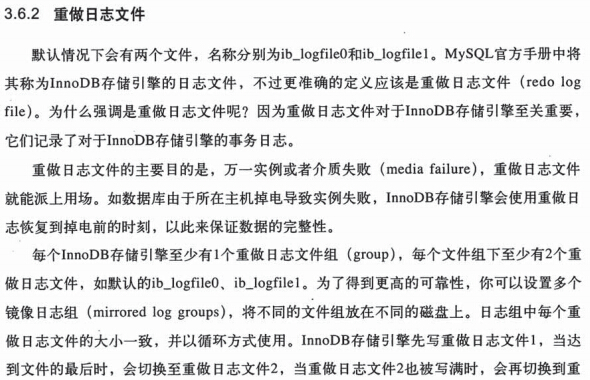

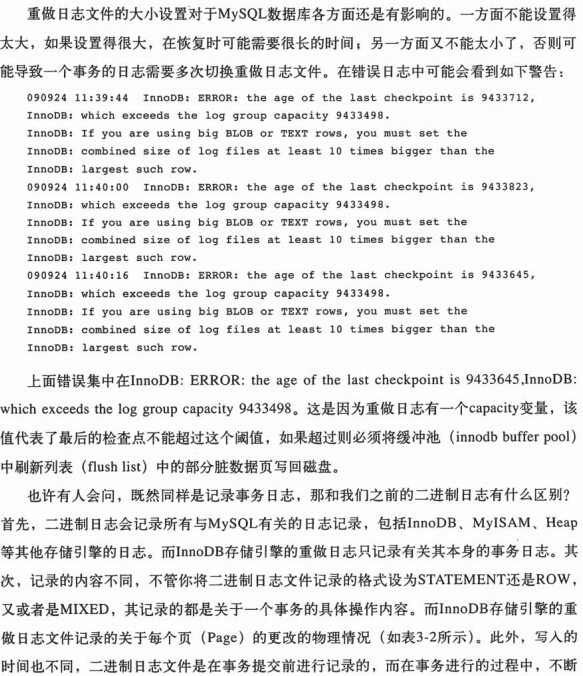

下面我们参考 http://www.cnblogs.com/zuoxingyu/archive/2012/10/25/2738864.html 大牛的博客,算一下innodb_log_file_size到底多大为最合适:【作为一个粗略的规则,你可以让这个日志足够大到能容纳最多一小时左右的日志】
mysql> pager grep sequence

PAGER set to 'grep sequence'

mysql> show engine innodb status\G select sleep(); show engine innodb status\G

Log sequence number

 row in set (0.00 sec)

 row in set ( min 0.00 sec)

Log sequence number

 row in set (0.00 sec)
(411580730-446445181)/1024/1024/60=1999M,向上取整2G,由于默认有2个日志文件,所以按照当前高峰期计算,设为1G为最佳值。
cvm母机宕机重启后数据库修复的更多相关文章
- 数据库主库从库宕机重启后binlog数据同步
由于阿里云经典网络迁移到专用网络,一不小心没有先预备方案调整网段, 导致实例无法以内网IP形式访问数据库,被迫进行数据库停机后网络网段调整,导致宕机了几个小时...被客户各种投诉爆了.. 基于这次数据 ...
- 一次Oracle宕机切换后产生ORA错误的处理过程
问题背景 机房意外断电后Oracle主服务器启动失败,Oracle备机接管 为了安全,管理员对于数据库做expdp的逻辑备份.但备份时发现AttributeInstance表备份失败,提示ORA-01 ...
- openstack环境-解决windows虚机重启后比当前时间晚8小时问题
背景: 生产环境下,发现windows虚机每次重启,时间都会倒退到虚机的格林威治时间(+8小时才是北京时间),也就是比当前时间晚8小时.测试发现,windows虚机所用的镜像,缺少了一个os_type ...
- keepalived 容器在宿主机重启后无法启动问题:报错:daemon is already running
初步猜测原因是:keepalived容器内的keepalived.pid文件在keepalived容器非正常退出时,没有正确删除,造成第二次启动时容器检查到pid文件已经存在,认为该进程已经存在,因为 ...
- 由Redis的hGetAll函数所引发的一次服务宕机事件
昨晚通宵生产压测,终于算是将生产服务宕机的原因定位到了,心累.这篇博客,算作一个复盘和记录吧... 先来看看Redis的缓存淘汰算法思维导图: 说明:当实际占用的内存超过Redis配置的maxmemo ...
- 分享:Windows2008重启后提示系统恢复选项的解决办法
如题:WINdows2008服务器. 重启后提示系统恢复选项的解决办法 使用windows 2008后,不能启动的问题,重启后出现 修复系统选项 采用下面帖子中的部分命令搞定之. 我自己是直接使用:选 ...
- 记一次 oracle 数据库在宕机后的恢复
系统:redhat 6.6 oracle版本: Oracle Database 11g Enterprise Edition Release 11.2.0.1.0 - Production 问题描述: ...
- oracle 归档模式开启后数据库宕机解决过程
首先按照网友说的shutdown immediately,结果hang了半个小时也么反应. 然后检查日志,全盘搜索.trc,发现 (D:\app\oracle\diag\rdbms\cms1u\cms ...
- 万答#4,延迟从库加上MASTER_DELAY,主库宕机后如何快速恢复服务
欢迎来到 GreatSQL社区分享的MySQL技术文章,如有疑问或想学习的内容,可以在下方评论区留言,看到后会进行解答 当主库宕机后,延迟从库如何才能"取消"主动延迟,以便恢复服务 ...
随机推荐
- TranslateAnimation详解 Android动画。
TranslateAnimation详解 Android JDK为我们提供了4种动画效果,分别是: AlphaAnimation,RotateAnimation, ScaleAnimation, Tr ...
- mysql查询一个库中有多少张表
SELECT COUNT(*) TABLES, table_schema FROM information_schema.TABLES WHERE table_schema = 'palm_2_0_ ...
- 在Android中解决内存溢出 – OutOfMemoryError
原文链接:http://riggaroo.co.za/fixing-memory-leaks-in-android-outofmemoryerror/ 注:本文在原文基础上在如何判断内存是否泄露方面进 ...
- 【Linux】CentOS7上安装google谷歌浏览器
1.首先进入根目录,然后进入etc/yum.repos.d目录下,创建google-chrome.repo文件 cd / cd etc/yum.repos.d vim google-chrome.re ...
- 安全小测试:介绍一个简单web安全知识测试的网站
https://websecurity.firebaseapp.com/ 一次测试一共7道题,最后有答案,可以反复做,每次随机抽题
- ES6里的修饰器Decorator
修饰器(Decorator)是一个函数,用来修改类的行为. 一.概述 ES6 引入了这项功能,目前 Babel 转码器已经支持Decorator 首先,安装babel-core和babel-plugi ...
- k8s restful API 结构分析
k8s的api-server组件负责提供restful api访问端点, 并且将数据持久化到etcd server中. 那么k8s是如何组织它的restful api的? 一, namespaced ...
- MySQL时间增加、字符串拼接
MySQL时间增加.字符串拼接 SELECT DATE_ADD(startTime, INTERVAL 10 SECOND); CONCAT(string1,string2,…)
- [GraphQL] Reuse Query Fields with GraphQL Fragments
A GraphQL fragment encapsulates a collection of fields that can be included in queries. In this vide ...
- PS PNG导出的时候是否交错有什么影响
已解决 导出png格式交错什么意思 我百度的答案一律说png支持交错,可是交错两个字的意思是什么啊,那位专家请指教.谢谢啦!! 问题补充: 我用photoshop或者coreldraw制作按钮时候不是 ...